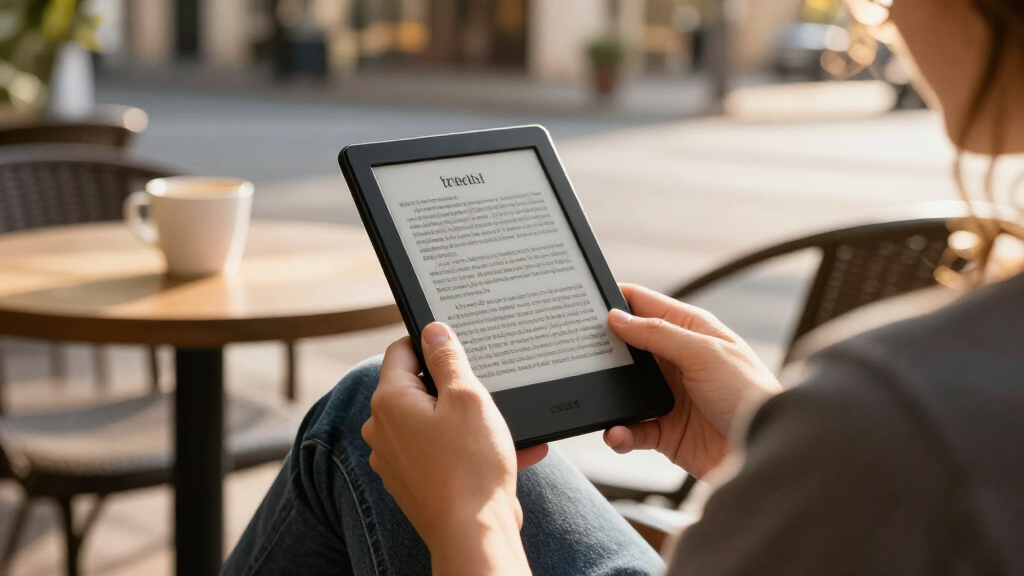

The best e-reader for most people is the 2024 Kindle Paperwhite: its larger screen and warm-light controls make it a strong fit for long reading sessions. For color covers, comics, and illustrated books, the Kobo Libra Colour adds page-turn buttons and a more flexible shape, while the basic Kindle is the simpler pick for readers who want a compact device. The main tradeoffs are screen size, color versus sharper black-and-white text, library and file support, and whether note-taking is worth carrying a larger device. I compared the Kindle and Kobo options here by reading comfort, usability, and the features that change everyday use. Continue reading for the full breakdown and help matching an e-reader to your habits.

Get the latest gadgets delivered free with Prime
- Fast, free delivery on millions of items
- Prime Video, Amazon Music and more included
- Member-only deals all year
Complete the kit



Key Takeaways
- The 2024 Kindle Paperwhite leads as the all-around pick because its 7-inch screen and warm-light adjustment add comfort without the bulk of a note-taking model.
- Color displays make the most sense for illustrated reading, but readers focused on novels may prefer the crisp black-and-white presentation of a standard Kindle or Paperwhite.
- The Kobo Libra Colour is the most flexible color choice in this lineup, combining a 7-inch screen and page-turn buttons; the smaller Kobo Clara Colour favors portability.
- Paperwhite Signature Edition models add convenience, not a different reading experience: shoppers should compare storage and extras against the standard Paperwhite before paying for the upgrade.
- Kindle Scribe models serve a different job: their large screens and included pens suit annotation and handwriting, but they are less pocketable than dedicated reading devices.
| Amazon Kindle Colorsoft 16 GB E-Reader, 7-Inch Color Display, Black, Without Ads |  | Best Color E-Reader | Display: 7-inch Colorsoft display with built-in light; 300 ppi black and white, 150 ppi color | Storage: 16 GB | Dimensions: 5 × 7 × 0.3 in (127.6 × 176.7 × 7.8 mm) | VIEW LATEST PRICE | See Our Full Breakdown |
| Amazon Kindle Colorsoft 16 GB (1st Generation) with 7-inch Color Display and Adjustable Warm Light |  | Best Color Kindle for Warm-Light Reading | Display: 7-inch Colorsoft display; 300 ppi black and white, 150 ppi color | Storage: 16 GB | Dimensions: 5 × 7 × 0.3 in (127.6 × 176.7 × 7.8 mm) | VIEW LATEST PRICE | See Our Full Breakdown |
| Amazon Kindle 16 GB (2024, 11th Generation), 6-inch Display, Matcha |  | Best Compact E-Reader | Display: 6-inch glare-free display with adjustable front light; 300 ppi and 16-level grayscale | Storage: 16 GB; holds thousands of books | Dimensions: 6.2 × 4.3 × 0.32 in (157.8 × 108.6 × 8.0 mm) | VIEW LATEST PRICE | See Our Full Breakdown |
| Amazon Kindle Paperwhite (16 GB, 11th Generation) – 6.8-Inch Display, Adjustable Warm Light, Black |  | Best Monochrome All-Rounder | Display: 6.8 inches, 300 ppi, 16-level grayscale | Storage: 16 GB | Dimensions: 6.9 × 4.9 × 0.32 in (174.2 × 124.6 × 8.1 mm) | VIEW LATEST PRICE | See Our Full Breakdown |
| Amazon Kindle Scribe Colorsoft 64GB with Premium Pen |  | Best E-Reader for Writing and Color Notes | Display: 11-inch Colorsoft display; 300 ppi black and white, 150 ppi color, 16-level grayscale | Storage: 64 GB total; 50 GB available to user | Dimensions: 7.4 × 9.6 × 0.21 in (189 × 245 × 5.4 mm), excluding feet | VIEW LATEST PRICE | See Our Full Breakdown |
| Kobo Clara Colour 6-Inch eReader, 16GB, Black |  | Best Compact Color E-Reader | Display: 6-inch color E Ink | Resolution: 1280 × 720 | Storage: 16 GB | VIEW LATEST PRICE | See Our Full Breakdown |
| Kindle Paperwhite Signature Edition 32GB |  | Best Premium Black-and-White Kindle | Display size: 7 inches | Display: High-contrast, edge-to-edge display with auto-adjusting warm front light | Storage: 32GB | VIEW LATEST PRICE | See Our Full Breakdown |
| Kindle Paperwhite Signature Edition (2024), 32 GB, Metallic Black | 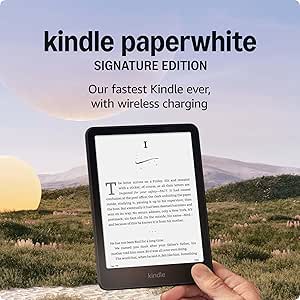 | Best Refurbished Black-and-White Value | Display: 7-inch Paperwhite, 300 ppi, 16-level grayscale | Storage: 32 GB | Dimensions: 5 × 7 × 0.3 inches | VIEW LATEST PRICE | See Our Full Breakdown |
| Like-New Amazon Kindle Colorsoft Signature Edition 32GB (2024 model) – With color display, auto-adjusting front light, wireless charging, and long battery life – Metallic Black |  | Best Refurbished Kindle for Color | Display: 7-inch Colorsoft; 300 ppi black-and-white, 150 ppi color | Storage: 32 GB | Battery life: Up to 8 weeks under stated reading conditions | VIEW LATEST PRICE | See Our Full Breakdown |
| Kobo Libra Colour eReader, 7-Inch Color E Ink, Waterproof, 32 GB, White |  | Best Color E-Reader for Comics and Annotations | Display technology: Color E Ink Kaleido 3 | Screen size: 7 inches | Resolution: 1680 × 1264 | VIEW LATEST PRICE | See Our Full Breakdown |
| Amazon Kindle 16GB, 6-Inch Display, Graphite |  | Best Compact Kindle | Storage: 16 GB | Display size: 6 inches | Display: Glare-free, high-contrast front display with adjustable brightness | VIEW LATEST PRICE | See Our Full Breakdown |
| Amazon Kindle Scribe, 32 GB, 11-inch Display with Front Light and Premium Pen, Graphite |  | Best for Reading and Handwriting | Display: 11-inch Paperwhite display, 300 ppi, 16-level grayscale, built-in light | Storage: 32 GB (23 GB available to user) | Dimensions: 7.4 × 9.6 × 0.21 inches (189 × 245 × 5.4 mm), excluding feet | VIEW LATEST PRICE | See Our Full Breakdown |
| Kobo Clara Colour | Colour eReader | 6” Glare-Free Colour E Ink Kaleido™ 3 Display | Dark Mode Option | Waterproof | Audiobooks | 16GB of Storage | Black |  | Best Compact Color E-Reader | Display: 6-inch E Ink Kaleido 3 color display | Native resolution: 1024 × 768 | Storage: 16 GB | VIEW LATEST PRICE | See Our Full Breakdown |
| Amazon Kindle Paperwhite Signature Edition (2024), 32 GB, Metallic Black |  | Best Premium Kindle | Display: 7-inch Paperwhite, 300 ppi, 16-level grayscale | Storage: 32 GB | Dimensions: 5 × 7 × 0.3 in (127.6 × 176.7 × 7.8 mm) | VIEW LATEST PRICE | See Our Full Breakdown |
| Amazon Kindle Paperwhite (2024, 12th Generation), 16 GB, 7-Inch Display, Raspberry | 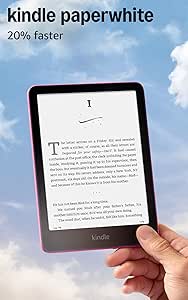 | Best Overall | Display: 7-inch Paperwhite display, 300 ppi, 16-level grayscale | Storage: 16 GB | Dimensions: 5 × 7 × 0.3 in (127.6 × 176.7 × 7.8 mm) | VIEW LATEST PRICE | See Our Full Breakdown |
| e-reader | Storage | Battery life | Display | Weight |
|---|---|---|---|---|
| Amazon Kindle Colorsoft 16 GB | 16 GB | Up to 8 weeks with 30 minutes of reading per day, wireless off, and light setting at 13 | 7-inch Colorsoft display with built-in light; 300 ppi black and white, 150 ppi color | 7.6 oz (215 g) |
| Amazon Kindle Colorsoft 16 GB | 16 GB | Up to 8 weeks based on 30 minutes of reading per day, wireless off, and light setting 13 | 7-inch Colorsoft display; 300 ppi black and white, 150 ppi color | 7.6 oz (215 g) |
| Amazon Kindle 16 GB | 16 GB; holds thousands of books | Up to 6 weeks per charge under specified conditions | 6-inch glare-free display with adjustable front light; 300 ppi and 16-level grayscale | 5.56 oz (158 g) |
| Amazon Kindle Paperwhite | 16 GB | Up to 10 weeks under specified reading conditions | 6.8 inches, 300 ppi, 16-level grayscale | 7.23 oz (205 g) |
| Amazon Kindle Scribe Colorsoft | 64 GB total; 50 GB available to user | Up to 8 weeks for reading under specified conditions | 11-inch Colorsoft display; 300 ppi black and white, 150 ppi color, 16-level grayscale | 400 g (14.1 oz) |
| Kobo Clara Colour 6-Inch eRead | 16 GB | 49 hours average | 6-inch color E Ink | 6.14 ounces |
| Kindle Paperwhite Signature Ed | 32GB | Up to 12 weeks per charge | High-contrast, edge-to-edge display with auto-adjusting warm front light | — |
| Kindle Paperwhite Signature Ed | 32 GB | Up to 12 weeks under specified conditions | 7-inch Paperwhite, 300 ppi, 16-level grayscale | 7.5 ounces |
| Like-New Amazon Kindle Colorso | 32 GB | Up to 8 weeks under stated reading conditions | 7-inch Colorsoft; 300 ppi black-and-white, 150 ppi color | 7.7 ounces |
| Kobo Libra Colour eReader | 32 GB | Up to 4 weeks | — | 7.05 ounces |
| Amazon Kindle 16GB | 16 GB | Up to 6 weeks per charge | Glare-free, high-contrast front display with adjustable brightness | — |
| Amazon Kindle Scribe | 32 GB (23 GB available to user) | Up to 12 weeks reading or 3 weeks writing under stated test conditions | 11-inch Paperwhite display, 300 ppi, 16-level grayscale, built-in light | 14.1 oz (400 g) |
| Kobo Clara Colour | Colour eRe | 16 GB | About 2 weeks | 6-inch E Ink Kaleido 3 color display | 6.14 oz |
| Amazon Kindle Paperwhite Signa | 32 GB | Up to 12 weeks under specified reading conditions | 7-inch Paperwhite, 300 ppi, 16-level grayscale | 7.5 oz (214 g) |
| Amazon Kindle Paperwhite | 16 GB | Up to 12 weeks under specified reading conditions | 7-inch Paperwhite display, 300 ppi, 16-level grayscale | 7.4 oz (211 g) |
More Details on Our Top Picks
Amazon Kindle Colorsoft 16 GB E-Reader, 7-Inch Color Display, Black, Without Ads
The Kindle Colorsoft is my pick for readers who want color on a dedicated e-reader without stepping up to a large note-taking device. Its 7-inch display lets you see colored highlights and book artwork, while adjustable warm lighting and Dark Mode give you options for different reading conditions. Compared with the monochrome Kindle Paperwhite, it adds color but gives up some display crispness for color content: black-and-white pages render at 300 ppi, while color is 150 ppi. The IPX8 rating also makes it better suited to reading near water than the compact basic Kindle. The tradeoff is that its color layer can look less bright or different in texture than a monochrome screen, and Bluetooth audiobook use can shorten battery life.
Pros:- 7-inch color display supports five highlight colors
- Adjustable white-to-amber lighting and Dark Mode
- IPX8 waterproofing for reading near water
- 16 GB storage and USB-C charging
Cons:- Color content renders at 150 ppi, half the black-and-white resolution
- Color display layer can appear different in brightness or texture from a monochrome Kindle
- Battery life varies with use and drops with Bluetooth audiobook streaming
Best for: Readers who want color-coded highlights, illustrated covers, and a waterproof 7-inch Kindle for everyday reading.
Not ideal for: Readers focused on the sharpest text or the lightest, simplest device; the basic 6-inch Kindle is more compact, while the Paperwhite keeps a monochrome 300 ppi display.
- Display:7-inch Colorsoft display with built-in light; 300 ppi black and white, 150 ppi color
- Storage:16 GB
- Dimensions:5 × 7 × 0.3 in (127.6 × 176.7 × 7.8 mm)
- Weight:7.6 oz (215 g)
- Battery life:Up to 8 weeks with 30 minutes of reading per day, wireless off, and light setting at 13
- Charging:USB-C; fully charges in less than 2.5 hours with a 9 W adapter
- Waterproofing:IPX8; tested for immersion in 2 m of fresh water for 60 minutes
- Connectivity:Dual-band 2.4 GHz and 5.0 GHz Wi-Fi; Bluetooth audio
Our verdict“Choose the Colorsoft if color highlights and waterproofing matter more to you than the sharper monochrome display of the Paperwhite.”
Amazon Kindle Colorsoft 16 GB (1st Generation) with 7-inch Color Display and Adjustable Warm Light
This first-generation Kindle Colorsoft makes the most sense for readers who want color and adjustable lighting in one waterproof device. The white-to-amber front light gives you more control over the screen’s tone than the compact Kindle, which has an adjustable front light but lacks warm-light adjustment and color. It shares its 7-inch, 16 GB format with the other Colorsoft in this roundup, so its main appeal is the same: color highlights, Bluetooth audio, and IPX8 protection without moving to the much larger Kindle Scribe Colorsoft. That Scribe is better for handwriting and document markup, but is far less compact. Here, color is only 150 ppi versus 300 ppi for black-and-white text, and Bluetooth listening can reduce battery life. The display’s texture or brightness may also differ from a Paperwhite’s monochrome screen.
Pros:- 7-inch color display supports five highlight colors
- Adjustable white-to-amber lighting for different reading settings
- IPX8 waterproof design
- USB-C charging and up to eight weeks of battery life under specified conditions
Cons:- Color resolution is 150 ppi, compared with 300 ppi for black-and-white content
- Color filter layer can make the display look different in brightness or texture from a Paperwhite
- Battery life decreases with use, including audiobook streaming over Bluetooth
Best for: Kindle readers who want colored highlights and warm-light adjustment in a waterproof device for bedside or travel reading.
Not ideal for: Readers who mainly want crisp monochrome text, or who need handwriting and markup tools; a Paperwhite is a simpler text-first choice and the Scribe Colorsoft is built for writing.
- Display:7-inch Colorsoft display; 300 ppi black and white, 150 ppi color
- Storage:16 GB
- Dimensions:5 × 7 × 0.3 in (127.6 × 176.7 × 7.8 mm)
- Weight:7.6 oz (215 g)
- Battery life:Up to 8 weeks based on 30 minutes of reading per day, wireless off, and light setting 13
- Charging:USB-C; fully charges in less than 2.5 hours with a 9 W adapter
- Waterproofing:IPX8; tested for immersion in 2 m of fresh water for 60 minutes
- Accessibility:VoiceView screen reader over Bluetooth audio; English text-to-speech
Our verdict“Pick this Colorsoft if warm-light control and color highlighting are your priorities, but choose a Paperwhite for a more straightforward monochrome reading screen.”
Amazon Kindle 16 GB (2024, 11th Generation), 6-inch Display, Matcha
The 2024 6-inch Kindle is the straightforward choice when pocketability matters more than a larger screen or waterproofing. At 5.56 oz, it is lighter than the 7-inch Colorsoft and Paperwhite, making it easier to carry for commutes or hold for long sessions. Its 300 ppi glare-free display keeps text sharp, while the adjustable front light and Dark Mode cover basic changes in reading environment. You also get 16 GB of storage, enough for a substantial personal library. Compared with the Kindle Paperwhite, though, this model has a smaller screen, shorter stated battery life, and no listed waterproof rating or warm-light adjustment. It also lacks ad-hoc and peer-to-peer Wi-Fi support, and some personal document formats require conversion. Choose it for compact, text-first reading rather than extra features.
Pros:- Compact 6-inch design weighs 5.56 oz
- Glare-free 300 ppi display with adjustable front light and Dark Mode
- 16 GB storage for thousands of books
- Uses recycled plastics and recycled magnesium
Cons:- Smaller display and shorter stated battery life than the Kindle Paperwhite
- No ad-hoc or peer-to-peer Wi-Fi support
- Some personal document formats require conversion
Best for: Commuters and frequent travelers who want a light, small Kindle for novels and other text-first reading.
Not ideal for: Readers who want waterproofing, warm-light adjustment, a larger page area, or color; the Paperwhite and Colorsoft offer more of those features.
- Display:6-inch glare-free display with adjustable front light; 300 ppi and 16-level grayscale
- Storage:16 GB; holds thousands of books
- Dimensions:6.2 × 4.3 × 0.32 in (157.8 × 108.6 × 8.0 mm)
- Weight:5.56 oz (158 g)
- Battery life:Up to 6 weeks per charge under specified conditions
- Charging:USB-C; approximately 4 hours from a computer or 2 hours with a 9 W adapter
- Connectivity:2.4 GHz and 5.0 GHz Wi-Fi
- Supported formats:AZW3, AZW, TXT, PDF, unprotected MOBI, PRC; additional formats supported through conversion
Our verdict“Choose this Kindle if low weight and a sharp text display matter more than the Paperwhite’s larger screen and added reading features.”
Amazon Kindle Paperwhite (16 GB, 11th Generation) – 6.8-Inch Display, Adjustable Warm Light, Black
The Kindle Paperwhite earns its place as the text-first all-rounder: its 6.8-inch, 300 ppi grayscale display offers more page area than the basic Kindle while keeping text crisp. Adjustable warm light and a flush-front design make it a better fit for varied reading environments than the smaller entry-level model. It is also waterproof and has a stated battery life of up to 10 weeks under specified conditions. Compared with the Kindle Colorsoft, the Paperwhite gives up color highlights but avoids the Colorsoft’s lower 150 ppi color resolution and display-layer differences. It is also smaller and lighter than the Kindle Scribe Colorsoft, which adds writing tools but is a different kind of device. Its drawbacks are the older 11th-generation design and no ad-hoc Wi-Fi support; audiobook streaming can also cut battery life.
Pros:- 6.8-inch glare-free display with 300 ppi resolution
- Adjustable warm light and flush-front design
- IPX8 waterproof design
- USB-C charging and up to 10 weeks of battery life under specified conditions
Cons:- Monochrome display cannot show color highlights or illustrations in color
- Does not support ad-hoc or peer-to-peer Wi-Fi networks
- Battery life decreases with use and audiobook streaming
Best for: Readers who want a larger, waterproof monochrome Kindle with warm-light adjustment for books, commutes, and poolside reading.
Not ideal for: Readers who want color annotations or handwriting tools; the Colorsoft adds color, while the Scribe Colorsoft is designed for writing and document markup.
- Display:6.8 inches, 300 ppi, 16-level grayscale
- Storage:16 GB
- Dimensions:6.9 × 4.9 × 0.32 in (174.2 × 124.6 × 8.1 mm)
- Weight:7.23 oz (205 g)
- Battery life:Up to 10 weeks under specified reading conditions
- Charging:USB-C; approximately 5 hours via computer or less than 2.5 hours with a 9 W adapter
- Connectivity:Dual-band 2.4 GHz and 5.0 GHz Wi-Fi; Bluetooth audio
- Generation:11th Generation, 2021 release
Our verdict“Choose the Paperwhite if you want a roomy, waterproof monochrome reader, and skip it if color or note-taking is central to your reading.”
Amazon Kindle Scribe Colorsoft 64GB with Premium Pen
The Kindle Scribe Colorsoft is the specialist pick here: it combines an 11-inch color display with an included pen, so reading can sit alongside handwriting, document markup, and organized notebooks. Its 64 GB total storage and support for formats including PDF and DOCX make it better suited to substantial work documents than the 16 GB Colorsoft or Paperwhite. The textured surface, built-in pen eraser, and note tools give the large screen a practical purpose beyond displaying bigger pages. But this is a 400 g device, not a compact everyday reader like the 6-inch Kindle, and color content remains 150 ppi versus 300 ppi for black-and-white text. Its size and writing focus are overkill if you mainly read novels, while its battery estimate applies to reading under specified conditions rather than every mix of reading and writing.
Pros:- 11-inch color display with built-in front light and textured writing surface
- Premium Pen includes a built-in eraser and shortcut button and requires no charging
- Notebook, handwriting conversion, AI note tools, and document markup
- 64 GB total storage and broad document-format support
Cons:- At 400 g, it is far heavier and larger than a compact Kindle or Paperwhite
- Color content renders at 150 ppi, compared with 300 ppi for black-and-white text
- Battery-life estimate depends on specified reading settings and usage
Best for: Readers, students, and professionals who want a large e-reader for PDFs, handwriting, document markup, and color-coded notes.
Not ideal for: Novel readers seeking a light, one-handed device; the 6-inch Kindle is much more portable, and the Paperwhite is a simpler text-first option.
- Display:11-inch Colorsoft display; 300 ppi black and white, 150 ppi color, 16-level grayscale
- Storage:64 GB total; 50 GB available to user
- Dimensions:7.4 × 9.6 × 0.21 in (189 × 245 × 5.4 mm), excluding feet
- Weight:400 g (14.1 oz)
- Included pen:Premium Pen, 17 g (0.6 oz), with built-in eraser and shortcut button; no charging required
- Battery life:Up to 8 weeks for reading under specified conditions
- Connectivity:2.4 GHz and 5.0 GHz Wi-Fi; supports WEP, WPA, WPA2, WPA3, and WPS
- Supported formats:AZW3, AZW, TXT, PDF, unprotected MOBI, PRC, DOCX, DOC, HTML, EPUB, RTF, JPEG, GIF, PNG, BMP, and Audible AAX
Our verdict“Choose the Scribe Colorsoft if you will use its large color screen and pen for notes or documents, not just for reading novels.”
Kobo Clara Colour 6-Inch eReader, 16GB, Black
The Kobo Clara Colour brings color E Ink to a compact, waterproof reader, making it a better fit than the Kobo Libra Colour for commuters who want comics or color-coded highlights without a larger device. Its 6-inch screen keeps the body light, though pages with panels or detailed diagrams may feel cramped compared with the Libra’s 7-inch display. ComfortLight PRO, Dark Mode, and adjustable settings give readers ways to tailor the screen for different rooms and times of day. IPX8 protection adds reassurance around the bath or pool, while Bluetooth supports Kobo audiobook listening through compatible devices. The tradeoffs are limited screen space and the need for Bluetooth audio gear; its 16GB capacity also gives less room than the Libra Colour’s 32GB. I’d choose it for portability, not for spacious comic reading.
Pros:- Color E Ink supports colored covers, illustrations, and highlights.
- Compact 6-inch size and 6.14-ounce weight suit travel and one-handed reading.
- IPX8 waterproof protection supports reading near water.
- ComfortLight PRO and Dark Mode offer flexible reading settings.
Cons:- The 6-inch screen leaves less room for comics and documents than the Kobo Libra Colour.
- Audiobooks require Bluetooth-enabled audio equipment.
- 16GB provides less storage than the 32GB Kobo Libra Colour.
Best for: Readers who want a lightweight color e-reader for commuting, library ebooks, and occasional comics or color highlighting.
Not ideal for: Readers who regularly read graphic novels or PDFs and want a larger display, or anyone who expects built-in speakers for audiobooks.
- Display:6-inch color E Ink
- Resolution:1280 × 720
- Storage:16 GB
- Connectivity:Wi-Fi, Bluetooth
- Battery life:49 hours average
- Weight:6.14 ounces
- Waterproofing:IPX8
- Supported file formats:EPUB, PDF, AAC
Our verdict“Choose the Kobo Clara Colour if portability matters more than screen space and you want color E Ink in a waterproof reader.”
Kindle Paperwhite Signature Edition 32GB
The Kindle Paperwhite Signature Edition is the premium choice here for readers whose library is mostly text and who value a larger screen, generous storage, and fewer charging interruptions. Its 7-inch high-contrast display gives long-form books more breathing room than the 6-inch Kobo Clara Colour, while the auto-adjusting warm front light can adapt as room lighting changes. The listed battery life of up to 12 weeks is a major advantage for readers who travel or dislike frequent charging. Waterproof construction and a thin aluminum body add to its everyday appeal. Compared with the refurbished 2024 Paperwhite Signature Edition, this listing highlights the aluminum design, but the refurbishment model supplies more detailed specifications, including wireless charging support. This Kindle does not offer color reading, and its optional cover and page-turn remote add extra purchases for readers who want those accessories.
Pros:- 7-inch display offers more reading space than compact 6-inch models.
- Auto-adjusting warm front light adapts to changing room conditions.
- Up to 12 weeks of battery life per charge under the stated conditions.
- Waterproof design and 32GB storage suit travel and sizable libraries.
Cons:- Black-and-white display cannot show color artwork or highlights.
- Magnetic cover and page-turn remote are sold separately.
- The product details do not specify wireless charging support.
Best for: Kindle readers who primarily read novels and want a roomy screen, long battery life, waterproofing, and 32GB of storage.
Not ideal for: Readers who want color for comics or highlights, or buyers who expect a cover or page-turn remote to be included.
- Display size:7 inches
- Display:High-contrast, edge-to-edge display with auto-adjusting warm front light
- Storage:32GB
- Battery life:Up to 12 weeks per charge
- Waterproofing:Yes
- Material:Aluminum
- Color:Graphite
Our verdict“Pick this Paperwhite Signature Edition for a premium, long-lasting Kindle focused on text rather than color content.”
Kindle Paperwhite Signature Edition (2024), 32 GB, Metallic Black
This certified refurbished Kindle Paperwhite Signature Edition suits readers who want the established Kindle reading experience and its 7-inch, 300 ppi grayscale screen, while accepting a refurbished unit. Its 32GB storage and up-to-12-week stated battery life match the capacity and endurance of the newer Signature Edition listing, while this product’s details explicitly include USB-C and wireless charging support. The wireless dock is sold separately, so that feature is most useful to buyers who already have a compatible setup or are willing to add one. Unlike the Kindle Colorsoft, this Paperwhite is designed for black-and-white reading, which favors crisp text over color illustrations and highlights. Refurbished packaging may be generic, and battery life can fall with wireless use or Audible streaming. I’d pick it over the Colorsoft when grayscale reading matters more than color and a refurbished device is acceptable.
Pros:- 7-inch, 300 ppi glare-free display is suited to sharp grayscale text.
- 32GB storage provides room for a large Kindle library.
- Supports USB-C and wireless charging.
- IPX8 waterproofing and VoiceView accessibility support broaden its use.
Cons:- Certified refurbished condition may mean generic packaging.
- Wireless charging dock is sold separately.
- Battery life can decrease with wireless use or Audible streaming.
Best for: Readers comfortable buying a certified refurbished Kindle who want a high-resolution grayscale screen, 32GB storage, and wireless charging support.
Not ideal for: Readers who want a new-in-box device, color reading, or wireless charging without buying a separate dock.
- Display:7-inch Paperwhite, 300 ppi, 16-level grayscale
- Storage:32 GB
- Dimensions:5 × 7 × 0.3 inches
- Weight:7.5 ounces
- Battery life:Up to 12 weeks under specified conditions
- Charging:USB-C; wireless charging supported
- Waterproofing:IPX8; tested to 2 meters for 60 minutes
- Connectivity:Dual-band 2.4 GHz and 5.0 GHz Wi-Fi
- Warranty:1-year limited warranty
Our verdict“Choose this refurbished Paperwhite if you want a detailed grayscale Kindle with wireless charging support and do not need a color screen.”
Like-New Amazon Kindle Colorsoft Signature Edition 32GB (2024 model) – With color display, auto-adjusting front light, wireless charging, and long battery life – Metallic Black
The Like-New Kindle Colorsoft Signature Edition is the color-focused Kindle pick for readers who want book covers, illustrations, and highlights in color without giving up a 7-inch screen or 32GB of storage. Its 300 ppi black-and-white and 150 ppi color display makes the tradeoff clear: color content is available, but the screen differs in texture or brightness from the grayscale Kindle Paperwhite Signature Edition. That Paperwhite is the better match for readers who prioritize black-and-white text, while the Colorsoft is more appealing for comics and illustrated books. Its auto-adjusting front light, waterproofing, and wireless charging support add convenience, although the charging dock is separate. This is a refurbished device described as tested and certified to look and work like new, but it may arrive in generic packaging. Battery life is listed at up to eight weeks, shorter than the Paperwhite’s stated 12 weeks.
Pros:- Color display supports color illustrations and four highlight colors.
- 32GB storage and a 7-inch screen suit a broad reading library.
- Waterproof design and auto-adjusting front light support varied reading settings.
- Wireless charging is supported, and the device includes a 1-year limited warranty.
Cons:- Color resolution is 150 ppi, compared with 300 ppi for black-and-white content.
- Wireless charging dock is sold separately.
- Up to eight weeks of battery life is shorter than the Paperwhite Signature Edition’s stated 12 weeks.
Best for: Kindle readers who want color covers, illustrations, and highlights, and are comfortable buying a refurbished device.
Not ideal for: Readers who prioritize the longest stated battery life or the grayscale display experience of the Paperwhite Signature Edition.
- Display:7-inch Colorsoft; 300 ppi black-and-white, 150 ppi color
- Storage:32 GB
- Battery life:Up to 8 weeks under stated reading conditions
- Charging:USB-C; wireless charging supported
- Weight:7.7 ounces
- Waterproofing:IPX8; tested to 2 meters for 60 minutes
- Connectivity:2.4 GHz and 5.0 GHz Wi-Fi; Bluetooth audio
- Supported formats:Kindle formats, PDF, TXT, EPUB through conversion, and Audible AAX
- Warranty:1-year limited warranty
Our verdict“Choose the Like-New Colorsoft if color reading matters more to you than the Paperwhite’s longer stated battery life and grayscale display.”
Kobo Libra Colour eReader, 7-Inch Color E Ink, Waterproof, 32 GB, White
The Kobo Libra Colour makes the strongest case here for readers who want color content on a larger, more flexible device. Its 7-inch color E Ink display, page-turn buttons, and landscape mode give comics and graphic novels more usable space than the Kobo Clara Colour’s 6-inch panel. The 32GB capacity also doubles the Clara’s listed storage, while broad file-format support makes this Kobo a more flexible option for readers with varied ebook and document collections. IPX8 protection and Bluetooth audiobook support round out its everyday range. The main compromise is battery endurance: Kobo lists up to four weeks, shorter than the Kindle Paperwhite Signature Edition’s up-to-12-week claim. Stylus compatibility enables color annotations, but the Kobo Stylus 2 is sold separately. I’d favor this over the Clara when screen room and page-turn controls matter more than compact size.
Pros:- 7-inch color E Ink screen gives comics and illustrations more room than the Clara Colour.
- Page-turn buttons, landscape mode, and customizable layouts support flexible reading.
- 32GB storage and a wide range of supported file formats.
- IPX8 waterproofing and Bluetooth connectivity for audiobook support.
Cons:- Up to four weeks of battery life is shorter than the Paperwhite Signature Edition’s stated endurance.
- Kobo Stylus 2 is sold separately.
- At 7.05 ounces, it is heavier and larger than the 6-inch Kobo Clara Colour.
Best for: Readers of comics, graphic novels, and varied ebook formats who want a larger color screen, physical page-turn buttons, and stylus annotation support.
Not ideal for: Readers who want a small, light device above all else, longer stated battery life, or a stylus included in the box.
- Display technology:Color E Ink Kaleido 3
- Screen size:7 inches
- Resolution:1680 × 1264
- Storage:32 GB
- Battery life:Up to 4 weeks
- Water resistance:IPX8; up to 60 minutes in up to 2 meters of water
- Connectivity:Bluetooth, Wi-Fi
- Weight:7.05 ounces
- Stylus compatibility:Kobo Stylus 2, sold separately
Our verdict“Pick the Kobo Libra Colour if you want a roomy color reader with page-turn buttons and flexible file support, and can accept a separate stylus purchase.”
Amazon Kindle 16GB, 6-Inch Display, Graphite
The 6-inch glare-free display and thin, lightweight build make this the easiest Kindle in this group to carry for reading on a commute or while traveling. Adjustable brightness helps adapt the screen to different rooms, while the stated six-week battery life means charging can stay infrequent. Amazon says pages open 30% faster than on the previous Kindle, a useful refinement for readers who move quickly through a book. Compared with the 7-inch Kindle Paperwhite (2024), this model is smaller and simpler, but gives up its larger screen, waterproofing, and adjustable warm light. The replaceable battery is a practical longevity advantage; the wireless page-turn remote is not included, and the knit cover and sling bag are separate purchases. Choose this for portability, not for the most feature-rich reading setup.
Pros:- Thin and lightweight design is easy to carry
- Glare-free display has adjustable brightness
- Battery is replaceable and lasts up to six weeks per charge
- Supports wireless page turning with a separately sold remote
Cons:- No waterproofing is listed, unlike the Kindle Paperwhite models in this roundup
- Wireless page-turn remote and carrying accessories are sold separately
Best for: Kindle readers who prioritize a small, lightweight device for commuting, travel, or one-handed reading.
Not ideal for: Readers who want a larger screen, waterproofing, or warm-light adjustment; the Kindle Paperwhite (2024) offers more of those features.
- Storage:16 GB
- Display size:6 inches
- Display:Glare-free, high-contrast front display with adjustable brightness
- Battery life:Up to 6 weeks per charge
- Battery:Replaceable
- Color:Graphite
- Page opening speed:30% faster than the previous Kindle
Our verdict“Pick this Kindle if compact size and a replaceable battery matter more to you than a larger, waterproof screen.”
Amazon Kindle Scribe, 32 GB, 11-inch Display with Front Light and Premium Pen, Graphite
The 11-inch glare-free, front-lit screen gives this Kindle Scribe room for full-page documents, annotations, and handwriting, making it a different kind of e-reader from the compact Kindle and Paperwhite models. Its included Premium Pen needs no charging, and the textured surface is intended to make writing feel more paper-like. Built-in notebooks, document markup, cloud imports, and PDF export suit readers who want to work with material as well as read books. The tradeoff is size: at 14.1 ounces, it is much less suited to casual one-handed reading than the Kindle Paperwhite Signature Edition. Its battery life is stated as up to 12 weeks for reading but up to 3 weeks for writing, and usage affects those figures. Skip it if you mainly want a light, uncomplicated book reader rather than a large writing surface.
Pros:- Large 11-inch display gives documents and notes more room
- Included Premium Pen supports handwriting without charging
- Supports document annotation, cloud imports, and PDF export
- Front light has automatic brightness adjustment and adjustable warmth
Cons:- At 14.1 ounces, it is substantially heavier than the Kindle Paperwhite models
- Stated battery life falls to up to 3 weeks when writing
- Does not support ad-hoc or peer-to-peer Wi-Fi networks
Best for: Students, researchers, and professionals who read long documents and want to annotate or keep handwritten notes on the same device.
Not ideal for: Readers seeking a compact, one-handed e-reader or a device primarily for casual fiction reading; the Kindle Paperwhite is smaller and lighter.
- Display:11-inch Paperwhite display, 300 ppi, 16-level grayscale, built-in light
- Storage:32 GB (23 GB available to user)
- Dimensions:7.4 × 9.6 × 0.21 inches (189 × 245 × 5.4 mm), excluding feet
- Weight:14.1 oz (400 g)
- Connectivity:Dual-band 2.4 GHz and 5.0 GHz Wi-Fi
- Battery life:Up to 12 weeks reading or 3 weeks writing under stated test conditions
- Included:Kindle Scribe, Premium Pen, USB-C charging cable, replacement tips
- Generation:3rd Generation
Our verdict“Choose the Scribe if handwriting and document annotation are central to your reading, rather than occasional extras.”
Kobo Clara Colour | Colour eReader | 6” Glare-Free Colour E Ink Kaleido™ 3 Display | Dark Mode Option | Waterproof | Audiobooks | 16GB of Storage | Black
The 6-inch color E Ink display adds color to covers, illustrations, comics, and highlights without moving to a larger reader. That makes the Kobo Clara Colour a more visual compact option than the Amazon Kindle 16GB, 6-Inch Display, whose listed display is grayscale. Its IPX8 waterproofing also suits readers who want a small device for the bath or poolside, while ComfortLight PRO can reduce blue light and Dark Mode changes the reading presentation. Color E Ink is most useful for graphics and marked passages; readers who mostly read plain text may prefer the simpler experience of a standard Kindle or the larger 7-inch Kindle Paperwhite. The listed battery life is about two weeks, shorter than the stated maximum for several Kindles here. This pick makes most sense when color and Kobo’s format support outweigh longer listed battery life.
Pros:- Color E Ink display shows illustrations, covers, and highlights in color
- IPX8 waterproofing is rated for immersion up to 2 metres for 60 minutes
- ComfortLight PRO, Dark Mode, and adjustable text settings support personalized reading
- Supports EPUB and PDF files
Cons:- Listed battery life is about two weeks, shorter than the stated maximum for the Kindle Paperwhite models
- The 6-inch screen gives less room for comics and documents than the larger Kindle Scribe
- Color display features offer less benefit for readers who mainly read plain-text novels
Best for: Readers who want a pocketable waterproof e-reader for comics, illustrated books, color highlighting, and EPUB files.
Not ideal for: Readers focused almost entirely on black-and-white novels who prioritize the longest stated battery life; several Kindle models list longer runtimes.
- Display:6-inch E Ink Kaleido 3 color display
- Native resolution:1024 × 768
- Storage:16 GB
- Battery life:About 2 weeks
- Waterproofing:IPX8; up to 60 minutes in up to 2 metres of water
- Lighting:ComfortLight PRO with blue-light reduction
- Supported formats:EPUB, PDF, and MOBI
- Weight:6.14 oz
Our verdict“Choose the Clara Colour if you want color content and waterproofing in a compact reader, and can accept a shorter listed battery life.”
Amazon Kindle Paperwhite Signature Edition (2024), 32 GB, Metallic Black
This Signature Edition pairs the 7-inch, 300 ppi Paperwhite display with automatic front-light adjustment, waterproofing, and two charging options. The larger screen gives text more space than the Amazon Kindle 16GB, 6-Inch Display, while the 32 GB capacity leaves more room for a substantial library and audio content. Wireless charging is a useful convenience for readers who already have a compatible dock, but the dock is sold separately; USB-C remains available. Its IPX8 rating makes it better suited to reading near water than the standard Kindle. Compared with the Kindle Paperwhite (2024, 16 GB), this model’s clearest differences are double the storage, auto-adjusting light, and wireless charging—not a different screen size. Battery life is stated at up to 12 weeks only under specific reading conditions and can fall with wireless use or Audible streaming.
Pros:- 7-inch, 300 ppi glare-free display with auto-adjusting front light
- 32 GB storage accommodates a larger library
- IPX8 waterproofing supports reading near water
- Offers USB-C and wireless charging
Cons:- Wireless charging dock is sold separately
- Battery life varies with settings and wireless or Audible use
- Compared with the standard 16 GB Paperwhite, the extra capacity may be unnecessary for readers with a modest library
Best for: Frequent Kindle readers who want extra storage, automatic light adjustment, waterproofing, and the option to charge wirelessly.
Not ideal for: Readers who want the Paperwhite screen and waterproofing without paying for extra storage and wireless charging features they will not use.
- Display:7-inch Paperwhite, 300 ppi, 16-level grayscale
- Storage:32 GB
- Dimensions:5 × 7 × 0.3 in (127.6 × 176.7 × 7.8 mm)
- Weight:7.5 oz (214 g)
- Battery life:Up to 12 weeks under specified reading conditions
- Charging:USB-C; supports wireless charging
- Waterproofing:IPX8; tested in 2 metres of fresh water for 60 minutes
- Connectivity:Dual-band 2.4 GHz and 5.0 GHz Wi-Fi; Bluetooth audio
Our verdict“Choose the Signature Edition if you will use its extra storage and wireless charging, rather than simply wanting a waterproof Paperwhite.”
Amazon Kindle Paperwhite (2024, 12th Generation), 16 GB, 7-Inch Display, Raspberry
The standard Kindle Paperwhite (2024) is the most balanced choice here for readers who want a dedicated book reader without paying for features aimed at narrower needs. Its 7-inch, 300 ppi display provides more reading area than the 6-inch basic Kindle, and adjustable white-to-amber lighting plus Dark Mode make it easier to tailor the screen for different settings. IPX8 waterproofing and USB-C charging add practical flexibility for travel and bedside reading. Compared with the Paperwhite Signature Edition, this version keeps the same screen size and waterproofing but has 16 GB rather than 32 GB, and lacks wireless charging and auto-adjusting light. That is a sensible tradeoff for readers who do not need those extras. Its stated 12-week battery life depends on specific conditions, and Audible streaming reduces it.
Pros:- 7-inch, 300 ppi glare-free display with adjustable white-to-amber lighting
- IPX8 waterproofing for reading around water
- USB-C charging and stated battery life of up to 12 weeks
- Dark Mode, adjustable fonts, and VoiceView screen-reader support
Cons:- 16 GB storage is less than the 32 GB Signature Edition
- Does not include the Signature Edition’s wireless charging or auto-adjusting front light
- Audible streaming and other usage can reduce battery life; VoiceView spoken feedback is available in English only
Best for: Readers who want one dependable Kindle for novels, travel, and reading near water, without needing wireless charging or expanded storage.
Not ideal for: Readers who want automatic brightness, wireless charging, or more room for a large ebook and audiobook library; the Signature Edition adds those features.
- Display:7-inch Paperwhite display, 300 ppi, 16-level grayscale
- Storage:16 GB
- Dimensions:5 × 7 × 0.3 in (127.6 × 176.7 × 7.8 mm)
- Weight:7.4 oz (211 g)
- Battery life:Up to 12 weeks under specified reading conditions
- Charging:USB-C; fully charges in less than 2.5 hours with a 9 W adapter
- Waterproofing:IPX8; tested in 2 metres of fresh water for 60 minutes
- Connectivity:2.4 GHz and 5.0 GHz Wi-Fi; Bluetooth audio
- Accessibility:VoiceView screen reader, Dark Mode, adjustable font and layout
Our verdict“Pick this Paperwhite for a larger, waterproof Kindle with useful lighting controls, unless you specifically need the Signature Edition’s extras.”
How We Picked
I ranked these e-readers by how well they serve distinct reading needs, rather than treating every added feature as an upgrade. The main criteria were screen comfort and size, portability, lighting controls, storage, water resistance where specified, note-taking support, and how well each device fits a reader’s likely library and habits. I gave more weight to features that improve everyday reading than to extras that matter only to a narrower group.
The ranking favors versatile devices first, then models that excel for a specific reader. The 2024 Paperwhite sits ahead of the basic Kindle because the larger display and warm-light control suit longer sessions, while the basic Kindle remains a strong compact alternative. Color models rank higher for readers who need color or physical page controls, but not as universal picks because color E Ink is a different tradeoff from monochrome reading. Scribe models are placed for readers who will use handwriting and annotations; their size makes them less suitable as a simple everyday e-reader. Similar or duplicate listings are judged by their stated model and features, not by listing wording alone.
| e-reader | Charging | Waterproofing |
|---|---|---|
| Amazon Kindle Colorsoft 16 GB | USB-C; fully charges in less than 2.5 hours with a 9 W adapter | IPX8; tested for immersion in 2 m of fresh water for 60 minutes |
| Amazon Kindle Colorsoft 16 GB | USB-C; fully charges in less than 2.5 hours with a 9 W adapter | IPX8; tested for immersion in 2 m of fresh water for 60 minutes |
| Amazon Kindle 16 GB | USB-C; approximately 4 hours from a computer or 2 hours with a 9 W adapter | — |
| Amazon Kindle Paperwhite | USB-C; approximately 5 hours via computer or less than 2.5 hours with a 9 W adapter | — |
| Amazon Kindle Scribe Colorsoft | — | — |
| Kobo Clara Colour 6-Inch eRead | — | IPX8 |
| Kindle Paperwhite Signature Ed | — | Yes |
| Kindle Paperwhite Signature Ed | USB-C; wireless charging supported | IPX8; tested to 2 meters for 60 minutes |
| Like-New Amazon Kindle Colorso | USB-C; wireless charging supported | IPX8; tested to 2 meters for 60 minutes |
| Kobo Libra Colour eReader | — | — |
| Amazon Kindle 16GB | — | — |
| Amazon Kindle Scribe | — | — |
| Kobo Clara Colour | Colour eRe | — | IPX8; up to 60 minutes in up to 2 metres of water |
| Amazon Kindle Paperwhite Signa | USB-C; supports wireless charging | IPX8; tested in 2 metres of fresh water for 60 minutes |
| Amazon Kindle Paperwhite | USB-C; fully charges in less than 2.5 hours with a 9 W adapter | IPX8; tested in 2 metres of fresh water for 60 minutes |
Factors to Consider When Choosing Best E-readers
Before choosing, I would match the device to what you read and where you read it. A larger screen, color, waterproofing, or a stylus can be useful, but each can add bulk or complexity without improving a reader’s usual routine.
Choose Screen Size Around Your Reading Habits
A compact 6-inch screen is easy to carry and works well for novels, short sessions, and reading on public transport. A larger display can reduce page turns and make text feel less cramped, especially if you increase the font size or read PDFs and illustrated material. Do not assume a bigger screen is automatically more comfortable: the device may be heavier to hold one-handed or less convenient to pack. Think about where you will hold it for the longest stretch, not just how large the screen looks in a product listing. If you mainly read prose, a compact model can be the better everyday choice. If you often read diagrams, comics, or documents, screen area may matter more than pocketability.
Treat Color as a Use-Case Choice
Color E Ink is most useful when the color itself carries information, such as in comics, maps, book covers, or highlighted notes. For text-only novels, monochrome screens often make a cleaner match because the color layer is not adding much to the page. Buyers sometimes expect color E Ink to look like a tablet display; it is designed for a different, reflective reading experience. Before paying for color, check whether your regular books actually use color throughout or only on their covers. Also think about the screen size: a compact color reader travels easily, while a larger one may make illustrated pages easier to follow. Let the content you read decide the upgrade, rather than the appeal of a new screen type.
Check Your Library and File Routine First
An e-reader is only convenient if your books are easy to get onto it. Before choosing a brand, check how you buy or borrow ebooks, whether your library service works with that device in your region, and how you handle personal documents. A familiar store can make purchasing simple, while support for different file sources may matter more to readers who already have a varied digital collection. Do not focus only on storage capacity if you mostly read text, since many novels take little space compared with illustrated books and audio. If you keep a large collection downloaded or read graphic titles, more storage offers useful room. A quick check of your existing library can prevent an otherwise comfortable device from creating a frustrating routine.
Pay for Lighting and Controls You Will Use
Adjustable warm light can make evening reading more comfortable for people who prefer a softer screen tone, while basic front lighting may be enough for daytime use. Physical page-turn buttons are a preference, not a universal improvement: they can help when holding a device one-handed, but they add controls and shape that some readers do not need. Auto-adjusting light and wireless charging are convenience features, so their value depends on whether you want the device to manage those tasks for you. A common mistake is paying for a premium edition based on a longer feature list without asking which extras will change daily use. Compare the standard and premium versions by the specific additions, not by the word “Signature.” Prioritize comfort features you will reach for often over occasional conveniences.
Decide Whether You Need a Reader or a Writing Tool
A stylus-equipped e-reader can support handwritten notes, margin annotations, and working with documents, but it is a different kind of purchase from a device used only for books. The larger body and pen are worthwhile when writing on the screen is part of a regular workflow. If you rarely annotate, that extra size may make simple reading less comfortable to carry and hold. Consider where your notes need to go afterward and whether the device’s document tools fit that process. Do not buy a writing-focused model solely because it can take notes; a notebook or phone may already cover occasional reminders. Choose a Scribe-style device when reading and writing belong together, not as a default upgrade for every reader.
Factor in Water Resistance and Handling
Water resistance can offer peace of mind near a bath, pool, or sink, but it does not make an e-reader indestructible. Check the stated protection for the exact model rather than assuming every device in a product family has the same rating. A light, compact reader is easier to carry daily; a larger model may be more pleasant for extended reading at home. Cases can add grip and protection, though they also add weight and thickness. Think about your most common setting before choosing: a commute favors portability, while a bedside reader may benefit more from a larger screen and comfortable lighting. The best handling choice is the one that fits how you will actually hold and transport the device.
Frequently Asked Questions
Should I choose a color e-reader if I mostly read novels?
Usually, a monochrome model is the more direct fit if nearly all your reading is plain text. Color adds value when you regularly read comics, illustrated books, or material where colored diagrams matter. A color cover alone may not be enough reason to choose a color screen. Consider whether color will improve pages you spend time reading, rather than simply appearing on the device’s home screen. If your reading mix changes often, compare the color model’s size and controls with a monochrome alternative before deciding.
Is the Paperwhite Signature Edition worth choosing over a standard Paperwhite?
It depends on whether the Signature Edition’s specific extras match your habits. The core decision should remain screen comfort and reading fit, since premium additions do not change the basic job of displaying books. If you will use the extra storage or convenience features regularly, the upgraded version may be a better match. If you mainly keep a modest number of text books on the device, the standard Paperwhite may cover your needs without those additions. Compare the exact listing details, because multiple Signature Edition entries in this lineup refer to similar versions.
Will a Kindle or Kobo work better with books I already own?
Start by checking the source and format of your current ebooks, along with the library-borrowing services you use. Brand ecosystems can affect how easily books move between a store, a library, and a device, so the device with the best screen may not be the easiest fit for your collection. Look up support for your specific library service and region before buying. If you have files from several sources, check the device’s document and file workflow rather than assuming every ebook transfers seamlessly. A little research here can matter more over time than a small difference in hardware.
Do I need a large e-reader if I want to read PDFs?
A larger screen can make many PDFs easier to read because more of the page remains visible at once. It does not guarantee that every document will display comfortably; page layout, font size, and whether the file supports reflow all affect the result. A compact device may require more zooming or scrolling on fixed-layout documents. If PDFs are a major part of your reading, check the model’s document workflow and consider how often you will annotate them. For novels and reflowable ebooks, a smaller screen is usually less of a compromise.
Is a note-taking e-reader a good choice if I only annotate occasionally?
Occasional annotation alone may not justify a larger writing-focused device. Think about whether you want to write directly on books and documents often enough to accept the added size and pen workflow. If you only make a few notes, a standard e-reader with simple highlighting may be easier to carry and use. A Scribe-style model makes more sense when handwriting, document review, or organized notes are part of a routine. Check how you can retrieve or share those notes before treating the stylus as a deciding feature.
Conclusion
For most readers, I recommend the 2024 Kindle Paperwhite as the best overall: it balances reading comfort and useful lighting without turning into a specialist device. The basic Kindle is my best-value and best-for-beginners direction for someone who wants a straightforward, portable reader and does not need color or extra controls. Choose a Paperwhite Signature Edition as the best premium option only if its listed extras fit your habits. For illustrated reading and physical page-turn buttons, the Kobo Libra Colour is the best specific-needs pick; the Kobo Clara Colour suits readers who want color in a smaller form. If handwriting and document annotation are central, choose a Kindle Scribe rather than buying a large-screen model just for novels. Match the device to your books and routine, and the tradeoffs become much easier to call.
Black Friday Picks

Sonos Roam Portable Bluetooth and Wi-Fi Speaker, Black
As an affiliate, we earn on qualifying purchases.