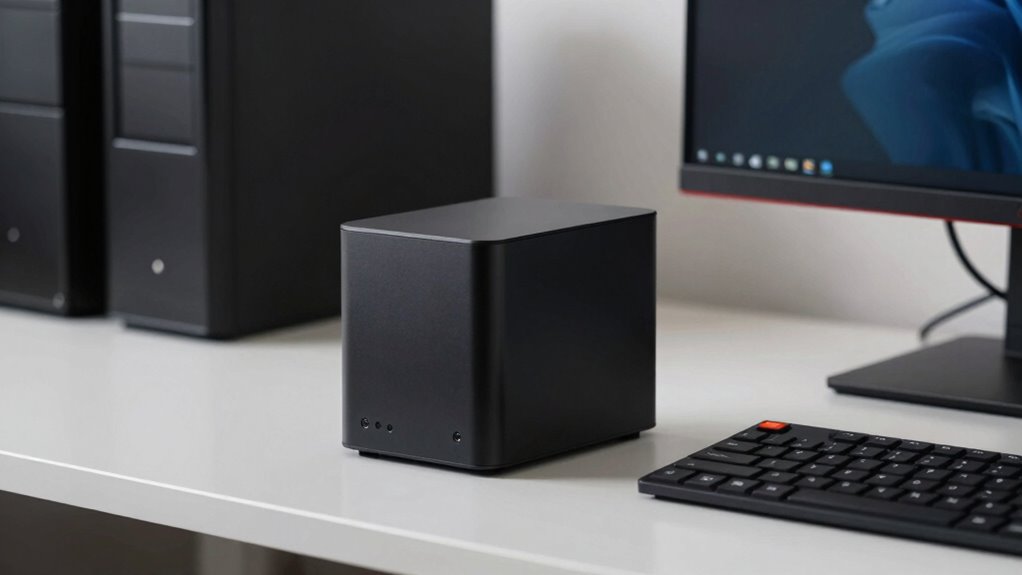

You might be surprised to find that mini PCs, despite their small size, often outperform traditional towers in many ways. They pack powerful hardware, including dedicated GPUs and upgrade options, to handle gaming and demanding tasks efficiently. Plus, they run cooler, consume less power, and fit seamlessly into tight spaces. With ongoing tech improvements, mini PCs continue to close the gap with larger systems. Keep exploring to discover how these tiny machines can meet your needs better than you think.

Get the latest gadgets delivered free — and shop member deals
- Fast, free delivery on millions of items
- Access to Prime Big Deal Days deals on October 6–7
- Prime Video, Amazon Music and more included
Key Takeaways
- Mini PCs often feature dedicated GPUs or upgrade options, providing gaming performance comparable to larger towers.
- They offer easy expandability with accessible RAM and SSD slots, surpassing some tower limitations.
- Their compact size allows seamless integration into entertainment setups without sacrificing power.
- Mini PCs deliver high performance at lower costs and energy consumption than traditional desktop towers.
- Ongoing hardware advancements improve their capabilities, making mini PCs increasingly competitive with full-sized systems.

In recent years, mini PCs have emerged as a powerful alternative to traditional desktops, proving that size doesn’t limit performance. These tiny machines pack a punch, often rivaling much larger systems in speed and efficiency. If you’re into gaming, you might wonder if a mini PC can handle the demands of high-end titles. The good news is, many modern mini PCs are equipped with dedicated GPUs or options to add one later, ensuring solid gaming performance. While they may not always match the raw power of a full tower, they’re more than capable for most gaming needs, especially when optimized with the right hardware. Plus, because they run cool and consume less power, they can maintain stable performance over long gaming sessions without overheating or loud fan noise.
One of the key advantages of mini PCs is their upgrade options. Unlike many compact systems, they often feature accessible components like RAM slots, M.2 slots for SSDs, and sometimes even space for a dedicated GPU. This means you can start with a modest setup and upgrade as your needs evolve, extending the lifespan of your device. You can boost gaming performance by adding more RAM or swapping out slower storage for faster NVMe SSDs, which considerably cut load times and improve game responsiveness. The availability of upgrade options makes mini PCs an attractive choice for those who want a future-proof system, providing flexibility as technology advances. Additionally, many mini PCs support expandability, allowing users to enhance their system’s capabilities over time. Their compact size also lends itself well to integrating with other home entertainment or gaming accessories seamlessly. As mini PC technology continues to improve, their performance capabilities are likely to rival even larger systems, making them an increasingly popular choice for various computing needs. It’s also worth noting that their cost efficiency can be a major benefit, offering high performance at a lower price point compared to traditional desktops.
As an affiliate, we earn on qualifying purchases.
Frequently Asked Questions
Can Mini PCS Handle High-End Gaming Workloads Effectively?
Mini PCs can handle high-end gaming workloads, but their thermal efficiency is vital. If well-designed, they manage heat effectively, preventing overheating during intense play. However, their upgrade flexibility might be limited compared to towers, so upgrading components like GPUs or RAM can be trickier. Still, if you choose a mini PC with strong thermal management and upgrade options, you can enjoy high-quality gaming experiences without sacrificing space.
What Are the Best Mini PCS for Professional Video Editing?
You’ll find that the Apple Mac Mini with M2 Pro, the Intel NUC 13 Pro, and the ASUS PN64 are top choices for professional video editing. Their compact design hides powerful processors and graphics, making them ideal for demanding tasks. Plus, they excel in energy efficiency, reducing your electricity costs without sacrificing performance. These mini PCs deliver professional-grade editing capabilities in a small form factor, perfect for creative professionals on the go.
How Do Mini PCS Compare to Laptops in Performance and Upgradeability?
You’ll find mini PCs often outperform laptops in performance, thanks to better desktop customization options and superior thermal management. Unlike laptops, mini PCs allow you to upgrade components like RAM and storage easily, keeping your system current. Their efficient thermal management also prevents overheating during intensive tasks, ensuring consistent performance. While laptops are portable, mini PCs offer a balance of power and upgradeability, making them ideal for demanding professional workloads.
Are Mini PCS Suitable for Enterprise or Business Use?
You’ll find mini PCs well-suited for enterprise or business use, especially if you value portability and energy efficiency. Their compact size lets you deploy them across multiple locations easily, saving space and reducing energy costs. Plus, modern mini PCs offer enough processing power for everyday business tasks, making them a practical choice for offices, retail, or remote work setups. Their quiet operation also enhances a professional environment, boosting productivity.
What Are the Limitations of Mini PCS in Terms of Connectivity?
Mini PCs often face limitations in connectivity, especially with port options, since their small size restricts the number and types of ports available. You might find fewer USB, HDMI, or Ethernet ports, which can hinder wired connections. However, they excel in wireless connectivity, supporting Wi-Fi and Bluetooth, making it easier to connect devices without clutter. Still, if you need extensive wired options, mini PCs may require additional adapters or docking stations.
As an affiliate, we earn on qualifying purchases.
Conclusion
So, don’t dismiss these mini PCs as mere novelties. They pack a punch, fitting seamlessly into your space while delivering powerful performance. Whether you’re working, gaming, or creating, they’ve got your back—like a trusty steed in a digital age. Remember, size isn’t everything; sometimes, the smallest warriors win the day. Just like in those classic tales, don’t underestimate the quiet hero—sometimes, it’s the tiniest champion that makes the biggest impact.
As an affiliate, we earn on qualifying purchases.
As an affiliate, we earn on qualifying purchases.
Fall Picks
fall essentials
As an affiliate, we earn on qualifying purchases.