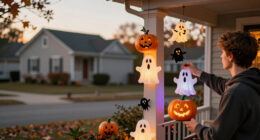
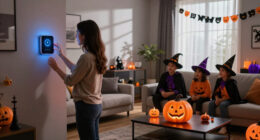
This guide walks you through creating a smart home Halloween display using connected lights, speakers, and other devices. You will learn how to automate lighting effects, sound effects, and even animated decorations to surprise and delight visitors. This task is suitable for homeowners with basic smart device experience and a moderate familiarity with home automation. Expect to spend around 2 to 4 hours assembling, configuring, and testing your decorations to achieve a seamless spooky effect.

Get the latest gadgets delivered free — and shop member deals
- Fast, free delivery on millions of items
- Access to Prime Big Deal Days deals on October 6–7
- Prime Video, Amazon Music and more included

LED Pumpkin Lights with Remote Control Timer – Set of 4 Halloween Jack O’Lantern Decor with Orange and RGB Bright Lights
- ✔ Bulb Base: Wedge
- ✔ Switch Type: Remote, Push Button, Toggle
- ✔ Additional Features: 3-Way, Color Changing, Dimmable

Linkind Smart Solar Spot Lights Outdoor SL5C, IP67 Waterproof, Color-Changing, App & Voice Control
- ✔ Brightness: 2X brighter than previous model
- ✔ Lighting Duration: Up to 14 hours
- ✔ Battery: Automotive-grade with MPPT technology

4-Pack Halloween LED Pumpkin Lights Battery Operated with Remote and Timer
- ✔ Number of Lights: 4
- ✔ Power Source: 2 AA batteries (not included)
- ✔ Modes: Flicker and Steady
Difficulty: Intermediate | Time: 2-4 hours
What You’ll Need
Tools & Materials:
- Smart phone or tablet
- Wi-Fi network
- Smart home hub or compatible smart devices (e.g., smart lights, smart plugs, speakers)
- Optional: smart sensors or motion detectors
Knowledge:
- Basic understanding of smart home device setup
- Familiarity with app-based device management
- Some experience with automation routines or scenes
Ensure your Wi-Fi network is stable and has sufficient bandwidth to support multiple devices. Update all device firmware before starting. Prepare a layout plan for your decorations to streamline setup.
LED Pumpkin Lights with Remote Control Timer – Set of 4 Halloween Jack O’Lantern Decor with Orange and RGB Bright Lights
This set of LED pumpkin lights excels at creating a festive, cozy Halloween atmosphere indoors. The versatile lighting options—including orange and RGB colors—allow for customization that fits any mood or theme. The remote control and timer functions make operation straightforward, especially for quick setup or rearranging during parties. Compared with outdoor options, these lights lack waterproofing, limiting their use to indoor or covered spaces. Their battery operation offers flexibility in placement but requires periodic battery replacements. These lights are ideal for those seeking a charming, easy-to-use indoor decoration with a classic Halloween look.
Pros:
- Versatile color options with RGB and orange lighting
- Remote control with timer for convenience
- Battery operated for flexible placement
- Festive Jack O’Lantern design
Cons:
- Not waterproof, limited to indoor use
- Single light source per item reduces impact for large displays
- Batteries need periodic replacement
Best for: Indoor Halloween displays and party setups
Not ideal for: Outdoor use or weather-exposed areas
Bottom line: A charming, flexible indoor lighting option that’s easy to operate but not suited for outdoor weather conditions.
“A charming, flexible indoor lighting option that’s easy to operate but not suited for outdoor weather conditions.”
Linkind Smart Solar Spot Lights Outdoor SL5C, IP67 Waterproof, Color-Changing, App & Voice Control
These outdoor spotlights stand out for their exceptional brightness and long-lasting illumination, making them perfect for transforming your yard into a Halloween spectacle. Their IP67 waterproof rating ensures durability through weather challenges, and the ability to customize 16 million colors via app or voice control makes them highly versatile. The 360° horizontal and 180° vertical adjustability allow for precise lighting angles, ideal for highlighting architectural features or creating spooky effects. However, their setup involves a separate Bluetooth Mesh Hub for voice control, adding complexity and cost. This pick is best suited for those who want a professional-grade outdoor display and are comfortable with tech setup.
Pros:
- Bright, long-lasting illumination with 14-hour runtime
- Extensive color options and lighting modes
- App and voice control for easy management
- Highly adjustable for precise outdoor lighting
Cons:
- Requires separate purchase of hub for voice control
- Setup can be complex for less tech-savvy users
- Higher price point due to advanced features
Best for: High-tech outdoor Halloween displays with landscape or architectural focus
Not ideal for: Budget-conscious users or those seeking simple plug-and-play options
Bottom line: A premium outdoor lighting solution that combines brightness, customization, and durability for serious Halloween decorators.
“A premium outdoor lighting solution that combines brightness, customization, and durability for serious Halloween decorators.”
4-Pack Halloween LED Pumpkin Lights Battery Operated with Remote and Timer
This set of pumpkin lights offers a safe, flameless alternative for Halloween decor, with remote-controlled flicker and steady modes. Their battery operation makes them easy to place anywhere, and the adjustable timers add convenience for repeated use. While they are suitable for indoor or covered outdoor use, their remote control range and battery dependence may limit their effectiveness in large or open outdoor spaces. These lights are particularly well-suited for households with children or pets, emphasizing safety without sacrificing festive appeal.
Pros:
- Remote control with timer functions
- Safe flameless design suitable for children and pets
- Versatile for various decorations and locations
- Energy-efficient LED bulbs that stay cool
Cons:
- Batteries (2 AA) not included, adding to ongoing costs
- Limited outdoor durability, best for covered areas
- Remote range may be insufficient for large outdoor spaces
Best for: Safe, versatile Halloween decorations for indoor or covered outdoor use
Not ideal for: Uncovered outdoor areas or large outdoor displays requiring high brightness
Bottom line: A safe, easy-to-operate pumpkin light set that’s perfect for households prioritizing safety and convenience.
“A safe, easy-to-operate pumpkin light set that’s perfect for households prioritizing safety and convenience.”
As an Amazon Associate we earn from qualifying purchases.
Before You Start
Make sure your smart devices are compatible with each other and your home automation platform. Check that your app accounts are linked and working. Have your decoration plan ready, including locations for lights, speakers, and sensors. Turn off any devices that could interfere with Wi-Fi during setup, and ensure your home has strong Wi-Fi coverage in the decoration areas.Step-by-Step Instructions
Step 1: Plan your decoration layout
Map out where you want your smart decorations—lights on windows, animated props in yard, sound effects near entry points—and note device placement and power sources.Tip: Use paper or digital diagrams to visualize your setup and identify power outlets or network coverage spots.
Check: You have a clear diagram with device locations, power needs, and Wi-Fi coverage confirmed.
Step 2: Install and connect smart devices
Install your smart lights, plugs, speakers, and sensors in their designated spots. Follow each device’s instructions to connect them to your Wi-Fi network and smart home app.Tip: Use a dedicated 2.4 GHz Wi-Fi network if possible, as many smart devices perform better on this band.
Check: All devices are online, visible in your app, and controllable individually.
Step 3: Create automation routines
Use your smart home app to develop routines or scenes that synchronize your decorations. For example, set a routine to turn on flickering lights and play spooky sounds at sunset.Tip: Test each routine individually to ensure timing and effects work smoothly before combining them into a full display.
Check: Automations activate correctly, with lights, sounds, and animations triggering as scheduled.
Step 4: Configure animated or interactive props
Connect any smart animated props or sensors that trigger effects based on movement or sound. Adjust sensitivity settings to prevent false triggers.Tip: Place sensors strategically to detect visitors without false alarms from pets or wind.
Check: Props activate reliably when visitors approach, and no false triggers occur.
Step 5: Test the entire setup
Run your full Halloween display during the expected time window. Observe all effects—lighting, sounds, animations—and make adjustments to timing or device placement as needed.Tip: Record a short video or take photos for future reference and troubleshooting.
Check: All effects activate seamlessly, creating a spooky, immersive atmosphere.
Step 6: Finalize and secure decorations
Secure all devices and props to prevent dislodging or damage. Hide wires and ensure sensors are protected from weather or pets.Tip: Use weatherproof covers or enclosures for outdoor devices if needed.
Check: Decorations are stable, weather-protected, and ready for the night.
Common Mistakes to Avoid
- Overloading Wi-Fi with too many devices — Use a dedicated Wi-Fi band or upgrade your router to handle multiple smart devices comfortably.
- Incorrect device placement causing poor visibility or triggers — Test device positions during setup and adjust for optimal coverage and trigger accuracy.
- Not scheduling automation properly, leading to inconsistent effects — Test routines thoroughly and set precise times; include manual override options.
- Ignoring weatherproofing for outdoor devices — Use weatherproof enclosures or covers to protect electronics from rain or dew.
Troubleshooting
Problem: Devices not responding or showing offline
Solution: Restart your Wi-Fi router and device, ensure firmware is up-to-date, and reconnect devices through the app.
Problem: Effects triggering at wrong times or too often
Solution: Review automation schedules, check sensor sensitivity, and adjust trigger conditions or timings.
Problem: Sound or light effects are delayed or inconsistent
Solution: Ensure stable Wi-Fi, reduce network congestion, and test each device independently before combining effects.
What Success Looks Like
The decorations activate smoothly at scheduled times, with synchronized lighting, sounds, and animations creating a cohesive spooky scene. Visitors and yourself experience the effects as intended, with no unintentional triggers or technical glitches.
Next Steps
Monitor your setup during Halloween night, making manual adjustments if needed. After the event, review device performance and update routines for next year. Consider adding new effects or expanding your display with additional smart props for increased impact.
Frequently Asked Questions
Can I use non-smart decorations with my smart home system?
Yes, by connecting non-smart decorations to smart plugs or switches, you can automate their power and integrate them into routines. However, they won’t have advanced effects or triggers unless they are smart-enabled.
What if my Wi-Fi isn’t strong enough outdoors?
Use Wi-Fi extenders or mesh network systems to improve coverage. Place your router centrally or closer to outdoor areas, and ensure outdoor-rated devices are connected to the extended network.
How do I prevent my decorations from being damaged or stolen?
Secure devices with mounts or stakes, use weatherproof enclosures, and consider installing outdoor security cameras or motion detectors for added protection.
Can I control my decorations remotely?
Yes, most smart home systems allow remote control via apps. Verify that your setup is connected to a cloud service or has internet access for remote operation.
Fall Picks
fall essentials
As an affiliate, we earn on qualifying purchases.