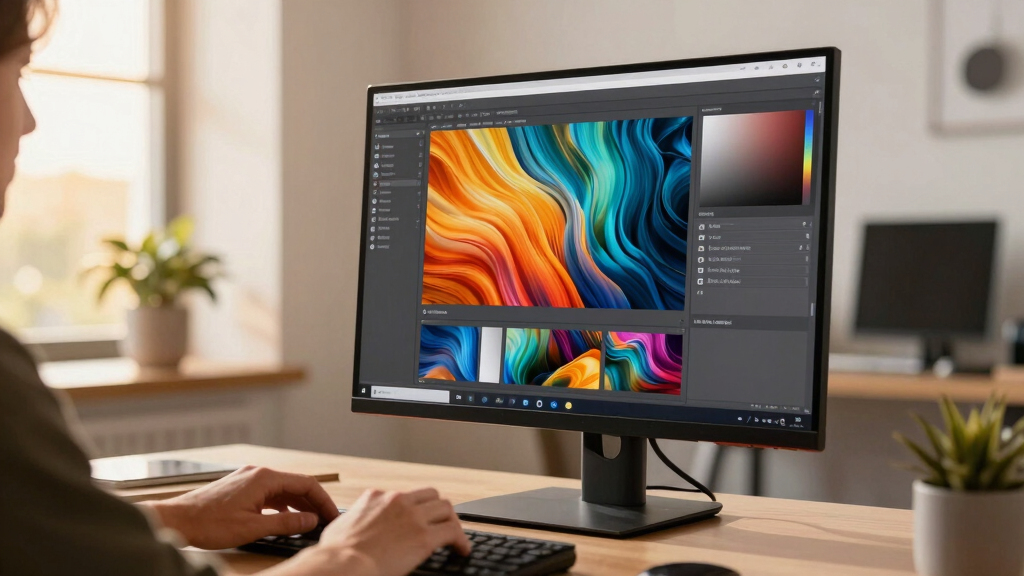

Finding the best color accurate monitor for designers means balancing precise color reproduction with usability and budget. The BenQ PD3226G stands out for its industry-caliber color accuracy and professional features, making it ideal for detailed work. For those needing a wider workspace, the Deco Gear 40” UltraWide offers expansive real estate with solid color fidelity. Meanwhile, the ASUS ProArt Display PA279CRV offers a compelling mix of accuracy and affordability for both beginners and pros. The main tradeoffs in this category involve balancing color precision with price, size, and additional features like calibration tools. Keep reading for a detailed breakdown of each option and how to choose the right monitor for your design needs.
Key Takeaways
- Professional-grade color accuracy often comes with higher price tags but delivers better fidelity for critical work.
- Size and resolution vary widely, affecting workflow and workspace comfort; larger screens generally improve multitasking but can be more expensive.
- Calibration features and factory calibration ensure consistent color, a key factor for professional designers.
- Connectivity options like USB-C and Thunderbolt simplify workflows and reduce cable clutter, but may add cost.
- Budget-conscious options can still offer decent accuracy, but often lack advanced calibration or wider color gamuts.




More Details on Our Top Picks
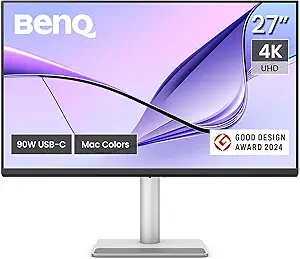
BenQ PD3226G 32” 4K UHD (3840×2160) 144Hz Monitor for Designers, IPS, 95% P3, 100% sRGB, 90W Thunderbolt 4, Software Calibration, KVM, Daisy Chain, Reflection-Free Nano Matte Panel, Height Adjustable
This BenQ PD3226G stands out for its combination of exceptional color accuracy and high resolution, making it ideal for detailed design work. Its factory calibration with Delta E ≤ 2 and 95% P3 coverage surpasses many competitors like the LG 27UN850-W, which offers slightly less color precision at similar resolution. The inclusion of Thunderbolt 4 supports seamless file transfers and power delivery, simplifying workspace setup, while its Nano Matte panel reduces reflections, greatly benefiting long hours of editing. However, its size might be overwhelming for smaller desks, and the complexity of features can be daunting for beginners. Overall, this monitor makes the most sense for professionals who need reliable color management and versatile connectivity.
Pros:- Factory-calibrated with Delta E ≤ 2 for precise color accuracy
- High 4K resolution with 95% P3 and 100% sRGB coverage
- Thunderbolt 4 with 90W power delivery and daisy chaining
Cons:- Large size may be unsuitable for small workspaces
- Complex features could be overwhelming for entry-level users
- Premium price point
Best for: Professional designers and color-accurate workflow users who need seamless calibration and robust connectivity.
Not ideal for: Casual users or those with limited desk space, as its size and feature set are geared toward advanced workflows.
- Display Size:32 inches
- Resolution:3840 x 2160 (4K UHD)
- Refresh Rate:144Hz
- Color Gamut:95% P3, 100% sRGB
- Calibration:Factory calibrated, Delta E ≤ 2
- Connectivity:Thunderbolt 4, KVM, Daisy Chain
Bottom line: This monitor is best suited for professional designers who prioritize color fidelity and versatile connectivity in a large, feature-rich display.
CRUA 49-inch DQHD Curved Monitor with AMD FreeSync and 120Hz
This CRUA 49-inch ultrawide offers an expansive workspace with vibrant color coverage, ideal for multitasking and media editing. Its 5120×1440 resolution provides sharp details comparable to dual monitor setups, and the 120% sRGB coverage ensures accurate color reproduction for creative tasks. The 1500R curvature enhances immersion, making it suitable for media professionals who need a broad view. Compared to smaller, more color-focused monitors like the LG 27UN850-W, this model sacrifices some color precision for size but remains excellent for multitasking. Its size, however, demands a large desk and may be less suitable for dedicated color grading workflows requiring strict calibration. This monitor best serves those who need large screen real estate for creative and productivity applications.
Pros:- Ultra-wide 32:9 aspect ratio for multitasking
- Sharp 5120×1440 resolution with 120% sRGB coverage
- Good for media consumption with 1500R curvature
Cons:- Requires large desk space due to size
- Lack of advanced calibration features for color accuracy
- No built-in speakers
Best for: Content creators and professionals needing wide, immersive displays for multitasking and media work.
Not ideal for: Users with limited desk space or those requiring strict color calibration for high-end color grading.
- Display Size:49 inches
- Resolution:5120×1440
- Refresh Rate:120 Hz
- Color Coverage:120% sRGB
- Curvature:1500R
- Aspect Ratio:32:9
Bottom line: This monitor is ideal for users who prioritize extensive workspace and immersive viewing over strict color calibration.
LG 27US500-W UltraFine Monitor, 27-Inch 4K UHD HDR10 IPS Display with Borderless Design – White
The LG 27US500-W is a strong contender for those seeking accurate 4K visuals with wide viewing angles at an accessible price. Its IPS panel covers 90% DCI-P3, providing vibrant colors suitable for photo editing and design. The HDR10 support enhances contrast and details, making it a versatile choice for multimedia tasks. Compared to premium options like the BenQ PD3226G, it offers slightly less precise calibration (not factory calibrated), but its user-friendly stand and borderless design make it appealing for general creative work or daily use. Its 60Hz refresh rate and lack of advanced calibration tools limit its suitability for high-end professional color grading. This model makes sense for beginners or those on a budget who still need good color accuracy.
Pros:- Vivid 4K UHD resolution with HDR10 support
- IPS panel with 170° wide viewing angles
- Borderless, sleek design
Cons:- 60Hz refresh rate not ideal for fast-paced gaming
- No factory calibration, so color accuracy may vary
- Limited for professional color grading
Best for: Entry-level designers, hobbyists, and multimedia users seeking quality 4K display without premium price.
Not ideal for: High-end professionals requiring strict color management and advanced calibration tools.
- Display Size:27 inches
- Resolution:3840 x 2160 (4K UHD)
- HDR:HDR10
- Color Gamut:90% DCI-P3
- Viewing Angles:170°
- Refresh Rate:60 Hz
Bottom line: This monitor suits budget-conscious users who need reliable color and crisp 4K visuals for general creative tasks.
SAMSUNG 32″ ViewFinity S8 (S80D) Series 4K UHD High Resolution Computer Monitor, HDR10, Multiple Ports w/ HDMI, DisplayPort, USB-A, Height Adjustable Stand, LS32D806EANXGO, 2024, 3Yr Warranty
This Samsung S80D excels for color-rich content creation and flexible connectivity. Its 3840×2160 resolution combined with HDR10 support offers enhanced contrast and color depth, suitable for detailed design and editing. The monitor’s extensive port selection, including USB-A, HDMI, and DisplayPort, supports a wide range of peripherals, while its height-adjustable stand improves ergonomic comfort. Compared to the LG 27UN850-W, it provides similar resolution but emphasizes connectivity options and overall versatility, making it well-suited for collaborative work environments. Its factory calibration and high pixel density ensure consistent color across workflows, but it might lack some advanced calibration features for high-end color grading. This model fits users who need reliable color performance with broad device compatibility.
Pros:- 4K UHD resolution with HDR10 support
- Multiple ports including USB-A, HDMI, DisplayPort
- Height-adjustable stand for ergonomic comfort
Cons:- Lacks advanced calibration tools for strict color matching
- Design may be less appealing for minimalist setups
- Price premium for feature set
Best for: Designers and content creators needing a balanced mix of color accuracy and multiple device connections.
Not ideal for: High-end color grading professionals who require strict calibration and precise color matching.
- Display Size:32 inches
- Resolution:3840 x 2160
- HDR:HDR10
- Color Coverage:High, factory calibrated
- Ports:HDMI, DisplayPort, USB-A
- Stand:Height adjustable
Bottom line: This monitor is ideal for professionals who want versatile connectivity and reliable color performance for everyday creative tasks.
LG 27UN850-W Ultrafine Computer Monitor 27-Inch UHD 4K UHD 2160p IPS with VESA DisplayHDR 400 AMD FreeSync and USB-C – White/Silver
The LG 27UN850-W offers a solid balance of color accuracy, HDR support, and connectivity. Its 99% sRGB coverage and VESA DisplayHDR 400 make it suitable for photo editing and multimedia work, while the IPS panel ensures wide viewing angles. Its USB-C port provides convenient single-cable connectivity for modern laptops, aligning well with users who need a flexible, all-around display. Compared to the LG UltraFine 27UK850, this model is slightly more affordable and includes FreeSync for smoother media playback, though it lacks the wider DCI-P3 coverage of higher-end pro monitors. Its 60Hz refresh rate and absence of professional calibration tools mean it’s less suited for color-critical grading but perfect for everyday creative tasks and media consumption. This monitor is best for creative professionals seeking affordability and versatility.
Pros:- 99% sRGB coverage with VESA DisplayHDR 400
- USB-C with power delivery for streamlined setup
- IPS panel with wide viewing angles
Cons:- No factory calibration for high-end color accuracy
- Limited to 60Hz refresh rate
- Not designed for professional color grading
Best for: Photographers, casual designers, and multimedia users looking for good color and flexible connectivity.
Not ideal for: High-end color grading or professional print workflows requiring strict calibration and wider color gamuts.
- Display Size:27 inches
- Resolution:3840 x 2160 (4K UHD)
- HDR:DisplayHDR 400
- Color Gamut:99% sRGB
- Connectivity:USB-C, HDMI, DisplayPort
- Panel Technology:IPS
Bottom line: This display offers a versatile, well-rounded option for creators and professionals who prioritize connectivity and decent color accuracy at a budget-friendly price.
BenQ SW272Q 27-inch 2K USB-C Monitor for Photographers
This BenQ SW272Q stands out for its exceptional color accuracy and anti-reflective Nano Matte panel, making it ideal for photographers and videographers who need precise color reproduction. Compared with the ASUS ProArt PA279CRV, it offers a slightly higher resolution (2K vs. 4K), which can be easier on the eyes during long editing sessions, but this also means slightly less pixel sharpness for detailed work. The hardware calibration via Palette Master Ultimate ensures consistent, accurate colors over time—an essential feature for high-end editing. Its Nano Matte surface greatly reduces glare, unlike typical glossy screens, providing a more comfortable viewing experience. However, the 2K resolution is a drawback for users who prefer ultra-sharp 4K detail, and the premium price reflects its professional-grade features, possibly limiting accessibility. This monitor makes the most sense for serious photographers and video editors who prioritize color fidelity and glare reduction over resolution.
Pros:- Exceptional 99% Adobe RGB and 98% DCI-P3 color accuracy
- Nano Matte anti-reflective panel for glare reduction
- Hardware calibration with Palette Master Ultimate
Cons:- Premium price may be prohibitive for some buyers
- 2K resolution is less sharp than 4K options
Best for: Photographers and video editors needing high color fidelity and glare reduction
Not ideal for: Casual users or gamers seeking high refresh rates or 4K resolution on a budget
- Screen Size:27-inch
- Resolution:2560×1440 (QHD)
- Color Gamut:99% Adobe RGB, 98% DCI-P3
- Panel Type:Nano Matte (TUV Anti-Reflection)
- Color Depth:1.07 Billion Colors
- Calibration Software:Palette Master Ultimate
- USB-C Power Delivery:90W
Bottom line: This monitor is perfect for professionals demanding top-tier color accuracy and glare control, with some tradeoffs in resolution and cost.
ASUS ProArt Display 27” 4K HDR Professional Monitor (PA279CRV)
The ASUS ProArt PA279CRV makes the most sense for creative professionals who need true 4K resolution combined with excellent color accuracy, surpassing the BenQ SW272Q’s 2K display in pixel detail. It is Calman Verified and factory pre-calibrated to Delta E <2, ensuring highly accurate colors, which is crucial for professional photo and video work. Its extensive connectivity options, including USB-C with 96W Power Delivery and multiple HDMI/DisplayPort ports, streamline your workflow—especially for MacBook users who want a single-cable connection with integrated controls, unlike the BenQ. The adjustable stand offers ergonomic flexibility, making long editing sessions comfortable. However, the higher price may be a barrier for some, and the 4K resolution demands more powerful hardware for smooth editing or gaming. Ideal for users who prioritize pixel-perfect detail with flexible setup options, especially on Mac systems.
Pros:- Vibrant P3 wide color gamut for Mac color match
- Factory calibrated with Delta E <2 for accuracy
- Dual USB-C ports with 90W Power Delivery
Cons:- Higher cost compared to 2K alternatives
- Requires more powerful hardware for 4K editing
Best for: Creative professionals requiring high-resolution, color-accurate displays with Mac integration
Not ideal for: Budget-conscious users or gamers seeking high refresh rates or ultra-wide formats
- Screen Size:27-inch
- Resolution:3840×2160 (4K UHD)
- Color Gamut:100% sRGB, P3 Wide
- Calibration:Delta E <2, Calman Verified
- Connectivity:2x USB-C (90W), HDMI, DP
- Stand:Height, tilt, swivel, pivot adjustable
Bottom line: This monitor is ideal for professionals who need precise 4K color fidelity and seamless MacBook integration, with some premium price tradeoffs.
ViewSonic VP2468a 24-Inch Full HD IPS Monitor with USB-C and Ergonomic Stand
The ViewSonic VP2468a offers a compact 24-inch IPS display with 100% sRGB and Delta E<2, making it a strong choice for color-critical work in a smaller form factor. Compared to larger professional monitors like the BenQ SW272Q, its smaller size suits desktop setups with limited space. It provides excellent color accuracy and a 65W USB-C port that simplifies connections and charging, ideal for laptop users. The ergonomic stand with tilt, swivel, and height adjustments adds comfort for long hours. However, the 60Hz refresh rate limits its appeal for fast-paced gaming or high-refresh workflows, and it has fewer ports than larger, more feature-rich monitors. This makes it a great fit for designers and photographers who want a color-accurate display without needing 4K resolution or extensive gaming features.
Pros:- 100% sRGB with Delta E<2 for precise color
- USB-C with 65W charging simplifies workspace
- Ergonomic stand with flexible adjustments
Cons:- Limited to 60Hz refresh rate
- Smaller 24-inch size may not suit all workflows
Best for: Designers and photographers needing a high accuracy, space-efficient monitor
Not ideal for: Gamers or users requiring high refresh rates or ultra-wide screens
- Screen Size:24 inches
- Resolution:1920x1080p
- Color Accuracy:100% sRGB, Delta E<2
- Ports:USB-C (65W), HDMI, DisplayPort
- Stand:Tilt, swivel, height, pivot
- Response Time:6 ms
Bottom line: This monitor is perfect for space-conscious professionals who prioritize accurate color reproduction over high refresh rates.
BenQ MA270U 27” 4K 3840×2160 Monitor for MacBook® Pro/Air
The BenQ MA270U is tailored for MacBook users who need a 4K display with accurate P3 wide color gamut and seamless integration. Its exclusive color tuning and calibration make it ideal for professional Mac-based workflows, surpassing the BenQ SW272Q’s 2K resolution in pixel detail. The dual USB-C ports, supporting 90W and 15W charging, simplify connectivity and charging for MacBook Pro and Air, while the height, tilt, swivel, and pivot adjustments provide ergonomic flexibility. Its brightness and volume controls are conveniently accessible for Mac users. The main tradeoff is that it is designed primarily for Mac systems, so Windows users might find the color calibration less optimal without additional calibration. This monitor is best suited for Mac creatives who want a high-resolution, color-accurate display with integrated controls.
Pros:- Calibrated for Mac with P3 wide color gamut
- Dual USB-C ports with 90W power delivery
- Adjustable height, tilt, swivel, and pivot
Cons:- Primarily optimized for Mac systems
- Higher price point
Best for: MacBook users seeking a high-resolution, color-accurate display with adjustable ergonomics
Not ideal for: Windows users or those needing ultra-wide or gaming-focused monitors
- Screen Size:27-inch
- Resolution:3840×2160 (4K UHD)
- Color Gamut:P3 Wide
- Connectivity:2x USB-C (90W), HDMI, USB hub
- Stand:Height, tilt, swivel, pivot
- Calibration:Mac-specific color tuning
Bottom line: This monitor is ideal for Mac creatives requiring accurate colors and flexible ergonomics, with some limitations outside the Apple ecosystem.
ASUS ProArt Display PA278QV 27” WQHD (2560 x 1440) Monitor, 100% sRGB/Rec. 709 ΔE < 2, IPS, DisplayPort HDMI DVI-D Mini DP, Calman Verified, Eye Care, Anti-Glare, Tilt Pivot Swivel Height Adjustable
This Samsung Viewfinity S65UA makes a strong case for professionals who prioritize immersive multitasking, thanks to its expansive 34-inch ultrawide curved display with a 21:9 aspect ratio. Its QHD resolution (3440×1440) provides more screen real estate than traditional 16:9 monitors, making it ideal for complex design workflows that benefit from multiple windows. While it supports HDR10 for richer visuals, it doesn’t match the color precision of dedicated professional monitors like the ASUS ProArt PA278QV, making it less suitable for color-critical tasks. The 100Hz refresh rate and TUV-certified eye care technology help reduce fatigue during long work sessions. Its USB-C port with 90W charging simplifies cable management, which is a significant advantage over more basic curved displays. However, this larger size demands a substantial desk space and the premium price may be prohibitive for casual or entry-level users. This monitor is best suited for creative professionals who need wide, vibrant visuals and multitasking efficiency, not pixel-perfect color work.
Pros:- Ultra-wide 34-inch curved display enhances multitasking and immersive workflow
- USB-C with 90W charging reduces cable clutter
- HDR10 support delivers vibrant visuals and improved contrast
- TUV-certified eye care minimizes fatigue
Cons:- Higher cost and large physical footprint
- Limited color accuracy for critical color grading
Best for: Designers and multitaskers who need a large, immersive workspace with decent color and HDR support.
Not ideal for: Color specialists requiring strict color accuracy and 4K resolution for detailed editing.
- Size:34 inches
- Resolution:3440 x 1440 (QHD Ultrawide)
- Curvature:1000R
- Refresh Rate:100 Hz
- HDR Support:HDR10
- Ports:USB-C (90W), HDMI
- Features:TUV-Certified Eye Care, Curved Screen
Bottom line: This ultrawide curved monitor excels at broad, vibrant visuals and multitasking but falls short for precise color editing in professional workflows.
The Dell S2725QS earns its place for users who demand sharp 4K visuals combined with good color fidelity, offering 99% sRGB coverage and a fast 120Hz refresh rate for smooth work and entertainment. Its IPS panel ensures wide viewing angles, making it suitable for collaborative work or multi-monitor setups, while the AMD FreeSync Premium support adds tear-free performance for casual gaming. ComfortView Plus helps reduce blue light emissions, making it a solid choice for long hours of editing or general use. Compared to the ASUS ProArt, it offers a higher resolution but slightly less calibrated color accuracy, which might lead to subtle color shifts in critical tasks. Its integrated speakers and sleek design add to its all-around appeal, though its contrast ratio is modest at 1500:1 compared to high-end HDR displays. This monitor makes sense for professionals who want excellent 4K clarity with a balance of performance for work and leisure.
Pros:- 3840×2160 4K resolution for sharp, detailed visuals
- 99% sRGB coverage for vibrant, accurate colors
- 120Hz refresh rate and FreeSync for smooth multimedia experience
- Blue light reduction helps reduce eye strain
Cons:- Less precise color calibration than professional-grade monitors
- Contrast ratio of 1500:1 limits deep blacks in HDR content
Best for: Creative professionals seeking a 4K display with high resolution, good color coverage, and multimedia flexibility.
Not ideal for: Color specialists requiring ΔE < 2 calibration or HDR workflows demanding higher contrast and color depth.
- Size:27 inches
- Resolution:3840 x 2160 (4K)
- Panel Type:IPS
- Refresh Rate:120 Hz
- Color Gamut:99% sRGB
- Contrast Ratio:1500:1
- Features:Blue Light Reduction, AMD FreeSync, Built-in Speakers
Bottom line: This Dell monitor balances high-resolution clarity and color coverage for versatile creative and multimedia use, though it isn’t tailored for ultra-critical color grading.
How We Picked
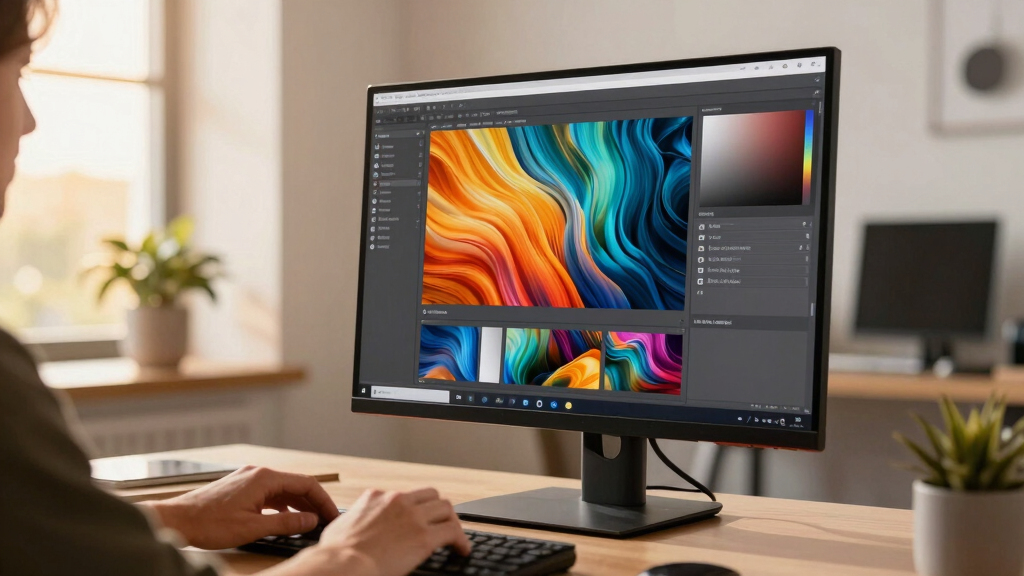
The monitors included in this roundup were selected based on their color accuracy, measured by factory calibration and supported color gamuts like DCI-P3, Adobe RGB, and sRGB. We prioritized models with high-resolution displays (at least 4K or QHD), ergonomic features, and reliable calibration tools, which are essential for professional design work. Additional factors such as build quality, connectivity options, and warranty terms also influenced the rankings. To ensure relevance, only monitors suitable for creative tasks and color-critical workflows made it into this list, with balanced price points across different user levels.Factors to Consider When Choosing Best Color Accurate Monitor For Designers
Choosing the right color accurate monitor involves evaluating several key factors that impact your workflow, budget, and workspace. Understanding these considerations helps avoid common pitfalls, such as overpaying for unnecessary features or selecting a monitor with inadequate color coverage for your needs. The right balance of resolution, color gamut, calibration, and ergonomic design ensures your investment supports your creative process effectively.Color Gamut and Coverage
Color gamut determines how many colors a monitor can display, directly affecting color accuracy. Most professional monitors aim for at least 99% sRGB and 95% DCI-P3 or Adobe RGB coverage. If you work in print, Adobe RGB is preferable, while DCI-P3 is common for digital and video work. Choosing a monitor with a wide color gamut ensures your colors appear consistent across different devices and mediums, reducing surprises when exporting or printing your work.
Calibration and Factory Settings
Reliable calibration is essential for ensuring consistent, accurate colors over time. Monitors with factory calibration and hardware calibration support often deliver better initial accuracy and maintain it longer. Some models include built-in calibration tools or are Calman verified, simplifying the process for users who need precision without investing in external calibration hardware. Skipping calibration can lead to inaccuracies that undermine your work’s trustworthiness.
Resolution and Screen Size
Higher resolution displays like 4K or QHD provide sharper images, which is vital for detailed design work. Screen size affects workspace and comfort—larger monitors (27 inches and above) allow for more precise editing and multitasking, but they also tend to be more expensive and require more desk space. Balance your needs for clarity, workspace, and budget to choose a monitor that supports your workflow without overwhelming your setup.
Connectivity and Ergonomics
Modern ports such as USB-C and Thunderbolt streamline your setup by consolidating power, data, and video into a single cable. Ergonomic features like height adjustment, tilt, and swivel are equally important for reducing fatigue during long sessions. Investing in a monitor with these features enhances comfort, especially if you spend hours editing or designing, and helps maintain consistent color viewing angles.
Price and Value
While premium monitors offer the best color accuracy and calibration support, they come at a higher cost. Budget options may suffice for casual or non-critical work but often lack advanced calibration and wide color gamuts. Consider your specific needs—professional work demands more investment, whereas hobbyists or students might prioritize affordability. Always weigh the features against your budget to avoid overspending on features you won’t use.
Frequently Asked Questions
Is a higher color gamut always better for design work?
Generally, yes. A wider color gamut, such as Adobe RGB or DCI-P3, allows a monitor to display more vibrant and accurate colors, which is crucial for professional design, photography, and video editing. However, it’s important to match your monitor’s color capabilities with your workflow and output medium. For print work, Adobe RGB is typically preferred, while digital and video work benefit from DCI-P3. Choosing a monitor with an appropriate color gamut ensures your work looks consistent across platforms and output devices.
Do I need a professionally calibrated monitor for casual design?
For casual or hobbyist design, a monitor with decent factory calibration and good default color coverage may be sufficient. You won’t need the same level of precision as a professional, and external calibration tools are less critical. However, if you want more consistent results or plan to upgrade your skills, investing in a monitor with calibration support can improve accuracy and confidence in your work without a significant additional cost.
How important is resolution versus screen size for color accuracy?
Resolution and screen size both influence the clarity and workspace of your display. Higher resolution like 4K provides sharper images and finer details, which is beneficial for precise editing. Larger screens improve visual comfort and multitasking but do not inherently affect color accuracy. Ideally, choose a high-resolution monitor with a size that fits your workspace and provides enough screen real estate for your workflow, ensuring that color precision is maintained across the display.
Should I prioritize ports like USB-C over other features?
Prioritizing ports like USB-C can streamline your workspace by reducing cable clutter and enabling faster data transfer and charging from a single connection. For professionals using laptops or multiple devices, USB-C and Thunderbolt support are highly convenient. However, these ports are often found on higher-end models with better calibration and wider color coverage. Balance your need for connectivity with your budget and color accuracy requirements to select the most suitable monitor.
Is a higher price always indicative of better color accuracy?
Not necessarily. While higher-priced monitors often include better calibration, wider gamuts, and more advanced features, some budget models also offer impressive color accuracy for their price point. It’s essential to look at specific specifications, factory calibration reports, and supported color spaces rather than price alone. For critical professional work, investing in a higher-end model can provide peace of mind, but for less demanding tasks, a well-calibrated mid-range monitor might suffice.
Conclusion
For those seeking the best overall balance of accuracy, features, and value, the BenQ PD3226G offers professional-grade color fidelity with versatile features. Best value goes to models like the ASUS ProArt PA278CV, delivering solid accuracy without a premium price tag. If budget is less of a concern, the Deco Gear 40” UltraWide provides expansive workspace with reliable color performance, ideal for multitasking or video editing. Beginners or casual users should consider entry-level options with good factory calibration, while professionals needing exact precision should prioritize models with hardware calibration and wide gamuts. Ultimately, your choice hinges on your specific workflow requirements, workspace constraints, and budget.