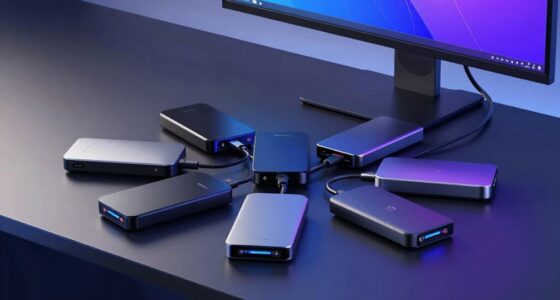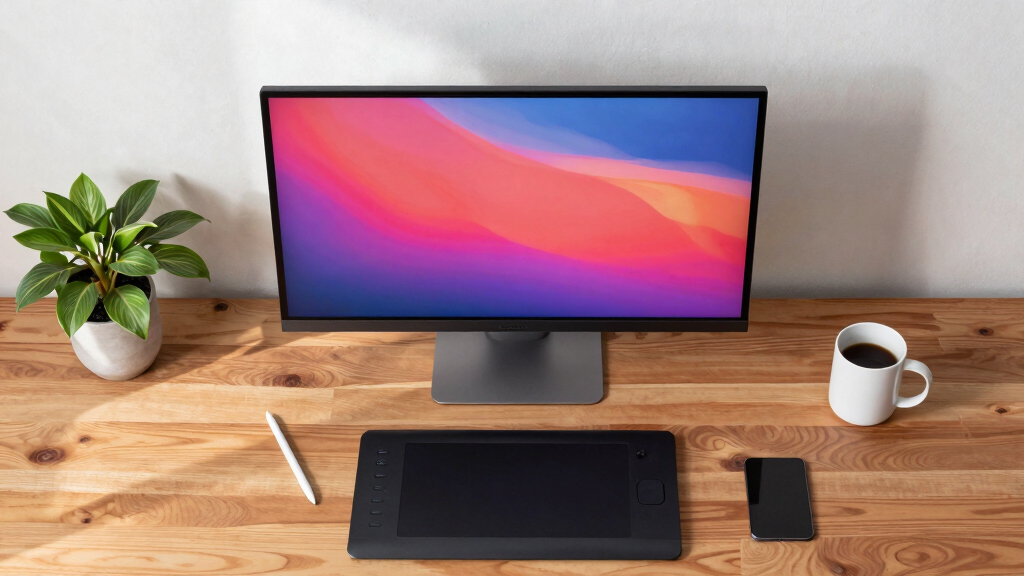

Choosing the best OLED monitor for creators involves balancing exceptional color accuracy, contrast, and performance with price and usability. The ASUS ProArt OLED PA32UCDM stands out for its calibrated accuracy and professional features, making it ideal for color-sensitive work. Meanwhile, models like the LG 34GX900A-B offer a wider aspect ratio and high refresh rates that benefit multimedia editing and gaming alike. However, tradeoffs such as cost, input lag, or limited size options can complicate decisions. Continue reading for a detailed breakdown of the top OLED options tailored for creative professionals.
Key Takeaways
- Top picks balance color accuracy, contrast, and refresh rate to meet professional editing needs.
- Larger screens with wider aspect ratios, like 34 inches, enhance multitasking but often come at a higher price.
- Price varies significantly, with high-end models offering calibration and HDR features for critical color work.
- Gaming-oriented OLEDs often prioritize refresh rate over color accuracy, making them less ideal for editing.
- Build quality and ergonomics differ, so adjustable stands and durability are key considerations for long-term use.




More Details on Our Top Picks
ASUS ROG Swift 32” 4K OLED Gaming Monitor (PG32UCDM) – UHD (3840 x 2160), QD-OLED, 240Hz, 0.03ms, G-SYNC Compatible, Custom Heatsink, Graphene Film, 99% DCI-P3, True 10-bit, 90W USB-C
This ASUS ROG Swift stands out for blending professional-grade HDR with gaming performance, making it a strong pick for creators who also enjoy gaming. Its 4K resolution and 99% DCI-P3 coverage deliver stunning color accuracy, rivaling the LG 27GX704A-B, but with a larger screen and higher resolution. The inclusion of a custom heatsink and graphene film helps manage heat and reduces burn-in risk, which is essential for prolonged use—a notable concern compared to the LG 34GX90SA-W. However, its primary focus on gaming features means it might be overkill for purely static creative work, and its premium price can be a barrier for budget-conscious creators. The monitor’s true 10-bit color and HDR capabilities make it ideal for high-fidelity content creation, but the tradeoff is a bulky design and higher cost.
Pros:- Exceptional 99% DCI-P3 color coverage for accurate color work
- High 4K resolution with true 10-bit color for detailed editing
- Advanced heat management reduces burn-in risk during long sessions
- G-SYNC compatibility and 240Hz refresh support gaming needs
Cons:- Bulky design may not fit smaller desks or setups
- Premium price and features oriented more toward gamers
Best for: Creative professionals who want an all-in-one monitor for both content creation and gaming.
Not ideal for: Purely professional color graders or photographers seeking a dedicated, less gaming-oriented display.
- Screen Size:32 inches
- Resolution:3840 x 2160
- Panel Type:QHD OLED
- Refresh Rate:240Hz
- Response Time:0.03ms
- Color Coverage:99% DCI-P3
- HDR Certification:VESA DisplayHDR 400 True Black
- Connectivity:USB-C 90W
Bottom line: This monitor is best suited for creators who also want strong gaming performance without sacrificing HDR quality.
LG 34GX90SA-W 34-Inch WQHD OLED Curved Gaming Monitor with 240Hz, NVIDIA G-Sync, AMD FreeSync Premium
This LG 34-inch curved OLED offers a bold, immersive experience ideal for creators who work with wide-format content or stream. Its 3440×1440 resolution and 98.5% DCI-P3 produce vibrant, accurate colors comparable to the LG 27GX704A-B but with a wider, more enveloping display. The steep 800R curve enhances immersion, making it perfect for multitasking or editing panoramic images. Unlike the ASUS PG32UCDM, it emphasizes wide-screen productivity over 4K resolution, which can be limiting for detail-intensive tasks. Its built-in webOS also provides convenient media access, unlike the ASUS, but the curved design may not suit all ergonomic preferences. Burn-in risk remains a concern with static UI elements, especially over long periods, but LG’s OLED Care helps mitigate this.
Pros:- Immersive 800R curvature enhances multitasking and editing
- Vivid colors with 98.5% DCI-P3 and high contrast from OLED technology
- Built-in webOS platform expands entertainment and app options
- Fast 240Hz refresh rate and 0.03ms response time support gaming
Cons:- Steep curve may be uncomfortable for some desk setups
- Less detailed resolution compared to 4K options
Best for: Streamers, wide-format content creators, and those who prioritize immersive displays for editing and multitasking.
Not ideal for: Photographers or video editors requiring high 4K resolution and precise color grading, due to its WQHD resolution and curve.
- Screen Size:34 inches
- Resolution:3440 x 1440
- Panel Type:OLED
- Curve Radius:800R
- Refresh Rate:240Hz
- HDR Certification:DisplayHDR True Black 400
- Color Coverage:98.5% DCI-P3
- Connectivity:webOS, HDMI, DP
Bottom line: This monitor is excellent for creators who value wide immersive screens and multimedia integration over ultra-high resolution.
LG 27GX704A-B 27-inch Ultragear QHD OLED Gaming Monitor 240Hz, 0.03ms, NVIDIA G-Sync Compatible, AMD FreeSync Premium Pro, VESA Display HDR TrueBlack 400, HDMI 2.1, DisplayPort, Black
This LG 27-inch OLED offers a solid balance of speed, color, and affordability, making it a practical choice for creators who don’t need 4K but still want vivid visuals. Its 2650×1440 resolution and 98.5% DCI-P3 coverage produce sharp images with accurate color, rivaling larger or more expensive models like the ASUS PG32UCDM. The 240Hz refresh rate and 0.03ms response time support smooth editing and fast-paced workflows. Unlike the ASUS, it lacks the larger size and advanced heat management features, which could be a concern during long editing sessions, especially with static UI elements. Its HDR support is good but not as high-end as the ASUS’s, and the smaller screen size makes it less ideal for multitasking or detailed visual work.
Pros:- Fast 240Hz refresh rate with 0.03ms response time for smooth editing
- Good color accuracy with 98.5% DCI-P3 coverage
- Affordable price point for OLED technology
- Supports both NVIDIA G-SYNC and AMD FreeSync
Cons:- Limited screen size reduces multitasking capability
- Less advanced heat management compared to larger models
Best for: Budget-conscious creators who want fast performance and vibrant color without the need for 4K resolution.
Not ideal for: High-end professional editors requiring larger screens or 4K detail, due to its smaller size and lower resolution.
- Screen Size:27 inches
- Resolution:2650 x 1440
- Panel Type:OLED
- Refresh Rate:240Hz
- Response Time:0.03ms
- Color Coverage:98.5% DCI-P3
- HDR Certification:VESA DisplayHDR TrueBlack 400
- Connectivity:HDMI 2.1, DisplayPort
Bottom line: This monitor is well-suited for creators who need a fast, color-accurate OLED display on a budget, but don’t require 4K resolution.
Samsung 27” Odyssey OLED G5 (G50SF) QHD & QD-OLED Gaming Monitor, 180Hz Refresh Rate, 0.03ms (GtG) Response Time, NVIDIA G-Sync Compatible, AMD FreeSync™, LS27FG500SNXZA
This Samsung Odyssey G5 delivers impressive QHD QD-OLED visuals in a compact size, making it a compelling choice for budget-conscious creators who still want vibrant color and fast response times. Its 180Hz refresh rate and 0.03ms response time support smooth editing and streaming, while the QD-OLED panel offers rich contrast and color fidelity comparable to more expensive OLEDs like the LG models. The screen’s size and resolution make it more suitable for smaller desks or secondary setups. The device’s burn-in mitigation system and glare reduction technology help prolong lifespan and usability, although static UI elements still pose some risk over extended periods. Its lower refresh rate compared to higher-end models limits it for fast-paced gaming but still provides excellent visual performance for creative tasks.
Pros:- Vivid QD-OLED visuals with high contrast and color accuracy
- Fast 180Hz refresh rate and 0.03ms response time support smooth workflows
- Affordable OLED option with effective burn-in mitigation
- Good glare and reflection reduction for bright environments
Cons:- Smaller 27-inch size may limit multitasking
- Lower refresh rate compared to premium models
Best for: Beginners or budget-conscious creators who prioritize quality visuals without the need for 4K or ultra-high refresh rates.
Not ideal for: Professional creators needing large screens or 4K resolution, due to its smaller size and lower resolution.
- Screen Size:27 inches
- Resolution:2560 x 1440
- Panel Type:QD-OLED
- Refresh Rate:180Hz
- Response Time:0.03ms
- Color Coverage:Unknown
- HDR Certification:HDR10
- Connectivity:HDMI, DisplayPort
Bottom line: Ideal for entry-level creators seeking high-quality OLED visuals at a more accessible price point, but with limited screen real estate.
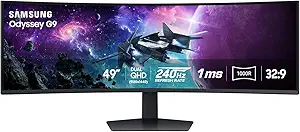
Samsung Odyssey G9 49″ DQHD Curved Gaming Monitor
This massive 49-inch curved monitor sets a new standard for ultra-wide creative setups, especially for those working with panoramic images or extensive timelines. Its dual QHD resolution (5120×1440) and 1000R curvature provide stunning immersion, rivaling multi-monitor setups without the bezel gaps. The 240Hz refresh rate and 1ms response time support fast editing and media playback, while the DisplayHDR 1000 certification guarantees bright highlights and deep shadows. Though its size offers unparalleled workspace, it demands a large desk and significant space, making it less suitable for smaller offices. The high price and need for robust hardware may exclude casual or hobbyist creators. Still, for professionals needing expansive visual real estate, this monitor offers compelling performance and clarity.
Pros:- Massive 49-inch ultra-wide display for multitasking and panoramic editing
- High contrast with DQHD resolution and HDR1000 brightness
- Fast 240Hz refresh rate ensures smooth editing and playback
- Adjustable stand and ergonomic features for comfort
Cons:- Requires a large desk and significant space
- Premium price limits accessibility for casual users
Best for: High-end creators working with large-format content, panoramic editing, or multi-application workflows.
Not ideal for: Small-scale or casual creators with limited space or budget constraints, due to its size and cost.
- Screen Size:49 inches
- Resolution:5120 x 1440
- Curvature:1000R
- Refresh Rate:240Hz
- Response Time:1ms
- HDR Certification:DisplayHDR 1000
- Contrast Ratio:1,000,000:1
- Peak Brightness:1000 nits
Bottom line: Best for creators needing a colossal, high-performance display for expansive workflows and immersive editing environments.
Samsung Odyssey OLED G91SD Dual QHD Curved Gaming Monitor
This 49-inch curved monitor stands out for its expansive screen real estate, making it ideal for multitasking and detailed creative workflows. Its QD-OLED technology offers vibrant colors and true blacks, akin to high-end TVs, but in a workspace setting, the size can be overwhelming for smaller desks. Compared to the LG 32GX850A-B, which emphasizes color accuracy and size, the G91SD prioritizes immersive visuals suited for content creators working with large canvases or multiple windows. The high price reflects its premium tech, but the tradeoff is the necessity of ample space and the limited ergonomic adjustments. This monitor excels for artists, video editors, or designers who need a large, color-rich display, but it may be excessive for casual creators or those with limited space.
Pros:- Vibrant color accuracy with true blacks thanks to QD-OLED tech
- Massive 49-inch curved display enhances multitasking
- Excellent for detailed visual work or immersive content creation
- Thermal modulation and burn-in prevention improve longevity
Cons:- Requires significant desk space due to large size
- High price point limits accessibility for casual users
- Limited ergonomic adjustments may cause discomfort over long sessions
Best for: Creative professionals needing large, detailed, and immersive displays for multitasking or detailed editing.
Not ideal for: Small-space users or those who prefer a more modest, budget-friendly setup with more ergonomic flexibility.
- Screen Size:49 inches
- Resolution:Dual QHD (5120 x 1440)
- Refresh Rate:144Hz
- Response Time:0.03ms
- Technology:QD-OLED, G-Sync Compatible, AMD FreeSync Premium Pro
- Ergonomic Features:Tilt-adjustable stand
Bottom line: This monitor is perfect for creators who need a large, vibrant display and have the space to accommodate it, but it’s less suited for compact setups.
ASUS ROG Strix OLED 27” QHD Gaming Monitor with TrueBlack Glossy Tandem OLED, 280Hz, and DisplayHDR 500
This 26.5-inch QHD monitor combines lightning-fast 280Hz refresh rate with TrueBlack Tandem OLED technology, making it an excellent choice for creators who prioritize speed and color precision. Unlike larger options like the Samsung G91SD, the ASUS 27” offers a more manageable size for desktop use, while still delivering impressive color volume and HDR performance. It’s better suited for creators focused on fast-paced visual editing, motion graphics, or gaming content, but the glossy panel may show fingerprints and reflections, which could be distracting in bright environments. The premium price includes burn-in prevention features, yet OLED’s inherent risk of static image retention remains a concern for long-term static content. Overall, this monitor balances speed, color fidelity, and size for high-performance creators and gamers alike.
Pros:- Extremely fast 280Hz refresh rate with 0.03ms response time
- High color volume with 99.5% DCI-P3 and HDR10 support
- Compact size ideal for desktop setups
- Includes burn-in prevention and comprehensive accessories
Cons:- Glossy panel may cause reflections and fingerprints
- OLED technology carries a burn-in risk over time
- Premium price limits accessibility for budget-conscious buyers
Best for: Fast-paced content creators, motion graphic artists, or eSports-focused video editors needing speed and color accuracy.
Not ideal for: Users with limited desk space or those prioritizing matte finishes to reduce reflections.
- Screen Size:26.5-inch
- Resolution:QHD (2560 x 1440)
- Refresh Rate:280Hz
- Response Time:0.03ms
- Panel Type:TrueBlack Glossy Tandem OLED
- HDR Certification:DisplayHDR 500
Bottom line: This monitor is best suited for creators who need speed and excellent color in a manageable size, but reflectivity and burn-in are considerations.
The Acer Predator X27U offers a compelling blend of fast response times and vibrant OLED visuals, making it ideal for creators who also game intensely. Its 26.5-inch WQHD resolution, combined with 240Hz refresh rate and 0.03ms response time, rivals the speed of larger, more expensive monitors like the ASUS 27” or LG 34GX900A. Compared with the LG 32GX850A-B, it emphasizes a more compact form factor while maintaining excellent color and contrast. The monitor’s ergonomic adjustments, including tilt, height, pivot, and swivel, support extended use. Its potential for image retention due to static content remains, but the included mitigation features help. Overall, it strikes a good balance for creators seeking both speed and color accuracy in a manageable size.
Pros:- Fast 240Hz refresh rate with 0.03ms response time
- Vibrant OLED with 99% DCI-P3 and HDR10
- Ergonomic stand with full adjustments
- Compact 26.5-inch size ideal for desktop use
Cons:- Potential for burn-in with static images
- Premium price limits affordability
- Limited to WQHD resolution, not 4K
Best for: Creators who need a fast, color-rich display that doubles as a gaming-ready monitor in a compact form.
Not ideal for: Those requiring a larger screen for detailed editing or multitasking, or users with limited space for multiple monitors.
- Display Type:QD-OLED
- Resolution:2560×1440 (WQHD)
- Refresh Rate:240Hz
- Response Time:0.03ms
- Color Gamut:DCI-P3 99%
- HDR Support:HDR10
Bottom line: This monitor is a versatile choice for creators wanting speed and quality in a smaller package, with some burn-in considerations.
LG 32GX850A-B 32″ UltraGear 4K UHD (3840 x 2160) Glossy OLED Gaming Monitor
This 32-inch UltraGear OLED combines 4K UHD resolution with a glossy panel, making it a prime choice for creators who need ultra-sharp visuals and precise color. Its 165Hz refresh rate and 0.03ms response time ensure smooth motion, rivaling larger gaming monitors like the Samsung Odyssey G9 but in a more manageable size for detailed work. Unlike the larger Samsung G91SD, which offers immersive size but less pixel density, the LG 32GX850A prioritizes resolution and color fidelity, supported by HDR True Black 400 certification. The high brightness and wide color gamut make it ideal for color-critical tasks, though the glossy finish can reflect ambient light. The main tradeoff remains the risk of burn-in, especially with static content over time. Overall, this monitor suits creators who want 4K clarity with gaming-level speed.
Pros:- 4K UHD resolution with stunning clarity
- Fast 165Hz refresh rate and 0.03ms response time
- Excellent color accuracy with HDR True Black 400
- Wide color gamut with rich, vivid visuals
Cons:- Glossy panel may cause reflections and glare
- Potential burn-in with static images over prolonged periods
- Premium price for high-end features
Best for: Professional creators who need 4K resolution, high color accuracy, and fast response times for detailed work and multimedia editing.
Not ideal for: Users preferring matte finishes or with limited space, due to reflections and size considerations.
- Screen Size:32 inches
- Resolution:UHD 3840 x 2160
- Refresh Rate:165Hz
- Response Time:0.03ms
- HDR Certification:DisplayHDR True Black 400
- Panel Finish:Glossy
Bottom line: This monitor is ideal for creators who need high-resolution, accurate colors, and fast response, with some caution about reflections and static image burn-in.
LG 34GX900A-B 34-Inch Ultragear WQHD (3440 x 1440) OLED Curved Gaming Monitor
The LG 34GX900A-B offers a sweeping 34-inch ultrawide curved display with WQHD resolution, making it an excellent choice for creative workflows that benefit from extra horizontal space. Its 800R curvature enhances immersion, similar to the Samsung G91SD but in a more compact form. The OLED panel provides deep blacks, bright highlights, and a broad color gamut, ideal for color grading, video editing, or panoramic content creation. Its 240Hz refresh rate and 0.03ms response time make it suitable for fast visual editing, while the HDR support adds dynamic range. The monitor’s versatile connectivity, including HDMI 2.1 and USB-C, supports next-gen devices. Compared to larger ultra-wide monitors, it balances immersive experience with desktop practicality, though its size may still be too large for some setups.
Pros:- Ultra-wide 34-inch curved OLED display for immersive work
- High contrast with deep blacks and bright highlights
- 240Hz refresh rate and 0.03ms response time for fast editing
- Supports next-gen connectivity including HDMI 2.1 and USB-C
Cons:- Size may be too large for limited desk space
- Premium price point
- Potential burn-in risk with static UI elements
Best for: Video editors, panoramic content creators, and designers who need an ultra-wide, high-quality OLED display for immersive workflows.
Not ideal for: Users with small desks or those who prefer traditional aspect ratios for standard editing tasks.
- Screen Size:34 inches
- Resolution:3440 x 1440
- Refresh Rate:240Hz
- Response Time:0.03ms
- Curvature:800R
- HDR Support:VESA DisplayHDR True Black 400
Bottom line: This ultra-wide OLED monitor excels for panoramic and immersive creative tasks, with some space and burn-in considerations.
ASUS ROG Strix 32” 4K OLED Gaming Monitor (XG32UCWG)
This monitor stands out for blending high-end gaming features with professional-grade creative capabilities. Its 32-inch 4K TrueBlack Glossy OLED panel delivers stunning visuals, comparable to the Samsung Odyssey G93SC, but with a more versatile dual-mode refresh rate (165Hz and 330Hz). While the glossy finish enhances image sharpness, it can cause glare in bright rooms—something to consider if your workspace isn’t controlled. The Neo Proximity Sensor helps mitigate burn-in, yet OLED risks remain, especially with static content. Connectivity options like USB-C, HDMI 2.1, and DisplayPort support both high-performance gaming and editing workflows. This pick is ideal if you want a monitor that excels at both fast-paced gaming and detailed content creation, with a slight premium for multi-use flexibility.
Pros:- Exceptional 4K OLED display with vivid contrast and deep blacks
- Dual refresh rate modes (165Hz/330Hz) for gaming and productivity
- Accurate colors suitable for photo/video editing
- Advanced AI features like Shadow Boost and Dynamic Crosshair
Cons:- Glossy panel may cause glare in bright settings
- OLED burn-in risk persists despite Neo Proximity Sensor
- Premium price point
Best for: High-end gamers who also do professional photo/video editing at home
Not ideal for: Bright office environments with lots of ambient light, due to glare issues
- Screen Size:32 inches
- Resolution:4K (3840 x 2160)
- Refresh Rate Modes:4K@165Hz, FHD@330Hz
- Response Time:0.03ms
- Panel Type:TrueBlack Glossy OLED
- Color Gamut:99% DCI-P3
Bottom line: This monitor suits creators who demand both high-quality visuals for editing and ultra-smooth gaming performance, accepting some glare and burn-in risks.
Samsung 49″ Odyssey G93SC Series Curved Gaming Monitor, QD-OLED, 240Hz, 0.03ms, DQHD, G-Sync Compatible, FreeSync Premium Pro, Adjustable Stand
This 49-inch ultrawide QD-OLED monitor provides a panoramic experience, perfect for multitasking and immersive content. Its 5120×1440 resolution and 240Hz refresh rate rival the flexibility of the ASUS ProArt PA32UCDM but with a focus on gaming and wide workspace setup. The deep blacks and vibrant colors from QD-OLED technology outshine traditional OLEDs, similar to the Samsung G6 but on a grander scale. The curved design with adjustable stand enhances ergonomic comfort, although the sheer size may be impractical for smaller desks or typical creative setups. The included burn-in prevention measures like thermal modulation are sophisticated, yet static content can still pose risks. This monitor is best suited for creators needing expansive visual real estate and gamers craving ultra-fast response times.
Pros:- Massive 49-inch ultrawide curved display for multitasking
- QD-OLED technology with vibrant, high-contrast images
- High 240Hz refresh rate supports fast-paced gaming
- Supports HDR10+ and adaptive sync technologies
Cons:- Requires ample desk space and a sturdy mount
- High cost due to size and advanced tech
- Potential burn-in risks over extended static content use
Best for: Large-scale creative studios with space for ultrawide setups and gamers seeking maximum immersion
Not ideal for: Limited desk space or users primarily working in bright, glare-prone environments
- Size:49 inches
- Resolution:5120×1440 DQHD
- Refresh Rate:240Hz
- Response Time:0.03ms
- Panel Type:QD-OLED
- Curvature:1800R
Bottom line: Ideal for creators and gamers who want an expansive, vibrant display for immersive work and play, with space considerations in mind.
ASUS ProArt Display OLED PA32UCDM 32″ 4K HDR Professional Monitor
This 32-inch QD-OLED monitor is designed for professionals who need impeccable color accuracy and rapid response times. Its 4K UHD resolution and 240Hz refresh rate outperform many standard creative monitors, aligning with the needs of high-end video editors and graphic designers. With a ΔE <1 and 99% DCI-P3 coverage, it surpasses the ASUS ROG Strix in color fidelity, making it ideal for color-critical workflows. While the weight (19.8 lbs) and high price reflect its premium status, limited availability and the current high cost of OLED technology are notable tradeoffs. If your work demands pixel-perfect accuracy paired with swift rendering, this model makes a compelling choice.
Pros:- Exceptional color accuracy with ΔE <1
- High 240Hz refresh rate and 0.1ms response time for smooth editing and rendering
- Supports Dolby Vision, HLG, HDR10 for versatile HDR workflows
- Includes a 3-year warranty for peace of mind
Cons:- High price point limits accessibility
- Heavier than similar monitors, affecting portability
- Limited OLED content availability can restrict immediate benefits
Best for: Professional content creators requiring precise color reproduction and fast performance
Not ideal for: Budget-conscious users or those seeking large ultrawide screens for multitasking
- Display Size:32 inches
- Resolution:4K UHD (3840×2160)
- Refresh Rate:240 Hz
- Response Time:0.1 ms
- Color Gamut:99% DCI-P3
- HDR Support:Dolby Vision, HLG, HDR10
Bottom line: This monitor is best suited for professionals who need top-tier color accuracy and rapid responsiveness, accepting the premium cost.
Samsung 27” Odyssey OLED G6 Gaming Monitor (QHD, 360Hz, QD-OLED)
This 27-inch QD-OLED monitor combines ultra-fast 360Hz refresh and 0.03ms response time, making it ideal for gamers and creators who thrive on speed and clarity. Its vibrant colors and deep blacks from QD-OLED technology outperform traditional OLEDs, similar to the Samsung G93SC but in a more compact form factor. The advanced burn-in prevention system, including thermal modulation, adds confidence for static content, yet some risk remains over long-term static use. Its sleek, ultra-thin profile with ambient lighting enhances the aesthetic appeal. While the price is high, this monitor offers a rare mix of professional-grade color accuracy, ultra-fast response, and burn-in safeguards—perfect for fast-paced creative workflows and competitive gaming.
Pros:- Incredible 360Hz refresh rate supports ultra-smooth visuals
- QD-OLED technology with 0.03ms response time for clarity
- Advanced burn-in mitigation with thermal modulation
- Ultra-slim design with ambient lighting adds style
Cons:- High cost for a 27-inch monitor
- Burn-in risks remain with static content over long periods
- Requires HDMI 2.1 or DisplayPort to maximize performance
Best for: Pro gamers and creative professionals seeking speed and vibrancy in a compact size
Not ideal for: Users with limited desk space or those requiring larger screens for detailed editing
- Size:27 inches
- Resolution:QHD (2560×1440)
- Refresh Rate:360Hz
- Response Time:0.03ms
- Panel Type:QD-OLED
- Design:Ultra-thin with ambient lighting
Bottom line: This monitor excels at combining high-speed gaming with vibrant creative visuals, best for those with space and budget flexibility.
ASUS ROG Strix 27” OLED Gaming Monitor (XG27AQDMG) – QHD, 240Hz, 0.03ms Response Time
This 26.5-inch QHD OLED monitor offers a compelling mix of high refresh rate and rapid response, making it suitable for competitive gaming and creative tasks alike. Its glossy WOLED panel delivers vibrant colors and deep blacks, comparable to the LG 27GX704A, but with a focus on gaming performance. The 240Hz refresh rate and 0.03ms response time significantly reduce input lag, benefiting fast-paced shooters or esports. Anti-flicker technology and a custom heatsink improve longevity, yet the glossy finish can cause glare in bright environments—potentially limiting its use in well-lit rooms. The risk of burn-in remains, although OLED Care features mitigate this. This model is perfect for gamers seeking speed without sacrificing visual quality, provided lighting conditions are controlled.
Pros:- High 240Hz refresh rate for ultra-smooth gameplay
- Rapid 0.03ms response time minimizes input lag
- G-SYNC compatibility reduces tearing
- Anti-flicker and heatsink for durability
Cons:- Glossy screen may glare in bright rooms
- Potential burn-in over long static use despite OLED care
- Premium price for high-performance features
Best for: Gamers and creators wanting fast response times in a compact, high-quality OLED
Not ideal for: Bright workspaces where glare and static content could pose problems
- Size:26.5 inches
- Resolution:QHD (2560×1440)
- Refresh Rate:240Hz
- Response Time:0.03ms
- Panel Type:Glossy WOLED
- Features:G-SYNC, Anti-Flicker
Bottom line: This monitor delivers fast, vibrant visuals for competitive gamers and creators who can manage lighting and static content risks.
How We Picked
I evaluated each monitor based on several key criteria relevant to creators: color accuracy (covering industry standards like DCI-P3 and Adobe RGB), contrast ratio, resolution, and refresh rate for multimedia work. Build quality and ergonomic features were also considered, as a comfortable, adjustable stand improves long working sessions. Price-to-performance ratio determined value, ensuring each model offered meaningful features for its cost. The ranking reflects a combination of professional-grade features, usability, and overall value for different types of creators.Factors to Consider When Choosing Best Oled Monitor For Creators
When selecting an OLED monitor for creative work, it’s important to weigh several factors beyond just display specifications. Understanding how each element impacts your workflow can help you avoid common pitfalls like overspending on unnecessary features or choosing models incompatible with your software or hardware. Here are key considerations to help you make an informed decision.Color Accuracy and Coverage
For creators, accurate color reproduction is paramount. Look for monitors calibrated to industry standards like 100% sRGB, DCI-P3, and Adobe RGB. Higher color coverage ensures your work looks consistent across devices and platforms. Keep in mind that some monitors claim high coverage but fall short in real-world use, so professional calibration options and factory accuracy are worth prioritizing.
Resolution and Screen Size
The resolution directly impacts detail and workspace, with 4K being the standard for most professional creators. Larger screens, such as 32 inches or more, provide more space for multitasking and detailed editing, but they also demand more powerful hardware and may be more expensive. Consider your desk space and hardware capabilities when choosing a size—bigger isn’t always better if it compromises usability.
Refresh Rate and Response Time
While high refresh rates (above 60Hz) are primarily aimed at gamers, they can also benefit video editing and animation workflows by providing smoother playback. Response time impacts how quickly pixels change, reducing motion blur during fast edits or animations. Balancing these features with color accuracy is crucial—some monitors sacrifice refresh rate for better color fidelity, so prioritize based on your main work type.
HDR Support and Brightness
HDR capability enhances contrast and color depth, especially in high-dynamic-range workflows like HDR video editing. Look for monitors with high peak brightness (over 600 nits) and VESA DisplayHDR certification. Keep in mind, HDR performance varies widely; some monitors may have impressive specs but limited actual HDR usability due to poor local dimming or screen uniformity.
Build Quality and Ergonomics
Extended creative sessions demand comfort and adjustability. Features like height, tilt, swivel, and pivot adjustments help establish an ergonomic setup. Durable build quality ensures your monitor withstands daily use without issues. Budget models often lack these features, so weigh their importance against your workflow needs and workspace constraints.
Frequently Asked Questions
Is OLED the best choice for color accuracy in creative work?
Yes, OLED displays are renowned for their superior contrast, deep blacks, and wide color gamut, making them excellent for color-critical tasks. Their ability to turn off individual pixels allows for truly black levels and vibrant colors. However, ensuring the monitor is factory calibrated or calibratable is vital, as some OLEDs may need professional calibration to meet strict color standards required for professional work.
Can I use an OLED monitor for gaming and creative work at the same time?
Many OLED monitors combine high refresh rates with excellent color reproduction, making them versatile for both gaming and creative tasks. Models like the LG 34GX900A-B offer 240Hz refresh rates suitable for gaming and color accuracy features beneficial for editing. Be aware, however, that some gaming-focused OLEDs prioritize speed over color fidelity, so check for calibrated modes or professional-grade color coverage if your primary goal is creative accuracy.
Are OLED monitors suitable for HDR video editing?
Most OLED monitors excel at HDR due to their high contrast ratio and ability to produce true blacks. Look for models with high peak brightness and VESA DisplayHDR certification to ensure genuine HDR performance. However, HDR implementation varies, so examine reviews for real-world HDR behavior, especially local dimming performance and uniformity, which are critical for precise HDR editing.
Is size more important than resolution for creative work?
Size impacts workspace and comfort, but resolution determines detail clarity. For detailed editing, 4K resolution on a 27 to 32-inch screen strikes a good balance. Larger screens at the same resolution offer more workspace but can make pixel details less sharp if not paired with higher resolution, and hardware demands increase. Choose a size that fits your workspace while supporting your resolution needs for accurate editing.
Should I prioritize build quality over features like HDR or color coverage?
While build quality ensures durability and comfort, features like HDR and color coverage directly impact your work quality. For creators, accurate colors and HDR support are usually more critical than premium build materials, especially if you spend long hours editing. However, a sturdy, adjustable stand improves ergonomics, so finding a balance between durability and professional features is ideal.
Conclusion
The best overall choice for most creators remains the ASUS ProArt OLED PA32UCDM due to its professional-grade calibration, color accuracy, and versatile features. For those seeking the best value, models like the LG 34GX900A-B offer a wide workspace and high refresh rate at a more accessible price point. Creators prioritizing premium build and HDR performance should consider the Samsung Odyssey OLED G91SD. Beginners or those with limited budgets may find the ASUS ROG Strix OLED 27 a practical entry point. Finally, professionals working primarily with HDR content or requiring larger screens should focus on high-brightness, high-contrast models like the LG 32GX850A-B.