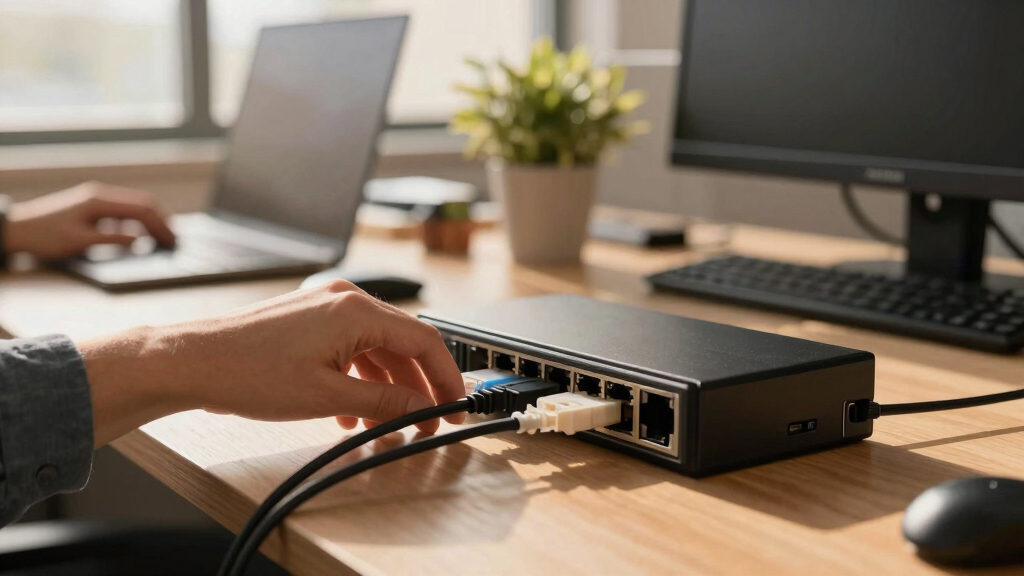

If you’re searching for the best PoE switch for your office, you’re likely balancing power, capacity, and ease of use. The UGREEN Ethernet Switch stands out for its reliability and security features, making it ideal for surveillance or VoIP setups. For budget-conscious buyers, the TP-Link TL-SF1005P offers solid performance without breaking the bank. Meanwhile, the NETGEAR 24-Port Unmanaged PoE Switch suits larger networks requiring extensive device connections. The main challenge lies in choosing a switch that matches your office size, device needs, and future growth plans. Keep reading for a detailed comparison to help you find the perfect fit.
Key Takeaways
- Higher port counts generally provide better scalability for growing offices.
- Managed switches offer more control but come at increased complexity and cost.
- Power budget (Wattage) is critical for powering multiple PoE devices simultaneously.
- Silent operation and build quality are key for office environments to minimize disruption.
- Many switches include features like VLAN and QoS, but these should align with your network management needs.



More Details on Our Top Picks
UGREEN Ethernet Switch, 10-Port PoE Switch, 8 PoE+@60W + 2 Gigabit Uplink, Plug & Play, Standard/Port Isolation(VLAN)/Extend Mode, PoE Auto Recovery, Metal Unmanaged Network Hub for Security Camera
This UGREEN 10-port PoE switch stands out for its combination of high port count and flexible features, making it ideal for offices with many IP cameras, access points, or VoIP phones. Compared with the TP-Link TL-SF1005P, it offers more ports and advanced modes like VLAN and Extend, giving it a clear edge in versatility. Its PoE Auto Recovery ensures stable operation without manual resets, which is a big advantage over basic unmanaged switches. The tradeoff is that its 60W power budget limits support for high-power devices or large-scale deployments. Still, for small to medium office setups, this switch provides a robust, plug-and-play solution with added security options.
Pros:- High port count with 8 PoE+ ports for extensive device support
- Supports VLAN, Extend Mode, and PoE Auto Recovery for flexible, stable deployment
- Auto detects PoE devices, optimizing power delivery and reducing manual intervention
Cons:- Limited 60W total power budget may restrict large or high-power device setups
- Unmanaged design lacks advanced network features like QoS or traffic prioritization
Best for: Offices needing reliable, multi-device PoE with long-distance deployment and VLAN support
Not ideal for: Very small offices or home setups with only a few PoE devices, where simpler switches suffice
- Number of Ports:10
- PoE+ Ports:8
- Total Power Budget:60W
- Uplink Ports:2 Gigabit
- Supported Modes:Standard, VLAN, Extend
- Auto Recovery:Yes
Bottom line: This switch suits office environments where high port density, flexible modes, and reliable power are priorities for multiple PoE devices.
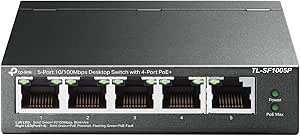
TP-Link TL-SF1005P | 5 Port Fast Ethernet PoE Switch | 4 PoE+ 10/100 Mbps Ports @67W | Desktop | Plug & Play | Sturdy Metal w/ Shielded Ports | Fanless | Extend & Priority Mode
The TP-Link TL-SF1005P offers a straightforward, budget-friendly option for offices with limited PoE needs. Its 4 PoE+ ports provide enough power for basic IP cameras, phones, or access points, with a total budget of 67W, slightly more than the UGREEN model. Its Extend Mode supports long-distance PoE up to 250 meters, ideal for surveillance or multi-floor setups. However, lacking VLAN or QoS features, it’s best suited for simple network environments. Compared to higher-end managed switches, this unit’s plug-and-play nature simplifies deployment but limits scalability and advanced control, making it perfect for small offices or temporary setups.
Pros:- Simple plug-and-play setup with no configuration needed
- Supports long-distance PoE with Extend Mode up to 250m
- Durable metal case with fanless silent operation
Cons:- Limited to unmanaged, basic features without VLAN or QoS
- Total power budget of 67W may restrict multiple high-power devices
Best for: Small offices or surveillance setups with basic PoE requirements and limited network complexity
Not ideal for: Offices with complex network needs requiring VLANs, QoS, or advanced management
- Ports:5
- PoE+ Ports:4
- Total Power Budget:67W
- Max Extend Range:250m
- Switch Type:Unmanaged
- Design:Metal, Fanless
Bottom line: This switch is a practical choice for small offices or surveillance projects prioritizing affordability and ease of use.
TP-Link LS108GP 8-Port PoE Gigabit Ethernet Switch with Auto Recovery and Silent Operation
This TP-Link LS108GP offers a reliable, silent, 8-port gigabit solution, making it well-suited for quiet office settings that need solid gigabit speeds and PoE support. Its 65W power budget and Auto Recovery feature ensure that connected devices like cameras or phones stay online without manual resets, which makes it comparable to the NETGEAR GS308EP, but with a slightly higher power capacity. The fanless, compact design enables placement in noise-sensitive areas, and its simple plug-and-play setup reduces complexity. However, its unmanaged, basic features limit flexibility for larger or more complex network configurations. This switch makes sense for small offices with moderate PoE needs and a focus on silent operation.
Pros:- Silent fanless design suitable for quiet workspaces
- Supports PoE+ with a 65W budget for multiple devices
- Auto Recovery for stable, hassle-free operation
Cons:- Limited to unmanaged basic features
- No advanced network management or VLAN support
Best for: Small offices or conference rooms requiring silent operation and gigabit PoE support
Not ideal for: Large enterprise networks or offices needing VLAN, QoS, or managed features
- Ports:8
- PoE+ Power Budget:65W
- Switching Capacity:16 Gbps
- Max Extend Range:820 ft
- Management:Unmanaged
- Operation Mode:Fanless
Bottom line: This switch is ideal for small, quiet office environments needing reliable gigabit PoE without complexity.
NETGEAR 24-Port Unmanaged PoE Gigabit Switch with 16 PoE+ Ports (190W)
This NETGEAR 24-port switch excels in supporting large office setups with many PoE devices, thanks to its 16 PoE+ ports and substantial 190W power budget. Compared to the smaller TP-Link options, its high port density allows for expanding device support without adding switches. Its unmanaged design keeps setup simple, but limits network customization. The 190W budget enables powering multiple high-power devices simultaneously, making this ideal for expanding surveillance, VoIP, and wireless networks. The tradeoff is its larger size and higher power consumption, which might be unnecessary for smaller installations. Overall, it’s a scalable choice for growing offices needing straightforward, high-capacity PoE support.
Pros:- High port count with 16 PoE+ ports for extensive device support
- Large 190W power budget supports multiple high-power devices
- Simple unmanaged setup for quick deployment
Cons:- Larger form factor, less suitable for tight spaces
- Limited network management features for advanced control
Best for: Medium to large offices with numerous PoE devices and a need for straightforward deployment
Not ideal for: Small home offices or setups that do not require large port counts or high power support
- Port Count:24
- PoE+ Ports:16
- Power Budget:190W
- Switching Capacity:No specific data
- Management Type:Unmanaged
- Form Factor:Desktop/Rackmount
Bottom line: This switch is best suited for offices that require high port density and power capacity without the complexity of managed networking.
NETGEAR GS308EP 8-Port PoE Gigabit Ethernet Smart Managed Switch
The NETGEAR GS308EP offers a compact, smart-managed solution for offices that want some control without the complexity of enterprise switches. Its 8 PoE+ ports with a 62W budget are sufficient for small-scale deployments of cameras, phones, or access points. Managed via the Easy Smart software, it provides basic security and monitoring, a step up from unmanaged switches like the TP-Link LS108GP. Its silent, fanless design makes it suitable for quiet office environments. The tradeoff is that its management features are limited and do not support advanced configurations like VLANs or QoS, which might matter for more complex networks. It’s a good fit for small offices that want manageable, reliable PoE support in a compact form.
Pros:- Smart management software for basic network control
- Supports PoE+ with a 62W total power budget
- Compact, fanless, and easy to place in tight spaces
Cons:- Limited management features for complex networks
- Less suitable for large-scale or highly segmented environments
Best for: Small offices seeking manageable PoE with basic network control and silent operation
Not ideal for: Offices requiring extensive network segmentation or advanced management features
- Ports:8
- PoE+ Ports:8
- Power Budget:62W
- Management:Smart Managed
- Operation Mode:Fanless
- Form Factor:Desktop/Wall Mount
Bottom line: This smart-managed switch fits small office environments that benefit from basic control without the complexity of enterprise-grade features.
NETGEAR 5-Port PoE Gigabit Ethernet Unmanaged Essentials Switch (GS305P) – with 4 x PoE+ @ 63W, Desktop or Wall Mount
This switch offers a straightforward, plug-and-play solution ideal for small office environments that need reliable PoE+ power without complex management features. Compared with the 16-port STEAMEMO switch, the GS305P is simpler and more affordable, but it sacrifices advanced control and higher power capacity. Its 4 PoE+ ports with a total 63W power budget are sufficient for basic IP cameras, VoIP phones, or access points, yet it limits expansion for larger setups. The silent operation and energy efficiency make it suitable for noise-sensitive spaces. However, the absence of managed features means you can’t prioritize traffic or segment networks, which could be a drawback in more demanding environments. Still, for small offices seeking a cost-effective, easy-to-use PoE switch, this model hits the sweet spot of simplicity and reliability.
Pros:- Affordable price point for basic PoE needs
- Silent operation ideal for noise-sensitive environments
- Easy plug-and-play setup with no configuration required
- Supports both desktop and wall mounting
Cons:- Limited power budget of 63W may not support multiple high-power devices simultaneously
- Lacks managed network features like VLAN or QoS
- Only 5 ports, which may limit future expansion
Best for: Small office setups needing simple, reliable PoE+ connectivity without management complexity
Not ideal for: Growing offices or those requiring advanced network control and higher power capacity
- Number of Ports:5 Gigabit Ethernet ports
- PoE Ports:4 PoE+ ports
- Total Power Budget:63W
- Mounting Options:Desktop or wall mount
- Operation Mode:Unmanaged
- Silent Operation:Yes
Bottom line: This switch is perfect for small offices seeking an economical, no-fuss PoE solution for minimal device needs.
PoE Switch, 16 Port Managed POE+ Ethernet Switch(16 POE+ Ports+2 Gigabit Uplink,1 x 1.25G SFP), 240W Built-in Power, Support VLAN, QoS, Fanless Metal, Plug & Play(Wall Mount/Rack Mount)
This model stands out for its extensive management features and high PoE power budget, making it suitable for offices with multiple demanding IP devices like cameras, access points, and VoIP systems. Compared with the NETGEAR GS305P, it offers advanced control over network traffic via VLAN and QoS, which helps optimize performance and security. Its 240W power capacity supports up to 16 PoE+ devices simultaneously, a significant upgrade for larger setups. The fanless, durable metal design ensures quiet, reliable operation in busy environments. The management capabilities, including web interface and mobile app control, allow for remote monitoring and configuration, but this added complexity might overwhelm users seeking straightforward plug-and-play solutions. If your office requires scalable, managed PoE with enterprise-level features, this switch makes the most sense.
Pros:- High PoE power budget supports multiple devices
- Advanced management features like VLAN, QoS, and remote control
- Robust, fanless metal design for durability and silent operation
- Supports both wall and rack mounting for flexible deployment
Cons:- More complex setup may be daunting for non-technical users
- Higher price point compared to unmanaged switches
- Overkill for very small or simple office setups
Best for: Growing offices or small businesses that need managed, scalable PoE+ network infrastructure
Not ideal for: Small offices or users with minimal networking needs who prefer simple, unmanaged switches
- Number of Ports:16 PoE+ ports
- Uplink Ports:2 Gigabit Ethernet + 1 SFP
- PoE Power Budget:240W
- Management Features:VLAN, QoS, remote control
- Operation Mode:Managed with unmanaged options
- Build Material:Fanless metal
Bottom line: This switch is ideal for offices needing scalable, manageable PoE solutions with enterprise-class features.
How We Picked
I evaluated these PoE switches based on performance, build quality, ease of setup, power capacity, and feature set. Priority was given to devices that balance reliability with value, especially for office environments. Managed versus unmanaged options were considered based on the typical needs of small to medium-sized offices, where simplicity often matters. The ranking reflects how well each switch meets the demands of office networks, including future scalability, security, and ease of maintenance. Cost was also a factor, ensuring that each choice offers good value relative to its features.Factors to Consider When Choosing Best Poe Switch For Office
Choosing the best PoE switch for an office involves more than just counting ports. Several factors impact long-term reliability, scalability, and ease of management. Understanding these can help you avoid common pitfalls like underestimating power needs or selecting a switch that’s too complex for your team. Below are key considerations to help you make an informed decision.Port Count and Future Growth
Estimate your current device count and consider future expansion. A switch with too few ports can bottleneck your network, forcing upgrades sooner than expected. Conversely, overestimating can lead to unnecessary costs. For typical small to medium offices, 8 to 16 ports strike a good balance, but larger setups may need 24 or more.
Power Budget and PoE Standards
The total wattage the switch can supply determines how many PoE devices it can power simultaneously. If you plan to deploy several security cameras, VoIP phones, or Wi-Fi access points, ensure the switch’s power budget matches or exceeds those requirements. Also, confirm whether the switch supports PoE+ (802.3at) for higher power needs.
Managed vs. Unmanaged
Managed switches provide features like VLAN, QoS, and remote management, making them suitable for more complex networks. Unmanaged switches are plug-and-play, ideal for small offices or less complex setups. Consider your technical comfort level and network complexity when choosing between these options—overspending on managed features you don’t need can be wasteful.
Build Quality and Noise
Office environments benefit from sturdy, quiet switches. Metal cases usually indicate durability, while fanless designs reduce noise, maintaining a quieter workspace. Avoid cheap plastic models if longevity and silence are priorities, especially in open-plan offices.
Additional Features and Management
Features like VLAN, QoS, and auto-recovery add control and resilience to your network. However, not every office needs these. Focus on features that align with your current setup—overpaying for advanced features you won’t use can be unnecessary. Also, consider ease of setup and future firmware updates for long-term support.
Frequently Asked Questions
Can I use a PoE switch for non-PoE devices?
Yes, most PoE switches are backward compatible with non-PoE devices, which simply won’t draw power from the switch but will still be able to connect via Ethernet. This flexibility allows you to deploy PoE where needed and use regular Ethernet connections for other devices, offering a versatile network setup without additional adapters.
What is the difference between a managed and unmanaged PoE switch?
Managed switches allow for detailed control over network traffic, VLAN segmentation, and remote troubleshooting, making them suitable for larger or more complex office setups. Unmanaged switches are more straightforward, plug-and-play devices that are ideal for small offices or simple networks where minimal configuration is needed. Your choice depends on your current network management needs and technical expertise.
How do I determine the right power budget for my office?
Calculate the total power consumption of all PoE devices you plan to connect, including security cameras, phones, and access points. Each device has a wattage rating, and your switch’s power budget should comfortably support this load with some margin for future additions. It’s better to have a slightly higher wattage capacity than to risk insufficient power, which can cause devices to malfunction or not power on.
Is it worth investing in a higher port count switch now?
Opting for a higher port count switch can save you from future upgrades as your office grows. This is especially true if you expect to add more security devices or wireless access points. However, if your current setup is small, choosing a smaller switch may be more cost-effective, provided it offers enough capacity for your immediate needs.
Should I prioritize a silent switch for my office?
In open-plan offices or quiet workspaces, a silent, fanless switch reduces noise distractions and maintains a professional environment. While fanless models are often slightly more expensive and may generate more heat, their quiet operation can significantly improve office comfort and productivity. Consider the environment and your tolerance for noise when choosing your switch.
Conclusion
For most small to medium office setups, the UGREEN Ethernet Switch offers a reliable, feature-rich option that balances performance and affordability. Those seeking the best overall value might prefer the TP-Link TL-SF1005P, especially if budget constraints are tight. Larger offices or those requiring advanced management should consider the NETGEAR 24-Port Unmanaged PoE Switch or the PoE Switch, 16 Port Managed for greater capacity and control. Beginners or less technical teams will benefit from simple, plug-and-play options, while growing offices aiming for scalability should invest in higher port counts and managed features. Ultimately, your choice depends on current needs and future plans—align features with your office size, management requirements, and budget to find the best fit.