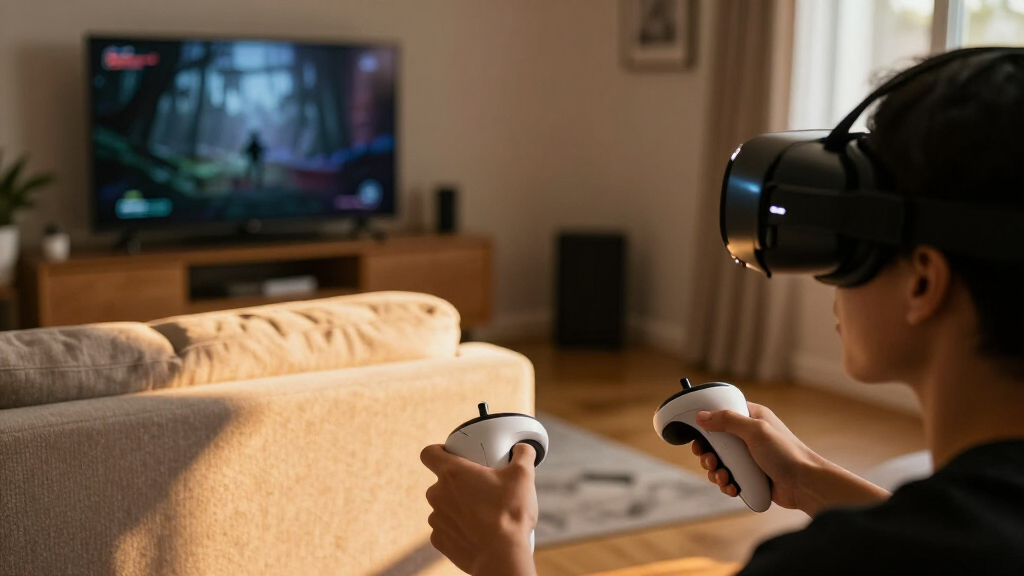

For spooky games, I put comfort, visual clarity, tracking, and easy access to VR horror ahead of bundle extras. The Meta Quest 3 is my leading pick for most players: it works without a PC, has a sharper listed display than the older Quest 2, and keeps the room visible through full-color passthrough when you need a break. The Oculus Rift S is the stronger fit if you already own a capable Windows PC and want a wide field of view, while the Meta Quest 2 remains a simpler all-in-one option with useful included fit accessories.

Get the latest gadgets delivered free with Prime
- Fast, free delivery on millions of items
- Prime Video, Amazon Music and more included
- Member-only deals all year
These headsets serve quite different setups, so the best choice depends on where your horror games run. Standalone Quest models avoid a PC tether, but their battery life limits long sessions. Rift S can suit PC VR libraries, yet it requires a compatible computer and is less portable. The Orzly headset works with Switch and Switch OLED, but its listed VR resolution is much lower than the other options. I rank these by their practical fit for spooky play—not by treating every headset as an equivalent way to access the same games.
Complete the kit



Key Takeaways
- The Meta Quest 3 is my best overall choice for wireless spooky gaming, with a 2064 × 2208-pixel-per-eye display and full-color passthrough, though its listed battery life is about 2.2 hours.
- The Oculus Rift S makes the most sense for a buyer with a capable Windows PC and a PC VR library; its 110-degree field of view comes with a tether and a Facebook-account login requirement.
- The Meta Quest 2 is a self-contained alternative with a 1832 × 1920-pixel-per-eye display and useful fit accessories, but this listing gives no battery-life figure and its controllers need AA batteries.
- The Orzly Switch headset is a platform-specific choice, not a direct substitute for Quest or PC VR: it lists up to 1280 × 720 pixels in VR and a 60 Hz refresh rate.
- Before choosing, check whether the horror games you want support the headset’s platform; a comfortable headset cannot help if your intended titles are unavailable there.
| Meta Quest 3 512GB VR Headset with Gorilla Tag Bundle and 3-Month Meta Horizon+ Trial |  | Best Overall for Wireless Spooky Games | Platform: Standalone Meta Quest | Storage: 512 GB | Memory: 8 GB RAM | VIEW LATEST PRICE | See Our Full Breakdown |
| Oculus Rift S VR Gaming Headset |  | Best for PC VR Horror Libraries | Platform: Meta PC VR | Operating system: Windows | Display resolution: 2560 × 1440 | VIEW LATEST PRICE | See Our Full Breakdown |
| Meta Quest 2 All-in-One VR Headset, 128GB, White, with Controller Accessories |  | Best Straightforward Standalone Alternative | Platform: Standalone Meta Quest | Storage: 128 GB | Display resolution: 1832 × 1920 pixels per eye | VIEW LATEST PRICE | See Our Full Breakdown |
| Orzly VR Headset for Nintendo Switch and Switch OLED, Black |  | Best for Switch Owners Exploring Compatible VR | Compatible platform: Nintendo Switch and Switch OLED | VR display resolution: Up to 1280 × 720 pixels | Maximum display resolution: 1920 × 1080 | VIEW LATEST PRICE | See Our Full Breakdown |
| VR headsets for spooky game | Platform | Display resolution | Field of view | Storage |
|---|---|---|---|---|
| Meta Quest 3 512GB VR Headset | Standalone Meta Quest | 2064 × 2208 pixels per eye | 360 degrees, as listed | 512 GB |
| Oculus Rift S VR Gaming Headse | Meta PC VR | 2560 × 1440 | 110 degrees | — |
| Meta Quest 2 All-in-One VR Hea | Standalone Meta Quest | 1832 × 1920 pixels per eye | — | 128 GB |
| Orzly VR Headset for Nintendo | — | — | 110 degrees | — |
More Details on Our Top Picks
Meta Quest 3 512GB VR Headset with Gorilla Tag Bundle and 3-Month Meta Horizon+ Trial
I put the Meta Quest 3 first because it offers the most balanced fit for someone who wants to play VR without building the experience around a computer. Its standalone platform avoids the Rift S’s PC tether, and its listed 2064 × 2208 pixels per eye gives it a higher stated per-eye resolution than Quest 2. For horror games with dim rooms, close-up detail, or text, that extra display resolution is a meaningful point of difference on paper, even though the actual picture also depends on the game and its settings.
Quest 3’s full-color passthrough gives it a practical distinction from the other standalone option here. It lets you see the physical room through the headset instead of removing it every time you need to orient yourself. That feature does not make a horror game scarier by itself, but it can make switching between immersive play and real-world tasks less awkward. The Snapdragon XR2 Gen 2 processor, 8 GB of RAM, and 512 GB of storage also set it apart from the more modestly specified Quest 2 listing.
The main drawback is session length. The stated 2.2-hour battery life means a long evening of play may need a charging pause, and wireless convenience does not eliminate battery management. Compared with Rift S, the Quest 3 avoids dependence on a Windows PC but may not suit someone whose horror library is built around PC VR. Its included Gorilla Tag bundle and Horizon+ trial are extras rather than proof of horror-game compatibility, so I would choose it for the hardware and standalone setup—not for those promotions alone.
For most buyers wanting an accessible, untethered headset with a comparatively sharp listed display, this is the strongest option in the lineup. I would still verify that each intended game runs on Meta Quest before buying. Players who already own a capable gaming PC and prefer PC VR may find Rift S a more suitable route, while buyers who value a simpler, older standalone option can look to Quest 2.
Pros:- Standalone wireless design avoids a PC tether during play.
- 2064 × 2208 pixels per eye is a higher stated per-eye resolution than Quest 2.
- Full-color passthrough can make it easier to check the room without removing the headset.
- 512 GB storage and 8 GB RAM provide more listed capacity and memory than the Quest 2 listing.
Cons:- Stated battery life is about 2.2 hours, which may interrupt longer sessions.
- Requires charging for continued wireless play.
- Game availability depends on Quest platform support; the bundle is not a horror-game guarantee.
Best for: Players who want a standalone headset for supported VR horror games, value a sharper listed display and full-color passthrough, and are comfortable planning around a roughly 2.2-hour stated battery life.
Not ideal for: Players whose preferred horror titles require PC VR, anyone seeking long untethered sessions without charging breaks, or buyers choosing chiefly for the included Gorilla Tag content.
- Platform:Standalone Meta Quest
- Storage:512 GB
- Memory:8 GB RAM
- Processor:Snapdragon XR2 Gen 2
- Display resolution:2064 × 2208 pixels per eye
- Refresh rate:120 Hz
- Field of view:360 degrees, as listed
- Battery life:About 2.2 hours
- Connectivity:Bluetooth, USB Type-C
Our verdict“I recommend Quest 3 to most players seeking a capable, wireless headset for supported spooky games, provided its battery limit suits their sessions.”
Oculus Rift S VR Gaming Headset
The Oculus Rift S is the specialist pick in this group: I would rank it higher for a player who already has a capable Windows PC and knows the horror games they want are available for PC VR. Its 110-degree field of view is clearly stated, and its PC connection removes the need to manage a standalone headset’s battery during play. That makes it a different kind of choice from Quest 3 and Quest 2, which trade computer dependence for wireless convenience.
Its 2560 × 1440 LCD display is described as reducing the screen-door effect, while the Halo headband and fit wheel are intended to make adjustment easier. Those details matter in horror sessions because a poorly adjusted headset can distract from the game, and a wide field of view can help the virtual scene occupy more of the player’s view. The inside-out Insight tracking also avoids external sensors, so the setup is less involved than a system that needs separate tracking hardware.
The tradeoff is substantial: Rift S needs a capable PC and connects through USB 3.0. That means less freedom to move than either Quest headset, as well as a setup that depends on the computer and its game compatibility. The product listing also says a Facebook account is required to log in. Compared with Quest 3, Rift S lacks standalone portability and full-color passthrough; compared with Quest 2, it makes more sense only when the PC library is part of the plan.
I would not recommend it as a casual first headset for someone who has not checked computer requirements or game support. But for the right PC owner, it offers a clear purpose in this roundup: access to compatible PC VR experiences without relying on the headset’s own battery. Confirm current platform and account requirements before purchase, since older hardware can have a different support situation from newer standalone headsets.
Pros:- 110-degree field of view is listed for an expansive viewing area.
- PC-powered play avoids relying on a standalone headset battery.
- Inside-out Insight tracking does not require external sensors.
- Halo headband and quick-adjust fit wheel support fit adjustment.
Cons:- Requires a capable Windows PC and is less portable than Quest models.
- USB 3.0 connection means play is tethered rather than fully wireless.
- Listing states that a Facebook account is required to log in.
Best for: A PC VR player with a capable Windows computer, compatible USB 3.0 connection, and a library of supported horror games who prefers not to depend on a standalone headset battery.
Not ideal for: Buyers without a suitable Windows PC, players who want a wireless or portable setup, or anyone unwilling to meet the listed Facebook-account login requirement.
- Platform:Meta PC VR
- Operating system:Windows
- Display resolution:2560 × 1440
- Display type:LCD
- Field of view:110 degrees
- Connection:USB 3.0
- Tracking:Inside-out Insight tracking
- Fit:Halo headband with quick-adjust fit wheel
Our verdict“I would choose Rift S over the standalone headsets only when a capable PC and a compatible PC VR horror library are already part of the setup.”
Meta Quest 2 All-in-One VR Headset, 128GB, White, with Controller Accessories
The Meta Quest 2 earns its place as the straightforward all-in-one option. It does not need a gaming PC for its standalone use, which makes it a more approachable setup than Rift S for someone entering VR horror. Its stated 1832 × 1920 pixels per eye gives a concrete display specification, and hand tracking adds an alternative interaction method alongside the two included Touch Controllers. The supplied controller grip and strap accessories may also help keep the controllers secure during active play.
Against Quest 3, the compromise is apparent in the supplied specifications. Quest 3 lists a higher per-eye resolution, a newer processor, more storage, and full-color passthrough, while Quest 2’s listing gives 128 GB. That makes Quest 2 the simpler choice for buyers who do not need those newer additions, but not the stronger pick for someone seeking the most detailed listed display or room visibility. Compared with Rift S, its major advantage is that it does not require a Windows PC or a tether to one.
The listing includes a silicone cover, glasses spacer, adjustable knuckle straps, and charging accessories, giving buyers several useful setup pieces without needing to source those items separately. It also includes two AA batteries for the controllers. That is convenient at the start, but it leaves the user managing replaceable controller batteries rather than treating them as an integrated rechargeable system. The supplied details do not state Quest 2 battery life, so I would not use an assumed runtime to choose between it and Quest 3.
This is a sensible alternative if you want a standalone headset and the Quest platform supports the titles you plan to play. I would skip it if you specifically want Quest 3’s higher listed resolution and full-color passthrough, or if your horror games are PC-only. For buyers weighing the two Quest headsets, the key question is whether the older model’s listed capabilities and included accessories are enough for their needs—not whether it can be treated as identical to the newer headset.
Pros:- All-in-one design does not require a PC for standalone play.
- 1832 × 1920-pixel-per-eye display and hand tracking are listed.
- Includes two Touch Controllers plus adjustable knuckle straps and a silicone cover.
- Glasses spacer and charging accessories are included.
Cons:- 128 GB storage is less than the 512 GB listed for Quest 3.
- Controllers use two AA batteries, so buyers need to manage replacements.
- Listing does not provide a battery-life figure or specify current support for every game.
Best for: A buyer seeking a standalone Meta Quest headset with hand tracking and a useful set of fit accessories, who does not need the Quest 3’s higher listed resolution or full-color passthrough.
Not ideal for: Players seeking the newest listed Quest hardware, more than 128 GB of storage, full-color passthrough, or access to PC-only horror games.
- Platform:Standalone Meta Quest
- Storage:128 GB
- Display resolution:1832 × 1920 pixels per eye
- Included controllers:Two Touch Controllers
- Hand tracking:Supported
- Controller batteries:Two AA batteries included
- Included accessories:Silicone cover, glasses spacer, charging cable, power adapter, adjustable knuckle straps
- Color:White
Our verdict“Quest 2 is my pick for a self-contained, accessory-rich setup when its 128 GB capacity and older listed feature set meet the buyer’s needs.”
Orzly VR Headset for Nintendo Switch and Switch OLED, Black
The Orzly VR Headset is the platform-specific option, and I include it for Switch and Switch OLED owners rather than as a peer to the standalone Quest or PC-powered Rift S. It uses the console’s Joy-Con controllers and is designed around Nintendo Switch-compatible VR experiences. If your gaming setup is already centered on a Switch, that compatibility may be more relevant than the broader standalone or PC options—but it does not mean that every Switch horror game offers a VR mode.
The most important tradeoff for spooky games is the stated VR display resolution of up to 1280 × 720 pixels, alongside a 60 Hz refresh rate. Those figures are lower than the per-eye resolution figures listed for the Quest headsets, so this model is a less compelling match for players prioritizing fine visual detail. Its 110-degree field of view is listed alongside adjustable lenses and a head strap, which provide some fit adjustment, but the headset’s core appeal remains its fit with a particular console rather than a high-spec VR display.
Unlike Rift S, Orzly does not need a capable Windows PC. Unlike Quest 2 or Quest 3, though, it is not a general-purpose standalone VR platform with its own stated processor and storage. Its connection is USB Type-C, its listed weight is 0.38 kg, and the included cable, head strap, and adjustable lens cover the basic accessories named in the product details. Buyers should treat those details as a console VR setup, not assume that it offers the same game library or picture quality as the other three products.
I would select this headset only after checking the exact Switch titles and VR features I intend to use. That compatibility check matters more here than it does for a general-purpose headset because the choice is tied directly to Nintendo’s platform and its supported experiences. For a player focused on detailed, immersive horror, Quest 3 is the clearer overall fit; for a Switch owner who wants to explore compatible VR content using existing Joy-Cons, Orzly has a more specific role.
Pros:- Designed for Nintendo Switch and Switch OLED.
- Adjustable lenses and head strap allow fit adjustments.
- Uses Joy-Con controllers and includes a USB cable.
- 110-degree field of view is listed.
Cons:- VR display resolution is listed as up to 1280 × 720 pixels.
- 60 Hz refresh rate is lower than the 120 Hz listed for Quest 3.
- Game and VR-mode availability depend on Nintendo Switch compatibility.
Best for: Nintendo Switch or Switch OLED owners who want to try compatible VR experiences with Joy-Con controls and are comfortable with the listed up-to-1280 × 720 VR resolution.
Not ideal for: Buyers seeking a broad standalone VR game library, high listed display resolution, or compatibility with PC VR and Quest titles.
- Compatible platform:Nintendo Switch and Switch OLED
- VR display resolution:Up to 1280 × 720 pixels
- Maximum display resolution:1920 × 1080
- Refresh rate:60 Hz
- Field of view:110 degrees
- Connectivity:USB Type-C
- Sensors:Gyroscope and accelerometer
- Controller:Joy-Con
- Weight:0.38 kg
Our verdict“Orzly is a niche choice for Switch owners with compatible VR titles, not my recommendation for buyers prioritizing visual detail or a broad horror-game platform.”
How We Picked
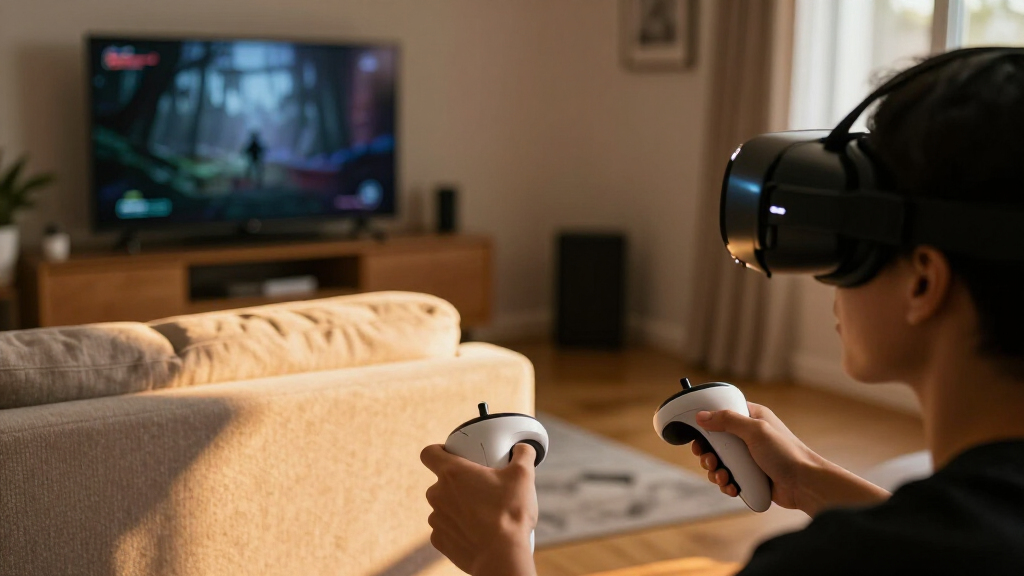
I ranked these four products for the particular demands of spooky VR games, where a clear view, dependable hand tracking, and a setup that does not interrupt play can matter more than a broad feature list. I compared the supplied display specifications, platform, connectivity, tracking or controller details, comfort features, and included accessories. A headset’s specifications can indicate how it may fit a player’s setup, but they do not guarantee that any specific horror game is available or performs equally well.
Platform fit shaped the order. Quest 3 and Quest 2 are standalone options, so they avoid the computer tether that comes with Rift S. Quest 3 takes the top position because its listed per-eye resolution is higher than Quest 2’s and it adds full-color passthrough and a newer stated processor. Rift S comes next for PC owners because its 110-degree field of view and PC-powered setup can appeal to players with compatible PC VR titles, but its hardware and account requirements make it a narrower recommendation. Quest 2 follows as a straightforward standalone alternative, while Orzly ranks fourth because its Switch focus and lower stated VR resolution make it less suited to buyers seeking demanding, visually detailed VR horror.
I also weighed session practicality. Quest 3’s stated battery life is about 2.2 hours, which may make charging breaks part of a long play session. Quest 2’s supplied details do not state battery life, so I do not assume it will last longer. Rift S avoids a built-in battery limitation by connecting to a PC, but the cable and computer reduce freedom of movement. Orzly may be easy to pair with a Switch setup, yet its listed resolution and refresh rate suggest a different experience from the dedicated standalone and PC headsets. I treat comfort claims and feature listings as product information, not as proof of personal testing.
Finally, I excluded price, popularity, and rating claims from the ranking. Those measures do not establish whether a headset suits a particular horror-game library or play space. I would check the current compatibility information for the exact titles you plan to play, particularly for older hardware and platform-specific games. The result is a list ordered by spooky-game usefulness and setup tradeoffs, rather than by a generic claim that one headset is best for everyone.
| VR headsets for spooky game | Platform | Connectivity |
|---|---|---|
| Meta Quest 3 512GB VR Headset | Standalone Meta Quest | Bluetooth, USB Type-C |
| Oculus Rift S VR Gaming Headse | Meta PC VR | — |
| Meta Quest 2 All-in-One VR Hea | Standalone Meta Quest | — |
| Orzly VR Headset for Nintendo | — | USB Type-C |
Factors to Consider When Choosing VR Headsets For Spooky Games
For spooky VR, I would choose by game compatibility and setup first, then compare display, fit, tracking, and session limits. These four products are built for different platforms, so a feature comparison only helps once you know which games and devices you intend to use.Start with the games and platform
Before comparing headsets, make a shortlist of the horror games you actually want to play and check their current platform support. Quest 3 and Quest 2 are standalone Meta Quest headsets, while Rift S requires a capable Windows PC and the Orzly model is designed for Nintendo Switch and Switch OLED. Those are not interchangeable libraries. A headset’s general VR capability does not guarantee that a particular title works on it, and the Switch model’s compatibility depends on games that support its VR features.
This platform check can change the ranking for an individual buyer. A PC owner with a compatible PC VR horror library may reasonably favor Rift S over Quest 3, even though I rank Quest 3 first for general standalone use. A Switch household may have a practical reason to choose Orzly, while players who want to avoid a PC requirement can narrow the decision to the two Quest models. Verify game availability and any required accounts before buying, especially with older hardware.
Match display detail to your expectations
When horror games use dark environments, visual clarity can affect how easily players pick out shapes, movement, or interface details. The listed figures offer useful comparisons: Quest 3 states 2064 × 2208 pixels per eye, Quest 2 lists 1832 × 1920 pixels per eye, Rift S lists 2560 × 1440 overall, and Orzly lists up to 1280 × 720 pixels for VR. These figures are not all presented in the same format, so avoid treating them as a perfect direct measurement. They still show why Quest 3 is the stronger listed choice for per-eye resolution and why Orzly is the more limited display option here.
Resolution alone does not describe the full image. Panel type, game rendering, fit, and headset adjustment can all affect what a player sees, and the supplied descriptions do not provide matching measurements for every model. Rift S is described as reducing the screen-door effect and gives a 110-degree field of view; Orzly also lists a 110-degree field of view. I would use these specifications as decision points, then prioritize compatibility and a secure fit over treating any single number as a complete picture-quality verdict.
Weigh wireless freedom against session limits
Standalone play removes the computer tether, which can make moving around feel less constrained and simplifies where the headset can be used. Quest 3 and Quest 2 offer that form of setup. Quest 3’s stated battery life is about 2.2 hours, so players planning a long horror session should expect that charging may become part of the routine. Quest 2’s supplied details do not state a battery duration, so I would not assume it lasts longer or use an unlisted figure to compare them.
Rift S makes the opposite trade. It connects to a PC through USB 3.0, so the headset is less portable and freedom of movement is limited by the cable, but it does not rely on the stated standalone battery runtime. Orzly connects to the Switch by USB Type-C. For either tethered setup, consider your available room and how the cable will sit while you play. For wireless Quest play, consider when and where the headset can be charged between sessions.
Comfort and controllers matter during horror play
A tense game can make small fit problems more distracting, so I would check the included adjustments and controller setup rather than focus only on the headline specifications. Rift S lists a Halo headband with a quick-adjust fit wheel. Quest 2 includes a glasses spacer, silicone cover, and adjustable knuckle straps, while Orzly lists an adjustable lens and head strap. Quest 3’s supplied details emphasize its standalone and display features but do not give matching fit measurements. Comfort depends on the individual, so these inclusions indicate adjustment options rather than a guarantee of fit.
Controller style also shapes interaction. Quest 2 includes two Touch Controllers and supports hand tracking; Rift S is supplied with updated Touch controllers. Orzly uses Joy-Con controllers, which may suit a Switch player already familiar with that hardware. Check whether the games you want support the input method you prefer. Controller batteries are another practical detail: Quest 2 includes two AA batteries, so plan for replacements when needed. That is a small task, but it differs from choosing a setup around charging the whole standalone headset.
Choose storage and extras for your actual use
Quest 3 lists 512 GB of storage, compared with 128 GB for Quest 2. More capacity may be useful for keeping a larger installed library on the headset, though the amount of space required depends on the games and other content you choose. Rift S connects to a PC, so its game storage belongs to the computer setup rather than the headset specifications provided here. Orzly is tied to Switch, making the console’s own game-storage arrangements more relevant than a headset storage figure.
Bundled extras should come after platform and fit in the decision. Quest 3 includes a Gorilla Tag bundle and a three-month Horizon+ trial; those do not establish that a chosen horror title is included. Quest 2’s silicone cover, glasses spacer, straps, and charging accessories may be directly useful for getting a personal setup ready. Orzly includes its headset, head strap, adjustable lens, and cable. I would value extras that address a real setup need, but not let a bundle distract from whether the headset can run the games I want.
Account for the play space and your tolerance for immersion
VR horror can feel intense because the headset blocks much of the visible room and puts the game directly in the player’s field of view. Set aside a clear, stable play area before playing, and pause if you feel uncomfortable. Quest 3’s full-color passthrough is a useful way to view the room without removing the headset, but it does not replace safe play-space setup. Rift S and Orzly are tethered to other hardware, so their cables need careful placement. For a smaller room or a first VR session, shorter play periods can make the experience easier to manage.
Comfort and motion tolerance vary from player to player. Display and refresh-rate figures cannot predict whether someone will feel at ease in a particular game. If you are new to VR, look for games with adjustable comfort settings and start with brief sessions in a clear space. Choose the headset that fits both your device ecosystem and your preferred play habits—not only the one with the most impressive specification on its listing.
Frequently Asked Questions
Which headset is my best general choice for spooky VR games?
I rank the Meta Quest 3 first for most players because it is standalone, lists a higher per-eye resolution than Quest 2, and offers full-color passthrough. That makes it a flexible choice for supported Quest horror games without requiring a PC. Its stated battery life is about 2.2 hours, however, and it will not run every PC VR or Switch title. Check compatibility for the specific games you want before choosing it.
Should I choose Quest 3 or Quest 2 for horror games?
I would choose Quest 3 if the higher listed per-eye resolution, 512 GB storage, and full-color passthrough matter to you. Quest 2 is the more straightforward alternative in this lineup, with 128 GB storage and useful included accessories such as a glasses spacer and controller straps. The supplied information does not state Quest 2 battery life, so I would not assume it provides longer sessions. For either model, confirm that your preferred games support the Quest platform.
Is the Oculus Rift S suitable if I do not own a gaming PC?
No. The Rift S requires a capable Windows PC and connects through USB 3.0, so it is not a self-contained headset like Quest 3 or Quest 2. It may suit a PC owner who already has compatible PC VR horror games and prefers that library, but it is a poor fit for someone hoping to play without a computer. The listing also states that a Facebook account is required to log in, so check account and current support requirements before buying.
Can I use the Orzly headset for any Nintendo Switch horror game?
Not automatically. The Orzly headset is designed for Nintendo Switch and Switch OLED, but the game itself must support a compatible VR experience. I would check the title’s current Nintendo Switch product information before buying rather than assume that standard Switch games work in the headset. Its listed VR display resolution is up to 1280 × 720 pixels, so it is also a more limited visual option than the Quest headsets in this comparison.
What should I check before starting a VR horror game?
Confirm the game runs on your headset’s platform, clear the play area, and check that the headset fits securely before starting. For Rift S and Orzly, keep the cable placed so it will not catch as you move; for Quest 3, plan around its stated battery life of about 2.2 hours. New VR players may prefer a short first session and games with comfort settings. Stop playing if the experience feels uncomfortable, then take the headset off and rest.
Conclusion
My recommendation depends on the setup you already own. For most players seeking a wireless standalone headset for supported spooky games, I would pick Meta Quest 3, while keeping its stated battery limit in mind. For someone with a capable Windows PC and a compatible PC VR horror library, Rift S is the targeted choice, despite its tether and account requirement. Choose Quest 2 if you want an all-in-one headset with included fit accessories and do not need Quest 3’s higher listed resolution or passthrough. Pick Orzly only if you are a Switch owner who has checked that your intended games support its VR features and accepts the lower listed VR resolution.
Before committing, I would confirm current game compatibility, system requirements, and account needs for the exact headset you plan to buy. For spooky games, platform fit and a setup you can use comfortably matter more than a bundle label or a specification considered on its own.
Halloween Picks
halloween
As an affiliate, we earn on qualifying purchases.