The best PS5 gaming accessories depend on what you want to improve: controller comfort, charging, console placement, or everyday media use. I’d put the PowerA Twin Charging Station among the strongest all-around picks for its focused, dual-controller charging, while the OIVO Adjustable Horizontal Stand suits players who need a simple way to position their console. For competitive play, the KontrolFreek Galaxy thumbsticks offer a more targeted upgrade than an all-in-one station. The main tradeoff is choosing between a compact accessory that solves one problem and a larger stand that bundles several functions. Read on for the full breakdown of all 15 options and how I’d match them to different setups.

Get the latest gadgets delivered free with Prime
- Fast, free delivery on millions of items
- Prime Video, Amazon Music and more included
- Member-only deals all year
Complete the kit



Key Takeaways
- Single-purpose accessories can be the clearer choice: PowerA’s twin charging station focuses on charging two DualSense controllers, while multifunction cooling stands add features that may take up more space.
- Console placement changes the shortlist: OIVO is designed for horizontal positioning, while Monzlteck’s under-desk mount moves the console off the surface and out of the way.
- Controller upgrades serve different play styles: KontrolFreek’s Galaxy thumbsticks target aim and stick feel, while the PlayVital trigger extenders focus on button reach and leverage.
- Charging compatibility deserves a closer look: NEWDERY specifically lists DualSense Edge compatibility, a detail that matters for buyers with Sony’s premium controller.
- Not every accessory improves gameplay: The PlayStation Media Remote and Paladone Icons Light are better matched to media use or room ambience than to competitive play.
| OIVO Adjustable Horizontal Stand for PS5, PS5 Slim, and PS5 Pro |  | Best for Stable Horizontal Placement | Compatible consoles: PS5, PS5 Slim, and PS5 Pro; disc and digital editions | Orientation: Horizontal | Material: ABS | VIEW LATEST PRICE | See Our Full Breakdown |
| CCFREELIFE Silicone Thumb Grips for PS4, PS5, and Xbox Controllers, 24 Pieces |  | Best Value for Grip Customization | Brand: CCFREELIFE | Material: Silicone | Quantity: 24 grips (12 color pairs) | VIEW LATEST PRICE | See Our Full Breakdown |
| PlayVital Shoulder Button and Trigger Extenders for PS5 Controllers and PS Portal, Chameleon Purple Blue |  | Best for Easier Button Reach | Brand: PlayVital | Compatible devices: PS5 controller, PS5 Edge controller, and PS Portal Remote Player | Included items: 2 pairs of L1/R1 and L2/R2 extenders | VIEW LATEST PRICE | See Our Full Breakdown |
| Monzlteck Under-Desk Mount for PS5, PS5 Slim, and PS5 Pro |  | Best for Clearing Desk Space | Brand: Monzlteck | Compatible devices: PS5, PS5 Slim, and PS5 Pro; disc and digital editions | Mounting location: Under desk | VIEW LATEST PRICE | See Our Full Breakdown |
| Paladone PlayStation Icons Light with 3 Light Modes |  | Best Decorative Gaming-Room Accessory | Brand: Paladone | Model: PP4140PSV2 | Material: Plastic | VIEW LATEST PRICE | See Our Full Breakdown |
| PS5, PS5 Slim & PS5 Pro Stand and Cooling Station with Dual Controller Charging |  | Best All-in-One Organizer | Compatible consoles: PS5, PS5 Slim, PS5 Pro | Cooling fan: Three speeds, 3100–3500 RPM; adjustable or switchable off | Controller charging: Two controllers simultaneously; approximately 2.5 hours | VIEW LATEST PRICE | See Our Full Breakdown |
| PS5 Stand and Cooling Station with Dual Controller Charging, Headset Holder, and 3 USB Ports |  | Best for a Secure, Tidy Setup | Compatible consoles: PS5, PS5 Slim, and PS5 Pro; disc and digital editions | Controller charging: Two wireless docks; approximately 3 hours to full charge | Cooling fan: 3 adjustable speed levels | VIEW LATEST PRICE | See Our Full Breakdown |
| PlayStation 5 Media Remote |  | Best for Streaming and Media Control | Brand and model: PlayStation; 3005727 | Compatible console: PlayStation 5 | Compatible devices: Television | VIEW LATEST PRICE | See Our Full Breakdown |
| NEWDERY PS5 Controller Charger Station Compatible with DualSense Edge – Fast Charging Dock Stand with Cable |  | Best Dedicated Dual Controller Charger | Compatible devices: DualSense Edge Controller; PlayStation 5 Controller | Charging capacity: Two controllers simultaneously | Charging time: Approximately 2.5 hours | VIEW LATEST PRICE | See Our Full Breakdown |
| KontrolFreek Aim Boost Kit for PS5 and PS4 Controllers, Black Galaxy Edition |  | Best for Aim Tuning | Brand and model: KontrolFreek; 6204-PS5 | Compatible devices: PlayStation 4 and PlayStation 5 | Included components: Performance thumbsticks and precision rings | VIEW LATEST PRICE | See Our Full Breakdown |
| KontrolFreek FPS Freek Galaxy White Performance Thumbsticks for PS4 & PS5 – High-Rise and Mid-Rise |  | Best for Precision Aiming | Brand: KontrolFreek | Compatible devices: PlayStation 4 and PlayStation 5 | Stick configuration: One high-rise right stick and one mid-rise left stick | VIEW LATEST PRICE | See Our Full Breakdown |
| Rysker PS5, PS5 Slim & PS5 Pro Cooling and Charging Stand with RGB Lighting |  | Best Multi-Function Stand | Brand: Rysker | Compatible consoles: PS5, PS5 Slim, and PS5 Pro | Controller compatibility: Original DualSense and DualSense Edge | VIEW LATEST PRICE | See Our Full Breakdown |
| MoKo Wireless Keyboard for PS5 Controller with Green Backlight |  | Best for In-Game Chat | Brand: MoKo | Connectivity: Bluetooth | Keyboard layout: QWERTY | VIEW LATEST PRICE | See Our Full Breakdown |
| KontrolFreek FPS Freek Galaxy Black Performance Thumbsticks for PS4 and PS5 |  | Best for a Low-Visibility Setup | Brand: KontrolFreek | Compatible devices: PlayStation 4 and PlayStation 5 | Set contents: One high-rise and one mid-rise concave thumbstick | VIEW LATEST PRICE | See Our Full Breakdown |
| PowerA Twin Charging Station for PlayStation 5 DualSense Controllers |  | Best Dedicated DualSense Dock | Compatible devices: PlayStation 5 DualSense controllers | Controller capacity: 2 | Charging indicator: Controller LED | VIEW LATEST PRICE | See Our Full Breakdown |
| PS5 gaming accessorie | Material | Color | Brand | Compatible devices |
|---|---|---|---|---|
| OIVO Adjustable Horizontal Sta | ABS | White | — | — |
| CCFREELIFE Silicone Thumb Grip | Silicone | — | CCFREELIFE | — |
| PlayVital Shoulder Button and | ABS plastic | Chameleon Purple Blue | PlayVital | PS5 controller, PS5 Edge controller, and PS Portal Remote Player |
| Monzlteck Under-Desk Mount for | Metal | — | Monzlteck | PS5, PS5 Slim, and PS5 Pro; disc and digital editions |
| Paladone PlayStation Icons Lig | Plastic | — | Paladone | — |
| PS5 | — | White | — | — |
| PS5 Stand and Cooling Station | — | — | — | — |
| PlayStation 5 Media Remote | — | White | — | Television |
| NEWDERY PS5 Controller Charger | — | White | — | DualSense Edge Controller; PlayStation 5 Controller |
| KontrolFreek Aim Boost Kit for | Rubber | Black | — | PlayStation 4 and PlayStation 5 |
| KontrolFreek FPS Freek Galaxy | Rubber | White | KontrolFreek | PlayStation 4 and PlayStation 5 |
| Rysker PS5 | — | — | Rysker | — |
| MoKo Wireless Keyboard for PS5 | — | — | MoKo | — |
| KontrolFreek FPS Freek Galaxy | Plastic enclosure with proprietary rubber compound | Black | KontrolFreek | PlayStation 4 and PlayStation 5 |
| PowerA Twin Charging Station f | — | — | — | PlayStation 5 DualSense controllers |
More Details on Our Top Picks
OIVO Adjustable Horizontal Stand for PS5, PS5 Slim, and PS5 Pro
I’d choose this stand when a PS5 needs a steadier horizontal home without taking up much room. Its adjustable supports fit several console generations, while the connecting rods, screw, and non-slip pads help limit shifting on a desk or shelf. The raised design also leaves space beneath the console for airflow and helps keep its surface from resting directly on furniture. Compared with the Monzlteck Under-Desk Mount, this is simpler to place and does not require fastening hardware to a desk; the Monzlteck is the better fit when clearing the desktop matters more. The tradeoff is that this OIVO stand is for horizontal placement only and takes some assembly. I’d skip it if you want a vertical stand or a charging station.
Pros:- Fits PS5, PS5 Slim, and PS5 Pro disc and digital editions.
- Connecting rods, non-slip pads, and screw fastening help steady the console.
- Raised supports allow airflow beneath the console and protect the supporting surface.
- Compact, lightweight tabletop design suits shelves and desks.
Cons:- Requires assembly and screw fastening.
- Supports horizontal placement only.
- Does not provide controller charging or other powered features.
Best for: PS5 owners who want adjustable, secured horizontal placement on a desk, shelf, or entertainment center.
Not ideal for: Players who need vertical placement, an integrated charging dock, or a no-assembly setup.
- Compatible consoles:PS5, PS5 Slim, and PS5 Pro; disc and digital editions
- Orientation:Horizontal
- Material:ABS
- Color:White
- Weight:350 g
- Mounting type:Tabletop
- Fastening:Screw
- Included components:2 stands, 3 support rods, 2 EVA foam pieces for digital editions, 1 screw
Our verdict“Choose this OIVO stand for a compact, adjustable horizontal setup; choose the Monzlteck mount if freeing desk space is the priority.”
CCFREELIFE Silicone Thumb Grips for PS4, PS5, and Xbox Controllers, 24 Pieces
For a small controller change with a practical purpose, I’d pick these caps for their combination of added texture and thumbstick protection. The silicone stretches over existing sticks, so there’s no adhesive or disassembly, and the raised texture is meant to give fingers a more secure contact point. With 24 caps in 12 color pairs, there’s room to coordinate controllers or swap styles. Compared with the PlayVital Shoulder Button and Trigger Extenders, these address thumbstick grip rather than button reach; they’re the more straightforward choice for players who want a quick fit adjustment. The tradeoff is that the caps may change the feel or profile of the sticks, and stated compatibility is limited to PS4, PS5, and Xbox controllers. I’d skip them if you prefer bare thumbsticks or need a specifically verified fit for another controller.
Pros:- Installs over existing thumbsticks without removing them or using adhesive.
- Textured silicone adds a more secure contact surface.
- Helps protect sticks from scratches, shine, and grime.
- Includes 12 color pairs for mixing and matching.
Cons:- Adds a cover over the thumbsticks, which may not suit players who prefer their original feel.
- Compatibility is specified only for PS4, PS5, and Xbox controllers.
- Does not change stick height or provide the button-reach adjustment offered by PlayVital extenders.
Best for: PS5 players who want added thumbstick texture and protection, plus color options for multiple controllers.
Not ideal for: Players who prefer the original stick feel or use controllers outside the stated PS4, PS5, and Xbox compatibility.
- Brand:CCFREELIFE
- Material:Silicone
- Quantity:24 grips (12 color pairs)
- Compatible controllers:PS5 DualSense, PS4 DualShock, and Xbox
- Item weight:1 g
- Model number:CC-GJM-CA24P
- Warranty:3 months
Our verdict“Choose these caps for an easy way to add thumbstick texture and color, but skip them if you want an uncovered stick feel.”
PlayVital Shoulder Button and Trigger Extenders for PS5 Controllers and PS Portal, Chameleon Purple Blue
I’d consider these extenders if reaching the shoulder buttons or triggers comfortably is a problem. The set supplies two thicknesses for L1/R1 and two lengths for L2/R2, giving players a choice of fit rather than a single fixed shape. Compatibility includes PS5 and Edge controllers as well as the PS Portal Remote Player, so it covers more listed PlayStation devices than the CCFREELIFE thumb grips, which focus on thumbsticks and name PS4, PS5, and Xbox controllers. That makes this a more targeted comfort adjustment, not a general controller upgrade. The main tradeoff is installation: adhesive stickers attach the pieces, so placement takes care and the add-ons may not suit players who want to keep their controller untouched. I’d skip them if the standard button reach already feels comfortable.
Pros:- Offers two thickness options for L1/R1 and two length options for L2/R2.
- Designed to make shoulder buttons and triggers easier to reach.
- Compatible with PS5 controllers, PS5 Edge controllers, and PS Portal.
- Lightweight ABS pieces add little listed weight.
Cons:- Uses adhesive stickers for installation.
- Compatibility is limited to the listed PlayStation devices.
- Changes the feel and profile of the controls rather than adding thumbstick grip like the CCFREELIFE caps.
Best for: PS5, Edge, or PS Portal users who want adjustable shoulder-button and trigger reach.
Not ideal for: Players who are comfortable with the stock button layout or do not want adhesive accessories attached to their device.
- Brand:PlayVital
- Compatible devices:PS5 controller, PS5 Edge controller, and PS Portal Remote Player
- Included items:2 pairs of L1/R1 and L2/R2 extenders
- L1/R1 options:Two thicknesses
- L2/R2 options:Two lengths
- Material:ABS plastic
- Installation:Adhesive stickers
- Color:Chameleon Purple Blue
Our verdict“Pick these extenders when button reach is your specific comfort issue and adhesive-mounted additions are acceptable.”
Monzlteck Under-Desk Mount for PS5, PS5 Slim, and PS5 Pro
If the console occupies space you’d rather use for a keyboard, books, or other gear, I’d put this mount ahead of tabletop stands. Its metal bracket secures compatible PS5 models beneath a desk, while the open construction leaves the console exposed to airflow. Four silicone covers help protect the console where it meets the mount, and a security screw is intended to keep it firmly seated. Compared with the OIVO Adjustable Horizontal Stand, the Monzlteck trades easy repositioning for a less cluttered surface and a more fixed installation. That difference is the deciding factor: this is for a planned, semi-permanent setup, not frequent rearrangement. Installation requires fastening the mount to the underside of a desk with six screws, so I’d skip it if drilling or committing to a mounting location is not practical.
Pros:- Mounts the console beneath a desk to free surface space.
- Open construction allows airflow around the console.
- Four silicone covers help protect the console from scratches.
- Security screw helps keep the console firmly in place.
Cons:- Requires fastening the mount to the desk underside with six screws.
- Less convenient to move than the tabletop OIVO horizontal stand.
- Provides no charging or lighting features.
Best for: Desk-based PS5 owners who want to reclaim tabletop space and can install a fixed under-desk mount.
Not ideal for: Renters or players who cannot fasten a mount to their desk, or anyone who regularly moves their console.
- Brand:Monzlteck
- Compatible devices:PS5, PS5 Slim, and PS5 Pro; disc and digital editions
- Mounting location:Under desk
- Material:Metal
- Metal thickness:2 mm
- Fastening:Six screws
- Protective covers:Four silicone covers
- Weight:1.6 pounds
Our verdict“Choose the Monzlteck when desk space matters more than easy access or portability and you can securely fasten it in place.”
Paladone PlayStation Icons Light with 3 Light Modes
I’d choose this light for the room around a PS5, not for a change to gameplay or console function. Its PlayStation symbols, multicolor glow, and three modes—standard, color phasing, and sound reactive—make it a more expressive display piece than the practical OIVO stand or Monzlteck mount. The tabletop format and included USB cable give it a simple place in a bedroom or game room, while battery power offers another option when a USB connection is inconvenient. The tradeoff is that this accessory adds atmosphere rather than storage, charging, or controller comfort. It also needs three AAA batteries if you do not use USB, and those batteries are not included. I’d skip it if your priority is a functional console upgrade or if the light may be exposed to water.
Pros:- Displays officially licensed PlayStation symbols with multicolor lighting.
- Includes standard, color-phasing, and sound-reactive modes.
- Can run from USB or three AAA batteries.
- Compact tabletop format fits game rooms and bedrooms.
Cons:- Three AAA batteries are not included.
- Not water resistant.
- Adds decorative lighting rather than the practical console support offered by the OIVO or Monzlteck mounts.
Best for: PS5 fans who want an officially licensed PlayStation-themed light for a bedroom, desk, or game-room display.
Not ideal for: Buyers seeking a functional console stand, controller accessory, or lighting that can handle wet environments.
- Brand:Paladone
- Model:PP4140PSV2
- Material:Plastic
- Light modes:Standard, color phasing, and sound reactive
- Power source:USB or 3 AAA batteries
- Included components:USB cable
- Dimensions:12 x 4 x 2.75 inches (W x H x D)
- Officially licensed:Yes
Our verdict“Pick this light to add PlayStation-themed ambience to a room, not when you need a functional PS5 setup upgrade.”
PS5, PS5 Slim & PS5 Pro Stand and Cooling Station with Dual Controller Charging
I’d choose this stand when the main goal is to group console cooling, controller charging, and game storage in one setup. It charges two controllers at once and holds up to 14 discs, while dedicated slots make room for a headset, remote, and external drive. That gives it a broader organizing role than the PS5 Stand and Cooling Station with Dual Controller Charging, Headset Holder, and 3 USB Ports, which lists headset and remote holders but no disc storage. Its three fan speeds can be adjusted or turned off, so buyers can choose whether to run the fan rather than accept constant noise. The tradeoff is that the listed controller charger may not start above 70% battery, and the stated dimensions may not reflect the full assembled stand. I’d favor it for a crowded entertainment area, not for a minimal setup.
Pros:- Combines console cooling, dual-controller charging, and accessory storage.
- Stores up to 14 game discs and includes holders for a headset, remote, and external drive.
- Three fan speeds can be adjusted or switched off.
- Includes three USB ports and electrical protection features.
Cons:- Controller charging may not start when a controller battery is above 70%.
- Listed dimensions may not describe the stand’s full assembled footprint.
Best for: PS5 owners with multiple controllers, physical game discs, and accessories who want one stand to organize the whole setup.
Not ideal for: Players who keep a small digital-only setup or want to charge controllers regardless of their current battery level.
- Compatible consoles:PS5, PS5 Slim, PS5 Pro
- Cooling fan:Three speeds, 3100–3500 RPM; adjustable or switchable off
- Controller charging:Two controllers simultaneously; approximately 2.5 hours
- USB ports:3
- Storage:Up to 14 game discs; holders for headset, remote, and external hard drive
- Charging indicators:Red while charging; green when fully charged or on standby
- Protection:Overcharge, overheat, overvoltage, and short-circuit protection
- Color:White
Our verdict“Choose this stand if disc and accessory storage matter as much as cooling and charging, but skip it if you want a compact, charging-focused dock.”
PS5 Stand and Cooling Station with Dual Controller Charging, Headset Holder, and 3 USB Ports
This stand makes the most sense for buyers who want a tidier console area without the game-disc storage offered by the PS5, PS5 Slim & PS5 Pro Stand and Cooling Station with Dual Controller Charging. Its safety screw and digital-edition strip help secure compatible console versions in place, while holders for a headset and media remote keep two common accessories close at hand. The adjustable three-speed fan and dual wireless charging docks add everyday convenience, and three USB ports provide extra connections for peripherals. The cost of that bundled design is a bigger commitment than a simple controller dock: the console and accessories are not included, and charging protection stops at 70%, which may leave controllers short of a full charge. I’d pick it over a standalone charger when console placement and accessory organization are the priorities.
Pros:- Safety screw and digital-edition strip support secure placement across listed console versions.
- Charges two controllers wirelessly with LED indicators.
- Three adjustable fan settings let users choose their preferred cooling level.
- Includes three USB ports and holders for a headset and media remote.
Cons:- Charging protection automatically stops at 70%.
- Console, controllers, headset, and media remote are not included.
Best for: PS5 owners who want a secured console stand with headset and media-remote storage, adjustable cooling, and charging for two controllers.
Not ideal for: Players who mainly need a controller charger, want full charging beyond the 70% cutoff, or do not need a console stand.
- Compatible consoles:PS5, PS5 Slim, and PS5 Pro; disc and digital editions
- Controller charging:Two wireless docks; approximately 3 hours to full charge
- Cooling fan:3 adjustable speed levels
- USB ports:3
- Input voltage:120 V
- Output:5 V DC, 3.6 A, 18 W
- Power and connector:Corded electric; USB Type-C
- Included holders:Headset and media remote
- Warranty support:1 year
Our verdict“Choose this stand for secure console placement and everyday accessory organization, rather than for disc storage or unrestricted controller charging.”
PlayStation 5 Media Remote
For a PS5 that doubles as a streaming box, I’d pick Sony’s Media Remote over a cooling stand or controller dock because it makes playback and menu navigation easier from the couch. Dedicated play, pause, fast-forward, and rewind buttons give media controls a more direct feel than using a DualSense controller, and the remote can power on the console. Its infrared transmitter can also adjust power and volume on compatible TVs, reducing the need to reach for a second remote. That TV integration is narrower than a universal remote: this model supports one device, and TV functions depend on compatibility. Some features may also require a PS5 system software update. Unlike the NEWDERY PS5 Controller Charger Station, it does nothing for controller charging, so it’s a focused add-on for people who watch content on their console.
Pros:- Dedicated playback and navigation buttons make media control more direct than using a game controller.
- Can power on the PS5 console.
- Infrared controls can adjust power and volume on compatible TVs.
- Includes two AA batteries.
Cons:- Supports control of one device, limiting its use as a household remote.
- TV controls work only with compatible televisions.
- Some functions may require a PS5 system software update.
Best for: PS5 owners who stream shows or use the console for media and want dedicated playback buttons plus basic compatible-TV controls.
Not ideal for: Buyers looking for a universal remote, broad multi-device control, or an accessory that improves gaming or controller charging.
- Brand and model:PlayStation; 3005727
- Compatible console:PlayStation 5
- Compatible devices:Television
- Connectivity:Infrared
- Buttons:15
- Maximum range:10 meters
- Batteries:2 AA batteries included
- Color:White
Our verdict“Choose this remote if the PS5 is part of your TV-watching routine, but look elsewhere for multi-device control or gaming-focused upgrades.”
NEWDERY PS5 Controller Charger Station Compatible with DualSense Edge – Fast Charging Dock Stand with Cable
When charging two controllers is the only job at hand, this tabletop dock is a more focused choice than either bundled stand in this roundup. It supports standard DualSense and DualSense Edge controllers, charges two at once in about 2.5 hours, and uses LED indicators to show charging status. Anti-slip mats help keep controllers steady on the dock, while the included 3.3-foot USB-C cable gives more placement flexibility than a fixed console attachment. The tradeoffs are practical: controller skins or cases need to come off before charging, and optimal performance calls for a 5 V/3 A power adapter. Unlike the PS5, PS5 Slim & PS5 Pro Stand and Cooling Station with Dual Controller Charging, this station does not add cooling, USB expansion, or storage. I’d choose it for straightforward charging, not for an all-in-one console organizer.
Pros:- Charges two DualSense or DualSense Edge controllers simultaneously in about 2.5 hours.
- LED indicators show charging status.
- Anti-slip mats help keep controllers stable on the dock.
- Includes a 3.3-foot USB-C cable for flexible placement.
Cons:- Controller skins and cases must be removed before charging.
- A 5 V/3 A power adapter is needed for optimal performance.
Best for: PS5 owners, including DualSense Edge users, who want a separate tabletop dock to charge two controllers and keep them together.
Not ideal for: Players who want controller charging built into a console stand, need to charge controllers with protective cases on, or lack a suitable 5 V/3 A adapter.
- Compatible devices:DualSense Edge Controller; PlayStation 5 Controller
- Charging capacity:Two controllers simultaneously
- Charging time:Approximately 2.5 hours
- Connector type:USB Type-A to USB Type-C
- Input:5 V, 3 A
- Output:5 V, 3 A
- Mounting type:Tabletop
- Item weight:0.36 kg
- Color:White
Our verdict“Choose this dock for simple, separate charging of two compatible controllers, but pick a cooling stand if you also need console organization.”
KontrolFreek Aim Boost Kit for PS5 and PS4 Controllers, Black Galaxy Edition
This kit is the most gameplay-focused pick here: instead of adding storage or convenience, it changes how the controller sticks feel. Mixed-height thumbsticks pair a higher right stick for finer aiming movements with a lower left stick for easier maneuvering. Three precision-ring strengths let players add resistance to reduce overshooting, with a choice of levels rather than a single fixed feel. Compared with the KontrolFreek FPS Freek Galaxy Black Performance Thumbsticks in the wider roundup, this kit adds precision rings as well as thumbsticks, so it offers more ways to tune resistance. That extra control is also the main tradeoff: added resistance will not suit every player, and the kit only lists compatibility with PS4 and PS5 controllers. I’d choose it for players who want to adjust aim feel, not those seeking a general comfort or charging accessory.
Pros:- Mixed-height sticks pair precise right-stick aiming with left-stick maneuverability.
- Three precision-ring strengths offer adjustable resistance.
- Rubber thumbsticks are designed for an ergonomic grip.
- Rings cushion the sticks and can help reduce overshooting.
Cons:- Added stick resistance may not suit every player’s control preference.
- Listed compatibility is limited to PlayStation 4 and PlayStation 5 controllers.
Best for: PS4 and PS5 players who want a higher right-stick aiming position, more left-stick maneuverability, and adjustable resistance to limit overshooting.
Not ideal for: Players who dislike added resistance, prefer unmodified controller sticks, or need an accessory for another platform.
- Brand and model:KontrolFreek; 6204-PS5
- Compatible devices:PlayStation 4 and PlayStation 5
- Included components:Performance thumbsticks and precision rings
- Precision-ring strengths:3
- Material:Rubber
- Color:Black
Our verdict“Choose this kit if you want to tune stick height and aiming resistance, but skip it if you prefer the feel of unmodified thumbsticks.”
KontrolFreek FPS Freek Galaxy White Performance Thumbsticks for PS4 & PS5 – High-Rise and Mid-Rise
I’d choose the white Galaxy set for players who want a more deliberate right-stick feel without raising both sticks equally. Its 10 mm high-rise right stick gives more room for small aiming adjustments, while the 6.5 mm mid-rise left stick keeps movement closer to the stock feel. That split makes it a more targeted aiming upgrade than general-purpose grips such as the CCFREELIFE Silicone Thumb Grips, which add surface coverage without changing stick height.
The non-slip rubber is intended to improve grip and help protect the original sticks, but the added height can take time to get used to, especially for players accustomed to low-profile controls. This set includes just two attachments, not a full replacement controller setup. I’d pick it over the black Galaxy version if white better suits your controller; the functional setup is otherwise similar.
Pros:- Adds 10 mm to the right stick for more room to make small aiming adjustments.
- The 6.5 mm left attachment offers a less pronounced height increase for movement.
- Non-slip rubber is designed to improve grip during longer play sessions.
- Helps shield the controller’s original thumbsticks from wear.
Cons:- The added height may feel awkward to players used to stock thumbsticks.
- Only two attachments are included, one for each stick.
Best for: PS5 shooter players who want extra right-stick height for finer aiming while keeping left-stick movement relatively familiar.
Not ideal for: Players who prefer stock-height sticks, dislike a raised aiming surface, or want matching attachments for both sticks.
- Brand:KontrolFreek
- Compatible devices:PlayStation 4 and PlayStation 5
- Stick configuration:One high-rise right stick and one mid-rise left stick
- High-rise increase:10 mm
- Mid-rise increase:6.5 mm
- Material:Rubber
- Color:White
- Weight:5.67 g
Our verdict“Choose this white Galaxy set if you want a raised right stick for aiming and can adapt to a taller control surface.”
Rysker PS5, PS5 Slim & PS5 Pro Cooling and Charging Stand with RGB Lighting
The Rysker stand suits a PS5 setup that needs more than a place to park the console: it combines a fan, controller charging, three USB hubs, and a media-remote slot. Its compatibility with the PS5, PS5 Slim, and PS5 Pro also makes it more flexible across console versions than accessories made for a narrower fit. Compared with the PowerA Twin Charging Station, Rysker takes on console organization and cooling as well as charging, while PowerA keeps the job focused on two DualSense controllers.
The tradeoff is a more involved setup. The stand needs a separate USB power source, and its single fan is an added cooling feature rather than a reason to expect a specific temperature result. Charging is not instant: the listed estimates are about 3.5 hours for an original controller and 2.5 hours for an Edge controller. I’d choose this for a multi-accessory station, not for someone who only needs a simple charging dock.
Pros:- Supports PS5, PS5 Slim, and PS5 Pro consoles.
- Adjustable charging port supports original and DualSense Edge controllers.
- Three USB hubs can support charging or data transfer.
- Includes one fan and overcharge, overcurrent, and overtemperature protection.
Cons:- Requires a separate USB power source, such as a console port, computer, hub, or adapter.
- Listed charging times are about 2.5 to 3.5 hours, depending on the controller.
- Combines several functions in a larger setup than a dedicated controller dock.
Best for: PS5 owners who want one station for console placement, controller charging, USB connections, and a media remote.
Not ideal for: Players who only need to charge two controllers, want a minimal desk setup, or do not have a separate USB power source available.
- Brand:Rysker
- Compatible consoles:PS5, PS5 Slim, and PS5 Pro
- Controller compatibility:Original DualSense and DualSense Edge
- Number of fans:1
- USB hubs:3
- Approximate charging time:3.5 hours for original controller; 2.5 hours for Edge controller
- Power sources:PS5 USB port, computer, USB hub, wall socket, or AC adapter
- Warranty:2 years
Our verdict“Pick the Rysker if you want a multi-function console station; choose the PowerA dock instead if controller charging is your only priority.”
MoKo Wireless Keyboard for PS5 Controller with Green Backlight
For players who regularly type messages or enter text in games, the MoKo 47-key Bluetooth keyboard puts a compact QWERTY layout directly on a PS5 controller. That makes it more suited to short chat exchanges than a standard full-size keyboard, which takes up more room and sits apart from the controller. Its green backlight can help make the keys visible in a dim setup, and the built-in speaker plus 3.5 mm audio jack add options for chat audio and headset connection.
This is a specialized accessory, not a general keyboard replacement: the membrane keys and small layout are best for brief messages, not extended typing. The backlight switches off after five seconds without activity, and a charging cable is not included. Compared with the PlayStation 5 Media Remote, the MoKo is the better fit for text input, while the remote is intended for media controls. I’d skip this if you rarely type on your console.
Pros:- Compact 47-key QWERTY layout attaches to a PS5 controller for nearby text entry.
- Green backlighting helps illuminate keys in low-light rooms.
- Built-in speaker and 3.5 mm audio output provide chat and headset options.
- Silicone keys are described as comfortable to touch.
Cons:- The small layout is less suited to long or fast typing than a full-size keyboard.
- Charging cable is not included.
- Backlight turns off after five seconds without operation.
Best for: PS5 players who send frequent in-game messages and want to type without setting down the controller.
Not ideal for: Players who need a full-size keyboard for long typing sessions, rarely use text chat, or expect a charging cable in the box.
- Brand:MoKo
- Connectivity:Bluetooth
- Keyboard layout:QWERTY
- Number of keys:47
- Backlight:Green, single color
- Switch type:Membrane/rubber dome
- Audio features:Built-in speaker and 3.5 mm audio output jack
- Dimensions:5.04 × 2.09 × 1.3 in
- Charging cable:Not included
Our verdict“Choose the MoKo if you send enough PS5 chat messages to value controller-mounted typing over a full-size keyboard.”
KontrolFreek FPS Freek Galaxy Black Performance Thumbsticks for PS4 and PS5
The black Galaxy set uses the same mixed-height idea as the white Galaxy pick: one 10 mm high-rise stick for the right analog and one 6.5 mm mid-rise stick for the left. That arrangement is aimed at players who want extra reach for precise aiming without making movement controls equally tall. Its concave tops distinguish it from the white Galaxy set’s convex design, giving buyers a shape choice rather than a different height setup. The black finish also blends more easily into a dark controller setup.
The rubber compound is designed to add grip and help limit hand, wrist, and thumb fatigue, though results depend on personal fit and play style. Like the white set, it covers only two sticks and can feel unfamiliar if you prefer stock-height controls. Compared with the CCFREELIFE Silicone Thumb Grips, this set changes stick height as well as the contact surface; choose the simpler grips if you want texture without a taller aiming stick.
Pros:- Pairs a 10 mm high-rise right stick with a 6.5 mm mid-rise left stick.
- Concave tops offer a different contact shape from the white Galaxy set.
- Non-slip rubber compound is designed to improve grip.
- Can help protect original thumbsticks from wear.
Cons:- Only one high-rise and one mid-rise attachment are included.
- Added height may take adjustment for players used to stock sticks.
- Concave tops may not suit players who prefer a convex contact surface.
Best for: PS5 shooter players who want mixed-height, concave thumbsticks and a black finish that suits a darker controller setup.
Not ideal for: Players who prefer stock-height controls, want a full set of matching attachments, or favor convex stick tops.
- Brand:KontrolFreek
- Compatible devices:PlayStation 4 and PlayStation 5
- Set contents:One high-rise and one mid-rise concave thumbstick
- High-rise increase:10.0 mm
- Mid-rise increase:6.5 mm
- Material:Plastic enclosure with proprietary rubber compound
- Color:Black
- Model number:BLA-2807-PS5
Our verdict“Choose the black Galaxy set if you want mixed-height concave sticks; pick the white Galaxy version if you prefer convex tops.”
PowerA Twin Charging Station for PlayStation 5 DualSense Controllers
The PowerA Twin Charging Station is the straightforward pick when the main problem is keeping two DualSense controllers charged and together. Its tabletop design displays both controllers, and their LEDs show charging status, so there is no extra screen or indicator system to interpret. Compared with the Rysker stand, PowerA does far less: it does not bundle console cooling, USB hubs, or a remote slot. That narrower purpose is a benefit for buyers who want a dedicated dock rather than another multi-function accessory on their setup.
The limits are just as clear. It is made for two PS5 DualSense controllers, so it is not the flexible choice for a wider mix of devices or controller models. It also needs a corded AC connection, unlike a setup that can draw power from a console USB port. I’d favor PowerA over the Rysker when easy controller parking matters more than console organization; skip it if you want one station to manage several accessories.
Pros:- Charges two DualSense controllers at once.
- Tabletop form displays controllers while they charge.
- Controller LEDs indicate charging status.
- Officially licensed for PlayStation 5 and includes a two-year limited warranty.
Cons:- Designed for DualSense controllers and PlayStation 5 use rather than a broader range of devices.
- Requires a corded AC power connection.
- Does not combine charging with cooling or USB hubs like the Rysker stand.
Best for: PS5 households with two DualSense controllers that want a simple tabletop charging and display station.
Not ideal for: Players who need charging for a DualSense Edge or other devices, want cooling and USB hubs, or lack a convenient AC outlet.
- Compatible devices:PlayStation 5 DualSense controllers
- Controller capacity:2
- Charging indicator:Controller LED
- Power source:Corded electric, AC adapter
- Output current:1.5 A
- Wattage:10 W
- Form factor:Tabletop
- Weight:9.76 oz
- Warranty:Two-year limited warranty
Our verdict“Choose PowerA if you want a focused dock for two DualSense controllers and do not need the extra functions of the Rysker stand.”
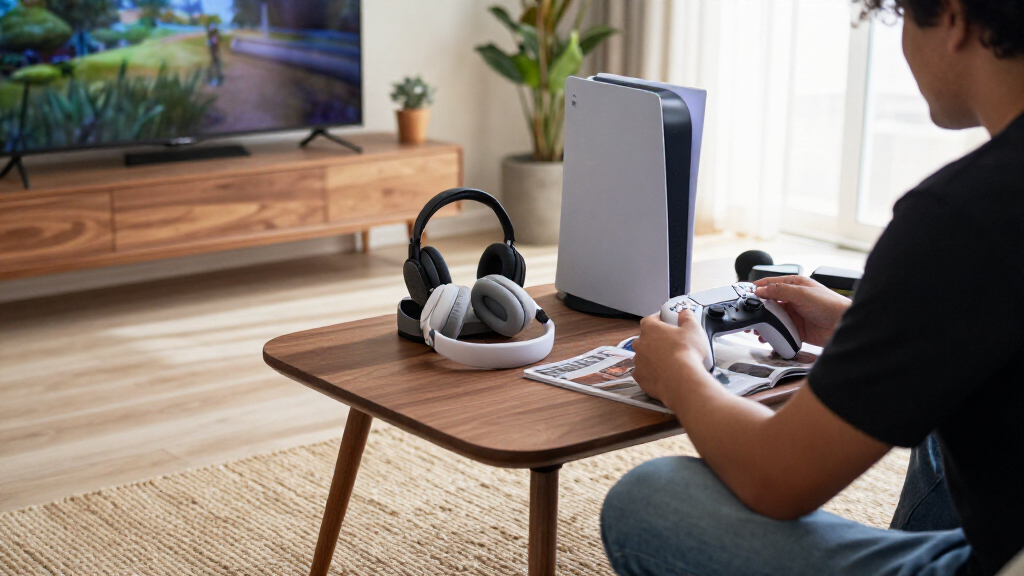
How We Picked
I compared these accessories by the problem they solve for a PS5 owner: controller charging and comfort, console placement, cooling and storage, or media and room setup. My ranking favors clear usefulness, ease of fitting an existing setup, and a focused design over feature count alone. For controller accessories, compatibility across the listed PS5 controller models and the likely effect on handling mattered. For stands and docks, I weighed footprint, the usefulness of bundled features, and the tradeoff between an integrated unit and a simpler accessory.
The order reflects how broadly useful and straightforward each option appears for its intended buyer, not a claim that one accessory suits everyone. A dedicated charger can rank ahead of a larger charging-and-cooling station if the buyer mainly needs reliable controller storage and power. Specialty picks such as thumbsticks, trigger extenders, and a controller keyboard rank for narrower needs, while the media remote and decorative light suit players prioritizing entertainment or atmosphere. I also treated compatibility and setup constraints as meaningful drawbacks, since an accessory that does not fit a buyer’s controller or room is poor value regardless of its feature list.
| PS5 gaming accessorie | Color | Compatible devices |
|---|---|---|
| OIVO Adjustable Horizontal Sta | White | — |
| CCFREELIFE Silicone Thumb Grip | — | — |
| PlayVital Shoulder Button and | Chameleon Purple Blue | PS5 controller, PS5 Edge controller, and PS Portal Remote Player |
| Monzlteck Under-Desk Mount for | — | PS5, PS5 Slim, and PS5 Pro; disc and digital editions |
| Paladone PlayStation Icons Lig | — | — |
| PS5 | White | — |
| PS5 Stand and Cooling Station | — | — |
| PlayStation 5 Media Remote | White | Television |
| NEWDERY PS5 Controller Charger | White | DualSense Edge Controller; PlayStation 5 Controller |
| KontrolFreek Aim Boost Kit for | Black | PlayStation 4 and PlayStation 5 |
| KontrolFreek FPS Freek Galaxy | White | PlayStation 4 and PlayStation 5 |
| Rysker PS5 | — | — |
| MoKo Wireless Keyboard for PS5 | — | — |
| KontrolFreek FPS Freek Galaxy | Black | PlayStation 4 and PlayStation 5 |
| PowerA Twin Charging Station f | — | PlayStation 5 DualSense controllers |
Factors to Consider When Choosing Best PS5 Gaming Accessories
I’d start by identifying the friction point in your current setup rather than buying accessories as a bundle. These products address different jobs, and a feature that sounds useful can add clutter if it does not match your habits. The following checks help narrow the field before you choose.
Choose One Main Problem to Solve
Decide whether your biggest annoyance is a dead controller, limited desk space, uncomfortable aiming, or using the PS5 for streaming and films. That choice often matters more than how many features an accessory advertises. If you want controllers ready to play, a dedicated charging dock may be simpler than a station that also claims to cool the console and hold a headset. If the console itself is in the way, a mount or stand addresses a different problem entirely. I’d avoid buying multiple accessories that solve overlapping needs before checking what your current setup already handles.
Check Console and Controller Compatibility
PS5 accessories may list the original console, Slim, and Pro separately, so verify the exact model and orientation before choosing a stand or mount. Controller fit matters just as much: DualSense and DualSense Edge accessories are not automatically interchangeable. This is especially relevant for charging docks and attachments that connect directly to a controller. Check whether the product relies on a particular charging contact, cable arrangement, or controller shape. A small compatibility mismatch can make a feature unusable, even when the product name says it is for PS5.
Compare Bundled Features With Added Bulk
A stand combining charging, cooling, USB ports, lighting, or a headset holder can reduce the number of separate devices on a desk. The tradeoff is that a larger unit needs more room and may include functions you never use. Before choosing an all-in-one station, measure the available surface and think through where its cables will run. A compact single-purpose dock can be easier to place and replace, while a multifunction base may suit a permanent setup. I’d pay for added functions only when they remove a real inconvenience rather than simply expanding the feature list.
Treat Comfort Attachments as Personal Fit Choices
Thumbsticks, grip covers, and trigger extenders change how a controller feels, so their benefits depend on hand size, grip, and the games you play. Taller sticks can give more room for fine movement, but they also alter reach and may feel unfamiliar at first. Trigger extenders may suit players who want a different contact point, though they add another attachment to the controller. Silicone grips can change texture without changing the controller’s core layout, but a multi-piece set may leave unused parts. If possible, start with the specific control that bothers you instead of changing several surfaces at once.
Match the Accessory to Your Room and Routine
Think about how you use the PS5 when you are not gaming. A media remote may be more useful than another controller attachment if you regularly stream video or watch films. A decorative light adds atmosphere but does not improve control or console storage, so it belongs lower on a practical upgrade list. Under-desk mounting can clear a work surface, though the location should allow convenient access to the console and its connections. The best accessory is often the one that fits your daily routine without creating a new setup task.
Decide When a Premium or Multifunction Option Is Worth It
Paying more or choosing a larger accessory makes sense when its extra functions replace separate equipment you would otherwise buy or manage. For instance, a charging station with storage may help a shared setup more than a basic dock, while an individual player may prefer a simpler charger. Premium controller attachments are most compelling when they address a specific game or comfort preference, not just because they look performance-focused. Consider maintenance too: extra cables, removable parts, and lighting controls can add small ongoing hassles. I’d prioritize a solid fit and useful daily function over a bundle of features with uncertain value.
Frequently Asked Questions
Should I choose a dedicated controller charger or a PS5 cooling station with charging?
Choose a dedicated charger if your main goal is keeping controllers charged and stored without adding a larger unit to your setup. A cooling station may suit someone who also wants a console stand, headset storage, or extra ports in one place. Its added functions can mean more desk space and more cables to manage. Before deciding, check whether the station fits your PS5 model and the controllers you own. If cooling is not a specific concern for your setup, the charging feature may be the more useful part of the purchase.
Can I use accessories listed for PS5 with a DualSense Edge controller?
Do not assume compatibility from a general PS5 label alone. Charging docks and controller attachments can depend on the controller’s shape, charging contacts, or button layout. The NEWDERY charger in this roundup explicitly lists DualSense Edge compatibility, while other accessories may not make the same claim. Check the product’s compatibility details for your exact controller before ordering. For grips and thumbsticks, also confirm the attachment method and whether it fits the controller’s existing controls.
Are performance thumbsticks a good choice for someone new to controller upgrades?
They can be a reasonable first change if you have a clear reason, such as wanting a different stick height or more room for aiming adjustments. A taller thumbstick also changes how far your thumb travels and can take time to feel natural. Players who are comfortable with their current control may gain little from adding one. I’d avoid changing sticks and triggers at the same time, since it becomes harder to tell which change helped. Pick an attachment suited to the games you play and give yourself time to adjust.
Is an under-desk PS5 mount better than a stand?
An under-desk mount is a better fit when clearing the visible desk or shelf is the main goal and the mounting position works with your cables. A stand keeps the console easier to see and reach, which can be preferable if you frequently connect accessories or move the system. Mounting also makes placement less flexible once installed, so check desk construction, available clearance, and access to ports before choosing. Think about ventilation and cable routing in the intended location rather than treating space savings as the only factor. The right option depends on whether accessibility or a clear surface matters more to you.
Which PS5 accessories should I buy first if I want to keep my setup simple?
Start with the accessory that addresses the most frequent interruption in your routine. If controllers are often uncharged, a dedicated charging station is a practical first addition; if your console takes up too much room, consider its placement before adding controller extras. A media remote is a focused choice for regular streaming, while decorative lighting is easier to leave until the essentials are settled. You do not need a cooling stand, thumbsticks, and a charging dock just because they are available together in a roundup. Add one item, see whether it solves the problem, and build from there.
Conclusion
For the best overall balance, I’d start with the PowerA Twin Charging Station if keeping two DualSense controllers charged is your main need. The best value depends on the problem you are solving: CCFREELIFE’s grip set is a straightforward comfort tweak, while the OIVO stand serves players who need a simple horizontal placement option. For a premium, feature-rich setup, compare the multifunction cooling and charging stations against your available space and the features you will actually use. Beginners may prefer a dedicated charger or console stand before experimenting with controller attachments. For specific needs, choose Monzlteck to clear desk space, KontrolFreek Galaxy thumbsticks for a changed aiming feel, the Media Remote for video use, or the Paladone Icons Light for room ambience.