
For most shoppers comparing the best MacBook Air deals, I’d start with the 13-inch M5 model with 16GB memory and 512GB storage: it pairs current-generation performance with a practical everyday configuration. The 15-inch M5 is a stronger fit if you want more screen space, while the renewed 13-inch M4 offers a lower-spec alternative for routine work. The main tradeoffs are newer chip versus renewed condition, 13-inch portability versus 15-inch workspace, and memory or storage capacity. I’ve compared all 15 listed configurations by those differences so you can match a model to your work rather than choose by chip name alone. Continue reading for the full breakdown and buyer guidance.

Get the latest gadgets delivered free with Prime
- Fast, free delivery on millions of items
- Prime Video, Amazon Music and more included
- Member-only deals all year
Complete the kit



Key Takeaways
- The 13-inch M5 with 16GB memory and 512GB storage is the strongest all-around configuration in this group: it balances a current chip, portable size, and useful storage without stepping up to 1TB.
- The 15-inch M5 models prioritize workspace, not a different buyer category: their larger display suits split-screen tasks, but the 13-inch M5 is easier to carry.
- Renewed M3 and M4 options trade condition certainty and generation for configuration value: several offer 16GB or 24GB memory and as much as 1TB storage.
- Memory and storage can matter more than a small chip-generation gap: the M3 models with 24GB memory can suit demanding multitasking better than a lower-memory configuration.
- Check the listed storage before buying: one renewed 13-inch M5 listing says 512TB, an unusually large capacity that should be verified against the seller’s actual configuration.




| MacBook Air deal | Display | Memory | Storage | Battery life |
|---|---|---|---|---|
| Apple MacBook Air Late 2020 wi | 13.3-inch LED, 2560 x 1600 pixels | 8GB | 256GB SSD | Up to 18 hours |
| Apple 2024 MacBook Air 13-inch | 13.6-inch Liquid Retina, 2560 x 1664 pixels maximum | 16GB unified memory | 512GB SSD | — |
| Apple MacBook Air 15-inch | 15.3-inch Liquid Retina | 16GB unified memory | 1TB SSD | Up to 18 hours |
| Apple MacBook Air 13-inch Lapt | 13.6-inch Liquid Retina, supports 1 billion colors | 16GB unified memory | 512GB SSD | Up to 18 hours |
| Apple MacBook Air 13-inch with | 13.6-inch Liquid Retina, supports 1 billion colors | 24GB unified memory | 1TB SSD | Up to 18 hours |
| Apple 2025 MacBook Air 15-inch | 15.3-inch Liquid Retina, 2880 × 1864 | 16GB unified memory | 512GB SSD | Up to 18 hours |
| Apple MacBook Air 15-inch | 15.3-inch Liquid Retina, 2880 × 1864 | 16GB unified memory | 256GB SSD | Up to 18 hours |
| Apple 2026 MacBook Air 15-inch | 15.3-inch Liquid Retina | 16GB unified memory | 512GB SSD | Up to 18 hours |
| Apple MacBook Air 13-inch | 13 inches, 3024 × 1964 pixels, 120 Hz listed | 16GB LPDDR4X; 16GB maximum listed | 512TB SSD listed; capacity should be verified | — |
| Apple MacBook Air 13.6-inch | 13.6-inch Liquid Retina, 2560 × 1664 | 24GB unified memory | 512GB SSD | Up to 18 hours |
| Apple 2025 MacBook Air 15-inch | 15.3-inch Liquid Retina, 2880 × 1864 | 16GB unified memory | 256GB SSD | Up to 18 hours |
| Apple 2024 MacBook Air 13-inch | 13.6-inch Liquid Retina | 16GB unified memory | 256GB SSD | Up to 18 hours |
| 2024 Apple MacBook Air 13.6-in | 13.6-inch Liquid Retina, 2560 × 1664 | 16GB unified memory | 1TB SSD | Up to approximately 18 hours |
| Apple MacBook Air 15-inch | 15.3-inch Liquid Retina, 2880 × 1864 | 24GB unified memory | 512GB SSD | Up to 18 hours |
| Apple 2025 MacBook Air 13-inch | 13.6-inch Liquid Retina, 2560 × 1664 | 16GB unified memory | 256GB SSD | Up to 18 hours |
More Details on Our Top Picks
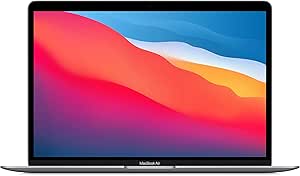
Apple MacBook Air Late 2020 with Apple M1 Chip (13.3 inch, 8GB RAM, 256GB SSD) Space Gray (Renewed)
This renewed M1 Air is the entry point in this group: it gives students and everyday users a fanless MacBook Air with a listed battery life of up to 18 hours, without the newer models’ higher memory and storage configurations. Its 13.3-inch, 256GB setup suits documents, browsing, and streaming, but 8GB of memory and 256GB of storage leave less room for demanding creative work and large local libraries than the renewed M3 model with 16GB RAM and 512GB SSD. The older design also has a smaller display than that 2024 option. Since this unit is renewed, condition can vary, so I’d check the seller’s refurbishment and return terms. Choose it for basic Mac tasks; skip it if you want headroom for heavier workloads.
Pros:- M1 chip is suited to everyday productivity and entertainment
- Apple lists up to 18 hours of battery life
- 256GB SSD provides local storage for essential apps and files
- Backlit keyboard and 13.3-inch display in a compact laptop format
Cons:- 8GB RAM offers less multitasking headroom than the 16GB M3 and M5 options
- 256GB storage may fill quickly with large media libraries or project files
- Renewed condition means the unit’s cosmetic state may vary
Best for: Students and casual users who mainly browse, write, stream, and want a lower-spec MacBook Air configuration.
Not ideal for: Creative professionals, heavy multitaskers, and buyers who need ample built-in storage or prefer a newer-generation model.
- Chip:Apple M1
- Display:13.3-inch LED, 2560 x 1600 pixels
- Memory:8GB
- Storage:256GB SSD
- Battery life:Up to 18 hours
- Keyboard:Backlit
- Color:Space Gray
- Condition:Renewed
Our verdict“Pick this renewed M1 Air for basic everyday use and a compact 13.3-inch format, but choose the renewed M3 if you need more memory and storage.”
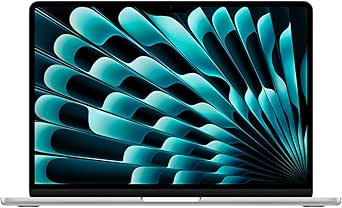
Apple 2024 MacBook Air 13-inch with M3 Chip, 16GB RAM, 512GB SSD (Midnight, Renewed)
Among the renewed choices here, this M3 MacBook Air balances newer performance with practical capacity: 16GB of unified memory and a 512GB SSD give it more room for multitasking and files than the renewed M1 model. Its 13.6-inch Liquid Retina screen is also larger than the M1’s 13.3-inch display, while the 2.7-pound body remains easy to carry. Apple lists up to 18 hours of battery life. The tradeoffs are its two-port setup and renewed condition, which may matter if you want extra connection options or a new-unit purchase. Compared with the M5 13-inch models in this roundup, it is an older chip generation; in return, it offers a sensible memory-and-storage combination for buyers who do not need the newest hardware.
Pros:- 16GB unified memory supports more multitasking than the renewed M1 option
- 512GB SSD offers twice the listed storage of the M1 model
- 13.6-inch Liquid Retina display supports 1 billion colors
- Light 2.7-pound design and Apple-listed battery life of up to 18 hours
Cons:- Renewed condition may not suit buyers who want a new device
- Two ports can mean relying on an adapter for multiple accessories
- M3 is an older generation than the M5 configurations in this roundup
Best for: Buyers seeking a portable renewed MacBook Air for school, office work, and moderate creative tasks, with more memory and storage than the M1 configuration.
Not ideal for: People who require extensive built-in connectivity, want a brand-new unit, or prefer the latest M5 generation.
- Model year:2024
- Chip:Apple M3, 8-core CPU and 10-core GPU
- Display:13.6-inch Liquid Retina, 2560 x 1664 pixels maximum
- Memory:16GB unified memory
- Storage:512GB SSD
- Weight:2.7 pounds
- Wireless:Wi-Fi 802.11ax and Bluetooth
- Ports:2
- Condition and warranty:Renewed; 90-day limited warranty
Our verdict“Choose this renewed M3 Air for a portable, balanced 16GB-and-512GB setup; move to an M5 model if current-generation hardware matters more.”
Apple MacBook Air 15-inch (2026) with M5 Chip, 16GB Memory, 1TB SSD, and Sky Blue Finish
This 15-inch M5 Air is the clearest pick here for buyers who want a roomier screen and 1TB of storage without stepping up to a heavier performance laptop. The 15.3-inch Liquid Retina display gives spreadsheets, timelines, and split-screen work more space than the 13.6-inch M5 models, while its 16GB of unified memory matches those smaller configurations. The M5 chip, 12MP Center Stage camera, and support for two external displays add flexibility for work and video calls. The tradeoff is portability: at 3.32 pounds, it weighs more than the 13-inch M5 Air, and its memory remains 16GB. Choose this over the 13-inch 24GB M5 if screen area and storage matter more than additional memory in a smaller chassis.
Pros:- 15.3-inch Liquid Retina display offers more workspace than the 13-inch M5 models
- 1TB SSD provides the largest listed storage capacity in this five-product selection
- M5 chip and support for up to two external displays suit flexible desk setups
- 12MP Center Stage camera supports video calls and Desk View
Cons:- At 3.32 pounds, it is heavier than the 13-inch M5 Air options
- 16GB memory is less than the 24GB configuration of the 13-inch M5 model
- Two Thunderbolt 4 ports plus MagSafe and a headphone jack may not cover every accessory setup
Best for: Professionals and students who regularly work with multiple windows, keep sizable files locally, and prefer a large built-in display.
Not ideal for: Frequent travelers prioritizing the lightest laptop, or users whose memory-heavy workloads favor the 24GB 13-inch M5 configuration.
- Chip:Apple M5
- Display:15.3-inch Liquid Retina
- Memory:16GB unified memory
- Storage:1TB SSD
- Camera:12MP Center Stage
- Battery life:Up to 18 hours
- Ports:Two Thunderbolt 4 ports, MagSafe charging port, headphone jack
- Wireless:Wi-Fi 7 and Bluetooth 6
- Weight and color:3.32 pounds; Sky Blue
Our verdict“Choose this 15-inch M5 Air if screen space and 1TB of storage outweigh the extra carry weight and the 24GB memory available in the smaller M5 model.”
Apple MacBook Air 13-inch Laptop with M5 Chip, 16GB Memory, 512GB SSD, Liquid Retina Display, and 12MP Center Stage Camera (Midnight)
This 13-inch M5 configuration is the compact current-generation choice: it pairs 16GB of unified memory and a 512GB SSD with a 2.71-pound body, making it easier to carry than the 15-inch M5 model. Its 13.6-inch Liquid Retina display keeps the footprint small, and the 12MP Center Stage camera, Wi-Fi 7, and support for two external displays make it a capable everyday work machine. The main compromise is capacity: the 24GB RAM and 1TB M5 Air gives demanding users more memory and storage, while the 15-inch M5 provides a larger screen. Two Thunderbolt 4 ports also leave limited room for wired accessories. This is the more balanced fit when portability matters more than maximum configuration or a broad workspace.
Pros:- M5 chip paired with 16GB unified memory for current-generation everyday computing
- 512GB SSD provides more space than the 256GB configurations in this roundup
- 2.71-pound weight makes it more portable than the 15-inch M5 option
- 12MP Center Stage camera and support for up to two external displays
Cons:- 16GB memory and 512GB storage are below the 24GB and 1TB M5 configuration
- 13.6-inch display offers less workspace than the 15.3-inch M5 model
- Two Thunderbolt 4 ports may require an adapter for multiple wired peripherals
Best for: Mobile professionals and students who want a current-generation 13-inch Air for everyday work, video calls, and moderate multitasking.
Not ideal for: Users with memory-intensive workloads, large local media collections, or a strong preference for a bigger built-in display.
- Chip:Apple M5
- Display:13.6-inch Liquid Retina, supports 1 billion colors
- Memory:16GB unified memory
- Storage:512GB SSD
- Camera:12MP Center Stage
- Battery life:Up to 18 hours
- Wireless:Wi-Fi 7 and Bluetooth 6
- External displays:Supports up to two
- Weight and color:2.71 pounds; Midnight
Our verdict“Pick this 13-inch M5 Air for a portable, well-equipped daily laptop, but opt for the 24GB model for heavier workloads or the 15-inch model for more screen space.”
Apple MacBook Air 13-inch with M5 Chip, 24GB Memory, 1TB SSD, and Liquid Retina Display (Silver)
For buyers who want the most capacity in a compact chassis, this 24GB RAM, 1TB M5 Air stands apart from the 16GB models. The extra unified memory gives demanding multitasking and creative workflows more room, while the 1TB SSD suits large project folders and offline media. It keeps the same 2.71-pound, 13.6-inch format as the 16GB M5 Air, so the upgrade does not require carrying the larger 15-inch model. The tradeoff is that it prioritizes capacity over screen size: the 15-inch M5 Air gives more workspace, though it has 16GB of memory. Both have two Thunderbolt 4 ports, MagSafe, and a headphone jack, so neither replaces a hub for a desk full of wired accessories. Choose this when memory and storage take priority.
Pros:- 24GB unified memory is the largest memory configuration among these five products
- 1TB SSD suits large project files and offline media
- M5 chip in a 2.71-pound 13-inch design
- 12MP Center Stage camera and support for up to two external displays
Cons:- 13.6-inch screen is smaller than the 15.3-inch M5 Air display
- Two Thunderbolt 4 ports may call for a hub with multiple wired accessories
- The 16GB M5 configurations may be a better fit for buyers with modest memory needs
Best for: Creative users, researchers, and heavy multitaskers who want substantial memory and local storage in a lightweight 13-inch laptop.
Not ideal for: Buyers who mainly need a larger screen, have light everyday workloads, or need more built-in ports for wired equipment.
- Chip:Apple M5
- Display:13.6-inch Liquid Retina, supports 1 billion colors
- Memory:24GB unified memory
- Storage:1TB SSD
- Camera:12MP Center Stage
- Battery life:Up to 18 hours
- Ports:Two Thunderbolt 4 ports, MagSafe charging port, headphone jack
- Wireless:Wi-Fi 7 and Bluetooth 6
- Weight and color:2.71 pounds; Silver
Our verdict“Choose this 13-inch M5 Air if you need 24GB of memory and 1TB of storage in a portable laptop, rather than a larger screen or a lighter configuration.”
Apple 2025 MacBook Air 15-inch with M4 Chip, 16GB Unified Memory, 512GB SSD, Midnight (Renewed)
I’d pick this renewed M4 Air for buyers who want a roomy screen and enough storage for a varied workload without stepping up to the newer M5 model. Its 15.3-inch Liquid Retina display gives documents, timelines, and video more space than the 13-inch M3 Air, while 16GB unified memory is better suited to juggling apps than an entry-level configuration. The 512GB SSD also gives this version a practical advantage over the 256GB M4 15-inch Renewed model, especially for people who keep project files or a media library on the laptop. The tradeoff is its renewed condition and 90-day limited warranty, rather than a new-device purchase. Choose the M5 15-inch if you want its newer chip and connectivity; choose this one if the M4 generation and larger storage fit your priorities.
Pros:- 15.3-inch high-resolution Liquid Retina display provides more room for multitasking than the 13-inch options.
- 16GB unified memory suits everyday multitasking and creative workloads.
- 512GB SSD offers twice the listed capacity of the renewed 256GB M4 15-inch model.
- Up to 18 hours of stated battery life and a 1.51 kg body support mobile use.
Cons:- Renewed condition and a 90-day limited warranty offer less purchase reassurance than a new model.
- M4 chip lacks the newer M5 model’s listed Wi-Fi 7 and Thunderbolt 4 connectivity.
- Two Thunderbolt/USB ports can limit wired setups without a hub.
Best for: Remote workers and students who want a large display, 16GB memory, and room for local files in a renewed laptop.
Not ideal for: Buyers who require a new device, a longer warranty, or the newest M5 generation and its Wi-Fi 7 connectivity.
- Model year:2025
- Processor:Apple M4, 10-core
- Memory:16GB unified memory
- Storage:512GB SSD
- Display:15.3-inch Liquid Retina, 2880 × 1864
- Battery life:Up to 18 hours
- Weight:1.51 kg
- Condition and warranty:Renewed; 90-day limited warranty
Our verdict“Choose this renewed M4 when a spacious screen and 512GB storage matter more than getting the latest chip or a new-device warranty.”
Apple MacBook Air 15-inch (2025) with M4 Chip, 16GB Memory, 256GB SSD, Midnight (Renewed)
This is the large-screen M4 choice for buyers whose files mostly live in cloud storage. It shares the 15.3-inch display, 16GB memory, and M4 processor with the 512GB renewed model, so the main compromise is clear: 256GB SSD capacity leaves less room for downloaded media, large creative projects, or expanding app libraries. That makes it a more constrained fit than its 512GB sibling, but the same broad-screen workspace and up to 18 hours of stated battery life remain useful for study, office work, and streaming. Compared with the 2025 M4 13-inch Renewed option, this model favors screen space over compactness. I’d skip it if you routinely store large files locally; renewed condition and a 90-day limited warranty add another reason to be selective.
Pros:- 15.3-inch Liquid Retina display gives more workspace than the 13-inch Air models.
- M4 processor and 16GB unified memory support everyday multitasking and creative tasks.
- Up to 18 hours of stated battery life helps reduce charging interruptions.
- Backlit keyboard and fingerprint reader are included.
Cons:- 256GB SSD can fill quickly with creative projects, media, and apps.
- Renewed condition comes with a 90-day limited warranty.
- At 1.51 kg, it is less compact than the 13-inch renewed options.
Best for: Students and office users who want a 15-inch workspace, use cloud storage, and do not keep large libraries of files on their laptop.
Not ideal for: Photographers, video editors, or travelers who need generous local storage or a smaller, easier-to-pack computer.
- Model year:2025
- Processor:Apple M4, 10-core
- Memory:16GB unified memory
- Storage:256GB SSD
- Display:15.3-inch Liquid Retina, 2880 × 1864
- Battery life:Up to 18 hours
- Weight:1.51 kg
- Condition and warranty:Renewed; 90-day limited warranty
Our verdict“Pick this renewed 15-inch M4 if screen space outranks storage capacity and your files are mostly stored online.”
Apple 2026 MacBook Air 15-inch Laptop with M5 Chip, 16GB Memory, 512GB SSD, Liquid Retina Display, and Center Stage Camera (Midnight)
Among these five, I’d place this new-generation 15-inch Air first for buyers who want the broadest listed feature set, not the smallest footprint. The M5 chip, 16GB memory, and 512GB SSD make a strong all-purpose configuration, while Wi-Fi 7, Bluetooth 6, and Thunderbolt 4 give it newer connectivity than the renewed M4 15-inch models. Its 12MP Center Stage camera can keep a subject framed during video calls, and support for up to two external displays suits a desk setup better than buyers may expect from an Air. The tradeoff is that the 15.3-inch size is less portable than the 13-inch M5 renewed option, and two Thunderbolt ports still leave limited direct connections. Choose the M4 Renewed model if you prefer its older-generation configuration; choose this one for the newer platform and camera features.
Pros:- M5 chip paired with 16GB memory and a 512GB SSD.
- 12MP Center Stage camera is designed to keep the user framed during calls.
- Supports up to two external displays, useful for a multi-screen desk.
- Wi-Fi 7, Bluetooth 6, and Thunderbolt 4 provide newer connectivity than the M4 Renewed models.
Cons:- 15.3-inch body is less compact than the 13-inch M5 Air.
- 512GB is the listed built-in storage capacity, which may be limiting for large local media libraries.
- Two Thunderbolt 4 ports can require a hub for multiple wired accessories.
Best for: Professionals who want a large-screen MacBook Air for video calls, a two-display desk setup, and current wireless connectivity.
Not ideal for: Frequent travelers who prioritize the smallest Air, or users who need more than 512GB of built-in storage and several direct ports.
- Chip:Apple M5
- Memory:16GB unified memory
- Storage:512GB SSD
- Display:15.3-inch Liquid Retina
- Camera:12MP Center Stage
- Ports:Two Thunderbolt 4 ports, MagSafe charging port, headphone jack
- Wireless:Wi-Fi 7, Bluetooth 6
- External display support:Up to two displays
- Battery life:Up to 18 hours
Our verdict“Choose this M5 15-inch Air if you want a large workspace with newer connectivity, a Center Stage camera, and support for two external displays.”
Apple MacBook Air 13-inch (2026) with M5 Chip, 16GB RAM, 512TB SSD, Sky Blue (Renewed)
This renewed 13-inch M5 Air is the compact pick for buyers who want the newer chip generation in a smaller-screen format. Its 13-inch, 3024 × 1964 display gives it a sharper listed resolution than the larger M4 15-inch Renewed models, while the 10-core M5 and 16GB memory make it a current-generation alternative. There is a serious listing caveat: the storage is stated as 512TB SSD, an unusually large figure for this class and a likely data error. I would verify the actual capacity with the seller before buying rather than assume it means 512GB. The listing also identifies this as renewed and gives no warranty details. Compared with the new M5 15-inch Air, this is the more compact format, but its uncertain storage specification and renewed status make it harder to recommend without clarification.
Pros:- M5 chip with 10 processor cores provides a newer-generation platform than the M4 models.
- 13-inch display is more compact than the 15-inch Air options.
- 16GB memory is listed for everyday multitasking.
- 3024 × 1964 display resolution is specified.
Cons:- The listed 512TB SSD capacity appears inconsistent and should be verified; do not assume it means 512GB.
- Renewed condition is specified, but warranty details are not provided.
- The listing’s 16GB maximum memory leaves no stated upgrade headroom.
Best for: Buyers seeking a compact renewed M5 MacBook Air who can confirm the actual storage capacity and condition before purchase.
Not ideal for: Anyone who needs dependable, clearly specified storage capacity or a stated warranty before committing to a laptop.
- Model year:2026
- Processor:Apple M5, 10 cores
- Memory:16GB LPDDR4X; 16GB maximum listed
- Storage:512TB SSD listed; capacity should be verified
- Display:13 inches, 3024 × 1964 pixels, 120 Hz listed
- Operating system:macOS Tahoe
- Color:Sky Blue
- Condition:Renewed
Our verdict“Consider this compact renewed M5 only after confirming the SSD capacity and warranty details with the seller.”
Apple MacBook Air 13.6-inch (2024) with M3 Chip, 24GB RAM, 512GB SSD, Starlight (Renewed)
This renewed 13.6-inch M3 Air earns its place by prioritizing memory over the newer chips in the M4 and M5 choices. Its 24GB unified memory is the largest stated memory capacity among these five products, giving buyers more headroom for many open apps and memory-heavy workflows than the 16GB configurations. The 512GB SSD also matches the listed capacity of the M4 15-inch and M5 15-inch options, while the smaller display and 2.7-pound weight favor carrying it around. The tradeoff is generation: the M3 is older than both M4 renewed models and the new M5 Air, and this unit is renewed with a 90-day limited warranty. I’d choose it over the 15-inch M4 Renewed only when portability and extra memory matter more than a larger screen or newer processor.
Pros:- 24GB unified memory provides more capacity than the 16GB configurations in the other reviewed options.
- 512GB SSD offers a useful balance for apps and local files.
- 13.6-inch Liquid Retina display and 2.7-pound weight favor portability.
- Up to 18 hours of stated battery life and Touch ID support everyday mobile use.
Cons:- M3 is an older chip generation than the M4 and M5 alternatives.
- Renewed condition comes with a 90-day limited warranty.
- Two Thunderbolt/USB 4 ports may require a hub for a desk full of accessories.
Best for: Mobile professionals and students who run many apps or memory-heavy workflows and prefer a compact laptop over a 15-inch screen.
Not ideal for: Buyers who want a new laptop, the latest M4 or M5 generation, or a display large enough for side-by-side work without an external monitor.
- Model year:2024
- Chip:Apple M3, 8-core CPU and 10-core GPU
- Memory:24GB unified memory
- Storage:512GB SSD
- Display:13.6-inch Liquid Retina, 2560 × 1664
- Battery life:Up to 18 hours
- Weight:2.7 pounds
- Ports:Two Thunderbolt/USB 4 ports
- Condition and warranty:Renewed; 90-day limited warranty
Our verdict“Choose this renewed M3 Air if its 24GB memory and compact size matter more to you than having the newest chip generation.”
Apple 2025 MacBook Air 15-inch with M4 Chip, 16GB RAM, 256GB SSD, Sky Blue (Renewed)
I’d pick this renewed 15-inch Air for buyers who want a roomy screen without stepping up to the higher-memory configurations. Its M4 chip and 16GB of unified memory suit everyday multitasking, while the 15.3-inch display gives documents and split-screen work more breathing room than the 13-inch M4 model. The tradeoff is the 256GB SSD: it can feel tight for large photo libraries, video projects, or a growing app collection. Compared with the 2024 15-inch M3 MacBook Air with 24GB memory and 512GB storage, this one offers a newer chip but much less memory and storage. It makes the most sense when screen size and a newer generation matter more than keeping lots of files locally; the 90-day renewed warranty is another limitation to weigh.
Pros:- M4 chip and 16GB unified memory handle everyday multitasking.
- 15.3-inch Liquid Retina display gives spreadsheets and side-by-side windows more room.
- Up to 18 hours of stated battery life suits long days away from an outlet.
- 1.51 kg chassis is relatively portable for a 15-inch laptop.
Cons:- 256GB SSD may require external or cloud storage for larger libraries and projects.
- Renewed condition includes a 90-day limited warranty.
- Integrated graphics are a weaker fit for demanding professional rendering than systems with dedicated graphics.
Best for: Students and remote workers who want a large display for split-screen tasks and mainly keep files in cloud storage.
Not ideal for: Video editors or large-file collectors who need more than 256GB locally, or buyers who want a longer warranty than 90 days.
- Model:MacBook Air (2025)
- Processor:Apple M4 chip
- Memory:16GB unified memory
- Storage:256GB SSD
- Display:15.3-inch Liquid Retina, 2880 × 1864
- Battery life:Up to 18 hours
- Weight:1.51 kg
- Condition and warranty:Renewed; 90-day limited warranty
Our verdict“Choose this renewed M4 Air if a spacious display matters more than storage capacity and warranty length.”
Apple 2024 MacBook Air 13-inch with M3 Chip, 16GB Memory, 256GB SSD, Midnight (Renewed)
This 13-inch M3 Air is the compact choice for buyers who want a capable everyday MacBook without the larger footprint of the 15-inch models. Its 1.24 kg weight, Touch ID, and backlit keyboard make it well suited to commuting, classes, and routine office work. The 16GB of memory gives it more multitasking headroom than the older M1 Air with 8GB in this roundup, but the 256GB SSD remains the main constraint. Compared with the 2025 13-inch M4 Air, this model is an older generation, so it is less compelling for buyers prioritizing the newest chip. The display and stated battery life remain attractive for general use, though renewed condition and a 90-day limited warranty make it a less reassuring choice for anyone seeking long-term coverage.
Pros:- Light 1.24 kg design is easy to carry between home, work, and campus.
- 16GB unified memory offers useful multitasking capacity for everyday workloads.
- Touch ID and a backlit keyboard make routine login and low-light typing easier.
- Up to 18 hours of stated battery life supports extended use away from a charger.
Cons:- 256GB SSD can fill quickly with large applications, photos, and video.
- M3 chip is an older generation than the M4 in the 2025 13-inch Air.
- Renewed purchase has a 90-day limited warranty.
Best for: Students and commuters who want a light, compact Mac for browsing, writing, video calls, and everyday multitasking.
Not ideal for: Buyers who keep extensive media or project files on their laptop, or who want the newer M4 generation and a longer warranty.
- Model year:2024
- Chip:Apple M3, 8-core CPU and 8-core GPU
- Memory:16GB unified memory
- Storage:256GB SSD
- Display:13.6-inch Liquid Retina
- Weight:1.24 kg
- Battery life:Up to 18 hours
- Condition and warranty:Renewed; 90-day limited warranty
Our verdict“This is a sensible compact pick for everyday work if its older chip, limited storage, and short renewed warranty fit your needs.”
2024 Apple MacBook Air 13.6-inch with M3 Chip, 16GB Unified Memory, 1TB SSD, Midnight (Renewed)
For a compact Air, this renewed M3 configuration stands out because it pairs 16GB of memory with a 1TB SSD. That storage advantage matters more than a generation bump for buyers with large photo collections, offline files, or several demanding apps. Compared with the 2024 13-inch M3 Air with 256GB, it offers four times the listed storage while keeping the same 13.6-inch display class and M3 processor. It also has a 10-core GPU, which gives graphics work more capacity than the 8-core GPU listed on that other M3 option. The cost of this fit is the renewed condition and 90-day limited warranty; the supplied weight listing of five pounds also conflicts with the other compact Air specifications, so I would verify the listing before choosing it for frequent travel.
Pros:- 1TB SSD provides substantially more local file space than the 256GB M3 option.
- 16GB unified memory supports everyday multitasking and creative apps.
- 10-core GPU is the stronger listed graphics configuration among the two M3 13-inch options here.
- Liquid Retina display includes wide P3 color and True Tone.
Cons:- Renewed condition comes with a 90-day limited warranty.
- Product data lists a five-pound weight, which conflicts with the compact dimensions and should be verified.
- Only two ports are listed, limiting direct connections without an adapter.
Best for: Photographers, students, and mobile professionals who want a compact Mac but need substantial local storage for files and apps.
Not ideal for: Frequent travelers who need confidence in the listed weight, or buyers who prefer a new device or longer warranty coverage.
- Model year:2024
- Processor:Apple M3, 8-core CPU
- Graphics:Integrated Apple M3, 10-core GPU
- Memory:16GB unified memory
- Storage:1TB SSD
- Display:13.6-inch Liquid Retina, 2560 × 1664
- Battery life:Up to approximately 18 hours
- Condition and warranty:Renewed; 90-day limited warranty
Our verdict“Pick this renewed M3 Air if you need 1TB of local storage in a compact format and can verify the listing details.”
Apple MacBook Air 15-inch (2024) with M3 Chip, 24GB RAM, 512GB SSD, Space Gray (Renewed)
This 15-inch M3 configuration is the lineup’s strongest fit for buyers who want extra memory alongside a large display. Its 24GB unified memory and 512GB SSD give demanding multitaskers more breathing room than the 16GB/256GB 15-inch M4 Sky Blue model, especially when many apps or large files stay open. The tradeoff is that it uses the older M3 chip, so buyers focused on the newest processor generation may prefer that M4 alternative. This model also brings a 1080p camera, six-speaker Spatial Audio, and support for up to two external displays with the lid closed—useful extras for a desk setup. It remains a renewed laptop, and the provided specifications list a five-pound weight, so portability claims deserve a check before purchase.
Pros:- 24GB unified memory is the highest capacity among the products in this batch.
- 512GB SSD offers more local space than the 256GB M4 15-inch alternative.
- 15.3-inch display provides a broad workspace for documents and split-screen use.
- Supports up to two external displays with the lid closed and includes six-speaker Spatial Audio.
Cons:- M3 chip is older than the M4 processor in the 15-inch Sky Blue model.
- Renewed condition may show prior use, and no warranty term is provided in the supplied specs.
- Listed weight is five pounds, which buyers should verify before relying on it as a travel option.
Best for: Multitaskers and desk-based professionals who want a large screen, more than 16GB of memory, and room for several local projects.
Not ideal for: Buyers who prioritize the latest chip generation, need a verified light travel laptop, or want a new-device warranty.
- Model year:2024
- Processor:Apple M3, 8-core CPU and 10-core GPU
- Memory:24GB unified memory
- Storage:512GB SSD
- Display:15.3-inch Liquid Retina, 2880 × 1864
- Battery life:Up to 18 hours
- Connectivity:Thunderbolt, MagSafe, Wi-Fi 6E, Bluetooth 5.3
- External displays:Up to two with the lid closed
Our verdict“Choose this renewed 15-inch M3 Air if memory and storage matter more to your workflow than having the newest chip.”
Apple 2025 MacBook Air 13-inch with M4 Chip, 16GB Memory, 256GB SSD, Midnight (Renewed)
This is my pick for buyers who want the newer M4 chip in the smallest, lightest form in this batch. The 13.6-inch display and 1.24 kg weight suit commuting and shared desks, while 16GB of memory gives everyday multitasking room to breathe. Compared with the renewed 13-inch M3 Air, the M4 model is the newer-generation choice; compared with the 15-inch M4 Sky Blue Air, it gives up screen area but is easier to carry. Both M4 options have 256GB SSDs, so this is not the right configuration for large offline libraries or heavy media work. It also arrives renewed with a 90-day limited warranty, a meaningful drawback for buyers who want a longer coverage window.
Pros:- M4 chip is newer than the M3 processor in the compact renewed alternative.
- 1.24 kg weight and slim dimensions suit frequent carrying.
- 16GB unified memory supports everyday multitasking.
- Up to 18 hours of stated battery life and a 13.6-inch Liquid Retina display.
Cons:- 256GB SSD may be restrictive for large apps, media libraries, or project files.
- Renewed condition comes with a 90-day limited warranty.
- Smaller screen offers less workspace than either 15-inch option in this batch.
Best for: Commuters, students, and frequent travelers who want a lightweight 13-inch MacBook Air with an M4 chip for everyday work.
Not ideal for: Buyers with large local file libraries, users who need a broad 15-inch workspace, or anyone seeking a longer warranty.
- Model year:2025
- Processor:Apple M4, 10-core
- Memory:16GB unified memory
- Storage:256GB SSD
- Display:13.6-inch Liquid Retina, 2560 × 1664
- Weight:1.24 kg
- Battery life:Up to 18 hours
- Condition and warranty:Renewed; 90-day limited warranty
Our verdict“Choose this renewed 13-inch M4 Air if portability and a newer chip outrank storage capacity and screen size.”

How We Picked
I ranked these 15 listings around the decisions that shape a MacBook Air purchase: chip generation, memory, storage, screen size, and whether the unit is listed as renewed. I gave more weight to balanced configurations that should suit a broad range of everyday work, then considered larger-screen and higher-capacity models for buyers with specific needs. A newer chip alone did not automatically place a model above an older option with more memory or storage.
Renewed models remain in the comparison because they may offer useful configurations, but their condition and included warranty can vary by seller, so I treat them as a tradeoff rather than an automatic bargain. The supplied listings do not include verified live prices, so this ranking does not claim that one is the cheapest or a confirmed deal at checkout. I also flag the 512TB storage detail because it looks atypical and should be confirmed before purchase.
| MacBook Air deal | Chip | Battery life |
|---|---|---|
| Apple MacBook Air Late 2020 wi | Apple M1 | Up to 18 hours |
| Apple 2024 MacBook Air 13-inch | Apple M3, 8-core CPU and 10-core GPU | — |
| Apple MacBook Air 15-inch | Apple M5 | Up to 18 hours |
| Apple MacBook Air 13-inch Lapt | Apple M5 | Up to 18 hours |
| Apple MacBook Air 13-inch with | Apple M5 | Up to 18 hours |
| Apple 2025 MacBook Air 15-inch | — | Up to 18 hours |
| Apple MacBook Air 15-inch | — | Up to 18 hours |
| Apple 2026 MacBook Air 15-inch | Apple M5 | Up to 18 hours |
| Apple MacBook Air 13-inch | — | — |
| Apple MacBook Air 13.6-inch | Apple M3, 8-core CPU and 10-core GPU | Up to 18 hours |
| Apple 2025 MacBook Air 15-inch | — | Up to 18 hours |
| Apple 2024 MacBook Air 13-inch | Apple M3, 8-core CPU and 8-core GPU | Up to 18 hours |
| 2024 Apple MacBook Air 13.6-in | — | Up to approximately 18 hours |
| Apple MacBook Air 15-inch | — | Up to 18 hours |
| Apple 2025 MacBook Air 13-inch | — | Up to 18 hours |
Factors to Consider When Choosing Best MacBook Air Deals
I’d compare the configuration and listing terms before deciding which MacBook Air is a deal for you. These broader checks can prevent paying for capacity you will not use—or choosing a listing that falls short of your actual needs.
Choose Memory for Your Workload, Not Just the Chip
Memory affects how comfortably a laptop handles several demanding apps, large files, and many browser tabs at once. For email, documents, streaming, and light schoolwork, a 16GB configuration is a reasonable starting point among these listings. If your routine includes heavier creative apps or long multitasking sessions, the 24GB M3 configurations deserve a closer look even though their chip is older. A common mistake is to choose the newest generation while ignoring a memory limit that will affect daily use. I’d pay for extra memory when your workload regularly pushes past basic tasks, not simply because a larger number sounds future-proof. Match the upgrade to software you already use or expect to keep using.
Estimate Storage Needs Before Paying for More
Storage is hard to upgrade after purchase, so think about where your files will live over the laptop’s useful life. A 256GB model can work if you mostly use cloud storage, stream media, and keep a small collection of local apps and files. Photographers, video editors, and anyone who travels with large offline files may prefer 512GB or 1TB, or plan for an external drive. Do not assume the biggest listed capacity is automatically the best value; extra space is wasted if your workflow is cloud-based. Verify unusually large specifications with the seller, especially the listing that states 512TB. Check the exact configuration on the order page and retain the listing details in case they differ from the delivered product.
Treat Renewed Status as a Separate Buying Decision
A renewed MacBook Air can be appealing, but the word alone does not tell you the unit’s cosmetic condition, battery health, included accessories, or coverage. Read the seller’s condition description and return terms before comparing it with a new model. Battery capacity matters because it affects how long the laptop can run away from an outlet, and replacement costs can change the value calculation. Check whether the listing identifies who inspected or refurbished the device and what support comes with it. A newer renewed model is not automatically a safer purchase than an older one from a seller with clearer terms. If those details are vague, I’d favor a listing with more transparent policies over a minor specification upgrade.
Pick Screen Size Around Where You Work
The 13-inch Air is the easier choice for frequent commuting, small desks, and use on a lap. The 15-inch version gives documents, timelines, and side-by-side windows more room, which can reduce how often you rearrange a workspace. That larger panel also means a bigger laptop to carry, so screen area has a real portability tradeoff. Buyers who mostly connect to an external display may gain little from paying extra attention to the built-in screen size. Think about your usual work location and whether you often keep two windows visible at once. Choose the display that improves your daily setup, not simply the largest one available.
Compare the Whole Configuration, Not the Generation Label
Chip generation is one useful signal, but it is not a complete measure of fit. An M3 with 24GB memory and 1TB storage may be more practical for a particular workload than an M5 with less memory or storage. For basic tasks, a recent chip may already offer more performance than you need, making display size, memory, and storage better decision points. Compare the exact configuration names carefully because multiple listings share similar colors and screen sizes while differing in capacity or renewed status. Avoid paying extra for a newer chip if the rest of the configuration compromises on what you need. The right comparison is between complete machines, not just M3, M4, and M5 labels.
Check Ports, Accessories, and Return Terms Before Checkout
A MacBook Air can require adapters if your monitor, storage, or other accessories use connections the laptop does not have. List the devices you connect regularly and confirm what adapters or hubs you would need to add. Renewed listings may vary in whether the original charger or packaging is included, so read the item details instead of assuming. Return windows matter most when the product description leaves questions about condition or specifications. Keep the listing and seller terms available until you have checked the delivered model and its basic functions. These practical details can affect the overall buying experience as much as a modest difference in processor generation.
Frequently Asked Questions
Should I choose an M5 MacBook Air or a renewed M3 or M4 model?
I’d choose an M5 model if you want a current-generation configuration and plan to keep the laptop for years, especially when its memory and storage also match your needs. A renewed M3 or M4 can make more sense if it gives you a capacity upgrade, such as 24GB memory or 1TB storage, that matters more to your workload. Compare the complete specifications rather than assuming the newer chip is the better fit for every buyer. For a renewed unit, factor in battery condition, seller coverage, and return terms. If those details are unclear, the newer listing may be the simpler choice.
Is 256GB storage enough for a MacBook Air?
It can be enough if you mainly use web apps, cloud storage, and streaming, and you do not keep large media libraries on the laptop. It may feel restrictive if you install large creative apps or store photos, video, and offline work locally. An external drive can add space, but it is another item to carry and manage. Before choosing a 256GB model, check how much storage your current computer uses and whether that figure is growing. If you regularly work with large files, 512GB or 1TB offers more breathing room.
Is the 15-inch MacBook Air worth choosing over the 13-inch?
The 15-inch model is a better fit if you often work with two windows side by side, edit on a larger canvas, or want more viewing area without relying on an external monitor. The 13-inch model is more appealing when low carry weight and compact dimensions matter most. Neither size is an automatic upgrade for every buyer; screen preference depends on where and how you work. If you mostly use an external display at a desk, the larger built-in screen may matter less. Consider trying both sizes in person if portability and workspace feel equally important.
What should I verify before buying a renewed MacBook Air?
Check the seller’s definition of renewed, the described cosmetic condition, battery information, included charger, warranty or coverage, and return window. Confirm the chip, memory, storage, screen size, and color in the exact listing rather than relying on a headline that may group several configurations. Ask how the device was inspected if that information is not provided. Save a copy of the listing so you can compare it with the model that arrives. For the listing that reports 512TB storage, verify that figure directly with the seller before placing an order.
Do I need 24GB of memory, or is 16GB a better fit?
For everyday browsing, schoolwork, video calls, and office apps, 16GB is a sensible configuration among the options here. The 24GB models make more sense for frequent multitasking, larger creative projects, or workloads that keep several memory-intensive apps open. Extra memory will not make every routine task feel different, so buyers should connect the upgrade to their actual software and habits. In this lineup, some 24GB choices use the M3 chip, creating a tradeoff between capacity and generation. Choose the configuration that solves the more likely bottleneck in your work.
Conclusion
For most buyers, I’d choose the 13-inch M5 with 16GB memory and 512GB storage as the best overall balance of portability, current hardware, and usable capacity. The best value depends on the verified listing and seller terms, but a renewed M4 or M3 is the place to compare when you want a capable everyday machine without prioritizing the newest chip. For a premium configuration, the 13-inch M5 with 24GB memory and 1TB storage fits buyers who need more room for demanding work; choose the 15-inch M5 instead if screen space is your priority. Beginners doing schoolwork or everyday tasks can start with a 16GB model and skip costly capacity they will not use. For specific needs, I’d pick a 15-inch Air for a larger built-in workspace, a 24GB option for heavier multitasking, or a 1TB model for extensive local files—after confirming renewed condition and any unusual listing specifications.