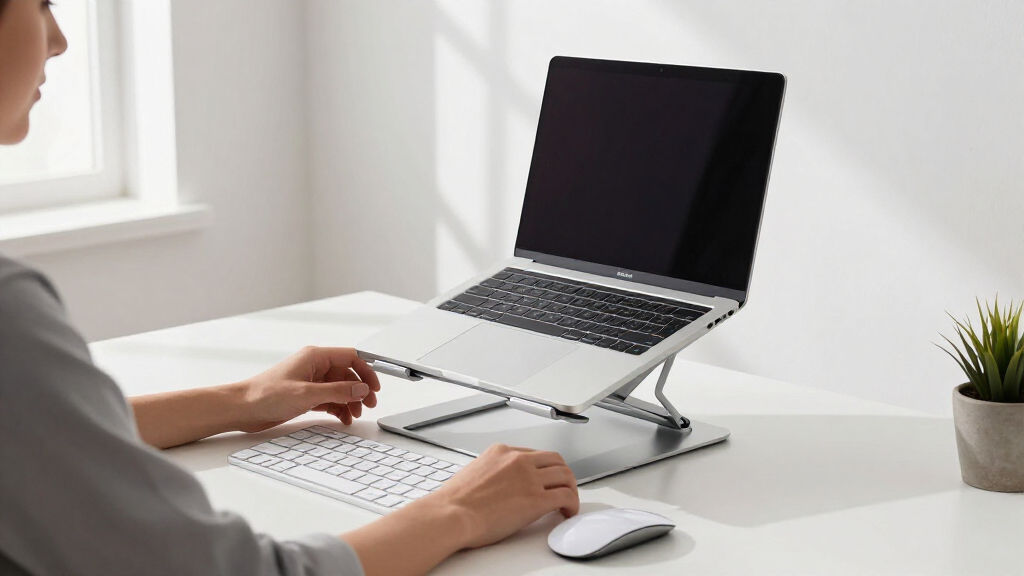

The best student ergonomic laptop stands balance useful height adjustment, desk stability, portability, and a price that leaves room for an external keyboard. My best overall pick is the LOXP stand with a 360-degree rotating base because its broad adjustment range and foldable design suit dorm rooms, libraries, and shared study tables. The Amazon Basics stand is my value pick for students who want height adjustment and open ventilation without paying for a swivel base, while the Tounee telescopic stand is the stronger premium choice for tall setups and laptops up to 17 inches. The main tradeoffs are adjustable height versus simplicity, rotation versus a smaller footprint, and portability versus the sturdier feel of a heavier desk setup. Continue reading for the full breakdown of which design best matches each study routine.

Get the latest gadgets delivered free with Prime
- Fast, free delivery on millions of items
- Prime Video, Amazon Music and more included
- Member-only deals all year
Complete the kit



Key Takeaways
- The LOXP 360-degree model ranked first because it combines rotation, folding, and support for 10- to 16-inch laptops without becoming as specialized as the taller Tounee.
- Amazon Basics offers the clearest value balance: it includes height adjustment, ventilation, and folding, while the simpler Besign LS03 makes more sense for a mostly permanent desk.
- Tounee is the premium pick for students who need telescopic height and 17-inch compatibility, but that added range is less useful for someone who carries a stand between classes.
- Riwuct and Tonmom lead the bag-friendly group, while the rotating LOXP, N86, and Lamicall designs better serve shared desks and collaborative work.
- Laptop-size limits separate this lineup sharply: several stands stop at 15.6 inches, whereas Tounee, Nulaxy, and both Lamicall models accommodate larger machines.
| LOXP Adjustable Laptop Stand with 360° Rotating Base |  | Best for Shared Study Spaces | Material: Fiber metal | Base rotation: 360 degrees | Minimum laptop size: 10 inches | VIEW LATEST PRICE | See Our Full Breakdown |
| Besign LS03 Aluminum Laptop Stand |  | Best Fixed-Height Desk Stand | Material: Aluminum alloy | Compatible laptop sizes: 10 to 15.6 inches | Maximum support weight: 8.8 lbs | VIEW LATEST PRICE | See Our Full Breakdown |
| Riwuct Foldable Aluminum Alloy Laptop Stand |  | Best for Dorm-Room Flexibility | Material: Aluminum alloy | Maximum height: 7.48 inches | Maximum support weight: 8.8 lbs | VIEW LATEST PRICE | See Our Full Breakdown |
| Tounee Telescopic Laptop Stand with 360° Swivel Base |  | Best Overall | Material: Aluminum alloy | Minimum height: 2.1 inches | Maximum height: 21 inches | VIEW LATEST PRICE | See Our Full Breakdown |
| Amazon Basics Sturdy and Portable Ergonomic Laptop Stand |  | Best for Campus Commuters | Material: Lightweight rust-resistant aluminum | Maximum height adjustment: 7 inches | Supported device sizes: 10 to 15.6 inches | VIEW LATEST PRICE | See Our Full Breakdown |
| Nulaxy Adjustable Laptop Stand |  | Best Cooling Design | Maximum load: 22 lbs (10 kg) | Compatible laptop size: 10-17 inches | Material: Metal | VIEW LATEST PRICE | See Our Full Breakdown |
| N86 360 Rotating Laptop Stand |  | Best for Group Projects | Material: Aluminum alloy | Rotation: 360 degrees | Adjustability: Height and angle adjustable with locking knobs | VIEW LATEST PRICE | See Our Full Breakdown |
| Tonmom Adjustable Laptop Stand |  | Best Ultralight Pick | Material: ABS and silicone | Dimensions: 10.5 x 1.96 x 0.92 inches | Weight: 259 g | VIEW LATEST PRICE | See Our Full Breakdown |
| Lamicall Adjustable Laptop Stand |  | Best for Large Laptops | Compatibility: Laptops from 10 to 17.3 inches | Material: Aluminum alloy | Base: Large, heavy, and stable | VIEW LATEST PRICE | See Our Full Breakdown |
| Adjustable Metal Laptop Stand for Desk |  | Best Multipurpose Pick | Material: Metal | Supported devices: Laptops, tablets, and books | Compatible size: 10-15.6 inches | VIEW LATEST PRICE | See Our Full Breakdown |
| Lamicall Adjustable Laptop Stand with 360° Rotating Base |  | Best for Group Projects | Minimum Laptop Size: 10 inches | Maximum Laptop Size: 17.3 inches | Material: Aluminum alloy | VIEW LATEST PRICE | See Our Full Breakdown |
| LOXP Adjustable Portable and Foldable Laptop Stand |  | Best for 15-Inch Commuters | Minimum Laptop Size: 10 inches | Maximum Laptop Size: 15.6 inches | Material: Metal | VIEW LATEST PRICE | See Our Full Breakdown |
| student ergonomic laptop stand | Material | Foldable | Color | Maximum support weight |
|---|---|---|---|---|
| LOXP Adjustable Laptop Stand w | Fiber metal | Yes | — | — |
| Besign LS03 Aluminum Laptop St | Aluminum alloy | — | Silver | 8.8 lbs |
| Riwuct Foldable Aluminum Alloy | Aluminum alloy | Yes | — | 8.8 lbs |
| Tounee Telescopic Laptop Stand | Aluminum alloy | Yes | — | 22 lbs |
| Amazon Basics Sturdy and Porta | Lightweight rust-resistant aluminum | — | Silver | — |
| Nulaxy Adjustable Laptop Stand | Metal | Yes | Black | — |
| N86 360 Rotating Laptop Stand | Aluminum alloy | Yes | Silver | — |
| Tonmom Adjustable Laptop Stand | ABS and silicone | Yes | Black | — |
| Lamicall Adjustable Laptop Sta | Aluminum alloy | Yes | Silver | — |
| Adjustable Metal Laptop Stand | Metal | Yes | Black | 17.6 lbs (8 kg) |
| Lamicall Adjustable Laptop Sta | Aluminum alloy | Yes | — | — |
| LOXP Adjustable Portable and F | Metal | Yes | Not specified | — |
More Details on Our Top Picks
LOXP Adjustable Laptop Stand with 360° Rotating Base
I rank the LOXP Adjustable Laptop Stand as the best choice for shared desks because its 360-degree rotating base makes screen sharing easy during group projects, tutoring sessions, or library work. Unlike the fixed Besign LS03, it offers both height and angle adjustment, giving students more control over screen position. It also folds for transport, though the unspecified weight capacity makes its stability harder to judge against the 22-pound-rated Tounee. The 10-to-16-inch compatibility covers most student laptops, but owners of larger gaming or workstation models should move up to the Tounee. I would pair it with an external keyboard for long assignments, since elevated laptop typing can strain the wrists. Its best advantage is flexible positioning without a bulky telescopic column.
Pros:- The 360-degree base makes it easy to turn the screen toward classmates.
- Height and angle adjustment support a more comfortable viewing position.
- The folding frame is easier to transport than a full-height telescopic stand.
- Fiber-metal construction provides a sturdier platform than lightweight plastic designs.
Cons:- The manufacturer does not state a maximum weight capacity.
- It cannot accommodate laptops larger than 16 inches.
- Elevated typing may require a separate keyboard and mouse.
Best for: I recommend it for students who share screens during group work and need an adjustable stand that can move between a dorm, library, and classroom.
Not ideal for: I would skip it for students with laptops over 16 inches or anyone who needs a verified load rating for a heavy workstation.
- Material:Fiber metal
- Base rotation:360 degrees
- Minimum laptop size:10 inches
- Maximum laptop size:16 inches
- Height adjustment:Yes
- Angle adjustment:Yes
- Foldable:Yes
- Maximum weight capacity:Not stated
Our verdict“I would choose this LOXP for collaborative study spaces where rotation and portability matter more than a documented heavy-load rating.”
Besign LS03 Aluminum Laptop Stand
The Besign LS03 earns its place as my fixed-height pick for students who want a simple, tidy workstation rather than frequent adjustments. Its 5.7-inch elevation raises the screen toward eye level, while the open aluminum structure gives heat somewhere to escape during long lectures. Compared with the LOXP and Riwuct stands, however, the viewing height and angle cannot be tailored to different chairs or users. The detachable construction helps with storage, but it is less convenient for daily commuting than the fold-flat Amazon Basics model. An 8.8-pound load rating provides useful certainty for ordinary notebooks, though 15.6 inches is the size ceiling. I see this as a dependable choice for a permanent dorm desk, provided the student already owns an external keyboard. Its appeal lies in stability and simplicity, not versatility.
Pros:- The fixed aluminum frame provides a steady platform for everyday desk work.
- A 5.7-inch lift can reduce downward neck bending at a seated workstation.
- The open structure promotes airflow beneath the laptop.
- Detachable parts make longer-term storage easier.
Cons:- The height and viewing angle are not adjustable.
- Compatibility stops at 15.6-inch laptops.
- The rubber contact pads may wear with extended use.
Best for: I recommend it for students building a permanent dorm-room desk setup around a standard laptop, external keyboard, and mouse.
Not ideal for: I would skip it for students who change chairs or study locations often, since the fixed elevation cannot adapt to each setup.
- Material:Aluminum alloy
- Compatible laptop sizes:10 to 15.6 inches
- Maximum support weight:8.8 lbs
- Maximum support weight:4 kg
- Elevation height:5.7 inches
- Elevation height:14.5 cm
- Construction:Detachable
- Color:Silver
Our verdict“I would buy the Besign LS03 for a straightforward stationary study desk, but not for a workspace that needs frequent ergonomic adjustment.”
Riwuct Foldable Aluminum Alloy Laptop Stand
I place the Riwuct Foldable Laptop Stand ahead of fixed risers for students who alternate between a desk, dining table, and compact dorm workspace. Its adjustable height and angle allow a more personal screen position than the Besign LS03, and its 7.48-inch maximum height edges past the 7-inch Amazon Basics stand. The aluminum frame supports up to 8.8 pounds and leaves the laptop underside exposed for cooling. That balance of adjustability and folding storage makes it versatile, though it cannot match the Tounee’s 21-inch sit-stand range or 22-pound capacity. Students should also budget space for an external keyboard during long writing sessions; typing directly on a steeply raised laptop can create a poor wrist angle. I rank it for compact everyday adaptability, while the 16-inch size limit keeps it out of large-workstation territory.
Pros:- Height and angle controls accommodate more seated setups than a fixed riser.
- The 7.48-inch maximum lift is useful for taller students or lower desks.
- Its open aluminum design promotes passive laptop cooling.
- The folding structure saves space in small dorm rooms.
Cons:- The 8.8-pound capacity is modest beside the Tounee’s 22-pound rating.
- It does not support laptops larger than 16 inches.
- Comfortable extended typing will usually require separate input devices.
Best for: I recommend it for dorm residents who need one stand to adapt to several seated study surfaces and then fold away.
Not ideal for: I would skip it for standing-desk use or heavy 17-inch laptops, since its height and load limits are much lower than the Tounee’s.
- Material:Aluminum alloy
- Maximum height:7.48 inches
- Maximum support weight:8.8 lbs
- Maximum support weight:4 kg
- Minimum laptop size:10 inches
- Maximum laptop size:16 inches
- Adjustable angle:Yes
- Foldable:Yes
Our verdict“I would pick the Riwuct for a small dorm where adjustable seated ergonomics and easy storage carry equal weight.”
Tounee Telescopic Laptop Stand with 360° Swivel Base
The Tounee Telescopic Laptop Stand is my overall winner because it covers more student work styles than the other four picks. Its 2.1-to-21-inch height range supports both seated study and short standing sessions, while the 360-degree base helps with presentations and group projects. A 22-pound capacity and 17-inch compatibility also give it far more headroom than the Riwuct or Besign LS03, both rated for 8.8 pounds. That versatility comes with costs: the taller mechanism takes up more room, the swivel may require deliberate force, and this is more stand than many lecture-hall users need. I would reserve it for a home or dorm workstation rather than carry it around campus every day. For students seeking one stand for sitting and standing, its range and heavy-duty support justify the top position.
Pros:- The 21-inch maximum height supports both seated and standing study.
- Its 22-pound capacity accommodates heavier laptops with more safety margin.
- Compatibility extends to 17-inch models.
- The 360-degree base helps with screen sharing and workspace repositioning.
Cons:- The tall telescopic structure may crowd a small dorm desk.
- Rotating the base can require more force than lighter swivel stands.
- Its size makes it less appealing for daily backpack transport.
Best for: I recommend it for students who want seated and standing study positions, own a large laptop, and have enough desk space for a telescopic base.
Not ideal for: I would skip it for students with very shallow desks or anyone seeking the lightest stand for daily campus travel.
- Material:Aluminum alloy
- Minimum height:2.1 inches
- Maximum height:21 inches
- Maximum support weight:22 lbs
- Base rotation:360 degrees
- Minimum laptop size:10 inches
- Maximum laptop size:17 inches
- Foldable:Yes
Our verdict“I rank the Tounee first for students who want the broadest ergonomic range and can trade some compactness for sit-stand capability.”
Amazon Basics Sturdy and Portable Ergonomic Laptop Stand
The Amazon Basics Ergonomic Laptop Stand is my commuter pick because its specifications make the portability tradeoff unusually clear: it weighs 1.7 pounds and folds to 1.8 inches thick. The 7-inch height adjustment offers enough range for seated work in libraries or classrooms, while an 11-pound capacity exceeds the Riwuct and Besign LS03 ratings. It also supports tablets, adding value for students who switch between devices. Compared with the Riwuct, it gives up 0.48 inch of maximum lift; compared with the Tounee, it lacks true standing-work height and 17-inch compatibility. Stability also depends on a flat, solid surface, so soft seating and uneven café tables are poor matches. I rank it below the Tounee for total ergonomic range but ahead for daily portability, especially when known weight and folded dimensions matter.
Pros:- A 1.7-pound weight makes it practical for frequent campus travel.
- The stand folds to 1.8 inches thick for easier bag or locker storage.
- Its 11-pound load rating exceeds the Besign LS03 and Riwuct capacities.
- Ventilation and an open structure help release heat during long sessions.
Cons:- It cannot accommodate laptops larger than 15.6 inches.
- The 7-inch maximum height is unsuitable for standing work.
- A flat, rigid surface is needed for dependable stability.
Best for: I recommend it for students who commute with a 10-to-15.6-inch laptop and want a light, measurable fold-flat stand for seated study.
Not ideal for: I would skip it for owners of 16- or 17-inch laptops and students who regularly work on uneven or soft surfaces.
- Material:Lightweight rust-resistant aluminum
- Maximum height adjustment:7 inches
- Supported device sizes:10 to 15.6 inches
- Load capacity:11 lbs / 5 kg
- Folded size:10 x 8.7 x 1.8 inches
- Weight:1.7 lbs / 0.77 kg
- Supported device types:Laptops and tablets
- Color:Silver
Our verdict“I would choose the Amazon Basics model for routine campus commuting, provided a 15.6-inch ceiling and seated-only height range fit the student’s laptop and study habits.”
Nulaxy Adjustable Laptop Stand
I rank the Nulaxy Adjustable Laptop Stand as the cooling-focused pick because its open heat vent and metal construction help move warmth away during long study sessions. Its dual-rod support also offers more reassuring stability than the lighter ABS Tonmom Adjustable Laptop Stand, especially when typing on a larger notebook. Compatibility through 17 inches and a 22-pound load rating give students room to keep using it after a laptop upgrade. The tradeoff is flexibility: height adjustment is relatively limited, and there is no rotating base like the N86 provides for group work. Although it folds for transport, this model makes more sense as a semi-permanent dorm or library setup than an ultralight daily carry. I place it here for students who value cooling and firm support over elaborate positioning.
Pros:- Heat-vent design promotes airflow during sustained workloads
- Dual-rod structure limits wobble with larger laptops
- Supports up to 22 pounds and devices from 10 to 17 inches
- Foldable frame is easier to store between study sessions
Cons:- Height range is more limited than highly adjustable alternatives
- No rotating base for collaborative viewing
- Does not accommodate laptops larger than 17 inches
Best for: Students running warm laptops during long study sessions who want stable support for devices up to 17 inches
Not ideal for: Students who need broad height adjustment or a swiveling platform for frequent screen sharing
- Maximum load:22 lbs (10 kg)
- Compatible laptop size:10-17 inches
- Material:Metal
- Stability system:Dual-rod support
- Cooling design:Open heat vent
- Protective surfaces:Silicone pads
- Foldable:Yes
- Color:Black
Our verdict“I recommend this Nulaxy for students who prioritize cooling and stability over maximum positioning freedom.”
N86 360 Rotating Laptop Stand
The N86 360 Rotating Laptop Stand earns the collaboration role because its swivel base lets a student turn a screen toward a classmate without lifting the whole setup. That makes it more useful for shared presentations and tutoring than the stationary Nulaxy Adjustable Laptop Stand. Adjustable height and angle support a more comfortable viewing position, while locking knobs help hold the chosen setting. Its two-pound aluminum body also folds for movement between a dorm, classroom, and library. The compromises come from the adjustment process: the laptop must be removed before the screws are changed, interrupting quick position changes. Heavier machines may feel less planted, and vertical placement is limited to devices under 0.8 inches thick. I favor it for students whose priority is easy screen sharing, rather than maximum load capacity.
Pros:- Full 360-degree rotation makes screen sharing quick
- Adjustable height and angle support varied study positions
- Locking knobs hold the selected position
- Foldable aluminum frame balances portability and heat dissipation
Cons:- Laptop must be removed before the adjustment screws are changed
- May feel less stable with heavier or larger computers
- Vertical placement is restricted to devices no thicker than 0.8 inches
Best for: Students who regularly share screens during group projects, tutoring sessions, or classroom presentations
Not ideal for: Owners of heavy laptops or devices thicker than 0.8 inches who want to adjust the stand while the computer remains mounted
- Material:Aluminum alloy
- Rotation:360 degrees
- Adjustability:Height and angle adjustable with locking knobs
- Dimensions:11.42 x 2.36 x 1.87 inches
- Weight:2 pounds
- Compatibility:Laptops from 11 to 16 inches
- Vertical device thickness limit:0.8 inches
- Foldable:Yes
- Color:Silver
Our verdict“I would choose the N86 for collaborative study spaces where rotation matters more than heavyweight stability.”
Tonmom Adjustable Laptop Stand
At just 259 grams, the Tonmom Adjustable Laptop Stand is the easiest of these five picks to carry through a full day of classes. It raises a screen from 2.78 to 6.5 inches, giving students more viewing-height choice than a basic fixed riser while folding into a slim shape for a backpack. Compared with the 780-gram Adjustable Metal Laptop Stand, the Tonmom saves substantial carrying weight. That advantage comes from its ABS construction, which is less rigid than aluminum or metal when supporting a heavy notebook or absorbing force from direct typing. It also stops at 15.6-inch laptops, unlike the larger-capacity Lamicall. Manual repositioning makes frequent changes less fluid. I rank it as the best mobile option for lightweight laptops and tablets, not as the strongest permanent desk platform.
Pros:- Very low 259-gram weight suits daily backpack carry
- Height adjusts from 2.78 to 6.5 inches
- Folded dimensions take up little storage space
- Silicone contact points add grip while openings promote airflow
Cons:- ABS frame is less rigid than the metal stands in this group
- Cannot fit laptops larger than 15.6 inches
- Height changes require manual repositioning
Best for: Commuting students carrying a lightweight laptop or tablet between classes, libraries, and home
Not ideal for: Students with heavy gaming laptops or screens larger than 15.6 inches who need a rigid typing platform
- Material:ABS and silicone
- Dimensions:10.5 x 1.96 x 0.92 inches
- Weight:259 g
- Adjustable height:2.78 to 6.5 inches
- Compatibility:Laptops and tablets from 10 to 15.6 inches
- Grip:Anti-slip silicone pads
- Foldable:Yes
- Color:Black
Our verdict“I recommend the Tonmom to mobile students who want meaningful elevation without adding much backpack weight.”
Lamicall Adjustable Laptop Stand
I give the Lamicall Adjustable Laptop Stand the large-laptop role because its 10-to-17.3-inch compatibility reaches beyond both the 15.6-inch Tonmom and the 16-inch N86. Its large, heavy aluminum base is better suited to keeping a wide notebook steady, while independent height and angle adjustment helps bring the display closer to eye level. Multiple ventilation holes also reduce the amount of surface blocking the laptop’s cooling system. That desk-friendly stability works against portability: although the stand folds, a heavy base is less appealing in a backpack than the 259-gram Tonmom. The lack of included padding may concern students who frequently mount and remove an expensive laptop, and very thick machines may not fit securely. I rank it highest for roomy, stable positioning, provided the stand will usually stay on one desk.
Pros:- Fits laptops up to 17.3 inches
- Large aluminum base offers strong desk stability
- Height and angle can be adjusted for different seating positions
- Multiple ventilation holes preserve airflow beneath the computer
Cons:- Heavy base reduces its appeal for daily transport
- No included padding for added device protection
- Very thick or bulky laptops may not sit securely
Best for: Students with 16- or 17-inch laptops who need an adjustable stand that will remain on a dorm or home desk
Not ideal for: Daily commuters and owners of unusually thick laptops who prioritize low weight and padded contact surfaces
- Compatibility:Laptops from 10 to 17.3 inches
- Material:Aluminum alloy
- Base:Large, heavy, and stable
- Height adjustment:Adjustable
- Angle adjustment:Adjustable
- Ventilation:Multiple ventilation holes
- Foldable:Yes
- Color:Silver
Our verdict“I favor this Lamicall for students who keep a large laptop at one workstation and want stability with flexible positioning.”
Adjustable Metal Laptop Stand for Desk
The Adjustable Metal Laptop Stand has the broadest study-tool role here: it can hold laptops, tablets, and books, making it useful for video classes, reading assignments, and reference material. Its 17.6-pound capacity and metal frame provide more confidence than the plastic Tonmom, while ventilation holes help prevent the stand from trapping heat beneath a computer. Adjustable height and angle also let a student adapt the setup between viewing and note-taking. At 780 grams, however, it is much heavier than the 259-gram Tonmom, despite being described as portable. Its 15.6-inch size ceiling excludes the larger laptops accepted by the Lamicall, and worn rubber pads could eventually reduce grip or surface protection. I assign it this role because multi-device usefulness matters more here than minimum weight, broad laptop compatibility, or specialized rotation.
Pros:- Supports laptops, tablets, and books
- Metal construction carries up to 17.6 pounds
- Height and angle adjustment suit varied study tasks
- Ventilation holes maintain airflow beneath laptops
Cons:- 780-gram weight is substantial for daily carrying
- Limited to laptops no larger than 15.6 inches
- Rubber pads may lose grip and protection as they wear
Best for: Students who want one adjustable desk support for a laptop, tablet, textbooks, and video-study sessions
Not ideal for: Backpack-focused students or owners of laptops larger than 15.6 inches who need the lightest possible stand
- Material:Metal
- Supported devices:Laptops, tablets, and books
- Compatible size:10-15.6 inches
- Maximum support weight:17.6 lbs (8 kg)
- Item dimensions:3.15 x 1.57 x 1.57 inches
- Item weight:780 g
- Foldable:Yes
- Adjustable:Height and angle
- Color:Black
Our verdict“I would pick this stand for students who value one sturdy support for several study devices more than low carrying weight.”
Lamicall Adjustable Laptop Stand with 360° Rotating Base
I rank the Lamicall 360° Rotating Laptop Stand as the strongest choice for students who regularly share screens during group assignments or study sessions. Its wide rotating base lets a student turn the display toward a classmate without lifting the laptop or shifting books and cables. Compared with the LOXP Adjustable Laptop Stand, it accommodates larger 17.3-inch machines and offers more collaborative flexibility. The aluminum platform also promotes airflow, which helps during long lectures, research sessions, and video calls. That versatility comes with a space penalty: the extra-wide footprint can crowd a compact dorm desk, while the available description suggests less height range than students may expect from a telescopic model such as the Tounee. I would choose this for shared work, but not for the smallest study spaces.
Pros:- 360° rotating base makes screen sharing easier during collaborative work
- Supports a wider 10-17.3-inch laptop range than the LOXP model
- Extra-wide base provides stability for larger student laptops
- Foldable aluminum design combines portability, durability, and passive cooling
Cons:- Large base may take up too much room on a compact dorm or library desk
- Height adjustment may feel limited beside a telescopic stand such as the Tounee
- No maximum load rating is provided, making suitability for unusually heavy laptops harder to judge
Best for: Students with 16- to 17.3-inch laptops who frequently share their screen during group projects, tutoring sessions, or collaborative study
Not ideal for: Students working at narrow dorm desks or anyone needing a broad telescopic height range for a standing setup
- Minimum Laptop Size:10 inches
- Maximum Laptop Size:17.3 inches
- Material:Aluminum alloy
- Base Rotation:360°
- Foldable:Yes
- Base Design:Large, extra-wide stability base
- Cooling Design:Open aluminum platform for heat dissipation
- Adjustment:Adjustable ergonomic viewing position
Our verdict“This is my pick for students who value stable support and easy screen sharing more than a compact desk footprint.”
LOXP Adjustable Portable and Foldable Laptop Stand
I place the LOXP Adjustable Laptop Stand behind the rotating Lamicall for collaboration, but ahead of bulkier models for students who carry a conventional 13- to 15.6-inch laptop between home, class, and the library. Its foldable metal construction supports angle and height changes, helping raise the screen while opening space beneath the computer for airflow. Non-slip pads also matter on smooth classroom tables, where an unstable riser can make typing frustrating. Compared with the Lamicall 360° model, the LOXP has a smaller supported size range and no rotating base for sharing work. Its 8.8-pound load ceiling also rules out some heavy workstation laptops. I see it as a practical personal study stand, provided the laptop fits and the student does not need swivel-based collaboration.
Pros:- Adjustable height and angle support a more comfortable student workstation
- Foldable format suits travel between lectures, libraries, and home
- Non-slip pads improve stability on smooth desks and tables
- Ventilated support helps release heat during extended coursework
Cons:- Cannot accommodate 16- or 17-inch laptops supported by larger Lamicall and Nulaxy models
- 8.8-pound maximum load limits compatibility with heavy workstation laptops
- Lacks the 360° rotation offered by collaboration-focused alternatives
Best for: Campus commuters carrying a 10- to 15.6-inch laptop who want adjustable screen positioning and a foldable stand for individual study
Not ideal for: Students with laptops larger than 15.6 inches, heavy mobile workstations, or frequent group-work sessions that benefit from a rotating base
- Minimum Laptop Size:10 inches
- Maximum Laptop Size:15.6 inches
- Material:Metal
- Maximum Load:8.8 pounds (4 kg)
- Foldable:Yes
- Adjustment:Adjustable height and angle
- Grip:Non-slip pads
- Cooling Design:Ventilated platform for heat dissipation
- Color:Not specified
Our verdict“I recommend this to mobile students with standard-size laptops who need portable ergonomic adjustment rather than swivel functionality.”
How We Picked
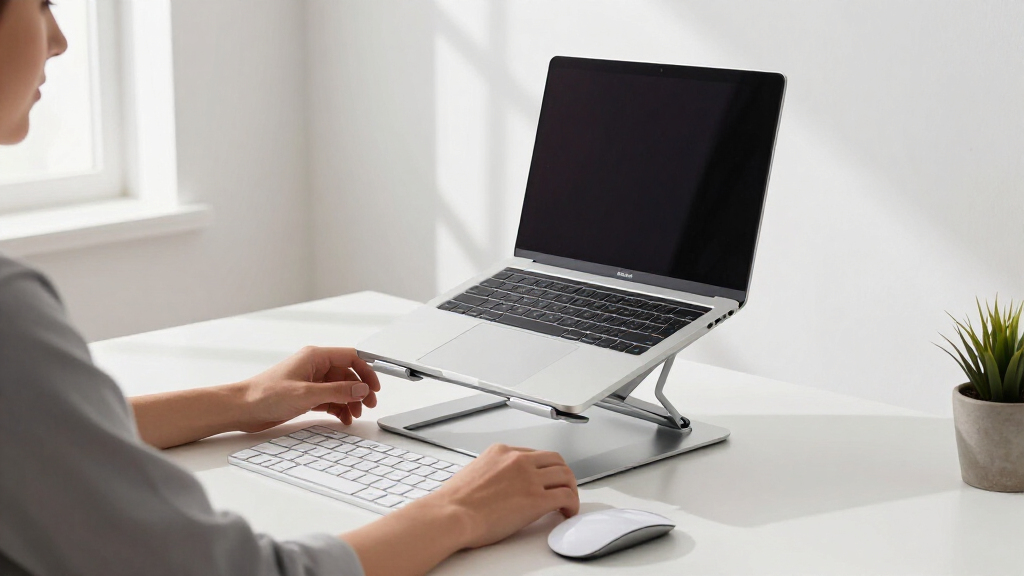
I ranked these stands around the needs of a student rather than the length of each feature list. My main criteria were usable height and angle adjustment, stability for daily typing and viewing, laptop-size compatibility, folded portability, ventilation, and desk footprint. I gave extra credit to designs that can move between a dorm desk and a library table without demanding a permanent setup. I also treated 360-degree rotation as a situational benefit, since it helps with group work but may add bulk and mechanical complexity. A stand earned a higher position when its features solved several student problems at a sensible price.
I separated products with similar specifications by asking what each one does better than the neighboring options. The LOXP rotating model rose above the field through its balanced mix of adjustability and portability, while Tounee earned the premium role through taller telescopic positioning and wider laptop support. Amazon Basics ranked as the strongest value proposition because its listed features cover the basics without charging for rotation. Simpler models such as Besign LS03 and Tonmom remain appealing when low setup effort or easy transport matters more than maximum flexibility. These rankings reflect the listed designs and buyer outcomes rather than claims of hands-on testing.
| student ergonomic laptop stand | Material | Color |
|---|---|---|
| LOXP Adjustable Laptop Stand w | Fiber metal | — |
| Besign LS03 Aluminum Laptop St | Aluminum alloy | Silver |
| Riwuct Foldable Aluminum Alloy | Aluminum alloy | — |
| Tounee Telescopic Laptop Stand | Aluminum alloy | — |
| Amazon Basics Sturdy and Porta | Lightweight rust-resistant aluminum | Silver |
| Nulaxy Adjustable Laptop Stand | Metal | Black |
| N86 360 Rotating Laptop Stand | Aluminum alloy | Silver |
| Tonmom Adjustable Laptop Stand | ABS and silicone | Black |
| Lamicall Adjustable Laptop Sta | Aluminum alloy | Silver |
| Adjustable Metal Laptop Stand | Metal | Black |
| Lamicall Adjustable Laptop Sta | Aluminum alloy | — |
| LOXP Adjustable Portable and F | Metal | Not specified |
Factors to Consider When Choosing Student Ergonomic Laptop Stands
I would choose a student laptop stand by starting with the places where it will be used, then working backward to the adjustment range, folded size, and accessory costs. A dorm-only setup can favor height, stability, and a larger platform, while a stand carried to class needs low weight and fast folding. The sections below explain the choices that affect posture and daily convenience beyond the differences named in the individual reviews.
Match the Height Range to Your Study Space
I would not judge a stand by maximum height alone. The useful target is a screen position that keeps the upper portion of the display near eye level while my shoulders remain relaxed, which depends on chair height, desk height, and body proportions. A telescopic stand suits a low desk or taller student, while a basic angled riser may be enough on a high library table. Too much elevation can create a new problem by forcing the eyes upward or making the laptop camera point down. I prefer several practical positions over one dramatic maximum setting. Students who rotate among study spaces should favor adjustment that can be reset quickly without tools.
Plan for an External Keyboard and Mouse
Raising a laptop screen usually lifts its keyboard beyond a comfortable typing position. I treat an external keyboard and mouse as part of the ergonomic setup whenever the stand raises the screen more than a slight angle. This changes the real cost, desk space, and number of items carried to class. A shallow riser can still work for short sessions using the built-in keyboard, but it offers less help with neck posture. For long essays or coding sessions, I would prioritize screen height plus separate input devices over a stand that merely tilts the keyboard. A compact wireless keyboard may add more comfort than moving from a midpriced stand to the most elaborate model.
Choose Between Portability and Desk-First Stability
Foldable does not automatically mean convenient to carry. I would check the folded thickness, weight, protruding knobs, and whether the stand can be placed in a backpack without scratching a laptop. Lightweight folding models fit commuters and students who change rooms several times a day, but smaller hinges and narrower bases may feel less planted on crowded tables. A heavier stand is easier to justify when it stays in a dorm, apartment, or campus office. Rubber contact points also matter because they reduce sliding without adding much bulk. My rule is to prioritize bag comfort for mobile study and base width for permanent desks.
Decide Whether a Swivel Base Earns Its Space
A rotating base has real value when I share a screen during tutoring, group projects, or lab work. It also lets me redirect the display without dragging the stand across a small desk. For solitary study, though, 360-degree rotation may solve a problem that rarely occurs. The base can occupy more room than a simple folding frame, and a loose rotating mechanism can be distracting during frequent interaction with the laptop. Locking knobs, as listed on the N86, appeal to buyers who want rotation with more control over joint movement. I would pay for a swivel only when screen sharing is a regular habit, not because rotation sounds more advanced.
Check Laptop Size, Weight, and Contact Points
A stated screen-size range is a useful starting point, but it does not describe every laptop shape. I would also check whether the front retaining hooks clear the palm rest, whether rubber pads meet the laptop base, and whether the platform supports the machine without blocking ports. Seventeen-inch laptops need a wider, stronger platform than compact student notebooks, which makes the 15.6-inch limit on several models meaningful. Thick gaming laptops can place more leverage on adjustable joints even when their screen size falls inside the listed range. Tablets create the opposite issue because wide gaps or tall hooks may not hold a slim device neatly. Buyers with an unusually heavy or thin machine should prioritize platform geometry and rated load over broad compatibility wording.
Treat Cooling Claims Realistically
Most stands improve airflow by lifting the laptop away from a flat desk, but open frames and vent holes do not actively cool the computer. I would look for a platform that leaves the laptop’s own intake and exhaust areas clear. Open aluminum designs can help prevent fabric, notebooks, or a desk surface from covering bottom vents. A stand cannot fix clogged fans, aging thermal paste, or a workload that exceeds the laptop’s cooling system. Large solid plates may still work well when their openings align with the computer, so more cutouts are not automatically better. For demanding coursework, I would choose unobstructed airflow and firm support before decorative ventilation patterns.
Frequently Asked Questions
Do I Need an External Keyboard With an Ergonomic Laptop Stand?
I recommend one when the stand raises the screen close to eye level. Typing on an elevated laptop can lift the shoulders and bend the wrists, replacing one posture problem with another. An external keyboard and mouse let the screen and hands sit at separate, more comfortable heights. For brief library sessions, a low tilt with the built-in keyboard may be acceptable if portability matters most. Students planning long writing, design, or coding sessions should budget for separate input devices from the start.
Is a 360-Degree Laptop Stand Worth Paying More For?
I would pay more for rotation if screen sharing happens several times a week. A swivel base makes the most sense for group projects, tutoring, and shared dorm desks, where turning the whole stand would be awkward. Solo users who rarely move the display gain little over a conventional adjustable model. A rotating base may also take up more desk space, so dimensions matter on narrow tables. Among this lineup, the LOXP rotating stand offers the broadest everyday balance, while the N86 suits buyers who prefer locking knobs.
Which Stands Are Better for a 17-Inch Laptop?
I would start with models that explicitly list support for 17 inches or more. Tounee and Nulaxy cover laptops up to 17 inches, while both Lamicall options extend to 17.3-inch compatibility. That gives them a clearer fit advantage over the Amazon Basics, Besign, generic metal, and basic LOXP stands that stop at 15.6 inches. Size alone is not enough for a heavy gaming or workstation laptop, so I would also verify the load rating and platform width before buying. For maximum adjustment, Tounee is the stronger premium candidate; for a conventional large-laptop setup, the nonrotating Lamicall is the simpler choice.
Should a Student Choose a Fixed or Adjustable Laptop Stand?
I favor an adjustable stand for students who move between desks or share a workstation. Different chair and table heights make repeatable height changes more useful than a single preset angle. A fixed or detachable design such as the Besign LS03 can still suit a dorm desk where the setup rarely changes. Fewer moving joints may also appeal to buyers who value straightforward assembly and a clean appearance. The decision comes down to whether adaptability or simplicity will matter more during a normal week.
How Much Should I Spend on a Student Laptop Stand?
I would pay for adjustment range and stability before rotation or styling. A value model such as Amazon Basics can cover height adjustment, folding, and airflow without the added cost of a swivel mechanism. Spending more makes sense for a telescopic range, support for a larger laptop, or frequent screen sharing. It makes less sense when the stand stays at one modest angle on the same desk every day. I would also reserve part of the budget for a compact keyboard and mouse, since those accessories often produce a larger ergonomic gain than premium stand features.
Conclusion
For most students, I recommend the LOXP Adjustable Laptop Stand with 360-Degree Rotating Base as the best overall choice because it balances adjustment, folding, rotation, and 10- to 16-inch compatibility. The Amazon Basics stand is my best value pick for buyers who want the core ergonomic features without paying for a swivel base. Students building their first raised-screen setup should choose the Tonmom adjustable stand for its straightforward, portable format, while the Tounee telescopic stand is the best premium option for added height and larger laptops. The Riwuct is better suited to commuters who rank compact folding above rotation, and the N86 fits shared desks where locking knobs make controlled positioning more appealing. Owners of 17.3-inch laptops should lean toward either Lamicall model, choosing the standard version for a simpler desk setup or the rotating version for collaborative work. My final choice would follow the study routine: LOXP for broad versatility, Amazon Basics for price-conscious practicality, Tounee for maximum adjustment, and Riwuct for frequent travel.