🔍 Read the full analysis: Comparing AI Automation Tools For Small Business Workflows on ThorstenMeyerAI.com

Get the latest gadgets delivered free with Prime
- Fast, free delivery on millions of items
- Prime Video, Amazon Music and more included
- Member-only deals all year
TL;DR
A comparison of AI automation tools for small businesses highlights different strengths in Zapier and Make: Zapier is easier to set up and has a broad integration catalog, while Make offers more visual control for branching workflows. Both can add AI steps to defined processes, but neither replaces human review; the better fit depends on workflow complexity, usage and maintenance capacity.
A comparison of Zapier and Make for small-business automation finds a practical trade-off: Zapier is geared toward faster, simpler setup, while Make offers more visual control over complex workflows, as detailed in the original analysis. The comparison says both can include AI steps, but their output depends on configuration and connected services, and human oversight remains necessary.
The comparison from ThorstenMeyerAI.com focuses on businesses seeking to connect existing apps and reduce repetitive work without hiring an engineer, a topic explored further in questions to ask while shopping. It describes Zapier’s workflow builder as more guided and linear, making it a potential fit for common processes such as sending a lead form entry to a customer relationship management system and notifying a salesperson. It also characterizes Zapier as having a particularly broad app integration catalog, while advising businesses to verify that the specific triggers and actions they need are supported.
Make is presented as better suited to workflows with filters, branches and multiple outcomes, a distinction relevant when comparing AI workflow automation tools. Its visual scenario builder can make the route of data easier to inspect, but the comparison says it takes more learning and may require more effort to maintain. Zapier can handle multi-step workflows too; the reported difference is that complex logic may be less apparent at a glance.
For AI-supported processes, both tools can place AI-related steps within an automation, such as categorizing an inquiry, drafting a response or summarizing a support request. The comparison says results depend on the connected service, model access and setup. It recommends adding review rules where outputs are sensitive or customer-facing rather than treating either platform as an autonomous employee.
Choosing Between Simplicity and Control
The choice can affect not only how quickly a small business automates a task, but also how easy that automation is to inspect when something goes wrong. Zapier’s lower learning curve may suit a team with straightforward, repeatable processes and limited time for setup. Make’s visual branching may be more useful when one process needs different outcomes depending on a customer response, order detail or other condition.
Cost is not settled by the comparison as a simple winner. It says value depends on workflow volume and shape: task-based usage can add up for Zapier as activity grows, while Make’s usage and operation limits also need monitoring. A business should compare current plan limits with its expected workload and account for staff time spent building and maintaining scenarios. The source does not provide plan prices or a measured cost test, so it does not establish which tool is cheaper for a particular business.
The AI distinction also matters for risk management. Automating a draft or classification can save time, but a configured workflow does not guarantee that an AI response is accurate or appropriate. Businesses still need to decide which outputs require a person’s approval, especially before information reaches customers or affects a business decision.
Products Worth Considering

Apple AirPods Pro 3 Wireless Earbuds with Active Noise Cancellation

Bose TV Speaker (2nd Gen) – Compact Soundbar with Bluetooth and HDMI‑ARC Connectivity, Clear Dialogue, Dolby Atmos, Deep Bass, Remote Contro
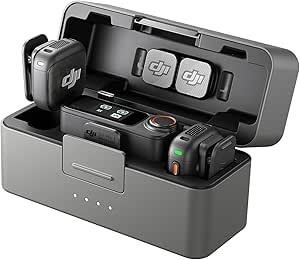
DJI Mic 3 (2 TX + 1 RX + Charging Case) Wireless Microphone
As an affiliate, we earn on qualifying purchases.
How the Two Workflow Builders Differ
This is a comparative guide, not a report of a new product launch, independent benchmark or controlled performance test. The source material describes the tools through categories including setup, workflow complexity, integrations, AI capability, pricing and maintenance. Its judgments are qualitative: it calls Zapier stronger for ease of setup and breadth of integrations, and Make stronger for visual control over branching scenarios.
The comparison does not suggest that one platform is right for every small business. A basic workflow that moves information between two familiar apps may favor ease of setup. A more involved process with conditional paths may make the extra control of a visual builder worthwhile. In both cases, a connector’s availability does not guarantee that every desired app action is supported.
These tools automate defined sequences of steps rather than independently managing a business. An AI step works within the workflow a user configures, and its usefulness depends on the connected apps, the data passed through them and any checks built into the process. The source also cautions that maintenance demands rise with workflow complexity.
Costs and Results Depend on Use
The source provides no publication date, pricing figures or usage measurements, so its comparison cannot establish current plan costs or quantify savings. Subscription limits and product features can change; businesses should check the vendors’ current plan details and confirm support for the exact apps, triggers and actions they intend to use.
It is also unclear how either platform would perform on a particular company’s workload. The comparison offers no controlled test of reliability, speed, AI accuracy or total cost of ownership. Actual results will depend on workflow design, usage volume, connected services and the time available to monitor and maintain automations.
Test a Workflow Before Scaling
The practical next step is to map one repetitive process, identify its trigger, actions and any conditional paths, then check whether each platform supports the required app functions. A small pilot can show how much setup and ongoing review the workflow needs before a business commits to broader use.
For AI steps, businesses should define what the system may generate or classify and where staff must review the result. They can then compare actual usage with plan limits and assess whether the time saved justifies the cost and maintenance effort. The source identifies no upcoming release, formal test or scheduled follow-up; product changes and plan terms remain matters to verify directly with the providers.
Key Questions
Which is easier for a small business to set up, Zapier or Make?
The comparison favors Zapier for ease of setup, describing its guided, linear builder as more approachable for people without automation experience. Make offers more visible control but may take longer to learn.
When might Make be a better fit?
Make may suit a workflow with filters, branches or different outcomes, because its visual scenario builder shows how steps connect. That control is most useful when someone on the team can build and maintain the workflow.
Can either platform run AI tasks without human review?
No. Both can include AI steps in defined workflows, but the comparison says results depend on connected services and configuration. Businesses should set review rules for sensitive or customer-facing outputs.
Which tool costs less?
The source does not identify a universal lower-cost option or provide plan prices. Costs depend on workflow volume, usage limits and maintenance time; businesses should compare current plan terms against their expected activity.
Source: ThorstenMeyerAI.com