🔍 Read the full analysis: A 2027 Look At 14 Software Tools For AI Workflow Automation on ThorstenMeyerAI.com

Get the latest gadgets delivered free with Prime
- Fast, free delivery on millions of items
- Prime Video, Amazon Music and more included
- Member-only deals all year
TL;DR
A guide from ThorstenMeyerAI.com presents 14 resources and platforms for AI workflow automation, organized around business users, developers and enterprise teams. It favors no-code options for accessible workflows and code-first tools for greater control, while emphasizing that the right choice depends on skills, integrations, cost and security.
ThorstenMeyerAI.com’s 2027 guide compares 14 resources and platforms for AI workflow automation, sorting them by the needs of business users, developers and enterprise teams. Its central finding is a tradeoff between no-code simplicity and code-first flexibility, a distinction that can determine whether a workflow is practical for a team to build and maintain, as detailed in the original analysis.
The guide recommends The No-Code AI Automation Playbook for business users seeking an introduction that connects platforms such as Zapier, Make and n8n. It points developers toward n8n AI Automation for more control and Python integration, and cites Microsoft Power Automate as a default fit for organizations already using Microsoft products. These are the guide’s recommendations, not independently verified rankings; teams can also explore AI automation software guides.
Other named resources include Agentic Coding with Claude Code, Agentic AI for DevOps and AI-Powered Automation for Small Business. The guide frames the first two around autonomous agents and developer workflows, while advising small businesses to start with high-impact, lower-complexity tasks rather than building elaborate systems immediately.
The supplied material does not identify all 14 entries by name or give a complete scorecard. It says the selection emphasized practical instructions and technical accessibility, but provides no publication dates, pricing comparisons, benchmark results or detailed test data for the individual options; a workflow audit can help SMBs assess their automation needs.
The 14 picks
- 1
 Agentic AI for DevOps Engineers: Building Autonomous CI/CD, Infrastructure, a…View on Amazon →
- 2
 Workflow Automation with Microsoft Power AutomateView on Amazon →
- 3
 Claude AI for Smart Automation: No-Code Strategies to Build Intelligent Workf…View on Amazon →
- 4
 The No-BS Guide to AI Agents & Automation: Build AI Workflows, Automate Your…View on Amazon →
- 5
 AI Agents: From Theory to Operations — A Practical Guide to Business Automati…View on Amazon →
- 6
 50 AI Workflows for Engineers: From Debugging to System Design, Code Review &…View on Amazon →
- 7
 AI-Powered Automation and Workflows for Small Business OwnersView on Amazon →
- 8
 Practical Autonomous Workflow Automation: Build AI Agents and Automate Real-W…View on Amazon →
- 9
 Hands-On AI Workflow Automation: A Beginner-Friendly Roadmap to Eliminating R…View on Amazon →
- 10
 The No-Code AI Automation Playbook: Build Practical AI Workflows with Zapier,…View on Amazon →
- 11
 AI for Everyday Automation: 7 AI Workflows to Save Hours at Work Every WeekView on Amazon →
- 12
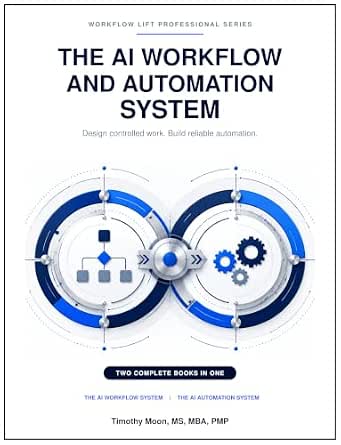 AI Workflow and Automation System – Workflow Lift Professional SeriesView on Amazon →
- 13
 n8n AI Automation: Build Smarter Workflows, Agents, and Intelligent Systems w…View on Amazon →
- 14
 Agentic Coding with Claude Code (5-in-1): A Practical Developer’s Handbook fo…View on Amazon →
Choosing Tools That Teams Can Maintain
The recommendations underline that automation software is not interchangeable: the same platform may be easy for a small team and restrictive for engineers, or powerful for developers but impractical for a business without coding support. Matching the tool to existing skills and operating needs can reduce stalled projects and unnecessary complexity.
The guide also flags decisions that affect long-term cost and reliability. Buyers need to check integration coverage, volume-based pricing, security controls and error handling, rather than judging a platform only by how quickly it builds a demonstration workflow. Those factors become more consequential as data and process volume grow.
Products Worth Considering

Jackery HomePower 3600 Plus Portable Power Station, 3584Wh, 3600W

Logitech MX Keys Combo for Business Keyboard and Mouse – Graphite

LG UltraGear 32GS60QC-B 32-inch Curved QHD Gaming Monitor (180Hz, 1ms, 1000R, AMD FreeSync, HDR10)
As an affiliate, we earn on qualifying purchases.
How the Guide Groups Automation Options
The guide divides the market into broad tiers: no-code resources for business users, developer-oriented tools and frameworks, and enterprise approaches for complex cloud environments. It notes that platforms such as Zapier and n8n can serve mid-market needs, but says users still need to design workflows with appropriate logic rather than simply linking tasks in a straight line.
Its selection method, as described in the supplied material, weighs whether a resource offers actionable steps that lead to a working workflow and whether it suits a particular level of technical skill. The article also cautions that connectors can fail when services change and that self-hosted and cloud-hosted options carry different cost and maintenance demands. This is a buyer’s guide, not a report of a controlled comparison.
“The main tradeoff in this category is simplicity versus scalability.”
— ThorstenMeyerAI.com guide
Limits of the Published Comparison
The source material does not list every one of the 14 options, explain how each was tested, or provide comparable evidence for the recommendations. It is also unclear when the guide was published and whether its descriptions reflect the current versions, prices and connector support of the named products.
The guide’s claims about relative suitability should be treated as editorial guidance rather than independently established performance results. Readers still need to verify API availability, data handling, compliance terms and projected costs for their own systems; the supplied material does not provide product-by-product findings on those questions.
What Buyers Should Verify
The next step for teams is to map a specific workflow and check whether candidate tools connect to the required applications, handle exceptions and meet data-protection requirements. Buyers should model costs at higher usage levels and decide who will maintain integrations when APIs or business rules change.
No product launch, test milestone or follow-up publication is identified in the source. Until fuller comparison details are available, the guide is best used as a starting point for shortlisting, not as proof that one platform will work best across organizations.
Key Questions
What is the guide about?
It compares 14 AI workflow automation resources and tools for business users, developers and enterprise teams. The supplied source does not name all 14.
Which option does the guide favor for non-coders?
It recommends The No-Code AI Automation Playbook for business users seeking an accessible route into automation. That is the guide’s assessment, not an independently verified ranking.
What does it recommend for developers?
The guide points to n8n AI Automation for greater control and Python integration, and also names Agentic Coding with Claude Code and Agentic AI for DevOps as developer-focused resources.
What should teams check before choosing a platform?
Check technical fit, integrations, scale-related costs, security and maintenance requirements. The guide warns that connector limitations and upkeep can affect whether a workflow remains useful.
Source: ThorstenMeyerAI.com