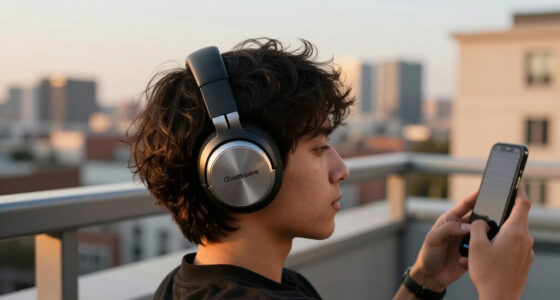
The choice between wireless and wired gaming headsets is less about whether one can deliver good gaming audio and more about how you want to manage the connection. Wireless models remove the cable from your desk or sofa, which helps if you move around, play from a console across the room, or dislike a cord catching on your chair. Wired models connect directly and stay powered without charging, and they often offer a better feature set for the money.

Get the latest gadgets delivered free with Prime
- Fast, free delivery on millions of items
- Prime Video, Amazon Music and more included
- Member-only deals all year

SteelSeries Arctis Nova 7P Wireless Gen 2 Gaming Headset, Black
- ✔ Connectivity: 2.4GHz wireless and Bluetooth
- ✔ Battery life: Up to 50 hours
- ✔ Charging: USB-C fast charge

Acer Tri-Mode Wireless Gaming Headset with Bluetooth 5.4, 50mm Drivers, and Detachable ENC Mic
- ✔ Connection modes: 2.4GHz wireless, Bluetooth 5.4 and 3.5mm wired
- ✔ Drivers: 50mm dynamic
- ✔ Battery life: Up to 45 hours with logo light off; up to 20 hours with it on

Logitech G733 LIGHTSPEED Wireless Gaming Headset, Black
- ✔ Wireless technology: 2.4GHz LIGHTSPEED
- ✔ Wireless range: Up to 20 meters
- ✔ Battery life: Up to 29 hours
The gap in everyday sound and gaming performance depends on the specific headset. A suitable wireless model can feel responsive, especially over its included USB receiver, while a low-cost or poorly matched wireless connection may introduce delay or compatibility hassles. Wired is the safer value choice for a fixed setup and long sessions. Choose wireless for useful freedom of movement; choose wired if you want to spend less and never think about battery life.
At a Glance
| Criteria | Wireless gaming headsets | Wired gaming headsets | Winner |
|---|---|---|---|
| Connection and freedom | No cable between headset and device; range depends on connection and surroundings | Cable connects headset to the device and can restrict movement | A |
| Latency and reliability | USB receiver models are generally responsive; interference or connection issues can occur | Direct connection avoids wireless interference and battery-related interruptions | B |
| Sound and microphone | Can match wired performance, but quality varies by model and wireless processing | Wide range of sound and mic quality; no inherent sound-quality advantage from the cable alone | Depends |
| Battery and session length | Requires charging; battery life varies and can limit a session if depleted | No headset battery required; suitable for long or back-to-back sessions | B |
| Compatibility | Often supports selected platforms through a receiver or Bluetooth; check each model | Works with devices that have the matching audio port or adapter; plugs differ | Depends |
| Price and value | Usually costs more for comparable features, with convenience as the payoff | Often less expensive and offers strong performance per dollar | B |
SteelSeries Arctis Nova 7P Wireless Gen 2 Gaming Headset, Black
For players who move between a console and a phone, the Arctis Nova 7P Wireless Gen 2 makes a strong case as the most complete headset in this lineup. Its key advantage is being able to use 2.4GHz wireless and Bluetooth at the same time, so game sound and mobile audio can coexist. That is more convenient for calls or other phone audio during a session than the Acer’s three connection modes, which provide flexibility but do not specify simultaneous playback.SteelSeries also lists up to 50 hours of battery life and a retractable, noise-rejecting microphone. A steel frame, elastic headband and AirWeave memory foam cushions are designed for extended wear. Its 360-degree spatial audio support and large library of game-specific EQ presets offer ways to tailor sound, though players who want to manage those settings should check which features their platform supports.The main practical catch is the USB-C wireless dongle. An adapter is included for USB-A ports, but this still adds a small setup step. Some enhanced microphone noise reduction features require a PC, so console users should not assume they get the full software feature set. Compared with Logitech’s simpler PC-oriented proposition, SteelSeries is better suited to mixed-device households; buyers who need Xbox support should look elsewhere in this trio, since Xbox is not included in its stated compatibility list.
Pros:
- Simultaneous 2.4GHz and Bluetooth audio supports game and mobile sound together.
- Up to 50 hours of stated battery life with USB-C fast charging.
- Retractable noise-rejecting microphone and broad listed platform support.
- Steel frame and memory foam cushions are designed for durability and longer sessions.
Cons:
- Wireless play depends on a USB-C dongle, with an adapter needed for USB-A ports.
- Some enhanced microphone noise reduction features require a PC.
- Xbox is not included in the stated compatibility list.
Best for: Console or PC players who want wireless game audio alongside Bluetooth phone audio and broad compatibility with the listed platforms.
Not ideal for: Xbox players, or buyers who want every microphone enhancement to work without a PC.
Bottom line: We rank the Arctis Nova 7P first for its especially useful simultaneous wireless and Bluetooth audio, long stated battery life and broad listed compatibility.
“We rank the Arctis Nova 7P first for its especially useful simultaneous wireless and Bluetooth audio, long stated battery life and broad listed compatibility.”
Acer Tri-Mode Wireless Gaming Headset with Bluetooth 5.4, 50mm Drivers, and Detachable ENC Mic
The Acer Tri-Mode is the most adaptable pick when your gaming devices do not all support the same kind of wireless connection. It provides 2.4GHz wireless, Bluetooth 5.4 and 3.5mm wired audio, giving it a fallback the other two do not list. That matters especially for Xbox owners: the supplied compatibility details specify Xbox Series X|S and Xbox controllers through the 3.5mm connection. SteelSeries has the more appealing simultaneous wireless-and-phone-audio feature, but Acer gives buyers more ways to connect in the first place.Its self-adjusting suspension headband and breathable sports mesh cushions are intended to reduce fuss during extended wear. The detachable ENC microphone and physical controls also suit players who want to remove the mic between chats or adjust the headset directly. At 275 g, its listed weight is close to Logitech’s 278 g, though weight alone cannot determine which headset will fit more comfortably.Battery life needs context: Acer lists up to 45 hours with the logo light off, falling to up to 20 hours when it is on. It can be used while charging via USB-C, which can help during a long session, but tethering reduces the convenience of wireless play. Compared with SteelSeries, Acer trades simultaneous audio and a longer stated battery ceiling for wired flexibility and explicit Xbox support. Choose it for connection options; skip it if you want wireless Xbox play or do not want to manage the lighting setting to preserve battery.
Pros:
- Three connection modes: 2.4GHz wireless, Bluetooth 5.4 and 3.5mm wired.
- Xbox Series X|S and Xbox controller use is specified through the wired connection.
- Detachable ENC microphone and physical controls support practical day-to-day use.
- Can be used while charging and lists up to 45 hours with logo lighting off.
Cons:
- Xbox compatibility is limited to a 3.5mm wired connection.
- Stated battery life drops to up to 20 hours with the logo light on.
- The wired mode can reduce the freedom that buyers expect from a wireless headset.
Best for: Players who use a mix of supported consoles, computers and mobile devices, especially Xbox owners comfortable using a 3.5mm cable.
Not ideal for: Xbox players seeking a wireless connection, or anyone who wants the longest battery life with lighting enabled.
Bottom line: We recommend Acer to buyers who need multiple connection choices and accept wired Xbox use and lighting-dependent battery life.
“We recommend Acer to buyers who need multiple connection choices and accept wired Xbox use and lighting-dependent battery life.”
Logitech G733 LIGHTSPEED Wireless Gaming Headset, Black
The Logitech G733 is the more focused choice for players who want a lightweight wireless headset with a personalized look. At 278 g, it has the lowest listed weight among these three by a small margin, and its reversible suspension headband and dual-layer memory foam earcups are designed to make longer sessions more comfortable. Those details make it a plausible alternative to Acer for wear-focused buyers, although fit is personal and the listed weights are close.Where Logitech distinguishes itself is its Blue VO!CE microphone filters and dual-zone LIGHTSYNC RGB lighting. These features offer more voice and appearance customization than the descriptions provided for SteelSeries and Acer. The tradeoff is a more limited stated platform list: PC, PS5, PS4 and Nintendo Switch. SteelSeries covers a wider set of device types, while Acer adds wired Xbox support, so the G733 makes most sense when its listed compatibility matches your setup.Logitech lists up to 29 hours of battery life, with actual runtime varying by use and lighting settings. That is below both SteelSeries’ stated maximum and Acer’s maximum with lighting off. The 20-meter wireless range is useful for moving around a room, but the product details specify stereo play for PS4, so buyers should check the audio behavior they need on that console. Choose this headset for its lightweight construction and PC-oriented customization; skip it if long intervals between charges or broad device support matter most.
Pros:
- Lightweight 278 g design with a reversible suspension headband.
- Blue VO!CE microphone filters provide voice customization.
- Dual-zone LIGHTSYNC RGB lighting can be customized.
- LIGHTSPEED wireless lists a range of up to 20 meters.
Cons:
- Up to 29 hours of battery life is the shortest stated maximum in this group.
- The listed compatibility does not include Xbox or mobile devices.
- Stereo play is specified for PS4.
Best for: PC players who prioritize a lightweight over-ear fit, adjustable RGB lighting and Blue VO!CE voice filters.
Not ideal for: Buyers seeking the longest stated battery life, Xbox compatibility or broad mobile and handheld support.
Bottom line: We place the G733 third overall, while recommending it to PC players who value a lightweight build and customization more than battery longevity or platform breadth.
“We place the G733 third overall, while recommending it to PC players who value a lightweight build and customization more than battery longevity or platform breadth.”
As an Amazon Associate we earn from qualifying purchases.
Key Differences
The clearest difference is practical: wireless removes the cable, while wired removes charging from the equation. If you play at a desk and rarely leave your chair, a cord may be a small inconvenience. Paying extra for wireless then buys little beyond a tidier setup. If you play from a couch, move between devices, or regularly stand up during a session, the cable-free design can improve comfort enough to justify the added cost.
For gaming performance, the connection type alone does not decide sound quality or responsiveness. A solid wireless headset using its dedicated receiver can be responsive enough for ordinary play, but battery condition, connection stability, and device support matter. Wired connections avoid those wireless variables. In both categories, the headset’s drivers, tuning, microphone, fit, and software matter more than the broad label.
Value tends to favor wired headsets, especially at entry level and for players who want a simple plug-in setup. Wireless earns its premium when freedom of movement is something you will use often. Compare specific models for platform support, microphone performance, comfort, and return or replacement costs; a wireless headset that lacks the connection your console needs is poor value at any price.
Detailed Comparison
Connection and freedom (Wireless gaming headsets wins — moderate)
Wireless wins by removing the cable, a moderate advantage for couch play, shared rooms, and players who move during matches. At a fixed desk, the benefit is smaller; wired users can manage the cable with routing or a stand, though it remains attached during play.
Latency and reliability (Wired gaming headsets wins — minor)
Wired has the more predictable connection because it does not depend on a radio link or charge. The gap is minor for most players using a well-designed wireless headset with its included receiver, but wired is the safer pick for anyone who prioritizes a direct, interruption-free link. Bluetooth behavior can differ from a dedicated gaming receiver, so check the connection method before buying.
Sound and microphone (major difference)
Neither type wins by default. A well-tuned wireless headset can sound clearer than a poorly tuned wired one, and vice versa. This is a model-level decision, so compare reviews and specifications for sound balance, microphone clarity, sidetone, and chat controls. The difference between two models may be major even when the connection difference is not.
Battery and session length (Wired gaming headsets wins — moderate)
Wired wins clearly for long or unpredictable sessions because it needs no headset battery. Wireless models require charging, and a depleted battery can interrupt play unless the headset supports use while charging or another fallback connection. Battery life varies widely by model and features such as lighting, so look at stated runtime and charging options.
Compatibility (major difference)
This depends on the exact headset and device. Wired models need a compatible audio port or adapter; wireless models may require a USB receiver, Bluetooth, or a platform-specific connection. Wireless can make switching between supported devices convenient, but it is not automatically universal. Confirm support for your console, PC, or handheld before choosing.
Price and value (Wired gaming headsets wins — moderate)
Wired usually wins on upfront value: more of the budget can go toward sound, comfort, and microphone quality rather than wireless hardware. Wireless is worth paying more for if you will regularly use the cable-free design. For a stationary setup, that premium is hard to justify unless a particular wireless model also provides features you need.
Wireless gaming headsets: Pros and Cons
Pros:
- Freedom to move without a cable
- Tidier setup for couch or shared-room play
- Some models support multiple connection modes or devices
Cons:
- Needs regular charging
- Comparable models often cost more
- Range, receiver support, and platform compatibility vary
Wired gaming headsets: Pros and Cons
Pros:
- No headset battery to monitor
- Often lower cost for comparable sound and features
- Direct connection avoids wireless interference
Cons:
- Cable can catch, tug, or limit movement
- Requires the right port or adapter
- Less convenient for couch play or moving between devices
Who Should Choose What
Choose Wireless gaming headsets if:
- You play from a couch or move around during sessions.
- A cable across your desk or room regularly gets in the way.
- You will use wireless convenience often enough to justify charging and extra cost.
Choose Wired gaming headsets if:
- You play mostly at a desk and want the best value.
- You have long sessions and do not want battery interruptions.
- You prefer a direct connection and minimal setup.
Skip both if: Skip both categories if your priority is a particular platform feature or audio setup that neither candidate supports; first find a headset confirmed to work with your devices and microphone needs.
Value for Money
For most players with a fixed gaming station, wired is the better value. It avoids charging and typically costs less, so the savings can go toward a more comfortable fit or a better microphone. Paying more for wireless makes sense when removing the cord solves a recurring annoyance, especially for sofa gaming or frequent movement. Compare the total feature set and confirmed device support, not just the connection label: a wireless premium is worthwhile only if you will use the freedom it buys.
Final Verdict
Choose a wired gaming headset if you play at a desk, want reliable all-session use, and care about getting strong audio and microphone performance for your budget. It is the straightforward recommendation for most stationary setups. Choose wireless if movement and a cable-free space matter in your daily play; a good receiver-based model can make that convenience practical without requiring you to give up responsive gaming audio. The deciding factor is whether freedom from the cable is worth charging and paying more. If it is, buy wireless; if it is not, wired is the better deal.
Frequently Asked Questions
Are wireless gaming headsets too slow for competitive games?
Not necessarily. Many gaming headsets use a dedicated USB receiver designed for responsive play. Performance varies by model and connection, so check independent measurements or reviews if latency matters greatly to you. Wired remains the predictable option.
Do wired gaming headsets sound better?
Not inherently. Sound depends more on the headset’s design and tuning than whether it is wired. Compare specific models for sound quality and microphone clarity rather than assuming one connection type is superior.
Can I use a wireless headset while it charges?
Some models support use while charging, but others may not, and the experience can depend on the charging cable and device. Check the manufacturer’s specifications before relying on this as a substitute for battery life.
Is wireless worth the extra cost?
It is worth paying more if you play away from a desk, move often, or find the cable consistently annoying. If you stay seated at a fixed setup, wired usually delivers better value.