
TL;DR
Wireless gaming headsets pair headphones and a microphone with a radio link, usually a 2.4 GHz USB dongle, Bluetooth, or both. Check your exact platform support, comfort, microphone, and real-world battery needs before buying; features and performance vary by model, and “wireless” does not mean universal compatibility.
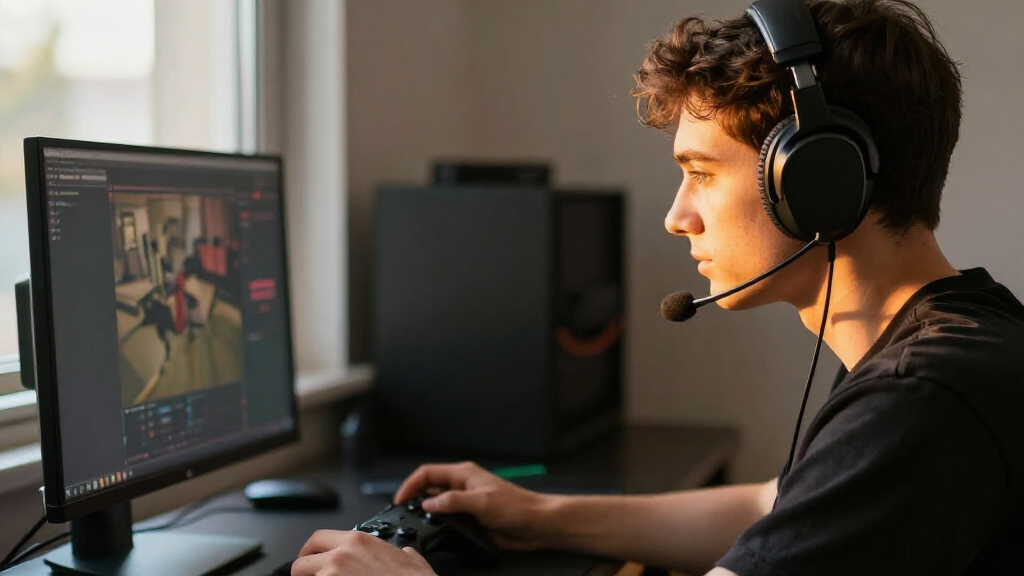
Your headset can be the difference between hearing a teammate’s quiet callout and catching only the burst of gunfire that follows. Wireless gaming headsets free you from a cable running to your console or PC, but that freedom comes with choices about connection, battery, compatibility, and comfort.

Get the latest gadgets delivered free with Prime
- Fast, free delivery on millions of items
- Prime Video, Amazon Music and more included
- Member-only deals all year
This guide explains what those choices mean in ordinary play: when a 2.4 GHz dongle makes sense, why Bluetooth support may not be enough, and which features you’ll notice during a long session. You’ll also get a practical buying checklist, so you can compare a headset against your actual setup instead of a pile of marketing claims.
Verify the exact headset model and wireless mode against every platform you use.
A 2.4 GHz dongle is commonly chosen for gaming; Bluetooth is useful for phones, but latency and support vary.
Prioritize fit, microphone clarity, and useful audio controls over headline surround claims.
Treat advertised battery life as an estimate and check wired fallback and use-while-charging support.
Pay extra for features you will use, such as simultaneous phone and game audio, rather than assuming higher price means better fit.
Choose the connection that keeps game audio in sync
A wireless gaming headset sends audio from your device over a radio link, usually through a USB dongle or Bluetooth. For gameplay, a dedicated 2.4 GHz dongle is often the preferred connection because it is designed for a responsive link; Bluetooth is handy for phones and general listening, but delay and support vary. Your best option depends on the headset and the device you use.
Think of the link like a road to your ears: the dedicated lane may help game sounds arrive promptly, while a shared route can be more convenient for several kinds of traffic. That analogy has limits, though; real performance depends on the particular headset, device, distance, and radio environment. A missed footstep can matter in a competitive match, while a slight delay may barely register during a turn-based game.
For example, you might use a 2.4 GHz dongle for your PC match and Bluetooth for music from your phone. Some models connect to both at once, but simultaneous audio mixing is not universal. Check whether the headset can mix the two signals, switch between them, or only remember both connections.
Walls, distance, and nearby wireless devices can affect reliability. If the sound crackles at your desk, moving a USB dongle closer with an extension may help, depending on the setup. Treat latency claims as product-specific, and check independent impressions where available rather than assuming every wireless link behaves alike.
Products Worth Considering

Apple Watch SE 3 GPS 44mm Smartwatch
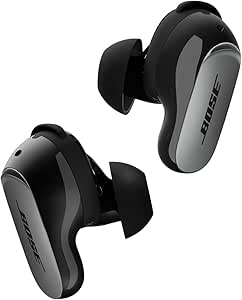
Bose QuietComfort Ultra Earbuds (2nd Gen), Wireless Noise-Cancelling Earbuds with Immersive Audio and Wireless Charging Case, Black

Apple iPad 11-inch (A16), 128GB, Wi-Fi, Silver
As an affiliate, we earn on qualifying purchases.
Check console compatibility before you fall for a feature
Wireless gaming headsets do not share one universal console standard, so confirm the exact model’s support for your platform and connection method. A headset may work wirelessly on PC yet offer limited features, or no wireless connection, on a console. Compatibility lists are more useful than a product page’s broad “multi-platform” headline.
Picture a player buying a headset because its box shows a console logo, then discovering that the pictured version is a different model or regional variant. The headset may still connect by cable, but the wireless setup they wanted is missing. Before buying, compare the full model name and version against the manufacturer’s list for your PS5, Xbox, Switch, or PC.
Use this quick check before checkout:
- Write down your devices. Include the console, PC, phone, and any handheld you expect to use.
- Confirm wireless support for each one. Look for the exact model and connection mode in the maker’s compatibility notes.
- Check what features work. Chat balance, companion software, spatial audio, and simultaneous connections may depend on platform.
- Verify your fallback. See whether the headset has a wired mode if its wireless link is unsupported or its battery runs low.
This short check can save you from buying a headset that technically connects but misses a feature you planned to use. A Switch player who also works on a laptop, for instance, may value Bluetooth for the laptop and a supported dongle mode for play—if the particular headset offers both.
Compare the trade-offs you’ll actually notice
The best headset depends on which compromise bothers you least: charging, a cable, connection limits, or extra cost. Wireless gaming headsets trade a cable running to the device for battery upkeep and radio compatibility; wired models avoid charging and wireless interference. That is their main trade, but comfort and microphone quality can matter more than the label on the box.
Imagine two evenings: on one, you pace around the room during a long co-op session; on the other, you sit at a desk and never move. The first player may value freedom of movement and phone connectivity. The second may prefer a wired headset’s simple reliability, especially if they hate seeing a battery warning during a match.
| What matters to you | Wireless may suit you if… | Wired may suit you if… |
|---|---|---|
| Movement | You want to stand up or move around without a cable. | You stay at a desk and cable reach is not a problem. |
| Power | You can charge between sessions or use a wired fallback. | You want to avoid battery charging altogether. |
| Connection | Your platform supports the headset’s dongle or Bluetooth mode. | You want a straightforward connection supported by your device. |
| Extras | You will use multi-device audio or wireless controls. | You prefer fewer features and a simpler setup. |
There is no automatic sound-quality winner. A well-made wireless model can work well for gaming, while a wired model can avoid radio issues; specific products matter more than the category. Decide what you do in a normal week, then pay for the features that make those sessions better.
Find comfort that survives a long session
A comfortable wireless gaming headset should feel stable without squeezing your head or making your ears hot. Weight, clamp force, earcup shape, and padding shape the experience over time, so a light headset can still feel wrong if its cups press on your glasses. Comfort is personal; fit beats a specification sheet for a six-hour session.
Think of the headband like a backpack strap: a few grams in the wrong place can feel heavier than a larger load spread well. If you wear glasses, look for reviews from other glasses wearers and pay attention to reports about temple pressure. A soft fabric earcup may feel cooler to you than a sealed material, while another player may prefer the stronger isolation of a tighter seal.
Try the headset at home for a few minutes before deciding, if the store or return policy allows it. Turn your head, adjust the band, and notice whether the earcups press the frames into your temples. During a session, warmth often builds gradually, like a mug left under a desk lamp; a fit that feels fine at minute five may be irritating after an hour.
Build details also affect daily comfort. A flexible, padded headband and replaceable cushions can matter more than decorative lighting. If you play in a warm room, prioritize breathable materials and a fit that does not trap heat. These choices are hard to judge from photos, so use reviews that describe real wear rather than repeating a weight number alone.
Judge the sound and microphone by your real game
Good gaming audio is about hearing useful detail clearly, while a good microphone lets teammates understand you without asking for every callout twice. Imaging, tuning, and voice pickup matter more than a broad “surround sound” promise. Virtual spatial audio processes sound through software; it is not the same as putting multiple physical speakers in each earcup.
In a squad match, you may need to locate footsteps and keep voice chat distinct from explosions. Virtual surround or a game’s own spatial-audio setting may help some listeners, but results depend on implementation, game support, and personal preference. Try the headset’s stereo mode as well: for a player who finds processed audio muddy, clean stereo may make dialogue and effects easier to separate.
Microphone marketing can be slippery. “Noise cancelling” may describe noise reduction on the mic, isolation from the earcups, or active noise cancellation that reduces outside sound for you. Look for the feature’s actual description and practical controls such as sidetone, a physical mute button, and a detachable or retractable boom.
For example, a remote worker who games in a room with a desk fan may care more about clear voice pickup and effective background-noise handling than a flashy surround mode. Test a recording or ask a friend how you sound, if possible. A microphone that keeps your voice crisp over fan hum helps in team chat and streaming; a label alone cannot prove it will.
Plan for battery life before the warning light appears
A wireless headset needs power, and its advertised battery life is an estimate rather than a promise for every session. Volume, lighting, microphone use, and connection mode can change how long a charge lasts. Check independent testing where you can, and look for charging time, USB-C support, wired fallback, and whether the headset works while charging.
Consider a Friday night group session that stretches past midnight. A headset rated for long use may still need a top-up if you run bright lighting and high volume, or if its test conditions differ from yours. Battery claims can be useful for comparing models, but they rarely tell you exactly what your own play habits will produce.
Build a small routine: charge the headset after a long session, keep a cable within reach, and learn whether plugging it in interrupts audio. Some products support use while charging; others may offer a wired mode, and some support neither in the way you expect. Read the manual or product specifications for the exact model before you rely on a backup plan.
Replaceable batteries can make upkeep easier on some premium models, but they are not a standard feature. If you play near your console and do not mind a cable during charging, a wired fallback may be enough. If you travel between a desk and couch, longer tested runtime and easy charging may deserve a higher place on your list than lighting or app effects.
Frequently Asked Questions
Are wireless gaming headsets as good as wired ones?
Many wireless models offer sound and responsiveness suitable for gaming, but the comparison depends on the products and connection modes. Wired headsets avoid charging and radio interference; wireless ones give you freedom of movement. Choose based on the trade-offs you notice most in your setup.
Is 2.4 GHz or Bluetooth better for gaming?
A dedicated 2.4 GHz dongle is commonly chosen for low-latency gameplay. Bluetooth is convenient for phones and general listening, but latency and platform support vary by headset and device. Check the exact model’s supported modes before buying.
Will one wireless headset work on PS5, Xbox, Switch, and PC?
Not necessarily. Wireless support and features can differ by platform and connection method, and versions of a headset may have different compatibility. Check the manufacturer’s list for the exact model and every device you plan to use.
Can I hear console game audio and phone audio at the same time?
Some headsets combine a 2.4 GHz connection with Bluetooth and can mix game audio with a phone call or music. Other models require you to switch connections, and the supported devices vary. Confirm that the product mixes both sources if that is the feature you want.
Can I use a wireless headset while it charges?
Some models let you keep listening while charging, and some also support a wired mode. Others may interrupt use or have no wired fallback. Check the manual or product details for the exact headset instead of relying on a general rule.
Conclusion
Choose the headset around your actual setup: platform support first, fit and sound next, then battery and extras. If you play on several devices, confirm each connection mode and what features remain available on each one.
A good headset should disappear from your mind while the game fills the room with rain, footsteps, and your team’s voices. Pick the one that lets you hear the match—and forget the cable.