
If your wireless lavalier system fails repeatedly in the same spots, environmental interference and technical issues are likely the cause. Common problems include weak batteries, signal clashes with other devices, or crowded frequencies in the location. Large electronics and fluorescent lights can also disrupt signals. By proactively checking batteries, scanning for open channels, and understanding interference sources, you can reduce these failures. Keep going, and you’ll discover more tips to improve your setup and avoid persistent trouble spots.

Get the latest gadgets delivered free — and shop member deals
- Fast, free delivery on millions of items
- Access to Prime Big Deal Days deals on October 6–7
- Prime Video, Amazon Music and more included
Key Takeaways
- Environmental interference from electronics and fluorescent lights can cause consistent signal issues in specific locations.
- Low-quality or depleted batteries often lead to repeated dropouts and static in the same spots.
- Frequency clashes due to crowded wireless environments cause recurring failures in certain areas.
- Poor system placement near interference sources increases the likelihood of repeated signal problems.
- Regular pre-event frequency scans and proper setup adjustments can prevent recurring failures in known trouble zones.
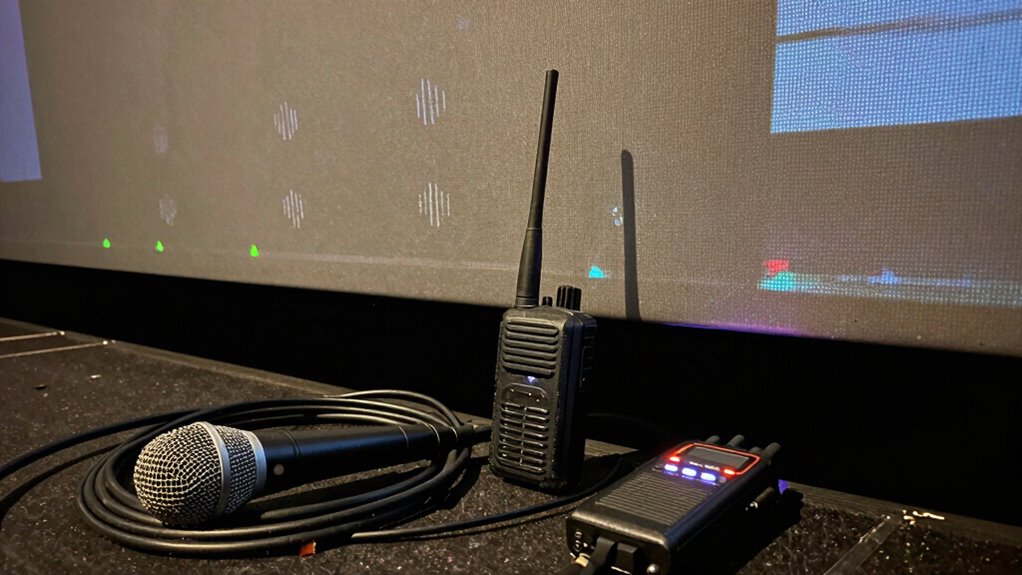
Wireless lavalier systems often fail in the same places, and it’s frustrating for anyone relying on them for live events or recordings. You might notice that, no matter how carefully you set up, the audio cuts out or becomes distorted in certain spots. These recurring trouble areas usually have common causes, like battery interference or frequency clashes, which you can sometimes fix but often require awareness and proactive adjustments.
Battery interference is one of the most prevalent issues causing failures in specific locations. When the batteries in your transmitter or receiver start to weaken, they can produce inconsistent signals, leading to dropouts or static. This problem becomes more noticeable in certain areas where the interference is already high, such as near large electronic devices or fluorescent lights. Changing batteries regularly is crucial, but you also need to guarantee they’re fully charged and of good quality. Failing to do this can make the system vulnerable to interference, especially in those problem spots where the environment already challenges a stable wireless connection. Battery health plays a vital role in maintaining a consistent signal. Additionally, ensuring that your batteries are of high quality can reduce the likelihood of sudden failures.
Weak or low-quality batteries can cause static and dropouts in high-interference areas. Regularly check and replace them.
Frequency clashes are another major culprit behind repeated failures in the same locations. Wireless systems operate on specific frequency bands, and if those bands are crowded with other devices, interference occurs. In densely populated venues or buildings with many wireless signals—like Wi-Fi, Bluetooth, or other microphones—you’re more likely to experience dropouts. Even in open spaces, certain frequencies can clash with local radio signals or other electronic equipment, causing consistent issues in the same physical spots. To combat this, you need to scan for open channels and manually select frequencies that are less crowded. Some advanced systems automatically scan and switch to cleaner channels, but if your equipment lacks this feature, you’ll need to do it yourself. Being aware of interference sources can help you better plan your setup and avoid repeated failures. Regularly performing a frequency scan before events can help identify these problematic areas beforehand.
wireless lavalier microphone system
As an affiliate, we earn on qualifying purchases.
As an affiliate, we earn on qualifying purchases.
Frequently Asked Questions
How Can I Prevent Wireless Lavalier System Interference in Common Problem Areas?
To prevent interference in common problem areas, you should identify and minimize interference sources like Wi-Fi routers, Bluetooth devices, and other wireless gear. Keep your transmitter and receiver away from metal objects that cause signal obstruction. Also, change to less crowded frequency channels and guarantee your system has proper antenna placement. These steps help maintain a clear signal, reducing interference and ensuring reliable performance wherever you record.
Are There Specific Brands That Perform Better in Problematic Locations?
Think of choosing a wireless lavalier like picking a reliable car for tough roads. Brands like Sennheiser and Rode have strong reputations for performance in tricky spots, supported by positive user reviews. These brands often have better shielding and frequency agility, helping you avoid interference. Based on user feedback, investing in well-known, reputable brands can notably improve your chances of success in problematic locations.
What Troubleshooting Steps Can I Take When My System Fails Repeatedly?
When your wireless lavalier system keeps failing, start troubleshooting by checking for interference sources. Use signal boosters to strengthen weak signals and adjust the frequency settings to avoid crowded channels. Make sure your transmitter and receiver are within proper range and update firmware if needed. Moving to a different location or reducing obstacles can also help. These steps often resolve recurring failures and improve overall system reliability.
How Do Environmental Factors Affect Wireless Lavalier System Performance?
Imagine your system’s performance as a fragile bridge, easily disrupted. Environmental factors like interference sources and signal obstructions directly impact your wireless lavalier system. Metal objects, thick walls, or electronic devices can cause signal loss or static. To guarantee smooth operation, minimize interference sources, avoid physical obstructions, and position your transmitter and receiver with a clear line of sight. These small adjustments can make a huge difference in reliability.
Can Different Frequency Bands Improve Reliability in These Locations?
Yes, choosing different frequency bands can improve reliability in these locations. Proper frequency selection helps you avoid interference, enhancing signal stability. By switching to less congested bands, you reduce the chances of signal drops or disruptions. This proactive approach guarantees your wireless lavalier system maintains a consistent connection, even in challenging environments. Ultimately, selecting the right frequencies allows you to achieve better performance and more reliable audio during your recordings or events.
As an affiliate, we earn on qualifying purchases.
Conclusion
Think of your wireless lavalier system as a trusty car on a well-worn road. When it hits the same potholes—those dead spots and interference zones—it stalls repeatedly. By understanding these trouble spots and planning your routes carefully, you keep your system running smoothly. Don’t let these common pitfalls be your roadblocks; instead, navigate around them with awareness. With a little foresight, you can keep your signal flowing like a steady stream, no matter the terrain.
wireless microphone frequency scanner
As an affiliate, we earn on qualifying purchases.
As an affiliate, we earn on qualifying purchases.
professional wireless microphone kit
As an affiliate, we earn on qualifying purchases.
As an affiliate, we earn on qualifying purchases.
Fall Picks
fall essentials
As an affiliate, we earn on qualifying purchases.