When touchscreen displays are hung incorrectly, they can seriously hinder collaboration. Poor placement, such as misaligned angles or improper height, causes discomfort and accessibility issues. This leads to frustration, disengagement, and reduced participation. Glare and reflection problems further impair visibility, making it hard for teams to share ideas. If you keep exploring, you’ll discover how proper setup can turn these challenges into collaborative strengths.

Get the latest gadgets delivered free — and shop member deals
- Fast, free delivery on millions of items
- Access to Prime Big Deal Days deals on October 6–7
- Prime Video, Amazon Music and more included
Key Takeaways
- Improper placement causes user discomfort and frustration, reducing spontaneous collaboration and engagement.
- Misaligned screens hinder gesture recognition, leading to errors and decreased interaction confidence.
- Poor mounting methods create physical barriers and fatigue, discouraging prolonged or frequent use.
- Incorrect height or angle affects visibility and reach, limiting participation and collaborative effectiveness.
- Environmental issues like glare diminish display clarity, impairing communication and teamwork.
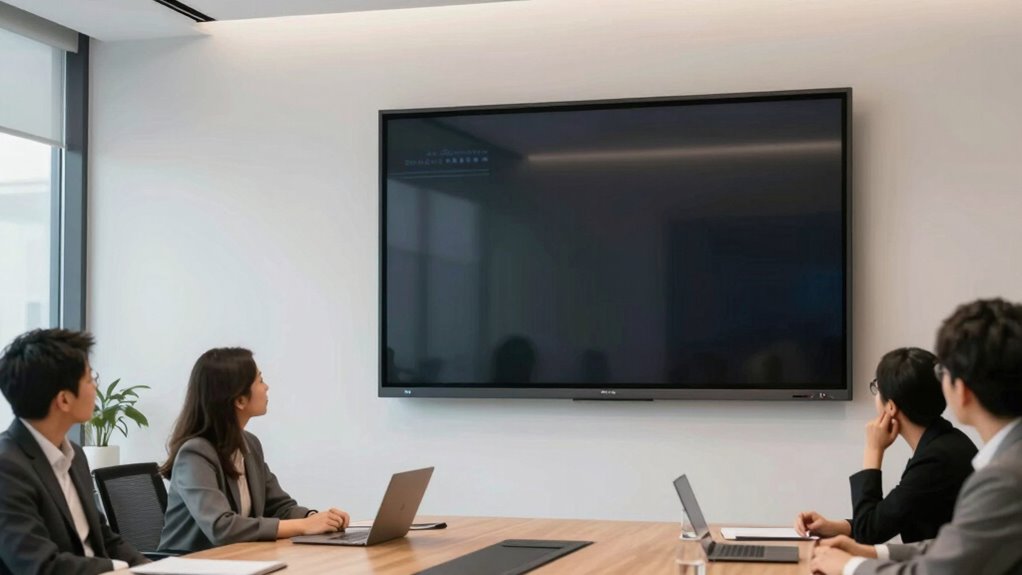
Touchscreen displays are transforming the way teams collaborate by making interactions more intuitive and immediate. When used effectively, they can streamline workflows, enhance communication, and foster a more dynamic environment. But if you hang a touchscreen wrong—whether it’s poorly positioned or mounted at the wrong height—it can quickly become a barrier instead of a facilitator. Instead of boosting user engagement, a wrongly placed screen can frustrate users, leading to disengagement and a breakdown in collaboration.
One of the key features that make touchscreen technology powerful is gesture recognition. When a display is set up correctly, gesture recognition allows you and your team to interact naturally—pinching, swiping, tapping—without needing to learn complicated controls. This natural interaction encourages more spontaneous participation and keeps everyone engaged. However, if the screen is mounted too high or at an awkward angle, gestures become difficult to perform accurately, which frustrates users and discourages collaboration. When gestures aren’t recognized properly, people start losing confidence in the technology, and the entire purpose of intuitive interaction gets undermined.
Proper setup of gesture recognition enhances natural interaction, boosts engagement, and prevents user frustration with touchscreen displays.
User engagement takes a hit when the physical setup is off. A poorly hung touchscreen can cause fatigue, awkward postures, or even discomfort during extended use. If your team struggles to reach or see the display clearly, they might avoid using it altogether, opting for less effective communication methods. This diminishes the collaborative benefits these displays are supposed to deliver. Additionally, proper mounting techniques are essential to maximize the benefits of touchscreen collaboration tools. Proper setup not only enhances usability but also extends the lifespan of the equipment by reducing wear and tear. Understanding ergonomic principles can help ensure the display placement promotes comfort and accessibility, encouraging ongoing engagement. Ensuring the display is within a comfortable reach zone can significantly improve user satisfaction and collaboration efficiency. Moreover, correct installation plays a crucial role in avoiding common issues like glare or reflection that can impair visibility and usability.
The placement of the screen also affects the overall workflow. When positioned at an ergonomic height and angle, it invites participation and keeps everyone involved. Conversely, a display hung too high or too low can create physical barriers, leading to disinterest or even resentment toward the technology. This setup mistake hampers user engagement, making it harder for teams to work together efficiently. It’s critical to weigh sightlines, reachability, and comfort when installing a touchscreen display, especially in collaborative spaces where multiple users need to interact simultaneously.
ergonomic touchscreen display mount
As an affiliate, we earn on qualifying purchases.
As an affiliate, we earn on qualifying purchases.
Frequently Asked Questions
How Can Improper Mounting Damage Touchscreen Displays?
Improper mounting can damage touchscreen displays by putting stress on internal components, leading to calibration issues and reduced sensitivity. When you don’t secure the display correctly, it may shift or become loose, causing misalignment. This can hinder touchscreen calibration and make vandal prevention difficult, as a poorly mounted screen is more vulnerable to damage or tampering. Always guarantee proper mounting techniques to protect the display’s integrity and maintain peak functionality.
What Are the Signs of a Poorly Hung Touchscreen?
You’ll notice a poorly hung touchscreen if it’s crooked or unstable, disrupting user ergonomics and causing strain. Visual clarity suffers as the screen may appear skewed or blurry, making it hard to see details clearly. If the display wobbles when touched or feels uneven, it signals improper mounting. These signs hinder collaboration, forcing users to adjust constantly and reducing efficiency. Proper installation guarantees a comfortable, clear, and collaborative experience.
How Does Display Angle Affect Collaboration?
The display angle directly impacts collaboration by affecting ergonomic comfort and visual clarity. If the screen isn’t angled correctly, you might strain your neck or eyes, making it harder to engage with the content. A favorable angle guarantees everyone can see clearly without discomfort, encouraging active participation. When the display is set up well, collaboration flows smoothly, and users stay focused, making teamwork more effective and enjoyable.
Are There Specific Mounting Standards for Collaboration Rooms?
Think of mounting standards as the secret recipe for a perfect collaboration room. When you follow specific guidelines, your displays hang like a well-orchestrated symphony—smooth, balanced, and clear. Proper mounting guarantees screens are at the right height and angle for everyone to see, fostering teamwork rather than frustration. So, in collaboration rooms, adhering to these standards transforms technology into a seamless extension of your ideas, not a stumbling block.
Can Incorrect Installation Void Display Warranties?
Yes, incorrect installation can void your warranty coverage. Manufacturers often require strict adherence to mounting guidelines to guarantee proper support and safety. If you ignore these mounting standards, it could be seen as misuse or improper handling, which may lead to warranty denial. To protect your investment, always follow the specified mounting guidelines and consult professionals if you’re unsure about the installation process.
adjustable wall mount for interactive screens
As an affiliate, we earn on qualifying purchases.
As an affiliate, we earn on qualifying purchases.
Conclusion
When you hang a touchscreen display the wrong way, it’s like trying to dance on a crooked floor—you’ll stumble and miss the rhythm. Proper placement turns it into a smooth partner, fostering seamless collaboration instead of chaos. So, think of your display as the stage of your team’s performance; hang it right, and watch ideas flow like a well-choreographed dance. When you get the setup right, collaboration blossoms, and your team hits all the high notes.
As an affiliate, we earn on qualifying purchases.
height adjustable digital signage stand
As an affiliate, we earn on qualifying purchases.
As an affiliate, we earn on qualifying purchases.
Fall Picks
fall essentials
As an affiliate, we earn on qualifying purchases.