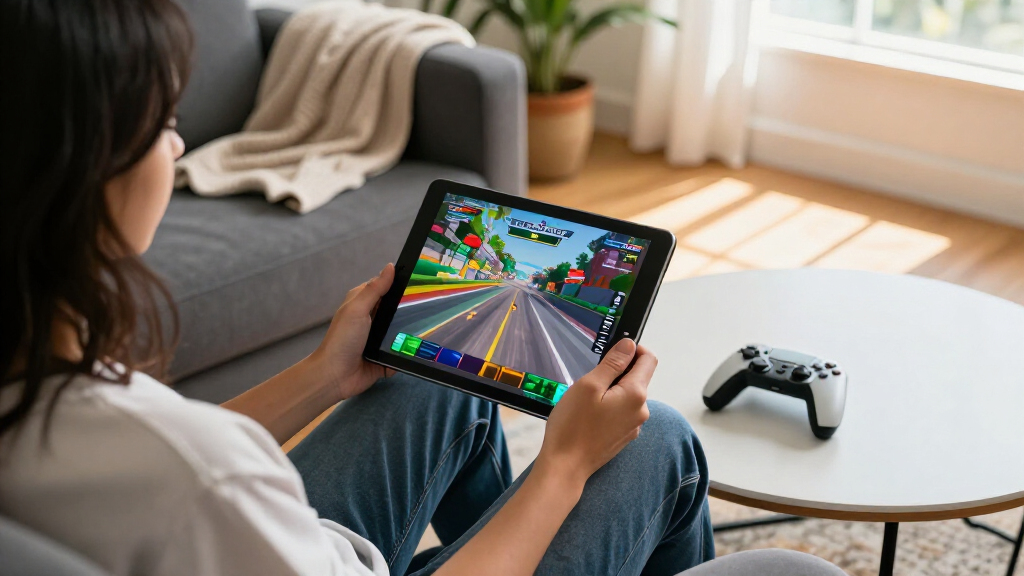

The best iPad for gaming overall in this lineup is the 11-inch iPad with A16 and 256GB: it pairs modern performance and useful storage with a more practical size than the 13-inch Pro models. The iPad mini with A17 Pro is the standout for portable play, while an M5 iPad Pro suits players who want a large screen and high-end hardware. Older renewed 10.2-inch iPads can handle lighter play, but their smaller storage allowances make them a less flexible choice for large game libraries. The key tradeoffs are gaming performance, screen size, portability, storage, and how much premium hardware you need. Read on for the full breakdown and guidance on choosing among these 10 iPads.

Get the latest gadgets delivered free with Prime
- Fast, free delivery on millions of items
- Prime Video, Amazon Music and more included
- Member-only deals all year
Complete the kit



Key Takeaways
- The 11-inch iPad with A16 and 256GB is the strongest all-around fit: it offers a more current performance and storage balance than the 32GB and 64GB renewed entry models without requiring a 13-inch Pro.
- The mini’s A17 Pro is the portability pick: it is better suited to handheld play and travel than any 13-inch model, though its compact screen is less immersive for games built around large visuals.
- M5 Pro models lead on premium capability, not value: their large displays and high-end chips make sense for demanding play, but many casual players will not benefit enough to justify choosing a Pro over the A16 or mini.
- Storage separates the older renewed iPads from newer picks: 32GB can fill quickly with game downloads and updates, while 256GB or more gives a growing library more room.
- Renewed generations can fit lighter gaming budgets and needs: the 9th-generation 64GB model is a more practical starting point than the 7th- or 8th-generation 32GB options, but all three trade away headroom compared with newer hardware.
| Apple iPad (7th Generation, 2019), 10.2-inch, Wi-Fi, 32GB, Silver (Renewed) |  | Best for Casual Gaming on a Tight Budget | Display: 10.2-inch LCD, 2160 × 1620 pixels | Processor: Apple A10 Fusion | Storage: 32GB | VIEW LATEST PRICE | See Our Full Breakdown |
| Apple iPad mini (A17 Pro), 128GB, Wi-Fi 6E, Space Gray | 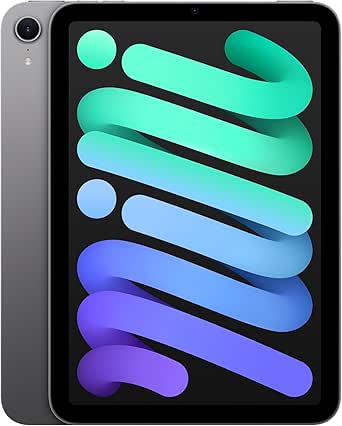 | Best Compact Gaming iPad | Display: 8.3-inch Liquid Retina | Processor: Apple A17 Pro | Storage: 128GB | VIEW LATEST PRICE | See Our Full Breakdown |
| Apple iPad Pro 13-inch (2025) with M5 Chip, Nano-Texture Glass, Wi-Fi + Cellular, 2TB, Space Black (Renewed Premium) |  | Best Premium Gaming Display | Display: 13-inch Ultra Retina XDR OLED, 2752 × 2064 | Processor: Apple M5 | Memory: 16GB (as stated in product description) | VIEW LATEST PRICE | See Our Full Breakdown |
| Apple iPad (9th Generation, 2021), 10.2-inch, Wi-Fi, 64GB, Space Gray (Renewed) |  | Best Renewed Gaming Value | Display: 10.2-inch Retina LED, 2160 × 1620 pixels | Processor: Apple A13 Bionic | Storage: 64GB | VIEW LATEST PRICE | See Our Full Breakdown |
| Apple iPad 11-inch (A16), 256GB, Wi-Fi, Blue | 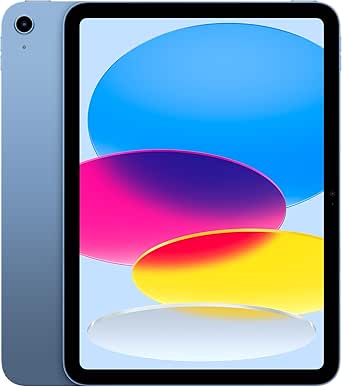 | Best Overall for Most Gamers | Display: 11-inch Liquid Retina | Chip: Apple A16 | Storage: 256GB | VIEW LATEST PRICE | See Our Full Breakdown |
| Apple iPad (8th Generation, 2020), 10.2-inch, Wi-Fi, 32GB, Space Gray (Renewed) |  | Best Entry-Level Gaming Pick | Display: 10.2-inch Retina LED, 2160 × 1620 pixels | Processor: Apple A12 Bionic with Neural Engine | Storage: 32GB | VIEW LATEST PRICE | See Our Full Breakdown |
| Apple iPad Pro 13-inch with M5, 1TB, Wi-Fi 7 and 5G Cellular, Space Black |  | Best Premium Gaming Pick | Display: 13-inch Ultra Retina XDR with ProMotion, P3 wide color, and True Tone | Chip: Apple M5 | Storage: 1TB | VIEW LATEST PRICE | See Our Full Breakdown |
| Apple iPad Air (2022), 10.9-inch, Wi-Fi, 256GB, Blue (Renewed) |  | Best Renewed Performance Value | Display: 10.9-inch Liquid Retina with True Tone and P3 wide color | Chip: Apple M1 with Neural Engine | Storage: 256GB | VIEW LATEST PRICE | See Our Full Breakdown |
| Apple iPad Pro 13-inch (M5), 2TB, Nano-Texture Glass, Wi-Fi 7 and 5G Cellular, Space Black | | Best for Maximum Storage and Glare Control | Display: 13-inch Ultra Retina XDR with nano-texture glass | Chip: Apple M5 | Storage: 2TB | VIEW LATEST PRICE | See Our Full Breakdown |
| Apple iPad Pro 13-inch (M5), 256GB, Wi-Fi 7, Space Black |  | Best Large-Screen Gaming Performance | Display: 13-inch Ultra Retina XDR | Chip: Apple M5 | Storage: 256GB | VIEW LATEST PRICE | See Our Full Breakdown |
| iPads for gaming | Display | Storage | Connectivity | Weight |
|---|---|---|---|---|
| Apple iPad | 10.2-inch LCD, 2160 × 1620 pixels | 32GB | Wi-Fi, Bluetooth | 1.1 pounds |
| Apple iPad mini | 8.3-inch Liquid Retina | 128GB | Wi-Fi 6E, USB-C | 10.4 ounces |
| Apple iPad Pro 13-inch | 13-inch Ultra Retina XDR OLED, 2752 × 2064 | 2TB | Wi-Fi 7, 5G cellular | 1.3 pounds |
| Apple iPad | 10.2-inch Retina LED, 2160 × 1620 pixels | 64GB | Wi-Fi, Bluetooth, Lightning | — |
| Apple iPad 11-inch | 11-inch Liquid Retina | 256GB | Wi-Fi 6 | 1.05 pounds |
| Apple iPad | 10.2-inch Retina LED, 2160 × 1620 pixels | 32GB | Wi-Fi, Bluetooth, USB-C | 1.1 pounds |
| Apple iPad Pro 13-inch with M5 | 13-inch Ultra Retina XDR with ProMotion, P3 wide color, and True Tone | 1TB | Wi-Fi 7 and 5G cellular | 1.28 pounds |
| Apple iPad Air | 10.9-inch Liquid Retina with True Tone and P3 wide color | 256GB | Wi-Fi 6 | — |
| Apple iPad Pro 13-inch | 13-inch Ultra Retina XDR with nano-texture glass | 2TB | Wi-Fi 7 and 5G cellular | 1.28 pounds |
| Apple iPad Pro 13-inch | 13-inch Ultra Retina XDR | 256GB | Wi-Fi 7 with Apple N1 | 1.28 pounds |
More Details on Our Top Picks
Apple iPad (7th Generation, 2019), 10.2-inch, Wi-Fi, 32GB, Silver (Renewed)
The 7th-generation iPad is a basic choice for casual games, older titles, and lighter play, with a 10.2-inch screen that gives touch controls more room than the iPad mini’s 8.3-inch display. Its A10 Fusion chip and 3GB of RAM are a clear step behind the A13-powered 9th-generation iPad and newer A16 model, so demanding games and long-term app support are bigger concerns. The biggest practical limit is 32GB of storage: a few large games can quickly crowd out other apps and media. Stereo speakers and a headphone jack offer useful audio options, while Touch ID keeps unlocking simple. I’d choose it only for a modest gaming routine; the newer 9th-generation model is the safer pick if performance headroom matters.
Pros:- 10.2-inch display offers more room for touch controls than the iPad mini.
- Stereo speakers and a headphone jack provide flexible audio options.
- Touch ID makes unlocking straightforward.
- Supports stylus input for compatible games and other apps.
Cons:- A10 Fusion chip is much older than the A13 in the 9th-generation iPad and the A16 in the current iPad.
- 32GB storage leaves little room for a library of large games.
- Renewed condition and a 90-day limited warranty may be less reassuring than a new device.
Best for: Casual players who mainly use lighter games and want a larger screen than the iPad mini provides.
Not ideal for: Players who install several large games, want demanding titles to run smoothly, or need a stronger prospect for future game updates.
- Display:10.2-inch LCD, 2160 × 1620 pixels
- Processor:Apple A10 Fusion
- Storage:32GB
- RAM:3GB
- Connectivity:Wi-Fi, Bluetooth
- Audio:Stereo speakers, headphone jack
- Battery life:Up to 10 hours
- Weight:1.1 pounds
- Warranty:90-day limited warranty
Our verdict“Choose this renewed iPad for lighter gaming on a 10.2-inch screen, but step up to the 9th-generation model if you want more performance and storage.”
Apple iPad mini (A17 Pro), 128GB, Wi-Fi 6E, Space Gray
The iPad mini’s strongest gaming advantage is its compact 8.3-inch size: it is easier to hold for long sessions and travel than the 11-inch A16 iPad, while its A17 Pro chip makes it far more capable than the older renewed models here. The 128GB capacity gives game installs more breathing room than the 7th-generation iPad’s 32GB, though it still trails the A16 iPad’s 256GB for players who keep a large library installed. The smaller display is a real tradeoff: games with dense interfaces or onscreen controls can feel cramped compared with larger iPads. Wi-Fi 6E and all-day battery life suit mobile play, but the Apple Pencil and Smart Folio are separate accessories and are not central gaming inclusions.
Pros:- A17 Pro chip offers substantially newer performance than the renewed 7th- and 9th-generation iPads.
- 10.4-ounce weight and compact body are easy to carry and hold.
- 128GB storage provides more room for games than the 32GB 7th-generation model.
- Wi-Fi 6E and all-day battery life support portable play.
Cons:- 8.3-inch display is smaller than the screens on the 10.2-inch and 11-inch iPads.
- 128GB may be restrictive for players who keep many large games installed.
- Apple Pencil and Smart Folio are sold separately.
Best for: Players who prioritize a lightweight tablet for handheld gaming, commuting, and travel, but still want a modern high-performance chip.
Not ideal for: Gamers who prefer a large play area for detailed interfaces, split-screen use, or expansive touch controls.
- Display:8.3-inch Liquid Retina
- Processor:Apple A17 Pro
- Storage:128GB
- Connectivity:Wi-Fi 6E, USB-C
- Front camera:12MP Ultra Wide with Center Stage
- Rear camera:12MP Wide with True Tone flash; 4K video recording
- Biometric security:Touch ID
- Battery life:All-day
- Weight:10.4 ounces
Our verdict“Pick the iPad mini if portability and comfortable handheld play matter more to you than a larger screen or the A16 iPad’s extra storage.”
Apple iPad Pro 13-inch (2025) with M5 Chip, Nano-Texture Glass, Wi-Fi + Cellular, 2TB, Space Black (Renewed Premium)
This iPad Pro is the premium pick for players who want games on a 13-inch Ultra Retina XDR OLED display and need substantial performance headroom from the M5 chip. Compared with the 11-inch A16 iPad, it offers a larger, higher-end screen, 16GB of memory as listed, and 2TB of storage—useful for a broad game library and other demanding work. Wi-Fi 7 and 5G cellular add connection flexibility beyond the Wi-Fi-only alternatives. That capability comes with a size tradeoff: at 1.3 pounds, it is less comfortable to hold for extended handheld sessions than the iPad mini. It is also renewed, and the Apple Pencil Pro and Magic Keyboard are compatible but not listed as included. For gaming alone, its capacity and premium hardware may be more than many buyers need.
Pros:- 13-inch OLED display provides a larger, premium screen than the A16 iPad and iPad mini.
- M5 chip and listed 16GB memory offer substantial hardware headroom.
- 2TB storage accommodates a large game library and other large files.
- Wi-Fi 7 and 5G cellular provide more connection options than Wi-Fi-only models.
Cons:- At 1.3 pounds, it is less comfortable to hold for long handheld sessions than the iPad mini.
- Renewed Premium condition may not suit buyers who want a new device.
- Apple Pencil Pro and Magic Keyboard are compatible accessories but are not listed as included.
Best for: Players who want a large OLED screen, top-tier listed hardware, extensive onboard storage, and the option to game over 5G.
Not ideal for: Handheld-first gamers or buyers seeking a straightforward gaming tablet without paying for high-end creative and connectivity features.
- Display:13-inch Ultra Retina XDR OLED, 2752 × 2064
- Processor:Apple M5
- Memory:16GB (as stated in product description)
- Storage:2TB
- Connectivity:Wi-Fi 7, 5G cellular
- Finish:Nano-Texture Glass
- Operating system:iPadOS 26
- Weight:1.3 pounds
- Warranty:1-year limited warranty
Our verdict“Choose this renewed Pro if a large OLED screen, 2TB storage, and 5G matter enough to justify a heavier, more elaborate gaming setup.”
Apple iPad (9th Generation, 2021), 10.2-inch, Wi-Fi, 64GB, Space Gray (Renewed)
The 9th-generation iPad is the more balanced renewed gaming option: its A13 Bionic chip is a meaningful upgrade over the 7th-generation iPad’s A10 Fusion, and 64GB of storage doubles that older model’s capacity. Its 10.2-inch Retina screen gives games a comfortable viewing area without the size and hardware excess of the 13-inch M5 Pro. The compromise is that 64GB can still fill up if you rotate through several large titles, while the newer A16 iPad provides 256GB and a more current chip. This model is Wi-Fi-only, so it cannot use cellular data away from a hotspot. Since this is a renewed tablet with a 90-day warranty, buyers should also weigh condition and coverage against the appeal of a new model.
Pros:- A13 Bionic chip is a notable step up from the 7th-generation iPad’s A10 Fusion.
- 64GB storage offers more room than the older model’s 32GB.
- 10.2-inch Retina display provides a generous gaming area.
- Stereo speakers support audio without requiring headphones.
Cons:- 64GB may not be enough for a large collection of installed games.
- Wi-Fi-only configuration lacks cellular connectivity.
- Renewed condition comes with a 90-day warranty.
Best for: Players seeking a mid-size screen and a more capable renewed iPad than the 7th generation, mainly for Wi-Fi gaming.
Not ideal for: Gamers who want extensive installed storage, cellular connectivity, or a new device with a longer warranty.
- Display:10.2-inch Retina LED, 2160 × 1620 pixels
- Processor:Apple A13 Bionic
- Storage:64GB
- RAM:3GB
- Connectivity:Wi-Fi, Bluetooth, Lightning
- Cameras:12MP front, 8MP rear
- Audio:Built-in stereo speakers
- Battery life:Up to 10 hours
- Warranty:90 days
Our verdict“Choose this renewed 9th-generation iPad for a larger screen and better performance than the 7th generation, but favor the A16 model if you need more storage and newer hardware.”
Apple iPad 11-inch (A16), 256GB, Wi-Fi, Blue
For most players, this A16 iPad offers the most useful balance in this group: an 11-inch Liquid Retina display, a newer chip, and 256GB of storage for a varied game library. It gives games more screen space than the iPad mini without the 13-inch M5 Pro’s larger body and premium hardware focus. Compared with the renewed 9th-generation iPad, its A16 chip and four times the listed storage make it a stronger fit for newer, larger games and keeping more of them installed. Wi-Fi 6 suits home play, but this configuration has no cellular option. The Apple Pencil and Magic Keyboard Folio are sold separately; neither is needed for ordinary gaming, though extra accessories add to the setup if you want them.
Pros:- A16 chip provides a newer performance platform than the renewed 9th-generation iPad.
- 256GB storage offers more room for large games than the 128GB iPad mini and 64GB renewed iPad.
- 11-inch Liquid Retina display balances gaming space with a more manageable size than the 13-inch Pro.
- Wi-Fi 6 and Touch ID support convenient everyday play.
Cons:- Wi-Fi-only configuration cannot connect through cellular data.
- Larger and heavier than the iPad mini for handheld gaming.
- Apple Pencil and Magic Keyboard Folio are sold separately.
Best for: Players who want a current-feeling, mid-size iPad with ample storage for multiple games and no need for cellular service.
Not ideal for: Buyers who want a compact handheld tablet, cellular gaming, or the large OLED screen of the M5 iPad Pro.
- Display:11-inch Liquid Retina
- Chip:Apple A16
- Storage:256GB
- Connectivity:Wi-Fi 6
- Front camera:12MP Center Stage
- Rear camera:12MP Wide with True Tone flash
- Biometrics:Touch ID
- Battery life:All-day
- Weight:1.05 pounds
Our verdict“Pick the A16 iPad for a roomy screen, strong everyday gaming performance, and 256GB of storage without moving up to the 13-inch Pro.”
Apple iPad (8th Generation, 2020), 10.2-inch, Wi-Fi, 32GB, Space Gray (Renewed)
For casual gaming on a tighter hardware budget, this renewed iPad offers a 10.2-inch Retina display and A12 Bionic chip in a familiar, easy-to-share size. It can handle many everyday games, while stereo speakers make play more enjoyable without headphones. Compared with the 2022 iPad Air with M1, though, it has substantially less processing headroom, so demanding games and future updates are a weaker fit. The bigger concern for a gaming library is its 32GB of storage: large installs can quickly crowd out other games and media. Its renewed condition and 90-day limited warranty also mean less reassurance than a new device. I’d choose it for lighter play, not as a long-term high-performance gaming tablet.
Pros:- 10.2-inch Retina display provides a roomy view for games
- A12 Bionic chip is suited to everyday apps and casual gaming
- Stereo speakers support more immersive play without headphones
- Supports Apple Pencil for drawing and compatible games
Cons:- 32GB storage leaves little room for a large game library
- A12 chip has less performance headroom than the M1 iPad Air and M5 iPad Pro models
- Renewed condition and 90-day limited warranty offer less purchase reassurance
Best for: Casual players and families seeking a shared iPad for lighter games, streaming, and everyday use.
Not ideal for: Players who install many large games or want strong headroom for demanding titles and future software updates.
- Display:10.2-inch Retina LED, 2160 × 1620 pixels
- Processor:Apple A12 Bionic with Neural Engine
- Storage:32GB
- RAM:3GB
- Battery life:Up to 10 hours
- Connectivity:Wi-Fi, Bluetooth, USB-C
- Weight:1.1 pounds
- Condition and warranty:Renewed; 90-day limited warranty
Our verdict“Choose this renewed iPad for casual gaming and basic shared use, but skip it if you need ample storage or stronger performance headroom.”
Apple iPad Pro 13-inch with M5, 1TB, Wi-Fi 7 and 5G Cellular, Space Black
This iPad Pro is for players who want a large 13-inch Ultra Retina XDR display and the M5 chip in one high-end gaming device. The expansive screen gives games more room to breathe, while the described ProMotion display supports a smoother-feeling visual experience. Compared with the 13-inch M5 Pro with 256GB, this configuration adds substantially more storage and 5G cellular, useful for a large installed library or gaming away from Wi-Fi. Those extras matter less if you mostly play at home, and the 13-inch form is less convenient to hold for extended handheld sessions than a compact iPad. The Apple Pencil and Magic Keyboard are sold separately; neither is needed for gaming, but they add to a setup built for more than play. I’d pick it for premium screen size and versatility, not value.
Pros:- 13-inch Ultra Retina XDR display offers a large gaming canvas
- M5 chip supports demanding games and other intensive tasks
- 1TB storage gives a large game library room to fit
- Wi-Fi 7 and 5G cellular support play across more connection settings
Cons:- 13-inch size is less convenient to hold for long handheld sessions
- Pencil and Magic Keyboard are sold separately
- High-capacity storage and cellular features may be unnecessary for players who game mainly at home
Best for: Players who want a large, high-end display for visually rich games and also use their iPad for creative or demanding work.
Not ideal for: Handheld-first gamers who value compactness, or players who do not need cellular connectivity and extensive storage.
- Display:13-inch Ultra Retina XDR with ProMotion, P3 wide color, and True Tone
- Chip:Apple M5
- Storage:1TB
- Connectivity:Wi-Fi 7 and 5G cellular
- Cameras:12MP landscape Center Stage front; 12MP Wide rear
- Security:Face ID
- Dimensions:8.48 × 11.09 × 0.2 inches
- Weight:1.28 pounds
Our verdict“Pick this configuration if you want a large-screen M5 gaming iPad with generous storage and cellular play, rather than a compact or gaming-only device.”
Apple iPad Air (2022), 10.9-inch, Wi-Fi, 256GB, Blue (Renewed)
The 2022 iPad Air makes a compelling middle ground for gaming: its M1 chip brings more performance headroom than the A12 in the 8th-generation iPad, while its 10.9-inch size is easier to manage than a 13-inch Pro. The 256GB storage is also a much more practical starting point for several large games than 32GB. Its Liquid Retina display adds True Tone and P3 wide color, and landscape stereo audio suits games played without headphones. Against the M5 iPad Pro models, this Air gives up the newer chip and ProMotion display features, so players focused on the highest-end screen experience should look up the lineup. It is renewed, too, so condition deserves attention. I’d choose it for balanced gaming performance and capacity, provided renewed status is acceptable.
Pros:- M1 chip offers more gaming performance headroom than the A12 iPad
- 256GB storage accommodates a broader game library
- 10.9-inch Liquid Retina display supports True Tone and P3 wide color
- Landscape stereo audio and up to 10 hours of stated battery life suit longer play sessions
Cons:- Renewed condition may not suit buyers seeking a new device
- Lacks the 13-inch screen and ProMotion features of the M5 iPad Pro models
- Battery life is listed as up to 10 hours, with actual use varying by workload
Best for: Players who want M1 performance, useful game-library storage, and a manageable screen size in a renewed iPad.
Not ideal for: Buyers who require a new device, or players seeking the largest display and premium ProMotion features of the M5 Pro models.
- Display:10.9-inch Liquid Retina with True Tone and P3 wide color
- Chip:Apple M1 with Neural Engine
- Storage:256GB
- Connectivity:Wi-Fi 6
- Audio:Stereo landscape audio
- Battery life:Up to 10 hours
- Connector:USB-C
- Condition:Renewed
Our verdict“Choose this renewed Air for a balanced mix of M1 gaming performance, 256GB storage, and a screen size more manageable than the 13-inch Pros.”
Apple iPad Pro 13-inch (M5), 2TB, Nano-Texture Glass, Wi-Fi 7 and 5G Cellular, Space Black
This is the most specialized gaming pick here: it pairs the M5 chip and a 13-inch Ultra Retina XDR display with 2TB of storage and nano-texture glass. That capacity is far beyond what most players need, but it suits someone who keeps a large collection installed alongside creative projects and other media. The nano-texture finish is the key distinction from the 1TB M5 iPad Pro: it is designed to reduce reflections, which may help when gaming in bright spaces. Both models share Wi-Fi 7 and 5G, while this one also specifies 16GB of memory. Its large size is less comfortable for handheld play, and the Pencil and Magic Keyboard remain separate purchases. I’d reserve it for players with a real need for storage and glare control, rather than treating its specifications as automatic gaming advantages.
Pros:- M5 chip supports demanding games and other intensive workloads
- 2TB storage accommodates a very large game and media library
- Nano-texture glass is designed to reduce display reflections
- Wi-Fi 7 and 5G cellular allow flexible network access
Cons:- 13-inch size is less comfortable for extended handheld gaming
- 2TB capacity and nano-texture finish may be more than a gaming-focused buyer needs
- Apple Pencil and Magic Keyboard are sold separately
Best for: Players who keep extensive game and media libraries, work on demanding creative projects, and often use a tablet in bright surroundings.
Not ideal for: Most gamers who want a portable handheld device or do not need 2TB storage and nano-texture glass.
- Display:13-inch Ultra Retina XDR with nano-texture glass
- Chip:Apple M5
- Storage:2TB
- Memory:16GB
- Connectivity:Wi-Fi 7 and 5G cellular
- Cameras:12MP Center Stage front; 12MP Wide rear with adaptive True Tone flash
- Security:Face ID
- Weight:1.28 pounds
Our verdict“Choose this Pro only if its 2TB capacity and reflection-reducing nano-texture display meet specific needs beyond ordinary gaming.”
Apple iPad Pro 13-inch (M5), 256GB, Wi-Fi 7, Space Black
For players who want the M5 chip and 13-inch Ultra Retina XDR display without choosing a high-capacity cellular configuration, this Pro is the straightforward large-screen option. The M5 provides ample capability for demanding games, while the roomy display makes detailed visuals and touch controls easier to see than on a smaller tablet. Compared with the 1TB M5 Pro with Wi-Fi 7 and 5G, this model has 256GB and Wi-Fi 7 only, so it makes more sense for players who download selectively and usually play near a dependable network. It shares the same substantial 13-inch footprint, which can make handheld sessions tiring; a stand or supported controller setup may suit it better. The Pencil and Magic Keyboard are sold separately, and nano-texture glass is not included in this capacity. I’d choose it for screen size and chip performance, not maximum portability.
Pros:- M5 chip supports demanding games and intensive apps
- 13-inch Ultra Retina XDR display provides a generous play area
- Wi-Fi 7 connectivity is included
- Landscape Center Stage front camera supports video calls between play sessions
Cons:- 256GB storage is less suited to very large game libraries than the 1TB and 2TB Pro configurations
- No 5G cellular connectivity is specified
- Pencil and Magic Keyboard are sold separately, and nano-texture glass is limited to higher-capacity configurations
Best for: Players who want an M5-powered, 13-inch screen for demanding games and mainly play over Wi-Fi.
Not ideal for: Gamers who want a compact tablet, need cellular access, or keep a very large collection of games installed.
- Display:13-inch Ultra Retina XDR
- Chip:Apple M5
- Storage:256GB
- Connectivity:Wi-Fi 7 with Apple N1
- Front camera:12MP Center Stage
- Rear camera:12MP Wide
- Security:Face ID
- Weight:1.28 pounds
Our verdict“Choose this Pro if you want M5 performance and a large gaming display over Wi-Fi, but do not need cellular or extensive storage.”
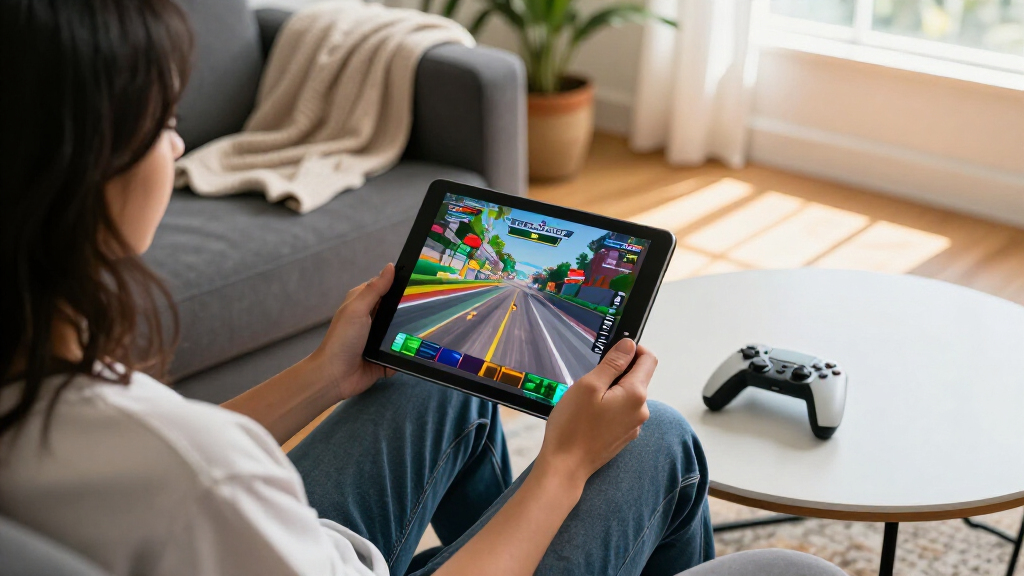
How We Picked
I ranked these iPads around the parts of ownership that shape gaming most: chip generation, available storage, screen size, portability, and overall flexibility. A newer chip can offer more room for demanding games, while storage affects how many large downloads can stay installed at once. I also treated a compact screen as an advantage for travel and handheld play, but a limitation for players who want a more expansive view.
The ranking favors models that balance performance and everyday usability rather than rewarding the largest specification list alone. That puts the 11-inch A16 ahead as an all-around choice, with the A17 Pro mini taking a distinct portable role and M5 Pro models serving premium large-screen players. Renewed 10.2-inch models rank lower because their older generations and limited storage are less suited to a growing game library; within that group, the 9th generation’s 64GB gives it an edge over the 32GB 7th- and 8th-generation options. Multiple M5 configurations remain separate options, but storage, display finish, and connectivity only move the ranking when they make a clear difference to a buyer’s gaming setup.
| iPads for gaming | Processor | Battery life | Chip |
|---|---|---|---|
| Apple iPad | Apple A10 Fusion | Up to 10 hours | — |
| Apple iPad mini | Apple A17 Pro | All-day | — |
| Apple iPad Pro 13-inch | Apple M5 | — | — |
| Apple iPad | Apple A13 Bionic | Up to 10 hours | — |
| Apple iPad 11-inch | — | All-day | Apple A16 |
| Apple iPad | Apple A12 Bionic with Neural Engine | Up to 10 hours | — |
| Apple iPad Pro 13-inch with M5 | — | — | Apple M5 |
| Apple iPad Air | — | Up to 10 hours | Apple M1 with Neural Engine |
| Apple iPad Pro 13-inch | — | — | Apple M5 |
| Apple iPad Pro 13-inch | — | — | Apple M5 |
Factors to Consider When Choosing Best IPads For Gaming
Choosing a gaming iPad is less about buying the most powerful model and more about matching the device to how you play. I would weigh game demands, library size, screen preference, and whether you play mostly at home or on the move before paying for premium extras.
Match chip capability to the games you play
Not every game puts the same load on an iPad, so start with the titles you actually want to play rather than assuming every player needs a Pro. Demanding 3D games benefit more from newer, higher-capability chips, while casual games may run comfortably on an older device. A newer chip also gives you more headroom as games evolve, but it cannot make a small storage capacity feel roomy. Check the game’s current device requirements before buying, especially if a particular title is the main reason you want an iPad. Paying extra for peak hardware makes more sense if you play graphically demanding games often or want a device that can serve other intensive tasks too. For lighter play, prioritize a sensible storage amount and comfortable screen over specs you may rarely use.
Choose a screen size for your play style
A larger display can make game worlds easier to read and can give interface controls more breathing room. It also makes the iPad less convenient to hold for long sessions and carry around, so screen size is a daily-use decision as much as a visual one. The mini’s compact format is well suited to handheld play, commutes, and travel, but players who favor expansive visuals may prefer an 11- or 13-inch screen. Avoid choosing a 13-inch model just because it sounds more immersive if you mostly play while holding the device. If the iPad will sit on a stand or table, the extra screen area may be more useful. Think about where your hands, eyes, and accessories will be during a typical session.
Buy enough storage for the games you keep installed
Game downloads, updates, saved content, and other apps all compete for device storage. A small capacity can become frustrating even when a game runs well, particularly if you like keeping several large titles installed at once. The renewed 32GB models are best treated as limited-use choices rather than roomy game libraries, while 64GB offers some extra space without matching the flexibility of 256GB or more. Do not estimate storage from a single game’s initial download; updates and additional content can add to its footprint. If you regularly rotate games and remove titles after finishing them, you may manage with less. If you want a ready-to-play library, prioritize capacity before spending on extras such as cellular connectivity.
Treat renewed condition as a separate buying decision
A renewed iPad can make sense when you want a familiar gaming device for lighter play, but a model’s generation and storage still matter. Condition labels do not change the underlying chip or expand the available capacity, so compare the device specifications as carefully as the refurbishment description. Older models also leave less performance headroom for future games than newer options in this lineup. Check the seller’s details for battery condition, included accessories, return terms, and any warranty coverage rather than assuming every renewed listing follows the same standard. A lower-generation device is a weaker fit if gaming will be its primary job for several years. For children or occasional casual play, accepting those limits may be a reasonable tradeoff.
Pay for premium features only when they change your setup
The M5 Pro models offer a high-end route for players who want a large display and substantial hardware capability, but those advantages are not equally useful to every gamer. Cellular connectivity matters most when you play away from dependable Wi-Fi and want internet access without relying on another device. Wi-Fi 7 support is relevant only if your network and usage can take advantage of it; it does not replace a strong connection or make every online game faster on its own. Nano-texture glass may appeal to people who often play in bright settings, though screen finish should be weighed against how and where the iPad is used. Large storage configurations are useful for extensive libraries, but unnecessary capacity is a poor substitute for choosing the right form factor. Spend on the premium configuration whose feature solves a real limitation in your routine.
Frequently Asked Questions
Is the 11-inch A16 iPad a better gaming choice than the iPad mini with A17 Pro?
It depends on whether you value a larger play area or a smaller device. The 11-inch A16 model’s 256GB capacity gives a game library more room, and its size can suit players who prefer a larger view. The mini’s A17 Pro makes it the more compelling choice for portable handheld play, and its smaller body is easier to take along. Neither is a universal winner: check the games you play and whether you usually hold the iPad or set it down. Choose the A16 for balanced everyday use and storage, or the mini if compactness is your main priority.
Can a renewed 32GB iPad work for gaming?
It can work for casual play, a small number of lightweight games, or a device used mainly by a younger player. The constraint is less about having no games available and more about keeping a library installed as downloads and updates take up space. Regularly deleting and reinstalling games can become inconvenient, especially with a slow or limited internet connection. The 7th- and 8th-generation 32GB options are less flexible than the 9th-generation 64GB model in this roundup. If gaming is a primary use or you want several large titles ready at once, look toward a higher-capacity iPad.
Do I need an M5 iPad Pro to play demanding games?
No, not every demanding game requires a Pro model, and the best choice depends on each game’s device support and your expectations. The M5 Pro options suit buyers who want high-end capability and a large screen, but that does not mean every game will use those advantages. The A16 iPad and A17 Pro mini are more balanced picks for many players who want current hardware without a 13-inch Pro form factor. Consider how often you play the most demanding titles and whether you also need the iPad for intensive work. If gaming is occasional, paying for a Pro may add capability you rarely use.
Is the 13-inch iPad Pro too large for handheld gaming?
For some players, yes: a 13-inch iPad gives games a broad viewing area but is less compact to hold for long stretches than the mini or an 11-inch model. It can be more comfortable when supported on a stand or used at a table, where the added size is an advantage rather than a burden. Think about your typical posture and how long your sessions last, not only the display area. If you travel often or prefer one-handed handling, the mini is a more natural fit. If you mainly play at home with the iPad supported, a large Pro may suit your setup.
Should I choose a Wi-Fi-only iPad or a cellular model for gaming?
Wi-Fi is usually enough if you play at home or in places with a reliable network, and it avoids paying for connectivity you may rarely use. Cellular can help when you want online play away from Wi-Fi, but it requires suitable service and does not make every connection more stable. Many games also have offline modes, so check whether your favorite titles need an internet connection before deciding. A cellular Pro is most useful for someone who already expects to use mobile data while away from home. If your sessions mostly happen on a home network, putting the budget toward storage or a more suitable screen size may help more.
Conclusion
For most players, I recommend the 11-inch A16 iPad with 256GB as the best overall because it balances modern capability, usable storage, and a practical screen size. The best value among the newer picks is also the A16 model for buyers who want a capable everyday gaming iPad without moving to Pro hardware; the renewed 9th-generation 64GB is the lower-cost-style alternative for lighter play, provided its limits suit your library. For beginners and casual players, the 9th-generation model is the more forgiving renewed option than the 32GB older models, while the 32GB picks are best reserved for a small, rotating collection. Choose the iPad mini with A17 Pro for compact gaming and travel, or an M5 iPad Pro as the premium choice for a large screen and high-end capability. For specific needs, select cellular only if you regularly play away from Wi-Fi, and favor larger storage if you keep many games installed.
Halloween Picks
halloween
As an affiliate, we earn on qualifying purchases.