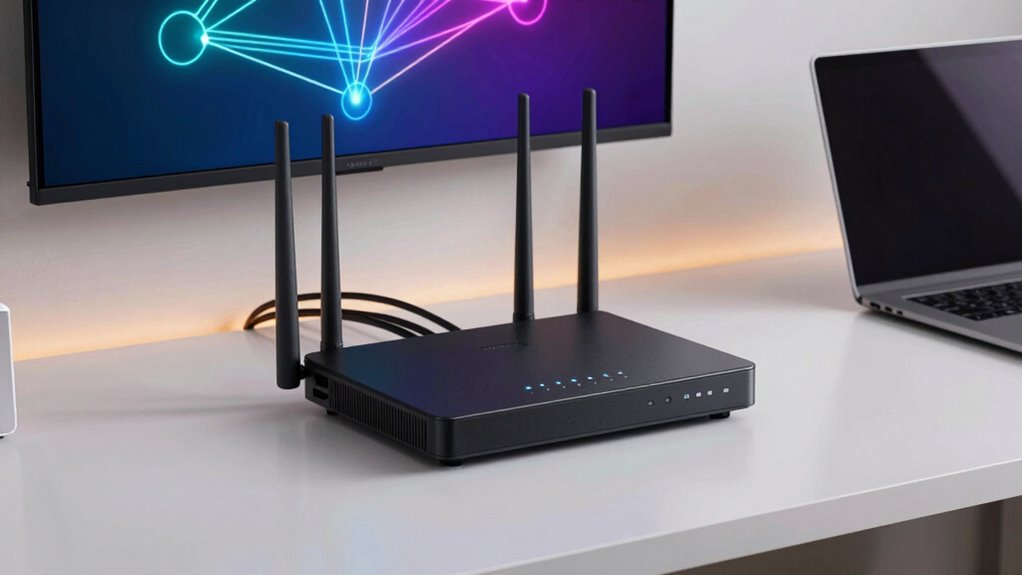

If you’re looking for the 11 best home network firewall routers for 2026, I recommend options like the TP-Link ER707-M2 for multi-gig support and VPN features, the AX1800 WiFi 6 Router for fast wireless speeds, and the SafeHome Firewall for strong threat protection. Devices like the Alta Labs Route10 and Ubiquiti Cloud Gateway Ultra offer scalability and advanced security. If you continue exploring, you’ll discover which model best fits your needs and budget.
Key Takeaways
- The list includes a mix of enterprise-grade, consumer, and security-focused routers suitable for home use in 2026.
- Features like advanced firewalls, VPN support, intrusion prevention, and multi-WAN load balancing are prioritized.
- Compatibility with Wi-Fi 6, Wi-Fi 6E, and Wi-Fi 7 ensures high-speed, future-proof wireless connectivity.
- Remote management, scalability, and easy setup are key considerations for growing or complex home networks.
- Security features such as AI threat detection, DPI, and regular firmware updates enhance network protection for home users.
| TP-Link ER707-M2 Omada Multi-Gig VPN Router |  | Best Enterprise Features | Number of WAN Ports: Dual 2.5Gbps WAN ports, 1 USB port (used for LTE backup) | VPN Support: OpenVPN, IPsec, SSL VPN, PPTP, L2TP | Security Features: Firewall, policy routing, VLAN, static routing | VIEW LATEST PRICE | See Our Full Breakdown |
| TP-Link AX1800 WiFi 6 Router (Archer AX21) |  | Top Home Wi-Fi 6 | Number of WAN Ports: 1 Gigabit WAN port, supports mesh | VPN Support: VPN server support including OpenVPN, PPTP | Security Features: Security with advanced encryption, WPA3, firewall | VIEW LATEST PRICE | See Our Full Breakdown |
| SafeHome Plug-n-Play Home Firewall with Wi-Fi & Web Filtering |  | Easy Home Security | Number of WAN Ports: No dedicated WAN ports (integrates with existing network) | VPN Support: Built-in OpenVPN server, supports VPN protocols | Security Features: Enterprise-grade security, web filtering, dark web protection | VIEW LATEST PRICE | See Our Full Breakdown |
| Alta Labs Route10 10Gb Multi-WAN Router with VPN |  | High-Performance Business | Number of WAN Ports: 2 x 10Gb SFP+ ports, 4 x 2.5Gb Ethernet ports | VPN Support: VPN protocols including IPsec, WireGuard | Security Features: Firewall, network segmentation, PoE security | VIEW LATEST PRICE | See Our Full Breakdown |
| Ubiquiti Cloud Gateway Ultra (UCG-Ultra) |  | Best Network Management | Number of WAN Ports: 1 Gbps routing, multi-WAN load balancing | VPN Support: Multi-WAN load balancing with VPN; VPN support via pfSense+ | Security Features: IDS/IPS, multi-WAN load balancing, network monitoring | VIEW LATEST PRICE | See Our Full Breakdown |
| TP-Link Archer BE6500 Wi-Fi 7 Router with 2.5 Gbps |  | Advanced Wi-Fi 7 | Number of WAN Ports: 1 x 2.5Gbps WAN/LAN port + 1 Gbps LAN ports | VPN Support: VPN client and server functions, supports VPN protocols | Security Features: Intrusion detection, threat management, web filtering | VIEW LATEST PRICE | See Our Full Breakdown |
| TP-Link AC1200 Dual Band WiFi Router |  | Reliable Dual-Band | Number of WAN Ports: 1 Gbps WAN port + 2 Gbps WAN/LAN ports | VPN Support: VPN server and client, supports IPsec, PPTP, OpenVPN | Security Features: Layer 7 firewall, intrusion prevention, VLAN | VIEW LATEST PRICE | See Our Full Breakdown |
| Netgate 1100 pfSense+ Security Gateway with VPN | 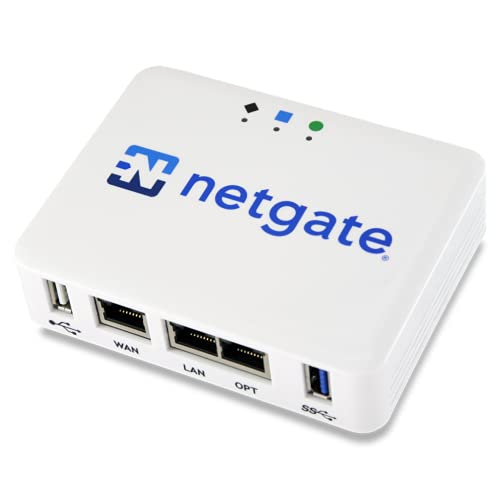 | Secure Gateway | Number of WAN Ports: 3 x 1GbE ports (WAN/LAN) | VPN Support: Supports VPN protocols (details less specific) | Security Features: Firewall, IDS/IPS, network security features | VIEW LATEST PRICE | See Our Full Breakdown |
| Firewalla Cyber Security Firewall for Home & Business | Family Cybersecurity | Number of WAN Ports: No dedicated WAN ports (connects to existing network) | VPN Support: Built-in OpenVPN server, VPN features | Security Features: Deep packet inspection, intrusion detection, malware blocking | VIEW LATEST PRICE | See Our Full Breakdown | |
| TP-Link ER605 V2 VPN Router with Multiple Ports |  | Business VPN Power | Number of WAN Ports: 1 WAN, 2 WAN/LAN, 2 LAN ports | VPN Support: Supports IPsec, OpenVPN, PPTP | Security Features: SPI firewall, DoS defense, filtering options | VIEW LATEST PRICE | See Our Full Breakdown |
| ASUS ExpertWiFi EBG15 Gigabit VPN Router |  | Small Business Ready | Number of WAN Ports: 1 Gbps WAN port + 2 WAN/LAN ports | VPN Support: VPN pass-through, client/server VPN support | Security Features: Intrusion detection, multi-WAN security, firewall policies | VIEW LATEST PRICE | See Our Full Breakdown |
More Details on Our Top Picks
-
TP-Link AX1800 WiFi 6 Router (Archer AX21 V5)
- Dual-Band WiFi 6: Faster speeds and reduced congestion
- AX1800 Speed: Up to 1.8 Gbps total bandwidth
- Connect More Devices: Supports multiple devices simultaneously
As an affiliate, we earn on qualifying purchases.
TP-Link ER707-M2 Omada Multi-Gig VPN Router
If you’re looking for a powerful and flexible home network firewall router, the TP-Link ER707-M2 Omada Multi-Gig VPN Router is an excellent choice, especially for those who need high capacity and secure remote access. It features dual 2.5-Gigabit WAN ports, a 2.5G WAN/LAN port, multiple Gigabit ports, a SFP port, and USB support for storage and LTE backup. Designed for large networks, it handles up to 500,000 sessions and over 1,000 clients. With Omada SDN integration, you can manage everything remotely. Its robust VPN options, firewall, and load balancing guarantee your network stays secure, reliable, and scalable for any home or small business setup.
- Number of WAN Ports:Dual 2.5Gbps WAN ports, 1 USB port (used for LTE backup)
- VPN Support:OpenVPN, IPsec, SSL VPN, PPTP, L2TP
- Security Features:Firewall, policy routing, VLAN, static routing
- Management Interface:Omada SDN cloud management
- Coverage / Throughput:High capacity, 500,000 sessions
- Form Factor / Physical Dimensions:12.9 x 9.5 x 3.1 inches
- Additional Feature:Multi-port flexible configuration
- Additional Feature:Supports LTE backup via USB
- Additional Feature:Centralized Omada SDN management
-
SafeHome– Plug-n-Play Home Firewall | Built-in High-Speed Wi-Fi | 4.3 Gbps | 3000 Sq.Ft Coverage | Parental Controls, Malware & Phishing Protection and Web Filtering | Cybersecurity for Smart Homes
- Home Cybersecurity Solution: Protects network and devices from cyber threats
- Advanced Threat Prevention: Next-Gen Firewall, DNS Security, Web Filtering
- Data & Identity Security: Protects personal and financial information
As an affiliate, we earn on qualifying purchases.
TP-Link AX1800 WiFi 6 Router (Archer AX21)
The TP-Link AX1800 WiFi 6 Router (Archer AX21) stands out as an excellent choice for households seeking reliable, high-speed internet with robust security features. It supports dual-band Wi-Fi 6, delivering up to 1.8 Gbps combined bandwidth, perfect for streaming, gaming, and multiple devices. Compatible with major ISPs like Comcast and Verizon, it’s easy to set up and expands with mesh networking. With OFDMA technology, it handles multiple connections efficiently, while beamforming and four antennas ensure strong coverage. Built-in security, VPN support, and TP-Link’s reliable support make it a smart, future-proof option for secure, high-performance home networks.
- Number of WAN Ports:1 Gigabit WAN port, supports mesh
- VPN Support:VPN server support including OpenVPN, PPTP
- Security Features:Security with advanced encryption, WPA3, firewall
- Management Interface:Tether app, web interface
- Coverage / Throughput:Wi-Fi 6, up to 1.8 Gbps
- Form Factor / Physical Dimensions:10.28 x 5.3 x 1.61 inches
- Additional Feature:Supports mesh network expansion
- Additional Feature:OFDMA technology for efficiency
- Additional Feature:Certified for Humans compatibility
-
Alta Labs Route10 | 10 Gig Multi-WAN Router | High-Performance Qualcomm Quad-Core Hardware-Accelerated VPN Router | 2 10 Gbps SFP+ and 4 2.5 Gbps Ports | Real-Time Stats | Load Balancing | 40W PoE+
- High-Speed Wired Routing: 10Gbps wired network for advanced use
- Quad-Core Qualcomm Processor: High throughput with hardware acceleration
- PoE+ Support: Power network devices via Ethernet ports
As an affiliate, we earn on qualifying purchases.
SafeHome Plug-n-Play Home Firewall with Wi-Fi & Web Filtering
For households seeking effortless yet reliable network security, the SafeHome Plug-n-Play Home Firewall stands out with its simple setup and enterprise-grade protections. This device supports Wi-Fi 6E, providing up to 4.3 Gbps throughput and covering around 3,000 square feet, supporting up to 64 devices. It offers advanced security features like a Next-Gen Firewall, DNS security, AI threat detection, web filtering, dark web monitoring, and geo-fencing. Installation is quick—just plug it in without any configuration needed. Its user-friendly interface and automatic updates make managing security straightforward, ensuring your home stays protected from cyber threats with minimal effort.
- Number of WAN Ports:No dedicated WAN ports (integrates with existing network)
- VPN Support:Built-in OpenVPN server, supports VPN protocols
- Security Features:Enterprise-grade security, web filtering, dark web protection
- Management Interface:User-friendly app, plug-and-play setup
- Coverage / Throughput:Up to 4.3 Gbps throughput, 3,000 sq ft coverage
- Form Factor / Physical Dimensions:4.25 x 4.25 x 8 inches
- Additional Feature:Wi-Fi 6E support
- Additional Feature:Up to 64 devices capacity
- Additional Feature:Enterprise-grade security suite
Alta Labs Route10 10Gb Multi-WAN Router with VPN
Alta Labs Route10 stands out as an ideal choice for users who need a high-performance home network firewall router capable of handling multiple high-bandwidth connections simultaneously. It features a powerful Qualcomm quad-core processor with hardware-accelerated networking, ensuring fast packet processing and low latency. With two 10 Gbps SFP+ ports and four 2.5 Gbps Ethernet ports, it supports demanding workloads and multi-WAN configurations with load balancing and failover. The router offers enterprise-grade security, including VPN protocols like IPsec and WireGuard, along with advanced networking features such as VLANs, QoS, and network segmentation. Its real-time monitoring and PoE+ support make it an excellent, scalable choice for modern, high-performance networks.
- Number of WAN Ports:2 x 10Gb SFP+ ports, 4 x 2.5Gb Ethernet ports
- VPN Support:VPN protocols including IPsec, WireGuard
- Security Features:Firewall, network segmentation, PoE security
- Management Interface:Alta Labs platform, centralized management
- Coverage / Throughput:Wired, multi-gigabit throughput; external Wi-Fi needed
- Form Factor / Physical Dimensions:9.5 x 9.5 x 2 inches
- Additional Feature:Hardware-accelerated networking
- Additional Feature:PoE+ port support
- Additional Feature:Real-time network monitoring
Ubiquiti Cloud Gateway Ultra (UCG-Ultra)
If you’re looking for a reliable home network firewall router that can handle multiple devices with ease, the Ubiquiti Cloud Gateway Ultra (UCG-Ultra) is an excellent choice. It runs UniFi Network for all-encompassing management, supporting over 30 devices and 300 clients. With 1 Gbps routing speed, IDS/IPS security, and multi-WAN load balancing, it offers both speed and stability. Its compact design measures just 5 x 5.6 inches, making installation simple. The device features a 0.96-inch LCD for real-time status updates and is USB-C powered. Overall, the UCG-Ultra combines high performance with user-friendly monitoring, making it ideal for advanced home networks.
- Number of WAN Ports:1 Gbps routing, multi-WAN load balancing
- VPN Support:Multi-WAN load balancing with VPN; VPN support via pfSense+
- Security Features:IDS/IPS, multi-WAN load balancing, network monitoring
- Management Interface:Ubiquiti UniFi Controller, LCD for status
- Coverage / Throughput:1 Gbps routing, scalable for multiple clients
- Form Factor / Physical Dimensions:5 x 5.6 x 1.2 inches
- Additional Feature:1 Gbps routing speed
- Additional Feature:LCD status display
- Additional Feature:Manages 30+ devices
TP-Link Archer BE6500 Wi-Fi 7 Router with 2.5 Gbps
The TP-Link Archer BE6500 Wi-Fi 7 Router with 2.5 Gbps stands out as an excellent choice for those seeking robust security and high-speed connectivity in their home networks. It leverages Wi-Fi 7 technology, including Multi-Link Operation and 4K-QAM, to deliver combined speeds up to 6.5 Gbps across dual bands. Its six antennas with Beamforming ensure reliable coverage for up to 2,400 sq. ft. and 90 devices, perfect for streaming and gaming. Multiple high-speed wired ports and EasyMesh support make expansion simple. Plus, with advanced security features like HomeShield and VPN support, I feel confident that my network remains protected and flexible.
- Number of WAN Ports:1 x 2.5Gbps WAN/LAN port + 1 Gbps LAN ports
- VPN Support:VPN client and server functions, supports VPN protocols
- Security Features:Intrusion detection, threat management, web filtering
- Management Interface:TP-Link Tether app, web interface
- Coverage / Throughput:Up to 4.3 Gbps, coverage up to 3,000 sq ft
- Form Factor / Physical Dimensions:4.25 x 4.25 x 8 inches
- Additional Feature:Wi-Fi 7 Multi-Link Operation
- Additional Feature:Supports 90 devices
- Additional Feature:Mesh network compatibility
TP-Link AC1200 Dual Band WiFi Router
For anyone seeking reliable and secure Wi-Fi coverage at home, the TP-Link AC1200 Dual Band WiFi Router stands out thanks to its combined speed of up to 1200 Mbps and advanced security features. It offers dual-band connectivity with 867 Mbps on 5 GHz and 300 Mbps on 2.4 GHz, supported by four external antennas for stable, broad coverage. The router supports WPA3 encryption, guest WiFi, and easy management via the TP-Link Tether app. Its versatile features include IPTV optimization, mesh support, and compatibility with major ISPs. Compact and easy to set up, it’s ideal for streaming, gaming, and home device management.
- Number of WAN Ports:1 Gbps WAN port + 2 Gbps WAN/LAN ports
- VPN Support:VPN server and client, supports IPsec, PPTP, OpenVPN
- Security Features:Layer 7 firewall, intrusion prevention, VLAN
- Management Interface:TP-Link management via app/web
- Coverage / Throughput:Wi-Fi coverage via extenders, reliable for home
- Form Factor / Physical Dimensions:5.7 x 9.1 x 1.5 inches
- Additional Feature:Supports EasyMesh system
- Additional Feature:IGMP Proxy/Snooping
- Additional Feature:Guest WiFi feature
Netgate 1100 pfSense+ Security Gateway with VPN
The Netgate 1100 pfSense+ Security Gateway with VPN stands out as an ideal choice for small businesses and tech-savvy home users seeking robust network security. It offers extensive features like VPN, routing, and firewall protection, perfect for safeguarding sensitive data and AI workloads. Pre-loaded with pfSense+ software, setup is quick, and customization is straightforward. Its dual-core ARM Cortex-A53 processor delivers near gigabit routing speeds and over 650 Mbps firewall throughput. Compact and silent, it’s suitable for desktop, wall, or rack mounting. With a one-year warranty and 24/7 support, the Netgate 1100 provides reliable, secure, and efficient network protection for demanding environments.
- Number of WAN Ports:3 x 1GbE ports (WAN/LAN)
- VPN Support:Supports VPN protocols (details less specific)
- Security Features:Firewall, IDS/IPS, network security features
- Management Interface:pfSense web GUI, centralized management
- Coverage / Throughput:Up to 1 Gbps routing, suitable for enterprise
- Form Factor / Physical Dimensions:Compact, desktop size
- Additional Feature:Open-source pfSense+ software
- Additional Feature:Compact, low-power design
- Additional Feature:24/7 technical support
Firewalla Cyber Security Firewall for Home & Business
Looking for a firewall that offers robust cybersecurity features for both home and small business use? Firewalla Cyber Security Firewall fits the bill perfectly. It functions as a router or bridging device, providing intrusion prevention, malware protection, and threat detection across wired and wireless devices. The device includes a built-in OpenVPN server for secure remote access and offers smart parental controls to monitor and restrict internet activity. Setup is straightforward via the Firewalla app, whether in Router Mode or Transparent Bridge Mode. Compact and easy to integrate, Firewalla guarantees your network stays secure, private, and optimized without monthly fees.
- Number of WAN Ports:No dedicated WAN ports (connects to existing network)
- VPN Support:Built-in OpenVPN server, VPN features
- Security Features:Deep packet inspection, intrusion detection, malware blocking
- Management Interface:Firewalla app, local/remote control
- Coverage / Throughput:Moderate throughput, coverage depends on network
- Form Factor / Physical Dimensions:3.6 x 2.36 x 1.18 inches
- Additional Feature:Deep insight activity analysis
- Additional Feature:Parental controls and filtering
- Additional Feature:Supports VPN server
TP-Link ER605 V2 VPN Router with Multiple Ports
If you’re seeking a network firewall router that combines robust security with versatile connectivity options, the TP-Link ER605 V2 stands out. It features five Gigabit Ethernet ports—one WAN, two WAN/LAN, and two LAN—and supports up to three WAN connections for load balancing and failover. The USB port allows mobile broadband backup, enhancing reliability. With advanced firewall policies, DoS defense, and VPN pass-through, it ensures secure remote access, supporting up to 20 LAN-to-LAN IPsec VPN tunnels and multiple VPN types. Its Omada SDN integration simplifies management, making it ideal for SMBs needing dependable, secure internet connectivity with flexible networking options.
- Number of WAN Ports:1 WAN, 2 WAN/LAN, 2 LAN ports
- VPN Support:Supports IPsec, OpenVPN, PPTP
- Security Features:SPI firewall, DoS defense, filtering options
- Management Interface:Omada SDN, web-based management
- Coverage / Throughput:Multi-Gigabit, designed for SMBs
- Form Factor / Physical Dimensions:9.5 x 9.5 x 2 inches
- Additional Feature:Supports multiple VPN protocols
- Additional Feature:Omada SDN integration
- Additional Feature:Load balancing across WAN
ASUS ExpertWiFi EBG15 Gigabit VPN Router
For small to midsize businesses seeking a secure and scalable network solution, the ASUS ExpertWiFi EBG15 Gigabit VPN Router stands out with its multiple WAN ports and load balancing capabilities. It features one gigabit WAN port and two WAN/LAN ports to optimize broadband usage and guarantee stable connectivity. The router supports remote management via web and mobile app, making setup easy. Its VLAN support enhances security by segmenting traffic, while the USB port offers backup WAN connectivity through mobile hotspots. With robust security features like Layer 7 firewall, VPN, and AiProtection Pro, it provides thorough protection, making it a reliable choice for business networks.
- Number of WAN Ports:1 Gbps WAN port + 2 WAN/LAN ports
- VPN Support:VPN pass-through, client/server VPN support
- Security Features:Intrusion detection, multi-WAN security, firewall policies
- Management Interface:ASUS web interface, mobile app
- Coverage / Throughput:1 Gbps routing, supports multiple devices
- Form Factor / Physical Dimensions:Varies, typically compact, roughly 4-6 inches
- Additional Feature:VLAN segmentation support
- Additional Feature:Business-grade security features
- Additional Feature:Remote management via app
Factors to Consider When Choosing a Home Network Firewall Router
When selecting a home network firewall router, I focus on security features to protect my data and devices. I also consider whether it’s compatible with my existing gadgets and meets my internet speed needs. Finally, I look for easy setup, good coverage, and options to expand as my home network grows.
Security Features Importance
Choosing a home network firewall router hinges on understanding the security features it offers, as these are crucial for safeguarding your digital environment. Robust features like firewalls, intrusion prevention systems, and VPN support are key to defending against cyber threats. Advanced filtering—such as URL, IP, and MAC filtering—helps block malicious sites and unauthorized access, boosting security. Multi-layer mechanisms like DPI and deep packet inspection allow for thorough monitoring and threat detection within your network. Features like dark web monitoring, geo-fencing, and AI-powered threat intelligence proactively guard against scams, malware, and ransomware. Regular firmware updates and integrated security protocols are essential to keep the firewall resilient against evolving vulnerabilities. Prioritizing these features ensures a safer, more secure home network.
Device Compatibility Needs
Selecting a home network firewall router requires making certain it supports your specific internet connection type, whether that’s fiber, cable, or DSL. I always double-check that the device’s firmware and hardware are compatible with my current network setup and devices. Compatibility with VPN protocols and security features is essential for remote access needs. I also verify if the router works with any network management software or control platforms I plan to use. Additionally, I make sure it supports necessary network standards like IPv6, VLAN, or Wi-Fi 6 to future-proof my setup. Failing to take into account these compatibility factors can lead to connectivity issues or limited functionality. By confirming compatibility upfront, I can avoid costly upgrades or replacements down the line and ensure my network remains secure and efficient.
Network Speed Requirements
To guarantee your home network runs smoothly, it’s vital to pick a firewall router that matches your internet speed plan, whether it’s gigabit, multi-gigabit, or higher. Make sure the router supports the maximum speed offered by your ISP, so you don’t bottleneck your connection. Look for routers with multi-gig ports, like 2.5 Gbps or 10 Gbps, to future-proof your setup and ensure fast internal data transfers. Supporting advanced Wi-Fi standards such as Wi-Fi 6 or Wi-Fi 7 is essential for ideal wireless speed and capacity. Additionally, consider the router’s throughput capacity, measured in Mbps or Gbps, and match it to your household’s needs—whether streaming, gaming, or multiple device use. Remember, factors like interference and device count can impact speeds, so choose a router with ample capacity.
Setup and Management Ease
A home network firewall router with an intuitive setup process can save you time and frustration, especially if you’re not a tech expert. A user-friendly interface, like a mobile app or web dashboard, makes initial setup and ongoing management straightforward. Features such as automatic firmware updates and simple configuration options reduce technical barriers, allowing you to secure your network without hassle. Support for centralized management tools, like cloud-based platforms, lets you monitor and control multiple devices or sites easily. Clear, accessible documentation and guided setup processes help you configure security settings confidently. Compatibility with common network devices and protocols ensures seamless integration into your existing home network environment. Overall, ease of setup and management makes maintaining your network security less intimidating and more efficient.
Coverage and Scalability
Ensuring your home network firewall router provides adequate coverage is essential for reliable security and connectivity throughout your house. I look for a router that covers the entire square footage of my home, often measured in square feet, to avoid dead zones. Scalability is key, so I choose devices with mesh support or multiple access points, making expansion simple as my needs grow. High-gain antennas and beamforming technology improve signal strength and coverage quality, especially across larger or multi-floor homes. I also consider how many devices can connect simultaneously without slowing down performance. For bigger homes, I opt for models designed for multi-room or multi-floor setups, ensuring consistent security and reliable connectivity everywhere I need it.
Price and Warranty
When choosing a home network firewall router, considering the price and warranty can save you money and hassle down the line. I always compare the initial cost with what the warranty offers, ensuring I get good value. Longer warranties, like five years, give me peace of mind by covering hardware defects, technical support, and firmware updates. I look for manufacturers that provide free support during the warranty period, which helps quickly resolve setup or security issues. Keep in mind that higher-priced routers often include premium warranty services, while budget options may have limited coverage. It’s important to weigh the upfront cost against the warranty’s coverage to determine overall value, so I avoid overpaying for unnecessary extras or missing out on essential support.
Frequently Asked Questions
How Do Firmware Updates Enhance Home Network Firewall Security?
Firmware updates improve my home network firewall security by fixing vulnerabilities that hackers might exploit. They also add new features and enhance existing ones, making my network more robust and easier to manage. I make sure to regularly update my router’s firmware because outdated software can be a security risk. Staying current with updates helps me protect my devices and personal data from evolving online threats.
Can These Routers Prioritize Bandwidth for Specific Devices?
Absolutely, these routers act like traffic cops, directing bandwidth where it’s needed most. They let me prioritize specific devices, ensuring my work laptop gets the bandwidth it needs during essential tasks, while less important devices share the remaining flow. This smart control keeps my network smooth and responsive, no matter how many gadgets are connected. It’s like having a conductor guiding the symphony of my home network, perfect harmony in every digital note.
What Is the Role of AI in Modern Firewall Routers?
AI plays a vital role in modern firewall routers by enhancing security and managing network traffic more efficiently. I’ve seen AI detect threats in real-time, automatically block suspicious activity, and adapt to new attack methods. It also helps prioritize bandwidth, ensuring your devices stay fast and secure. With AI, these routers become smarter, offering better protection and smoother performance without us having to manually intervene constantly.
How Do Routers Handle Iot Device Security?
They say a chain is only as strong as its weakest link, and that’s true for IoT security. Routers handle IoT device security by isolating these devices on separate networks, using strong encryption, and monitoring traffic for unusual activity. I guarantee my router has robust security features and regularly updates firmware. This way, I protect my smart home from potential threats, keeping everything safe and running smoothly.
Are There Eco-Friendly or Energy-Saving Features in These Routers?
Yes, many of these routers include eco-friendly features like energy-saving modes that reduce power consumption when devices aren’t actively using the network. I look for routers with smart power management, automatic sleep functions, and lower power consumption ratings. These features help save energy without sacrificing performance, making them more environmentally friendly and cost-effective. It’s a win-win for your home and the planet, and I recommend considering these options when choosing your router.
Conclusion
Choosing the right home network firewall router can feel like trying to find a needle in a haystack—overwhelming but totally worth it. These top picks for 2026 deliver unmatched security, blazing-fast speeds, and rock-solid reliability. Whether you’re a casual user or a security fanatic, one of these routers will elevate your home network to superhero status. Don’t settle for less—arm your digital fortress today and enjoy peace of mind like never before!