
The iPad Pro 11-inch (M5) takes the top spot as the best iPad in 2026, pairing workstation-class speed with the most portable Pro form factor and future-proof Wi-Fi 7. If raw power on a bigger canvas matters more, the iPad Pro 13-inch (M4) and M5 variants are the premium standouts, while the iPad Air 11-inch (M4) hits the sweet spot of performance and price for most buyers. The main tradeoff in this lineup is between cutting-edge silicon and budget-friendly renewed models — older chips like the A14 and A16 still handle everyday tasks well, but they age faster and cap out on creative workloads. Storage is the second dividing line: 32GB and 64GB options feel tight fast, while 256GB and up protect your investment. Read on for the full breakdown of all 15 models and which one fits your needs.

Get the latest gadgets delivered free — and shop member deals
- Fast, free delivery on millions of items
- Access to Prime Big Deal Days deals on October 6–7
- Prime Video, Amazon Music and more included
Complete the kit



Key Takeaways
- The M5 iPad Pro models rank highest because Apple‘s newest silicon keeps them relevant longest, but the M4 Air delivers roughly 90% of the everyday experience for far less — the single biggest value gap in this lineup.
- Renewed iPads from 2019–2022 fill the budget tier, but the 32GB and 64GB configurations are the weakest picks here; storage runs out long before the chip does on those models.
- The 13-inch form factor is a genuine commitment: great for split-screen work and drawing, but noticeably heavier for reading, commuting, and handheld use compared with the 11-inch models.
- Cellular connectivity appears only on one model in this roundup (the Air 13-inch M2, 1TB), so buyers who need 5G on the go have a narrow path that also forces a top storage tier.
- Wi-Fi 7 support on the M4/M5 generation matters mostly for future-proofing; buyers on older routers gain little and shouldn’t pay extra for it alone.
| Apple iPad Air 13-inch (M2) 1TB Wi-Fi + 5G Cellular — Starlight |  | Best for Large-Format Mobile Work | Display: 13-inch Liquid Retina, P3 wide color, True Tone | Chip: Apple M2 | Storage: 1TB | VIEW LATEST PRICE | See Our Full Breakdown |
| Apple iPad 11-inch with A16 Chip, 128GB, Wi-Fi 6, and Liquid Retina Display (Silver) |  | Best for Everyday Use | Display: 11-inch Liquid Retina with True Tone | Chip: Apple A16 | Storage: 128GB | VIEW LATEST PRICE | See Our Full Breakdown |
| Apple iPad Air 13-inch (M4) — 128GB, Wi-Fi 7, Starlight |  | Best Large-Screen Air for Newer Performance | Display: 13-inch Liquid Retina, P3 wide color, True Tone | Chip: Apple M4 | Storage: 128GB | VIEW LATEST PRICE | See Our Full Breakdown |
| Apple iPad (10th Generation, 2022, 10.9-inch, Wi-Fi, 64GB) – Silver (Renewed) |  | Best Renewed Starter iPad | Model year: 2022 | Display: 10.9-inch Liquid Retina with True Tone | Processor: A14 Bionic, 6-core CPU and 4-core GPU | VIEW LATEST PRICE | See Our Full Breakdown |
| Apple 2022 iPad Pro 11-inch, Wi-Fi, 128GB, Space Gray (Renewed Premium) |  | Best Compact Pro Display | Display: 11-inch Liquid Retina with ProMotion, True Tone, P3 wide color | Processor: Apple M2, 8-core CPU and 10-core GPU | Storage: 128GB | VIEW LATEST PRICE | See Our Full Breakdown |
| Apple iPad Pro 11-inch (M5), 256GB, Wi-Fi 7, Space Black |  | Best for Creative Professionals | Model: iPad Pro 11-inch (M5) | Storage: 256GB | Display: 11-inch Ultra Retina XDR | VIEW LATEST PRICE | See Our Full Breakdown |
| Apple iPad (2021, 10.2-inch, Wi-Fi, 64GB, Space Gray, Renewed) |  | Best Starter iPad on a Budget | Display: 10.2-inch Retina | Connectivity: Wi-Fi | Storage: 64GB | VIEW LATEST PRICE | See Our Full Breakdown |
| Apple 2019 iPad 10.2-inch, Wi-Fi, 128GB – Space Gray (Renewed) |  | Best Storage-for-the-Money Pick | Display: 10.2-inch Retina | Processor: A10 Fusion chip | Storage: 128GB | VIEW LATEST PRICE | See Our Full Breakdown |
| Apple iPad 10.2-inch Wi-Fi 32GB – Silver (8th Generation, Renewed) |  | Best Basic Tablet for Light Users | Generation: 8th Generation (2020) | Display: 10.2-inch Retina | Processor: A12 Bionic with Neural Engine | VIEW LATEST PRICE | See Our Full Breakdown |
| Apple iPad (10th Generation) 256GB Wi-Fi – 10.9-inch Liquid Retina Display, A14 Bionic chip – Blue |  | Best All-Rounder for Everyday Power | Generation: 10th Generation | Storage: 256GB | Display: 10.9-inch Liquid Retina with True Tone | VIEW LATEST PRICE | See Our Full Breakdown |
| Apple iPad Air 11-inch (M4) — 128GB, Wi-Fi, Space Gray |  | Best Performance for the Money | Display: 11-inch Liquid Retina, P3 wide color, True Tone | Chip: Apple M4 | Storage: 128GB (up to 1TB available) | VIEW LATEST PRICE | See Our Full Breakdown |
| Apple iPad Pro 13-Inch (M4, 512GB, Wi-Fi) — Space Black | 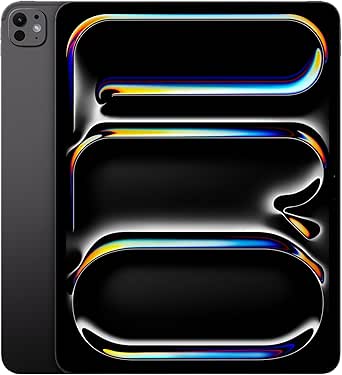 | Best Big-Screen Workstation | Display: 13-inch Ultra Retina XDR with ProMotion, P3, True Tone | Chip: Apple M4, 10-core CPU, 10-core GPU | Storage: 512GB | VIEW LATEST PRICE | See Our Full Breakdown |
| Apple 2024 iPad Air 11-inch, Wi-Fi, 128GB – Space Gray (Renewed) |  | Best Value Renewed | Model: 2024 iPad Air | Display: 11 inches | Storage: 128GB | VIEW LATEST PRICE | See Our Full Breakdown |
| Apple iPad Pro 13-inch (M5) 256GB Wi-Fi — Space Black |  | Best Overall Flagship | Display: 13-inch Ultra Retina XDR with ProMotion, P3, True Tone | Chip: Apple M5 with Neural Accelerators | Storage: 256GB | VIEW LATEST PRICE | See Our Full Breakdown |
| Apple iPad (11-inch, Wi-Fi, 128GB, Silver, Renewed Premium) |  | Best Starter Pick with a Safety Net | Model: Apple iPad | Display: 11 inches | Storage: 128GB | VIEW LATEST PRICE | See Our Full Breakdown |
| iPad | Display | Storage | Connectivity | Chip |
|---|---|---|---|---|
| Apple iPad Air 13-inch | 13-inch Liquid Retina, P3 wide color, True Tone | 1TB | Wi-Fi 6E, 5G cellular, USB-C | Apple M2 |
| Apple iPad 11-inch with A16 Ch | 11-inch Liquid Retina with True Tone | 128GB | Wi-Fi 6, USB-C | Apple A16 |
| Apple iPad Air 13-inch | 13-inch Liquid Retina, P3 wide color, True Tone | 128GB | Wi-Fi 7 with Apple N1 | Apple M4 |
| Apple iPad | 10.9-inch Liquid Retina with True Tone | 64GB | Wi-Fi 6, USB-C | — |
| Apple 2022 iPad Pro 11-inch | 11-inch Liquid Retina with ProMotion, True Tone, P3 wide color | 128GB | Wi-Fi | — |
| Apple iPad Pro 11-inch | 11-inch Ultra Retina XDR | 256GB | Wi-Fi 7 with Apple N1 | Apple M5 |
| Apple iPad | 10.2-inch Retina | 64GB | Wi-Fi | — |
| Apple 2019 iPad 10.2-inch | 10.2-inch Retina | 128GB | Wi-Fi | — |
| Apple iPad 10.2-inch Wi-Fi 32G | 10.2-inch Retina | 32GB | Wi-Fi 5 (802.11ac) | — |
| Apple iPad | 10.9-inch Liquid Retina with True Tone | 256GB | Wi-Fi 6 | A14 Bionic |
| Apple iPad Air 11-inch | 11-inch Liquid Retina, P3 wide color, True Tone | 128GB (up to 1TB available) | Wi-Fi 7 with Apple N1 | Apple M4 |
| Apple iPad Pro 13-Inch | 13-inch Ultra Retina XDR with ProMotion, P3, True Tone | 512GB | Wi-Fi 6E, USB-C (Thunderbolt / USB 4) | Apple M4, 10-core CPU, 10-core GPU |
| Apple 2024 iPad Air 11-inch | 11 inches | 128GB | Wi-Fi | — |
| Apple iPad Pro 13-inch | 13-inch Ultra Retina XDR with ProMotion, P3, True Tone | 256GB | Wi-Fi 7 with Apple N1 | Apple M5 with Neural Accelerators |
| Apple iPad | 11 inches | 128GB | Wi-Fi | — |
More Details on Our Top Picks
Apple iPad Air 13-inch (M2) 1TB Wi-Fi + 5G Cellular — Starlight
The 13-inch display, 1TB storage, and 5G make this iPad Air the lineup’s most flexible choice for people who work or create away from Wi-Fi. Its M2 chip supports demanding multitasking, while the large Liquid Retina screen gives documents, drawing apps, and split-screen work more room than the 11-inch iPad Pro. Cellular connectivity can keep that workspace online while traveling. The tradeoff is that this Air lacks the Pro’s ProMotion display and LiDAR Scanner, so it is less compelling for buyers focused on fluid scrolling or LiDAR-enabled creative work. Its high storage capacity also matters most to people who keep substantial files on-device. Apple Pencil Pro and Magic Keyboard are separate purchases, adding to the setup needed to use it as a creative or laptop-style workstation.
Pros:- 13-inch display gives split-screen work and drawing more room
- 1TB storage suits large project libraries and offline media
- 5G cellular keeps work connected away from Wi-Fi
- M2 chip supports graphics-intensive apps and multitasking
Cons:- Lacks the 11-inch iPad Pro’s ProMotion display and LiDAR Scanner
- Apple Pencil Pro and Magic Keyboard are sold separately
- Large screen makes it less compact to carry than 11-inch models
Best for: Mobile professionals and creatives who need a large screen, substantial local storage, and cellular access.
Not ideal for: Buyers who mainly browse and stream at home, or who want the ProMotion display and LiDAR features of the 11-inch iPad Pro.
- Display:13-inch Liquid Retina, P3 wide color, True Tone
- Chip:Apple M2
- Storage:1TB
- Connectivity:Wi-Fi 6E, 5G cellular, USB-C
- Front camera:12MP Ultra Wide with Center Stage
- Rear camera:12MP Wide, 4K video
- Biometrics:Touch ID
- Accessories:Apple Pencil Pro, Apple Pencil (USB-C), Magic Keyboard
Our verdict“Choose this Air if you want a roomy, high-capacity iPad that can stay connected on the move.”
Apple iPad 11-inch with A16 Chip, 128GB, Wi-Fi 6, and Liquid Retina Display (Silver)
For everyday browsing, video calls, note-taking, and streaming, the 11-inch iPad with A16 offers a straightforward balance without the larger screen or advanced chip of the Air models. Its 128GB of storage is double the renewed 10th-generation iPad’s 64GB, leaving more room for apps and downloaded media. The A16 also gives this model a newer performance base than that older iPad’s A14 Bionic. Compared with the 13-inch iPad Air (M4), though, it has a smaller display and less headroom for demanding creative workloads. Wi-Fi 6 is suitable for typical home and school use, but it lacks the Air’s Wi-Fi 7 and the M2 Air’s 5G option. Pencil and Magic Keyboard Folio support adds flexibility, though those accessories are sold separately.
Pros:- A16 chip supports responsive everyday use
- 128GB storage offers more room than the renewed 64GB iPad
- 11-inch Liquid Retina display includes True Tone
- 12MP front camera with Center Stage supports video calls
Cons:- Wi-Fi 6 without a cellular option in this configuration
- Apple Pencil and Magic Keyboard Folio are separate accessories
- Smaller display and less advanced feature set than the iPad Air models
Best for: Students and households seeking a current-feeling iPad for schoolwork, video calls, browsing, and entertainment.
Not ideal for: People who need a large canvas, cellular data, or more performance and display features for sustained creative work.
- Display:11-inch Liquid Retina with True Tone
- Chip:Apple A16
- Storage:128GB
- Connectivity:Wi-Fi 6, USB-C
- Front camera:12MP with Center Stage
- Rear camera:12MP Wide with True Tone flash; 4K video
- Security:Touch ID
- Accessories:Compatible Apple Pencil and Magic Keyboard Folio
Our verdict“Pick this iPad for dependable everyday tasks when a large screen or Air-level features are unnecessary.”
Apple iPad Air 13-inch (M4) — 128GB, Wi-Fi 7, Starlight
This 13-inch iPad Air pairs the M4 chip with Wi-Fi 7, making it the newer-performance choice for people who want a broad workspace without moving up to an iPad Pro. The large Liquid Retina display supports wide color and True Tone, while Apple Intelligence support and the M4 suit multitasking and demanding apps. Against the M2 iPad Air with 1TB and 5G, this model has a newer chip and Wi-Fi 7, but just 128GB of storage and no cellular connection in the listed configuration. That capacity can feel limiting for large video projects or extensive offline libraries. It also shares the Air line’s main compromise with that M2 model: no ProMotion display. Pencil Pro and Magic Keyboard support are useful for creative and laptop-style setups, but both accessories are separate.
Pros:- M4 chip supports advanced graphics, multitasking, and on-device AI features
- 13-inch Liquid Retina display offers space for split-screen tasks
- Wi-Fi 7 provides newer wireless connectivity
- Supports Apple Pencil Pro and Magic Keyboard
Cons:- 128GB storage may constrain large projects and offline media
- Listed configuration has Wi-Fi but no cellular connectivity
- Does not have the ProMotion display found on the 11-inch iPad Pro
Best for: Users who want a large-screen iPad Air with a newer chip and Wi-Fi 7 for creative apps, multitasking, and AI features.
Not ideal for: People who store large media libraries locally or need mobile data without relying on Wi-Fi.
- Display:13-inch Liquid Retina, P3 wide color, True Tone
- Chip:Apple M4
- Storage:128GB
- Connectivity:Wi-Fi 7 with Apple N1
- Front camera:12MP with Center Stage
- Back camera:12MP Wide, 4K video
- Security:Touch ID, Apple Pay
- Accessories:Apple Pencil Pro, Apple Pencil (USB-C), Magic Keyboard
Our verdict“Choose this model for a large-screen Air with newer processing and wireless features, provided 128GB is enough.”
Apple iPad (10th Generation, 2022, 10.9-inch, Wi-Fi, 64GB) – Silver (Renewed)
This renewed 10th-generation iPad is the lineup’s entry point for buyers who want a familiar Apple tablet for basic tasks. Its 10.9-inch Liquid Retina screen, USB-C, and 12MP cameras cover reading, video calls, and everyday apps, while the A14 Bionic remains a capable foundation for lighter use. Compared with the newer 11-inch iPad with A16, it has an older chip and half the listed storage, so it is a less comfortable pick for people who install many apps or keep media offline. The renewed condition adds another tradeoff: the listing specifies a 90-day limited warranty, and accessories are not listed as included. Pencil and Magic Keyboard Folio compatibility gives it room to grow, but buyers should account for separately sourced accessories and the 64GB limit.
Pros:- 10.9-inch Liquid Retina display includes True Tone
- USB-C connector supports a widely used charging standard
- 12MP front camera with Center Stage and 12MP rear camera
- Supports Apple Pencil and Magic Keyboard Folio
Cons:- Renewed condition with a listed 90-day limited warranty
- 64GB storage can fill quickly with apps and downloaded media
- Older A14 chip than the A16 in the newer 11-inch iPad
Best for: First-time iPad buyers who want a renewed tablet for reading, video calls, web browsing, and light app use.
Not ideal for: People who need ample storage, a new-condition device, or the longer-term performance headroom of the A16 iPad.
- Model year:2022
- Display:10.9-inch Liquid Retina with True Tone
- Processor:A14 Bionic, 6-core CPU and 4-core GPU
- Storage:64GB
- Connectivity:Wi-Fi 6, USB-C
- Cameras:12MP front Ultra Wide with Center Stage; 12MP rear
- Battery:28.93 watt-hours
- Condition and warranty:Renewed; 90-day limited warranty
Our verdict“Consider this renewed iPad for light everyday use if its 64GB capacity and condition suit your needs.”
Apple 2022 iPad Pro 11-inch, Wi-Fi, 128GB, Space Gray (Renewed Premium)
The renewed 11-inch iPad Pro is the pick for buyers who value ProMotion and pro-oriented connections in a more portable size. Its M2 chip, P3 color, and True Tone give demanding apps a strong foundation, while the high-refresh display can make scrolling and supported creative work feel more fluid than on either 13-inch iPad Air. Thunderbolt/USB 4 support also gives it more connection flexibility than the standard 11-inch A16 iPad. The 128GB capacity is modest beside the 1TB M2 Air, and this Wi-Fi configuration has no cellular data. It is also a renewed Premium device, so buyers should weigh its condition against a new iPad. The rear camera is 10MP Ultra Wide, rather than the 12MP Wide camera listed for the Air models.
Pros:- 11-inch ProMotion display with True Tone and P3 wide color
- M2 chip with 8-core CPU and 10-core GPU
- Thunderbolt/USB 4 support expands wired connection options
- LiDAR Scanner supports compatible spatial and measurement workflows
Cons:- 128GB storage is limited for large project files and offline libraries
- Wi-Fi configuration has no 5G cellular connectivity
- Renewed Premium condition and accessories are not listed as included
Best for: Mobile creatives and professionals who prioritize a compact ProMotion display and Thunderbolt/USB 4 connectivity.
Not ideal for: People who need cellular access, high local storage, or prefer buying a new-condition iPad.
- Display:11-inch Liquid Retina with ProMotion, True Tone, P3 wide color
- Processor:Apple M2, 8-core CPU and 10-core GPU
- Storage:128GB
- Connectivity:Wi-Fi
- Front camera:12MP Ultra Wide with Center Stage
- Rear camera and sensor:10MP Ultra Wide; LiDAR Scanner
- Connector:USB-C with Thunderbolt/USB 4 support
- Condition:Renewed Premium
Our verdict“Choose this renewed Pro if a compact ProMotion screen and Thunderbolt matter more than cellular or generous storage.”
Apple iPad Pro 11-inch (M5), 256GB, Wi-Fi 7, Space Black
For anyone whose iPad is a portable workstation rather than a casual screen, this model justifies its position at the top of the lineup. The M5 chip chews through video editing, 3D rendering, and on-device AI tasks that would make the A14 Bionic in the 10th-generation iPad slow to a crawl. Compared with the iPad Air 11-inch (M4), the Pro’s Ultra Retina XDR display with ProMotion delivers smoother scrolling and dramatically better contrast for color-critical photo work.
The tradeoffs are real. Both the Apple Pencil Pro and Magic Keyboard cost extra, so the true working setup costs well beyond the tablet itself. And the nano-texture glass — a genuine advantage for outdoor drawing — is locked to the 1TB and 2TB tiers, not this 256GB configuration.
Pros:- M5 chip handles demanding creative apps and on-device AI with headroom to spare
- Ultra Retina XDR display with ProMotion, P3 wide color, and True Tone for color-accurate work
- Wi-Fi 7 with Apple N1 for fast, stable transfers of large media files
- Landscape Center Stage camera and four-speaker audio make it credible for calls and rough mixes
Cons:- Apple Pencil and Magic Keyboard are separate purchases, adding substantial cost to a full setup
- Nano-texture display glass is only available on the 1TB and 2TB configurations
Best for: Photographers, video editors, and designers who need desktop-class power in a tablet they carry daily
Not ideal for: Budget-conscious buyers who mainly stream and browse — the 10th-generation iPad at a fraction of the complexity handles that
- Model:iPad Pro 11-inch (M5)
- Storage:256GB
- Display:11-inch Ultra Retina XDR
- Chip:Apple M5
- Front camera:12MP Center Stage (landscape)
- Rear camera:12MP Wide with adaptive True Tone flash
- Connectivity:Wi-Fi 7 with Apple N1
- Biometrics:Face ID
- Color:Space Black
Our verdict“Buy this if your livelihood depends on tablet performance; skip it if the iPad Air M4 already covers your workload.”
Apple iPad (2021, 10.2-inch, Wi-Fi, 64GB, Space Gray, Renewed)
Not everyone needs an M-series chip, and this renewed 2021 iPad makes that case convincingly. For a first tablet, a kid’s homework device, or a kitchen recipe screen, the 10.2-inch Retina display and Wi-Fi connectivity cover the fundamentals without paying for power that goes unused. Next to the renewed 8th-generation iPad, the 64GB of storage here is the practical difference — double the capacity means you won’t hit a storage wall after a few app downloads.
The obvious compromise is condition: renewed means possible cosmetic wear and a shorter remaining lifespan than a sealed unit. And 64GB still fills quickly with video or large games, so heavy media collectors should look at the 128GB 2019 model or the 256GB 10th-generation iPad instead.
Pros:- Familiar 10.2-inch Retina display that’s sharp for streaming and reading
- 64GB of storage is workable for everyday app and media use
- Wi-Fi connectivity covers all standard streaming and browsing needs
Cons:- Renewed condition means possible cosmetic wear and reduced remaining lifespan
- 64GB fills quickly for anyone storing video or large games
Best for: First-time iPad owners, students, and families wanting a dependable tablet for browsing, streaming, and light schoolwork
Not ideal for: Power users or content creators — the older internals and 64GB ceiling will feel limiting fast
- Display:10.2-inch Retina
- Connectivity:Wi-Fi
- Storage:64GB
- Color:Space Gray
- Condition:Renewed
- Model year:2021
Our verdict“A sensible entry point if you want the iPad experience without new-unit pricing, provided you accept renewed-condition risk.”
Apple 2019 iPad 10.2-inch, Wi-Fi, 128GB – Space Gray (Renewed)
This renewed 2019 iPad plays a specific angle in the lineup: maximum storage at minimal spend. Its 128GB of capacity outmatches both the 64GB renewed 2021 iPad and the 32GB 8th-generation model, which matters if you’re loading offline video for kids, a large photo library, or dozens of apps. The lightweight, portable body makes it a natural hand-me-down or travel tablet.
The catch is age. The A10 Fusion chip dates back several generations and will struggle with demanding apps and newer software releases — the 8th-generation iPad’s A12 Bionic, just one year newer, runs noticeably smoother. Renewed condition also brings possible cosmetic wear and a shorter runway of software updates, so think of this as a utility device, not a long-term investment.
Pros:- 128GB of storage holds large media libraries and app collections comfortably
- 10.2-inch Retina display remains sharp and vibrant for everyday viewing
- Lightweight, portable design travels well
- Professionally inspected and tested renewed unit
Cons:- A10 Fusion chip struggles with demanding apps and newer software
- Renewed condition means possible cosmetic wear and a shorter remaining lifespan
Best for: Media hoarders and families who want plenty of offline storage for movies, photos, and apps without paying for speed
Not ideal for: Anyone wanting years of software updates or smooth performance in modern apps — the A10 Fusion is showing its age
- Display:10.2-inch Retina
- Processor:A10 Fusion chip
- Storage:128GB
- Connectivity:Wi-Fi
- Color:Space Gray
- Condition:Renewed (professionally inspected and tested)
- Model year:2019
Our verdict“Choose this when storage capacity matters more than performance; choose the 8th-generation iPad when speed matters more than space.”
Apple iPad 10.2-inch Wi-Fi 32GB – Silver (8th Generation, Renewed)
Of the renewed classics in this roundup, the 8th-generation iPad strikes the best balance of usability and price. Its A12 Bionic with Neural Engine feels clearly snappier than the A10 Fusion in the 2019 iPad, and it supports both the Smart Keyboard and the 1st-generation Apple Pencil — so it can genuinely serve as a light-duty productivity device for notes and email, not just a content screen.
The limitations define who should skip it. With only 32GB of storage, this fills after a handful of apps and a few downloaded movies; the renewed 2021 iPad’s 64GB or the 2019 model’s 128GB make far more sense for media. The 90-day limited warranty is also the shortest protection in this batch, so buyers carry more risk if something fails early.
Pros:- A12 Bionic with Neural Engine delivers smooth everyday performance
- Supports Smart Keyboard and Apple Pencil (1st Generation) for versatile use
- Up to 10 hours of battery life for a full day away from a charger
- Touch ID provides quick, secure unlocking and Apple Pay
Cons:- Only 32GB of storage, which fills after a few large apps or downloads
- Just a 90-day limited warranty on a renewed unit
- Renewed condition carries cosmetic and longevity uncertainty
Best for: Note-takers, students, and casual users who stream rather than download and want Pencil and keyboard support cheaply
Not ideal for: Anyone storing media locally — 32GB is the tightest capacity in this entire roundup
- Generation:8th Generation (2020)
- Display:10.2-inch Retina
- Processor:A12 Bionic with Neural Engine
- Storage:32GB
- Connectivity:Wi-Fi 5 (802.11ac)
- Cameras:8MP rear / 1.2MP FaceTime HD front
- Battery life:Up to 10 hours
- Warranty:90 days limited warranty
- Condition:Renewed
Our verdict“A capable budget pick for cloud-based users who barely store anything locally; everyone else needs more gigabytes.”
Apple iPad (10th Generation) 256GB Wi-Fi – 10.9-inch Liquid Retina Display, A14 Bionic chip – Blue
This 10th-generation iPad is the sweet spot for most buyers who don’t need Pro-level muscle. The A14 Bionic is a big step up from the A12 in the renewed 8th-generation iPad, the modern all-screen 10.9-inch Liquid Retina display feels far more contemporary than the older 10.2-inch panels, and 256GB of storage removes the capacity anxiety that plagues every renewed option here. Add the landscape 12MP Center Stage camera and 4K rear video, and it handles video calls and content creation better than anything else at this tier.
The compromises are worth knowing. It supports only the 1st-generation Apple Pencil, not the newer Pencil Pro that the iPad Pro 11-inch (M5) uses, and both the Pencil and Magic Keyboard Folio are separate purchases. There’s no cellular option listed for this configuration, so road warriors should compare it against the iPad Air 13-inch with 5G.
Pros:- 10.9-inch all-screen Liquid Retina display with True Tone looks and feels modern
- A14 Bionic with Wi-Fi 6 delivers fast everyday and multitasking performance
- 256GB of storage eliminates the capacity worries of budget renewed models
- Landscape Center Stage front camera and 4K rear video excel for calls and content
Cons:- Only supports the 1st-generation Apple Pencil, not newer Pencil models
- Apple Pencil and Magic Keyboard Folio are sold separately
- No cellular connectivity option for this configuration
Best for: Students, remote workers, and hobbyist creators who want modern performance, big storage, and accessory flexibility in one purchase
Not ideal for: Serious artists and mobile-data users — the 1st-gen Pencil limitation and Wi-Fi-only configuration cap its ceiling
- Generation:10th Generation
- Storage:256GB
- Display:10.9-inch Liquid Retina with True Tone
- Chip:A14 Bionic
- Connectivity:Wi-Fi 6
- Cameras:12MP Ultra Wide front (Center Stage) / 12MP Wide rear with 4K video
- Security:Touch ID
- Battery:All-day battery life
- Accessory support:Apple Pencil (1st gen), Magic Keyboard Folio (sold separately)
Our verdict“The most balanced choice in this roundup for buyers who want new-condition performance and storage without paying Pro prices.”
Apple iPad Air 11-inch (M4) — 128GB, Wi-Fi, Space Gray
For my money, this is where the iPad lineup hits its sweet spot. The M4 chip is the same silicon Apple puts in the iPad Pro 13-inch (M4), so you get desktop-class multitasking and Apple Intelligence without paying Pro money for a display you may not need. Compared with the standard iPad 11-inch with A16, the gap in raw speed is enormous — video editors, artists working with large canvases, and anyone juggling Stage Manager apps will feel it immediately.
The tradeoff is the display: it’s a lovely Liquid Retina panel, but it lacks the ProMotion 120Hz refresh of the Pro models, which matters for Pencil users who want ultra-smooth strokes. And 128GB fills up fast once you start storing 4K video, so heavy creators should budget for a higher tier.
Pros:- M4 chip delivers the same core performance as the iPad Pro lineup
- All-day battery keeps up with full work sessions away from a charger
- Liquid Retina display with P3 wide color and True Tone looks vivid and accurate
- Wi-Fi 7 makes large file transfers noticeably quicker
- Full support for Apple Pencil Pro and Magic Keyboard
Cons:- 128GB base storage fills quickly for media-heavy users
- No ProMotion — scrolling and Pencil input are capped at 60Hz unlike the Pro models
- Pencil Pro and Magic Keyboard are separate purchases that add real cost
Best for: Students and creative professionals who want near-Pro performance at a mid-tier price
Not ideal for: 4K videographers and large-library hoarders — 128GB will feel cramped within a year
- Display:11-inch Liquid Retina, P3 wide color, True Tone
- Chip:Apple M4
- Storage:128GB (up to 1TB available)
- Cameras:12MP Center Stage front; 12MP Wide rear with 4K video
- Connectivity:Wi-Fi 7 with Apple N1
- Security:Touch ID, Apple Pay
- Accessory Support:Apple Pencil Pro, Apple Pencil (USB-C), Magic Keyboard
- Battery:All-day battery life
Our verdict“If I wanted one iPad that balances power, price, and portability without compromise, this M4 Air is the one I’d point most buyers toward.”
Apple iPad Pro 13-Inch (M4, 512GB, Wi-Fi) — Space Black
This is the iPad for people who treat a tablet as a primary creative workstation. The 13-inch Ultra Retina XDR display with ProMotion makes everything from color grading to illustration feel precise and fluid — a clear step above the iPad Air 11-inch (M4), which shares the same chip but not the screen technology. The 512GB of storage is the real differentiator here: it’s enough room for ProRes video libraries and entire photo archives that would choke a 128GB Air.
The honest tradeoff? The newer iPad Pro 13-inch (M5) exists, with faster AI hardware and Wi-Fi 7. This M4 model still holds its own for pure creative work, but if on-device AI features are the priority, the M5 is the smarter long-term buy. Also note the nano-texture glass option is reserved for the 1TB and 2TB tiers.
Pros:- Ultra Retina XDR display with ProMotion delivers reference-level color and smoothness
- 512GB storage handles ProRes video and large creative libraries
- Thunderbolt / USB 4 enables fast external drive workflows
- Thin 0.2-inch chassis at just 1.27 pounds for its size
Cons:- Superseded by the M5 model for AI-driven workflows
- Nano-texture glass unavailable at this storage tier
- Pencil Pro and Magic Keyboard — near-essentials at this level — cost extra
Best for: Photographers, video editors, and digital artists who need a large color-accurate canvas and serious storage
Not ideal for: Casual browsers and streamers — the standard iPad or Air covers those needs at a fraction of the investment
- Display:13-inch Ultra Retina XDR with ProMotion, P3, True Tone
- Chip:Apple M4, 10-core CPU, 10-core GPU
- Storage:512GB
- Cameras:12MP Ultra Wide front; 12MP Wide rear with LiDAR and 4K ProRes
- Connectivity:Wi-Fi 6E, USB-C (Thunderbolt / USB 4)
- Security:Face ID
- Weight:1.27 pounds
- Battery:All-day battery life
Our verdict“A superb large-format creative tool if maximum storage matters more to you than having the very latest chip generation.”
Apple 2024 iPad Air 11-inch, Wi-Fi, 128GB – Space Gray (Renewed)
Buying refurbished is how I’d stretch a budget without dropping to an aging chip. This renewed 2024 iPad Air carries the M2 processor — still comfortably faster than the standard iPad with A16 — and Amazon’s renewal process guarantees battery capacity above 80% of new along with no visible cosmetic flaws at arm’s length. Compared with the renewed 2019 iPad 10.2-inch elsewhere in this guide, the difference in speed, display quality, and accessory support is generational.
The tradeoffs are real, though. This is not Apple-certified, the included accessories are functional but non-original, and the 90-day window is far shorter than the 365-day policy on the renewed standard iPad below it. If you’re the type who wants maximum safety net, that longer guarantee is worth weighing.
Pros:- M2-era Air performance still outpaces the standard iPad lineup
- Inspected and cleaned by Amazon-qualified suppliers
- Battery guaranteed above 80% of original capacity
- No visible cosmetic imperfections at arm’s length
Cons:- Only a 90-day replacement or refund window
- Not Apple certified — no Apple warranty backing
- Ships with non-original accessories in generic packaging
Best for: Budget-conscious students who want modern Air performance at a reduced entry cost
Not ideal for: Buyers who need long warranty protection — the 90-day window ends quickly for a device you’ll keep for years
- Model:2024 iPad Air
- Display:11 inches
- Storage:128GB
- Connectivity:Wi-Fi
- Color:Space Gray
- Condition:Renewed, professionally inspected
- Battery Capacity:Exceeds 80% relative to new
- Warranty:90-day replacement or refund
Our verdict“A smart way into current-generation Air hardware at a discount, provided you accept a shorter safety net.”
Apple iPad Pro 13-inch (M5) 256GB Wi-Fi — Space Black
If I wanted the most capable iPad Apple currently makes, this is it. The M5 chip with Neural Accelerators pushes on-device AI harder than anything else in this lineup, and pairing it with the 13-inch Ultra Retina XDR with ProMotion gives you the best display and the best engine in one device. Compared with the iPad Pro 13-inch (M4) in this guide, you gain newer AI hardware and Wi-Fi 7 — meaningful if you plan to keep this tablet for five-plus years.
Against the iPad Pro 11-inch (M5), the decision is purely about canvas: the 13-inch is heavier and less couch-friendly, but for split-screen work and drawing it’s transformative. My one caution is storage — 256GB is generous for documents but tight for 4K video, and the nano-texture glass option again lives at higher tiers only.
Pros:- M5 chip with Neural Accelerators leads the lineup for on-device AI
- Best-in-class Ultra Retina XDR display with ProMotion
- Wi-Fi 7 with Apple N1 for the fastest wireless available
- Landscape front camera is finally framed correctly for video calls with a keyboard attached
Cons:- 256GB may not satisfy pro video workflows despite the Pro badge
- Nano-texture glass not offered at this storage tier
- Flagship pricing with accessories still sold separately
Best for: Professionals and prosumers who want the longest useful lifespan and the biggest, smoothest display
Not ideal for: Commuters and readers who want one-handed portability — the 13-inch footprint is a commitment
- Display:13-inch Ultra Retina XDR with ProMotion, P3, True Tone
- Chip:Apple M5 with Neural Accelerators
- Storage:256GB
- Cameras:12MP landscape Center Stage front; 12MP Wide rear with LiDAR
- Connectivity:Wi-Fi 7 with Apple N1
- Security:Face ID
- Weight:1.28 pounds
- Accessory Support:Apple Pencil Pro, Magic Keyboard
Our verdict“The iPad to buy if you intend to own one device for years and refuse to compromise on speed or screen quality.”
Apple iPad (11-inch, Wi-Fi, 128GB, Silver, Renewed Premium)
For a first iPad — or one for a teenager — this renewed standard model is the option I’d feel most comfortable recommending, and the reason is the 365-day return policy. Compare that with the renewed iPad Air 2024 above, which offers only 90 days: if something goes wrong in month five, this is the purchase that protects you. The 11-inch display and 128GB of storage cover the essentials — streaming, browsing, schoolwork, and light drawing — without the clutter of features a casual user will never touch.
The compromise is performance and screen tech. It lacks the ProMotion, M-series power, and Pencil Pro support of the Air and Pro models, so this is not a creative machine. And as with all renewed units, accessories may be non-original and the box generic — fine for most, frustrating for gift-givers.
Pros:- 365-day replacement or refund policy is the longest protection in this roundup
- 128GB storage is roomy for a starter device
- Battery exceeds 80% of original capacity
- No visible cosmetic imperfections at arm’s length
Cons:- Entry-level chip and 60Hz display lag well behind the Air and Pro
- Not Apple certified, with possibly non-original accessories
- Generic packaging makes it a poor choice for gifting
Best for: First-time iPad owners, students, and families who want a dependable tablet with a full-year return window
Not ideal for: Aspiring artists and power users — no ProMotion or M-series chip means it lags the Air noticeably
- Model:Apple iPad
- Display:11 inches
- Storage:128GB
- Connectivity:Wi-Fi
- Color:Silver
- Condition:Renewed Premium
- Battery Capacity:Over 80% of original
- Return Policy:Replacement or refund within 365 days
Our verdict“The lowest-stress entry into iPad ownership thanks to a full year of return protection — just don’t expect creative-workstation performance.”

How We Picked
I ranked these iPads on four factors: chip generation and longevity, display and form factor, storage headroom, and value over time. Chip architecture weighed heaviest because it determines how many years of iPadOS updates a model will receive — an M-series chip from 2026 will outlast an A-series chip from 2019 by several years, which matters more than any single spec sheet difference. Storage was the next filter, since 32GB and 64GB configurations constrain usability within a year of regular use regardless of how fast the processor is.
For renewed models, I weighed condition expectations, remaining software support, and whether the savings justify buying older silicon. The ranking favors models that balance all four criteria over ones that max out a single dimension — which is why a mid-tier Air outranks both cheaper renewed Pros and pricier fully-loaded configurations for most readers.
Factors to Consider When Choosing Best IPads
Choosing between iPads is less about finding a bad option and more about matching a model to how long you plan to keep it and what you actually do on a tablet.Chip Generation Determines Lifespan
The single biggest mistake iPad buyers make is treating all models as roughly equal because they look similar in listings. Apple drops software support for older chips years before the hardware physically wears out, so a 2019 A10-based iPad may work fine today but lose updates within a cycle or two. M-series chips (M2, M4, M5) sit at the top of the support queue and handle multitasking, video editing, and demanding creative apps without strain. The A16 in the current base iPad is a capable middle path — modern enough for years of updates, but without the Pro-level graphics headroom. A common trap is buying a discounted older Pro instead of a newer base or Air model; the older Pro may benchmark similarly today, but the newer chip will keep receiving updates longer. My rule: buy the newest chip you can reasonably afford, and let storage or accessories be the compromise, not the processor.
Storage: Where Budget Configurations Fail
Storage is the most underestimated spec in this category. A 64GB iPad fills quickly once you account for the operating system, a few large apps, photos, and downloaded media — many buyers hit the ceiling within the first year and have no upgrade path. 128GB is the practical floor for anyone who keeps videos, games, or offline content on the device, and it’s why 128GB configurations dominate the middle of my ranking. 256GB and 512GB tiers make sense for creative professionals storing ProRes video, large photo libraries, or extensive design files. The 32GB renewed models in this roundup are the clearest example of false economy: the savings are real, but the frustration is constant. iCloud storage can offset small local capacity, but that’s a recurring cost that quietly erases the upfront savings over the life of the device.
11-Inch Versus 13-Inch: A Real Tradeoff
Screen size in this lineup isn’t a simple ‘bigger is better’ equation. The 13-inch Air and Pro models are outstanding for split-screen multitasking, sheet music, illustration, and media consumption, but they weigh noticeably more and become awkward for reading in bed or one-handed use on a commute. The 11-inch size hits the portability sweet spot for most people — large enough for productive work, small enough to stay genuinely portable. Artists and note-takers should also weigh that a bigger canvas changes how drawing and Apple Pencil work feel in practice. If the iPad will mostly live on a desk or a stand, the 13-inch makes sense; if it travels daily, the 11-inch pays off. Buyers who choose 13 inches for the ‘premium’ label alone often end up wishing they’d prioritized weight.
Renewed iPads: When They Make Sense
Renewed models can be excellent value, but only when two conditions line up: the savings are meaningful relative to a new mid-tier model, and the chip still has years of update support left. A renewed 2022 iPad Pro or a recent Air can hit that mark — you get Pro features like high refresh displays at base-model pricing. The risk factors are battery health, which degrades on any used tablet, and cosmetic variance between sellers. Renewed ‘Premium’ grade generally indicates closer-to-new condition, which reduces but doesn’t eliminate that variance. Where renewed buying fails is at the oldest end of the spectrum: a 2019 or 8th-generation iPad saves money upfront but shortens the usable lifespan dramatically. My guidance: only buy renewed when the model is three years old or newer, and always confirm the return window before purchasing.
Connectivity and Future-Proofing
Wi-Fi 7 on the M4 and M5 generation is genuinely forward-looking, but its value depends entirely on your router — on Wi-Fi 5 or 6 hardware, you’ll see no benefit. Cellular connectivity is the bigger decision point, and this roundup exposes a real limitation: only one model here offers 5G, and it’s bundled with a maximum storage tier most buyers don’t need. If cellular matters to you, it may be worth searching beyond this specific configuration. For everyone else, Wi-Fi-only models paired with phone tethering cover occasional on-the-go needs at no extra hardware cost. USB-C transfer speeds also vary by model tier — photographers and videographers moving large files should check whether the Pro’s faster ports justify the upgrade, since the Air and base models transfer at slower rates that add real time to big workflows.
Accessory Ecosystem Costs
The sticker price of an iPad rarely tells the whole story because accessories can add a substantial hidden cost. Pro models support the latest Apple Pencil and the Magic Keyboard, which transforms them into laptop alternatives — but pairing a Pro with both accessories pushes the total cost far beyond a capable laptop. The Air supports keyboard and stylus input as well, making it the smarter foundation for a budget-conscious productivity setup. Older and renewed models often have partial accessory compatibility, which is easy to overlook at purchase and frustrating to discover later. Buyers planning to draw, take handwritten notes, or type extensively should factor accessories into the decision from the start rather than treating them as optional add-ons. The right question isn’t ‘which iPad is cheapest’ but ‘which complete setup fits my budget.’
Frequently Asked Questions
Is it better to buy a new base iPad or a renewed iPad Pro?
For most buyers, a renewed recent-generation iPad Pro is the stronger choice because you get Pro-grade features — the high refresh display, better speakers, and faster ports — at base-model pricing. The catch is the chip: a renewed Pro only wins if its processor is recent enough to receive updates for years to come. A 2022 M2 Pro easily outclasses a new entry-level iPad in performance and display quality, but a renewed 2020 or 2021 Pro loses that argument as its support window shrinks. Battery health is the other variable, since even a well-kept used tablet will have some cycle wear. If you keep devices five-plus years, buy the newest chip; if you upgrade every two or three years, renewed Pro value is hard to beat.
How much storage do I actually need on an iPad?
For light use — streaming, browsing, a handful of apps — 128GB is the comfortable floor and the tier I’d recommend to most buyers. 64GB works only if you offload photos to iCloud and rarely download games or video, and 32GB is a configuration I’d avoid entirely because it fills before the device feels old. 256GB suits people who shoot 4K video, play large games, or keep offline media for travel, while 512GB and 1TB tiers are really for professionals working with ProRes footage or massive design files. A useful exercise: check how full your current phone or tablet is, then add 30% for growing app sizes. Remember that iPad storage can never be expanded after purchase, so this is the one spec where overbuying slightly is the safer bet.
Do I need an M-series chip or is the A16 enough?
The A16 in the current base iPad handles web, streaming, note-taking, casual gaming, and even light photo editing without breaking a sweat, so for general household use it’s genuinely sufficient. M-series chips pull ahead in three scenarios: heavy multitasking with multiple large apps, video editing and 3D work, and long-term longevity, since Apple prioritizes its newest silicon for software support. The M4 Air is the practical middle ground — near-Pro performance in a lighter, cheaper chassis — while the M5 Pro is for people whose income depends on the device. If you’re choosing between an A16 with more storage or an M4 with less, think about what you’ll do in year three, not day one. For students and casual users, the A16 will feel fast for years; for creators, the M-series gap is real and worth paying for.
Is the 13-inch iPad too big for everyday use?
It depends almost entirely on how you hold it. If your iPad spends most of its life on a desk, stand, or lap for media, the 13-inch is superb — split-screen work, sheet music, and illustration all benefit enormously. If you read in bed, commute with it, or hold it one-handed, the extra weight and width become a daily annoyance that no spec sheet conveys. The 11-inch models remain the default recommendation for most people precisely because they balance screen real estate against genuine portability. Artists are the group most justified in going 13-inch, since a larger canvas changes the drawing experience more than any other use case. If you’re torn, err toward 11 inches — few people regret a portable tablet, but plenty regret a heavy one.
What does Wi-Fi 7 actually get me on the newer iPads?
Honestly, for most buyers today, not much. Wi-Fi 7 only delivers its speed and latency advantages when paired with a Wi-Fi 7 router, and most homes still run Wi-Fi 5 or 6 hardware, where the new iPad performs identically to an older-standard model. Where it matters is future-proofing: if you’ll upgrade your router in the next few years or live somewhere with modern networking already deployed, the M4 and M5 iPads will take advantage of it without replacing the tablet. Dense environments with many competing devices also benefit from Wi-Fi 7’s better congestion handling. My advice is to treat Wi-Fi 7 as a bonus that comes with the newer chips rather than a reason to buy on its own — the processor, display, and storage should drive your decision, and connectivity will follow.
Conclusion
For the best overall pick, the iPad Pro 11-inch (M5) stands out — it combines the newest chip, Pro display, and a portable size in one package that will stay capable for years. The best value is the iPad Air 11-inch (M4), which delivers near-Pro performance where it counts while leaving budget for accessories. For premium buyers who want maximum power and screen, the iPad Pro 13-inch (M5) is the ceiling of this lineup, with the M4 13-inch as a sensible step down.
Beginners and casual users are best served by the iPad 11-inch with A16 — modern, simple, and more than fast enough for everyday tasks. Budget-conscious buyers should look at the renewed 2022 iPad Pro or the renewed 2024 Air, while skipping the oldest 32GB and 64GB renewed models. For specific needs: artists get the most from a 13-inch Pro, commuters and readers should stick to 11-inch models, and anyone needing cellular connectivity has one clear path in the Air 13-inch M2 with 5G. Match the model to your lifespan and workload, and any pick on this list will serve you well.
Fall Picks
fall essentials
As an affiliate, we earn on qualifying purchases.