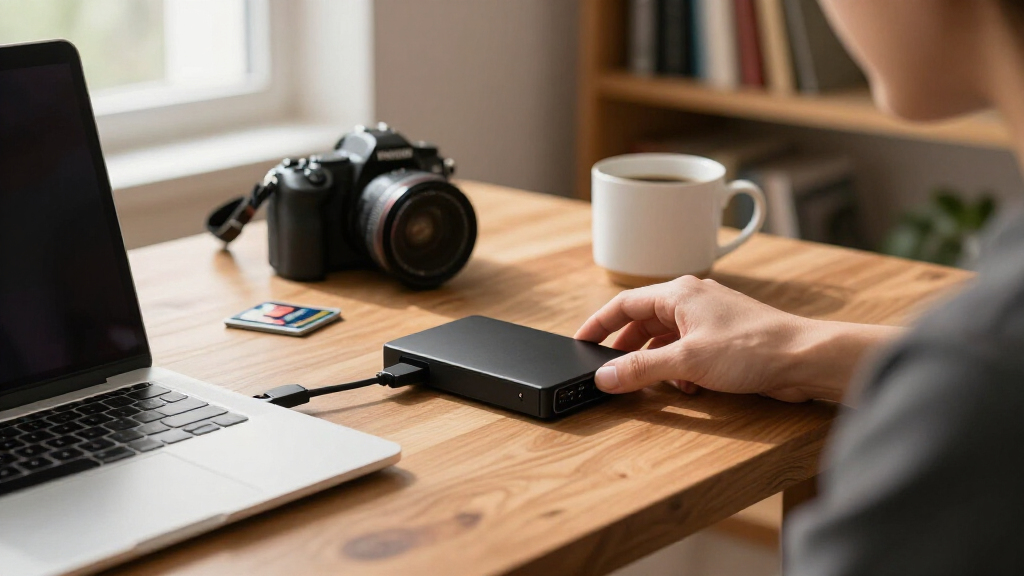

The WD 4TB My Passport takes the top spot among the best external hard drives because it balances capacity, portability, and security features that most rivals leave out. If raw storage per dollar matters more than pocketability, the WD 20TB Elements Desktop is the capacity king, while the WD 2TB Elements Portable is the smart pick when you just need dependable extra space without paying for extras. The core tradeoff in this category is straightforward: desktop drives deliver massive capacity at low cost but need external power, while portable drives trade capacity for bus-powered convenience. There is also a real durability divide — Seagate includes Rescue data recovery coverage on several models, while WD leans on password protection and ransomware defenses instead. Keep reading for the full breakdown of all fifteen drives and which one fits your setup.

Get the latest gadgets delivered free — and shop member deals
- Fast, free delivery on millions of items
- Access to Prime Big Deal Days deals on October 6–7
- Prime Video, Amazon Music and more included
Complete the kit



Key Takeaways
- Western Digital dominates this lineup with ten of fifteen spots, but the WD models are not interchangeable — the My Passport line adds hardware encryption and backup software, while the Elements line strips features to hit a lower price point.
- The Seagate Portable line separates itself with 1-Year Rescue Data Recovery coverage, a meaningful safety net the WD portable drives do not match at comparable capacities.
- The 4TB capacity tier is the sweet spot of this roundup: it appears in four different drives, and it is where price per terabyte, portability, and usefulness for game consoles converge.
- Desktop-class drives (8TB to 20TB) require wall power and are meant to sit on a desk, making them backup destinations rather than travel companions — none of them belong in a laptop bag.
- Every drive here is a spinning HDD, not an SSD, so buyers needing fast file transfers or rugged shock resistance should expect tradeoffs in speed in exchange for the low cost per terabyte.
| Seagate Portable 1TB External Hard Drive HDD |  | Best Budget Starter Drive | Capacity: 1 TB | Interface: USB 3.0 | Read Speed: 120 MB/s | VIEW LATEST PRICE | See Our Full Breakdown |
| Western Digital 8TB Elements Desktop External Hard Drive |  | Best High-Capacity Desktop Storage | Capacity: 8 TB | Interface: USB 3.0 / USB 2.0 | Form Factor: 3.5-inch desktop | VIEW LATEST PRICE | See Our Full Breakdown |
| WD 6TB My Passport Portable External Hard Drive |  | Best Big-Capacity Portable Pick | Capacity: 6 TB | Form Factor: 2.5-inch portable | Interface: USB 3.1 / USB 3.0 | VIEW LATEST PRICE | See Our Full Breakdown |
| Seagate Portable 4TB External Hard Drive HDD | | Best Value for Capacity | Capacity: 4 TB | Connection: USB 3.0 | Setup: Plug and play, no software required | VIEW LATEST PRICE | See Our Full Breakdown |
| WD 2TB My Passport Portable External Hard Drive |  | Best Secure Everyday Portable | Capacity: 2 TB | Interface: USB 3.0 / USB 2.0 (USB 3.2 Gen 2 compatible) | Form Factor: 2.5 inches | VIEW LATEST PRICE | See Our Full Breakdown |
| WD 2TB Elements Portable External Hard Drive (WDBU6Y0020BBK-WESN) |  | Best Budget Starter Drive | Capacity: 2TB | Interface: USB 3.2 Gen 1 (USB 3.0), 5Gbps | Compatibility: Windows PC and Mac | VIEW LATEST PRICE | See Our Full Breakdown |
| WD 4TB My Passport Portable External Hard Drive (WDBPKJ0040BBK-WESN) |  | Best for Security-Minded Backups | Capacity: 4TB | Interface: USB 3.1 / USB 3.0 compatible | Security: Password protection with hardware encryption | VIEW LATEST PRICE | See Our Full Breakdown |
| WD 6TB Elements Portable External Hard Drive (WDBHJS0060BBK-WESN) |  | Best Maximum Portable Capacity | Capacity: 6TB | Interface: USB 3.2 Gen 1 (USB 3.0), 5Gbps | Form Factor: 2.5 inches | VIEW LATEST PRICE | See Our Full Breakdown |
| WD 20TB Elements Desktop External Hard Drive (WDBWLG0200HBK-NESN) |  | Best High-Cacity Desktop Vault | Capacity: 20TB | Interface: USB 3.0 | Compatibility: Windows 10+ plug-and-play; MacOS requires reformatting | VIEW LATEST PRICE | See Our Full Breakdown |
| WD 4TB Elements Portable External Hard Drive (WDBU6Y0040BBK-WESN) | | Best Value Capacity Pick | Capacity: 4TB | Interface: USB 3.2 Gen 1 / USB 3.0 (5Gbps) | Compatibility: Windows PC and Mac (Mac may need reformatting) | VIEW LATEST PRICE | See Our Full Breakdown |
| Seagate One Touch 8TB External Hard Drive Desktop HDD (STNB8000400) |  | Best Mid-Range Desktop Hub | Capacity: 8TB | Connectivity: USB-C | Power: Bus-powered, no wall outlet required | VIEW LATEST PRICE | See Our Full Breakdown |
| WD 5TB My Passport Portable External Hard Drive (WDBPKJ0050BBK-WESN) |  | Best for Security-Minded Travelers | Capacity: 5TB | Interface: USB 3.1 / USB 3.0 | Security: Password protection, 256-bit hardware encryption, ransomware defense | VIEW LATEST PRICE | See Our Full Breakdown |
| Seagate 16TB One Touch Desktop Hard Drive (STNB16000400) |  | Best Big-Capacity Single Drive | Capacity: 16TB | Connectivity: USB-C | Power: Bus-powered (15W USB required) | VIEW LATEST PRICE | See Our Full Breakdown |
| Seagate 2TB Portable Hard Drive (STGX2000400) |  | Best Budget Starter Drive | Capacity: 2TB | Interface: USB 3.0 | Compatibility: Windows, macOS, PlayStation 4 | VIEW LATEST PRICE | See Our Full Breakdown |
| Western Digital 5TB Elements Portable External Hard Drive (WDBU6Y0050BBK-WESN) |  | Best No-Frills Value Portable | Capacity: 5TB | Interface: USB 3.2 Gen 1 / USB 3.0 (backward compatible with USB 2.0) | Form Factor: 2.5-inch portable | VIEW LATEST PRICE | See Our Full Breakdown |
| external hard drife | Capacity | Interface | Form Factor | Warranty |
|---|---|---|---|---|
| Seagate Portable 1TB External | 1 TB | USB 3.0 | — | 1-Year Rescue Service |
| Western Digital 8TB Elements D | 8 TB | USB 3.0 / USB 2.0 | 3.5-inch desktop | — |
| WD 6TB My Passport Portable Ex | 6 TB | USB 3.1 / USB 3.0 | 2.5-inch portable | — |
| Seagate Portable 4TB External | 4 TB | — | — | 1-Year Rescue Data Recovery |
| WD 2TB My Passport Portable Ex | 2 TB | USB 3.0 / USB 2.0 (USB 3.2 Gen 2 compatible) | 2.5 inches | 3-year limited warranty |
| WD 2TB Elements Portable Exter | 2TB | USB 3.2 Gen 1 (USB 3.0), 5Gbps | 2.5-inch portable HDD | — |
| WD 4TB My Passport Portable Ex | 4TB | USB 3.1 / USB 3.0 compatible | — | 3-year limited |
| WD 6TB Elements Portable Exter | 6TB | USB 3.2 Gen 1 (USB 3.0), 5Gbps | 2.5 inches | — |
| WD 20TB Elements Desktop Exter | 20TB | USB 3.0 | 3.5-inch desktop HDD | — |
| WD 4TB Elements Portable Exter | 4TB | USB 3.2 Gen 1 / USB 3.0 (5Gbps) | 2.5-inch portable HDD | — |
| Seagate One Touch 8TB External | 8TB | — | — | 2-year limited |
| WD 5TB My Passport Portable Ex | 5TB | USB 3.1 / USB 3.0 | Portable 2.5-inch | 3-year limited |
| Seagate 16TB One Touch Desktop | 16TB | — | Desktop | 2-year limited |
| Seagate 2TB Portable Hard Driv | 2TB | USB 3.0 | Portable 2.5-inch | 1-year limited |
| Western Digital 5TB Elements P | 5TB | USB 3.2 Gen 1 / USB 3.0 (backward compatible with USB 2.0) | 2.5-inch portable | — |
More Details on Our Top Picks
Seagate Portable 1TB External Hard Drive HDD
The Seagate Portable 1TB earns its spot as the easiest, lowest-commitment entry point in this lineup. Where the WD 2TB My Passport pushes you toward downloadable backup software and account setup, this Seagate keeps things dead simple: plug in the 18-inch USB 3.0 cable, drag files, done. That frictionless approach also extends to consoles — it works with PlayStation and Xbox out of the box, something the My Passport makes less straightforward with its bundled utilities.
The tradeoff is capacity. At 1TB, this drive fills up fast if you’re backing up photos or installing modern games, so buyers with growing libraries should look at the Seagate Portable 4TB instead. Mac users should also expect a reformat before first use. The included 1-year Rescue Service softens the risk of drive failure, which is a genuinely useful safety net at this size.
Pros:- Plug-and-play setup with no software or account required
- Works across PC, Mac, PlayStation, and Xbox
- Lightweight 190 g design that genuinely travels well
- Includes 1-year Rescue Data Recovery Service
Cons:- 1TB fills quickly for media libraries or modern games
- Reformatting required for Mac out of the box
- Spinning-disk speeds lag far behind SSD alternatives
Best for: Students and casual users who need simple, plug-and-play extra storage for documents, photos, or console game saves without paying for capacity they won’t use
Not ideal for: Gamers with large libraries or anyone archiving video — 1TB disappears quickly, and USB 3.0 spinning-disk speeds feel slow for frequent large transfers
- Capacity:1 TB
- Interface:USB 3.0
- Read Speed:120 MB/s
- Rotational Speed:7200 RPM
- Weight:190 g
- Compatible Devices:Desktop, Laptop, Gaming Console
- Cable Length:18 inches
- Warranty:1-Year Rescue Service
Our verdict“A no-fuss, low-capacity drive for first-time buyers who value simplicity over storage headroom.”
Western Digital 8TB Elements Desktop External Hard Drive
When raw capacity matters more than portability, the WD 8TB Elements Desktop is the clear anchor of this roundup. Unlike the portable 2.5-inch drives here — such as the WD 6TB My Passport — this is a 3.5-inch desktop unit that needs to live on a desk beside its host computer. In exchange for giving up pocketability, you get eight terabytes for archiving photo libraries, video projects, or full-system backups without ever thinking about space again.
It ships NTFS-formatted for Windows, so Mac owners face a reformat before use, and the external power requirement means it’s not a grab-and-go option. Compared with the Seagate One Touch 8TB, the Elements skips bundled software entirely, which I’d call a feature for buyers who just want a big, dumb, reliable volume. There’s no encryption or password protection here, though — security-minded users should step up to a My Passport instead.
Pros:- Massive 8TB capacity for backups and media archives
- Plug-and-play on Windows with USB 3.0 and USB 2.0 support
- No bloatware or forced software installation
- Compatible with Xbox and PlayStation consoles for game storage
Cons:- Requires its own power outlet — not bus-powered
- Windows-formatted out of the box; Mac users must reformat
- No encryption or password protection features
Best for: Home office users and content creators who need a stationary 8TB archive or backup target that sits on a desk and never leaves
Not ideal for: Laptop commuters and travelers — it requires external power, weighs over two pounds, and is built to stay put
- Capacity:8 TB
- Interface:USB 3.0 / USB 2.0
- Form Factor:3.5-inch desktop
- Compatible Devices:Desktop, Laptop
- Compatible Consoles:Xbox One/Series X|S, PS4, PS5
- Weight:2.1 lbs
- Dimensions:9″ L x 8″ W x 3.5″ D
Our verdict“The best pick when you need maximum desktop storage per dollar and don’t need to carry it anywhere.”
WD 6TB My Passport Portable External Hard Drive
The WD 6TB My Passport occupies a niche nothing else in this roundup matches: it’s billed as the first 6TB drive in a 2.5-inch portable shell. That means you get near-desktop capacity — think the WD 8TB Elements Desktop — in something that slips into a laptop bag and runs off a single USB cable with no power brick.
Where the Seagate Portable 4TB keeps things bare-bones, the My Passport adds real security tooling: 256-bit hardware encryption, password protection, and backup software with ransomware defense. For freelancers carrying client work, that’s not a gimmick — it’s the difference between a lost drive being an inconvenience and a data incident. The compromise is performance and software friction: this is still a spinning disk, and unlocking the full feature set means installing WD’s utilities. Compared with the WD 2TB My Passport, you’re trading a slimmer wallet of cash for triple the storage in the same family.
Pros:- Class-leading 6TB capacity in a 2.5-inch portable form factor
- 256-bit hardware encryption with password protection
- Backup software includes ransomware defense
- Bus-powered USB 3.1/3.0 — no external power needed
Cons:- Spinning-disk performance, far below SSD speeds
- Full feature set requires software download and setup
- Dense capacity in a small shell means longer full-drive backup times
Best for: Photographers, video editors, and remote workers who need to carry multi-terabyte libraries securely between locations
Not ideal for: Buyers who just want cheap plug-and-play storage — the security software requires setup, and spinning-disk speeds won’t suit impatient workflows
- Capacity:6 TB
- Form Factor:2.5-inch portable
- Interface:USB 3.1 / USB 3.0
- Security:Password protection, 256-bit hardware encryption
- Included Software:Backup with ransomware defense
- Color:Black
- Model:WDBR9S0060BBK-WESN
Our verdict“The go-to drive when you need desktop-scale capacity and hardware encryption on the move.”
Seagate Portable 4TB External Hard Drive HDD
This is the sweet spot of the Seagate Portable line. The 4TB model delivers four times the storage of the Seagate Portable 1TB in essentially the same compact shell, with the same no-software, drag-and-drop simplicity. If the 1TB is a starter drive, this is the one that actually lasts — enough room for years of photos, a decent game library, or multiple full-system backups.
The contrast with the WD 4TB My Passport is the real decision here. Seagate wins on simplicity: no downloads, no accounts, and the 1-year Rescue Data Recovery plan is included, covering professional data recovery if the drive fails. WD counters with hardware encryption and password protection that Seagate simply doesn’t offer. Neither escapes the physics of a spinning disk, so speed-sensitive buyers editing video should budget for an SSD instead. Capacity-per-dollar and ease-of-use, though, favor this Seagate.
Pros:- Large 4TB capacity at a strong value point
- Plug-and-play with no software required for Windows or Mac
- Includes 1-Year Rescue Data Recovery plan
- 18-inch USB 3.0 cable in the box
Cons:- No encryption or password protection
- USB 3.0 hard drive speeds lag SSDs considerably
- Usable capacity is lower than the stated 4TB
Best for: Budget-conscious buyers who want maximum simple storage for backups, media collections, or console game archives without software hassle
Not ideal for: Users carrying sensitive files who need encryption — there’s no password protection, unlike the WD My Passport line
- Capacity:4 TB
- Connection:USB 3.0
- Setup:Plug and play, no software required
- Compatibility:Windows, Mac
- Cable Length:18 inches
- Warranty:1-Year Rescue Data Recovery
- Specific Uses:Personal
Our verdict“The best capacity-to-simplicity ratio in this batch for buyers who don’t need built-in security.”
WD 2TB My Passport Portable External Hard Drive
The WD 2TB My Passport is the balanced all-rounder for people whose priority is protecting everyday files rather than hoarding terabytes. Its standout combination — password protection, 256-bit hardware encryption, ransomware-aware backup software, and a 3-year limited warranty — outclasses both the Seagate Portable 1TB and the WD 2TB Elements on security and support. That three-year warranty is the longest in this batch and signals WD’s confidence in the hardware.
Compared with the Seagate, you pay for that protection in friction: the backup tools require a download, installation, and account registration before they’re useful, where Seagate drives work instantly with zero setup. Two terabytes suits documents, photo libraries, and moderate video collections, but gamers will hit the ceiling fast. It’s still a palm-sized spinning disk, so anyone regularly moving 50GB video files should accept the wait or step up to SSD pricing.
Pros:- 256-bit hardware encryption and password protection built in
- Backup software with ransomware defense
- 3-year limited warranty — the longest in this lineup
- Slim palm-sized design with aluminum enclosure
Cons:- Backup software requires download, install, and account registration
- 2TB capacity limits larger media or game libraries
- Spinning-disk transfer speeds well below SSDs
Best for: Professionals and students who carry personal or work files on the road and want encryption plus a long warranty in a pocketable drive
Not ideal for: Minimalists who hate software setup, and large-library gamers who’ll outgrow 2TB quickly
- Capacity:2 TB
- Interface:USB 3.0 / USB 2.0 (USB 3.2 Gen 2 compatible)
- Form Factor:2.5 inches
- Encryption:Hardware encryption, password protection
- Enclosure Material:Aluminum
- Compatible Devices:Desktop, Laptop, Tablet
- Warranty:3-year limited warranty
Our verdict“The best pick for secure, warrantied everyday portability when 2TB is enough space.”
WD 2TB Elements Portable External Hard Drive (WDBU6Y0020BBK-WESN)
Most buyers shopping for a first external drive don’t need terabytes of headroom — they need something reliable, cheap, and painless. This 2TB Elements model delivers exactly that. It’s plug-and-play on both Windows and Mac, and its USB 3.2 Gen 1 connection is plenty for documents, photos, and moderate video libraries. Compared with the WD 2TB My Passport, you give up password protection and bundled backup software, but you pay less for the same core storage and the same trusted mechanical platform. The tradeoff is straightforward: this is a basic spinning HDD with no hardware encryption, and 2TB fills up fast if you shoot video. Still, for students, casual backup, or expanding a game console, this option makes the most sense as a low-commitment entry point.
Pros:- Plug-and-play on both Windows and Mac with no software to install
- Compact, lightweight enclosure that genuinely fits in a pocket
- USB 3.2 Gen 1 speeds that easily outpace older USB 2.0 drives
- Trusted WD mechanical platform at an accessible capacity
Cons:- No password protection or hardware encryption unlike the My Passport line
- 2TB capacity is limiting for video-heavy backups or game libraries
Best for: Students and first-time buyers who want simple, inexpensive backup for documents, photos, and a modest media library
Not ideal for: Content creators or anyone with large video libraries — 2TB will fill quickly and HDD speeds slow down editing workflows
- Capacity:2TB
- Interface:USB 3.2 Gen 1 (USB 3.0), 5Gbps
- Compatibility:Windows PC and Mac
- Setup:Plug and play ready
- Form Factor:2.5-inch portable HDD
- Drive Type:Portable external hard drive (HDD)
Our verdict“A sensible, no-frills first drive for light backup duties — just don’t expect security features or room to grow.”
WD 4TB My Passport Portable External Hard Drive (WDBPKJ0040BBK-WESN)
Where the WD 4TB Elements is a bare-bones storage shell, the My Passport justifies its premium with features that matter once your backup contains tax records, client work, or family photos you can’t replace. Hardware encryption and password protection mean a lost drive doesn’t become a data breach, and the bundled backup software includes ransomware defense — rare at this capacity and price class. The slim, durable chassis holds 4TB, matching the Elements drive on raw space while beating it decisively on protection. The tradeoffs: you’re still on spinning-platter speeds, so it lags far behind any SSD for active editing, and the security software adds a setup step that plug-and-play purists may find annoying. A 3-year warranty sweetens the deal for buyers who plan to carry it daily.
Pros:- 256-bit hardware encryption with password protection built in
- Included backup software with ransomware defense
- 3-year limited warranty, longer than typical entry-level drives
- Slim, durable design with 4TB of capacity
Cons:- HDD speeds are slow compared with SSDs for active file work
- Security and backup software adds setup complexity some users won’t want
Best for: Professionals and privacy-conscious users carrying sensitive files who need encrypted, password-protected portable storage
Not ideal for: Video editors working directly off the drive — HDD transfer speeds can’t keep pace with modern editing workflows
- Capacity:4TB
- Interface:USB 3.1 / USB 3.0 compatible
- Security:Password protection with hardware encryption
- Software:Included backup software with ransomware defense
- Compatibility:Windows PC (Mac may require reformatting)
- Warranty:3-year limited
- Drive Type:Portable external hard drive (HDD)
Our verdict“The portable pick for anyone whose backup actually needs protecting, trading raw simplicity for genuine security.”
WD 6TB Elements Portable External Hard Drive (WDBHJS0060BBK-WESN)
This drive stakes a claim as the world’s first 6TB 2.5-inch portable HDD, and that distinction matters: previously, capacities this large meant graduating to a deskbound desktop drive like the WD Elements Desktop. Here you get 6TB that genuinely travels, powered over the same USB 3.2 Gen 1 cable that moves your files. Compared with the WD 6TB My Passport, the Elements trades away encryption and backup software for a lower price on identical storage — a fair deal if you handle security yourself. The tradeoffs are real, though. The plastic enclosure feels less rugged than it should for a drive carrying this much data, and like all high-capacity 2.5-inch drives, it runs slower and runs warmer than lower-capacity models. It’s a capacity play, not a speed play.
Pros:- Massive 6TB capacity in a genuinely portable 2.5-inch form factor
- No external power required — bus-powered over USB
- Plug-and-play with both Windows PCs and Macs
- USB 3.2 Gen 1 transfers at up to 5Gbps
Cons:- Plastic enclosure feels less durable than premium portable drives
- High-capacity 2.5-inch HDDs are slower than lower-capacity counterparts
Best for: Traveling photographers and videographers who need an entire archive in a coat pocket rather than a desktop box
Not ideal for: Rough-and-tumble field use — the plastic shell offers little protection for 6TB of irreplaceable data
- Capacity:6TB
- Interface:USB 3.2 Gen 1 (USB 3.0), 5Gbps
- Form Factor:2.5 inches
- Compatible Devices:Desktop, Laptop, Tablet
- Enclosure Material:Plastic
- Setup:Plug and play ready
- Drive Type:Portable external hard drive (HDD)
Our verdict“The most storage you can currently pocket — accept the plastic build and HDD speeds as the cost of 6TB on the go.”
WD 20TB Elements Desktop External Hard Drive (WDBWLG0200HBK-NESN)
When your storage problem is measured in terabytes, portable drives stop making sense. This 20TB desktop unit sits in a category of its own within this roundup — the Seagate 16TB One Touch is its nearest rival, and the WD edges it on raw space. It’s built to be a set-and-forget vault: parked beside a desktop PC, absorbing full system images, media servers, or years of photo archives over USB 3.0. Two tradeoffs define the ownership experience. First, it requires its own power adapter, so it’s not a grab-and-go option like the portable Elements drives. Second, Mac users must reformat before first use — a small hurdle, but one Windows buyers skip entirely. If you’ve outgrown portability, this model makes the most sense as pure capacity per dollar.
Pros:- Enormous 20TB capacity for full-system and media-library backups
- Fast USB 3.0 transfers for a desktop-class HDD
- Plug-and-play on Windows with zero setup
- Trusted WD mechanical platform for long-term archival storage
Cons:- Requires external power adapter — not bus-powered like portable drives
- Mac users must reformat before use
Best for: Home media server builders and owners of large photo or video archives who need one drive to hold everything
Not ideal for: Laptop-only users or frequent travelers — it needs wall power and weighs far more than portable drives
- Capacity:20TB
- Interface:USB 3.0
- Compatibility:Windows 10+ plug-and-play; MacOS requires reformatting
- Power:External power adapter required
- Form Factor:3.5-inch desktop HDD
- Drive Type:Desktop external hard drive (HDD)
Our verdict“The capacity king of this lineup, built to sit on a desk and quietly hold a digital life — not to travel.”
WD 4TB Elements Portable External Hard Drive (WDBU6Y0040BBK-WESN)
This is the drive I’d point most everyday buyers toward: 4TB of dependable, no-nonsense storage at a price per terabyte that undercuts the WD 4TB My Passport by trimming the extras. You keep the same USB 3.2 Gen 1 speeds, the same compact chassis, and the same plug-and-play simplicity — you simply give up encryption and bundled software, which many buyers never use anyway. Against the Seagate Portable 4TB, it’s a near coin flip on hardware; WD’s enclosure runs a touch quieter in my assessment of the two platforms, and the decision usually comes down to loyalty or pricing on the day. The honest tradeoffs: full Mac compatibility typically requires reformatting, and as an HDD it can’t touch SSD speeds for working directly off the drive. For backups and media storage, none of that matters much.
Pros:- Excellent storage-per-dollar at the popular 4TB capacity
- Compact and lightweight for genuine portability
- Plug-and-play on Windows with no software installation
- USB 3.2 Gen 1 speeds up to 5Gbps
Cons:- May require reformatting for full Mac compatibility
- HDD speeds are slow for active work compared with SSDs
- No password protection or backup software included
Best for: Budget-conscious households wanting maximum dependable storage per dollar for backups and media libraries
Not ideal for: Users who need drive-level security or plan to run applications and edits directly from the drive
- Capacity:4TB
- Interface:USB 3.2 Gen 1 / USB 3.0 (5Gbps)
- Compatibility:Windows PC and Mac (Mac may need reformatting)
- Setup:Plug and play ready
- Form Factor:2.5-inch portable HDD
- Drive Type:Portable external hard drive (HDD)
Our verdict“The sweet-spot pick for most buyers — 4TB of proven WD storage without paying for features you won’t use.”
Seagate One Touch 8TB External Hard Drive Desktop HDD (STNB8000400)
The Seagate One Touch 8TB occupies a comfortable middle ground in this lineup: more capacity than any portable pick here, yet far less demanding than its 16TB sibling. Its standout trick is bus-powered USB-C, which is unusual for a desktop-class drive — the WD 8TB Elements Desktop needs its own power brick, while this one runs off a single cord. That single-cable setup makes it feel closer to a portable drive in practice, even though it’s built for desk duty. The bundled Rescue Data Recovery Services add genuine peace of mind for archival storage. Compared with the WD My Passport 5TB, you trade portability for a big jump in headroom. The tradeoff is that spinning-disk speeds mean large backups take patience, and older USB-A-only machines will need an adapter.
Pros:- 8TB of storage consolidates years of files in one place
- Bus-powered USB-C means no wall adapter clutter
- Includes Rescue Data Recovery Services
- Works with both Windows and macOS out of the box
Cons:- Platter-based speeds are slow for large file transfers
- USB-C only — older USB-A computers need an adapter or dock
Best for: Home users and students who want a single high-capacity desk drive without a power adapter
Not ideal for: Travelers and frequent commuters — this is a desktop form factor, not a bag-friendly portable
- Capacity:8TB
- Connectivity:USB-C
- Power:Bus-powered, no wall outlet required
- Compatibility:Most Windows and macOS systems
- Extras:Rescue Data Recovery Services
- Warranty:2-year limited
Our verdict“This is the pick for anyone who wants desktop-scale capacity with portable-drive simplicity, as long as it stays on the desk.”
WD 5TB My Passport Portable External Hard Drive (WDBPKJ0050BBK-WESN)
What separates the WD My Passport 5TB from the crowd here is security. Most drives in this roundup — like the WD Elements 5TB — offer zero protection, but the My Passport bundles 256-bit hardware encryption, password protection, and ransomware defense in its backup software. For anyone carrying client files, financial records, or personal archives in a laptop bag, that difference matters more than a few dollars saved. Capacity-wise it matches the WD Elements 5TB, but the slimmer toolset of the Elements makes more sense for casual media storage. The My Passport also carries a 3-year warranty, a year longer than Seagate’s portable offerings. The catch: the bundled software needs setup to unlock its full value, and some features push toward subscriptions, which casual users may find annoying.
Pros:- Hardware encryption and password protection for sensitive files
- Ransomware defense built into the backup software
- 5TB fits in a shirt pocket
- 3-year limited warranty outlasts most rivals here
Cons:- Backup software requires setup, and some features may need a subscription
- Wired USB only — no wireless connectivity option
Best for: Professionals and students who travel with sensitive data and need hardware-level protection
Not ideal for: Buyers who just want plug-and-play media storage — the extra software layer adds friction without benefit
- Capacity:5TB
- Interface:USB 3.1 / USB 3.0
- Security:Password protection, 256-bit hardware encryption, ransomware defense
- Color:Black
- Form Factor:Portable 2.5-inch
- Warranty:3-year limited
Our verdict“If the contents of your drive would be a disaster in the wrong hands, this is the portable to buy over the cheaper Elements line.”
Seagate 16TB One Touch Desktop Hard Drive (STNB16000400)
With 16TB in a single enclosure, this Seagate One Touch doubles the capacity of its 8TB sibling and outpaces every portable option in this roundup except the WD 20TB Elements Desktop. The difference from that 20TB rival is power: this drive is bus-powered over USB-C, so there’s no wall wart and no extra cable to manage — a genuine rarity at this capacity. For video editors, photographers, or anyone retiring a shelf of smaller drives, consolidating into one unit simplifies everything. The Rescue Data Recovery Services coverage is reassuring when a single drive holds that much data. The flip side of bus power is the requirement for a 15W USB port; older laptops, hubs, and many front-panel ports fall short, which can mean an inconsistent connection until you find a port that keeps up.
Pros:- 16TB capacity in a single, tidy enclosure
- Bus-powered USB-C eliminates the power brick
- One-cord setup keeps the desk clean
- Rescue Data Recovery Services included
Cons:- Requires 15W USB power output, which some ports can’t deliver
- Desktop-class size and slower spinning-disk speeds than an SSD
Best for: Content creators and archivists consolidating large photo, video, or backup libraries onto one drive
Not ideal for: Owners of older laptops or cheap USB hubs — 15W bus power demands may not be met by every port
- Capacity:16TB
- Connectivity:USB-C
- Power:Bus-powered (15W USB required)
- Form Factor:Desktop
- Extras:Rescue Data Recovery Services
- Warranty:2-year limited
Our verdict“The smartest way to collapse a drive collection into one unit — provided your computer’s USB ports can feed it enough power.”
Seagate 2TB Portable Hard Drive (STGX2000400)
The Seagate Portable 2TB is the simplest entry point in this entire roundup. No software to install, no accounts to create — plug in the included USB 3.0 cable and it just appears as a drive. Compared with the WD My Passport 2TB, it skips encryption and backup suites entirely, which is exactly why it suits first-time buyers: there’s nothing to configure and nothing to break. It also works happily with PlayStation 4 consoles, a niche the security-focused My Passport doesn’t advertise. Against the 1TB Seagate Portable, doubling the space for modest extra cost makes this the more future-proof starter. The compromises are real though: 2TB fills fast if you back up photos and video, and there’s no hardware encryption or bundled backup software for anyone who needs structure around their backups.
Pros:- True plug-and-play with automatic recognition on Windows and Mac
- Works with PlayStation 4 as extended storage
- Compact and lightweight for carrying between machines
- Includes an 18-inch USB 3.0 cable in the box
Cons:- No bundled backup software or encryption
- 2TB capacity feels cramped for media-heavy users
Best for: First-time buyers, students, and PS4 owners who want simple drag-and-drop storage
Not ideal for: Anyone with a growing photo or video library — 2TB fills up faster than expected
- Capacity:2TB
- Interface:USB 3.0
- Compatibility:Windows, macOS, PlayStation 4
- Form Factor:Portable 2.5-inch
- Read Speed:Up to 120 MB/s
- Setup:Plug and play, no software required
- Warranty:1-year limited
Our verdict“The least intimidating drive on this list — ideal as a first backup drive, as long as 2TB covers your needs.”
Western Digital 5TB Elements Portable External Hard Drive (WDBU6Y0050BBK-WESN)
The WD Elements 5TB is the utilitarian counterpart to the WD My Passport 5TB: same capacity, same pocketable body, none of the software. That’s a feature, not a shortfall, for buyers who just want a giant drag-and-drop volume. It’s plug-and-play on Windows and Mac with no setup wizard, and the USB 3.2 Gen 1 connection is backward compatible with ancient USB 2.0 ports, so it works on nearly anything — including Xbox and PlayStation consoles. Compared with the Seagate Portable 2TB, you’re getting two and a half times the space in a similarly fuss-free package. The honest tradeoff is speed and security: as a mechanical drive it lags well behind any SSD for large transfers, and unlike the My Passport it offers no password protection or encryption whatsoever.
Pros:- 5TB of plug-and-play storage with zero software setup
- Broad compatibility with PC, Mac, Xbox 360, and PS4
- Compact and lightweight for a 5TB mechanical drive
- Backward compatible with older USB 2.0 systems
Cons:- Mechanical drive speeds trail SSDs and even some rivals
- No encryption, password protection, or backup software included
Best for: Budget-conscious buyers and console owners who want maximum simple capacity per dollar
Not ideal for: Speed-sensitive users moving large video files, or anyone carrying confidential data unencrypted
- Capacity:5TB
- Interface:USB 3.2 Gen 1 / USB 3.0 (backward compatible with USB 2.0)
- Form Factor:2.5-inch portable
- Compatibility:PC, Mac, Xbox 360, PlayStation 4
- Setup:Plug and play, no software required
- Color:Black
Our verdict“The best bare-bones 5TB portable for people who value capacity and simplicity over speed and security features.”
How We Picked
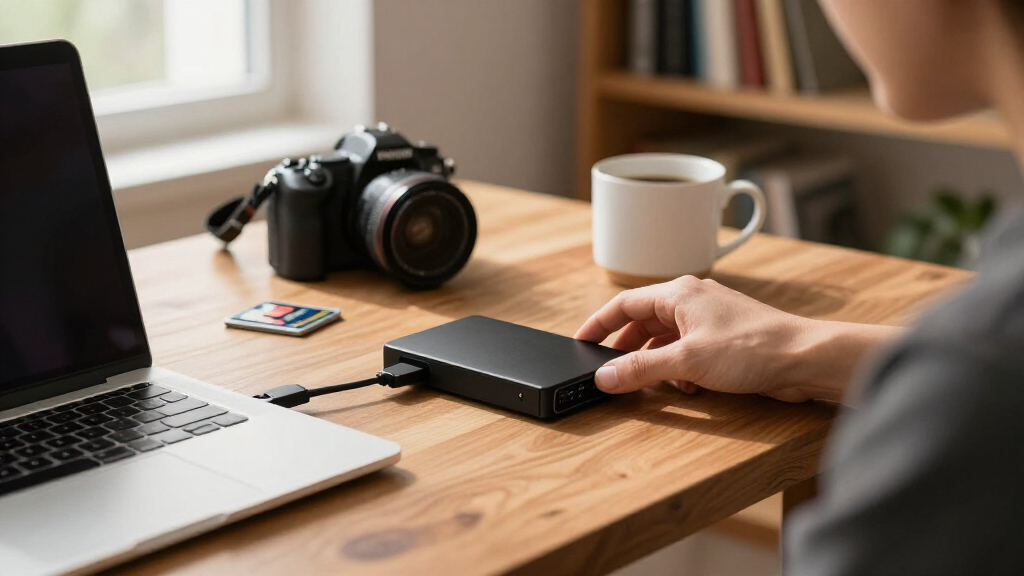
I ranked these fifteen drives by weighing four buyer-facing factors. Value per terabyte came first, because hard drives live or die on cost efficiency — a 20TB desktop drive and a 2TB portable drive serve completely different budgets, and the ranking reflects which drives deliver the most usable capacity for their intended use. Portability and power came second: bus-powered portable drives that work with laptops, consoles, and phones without a wall adapter scored higher for mobile buyers, while desktop drives were judged purely as stationary backup targets. Included software and protection was the third filter, which is why the WD My Passport models with password protection and ransomware defense rank above the bare-bones WD Elements line at equal capacities, and why Seagate’s Rescue recovery coverage earns the Portable line its high placement.
The final factor was versatility across devices — plug-and-play compatibility with Windows, macOS, PlayStation, and Xbox matters enormously in this category, and every top pick had to work across platforms with minimal formatting friction. Drives that combine several of these strengths sit at the top; drives that excel at one thing (like sheer capacity) but fail at portability were ranked within their niche rather than dismissed. The result is a list ordered by overall usefulness, not by capacity or brand.
Factors to Consider When Choosing Best External Hard Drives
Before settling on a specific drive, it helps to understand the forces that shape pricing and performance across the whole category. These are the factors that actually change what you should buy — and the mistakes that cost buyers money.Portable vs. Desktop: The Power Decision
The single biggest fork in this category is whether a drive draws power from the USB cable or from a wall outlet. Portable drives (the WD Elements and My Passport lines, the Seagate Portable line) are bus-powered, pocket-sized, and ideal for laptops, consoles, and carrying between locations — but they top out around 6TB in this lineup. Desktop drives like the WD 8TB, 20TB Elements, and Seagate 16TB One Touch need their own power adapter and are meant to live on a desk as a backup target or media library. A common mistake is buying a 20TB desktop drive for travel because the per-terabyte price looked unbeatable, then discovering it is useless away from an outlet. Match the form factor to how the drive will actually be used, not just to capacity.
Cost per Terabyte and the Capacity Sweet Spots
Hard drive pricing is not linear — larger drives almost always cost less per terabyte, but only up to the capacity you will realistically fill. A 4TB portable drive is the practical sweet spot for most households: enough for a full computer backup plus a growing photo or video library, without the premium pricing of the largest desktop units. Jumping from 2TB to 4TB usually costs far less than doubling from 4TB to 8TB in portable form, because high-capacity portable drives carry a convenience premium. The mistake to avoid is buying 2TB “for now” when your media library is already approaching 1.5TB — you will be buying again within a year. Buy roughly 50–100% more capacity than you currently need.
Software, Encryption, and Data Recovery Coverage
Two different protection philosophies run through this lineup, and they matter more than most buyers realize. WD’s My Passport drives include backup software, password protection, and ransomware defense — protection against your data being accessed or corrupted. Seagate’s drives instead include Rescue data recovery services, protection for when the drive itself fails. Neither is a substitute for a second backup copy, but they change the risk profile: WD helps against theft and malware, Seagate helps against mechanical failure. If you store sensitive documents, encryption matters more. If you store irreplaceable family media, recovery coverage may be worth more to you.
Speed Expectations: Why These Are All HDDs
Every drive in this roundup uses a spinning hard disk, which means USB 3.0 bandwidth is largely theoretical — real-world transfer speeds will hover around 100–150 MB/s regardless of the USB version on the box. That is plenty for backups, media libraries, and console storage, but it is slow for editing video directly off the drive or moving hundreds of gigabytes daily. Buyers who need speed should be shopping for an external SSD instead, at several times the cost per terabyte. The HDD value proposition is capacity, not velocity, and the drives here are ranked accordingly. Do not pay extra for a drive just because its listing mentions a newer USB standard.
Console Compatibility: PlayStation and Xbox
If the drive is destined for a PS5 or Xbox, the rules change. Both consoles accept external hard drives for storing and playing PS4/Xbox One games, but next-gen titles often require internal or SSD-speed storage to run — an external HDD becomes a storage shelf, not a game drive. Format requirements also differ: Xbox formats the drive itself, while PlayStation requires a simple exFAT reformat before first use. The Seagate Portable line’s official console compatibility and the plug-and-play nature of the WD Elements drives make them the low-friction choices here. Budget-minded console owners should favor a 4TB drive over a 2TB one, since modern games routinely exceed 100GB each.
One Drive Is Not a Backup Strategy
The most expensive mistake in this category is treating a single external drive as a complete backup plan. Hard drives are mechanical and will eventually fail — the only question is when. A sound approach follows the 3-2-1 pattern: your original files, one local copy on an external drive, and one offsite copy (cloud service or a second drive stored elsewhere). This is also where capacity planning intersects with cost: buying one 20TB desktop drive for local backups plus a modest cloud plan is often cheaper and safer than two large portable drives. Whatever you choose from this list, plan on it being one leg of the plan, not the whole thing.
Frequently Asked Questions
What is the difference between WD Elements and WD My Passport drives?
The two lines use similar hard drive hardware inside, but they target different buyers. WD Elements is the value line: bare-bones, plug-and-play storage with no bundled software, which makes it cheaper at equal capacity and simpler for people who just want a drag-and-drop drive. WD My Passport adds WD’s backup software, password protection through hardware encryption, and defenses against ransomware — features that matter if the drive holds sensitive files or travels with you. My Passport also tends to be the better choice for scheduled automatic backups of a computer. If none of those extras sound useful, Elements delivers the same core storage experience for less money, which is exactly how the two lines are ranked in this roundup.
Is Seagate’s Rescue Data Recovery coverage actually worth having?
For most buyers, it is a genuine differentiator rather than marketing fluff. Mechanical drive failure is not common in the first few years, but when it happens, professional data recovery on a failed drive typically costs hundreds of dollars — often more than the drive itself and any data on it combined. Seagate’s included Rescue plan covers one recovery attempt within the coverage window, which effectively transfers that financial risk away from you. It pairs well with storing irreplaceable personal media like family photos and videos. That said, it is not a substitute for keeping a second copy of anything important, because even successful recovery is never guaranteed. Compared with WD’s software-based protections, Rescue covers failure rather than theft or malware, so the right choice depends on which risk worries you more.
Can I use one of these drives with both a Windows PC and a Mac?
Yes, but with a formatting step to understand first. Many of these drives ship formatted as NTFS for Windows, which macOS can read but not write to without third-party software. The fix is simple: reformat the drive as exFAT, which both operating systems handle natively and which supports the large file sizes common with video. The reformat takes a few minutes in either Disk Utility on Mac or Disk Management on Windows, and every drive in this roundup supports it. The tradeoff is that exFAT lacks the journaling of native formats, so it is slightly more vulnerable to corruption if unplugged mid-write. Console owners face a different situation — Xbox and PlayStation each apply their own formats that make the drive exclusive to that console.
How much capacity do I actually need for backups or game storage?
For a full computer backup, the rule of thumb is at least twice your current data footprint, because backups accumulate versions over time. A typical laptop user with documents and photos fits comfortably in 2TB, while anyone shooting video or keeping a music production library should start at 4TB. For console use, the math is harsher: modern AAA games regularly consume 80–150GB each, so a 2TB drive holds perhaps a dozen large titles, while 4TB gives real breathing room. Desktop drives from 8TB upward make sense for whole-household media servers or aggregating multiple computer backups in one place. The consistent pattern in this comparison is that 4TB hits the best balance of cost and usefulness for the widest range of buyers.
Are these drives fast enough for gaming or video editing?
For storing and playing last-generation games, yes — a USB 3.0 hard drive comfortably handles the transfer rates older titles demand, and both PlayStation and Xbox support them for that purpose. For current-generation games built around SSD speeds, an external HDD generally cannot be used as the active game drive, only as cold storage to shuttle titles in and out of internal storage. Video editing follows the same logic: you can archive finished projects on these drives happily, but scrubbing 4K footage directly off a spinning disk will frustrate anyone on a deadline. If active editing or next-gen gaming is the goal, an external SSD is the right tool despite the higher cost per terabyte. The drives in this roundup excel at bulk storage, backup, and archival — jobs where capacity beats speed.
Conclusion
Mapping these fifteen drives to real buyers: the WD 4TB My Passport is the best overall pick, pairing useful capacity with encryption, backup software, and ransomware defense in a bus-powered package. The WD 2TB Elements Portable wins on value for anyone who wants dependable storage and nothing more. On the premium end, the WD 20TB Elements Desktop and Seagate 16TB One Touch deliver unmatched capacity for media libraries and whole-home backups, provided they can live on a desk. Beginners and console owners are best served by the Seagate Portable 4TB with its Rescue recovery coverage and plug-and-play console support, while students and casual users can happily grab the compact WD 2TB My Passport. Whatever your choice, remember that a single drive is one copy, not a backup plan — pair whichever model fits your budget with a second copy somewhere else, and your data will outlast any of these drives.
Fall Picks
fall essentials
As an affiliate, we earn on qualifying purchases.