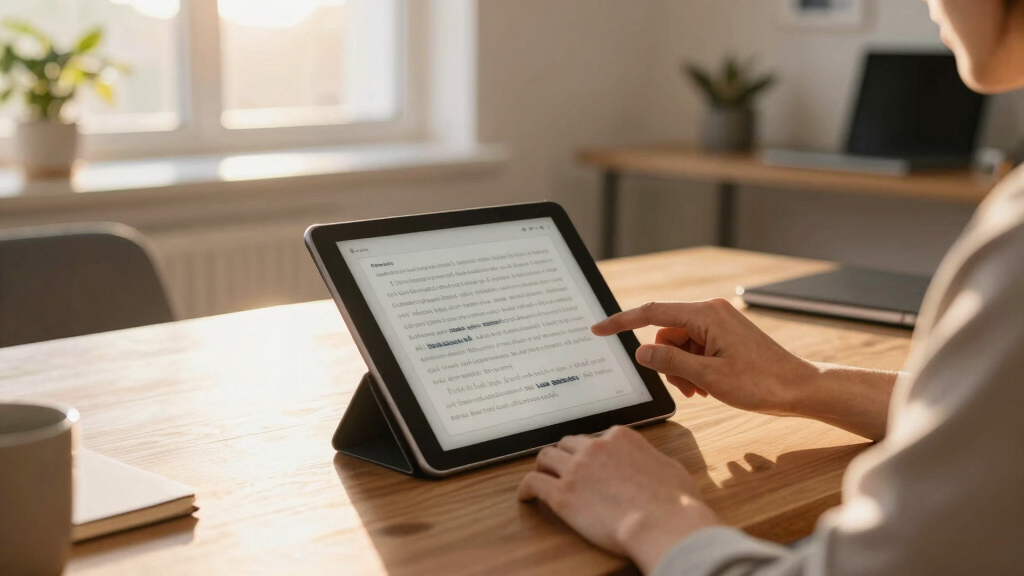

Choosing the best e ink tablet for work involves balancing readability, note-taking capabilities, and device versatility. The Penstar eNote Pro C stands out as the overall top pick thanks to its robust writing features and crisp display. The reMarkable Paper Pro offers an excellent paper-like experience for professional note-taking, while the Kindle Scribe excels for integrated reading and annotation. All these options highlight the key tradeoffs: either focusing on writing quality, reading comfort, or device flexibility. Keep reading for a detailed breakdown of these choices, so you can find the perfect fit for your work needs.
Complete the kit



Key Takeaways
- The top-ranked tablets combine high-quality displays with stylus support for precise note-taking.
- Many devices prioritize reading experience, but this often limits the tablet’s versatility for more complex work tasks.
- Price varies considerably; premium models offer better build and features but may be overkill for casual users.
- Battery life is generally strong across all models, but active stylus use can drain power faster.
- Most tablets are optimized for writers and readers, making them less suitable for tasks requiring multitasking or app support.
| Penstar eNote Pro C E-Ink Digital Notebook with Pen, 10.3” AI Enote Tablet |  | Best Overall for Versatile Productivity | Display: 10.3-inch Kaleido 3 color E-Ink, 2K QHD | Resolution: 150 PPI | Stylus: 8,192 pressure sensitivity, no charging needed | VIEW LATEST PRICE | See Our Full Breakdown |
| reMarkable Paper Pro with Marker Plus |  | Best for Creative Professionals and Writers | Display: 11.8-inch Canvas Color display | Included Components: Marker Plus, Book Folio, 6 spare tips | Connectivity: USB-C, Wi-Fi, Bluetooth | VIEW LATEST PRICE | See Our Full Breakdown |
| reMarkable Paper Pro with Marker Plus and Basalt Book Folio |  | Best for Creative and Professional Use with Accessories | Display: 11.8 inches, color e-ink | Included Components: Marker Plus, Book Folio | Connectivity: USB Type C | VIEW LATEST PRICE | See Our Full Breakdown |
| BOOX Tablet Go Color 7 Gen II E Ink Tablet Support Active Stylus InkSense |  | Best Compact Color E-Ink for Portability and Basic Tasks | Screen: 7″ Kaleido 3 color glass screen | Resolution: 1680 x 1264 pixels | Color Depth: 4096 colors | VIEW LATEST PRICE | See Our Full Breakdown |
| reMarkable Paper Pro Move with Marker Plus |  | Best for Ultra-Portable Note and Sketching | Display: 7.3-inch Canvas Color | Included: Marker Plus, USB-C cable | Warranty: 1 year | VIEW LATEST PRICE | See Our Full Breakdown |
| Huion Ink EB1011 E Ink Tablet 10.3″ Digital Notebook with Dual Front Light |  | Best for Versatile Professional Use | Display Size: 10.3 inches | Resolution: 1404×1872 (227 PPI) | Battery Life: Up to 12 days | VIEW LATEST PRICE | See Our Full Breakdown |
| Penstar eNote 2 E-Ink Digital Notebook with Pen, 10.3″ AI eNote Tablet |  | Best for Advanced Note Management and AI Features | Display Technology: Electronic Ink | Screen Size: 10.3 inches | Resolution: 2480×1860 (300 PPI) | VIEW LATEST PRICE | See Our Full Breakdown |
| 10.65″ E Ink Paper Tablet with Stylus Pen, 8GB+128GB, Ultra-Thin Flexible Screen, Android 14, Long Battery Life |  | Best for High-Resolution Reading and Sketching | Display Size: 10.65 inches | Resolution: 2560×1920 | Processor: Octa-core 2.2GHz | VIEW LATEST PRICE | See Our Full Breakdown |
| Geniatech Kloudnote Slim 10.3″ Digital Notebook, E Ink Tablet and ePaper Notepad for Reading and Writing |  | Best for Style and Extended Battery Life | Display Size: 10.3 inches | Resolution: 1404×1872 | Battery Life: Up to 40 hours | VIEW LATEST PRICE | See Our Full Breakdown |
| Amazon Kindle Scribe (32GB) – Digital Notebook with Premium Pen and AI Tools |  | Best for Extensive Reading and AI-Enhanced Notes | Display: 10.2-inch glare-free, 300 ppi | Storage Options: 32 GB | Battery Life: Up to 12 weeks | VIEW LATEST PRICE | See Our Full Breakdown |
| VIWOODS AiPaper 10.65″ AI E Ink Tablet, Digital Notebook Bundle with Pen |  | Best Overall for Versatile Professional Use | Display: 10.65-inch Carta 1300 E Ink, 2560 x 1920 resolution | Stylus: W2 Stylus Pro with 4096 pressure levels | Pen Gap: 750 microns | VIEW LATEST PRICE | See Our Full Breakdown |
| reMarkable Paper Pure with Marker Plus and Mist Green Sleeve Folio |  | Best for Handwritten Note-Taking and Sketching | Display Size: 10.3 inches | Built-In Media: E-Ink | Target Audience: Teacher, Women | VIEW LATEST PRICE | See Our Full Breakdown |
| e ink tablet for work | Display | Resolution | Storage |
|---|---|---|---|
| Penstar eNote Pro C E-Ink Digi | 10.3-inch Kaleido 3 color E-Ink, 2K QHD | 150 PPI | 128GB |
| reMarkable Paper Pro with Mark | 11.8-inch Canvas Color display | — | — |
| reMarkable Paper Pro with Mark | 11.8 inches, color e-ink | — | — |
| BOOX Tablet Go Color 7 Gen II | — | 1680 x 1264 pixels | 64GB |
| reMarkable Paper Pro Move with | 7.3-inch Canvas Color | — | — |
| Huion Ink EB1011 E Ink Tablet | — | 1404×1872 (227 PPI) | 64GB (expandable up to 2TB) |
| Penstar eNote 2 E-Ink Digital | — | 2480×1860 (300 PPI) | — |
| 10.65" E Ink Paper Tablet with | — | 2560×1920 | 128 GB |
| Geniatech Kloudnote Slim 10.3" | — | 1404×1872 | 64GB |
| Amazon Kindle Scribe | 10.2-inch glare-free, 300 ppi | — | — |
| VIWOODS AiPaper 10.65" AI E In | 10.65-inch Carta 1300 E Ink, 2560 x 1920 resolution | — | 128GB |
| reMarkable Paper Pure with Mar | — | — | — |
More Details on Our Top Picks
Penstar eNote Pro C E-Ink Digital Notebook with Pen, 10.3” AI Enote Tablet
The Penstar eNote Pro C stands out as the most balanced option for those who need a mix of reading, note-taking, and AI-powered tools. Its vibrant 10.3-inch Kaleido 3 color display with 2K resolution offers a more engaging visual experience than monochrome devices like the reMarkable Paper Pro models. The built-in AI features, such as voice-to-text and meeting summaries, make it ideal for work environments that value multitasking. Its stylus supports 8192 pressure levels, ensuring precise handwriting and sketching, unlike cheaper styluses with fewer sensitivity options. However, this device leans more toward productivity than entertainment, so fast scrolling or video playback isn’t its strength, and its Android OS may require a learning curve. Compared to the reMarkable models, it offers a richer feature set but at the cost of a more complex interface and potentially shorter battery life with intensive use.
Pros:- Vivid color E-Ink display with adjustable lighting
- Supports advanced AI productivity features
- Responsive stylus with 8192 pressure sensitivity
- Large 128GB storage capacity
Cons:- Designed mainly for reading and note-taking, not for fast scrolling or video
- Battery life may decline with heavy AI feature use
- Requires Android familiarity for full feature access
Best for: Professionals seeking a color e-ink device that combines note-taking, reading, and AI tools in one package.
Not ideal for: Users primarily interested in multimedia consumption or gaming, as the device isn’t optimized for fast video or app-heavy tasks.
- Display:10.3-inch Kaleido 3 color E-Ink, 2K QHD
- Resolution:150 PPI
- Stylus:8,192 pressure sensitivity, no charging needed
- Processor:Octa-core, 2.2 GHz
- RAM:4GB
- Storage:128GB
- Battery:6500mAh, up to 3 weeks
- Operating System:Android 14
Our verdict“This device is best suited for professionals who want a versatile, color-focused e-ink tablet with smart productivity features.”
reMarkable Paper Pro with Marker Plus
The reMarkable Paper Pro with Marker Plus is tailored for users who prioritize a natural writing feel paired with organized note management. Its 11.8-inch Canvas color display offers a more immersive experience than smaller tablets like the BOOX Go Color, making it ideal for sketching and detailed note-taking. The adjustable reading light and low-glare screen help with long sessions, while its ability to organize notes, PDFs, and convert handwriting to text makes it highly functional for creative workflows. However, the higher price and limited multimedia capabilities mean it’s less suited for users wanting multimedia or fast processing. Compared to the Penstar eNote Pro, the reMarkable excels in a more natural writing experience but falls short on color vibrancy and multi-format support.
Pros:- Large 11.8-inch color e-ink display with paper-like writing
- Adjustable reading light for flexible use
- Includes comprehensive accessories like Marker Plus and Book Folio
- Excellent for drawing, sketching, and detailed notes
Cons:- Higher price point may limit accessibility
- Limited to e-ink color display, not suitable for multimedia
- Requires some learning curve for new users
Best for: Creative professionals, writers, and students who need a large, organized, and natural digital writing surface.
Not ideal for: Users seeking a device for multimedia use or quick, everyday note-taking across multiple formats, due to its higher cost and focus on writing experience.
- Display:11.8-inch Canvas Color display
- Included Components:Marker Plus, Book Folio, 6 spare tips
- Connectivity:USB-C, Wi-Fi, Bluetooth
- Features:Color display, reading light, low-glare
- Warranty:1-year limited
- Use Cases:Drawing, painting, writing, reading
Our verdict“This tablet is perfect for professionals and creatives who value a natural writing feel and extensive note organization over multimedia features.”
reMarkable Paper Pro with Marker Plus and Basalt Book Folio
The reMarkable Paper Pro with Marker Plus and Basalt Book Folio combines the benefits of a large, color e-ink display with comprehensive accessories for serious note-takers and artists. Its 11.8-inch display supports detailed drawing and writing with a natural feel, and the included Marker Plus ensures precise input. The Basalt Book Folio adds a protective, stylish touch, making it highly portable. While its higher price and learning curve can be barriers, it offers a more extensive creative experience than the smaller, less feature-rich models like the BOOX Go. Compared with the Penstar eNote Pro, it emphasizes natural writing and organization over AI-driven productivity tools, making it ideal for creative workflows.
Pros:- Large 11.8-inch color e-ink display mimicking paper
- Includes Marker Plus and protective folio
- Supports detailed drawing, sketching, and note organization
- Adjustable reading light for comfortable use
Cons:- Higher price barrier for many users
- Limited to e-ink color display, not for multimedia
- Requires learning curve for new users
Best for: Designers, artists, and professionals who need a large, organized, and versatile note device with a focus on creative tasks.
Not ideal for: Users who want quick access to multimedia or need a more budget-friendly option, given the higher cost and focus on creative features.
- Display:11.8 inches, color e-ink
- Included Components:Marker Plus, Book Folio
- Connectivity:USB Type C
- Features:Color display, reading light, low-glare
- Warranty:1-Year Limited
- Use Cases:Drawing, painting, writing, reading
Our verdict“This device is ideal for creative professionals seeking a large, organized, and portable color e-ink experience with extensive accessories.”
BOOX Tablet Go Color 7 Gen II E Ink Tablet Support Active Stylus InkSense
The BOOX Go Color 7 Gen II offers a compact, lightweight solution for quick reading, note-taking, and basic document viewing. Its 7-inch Kaleido 3 color display with 4096 colors and adjustable front lighting makes it suitable for color illustrations and annotations on the go. Unlike larger tablets like the reMarkable Pro models, its smaller size sacrifices some workspace for portability. The device supports an active stylus (not included), expanding its functionality, but it’s less precise than the pressure-sensitive stylus on the Penstar eNote Pro. Its limited color depth and the absence of a built-in stylus make it less ideal for detailed creative tasks but perfect for casual use and quick notes. Compared to the Penstar, it’s more portable but offers fewer advanced features and less screen real estate.
Pros:- Small, lightweight, highly portable design
- Supports active stylus (stylus not included)
- Expandable storage via microSD card
- Color display with adjustable front lighting
Cons:- Display has inherent limitations with darker tones
- Stylus not included and less precise than high-end models
- Color reproduction appears darker or grayer than LCD screens
Best for: Mobile professionals and students who need a small, portable color tablet for quick notes and light drawing.
Not ideal for: Creative professionals or heavy note-takers who require a larger display and more precise stylus support, as the device is limited in both size and stylus functionality.
- Screen:7″ Kaleido 3 color glass screen
- Resolution:1680 x 1264 pixels
- Color Depth:4096 colors
- CPU:Octa-core
- RAM:4GB
- Storage:64GB
- OS:Android 13
- Supports Stylus:Active Stylus InkSense (stylus not included)
Our verdict“This tablet is ideal for users needing quick, portable color annotations and reading on the move, but not for detailed creative work.”
reMarkable Paper Pro Move with Marker Plus
The reMarkable Paper Pro Move emphasizes portability, with its 7.3-inch color display that mimics real paper. Its lightweight design makes it easy to carry around for quick notes, sketches, and annotations. Despite its smaller size compared to the 11.8-inch versions, it retains the natural writing experience, supports handwriting-to-text conversion, and offers cloud syncing for seamless access across devices. Its limited color palette and smaller display size mean it’s less suited for detailed creative work or multimedia consumption. This makes it a strong choice for users who prioritize mobility and a distraction-free environment, unlike larger models with more complex features, like the Penstar eNote Pro.
Pros:- Compact, lightweight design for portability
- Distraction-free, paper-like writing experience
- Supports handwriting conversion and cloud sync
- Includes Marker Plus for precise input
Cons:- Limited color display size may not suit all users
- Customer rating of 3.9/5 indicates mixed reviews
- Full feature access may require subscription
Best for: On-the-go professionals, students, and writers needing a portable, natural writing device with cloud access.
Not ideal for: Users requiring a large screen for detailed sketches or multimedia use, as the smaller display may feel restrictive.
- Display:7.3-inch Canvas Color
- Included:Marker Plus, USB-C cable
- Warranty:1 year
- Model Number:RM89A-1000NW
- Number of Items:1
- Features:Handwriting to text, cloud sync
Our verdict“This device is best suited for those seeking a highly portable, natural writing experience with cloud integration for quick note access.”
Huion Ink EB1011 E Ink Tablet 10.3″ Digital Notebook with Dual Front Light
This 10.3-inch Huion Ink EB1011 stands out for combining a paper-like display with a versatile set of functions, making it a strong choice for professionals who need a device for note-taking, reading, and light creative work. Compared to the Kindle Scribe, it offers a higher resolution and a more customizable experience, especially with its support for handwriting conversion and multi-format support. However, it sacrifices some of the advanced AI tools and extensive ecosystem found in dedicated note devices like the Penstar eNote 2. Its long battery life and lightweight design make it suitable for daily carry, but it’s less ideal for those needing a more robust stylus pressure sensitivity or a larger display for detailed drawing. This pick is best for users who prioritize a flexible, portable device for both work and casual creativity without the need for extensive app ecosystems.
Pros:- High-resolution 1404×1872 paper-like display reduces eye strain
- Supports handwriting conversion and quick sharing via QR or cloud
- Long battery life up to 12 days and lightweight portability
Cons:- Limited to 10.3-inch display size, which may restrict detailed work
- Requires Android app compatibility for full features, adding setup complexity
- Stylus pressure sensitivity may not satisfy professional artists
Best for: Professionals who want a compact device for note-taking, reading, and occasional drawing, prioritizing long battery life and portability
Not ideal for: Creative users or artists requiring advanced stylus sensitivity and detailed sketching capabilities, or those seeking a broader app ecosystem
- Display Size:10.3 inches
- Resolution:1404×1872 (227 PPI)
- Battery Life:Up to 12 days
- Storage:64GB (expandable up to 2TB)
- Weight:0.99 pounds
- Operating System:Android 11
Our verdict“This device suits professionals seeking a portable, multi-purpose digital notebook with strong display quality and battery life.”
Penstar eNote 2 E-Ink Digital Notebook with Pen, 10.3″ AI eNote Tablet
The Penstar eNote 2 makes a compelling case for those who want not just a digital notebook but a smart, AI-powered tool for note management and reading. Its high-resolution 10.3-inch display with 300 PPI delivers an incredibly paper-like experience, surpassing the resolution of the Huion Ink EB1011. Its AI capabilities, such as voice-to-text and handwriting conversion, make it ideal for busy professionals who need efficient organization. Yet, this device comes at a higher price point and demands familiarity with Android OS and digital workflows, which may be a barrier for some. The limited color display keeps it focused on text, but it’s less versatile for multimedia compared to more general-purpose tablets like the 10.65″ E Ink Paper Tablet. This makes it perfect for users prioritizing smart features and extended battery life over multimedia flexibility.
Pros:- High-resolution 2480×1860 display offers a paper-like reading and writing experience
- AI-powered voice-to-text and handwriting conversion streamline workflow
- Battery lasts up to 4 weeks, reducing charging frequency
Cons:- Higher price point may deter budget-conscious buyers
- Requires familiarity with Android OS and digital tools, adding complexity
- Limited color support restricts multimedia use
Best for: Knowledge workers and students who want AI-enhanced note-taking with long-lasting battery life
Not ideal for: Casual users or artists needing color display or multimedia features, or those new to Android-based devices
- Display Technology:Electronic Ink
- Screen Size:10.3 inches
- Resolution:2480×1860 (300 PPI)
- Battery Capacity:6500mAh
- Battery Life:Up to 4 weeks
- Operating System:Android 14
Our verdict“Ideal for professionals seeking a smart, long-lasting digital notebook with AI features and excellent display quality.”
10.65″ E Ink Paper Tablet with Stylus Pen, 8GB+128GB, Ultra-Thin Flexible Screen, Android 14, Long Battery Life
This 10.65-inch E Ink tablet offers a larger, high-resolution 2560×1920 display, making it a strong choice for users who need more screen space for reading and note-taking. Its octa-core processor and 8GB RAM provide smooth multitasking, while the stylus support makes it suitable for precise writing and sketching. Compared with smaller devices like the Huion Ink EB1011, this model provides a bigger workspace, ideal for detailed annotations or sketches. Its Android 14 OS and 128GB storage support a wide range of files and apps—though it’s heavier and less portable, which might be a concern for on-the-go use. This device is best suited for those who want a larger, high-res screen for extended reading or creative work but don’t mind a slightly bulkier device.
Pros:- Large 10.65-inch high-resolution display enhances reading and writing clarity
- Stylus support enables precise input and sketching
- Powerful octa-core processor with 128GB storage for multitasking
Cons:- Heavier and less portable compared to smaller models like the Huion Ink EB1011
- Limited to E Ink technology, so multimedia playback is restricted
- Requires compatible stylus for optimal use, which may increase overall cost
Best for: Creative professionals and readers who need a larger display for detailed note-taking and sketching
Not ideal for: Travelers seeking ultra-light devices or those needing a dedicated, lightweight e-reader only
- Display Size:10.65 inches
- Resolution:2560×1920
- Processor:Octa-core 2.2GHz
- RAM:8 GB
- Storage:128 GB
- Battery:4000mAh
Our verdict“Best suited for users needing a bigger screen for detailed reading, writing, or sketching with high resolution and multitasking power.”
Geniatech Kloudnote Slim 10.3″ Digital Notebook, E Ink Tablet and ePaper Notepad for Reading and Writing
The Geniatech Kloudnote Slim is distinguished by its ultra-thin, stylish profile and long battery life, making it suitable for users who value portability and simple reading or note-taking. Its 10.3-inch display with 1404×1872 resolution offers a clear, paper-like experience, but its average customer rating suggests some variability in user satisfaction. Compared to the Huion Ink EB1011, it sacrifices some advanced features for a sleek design and easier access to cloud storage options. It’s ideal for those who want a lightweight device for casual reading or occasional note-taking without the need for extensive app ecosystems or multimedia functions. Limited app support and average reviews mean it’s best for less demanding daily tasks rather than heavy professional use.
Pros:- Ultra-thin, lightweight design enhances portability
- Long battery life up to 40 hours on a single charge
- Supports OCR, note templates, and cloud integration for practical use
Cons:- Customer rating is only average, indicating inconsistent experiences
- Limited app ecosystem restricts functionality compared to mainstream tablets
- PDFs are not supported for listening or multimedia playback
Best for: Casual readers and note-takers prioritizing style, portability, and long battery life over advanced features
Not ideal for: Power users or artists needing stylus sensitivity or a broader app ecosystem
- Display Size:10.3 inches
- Resolution:1404×1872
- Battery Life:Up to 40 hours
- Storage:64GB
- Weight:5.3mm ultra-thin
- Connectivity:Type-C
Our verdict“Best for style-conscious users who need a lightweight device for basic reading and note-taking with excellent battery endurance.”
Amazon Kindle Scribe (32GB) – Digital Notebook with Premium Pen and AI Tools
The Kindle Scribe 32GB offers a high-resolution 10.2-inch glare-free display with a premium pen for a natural writing experience, making it well-suited for users who combine extensive reading with note-taking. Its AI-powered tools for handwriting conversion and note summarization add a layer of smart management that many other devices lack, such as the Penstar eNote 2. While its ecosystem is familiar and user-friendly, being a refurbished device may raise concerns about packaging and longevity. The device’s limited connectivity to Wi-Fi only and a learning curve for AI features make it less ideal for tech-averse users. Still, its weeks-long battery life and focus on readability make it stand out for those who prioritize long-term use and AI assistance over multimedia versatility.
Pros:- High-resolution glare-free display mimics paper for comfortable reading and writing
- Includes a premium pen that feels natural on the screen
- AI features for handwriting conversion and note summarization
Cons:- Refurbished status may cause hesitation for some buyers
- Limited to Wi-Fi, with no cellular connectivity options
- Learning curve for effectively using AI tools may slow initial adoption
Best for: Readers and professionals who want a seamless blend of extensive reading, note-taking, and AI-powered organization
Not ideal for: Power users needing multimedia support or artists requiring color display and advanced sketching tools
- Display:10.2-inch glare-free, 300 ppi
- Storage Options:32 GB
- Battery Life:Up to 12 weeks
- Connectivity:Wi-Fi
- Supported Formats:PDF, EPUB, MOBI, DOCX, JPG, PNG
- Weight:15.3 oz
Our verdict“Perfect for long-term readers and note-takers who want AI features with extended battery life and a natural writing experience.”
VIWOODS AiPaper 10.65″ AI E Ink Tablet, Digital Notebook Bundle with Pen
The VIWOODS AiPaper stands out as a versatile choice, combining high-resolution, paper-like display with AI-powered tools that enhance organization and language tasks. Its 10.65-inch Carta 1300 E Ink screen offers a clear, glare-free reading and writing experience that reduces eye strain, making it ideal for long work sessions. Compared to the reMarkable Paper Pure, it provides more extensive AI features for translating and organizing notes, though its refresh latency can slow down quick page turns. The included stylus with 4096 pressure levels ensures precision, while the 128GB storage supports large document libraries. However, the device’s refresh latency is a tradeoff for its high-resolution display, and battery life details remain vague, which could matter for extended use. This pick makes the most sense for professionals who need a digital notebook that combines reading, note-taking, and AI-assisted productivity tools.
Pros:- High-resolution, glare-free display reduces eye strain during long sessions
- Responsive stylus with 4096 pressure levels for precise writing and sketching
- AI tools assist with translating, organizing, and managing notes
- Includes folio cover and ample storage for documents
Cons:- Long E Ink refresh latency may slow down quick page navigation
- Limited color options restrict use for color content or visuals
Best for: Professionals who want a high-quality, AI-enhanced digital notebook for multitasking, reading, and organization.
Not ideal for: Users who prioritize fast page turns or need color content, as long refresh times and monochrome display may hinder workflow.
- Display:10.65-inch Carta 1300 E Ink, 2560 x 1920 resolution
- Stylus:W2 Stylus Pro with 4096 pressure levels
- Pen Gap:750 microns
- Storage:128GB
- Included Accessories:Folio cover, replacement nibs, USB-C cable
- Warranty:14 months
Our verdict“This device is ideal for professionals who need a sophisticated, AI-enhanced digital notebook for reading, note-taking, and organization in monochrome.”
reMarkable Paper Pure with Marker Plus and Mist Green Sleeve Folio
The reMarkable Paper Pure excels as a dedicated digital paper device, offering a fast-refresh, high-contrast E Ink screen that closely mimics natural handwriting, making it ideal for note-taking and sketching. Its 10.3-inch display is slightly smaller than the VIWOODS AiPaper but provides a smoother writing experience, especially compared to devices with longer refresh times like the Penstar eNote Pro. It supports handwriting-to-text conversion and seamless cloud integration, perfect for users who want organized digital notes without distraction. However, its black-and-white screen limits use for color visuals, and the price can be high relative to basic tablets. Also, it requires regular charging and software updates for optimal performance. This makes it especially suitable for professionals and students who value natural handwriting and efficient note management over color or multimedia content.
Pros:- Fast-refresh, high-contrast display mimics natural handwriting
- Supports handwriting-to-text and document markup for seamless editing
- Organized note management with tags, folders, and cloud syncing
- Includes Marker Plus stylus and stylish Mist Green Sleeve Folio
Cons:- Limited to black-and-white display, restricting visual content
- Requires regular charging and updates, which could interrupt workflow
- Higher price point compared to some basic digital notebooks
Best for: Teachers, students, or professionals who prioritize handwritten notes, sketches, and organized digital notebooks.
Not ideal for: Users who need color content or multimedia features, or those seeking a less expensive alternative, as the high price and monochrome display limit versatility.
- Display Size:10.3 inches
- Built-In Media:E-Ink
- Target Audience:Teacher, Women
- Model Number:RM95A-1002NW
- Warranty:1-year limited warranty
- Included:Marker Plus stylus, Mist Green Sleeve Folio
Our verdict“This device is best for those who prioritize natural handwriting, note organization, and seamless cloud integration in a monochrome environment.”

How We Picked
We evaluated these e ink tablets based on key factors that influence productivity and usability. Performance aspects like display clarity, stylus responsiveness, and battery life were prioritized to ensure smooth note-taking and reading experiences. Build quality and durability also played a role, as devices should withstand daily use. We considered value for money, balancing features against price, and looked for versatility—devices that support not only reading but also note organization and annotation. Lastly, user interface and ecosystem compatibility were assessed, favoring devices that integrate seamlessly into professional workflows. These criteria allowed us to rank the options by their overall effectiveness for work-related tasks.Factors to Consider When Choosing Best E Ink Tablet For Work
When choosing an e ink tablet for work, it’s important to consider several factors that impact daily usability, long-term value, and suitability for your specific tasks. A well-chosen device can improve your productivity, whether you’re taking notes, reading documents, or annotating PDFs. Conversely, focusing solely on features like display size or price without considering workflow compatibility can lead to dissatisfaction. Here are the key aspects to evaluate before making your decision.Display Quality and Size
The clarity of the e ink display directly affects reading comfort and note visibility. Larger screens, typically 10 inches or more, provide more space for multitasking and detailed annotation but can be bulkier to carry around. Higher resolution screens offer sharper text and images, reducing eye strain during extended use. Consider how much screen real estate you need for your work tasks and balance that with portability.
Stylus Support and Responsiveness
A responsive, precise stylus makes a significant difference in note-taking and drawing. Look for tablets with active stylus support that offers low latency and pressure sensitivity, mimicking traditional writing tools. Some devices include their stylus, while others require a separate purchase. The quality of stylus integration often correlates with the overall usability for professional writing and markup work.
Battery Life and Charging
For busy workdays, long battery life is essential to avoid interruptions. E ink screens consume minimal power, especially when static, but active use of stylus or backlight can shorten battery duration. Check the estimated battery life and whether the device supports quick charging. A device with longer endurance offers more freedom to work remotely without frequent recharges.
File Compatibility and Ecosystem
Compatibility with common document formats, cloud storage, and annotation tools enhances workflow. Devices supporting PDF, DOCX, and EPUB files are more versatile for work-related reading and editing. Ecosystem integration, such as seamless syncing with your existing devices or apps, can streamline your productivity. Be cautious of devices that lock you into proprietary formats or ecosystems that limit compatibility.
Build Quality and Portability
Since many work e ink tablets are used on the go, durability and weight matter. Devices with sturdy construction resist daily wear, while lightweight designs reduce fatigue for prolonged use. Consider whether you prefer a slim profile for pocketability or a more rugged build for frequent travel. The right balance between durability and weight can make a noticeable difference in long-term satisfaction.
Frequently Asked Questions
Can I use an e ink tablet for detailed note-taking during meetings?
Yes, many e ink tablets support precise stylus input and handwriting recognition, making them suitable for detailed note-taking during meetings. Devices like the reMarkable Paper Pro or Penstar eNote Pro offer low-latency stylus support, which helps capture quick sketches and detailed notes. However, keep in mind that some models may have limited multitasking capabilities, so if you need to switch between apps frequently, you should choose a device with better ecosystem support.
Are e ink tablets suitable for editing documents or PDFs?
Most e ink tablets support PDF annotation and basic document editing, especially those with stylus support. This makes them excellent for reviewing and marking up documents without eye strain. However, advanced editing features are typically limited compared to tablets with color screens or full operating systems. If heavy editing or multi-layer work is required, consider a device that supports more robust software or pairing with a traditional tablet.
How does the stylus experience vary across different e ink tablets?
The stylus experience varies significantly; premium models like the reMarkable Paper Pro or Kindle Scribe generally offer better pressure sensitivity, lower latency, and more natural writing feel. Cheaper options may have delayed response times or less accurate input, which can hinder productivity. Investing in a device with an integrated, high-quality stylus can make a noticeable difference in your writing and drawing experience.
What should I consider regarding device durability for daily work use?
Durability is key if you plan to carry your e ink tablet regularly. Look for devices with sturdy construction, reinforced edges, or even water-resistant features if necessary. Some models come with protective sleeves or cases that extend longevity. While more durable devices might be slightly heavier, they reduce the risk of damage from drops or bumps, making them better suited for frequent travel or outdoor use.
Is it worth paying extra for models with color screens or additional features?
Color screens and extra features like built-in lighting or multi-app support can enhance productivity but often come at a higher price. If your work involves diagrams, color coding, or multimedia annotations, investing in these features can boost efficiency. However, for primarily text-based note-taking and reading, monochrome e ink devices usually provide better battery life and a more paper-like experience at a lower cost.
Conclusion
For general professional use, the Penstar eNote Pro C offers a balanced mix of display quality, stylus support, and portability, making it ideal for most users. If you primarily need a device for extensive reading and document marking, the Kindle Scribe provides excellent integration with reading workflows at a reasonable price. For those seeking a high-end experience with premium build and advanced features, the reMarkable Paper Pro or Paper Pure are best suited. Beginners or casual users might prefer more affordable options like the BOOX Tablet Go Color or Geniatech Kloudnote, which still deliver reliable performance. Ultimately, your choice should align with your specific tasks, budget, and portability needs, ensuring you get the best value for your work in 2026.