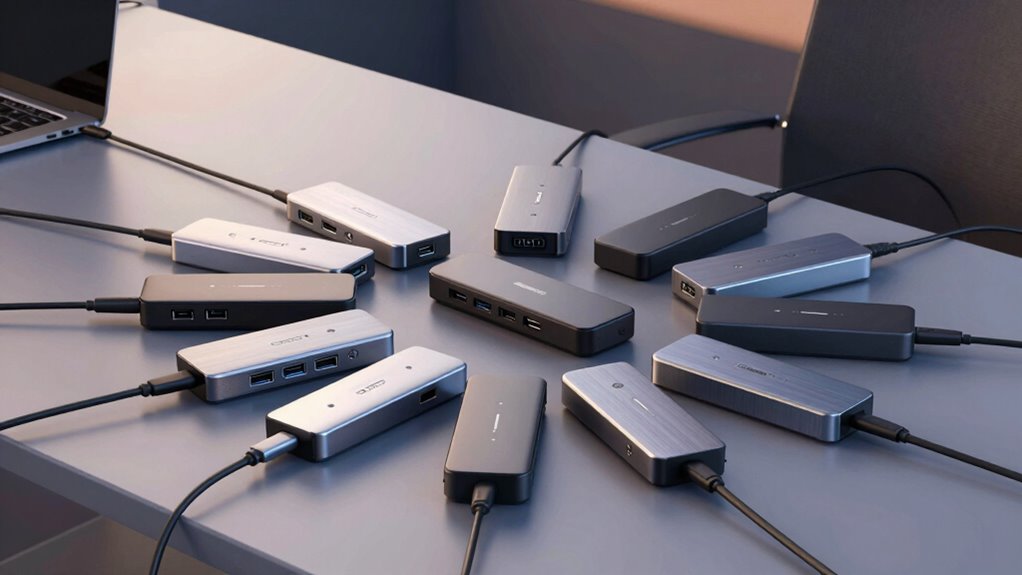

If you’re searching for a thunderbolt docking station, you’re likely looking to expand your laptop’s connectivity with high-speed data transfer, multiple displays, and versatile ports. The Dell Thunderbolt 4 Dock stands out as the best overall choice, offering robust performance and multiple display outputs. The UGREEN 8-in-1 Thunderbolt 4 Docking Station appeals to users seeking a balance of speed and affordability, while the Anker Prime TB5 Dock provides impressive features for those needing extensive port options. However, tradeoffs exist—higher-end models come at a premium, and not all docks support every device equally. Keep reading for a detailed breakdown to find the perfect fit for your needs.

Get the latest gadgets delivered free with Prime
- Fast, free delivery on millions of items
- Prime Video, Amazon Music and more included
- Member-only deals all year
Complete the kit



Key Takeaways
- The best docks prioritize Thunderbolt 4 and 5 support for maximum speed and future-proofing.
- Display support varies: most offer dual 4K outputs, but some excel with HDMI 2.1 and high refresh rates.
- Power delivery is a critical factor—higher wattage docks enable charging larger laptops without external chargers.
- Build quality and eco-friendly design are increasingly important for durability and sustainability.
- Compatibility with different laptop ecosystems (Windows, Mac) can significantly influence choice—some docks are optimized for specific devices.
| Dell Thunderbolt 4 Dock with 3 Display Outputs (2 HDMI + 1 DisplayPort) |  | Best Overall for Dell Ecosystems | Display Outputs: 2 HDMI, 1 DisplayPort | Resolution: 3840 x 2160@60Hz | USB Ports: 2×USB-C (10Gbps), 3×USB-A (10Gbps/5Gbps), 2×USB 2.0 | VIEW ON AMAZON | See Our Full Breakdown |
| Dell Pro Laptop Docking Station WD25, USB-C, 100W, DisplayPort, HDMI |  | Best for Versatility Across Brands | Power Delivery: 100W | Display Support: Up to 4 high-res displays | Ports: DisplayPort, HDMI, USB-C, Ethernet, USB | VIEW ON AMAZON | See Our Full Breakdown |
| UGREEN 8-in-1 Thunderbolt 4 Docking Station, Dual 4K@60Hz, 3xTBT4, 40Gbps |  | Best for High-Performance Visuals and Data Transfer | Number of Thunderbolt 4 ports: 3 | USB-A ports: 3 | Display support: Dual 4K@60Hz or single 8K | VIEW ON AMAZON | See Our Full Breakdown |
| Dell Pro Thunderbolt 4 Smart Dock SD25TB4 – USB-C Station 130W, Supports 4K Displays, Dual Thunderbolt 4, HDMI 2.1, Ethernet, Wi-Fi, Eco-Friendly Design |  | Best for Powerful Multi-Display and Eco-Conscious Workspaces | Power Output: 130W | Display Support: Up to 4 4K monitors | Ports: 2 Thunderbolt 4, 1 HDMI 2.1, Ethernet, USB | VIEW ON AMAZON | See Our Full Breakdown |
| Anker Prime TB5 Docking Station, 14-in-1 Thunderbolt 5 Dock for Laptops |  | Best for Future-Proof High-Res and Data Demands | Upstream Port: Thunderbolt 5 | Downstream Ports: 2 Thunderbolt 5, 2 USB-C, 3 USB-A | Card Readers: SD and TF | VIEW ON AMAZON | See Our Full Breakdown |
| Microsoft Surface Thunderbolt 4 Docking Station – Black |  | Best for Surface Laptop Users Needing Sustainability and High-Speed Connectivity | Hardware Interface: USB | Compatible Devices: Microsoft Surface | Total USB Ports: 6 | VIEW ON AMAZON | See Our Full Breakdown |
| Plugable Thunderbolt 4 Dock with 100W Charging, Dual Monitor |  | Best for Professional Users Requiring Versatile Connectivity and Dual 4K Displays | Hardware Interface: Thunderbolt | Compatible Devices: Windows 11 Thunderbolt 4 hosts and Thunderbolt 4 Macs | Total Usb Ports: 13 | VIEW ON AMAZON | See Our Full Breakdown |
| Plugable Thunderbolt 4 Dock for M4/M5 MacBook Air & Pro, 100W Charging |  | Best for M1/M2 MacBook Users Needing Dual 4K Support and Sleek Design | Hardware Interface: Thunderbolt 4 | Compatible Devices: MacBook Air/Pro M4/M5 and Windows 11 | Total USB Ports: 7 | VIEW ON AMAZON | See Our Full Breakdown |
| Dell WD19TBS Thunderbolt Dock Bundle – 4K Display, Dual Monitor, 180W Adapter |  | Best for Enterprise and Power Users Requiring Multiple High-Resolution Displays | Compatibility: Dell, HP, Lenovo notebooks | Display Support: Up to three displays including 5K and dual 4K | Power Output: 180W | VIEW ON AMAZON | See Our Full Breakdown |
More Details on Our Top Picks
Dell Thunderbolt 4 Dock with 3 Display Outputs (2 HDMI + 1 DisplayPort)
This Dell Thunderbolt 4 Dock shines for users who prioritize seamless integration with Dell laptops, offering triple-monitor support with dual HDMI and DisplayPort outputs, which surpass many competitors like the UGREEN dock that supports only dual displays. Its high-speed data transfer and 100W charging make it a reliable choice for professionals working with multiple high-resolution monitors and peripherals. However, this dock’s primary design for Dell devices limits its compatibility with non-Dell brands, and its Thunderbolt 4 requirement excludes users with older ports. The included power adapter is powerful but can be bulky for those who need portable solutions. Compared with the UGREEN dock, it provides better Dell-specific support, but sacrifices flexibility for non-Dell systems.
Pros:- Supports triple 4K monitor setup for enhanced multitasking
- High-speed data transfer with multiple USB ports
- Includes SD/TF card slots and Gigabit Ethernet
- Powerful 100W charging for Dell laptops
Cons:- Limited compatibility mainly to Dell devices
- Requires Thunderbolt 4 port, not compatible with older USB-C
- Bulky power adapter may hinder portability
Best for: Dell laptop users who need a robust, multi-monitor setup and seamless device integration.
Not ideal for: Non-Dell users or those seeking a more portable or budget-friendly dock, due to compatibility and size limitations.
- Display Outputs:2 HDMI, 1 DisplayPort
- Resolution:3840 x 2160@60Hz
- USB Ports:2×USB-C (10Gbps), 3×USB-A (10Gbps/5Gbps), 2×USB 2.0
- Ethernet:Gigabit RJ45
- SD/TF Card Slots:Yes, supports up to 2TB
- Power Delivery:100W USB-C charging
Our verdict“This dock is ideal for Dell users who need a high-performance, multi-monitor setup with reliable charging and connectivity, but less suitable for those with non-Dell devices or portable needs.”
Dell Pro Laptop Docking Station WD25, USB-C, 100W, DisplayPort, HDMI
The Dell WD25 offers impressive versatility, supporting up to four high-res displays, which makes it stand out from simpler docks like the UGREEN that may only support dual screens. Its 100W power delivery ensures fast charging, and the durable USB-C connector adds reliability in busy work environments. While it excels in multi-display setups, it requires a compatible USB-C port for full functionality—something not all laptops can provide, especially older models. Its eco-friendly build using recycled materials appeals to environmentally conscious buyers, yet the price point is higher than basic docks, reflecting its advanced features. Compared to the UGREEN dock, it offers broader device compatibility but may be overkill for users with fewer display needs.
Pros:- Supports up to four high-resolution displays for multitasking
- Provides up to 100W power delivery for fast device charging
- Made with sustainable materials and eco-friendly packaging
- Flexible management options and durable USB-C connector
Cons:- Requires compatible USB-C port for full function
- Higher price compared to simpler docks
- Limited support for older laptops without USB-C
Best for: Office professionals with multiple display needs who work across different brands and require eco-friendly options.
Not ideal for: Users with older laptops lacking USB-C or those seeking a budget-friendly solution, due to higher cost and compatibility requirements.
- Power Delivery:100W
- Display Support:Up to 4 high-res displays
- Ports:DisplayPort, HDMI, USB-C, Ethernet, USB
- Compatibility:Dell and non-Dell PCs
- Materials:Postconsumer recycled materials
- Standby Power Reduction:Up to 72%
Our verdict“This dock suits professionals who need multiple high-res displays with eco-conscious design, but may not fit budget-conscious or older device users.”
UGREEN 8-in-1 Thunderbolt 4 Docking Station, Dual 4K@60Hz, 3xTBT4, 40Gbps
The UGREEN Thunderbolt 4 Dock is a powerhouse for those needing dual 4K@60Hz displays or an 8K option, surpassing many docks like the Dell WD25 in display flexibility. Its 40Gbps transfer speeds ensure rapid data movement, ideal for creative professionals. The dock supports up to 85W charging, reducing clutter from multiple chargers, and its wide compatibility with Thunderbolt 4, Thunderbolt 3, USB4, and USB-C devices makes it versatile. Nonetheless, full dual display capabilities depend on the host laptop supporting multiple displays, which isn’t universal. Also, the included 140W GaN charger is beneficial but could be a drawback for portability. Compared to the Dell docks, it offers higher display resolution options and faster data throughput but requires a connection to its charger for full feature access.
Pros:- Supports dual 4K@60Hz displays or 8K output
- High-speed data transfer up to 40Gbps
- Charges laptops up to 85W, reducing the need for multiple chargers
- Compatible with Thunderbolt 4, 3, USB4, and USB-C devices
Cons:- Full dual display support depends on host laptop capabilities
- Requires connection to the included 140W charger for full features
- Compatibility may vary with older Mac mini models
Best for: Creative professionals and power users needing high-res visuals and rapid data transfer, with support for dual 8K displays.
Not ideal for: Users with older laptops or limited USB-C ports, as full functionality depends on host support and adequate connection setup.
- Number of Thunderbolt 4 ports:3
- USB-A ports:3
- Display support:Dual 4K@60Hz or single 8K
- Power delivery:85W
- Total ports:8-in-1
- Maximum data transfer speed:40Gbps
Our verdict“This dock excels for demanding visual workflows needing high resolution and fast data transfer, but setup complexity and host compatibility may be barriers.”
Dell Pro Thunderbolt 4 Smart Dock SD25TB4 – USB-C Station 130W, Supports 4K Displays, Dual Thunderbolt 4, HDMI 2.1, Ethernet, Wi-Fi, Eco-Friendly Design
The Dell SD25TB4 stands out for its ability to support up to four 4K displays, making it ideal for power users who need expansive visual setups, outperforming docks like the Anker TB5 which focuses more on high-speed data. Its 130W charging ensures quick power-up for compatible devices, while the inclusion of HDMI 2.1 and multiple Thunderbolt 4 ports offers extensive connectivity. Its eco-friendly design with recycled materials adds an appealing dimension for environmentally conscious users. The dock’s size and system requirements—Windows 10 or later—may limit portability and cross-platform use. Compared to the Anker TB5, it offers more display support but at a potentially larger footprint and higher price.
Pros:- Supports up to 4 4K displays for expansive productivity
- Fast 130W charging for quick device power-up
- Multiple connectivity options including HDMI 2.1 and Thunderbolt 4
- Eco-friendly with recycled materials
Cons:- Requires compatible Thunderbolt 4 or USB-C devices
- Bulkier size may reduce portability
- Limited support on non-Windows systems
Best for: Professionals requiring extensive multi-display setups and fast charging in a sustainable design, primarily on Windows platforms.
Not ideal for: Mac users or those with limited space, due to size and OS restrictions, or users seeking a more portable dock.
- Power Output:130W
- Display Support:Up to 4 4K monitors
- Ports:2 Thunderbolt 4, 1 HDMI 2.1, Ethernet, USB
- Compatible Devices:Laptops, tablets, smartphones with USB-C, Thunderbolt 4
- Item Dimensions:1.39 x 3.54 x 8.07 inches
- Item Weight:580 g
Our verdict“This dock is perfect for power users needing multiple high-resolution displays with sustainable design, but less suited for portable or Mac-centric setups.”
Anker Prime TB5 Docking Station, 14-in-1 Thunderbolt 5 Dock for Laptops
The Anker Prime TB5 is designed for those who want cutting-edge connectivity, supporting dual 8K displays and Thunderbolt 5 ports, which far surpass the capabilities of the Dell or UGREEN docks. Its 14-in-1 port array, including SD/TF card readers, Ethernet, and audio, makes it a comprehensive hub for demanding workflows. The 140W power delivery and active cooling system ensure optimal performance during intense tasks. However, the premium price and complex setup may deter casual users or those unfamiliar with advanced docking systems. Its high cost reflects the latest tech, but for users who need the fastest data speeds and highest resolutions, it delivers without compromise, unlike more modest options.
Pros:- Supports dual 8K@60Hz displays for ultra-high-resolution visuals
- Fast data transfer with Thunderbolt 5 technology
- Powerful 140W charging with active cooling ensures sustained performance
- 14-in-1 port array covers all connectivity needs
Cons:- High price may be prohibitive for casual users
- Setup complexity requires some technical familiarity
- Premium features may be overkill for basic tasks
Best for: Power users and creative professionals seeking the latest Thunderbolt 5 features with dual 8K output and extensive port options.
Not ideal for: Budget-conscious buyers or less tech-savvy users, due to its complexity and high price point.
- Upstream Port:Thunderbolt 5
- Downstream Ports:2 Thunderbolt 5, 2 USB-C, 3 USB-A
- Card Readers:SD and TF
- Ethernet:2.5Gbps
- Video Output:HDMI 2.1 or DisplayPort 2.1
- Max Power:140W
Our verdict“This dock is tailored for advanced users demanding top-tier visuals and data speeds, with the tradeoff of higher cost and complexity.”
Microsoft Surface Thunderbolt 4 Docking Station – Black
This dock stands out for its seamless integration with Microsoft Surface devices, offering fast data transfer, dual 4K monitor support, and charging, all wrapped in an eco-friendly design made from recycled ocean-bound plastic. Compared to the Plugable Thunderbolt 4 Dock, it emphasizes sustainability but has limited compatibility outside Surface laptops, which could be a drawback for users with diverse setups. Its multiple USB ports and 2.5G Ethernet provide versatile connectivity, making it ideal for Surface owners prioritizing environmental impact. However, it lacks explicit information about included power supplies and is primarily designed for Surface devices, which may limit flexibility. Overall, this dock is perfect for Surface laptop users who want a sustainable, high-performance Thunderbolt 4 solution with good connectivity options.
Pros:- Supports fast data transfer, streaming, and charging with Thunderbolt 4 ports
- Connects up to two 4K monitors for high-quality visuals
- Made with 20% recycled ocean-bound plastic, emphasizing sustainability
- Multiple USB ports and Ethernet for versatile connectivity
Cons:- Designed primarily for Surface laptops, limiting compatibility
- No mention of included power supply or accessories
- Potentially limited for users needing Thunderbolt 4 beyond Surface devices
Best for: Surface laptop owners who want a stylish, eco-conscious dock optimized for their device
Not ideal for: Users with non-Surface laptops or desktops, as compatibility may be limited or suboptimal
- Hardware Interface:USB
- Compatible Devices:Microsoft Surface
- Total USB Ports:6
- Number of Ports:8
- Item Dimensions:11″L x 4.4″W x 3.2″H
- Item Weight:14.4 ounces
Our verdict“This pick suits Surface users seeking a high-speed, eco-friendly dock with reliable multi-monitor support.”
Plugable Thunderbolt 4 Dock with 100W Charging, Dual Monitor
This dock offers impressive performance with 40Gbps Thunderbolt 4 speeds, supporting dual 4K 60Hz displays or an 8K single display, making it ideal for demanding workflows. Compared with the Dell WD19TBS, it provides more ports—13 in total—covering HDMI, SD card reader, Ethernet, and USB options, which cater to varied device needs. Its high wattage 134W power delivery supports charging multiple devices, but dual display support can vary depending on the system and mode, especially on MacBooks. The dock’s comprehensive port set makes it suitable for professionals who need a clutter-free workspace, though its size and complexity might overwhelm casual users or those with simpler needs. This model is best for users with Windows or Mac systems demanding maximum connectivity and performance.
Pros:- High-speed 40Gbps Thunderbolt 4 performance
- Supports dual 4K 60Hz or single 8K display
- Includes 13 ports, such as HDMI, SD card reader, Ethernet, and USB
- Provides 134W power delivery for fast charging
Cons:- Dual display support depends on system and mode, which can be inconsistent
- Requires compatible Thunderbolt 4 or USB4 systems for full features
- Size and complexity may be daunting for casual users
Best for: Power users with professional setups requiring dual 4K displays and extensive port options
Not ideal for: Casual users or those with limited desk space, as its size and port density may be overkill
- Hardware Interface:Thunderbolt
- Compatible Devices:Windows 11 Thunderbolt 4 hosts and Thunderbolt 4 Macs
- Total Usb Ports:13
- Number of HDMI Ports:2
- Wattage:134 watts
- Item Dimensions:8.9″L x 3.3″W x 0.9″H
Our verdict“Ideal for professionals who need maximum performance and extensive connection options in a single dock.”
Plugable Thunderbolt 4 Dock for M4/M5 MacBook Air & Pro, 100W Charging
This dock excels for MacBook users with its ability to support dual 4K 60Hz displays without requiring drivers, making it highly plug-and-play for MacOS environments. Compared to the Dell WD19TBS, it offers a more compact, space-gray aluminum design that blends seamlessly with MacBooks, though it supports only one external display on base M1 and M2 models unless using specific configurations. Its 100W charging power ensures MacBooks stay powered through long work sessions. The 13-in-1 port selection, including Thunderbolt 4, USB-C, USB-A, SD/microSD, Ethernet, and audio, provides broad versatility. However, some features may require specific Mac models or clamshell mode, and its size makes it less portable for frequent travelers. This is best suited for MacBook owners who prioritize sleek design and dual display support.
Pros:- Supports dual 4K 60Hz displays without drivers
- Includes 13 versatile ports, like SD/microSD and Ethernet
- Provides 100W charging for MacBooks
- Space gray aluminum finish complements MacBook aesthetics
Cons:- Base M1/M2 MacBooks support only a single external display unless specific configurations are used
- Some features may require specific Mac models or clamshell mode
- Relatively large for portable use
Best for: M1, M2, and newer MacBook users seeking a sleek, dual 4K compatible dock with full charging capabilities
Not ideal for: Users with older MacBooks or Windows systems that might not support all features fully
- Hardware Interface:Thunderbolt 4
- Compatible Devices:MacBook Air/Pro M4/M5 and Windows 11
- Total USB Ports:7
- Number of HDMI Ports:2
- Wattage:134 watts
- Input Voltage:5 volts
Our verdict“Perfect for MacBook users who want a sleek, dual 4K supporting dock with high charging power and broad connectivity.”
Dell WD19TBS Thunderbolt Dock Bundle – 4K Display, Dual Monitor, 180W Adapter
The Dell WD19TBS provides extensive support for high-resolution displays, including 5K and dual 4K monitors, with a robust 180W power output, making it ideal for demanding enterprise environments. Compared with the Plugable options, it offers easier firmware updates and flexible mounting options, enhancing workspace management. Its universal compatibility with Dell, HP, and Lenovo laptops makes it a versatile choice for mixed-device setups. However, the setup process can be complex for those unfamiliar with enterprise-grade docks, and it relies on Thunderbolt-compatible devices for full functionality. Its generous power and display support make it a go-to for users needing maximum video output and reliable power delivery, albeit with a somewhat higher price and setup complexity.
Pros:- Supports multiple high-resolution displays, including 5K and dual 4K
- Universal compatibility with various enterprise laptops
- Easy firmware updates without rebooting
- Flexible mounting options for optimized workspace
Cons:- Requires Thunderbolt-compatible devices for full features
- Setup may be complex for non-technical users
- Higher cost compared to consumer-oriented docks
Best for: IT professionals and enterprise users needing reliable, multi-display support with high power output
Not ideal for: Home users or casual users who don’t need support for multiple high-end displays or enterprise features
- Compatibility:Dell, HP, Lenovo notebooks
- Display Support:Up to three displays including 5K and dual 4K
- Power Output:180W
- Connectivity:Thunderbolt, HDMI, DisplayPort
- Cable Length:0.8 meters
Our verdict“This dock suits enterprise environments where high-resolution multi-monitor setups and reliable power are priorities, despite its complexity.”

How We Picked
This lineup was evaluated based on performance, build quality, port variety, power delivery, compatibility, and value. I focused on docks that deliver reliable Thunderbolt 4 and 5 performance, ensuring fast data transfer and multiple display configurations. Port versatility and ease of setup played key roles, as well as user-friendly design and durability. Price-to-performance ratios were also considered to highlight options that offer great features without unnecessary cost. Products were ranked by how comprehensively they meet these criteria, with an emphasis on those that balance high performance with practical usability for a broad range of users.Factors to Consider When Choosing Thunderbolt Docking Station
Choosing the right thunderbolt docking station involves understanding several key factors that impact everyday use, compatibility, and long-term value. This guide highlights the most important considerations to help you avoid common pitfalls and select a dock that truly fits your setup.Port Selection and Compatibility
Carefully review the ports offered—most docks provide USB-C, USB-A, HDMI, DisplayPort, Ethernet, and audio jacks. Consider what devices you need to connect regularly, including external displays, peripherals, and network cables. Compatibility with your laptop’s Thunderbolt version and operating system is vital; some docks are optimized for Windows, others for Mac, and a few support both seamlessly. Avoid docks with ports you won’t use often to prevent clutter and ensure easier setup.
Power Delivery (PD) and Charging Capacity
Power delivery determines whether your dock can charge your laptop while in use, reducing cable clutter. Docks with higher wattage support (e.g., 100W or more) are ideal for larger laptops or those with power-hungry components. However, higher wattage docks typically come at a higher price. It’s important to match the dock’s PD capacity with your device’s requirements—charging a MacBook Pro or high-end Dell XPS demands more power than a lightweight ultrabook.
Display Support and Video Output
Most Thunderbolt docks support dual 4K displays, but the quality and refresh rates can vary. HDMI 2.1 support is increasingly common, allowing higher resolutions and refresh rates suitable for gaming or professional workflows. Consider your display setup—if you need high refresh rates or specific port types, verify that the dock can accommodate those needs. Mismatched or limited display support can hinder productivity and visual experience.
Build Quality and Sustainability
Durability matters, especially for a device that sits on your desk or travels with you. Metal enclosures tend to last longer and dissipate heat better than plastic. Eco-friendly designs, such as docks with energy-efficient components or recyclable materials, are also worth considering if sustainability is a priority. Remember, a well-built dock reduces the risk of connection issues and physical damage over time.
Price and Long-Term Value
While premium docks offer the latest features and better build quality, they come with a higher price tag. Budget options can suffice for basic connectivity needs but may lack advanced display support or power delivery. Assess your priorities—if you need high-speed data transfer and multiple displays, investing in a slightly more expensive model may save you frustration later. Conversely, casual users can often find good value in mid-range options that meet their core needs.
Frequently Asked Questions
Can I use a Thunderbolt docking station with a USB-C only laptop?
Yes, many Thunderbolt docks are compatible with USB-C ports, provided your laptop supports USB-C with DisplayPort Alt Mode and Power Delivery. However, the full range of features—like daisy chaining or high-speed data transfer—may be limited compared to dedicated Thunderbolt ports. Always check the dock’s specifications and your device’s capabilities to ensure compatibility before purchasing.
Will a Thunderbolt dock slow down my data transfer speeds?
Not if the dock and your device support Thunderbolt 4 or 5 standards, which are designed for high-speed data transfer—up to 40Gbps. Incompatibilities or using older standards like USB-C can reduce speeds, so verifying both the dock’s and your laptop’s capabilities is key. Using a high-quality cable and ensuring your device drivers are up to date also helps maintain optimal performance.
Is it better to buy a Thunderbolt dock with multiple video outputs or a dedicated graphics setup?
A Thunderbolt dock with multiple outputs offers a convenient all-in-one solution for extending displays without extra hardware. For most users, this setup is sufficient for productivity, entertainment, and light creative work. However, for professional video editing, gaming, or intensive 3D work, a dedicated graphics card might be necessary, as docks cannot replace the processing power of a high-end GPU.
How do I know if a dock supports my specific monitor setup?
Check the dock’s video output specifications, including supported resolutions and refresh rates. If you have a 4K monitor at high refresh rates, ensure the dock’s HDMI 2.1 or DisplayPort supports that capability. Also, verify whether your monitor’s connection type matches the dock’s outputs. Compatibility issues can lead to lower resolutions or no signal, so thorough review of both device specs is essential.
Are Thunderbolt docks compatible with MacBooks and Windows laptops?
Most modern Thunderbolt docks are designed to work with both Mac and Windows systems, but some features may be optimized for one platform. MacBooks generally support Thunderbolt 3 and 4 very well, while Windows laptops may have varying compatibility depending on the Thunderbolt controller and driver support. Always check the manufacturer’s compatibility notes to ensure your specific model will get full functionality from the dock.
Conclusion
For users seeking the best all-around performance, the Dell Thunderbolt 4 Dock delivers reliable connectivity and extensive display options. Budget-conscious buyers or those needing a versatile yet affordable choice will find the UGREEN 8-in-1 Thunderbolt 4 Dock offers excellent value. Creatives or professionals investing in higher-end setups should consider the Anker Prime TB5 Dock for its expanded port selection and future-proofing. Beginners or casual users can start with simpler options that still support core features, while power users with demanding workflows may prefer premium, enterprise-grade docks. Your ideal choice depends on your device ecosystem, display needs, and budget constraints—use this guide to match your priorities to the right dock.