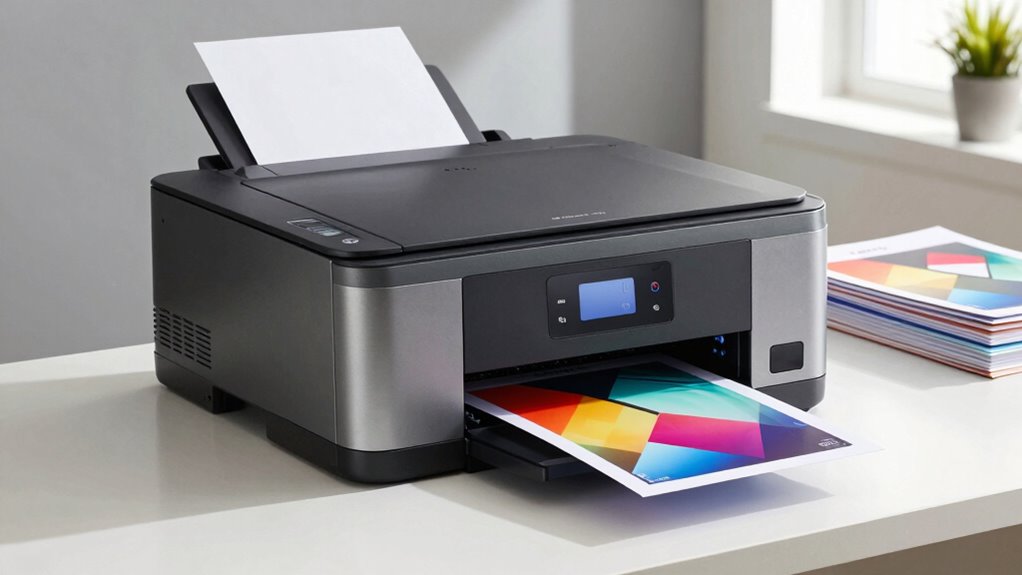

Choosing a color laser printer for small business involves balancing print quality, speed, and cost. The Brother HL-L8430CDWT stands out for its reliable wireless connectivity and dual paper trays, making it ideal for high-volume environments. Meanwhile, the HP Color LaserJet Pro MFP 3301fdw offers versatile all-in-one features suitable for busy offices. The main tradeoffs include upfront costs versus ongoing operational expenses and the complexity of features versus ease of use. Continue reading to see a detailed breakdown of these options and find the best fit for your business needs.

Get the latest gadgets delivered free with Prime
- Fast, free delivery on millions of items
- Prime Video, Amazon Music and more included
- Member-only deals all year
Complete the kit



Key Takeaways
- The top picks balance print quality, speed, and total cost of ownership, with some models prioritizing speed over initial price.
- All-in-One options tend to be better for small businesses that need scanning and copying as well as printing, but they come at a higher cost.
- Wireless connectivity and mobile printing features are standard among the best options, but their implementation quality varies.
- Durability and paper capacity are key for high-volume shops, with some models offering up to 250 sheets or more.
- Pricing can be misleading; consider both initial purchase and ongoing toner replacement costs before deciding.
| Brother HL-L8430CDWT Business Color Laser Printer with Wireless Networking and Dual Paper Trays |  | Best Overall for High Volume and Security | Print Speed: 33 pages per minute | Paper Trays: Dual (250-sheet and 520-sheet), expandable to 1,340 sheets | Toner Cartridges: Included: 3,000-page black, 1,800-page color; optional high-yield: 7,500 black, 6,500 color | VIEW ON AMAZON | See Our Full Breakdown |
| HP Color LaserJet Pro MFP 3301fdw Wireless All-in-One Color Laser Printer |  | Best for Small Offices Needing All-in-One Functionality | Print Speed: up to 26 ppm | Functions: Print, Scan, Copy, Fax | Connectivity: Wireless, Wi-Fi | VIEW ON AMAZON | See Our Full Breakdown |
| Canon Color imageCLASS LBP646Cdw Wireless Laser Printer, Duplex, 26 PPM, Print Only, White |  | Best for Space-Conscious, Print-Only Needs | Print Speed: 26 pages per minute | Print Technology: Laser | Color: Color | VIEW ON AMAZON | See Our Full Breakdown |
| HP Color LaserJet Pro 3201dw Wireless Color Laser Printer |  | Best for High-Quality Color and Reliability | Printer Type: Laser | Print Speed: up to 26 ppm | Print Resolution: 600 x 600 dpi | VIEW ON AMAZON | See Our Full Breakdown |
| Brother HL-L3220CDW Color Laser Printer with Wireless Printing, Duplex, 250-Sheet Tray |  | Best Budget-Friendly for Home and Small Business | Print Speed: 19 pages per minute | Connectivity: Wireless, Mobile Device Compatible | Duplex Printing: Automatic | VIEW ON AMAZON | See Our Full Breakdown |
| Canon Color imageCLASS MF662Cdw Wireless Duplex Laser Printer with Copier and Scanner |  | Best Overall for Small Offices Needing Speed and Ease | Print Speed: 26 PPM | Color: Yes | Wireless: Yes | VIEW ON AMAZON | See Our Full Breakdown |
| Canon Color imageCLASS MF753Cdw II – All-in-One Color Duplex Laser Printer |  | Best for Small Offices Requiring High Volume and Expandability | Print Speed: Up to 35 ppm | Color: Yes | Wireless: Yes | VIEW ON AMAZON | See Our Full Breakdown |
| HP Color LaserJet Pro MFP 3301sdw Wireless All-in-One Color Laser Printer |  | Best for Security-Conscious Small Teams | Print Speed: 30 ppm | Color: Yes | Wireless: Yes | VIEW ON AMAZON | See Our Full Breakdown |
| Brother HL-L8430CDW Business Color Laser Printer with Wireless Networking |  | Best for High-Volume, Large Office Environments | Print Speed: Up to 33 ppm | Color: Yes | Max Paper Capacity: 1,340 sheets | VIEW ON AMAZON | See Our Full Breakdown |
| Brother MFC-L3720CDW Wireless Color Laser Printer, Scanner, Copier, Fax, Auto Duplex, 250-Sheet Capacity |  | Best for Small to Medium Businesses Needing All-in-One Functionality | Print Speed: Up to 19 ppm | Color: Yes | Auto Duplex: Yes | VIEW ON AMAZON | See Our Full Breakdown |
| Xerox C235dni Wireless Color Laser All-in-One Printer |  | Best Overall for Small Businesses Needing Reliable, Color-Heavy Printing | Print Speed: 24 ppm | Monthly Duty Cycle: up to 1,500 pages | Connectivity: Wi-Fi, Apple AirPrint, Mopria, USB | VIEW ON AMAZON | See Our Full Breakdown |
| Brother HL-L3280CDW Wireless Color Laser Printer with Duplex and Mobile Printing |  | Best for Small or Home Offices Needing Speed and Efficiency | Print Speed: 27 ppm | Connectivity: Wireless, Ethernet | Duplex Printing: Automatic | VIEW ON AMAZON | See Our Full Breakdown |
| Brother MFC-L8930CDW Business Color Laser All-in-One Printer with Duplex Print, Scan, Copy, Security, and Wireless Connectivity |  | Best for High-Demand Small Business Teams Needing Security and Speed | Print Speed: up to 33 ppm | Scan Speed: up to 104 ipm | Auto Document Feeder: 80 pages | VIEW ON AMAZON | See Our Full Breakdown |
| Canon Color imageCLASS MF665Cdw Wireless All-in-One Duplex Laser Printer |  | Best for Busy Offices Needing Speed, High Capacity, and Versatility | Print Speed: up to 26 ppm | First Print Time: approximately 10.3 seconds | Display: 5-inch color touchscreen | VIEW ON AMAZON | See Our Full Breakdown |
| color laser printer for small business | Print Speed | Connectivity | Color |
|---|---|---|---|
| Brother HL-L8430CDWT Business | 33 pages per minute | Wireless, mobile device printing, NFC card reader | — |
| HP Color LaserJet Pro MFP 3301 | up to 26 ppm | Wireless, Wi-Fi | — |
| Canon Color imageCLASS LBP646C | 26 pages per minute | Wireless | Color |
| HP Color LaserJet Pro 3201dw W | up to 26 ppm | Wireless, Ethernet | — |
| Brother HL-L3220CDW Color Lase | 19 pages per minute | Wireless, Mobile Device Compatible | Color laser |
| Canon Color imageCLASS MF662Cd | 26 PPM | — | Yes |
| Canon Color imageCLASS MF753Cd | Up to 35 ppm | — | Yes |
| HP Color LaserJet Pro MFP 3301 | 30 ppm | — | Yes |
| Brother HL-L8430CDW Business C | Up to 33 ppm | Wireless, NFC | Yes |
| Brother MFC-L3720CDW Wireless | Up to 19 ppm | Wi-Fi, USB, Ethernet | Yes |
| Xerox C235dni Wireless Color L | 24 ppm | Wi-Fi, Apple AirPrint, Mopria, USB | — |
| Brother HL-L3280CDW Wireless C | 27 ppm | Wireless, Ethernet | — |
| Brother MFC-L8930CDW Business | up to 33 ppm | Wi-Fi, Ethernet | — |
| Canon Color imageCLASS MF665Cd | up to 26 ppm | Wireless, Mobile, Ethernet | — |
More Details on Our Top Picks
Brother HL-L8430CDWT Business Color Laser Printer with Wireless Networking and Dual Paper Trays
This model stands out for its exceptional paper capacity and cost-efficient toner options, making it ideal for busy small offices that handle large print volumes. Compared with the Brother HL-L3220CDW, it offers significantly larger trays and better security features, though it comes with a larger footprint and a higher initial cost. Its dual paper trays mean less frequent refilling, and the secure printing options safeguard sensitive documents. The included high-yield toner cartridges help lower ongoing expenses, but the setup process can challenge less tech-savvy users. Overall, this printer balances speed, capacity, and security, making it a durable choice for growing businesses.
Pros:- High-capacity paper trays reduce refill frequency
- Cost-efficient toner options lower ongoing printing costs
- Wireless and mobile printing capabilities enhance convenience
- Triple layer security features protect sensitive data
Cons:- Large footprint may require dedicated space
- Complex setup process for non-technical users
- Higher initial purchase price compared to basic models
Best for: Small businesses with high-volume printing needs and a focus on document security
Not ideal for: Small offices with limited space or budget constraints due to its larger size and higher upfront cost
- Print Speed:33 pages per minute
- Paper Trays:Dual (250-sheet and 520-sheet), expandable to 1,340 sheets
- Toner Cartridges:Included: 3,000-page black, 1,800-page color; optional high-yield: 7,500 black, 6,500 color
- Connectivity:Wireless, mobile device printing, NFC card reader
- Security:Triple Layer Security, badge authentication
- Certifications:EPEAT Gold, ENERGY STAR
Our verdict“This printer makes sense for small businesses that prioritize volume, security, and long-term cost savings over initial affordability.”
HP Color LaserJet Pro MFP 3301fdw Wireless All-in-One Color Laser Printer
This pick makes the most sense for offices that want a compact, reliable multifunction device. Its ability to print, scan, copy, and fax from a single unit offers versatility missing in the Canon LBP646Cdw, which is print-only. The HP 3301fdw boasts automatic duplexing and a 250-sheet input tray, but it requires cartridges with HP chips, potentially increasing ongoing costs. While its performance is dependable for everyday tasks, it may not handle very high volumes as efficiently as the Brother HL-L8430CDWT. The integrated fax and scanning functions improve workflow, but setup and firmware updates can be slightly cumbersome. For small teams needing an all-in-one solution, this model offers a solid balance of features and convenience.
Pros:- All-in-one functionality (print, scan, copy, fax)
- Automatic duplexing for double-sided printing and copying
- Wireless with self-reset Wi-Fi enhances ease of use
- Reliable performance for routine office tasks
Cons:- Cartridge costs may be higher due to HP chip circuitry
- Limited high-volume capacity compared to dedicated printers
- Firmware updates can be necessary for full functionality
Best for: Small offices requiring a multifunction printer with reliable wireless connectivity
Not ideal for: Businesses focused solely on high-volume printing, as it may not match the capacity of larger dedicated printers
- Print Speed:up to 26 ppm
- Functions:Print, Scan, Copy, Fax
- Connectivity:Wireless, Wi-Fi
- Input Tray Capacity:250 sheets
- Automatic Duplexing:Yes
- Automatic Document Feeder:Yes
Our verdict“Ideal for small teams needing an affordable, multifunction device with solid wireless and duplex features.”
Canon Color imageCLASS LBP646Cdw Wireless Laser Printer, Duplex, 26 PPM, Print Only, White
This model excels for small environments that prioritize speed and simplicity, especially where space is limited. Its fast 26 ppm print speed and automatic duplexing help save time and paper. The 5-inch LCD screen makes setup straightforward, and wireless support simplifies mobile printing. However, as a print-only device, it lacks scanning or copying, which diminishes its usefulness for multi-tasking offices. Compared to the HP LaserJet 3201dw, it offers a slightly sleeker design but misses out on multi-functionality. Its high-capacity toner is suitable for frequent printing, but the absence of scanning limits its versatility. This printer is well-suited for small offices that need fast, high-quality color printing without the extra features.
Pros:- Fast print speed of 26 ppm with quick first print time
- Automatic duplex printing reduces paper use
- Wireless setup and mobile device printing support
- Compact design suitable for tight spaces
Cons:- Print-only functionality limits multi-tasking
- High-capacity toner needed for frequent printing can be costly
- Limited to monochrome printing for some models (if applicable)
Best for: Small, space-constrained offices that need a fast, dedicated color printer
Not ideal for: Offices requiring scanning, copying, or document management features
- Print Speed:26 pages per minute
- Print Technology:Laser
- Color:Color
- Connectivity:Wireless
- Duplex:Automatic
- Paper Capacity:250 sheets
Our verdict“Best suited for small offices that need quick, reliable color printing without extra features.”
HP Color LaserJet Pro 3201dw Wireless Color Laser Printer
This printer makes the most sense for offices that value professional-quality color output and reliable wireless performance. Its fast 26 ppm speed matches the Canon LBP646Cdw, but with the advantage of auto-duplexing and Ethernet connectivity for flexible network setup. However, it only has a single input tray, which might require frequent refilling during high-volume tasks. The limited tray capacity and the need for original HP cartridges with chips can increase operational costs over time. Compared to the Brother HL-L8430CDWT, the HP offers more straightforward setup and integration but sacrifices capacity and security features. It suits small teams aiming for consistent, high-quality color printing with minimal fuss.
Pros:- Fast print speeds of up to 26 ppm
- High-quality color output with consistent results
- Auto-duplex printing reduces paper use
- Wireless and Ethernet options for flexible network setup
Cons:- Only one input tray limits capacity during busy periods
- Cartridges with HP chips may be costly to replace
- Potentially higher operational costs in the long run
Best for: Small teams needing dependable, high-quality color printing with simple wireless setup
Not ideal for: High-volume environments where capacity and security are top priorities
- Printer Type:Laser
- Print Speed:up to 26 ppm
- Print Resolution:600 x 600 dpi
- Maximum Media Size:8.5 x 14 inches
- Maximum Sheet Capacity:250 sheets
- Connectivity:Wireless, Ethernet
Our verdict“Best for small offices that prioritize high-quality color output and straightforward network integration.”
Brother HL-L3220CDW Color Laser Printer with Wireless Printing, Duplex, 250-Sheet Tray
This model makes the most sense for small businesses or home offices that need fast, reliable color printing without excessive features. Its 19 ppm speed is slower than the others but sufficient for moderate use, and the large 250-sheet tray reduces refill needs. It’s a good choice for those prioritizing wireless compatibility and duplex printing, especially considering its lower price point compared to the Brother HL-L8430CDWT. However, the lower print speed and absence of advanced security features mean it’s less suitable for high-volume or security-sensitive environments. It lacks the capacity for handling very high workloads but offers an accessible entry point for small-scale operations needing dependable color laser printing.
Pros:- Affordable price point for a color laser printer
- Wireless and mobile device compatibility
- Automatic duplex printing to save paper
- Large 250-sheet paper capacity
Cons:- Slower print speed of 19 ppm may be insufficient for busy offices
- Limited advanced features like security or multi-functionality
- Potential higher initial cost for color laser printers
Best for: Home offices or small businesses seeking affordable, reliable color printing
Not ideal for: High-volume or security-focused environments that require advanced features
- Print Speed:19 pages per minute
- Connectivity:Wireless, Mobile Device Compatible
- Duplex Printing:Automatic
- Paper Capacity:250 sheets
- Color:Color laser
- Ideal Use:Home office, Small business
Our verdict“Ideal for budget-conscious small teams or home offices that need dependable color printing without extra bells and whistles.”
Canon Color imageCLASS MF662Cdw Wireless Duplex Laser Printer with Copier and Scanner
This Canon model stands out for its combination of speed and user-friendly features, making it an ideal choice for small businesses that prioritize quick turnaround times. Compared to the Brother MFC-L3720CDW, it offers a faster print speed of 26 ppm, which can significantly reduce wait times during busy periods. Its 5-inch touchscreen simplifies operation, and wireless setup is straightforward, supporting mobile device printing effortlessly. However, with a paper capacity of only 250 sheets and no Ethernet port, it’s less suited for larger teams or those needing wired connectivity. The high-capacity toner reduces interruptions but might lead to higher running costs over time.
Pros:- Fast print speeds of up to 26 ppm in color and monochrome
- Intuitive 5-inch color touchscreen for quick operations
- Wireless connectivity supporting mobile printing
- High-capacity toner for fewer cartridge changes
Cons:- Limited paper capacity of 250 sheets
- Lacks Ethernet port for wired network connection
- Designed primarily for small or home offices
Best for: Small businesses that need fast, reliable color printing with minimal setup hassle
Not ideal for: Offices with high-volume printing needs or requiring wired network options
- Print Speed:26 PPM
- Color:Yes
- Wireless:Yes
- Duplex Printing:Yes
- Scan:Yes
- Paper Capacity:250 sheets
- Warranty:3 Years
Our verdict“This printer suits small businesses seeking speed and simplicity without extensive paper handling or wired network needs.”
Canon Color imageCLASS MF753Cdw II – All-in-One Color Duplex Laser Printer
This Canon all-in-one model offers impressive speed at up to 35 ppm, making it well-suited for small offices with growing document demands. Its expandable paper capacity up to 850 sheets gives it an edge over the MF662Cdw, which has a fixed 250-sheet tray. The 5-inch color touchscreen and wireless features enhance ease of use, and support for multiple media sizes, including legal, adds versatility. The tradeoff is its weight of 50 pounds, which may complicate relocation or setup. It’s a stronger choice for businesses with higher volume needs but less concern about mobility or compact size.
Pros:- High-speed printing up to 35 ppm
- Expandable paper capacity to 850 sheets
- User-friendly 5-inch color touchscreen
- Supports multiple media sizes including legal
Cons:- Heavy at 50 pounds, requiring assistance for setup
- No inkjet option—limited to laser printing
- Basic paper handling for very high-volume needs
Best for: Small offices requiring high-volume printing with future expansion capacity
Not ideal for: Very small or home office environments where space and portability are limited
- Print Speed:Up to 35 ppm
- Color:Yes
- Wireless:Yes
- Duplex:Yes
- Paper Capacity:Standard 250, expandable up to 850 sheets
- Maximum Media Size:Legal (8.5 x 14 inches)
- Weight:50 pounds
Our verdict“Ideal for small businesses preparing for higher document volumes and needing expandability without sacrificing speed.”
HP Color LaserJet Pro MFP 3301sdw Wireless All-in-One Color Laser Printer
This HP model combines solid speed of 30 ppm with robust security features, making it a strong candidate for small teams handling sensitive documents. Its integrated auto document feeder and secure printing capabilities stand out compared to the Brother MFC-L3720CDW, which lacks security features. Wireless and Ethernet connectivity allow flexible setup, but at nearly 38 pounds, it could be cumbersome to move or reposition. Its reliance on HP cartridges with chips could also lead to higher ongoing costs, which may not suit budget-conscious buyers.
Pros:- Fast print speeds of 30 ppm
- Secure printing with HP security features
- Wireless and Ethernet connectivity
- Auto document feeder for multi-page scans and copies
Cons:- Heavy at 37.7 pounds, harder to move
- Higher ongoing costs due to proprietary HP cartridges
- Limited to HP branded consumables with chips
Best for: Small teams needing secure, versatile printing with network flexibility
Not ideal for: Offices with limited space or those seeking budget-friendly options without security emphasis
- Print Speed:30 ppm
- Color:Yes
- Wireless:Yes
- Ethernet:Yes
- Maximum Paper Capacity:Up to 340 sheets
- Scan:Yes
- Weight:37.7 pounds
Our verdict“This printer is a smart choice for security-focused small businesses prioritizing flexible connectivity and document protection.”
Brother HL-L8430CDW Business Color Laser Printer with Wireless Networking
This Brother model excels in high-volume environments, offering a maximum paper capacity of 1,340 sheets and fast speeds up to 33 ppm. Its built-in security and wireless features provide a professional, scalable solution for busy offices. Compared to the Brother MFC-L3720CDW, it prioritizes volume and security over multifunctionality—lacking scanning and copying. Its size and initial cost can be a barrier for smaller setups, but for larger, fast-paced offices, these tradeoffs are justified.
Pros:- Extensive paper capacity of up to 1,340 sheets
- Fast print speeds of 33 ppm
- Built-in security features including NFC badge authentication
- Wireless networking for flexible placement
Cons:- Large footprint, requiring significant space
- High initial purchase price
- Toner replacement costs can be high
Best for: Medium to large offices needing high capacity and security
Not ideal for: Small offices or home businesses with limited space or lower volume needs
- Print Speed:Up to 33 ppm
- Color:Yes
- Max Paper Capacity:1,340 sheets
- Standard Paper Tray:250 sheets
- Security Features:Triple Layer Security, NFC Badge
- Connectivity:Wireless, NFC
Our verdict“Designed for demanding office environments that need large volume handling combined with security features.”
Brother MFC-L3720CDW Wireless Color Laser Printer, Scanner, Copier, Fax, Auto Duplex, 250-Sheet Capacity
This Brother all-in-one offers a balanced mix of speed, versatility, and ease of use, making it suitable for small to medium-sized offices. Its 19 ppm speed is lower than the others in this list, but the inclusion of scanning, copying, fax, and automatic duplex printing adds value for multi-function needs. The 3.5-inch color touchscreen enhances operation, and multiple connectivity options including Wi-Fi and USB cater to varied setups. Its size, however, may be a concern for tight spaces, and the higher upfront cost might be a hurdle for budget-conscious buyers.
Pros:- Versatile with print, scan, copy, and fax functions
- Automatic duplex printing for efficiency
- Multiple connectivity options including Wi-Fi and USB
- Easy-to-use 3.5-inch touchscreen with shortcuts
Cons:- Slower print speed at 19 ppm compared to others
- Larger overall size may require more space
- Potentially higher upfront cost
Best for: Small to medium businesses needing comprehensive multifunction capabilities
Not ideal for: Very small offices or setups where space and budget are limited
- Print Speed:Up to 19 ppm
- Color:Yes
- Auto Duplex:Yes
- Paper Capacity:250 sheets
- Connectivity:Wi-Fi, USB, Ethernet
- Touchscreen:3.5-inch color
Our verdict“This model fits small to medium offices seeking an all-in-one device with reliable wireless connectivity and duplexing.”
Xerox C235dni Wireless Color Laser All-in-One Printer
The Xerox C235dni stands out as the most well-rounded option, combining ease of setup, vibrant color output, and low running costs. Compared with the Brother MFC-L8930CDW, it offers a simpler interface suited for small teams, but it sacrifices some high-volume capabilities for a lower monthly duty cycle of 1,500 pages. Its wireless and mobile printing features are straightforward, making it ideal for small offices that prioritize convenience over heavy throughput. However, the starter toner yield of only 500 pages can be limiting for active environments, requiring more frequent replacements. This model makes the most sense for small businesses with moderate printing needs that value color accuracy and simplicity.
Pros:- Wireless and mobile printing capabilities simplify workflows
- Vibrant print quality with sharp color graphics and text
- Easy setup with the Xerox Easy Assist app
- Low running costs with support for high-yield cartridges
Cons:- Limited monthly duty cycle of 1,500 pages may restrict growth
- Initial toner yield only 500 pages, requiring frequent replacements
Best for: Small office teams needing dependable, vibrant color printing with minimal setup fuss
Not ideal for: High-volume printing environments or businesses with demanding daily print loads exceeding 1,500 pages
- Print Speed:24 ppm
- Monthly Duty Cycle:up to 1,500 pages
- Connectivity:Wi-Fi, Apple AirPrint, Mopria, USB
- Included Toner:Starter toner (500 yield)
- Size:Standard all-in-one footprint
- Color Quality:Vibrant with sharp detail
Our verdict“This printer suits small businesses that prioritize ease, color vibrancy, and low ongoing costs over high-volume output.”
Brother HL-L3280CDW Wireless Color Laser Printer with Duplex and Mobile Printing
The Brother HL-L3280CDW excels in delivering fast print speeds up to 27 ppm, making it a strong choice for busy small offices. Its automatic duplex printing and 2.7-inch touchscreen streamline workflow, especially compared to the Xerox C235dni’s simpler interface. It’s compact enough to fit into small spaces, but it’s limited to laser color printing only—no scanning or copying—so it’s better suited for printing-focused setups. While the included 2-month trial offers a chance to test full features, the lack of multifunction capabilities might be a downside for teams needing all-in-one solutions. This pick is ideal for small teams prioritizing quick, professional color prints without the need for scanning or copying.
Pros:- Fast print speeds improve productivity
- Automatic duplex printing reduces paper use
- Wireless and mobile printing capabilities
- Compact size fits small office spaces
Cons:- Limited to laser printing only, no scan or copy functions
- Trial period may not include all features
- Requires compatible devices for full functionality
Best for: Small offices or home-based workspaces focused solely on color printing with speed and convenience
Not ideal for: Businesses requiring scanning, copying, or faxing functionalities within their printer
- Print Speed:27 ppm
- Connectivity:Wireless, Ethernet
- Duplex Printing:Automatic
- Touchscreen:2.7 inches
- Includes:2-month refresh trial
- Size:Compact
Our verdict“This printer is best for small teams that need quick, high-quality color prints without multifunction features.”
Brother MFC-L8930CDW Business Color Laser All-in-One Printer with Duplex Print, Scan, Copy, Security, and Wireless Connectivity
The Brother MFC-L8930CDW caters to more demanding small business environments, offering rapid print speeds up to 33 ppm and high-capacity toner options. Its 80-page auto document feeder and 7-inch color touchscreen streamline high-volume scanning and copying, setting it apart from the simpler Xerox or Canon models. Its advanced security features, including NFC authentication, appeal to businesses concerned with data protection. However, its setup can be complex, and its size demands a dedicated workspace. While it comes with high-yield toner options, the initial investment and feature set may be overkill for smaller or casual operations. This model makes sense for teams that need a true all-in-one with robust security and fast throughput.
Pros:- Fast printing and scanning speeds enhance productivity
- High-capacity toner cartridges lower long-term costs
- Secure with NFC and advanced security features
- Flexible connectivity including Wi-Fi and Ethernet
Cons:- Setup complexity may require technical knowledge
- Large footprint needs significant space
- Some features depend on internet connectivity and app downloads
Best for: Small business teams requiring secure, high-volume, multifunction printing with fast turnaround times
Not ideal for: Very small offices or casual users who don’t need advanced security features or high-volume capacity
- Print Speed:up to 33 ppm
- Scan Speed:up to 104 ipm
- Auto Document Feeder:80 pages
- Touchscreen:7-inch color
- Connectivity:Wi-Fi, Ethernet
- Toner Cartridges:Standard: 3,000 black / 1,800 color; High: 7,500 black / 6,500 color
Our verdict“This printer suits high-demand, security-conscious small businesses that need fast, reliable multifunction capabilities.”
Canon Color imageCLASS MF665Cdw Wireless All-in-One Duplex Laser Printer
The Canon imageCLASS MF665Cdw balances speed and versatility, with print speeds up to 26 ppm and a 5-inch touchscreen that simplifies operation. Its 250-sheet paper capacity and automatic duplexing make it suitable for busy environments, especially compared to the Brother HL-L3280CDW’s more limited paper tray. While it excels in speed and high-capacity toner, its size could be a concern for small desks, and its higher price point might deter casual users. The high-capacity toner options and features like faxing and scanning make this a versatile choice for offices handling diverse document needs. However, its cost and size mean it’s best for teams that require a robust, all-in-one solution without space constraints.
Pros:- Fast print speeds with high-quality output
- Automatic duplex printing saves paper
- Large paper capacity supports high-volume workloads
- Easy wireless setup and mobile printing
Cons:- Size may be large for small desks
- Higher initial cost may be a barrier for some users
- Price premium for advanced features
Best for: Fast-paced offices needing a reliable, multi-function color laser printer with high capacity
Not ideal for: Small or casual setups with limited space or budget constraints
- Print Speed:up to 26 ppm
- First Print Time:approximately 10.3 seconds
- Display:5-inch color touchscreen
- Paper Capacity:250 sheets
- Automatic Document Feeder:50 sheets
- Connectivity:Wireless, Mobile, Ethernet
Our verdict“This printer is ideal for busy offices that need speed, high capacity, and multifunctionality in a single device.”

How We Picked
Our evaluation focused on performance, ease of use, build quality, and value for small business environments. We prioritized models that offer reliable color output, fast printing speeds, and versatile connectivity options. Cost of ownership, including toner capacity and maintenance requirements, was also a key factor. To rank these printers, we balanced features against price, ensuring each pick offers a distinct advantage for different types of small business users, from startups to more established shops.Factors to Consider When Choosing Color Laser Printer For Small Business
When selecting a color laser printer for your small business, several critical factors can influence your decision. Understanding these will help you avoid common pitfalls, such as overspending on features you don’t need or choosing a model that can’t handle your workload. The right printer should fit your budget while offering reliable performance and scalability as your business grows.Print Speed and Volume
For busy small businesses, a printer with a high pages-per-minute rate and large paper capacity can prevent workflow bottlenecks. Consider your typical monthly volume and choose a model that can handle peak demands without frequent refilling or slowdowns. Over-investing in a high-capacity model might not be necessary for very low-volume shops, but underestimating your needs can lead to frustration or delays.
Cost of Consumables
Tonerkits and replacement drums can significantly impact long-term costs. Look for models with high-yield toner cartridges to reduce per-page expenses. Cheaper upfront prices may be offset by expensive consumables, so evaluate total cost of ownership carefully. For high-volume printing, investing in a model with larger toner capacity can save money over time.
Connectivity and Features
Wireless, Ethernet, and mobile printing support are standard in most modern models, but the quality and ease of setup vary. Make sure your chosen printer integrates smoothly with your existing network and devices. Additional features like duplex printing and scanning can improve efficiency but may add to upfront costs—balance these benefits against your actual needs.
Ease of Use and Maintenance
Intuitive controls, straightforward setup, and accessible toner replacement are important for minimizing downtime. Some models include touchscreen interfaces, while others rely on more basic controls. Consider how much technical know-how your team has, and choose a model that minimizes ongoing maintenance hassles, especially for smaller teams without dedicated IT support.
Size and Design
Space constraints are common in small offices, so compact and unobtrusive designs are desirable. However, smaller models might sacrifice paper capacity or speed. Measure your workspace carefully and choose a printer that comfortably fits your environment while meeting your volume needs. Also, look for models with sturdy construction to withstand daily use.
Frequently Asked Questions
Is it better to buy a color laser printer with all-in-one functionality or a dedicated print-only model?
An all-in-one model offers the convenience of printing, scanning, copying, and sometimes faxing in a single device, which can save space and streamline workflows. However, these models tend to be more expensive and may have higher operational costs. If your small business frequently needs scanning and copying, an all-in-one is worthwhile, but if printing is your primary need, a dedicated printer might be more cost-effective and reliable for high-volume jobs.
How important is wireless connectivity for small business color laser printers?
Wireless connectivity provides flexibility, allowing multiple users to print from various devices without cable clutter. It simplifies setup and makes it easier to share the printer across different departments. However, the quality of the wireless connection can vary, so choose a model with robust Wi-Fi features and support for mobile printing protocols like AirPrint or Google Cloud Print. For offices with complex network setups, Ethernet options might provide more stability.
Should I prioritize speed or print quality in my small business color laser printer?
It depends on your primary needs. If quick turnaround times are essential, prioritize models with higher pages-per-minute rates. Conversely, if your business relies on vibrant, high-quality color prints for presentations or client materials, focus on models with better color fidelity and resolution. Many printers balance both factors, but understanding your workflow will help you choose the right tradeoff.
How much should I budget for toner replacements over the lifespan of the printer?
Consider the toner yield ratings and typical page coverage for your expected volume. Larger capacity cartridges have a higher upfront cost but reduce per-page expenses. For high-volume printing, investing in a model with high-yield toner options makes sense, as it minimizes ongoing costs and reduces the frequency of replacements. Always compare toner costs across models before making a decision.
Are color laser printers suitable for photo printing in a small business setting?
While color laser printers can produce decent quality color images, they generally do not match the photo quality of dedicated photo inkjet printers. For small business needs like marketing materials or presentations, they are sufficient for sharp graphics and crisp colors. However, if your business regularly prints high-resolution photos or detailed images, investing in a dedicated photo printer might be more appropriate, despite the higher cost.
Conclusion
For small business owners, the choice hinges on specific needs and budget. The Brother HL-L8430CDWT offers excellent overall value for high-volume printing, making it the best pick for established shops. The HP Color LaserJet Pro MFP 3301fdw shines for those needing versatile all-in-one functionality without sacrificing speed. Budget-conscious startups will appreciate the Brother HL-L3220CDW for its affordability and straightforward features. For those prioritizing ease of use, the Canon Color imageCLASS MF665Cdw combines simplicity with reliable color output. Tailor your choice based on your volume, whether you need robust performance, multifunctionality, or budget-friendly options.Halloween Picks
halloween
As an affiliate, we earn on qualifying purchases.