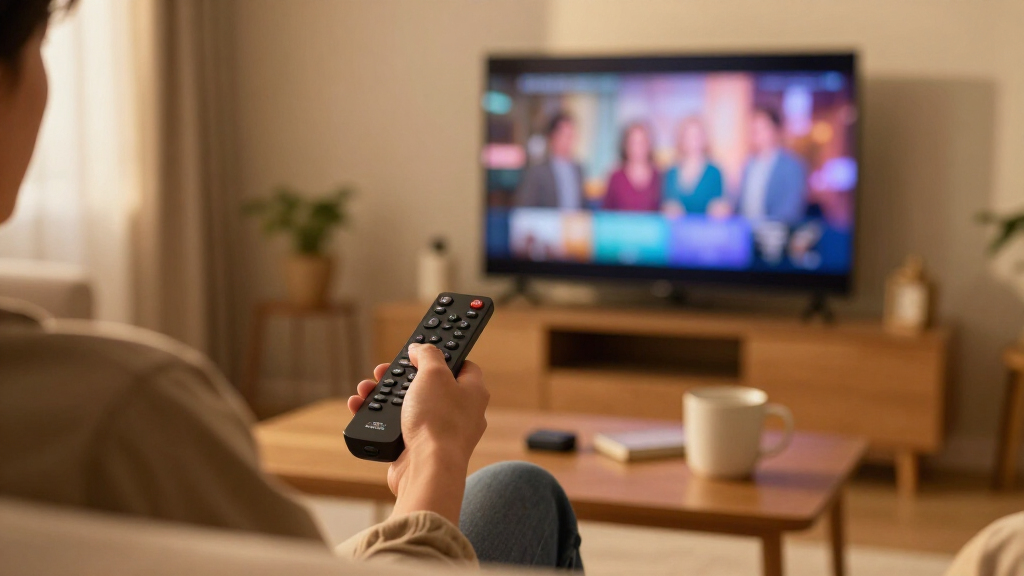
Amazon Fire TV sticks dominate the budget streaming market, but the lineup has grown crowded enough that picking the wrong model is easy to do. After comparing seven current options, the Fire TV Stick 4K Plus stands out as the best overall pick thanks to its fast processor, Wi-Fi 6E support, and room-filling format support at a mid-tier price. The Fire TV Stick 4K Max (2nd Gen) is the better choice for gamers and smart-home power users, while the Fire TV Stick HD covers anyone streaming on a 1080p television. The main tradeoff you’ll face is between raw speed and price — older and cheaper sticks still stream fine, but they feel slower in menus and lack Wi-Fi 6. Read on for the full breakdown of which stick fits which living room.

Get the latest gadgets delivered free — and shop member deals
- Fast, free delivery on millions of items
- Access to Prime Big Deal Days deals on October 6–7
- Prime Video, Amazon Music and more included
Complete the kit



Key Takeaways
- The 4K Plus and 4K Max (2nd Gen) are separated by a thin margin: the Max wins on Wi-Fi 6E and gaming performance, but the Plus delivers nearly identical streaming quality for less, which is why it takes the top spot.
- The Fire TV Cube-class Ultra HD player is the only true set-top-box option here — buyers pay a premium mainly for hands-free Alexa and wired ethernet, not better picture quality.
- The refurbished Fire TV Stick 4K is the smartest budget play in the lineup, offering the same 4K output as newer sticks if you can accept a used remote and older Wi-Fi.
- The Fire TV Stick HD remains viable only for 1080p or 720p televisions; putting it on a 4K panel wastes the screen and produces visibly softer output.
- Remote quality varies meaningfully across the lineup — Alexa+ and voice pro remotes with backlit buttons and customizable shortcuts are a real reason to step up a tier, not a gimmick.
| Amazon Fire TV Stick 4K Plus with Alexa Voice Remote |  | Best Overall | Resolution: 4K Ultra HD (2160p up to 60 fps) | Video formats: Dolby Vision, HDR10, HDR10+, HLG, AV1 | Audio: Dolby Atmos, 7.1 surround, HDMI passthrough up to 5.1 | VIEW LATEST PRICE | See Our Full Breakdown |
| Amazon Fire TV 4K Ultra HD Streaming Media Player with Alexa Voice Remote |  | Best Starter 4K Pick (Certified Refurbished) | Condition: Certified refurbished | Resolution: 4K Ultra HD | Video: HDR | VIEW LATEST PRICE | See Our Full Breakdown |
| Amazon Fire TV Stick 4K Max (2nd Gen) Streaming Device |  | Best Premium Performance | Resolution: 4K Ultra HD (2160p up to 60 fps) | Processor: Quad-core 2.0 GHz | Storage: 16 GB | VIEW LATEST PRICE | See Our Full Breakdown |
| Amazon Fire TV Stick 4K (Like-New, Refurbished) |  | Best Value Refurb | Condition: Refurbished, tested, certified like-new | Resolution: 4K Ultra HD | Video formats: Dolby Vision, HDR10+ | VIEW LATEST PRICE | See Our Full Breakdown |
| Amazon Fire TV Stick 4K Streaming Device with Alexa+ Remote |  | Best for Smart Home Users | Resolution: 4K Ultra HD | HDR: HDR10+ | Wireless: Wi-Fi 6 | VIEW LATEST PRICE | See Our Full Breakdown |
| Amazon Fire TV Stick HD with Alexa Voice Remote |  | Best Budget Starter | Resolution: Full HD (1080p) | Wi-Fi: Wi-Fi 6 | Connectivity: HDMI | VIEW LATEST PRICE | See Our Full Breakdown |
| Amazon Fire TV Stick 4K Select |  | Best for 4K on a Budget | Resolution: Up to 2160p at 60 fps (also 1080p and 720p) | HDR Support: HDR10, HDR10+, HLG | Processor: Quad-core 1.7 GHz | VIEW LATEST PRICE | See Our Full Breakdown |
| Amazon Fire TV stick | Resolution | Audio | Processor | Wi-Fi |
|---|---|---|---|---|
| Amazon Fire TV Stick 4K Plus w | 4K Ultra HD (2160p up to 60 fps) | Dolby Atmos, 7.1 surround, HDMI passthrough up to 5.1 | Quad-core 1.7 GHz | Dual-band Wi-Fi 6 |
| Amazon Fire TV 4K Ultra HD Str | 4K Ultra HD | Dolby Atmos | Quad-core | — |
| Amazon Fire TV Stick 4K Max | 4K Ultra HD (2160p up to 60 fps) | Dolby Atmos, 7.1 surround, passthrough up to 5.1 | Quad-core 2.0 GHz | Wi-Fi 6E tri-band (2.4/5/6 GHz) |
| Amazon Fire TV Stick 4K | 4K Ultra HD | Dolby Atmos | — | — |
| Amazon Fire TV Stick 4K Stream | 4K Ultra HD | — | — | — |
| Amazon Fire TV Stick HD with A | Full HD (1080p) | Bluetooth headphone support | — | Wi-Fi 6 |
| Amazon Fire TV Stick 4K Select | Up to 2160p at 60 fps (also 1080p and 720p) | HDMI pass-through for Dolby-encoded audio | Quad-core 1.7 GHz | Dual-band, dual-antenna MIMO (802.11a/b/g/n/ac) |
More Details on Our Top Picks
Amazon Fire TV Stick 4K Plus with Alexa Voice Remote
This model strikes the balance most buyers actually need: full 4K with Dolby Vision and HDR10+, Dolby Atmos audio, and Wi-Fi 6 that holds up when half the household is streaming or gaming at once. Compared with the standard Fire TV Stick 4K with Alexa+ Remote, the Plus leans harder into entertainment extras — its Xbox cloud gaming support through Game Pass makes it a genuine casual-gaming option rather than just a streaming stick. It sits below the Fire TV Stick 4K Max (2nd Gen) in raw speed and storage, but most viewers will never feel the gap. The tradeoff is conditional: if your router predates Wi-Fi 6, you’re paying for headroom you can’t use, and gaming still depends on a strong connection and subscriptions.
Pros:- Full 4K Ultra HD with Dolby Vision, HDR10+, and Dolby Atmos
- Wi-Fi 6 keeps streams stable on busy home networks
- Xbox cloud gaming support via Game Pass adds gaming without a console
- Alexa voice search doubles as a smart home controller
Cons:- Wi-Fi 6 benefits require a compatible router
- Cloud gaming and many streaming services need separate subscriptions
Best for: Households with a modern Wi-Fi 6 router who want 4K HDR streaming plus occasional cloud gaming in one dongle
Not ideal for: Anyone with an older dual-band router only — the Wi-Fi 6 advantage disappears and the cheaper Fire TV Stick 4K makes more sense
- Resolution:4K Ultra HD (2160p up to 60 fps)
- Video formats:Dolby Vision, HDR10, HDR10+, HLG, AV1
- Audio:Dolby Atmos, 7.1 surround, HDMI passthrough up to 5.1
- Processor:Quad-core 1.7 GHz
- Storage:8 GB
- Wi-Fi:Dual-band Wi-Fi 6
- Remote:Alexa Voice Remote
- Ports:HDMI 2.1, micro USB
Our verdict“The safest pick for most 4K TV owners who want near-flagship performance without paying for the Max’s extras.”
Amazon Fire TV 4K Ultra HD Streaming Media Player with Alexa Voice Remote
For a first streaming device — say, an older 4K TV that never had smart apps worth using — this certified refurbished player covers the basics without clutter. You get 4K, HDR, and Dolby Atmos, plus voice control through the included remote or a paired Echo speaker, which the entry-level Fire TV Stick HD can’t match on picture quality. The catch is that it’s the oldest hardware here: compared with the Fire TV Stick 4K Plus, it lacks Wi-Fi 6, the newer AV1 codec, and cloud gaming, so it will feel slower in menus and on congested networks. Refurbished condition also means cosmetic uncertainty and generic packaging. As a low-commitment way to bring a dormant 4K set into the streaming era, though, it does the job.
Pros:- 4K Ultra HD with HDR and Dolby Atmos at a refurbished price point
- Alexa voice control via remote or a paired Echo device
- Access to a huge catalog of streaming apps and live TV services
- Simple setup for first-time streamers
Cons:- Certified refurbished, not new — cosmetic and packaging variability
- Older internals: no Wi-Fi 6, slower navigation than current sticks
- Live TV and premium services require their own subscriptions
Best for: Budget-conscious buyers reviving an older 4K TV who want HDR and Atmos but don’t need the newest chipset
Not ideal for: Enthusiasts who want fast menus, Wi-Fi 6, or gaming — the older hardware falls behind the 4K Plus and 4K Max
- Condition:Certified refurbished
- Resolution:4K Ultra HD
- Video:HDR
- Audio:Dolby Atmos
- Processor:Quad-core
- Remote:Alexa Voice Remote
- Content access:500,000+ movies and TV episodes
Our verdict“A sensible budget entry into 4K streaming for secondary TVs, as long as you accept last-generation performance.”
Amazon Fire TV Stick 4K Max (2nd Gen) Streaming Device
The Max is the one to buy when waiting is the enemy. Its 2.0 GHz quad-core processor opens apps faster and scrolls smoother than the Fire TV Stick 4K Plus, and double the storage (16 GB) means room for more apps, games, and downloads before you hit the delete-something wall. Wi-Fi 6E adds a dedicated 6 GHz band, which is a real advantage in apartment buildings crowded with interference — provided your router supports it, otherwise the feature is dead weight. The bundled Alexa Voice Remote Enhanced can command your TV and soundbar too, cutting remote clutter. The honest downside: if you don’t have Wi-Fi 6E gear and don’t install many apps, the cheaper Plus delivers an almost identical picture, and you’re paying a premium for speed you may not notice.
Pros:- Fastest Fire TV processor for snappy menus and app launches
- 16 GB storage — double most Fire TV sticks — for apps and games
- Wi-Fi 6E tri-band connectivity resists network congestion
- Alexa Voice Remote Enhanced controls compatible TVs and audio gear
Cons:- Wi-Fi 6E requires a compatible router to matter
- Premium positioning overkill for light streamers
- Some content and cloud gaming services need separate subscriptions
Best for: Power users and gamers with a Wi-Fi 6E router who want the fastest Fire TV experience and maximum app storage
Not ideal for: Casual streamers on older routers — the standard or Plus 4K sticks cost less and look identical on screen
- Resolution:4K Ultra HD (2160p up to 60 fps)
- Processor:Quad-core 2.0 GHz
- Storage:16 GB
- Wi-Fi:Wi-Fi 6E tri-band (2.4/5/6 GHz)
- Video formats:Dolby Vision, HDR10, HDR10+, HLG, AV1
- Audio:Dolby Atmos, 7.1 surround, passthrough up to 5.1
- Remote:Alexa Voice Remote Enhanced
- Ports:HDMI 2.1, micro USB
Our verdict“The top-tier Fire TV stick for enthusiasts who want speed and storage headroom, provided their network can keep up.”
Amazon Fire TV Stick 4K (Like-New, Refurbished)
This is the smart shopper’s play: a refurbished stick that carries the same limited warranty as a new device while delivering the core 4K experience — Dolby Vision, HDR10+, Dolby Atmos, and Wi-Fi 6 — that the pricier 4K Plus also provides. Compared with the older certified refurbished Fire TV 4K player, this one is current-generation hardware, so you keep modern Wi-Fi, AV1 codec support, and Xbox cloud gaming. Tradeoffs are real but modest: expect generic Amazon-branded packaging rather than retail presentation, and like every Fire TV device, subscription services still cost extra. For a bedroom TV, a guest room, or a second screen where cosmetics don’t matter but picture quality does, this makes the most sense in the lineup.
Pros:- Current-generation specs: 4K, Dolby Vision, HDR10+, Dolby Atmos
- Wi-Fi 6 for stable streaming on shared networks
- Same limited warranty as a brand-new device
- Includes Alexa Voice Remote with TV power, volume, and app buttons
Cons:- May arrive in generic Amazon-branded packaging
- Refurbished stock availability can be unpredictable
- Streaming and gaming services still require their own subscriptions
Best for: Value hunters adding 4K streaming to a second or bedroom TV who don’t need retail-new condition
Not ideal for: Gift-givers or anyone who wants pristine packaging — refurbished units arrive in plain boxes and may show minor cosmetic history
- Condition:Refurbished, tested, certified like-new
- Resolution:4K Ultra HD
- Video formats:Dolby Vision, HDR10+
- Audio:Dolby Atmos
- Wireless:Wi-Fi 6
- Gaming:Xbox Game Pass cloud gaming
- Warranty:Same limited warranty as new
Our verdict“The best price-to-performance move in the lineup for buyers comfortable with refurbished hardware.”
Amazon Fire TV Stick 4K Streaming Device with Alexa+ Remote
What separates this stick is Alexa+ — the more conversational assistant that can handle content discovery and orchestrate compatible smart home devices in a way the standard Alexa remote on the Fire TV Stick 4K Plus doesn’t match. It’s also the tidy one of the bunch: direct power from the TV’s HDMI port means no wall adapter snaking behind the entertainment center, and Bluetooth headphone support enables late-night viewing without waking the house. On paper, the video spec is slightly leaner — HDR10+ but no Dolby Vision listed, unlike the Plus and the 4K Max — so cinephiles with Dolby Vision-capable sets give up some dynamic range. Still, for a household already running Alexa speakers, cameras, and lights, this is the stick that fits most naturally into that ecosystem.
Pros:- Alexa+ enables smarter content search and smart home management
- Powers directly from the TV’s HDMI port — no wall adapter needed
- Bluetooth headphone support for private listening
- Remote handles TV power and volume, reducing remote clutter
Cons:- No listed Dolby Vision support, unlike the 4K Plus and 4K Max
- 4K resolution requires a compatible 4K TV
- Subscription fees apply to much of the content
Best for: Smart-home-first households already invested in Alexa who want voice-driven control and clean, adapter-free installation
Not ideal for: Home theater enthusiasts with Dolby Vision TVs — the 4K Plus or Max covers that format and this one doesn’t list it
- Resolution:4K Ultra HD
- HDR:HDR10+
- Wireless:Wi-Fi 6
- Connectivity:HDMI, Bluetooth
- Power:Direct power from TV — no wall adapter
- Voice assistant:Alexa+
- Private listening:Bluetooth headphones supported
Our verdict“The pick for Alexa-centric homes that value ecosystem integration and cable-free setup over maximum HDR formats.”
Amazon Fire TV Stick HD with Alexa Voice Remote
Full HD streaming on a strict budget is what this stick delivers, and it does so without the clutter of features most casual viewers never touch. Compared with the Amazon Fire TV Stick 4K Select, this model sacrifices 4K resolution and HDR entirely, but it gains Wi-Fi 6 support, which the 4K Select lacks — meaning smoother streams on congested home networks even at 1080p. The remote can control your TV, soundbar, and receiver power and volume, so one remote replaces three. Private listening via Bluetooth headphones is a genuine plus for apartment dwellers or late-night viewers. The tradeoff is simple: anyone with a 4K panel is leaving picture quality on the table, and there’s no way around that. For 1080p televisions, though, this is the sensible entry point.
Pros:- Wi-Fi 6 support for reliable streaming on busy home networks
- Alexa Voice Remote controls compatible TV, soundbar, and receiver
- Bluetooth headphone support enables private listening
- Compact stick plugs directly into an HDMI port
Cons:- Limited to Full HD — no 4K or HDR support at all
- Most streaming services require their own paid subscriptions
Best for: Owners of 1080p or 720p TVs who want fast Wi-Fi 6 streaming and voice control without paying for 4K hardware
Not ideal for: Anyone with a 4K or HDR television — this stick caps out at Full HD, so premium panels will never reach their potential
- Resolution:Full HD (1080p)
- Wi-Fi:Wi-Fi 6
- Connectivity:HDMI
- Power:USB-C cable powered by TV
- Remote:Alexa Voice Remote with TV, soundbar, and receiver controls
- Audio:Bluetooth headphone support
Our verdict“If your TV tops out at 1080p, this is the smartest spend in the lineup — but 4K TV owners should step up to the 4K Select or better.”
Amazon Fire TV Stick 4K Select
This is the most affordable path to 4K Ultra HD with HDR10+ in the Fire TV lineup, and that’s its entire reason for existing. The step up from the Fire TV Stick HD is dramatic on a 4K panel — sharper detail, better contrast through HDR10+, and Dolby audio pass-through to a soundbar. Against pricier models like the Fire TV Stick 4K Max (2nd Gen), the gaps are subtler: an older dual-band Wi-Fi setup instead of Wi-Fi 6, a 1.7 GHz quad-core chip rather than a faster one, and micro-USB power instead of USB-C. What you get that budget sticks don’t offer is Xbox cloud gaming — a rarity at this tier — plus AV1 codec support that reduces bandwidth on compatible streams. The short 90-day warranty is the sting here, so register it and test everything early.
Pros:- 4K Ultra HD streaming with HDR10+, HDR10, and HLG support
- Xbox cloud gaming built in with a compatible controller and subscription
- AV1 codec support reduces bandwidth on supported streams
- Access to free ad-supported content alongside paid apps
Cons:- Older dual-band Wi-Fi without Wi-Fi 6 support
- Only a 90-day limited warranty
- 4K, HDR, and gaming features each require compatible equipment or separate subscriptions
Best for: Viewers with 4K HDR TVs who want premium picture formats and even cloud gaming without paying for flagship-tier hardware
Not ideal for: Households on Wi-Fi 6 routers wanting maximum network headroom — the 4K Max is the better fit there
- Resolution:Up to 2160p at 60 fps (also 1080p and 720p)
- HDR Support:HDR10, HDR10+, HLG
- Processor:Quad-core 1.7 GHz
- Storage:8 GB internal
- Wi-Fi:Dual-band, dual-antenna MIMO (802.11a/b/g/n/ac)
- Bluetooth:Bluetooth 5.0 and Bluetooth Low Energy
- Video Codecs:H.265, H.264, VP9, AV1
- Audio:HDMI pass-through for Dolby-encoded audio
- Warranty:90-day limited warranty
Our verdict“The best value in 4K streaming here — ideal if you want HDR10+ and casual gaming capability while skipping the flagship price of the 4K Max.”

How We Picked
I ranked these seven devices by focusing on the factors that actually change daily viewing: processor speed (how fast menus load and apps resume), Wi-Fi generation (Wi-Fi 6 and 6E matter on busy home networks), picture and audio format support (4K, HDR10+, Dolby Vision, Dolby Atmos), and remote quality. I also weighed value — how much real performance each tier adds over the one below it — and gave credit to the refurbished option for buyers who prioritize savings over having the latest hardware.
The ranking logic follows a simple hierarchy: full-featured 4K performers sit at the top because most households now own 4K televisions, mid-tier sticks fill the value zone, and HD-only hardware lands last because it’s increasingly a niche choice. The Ultra HD player breaks this pattern slightly — it costs more than every stick, but earns its place through hands-free voice control and expandability that no stick can match.
| Amazon Fire TV stick | Audio | Processor | Wi-Fi | Remote |
|---|---|---|---|---|
| Amazon Fire TV Stick 4K Plus w | Dolby Atmos, 7.1 surround, HDMI passthrough up to 5.1 | Quad-core 1.7 GHz | Dual-band Wi-Fi 6 | Alexa Voice Remote |
| Amazon Fire TV 4K Ultra HD Str | Dolby Atmos | Quad-core | — | Alexa Voice Remote |
| Amazon Fire TV Stick 4K Max | Dolby Atmos, 7.1 surround, passthrough up to 5.1 | Quad-core 2.0 GHz | Wi-Fi 6E tri-band (2.4/5/6 GHz) | Alexa Voice Remote Enhanced |
| Amazon Fire TV Stick 4K | Dolby Atmos | — | — | — |
| Amazon Fire TV Stick 4K Stream | — | — | — | — |
| Amazon Fire TV Stick HD with A | Bluetooth headphone support | — | Wi-Fi 6 | Alexa Voice Remote with TV, soundbar, and receiver controls |
| Amazon Fire TV Stick 4K Select | HDMI pass-through for Dolby-encoded audio | Quad-core 1.7 GHz | Dual-band, dual-antenna MIMO (802.11a/b/g/n/ac) | — |
Factors to Consider When Choosing Amazon Fire TV Sticks
Before choosing a specific stick, it helps to understand what actually separates these devices — and where buyers commonly overspend or underbuy. These are the factors I weighed most heavily when ranking the lineup.Match the Stick to Your Television First
The single most common mistake is buying a 4K stick for a 1080p television or, worse, an HD stick for a 4K panel. A 4K stick on an HD TV works fine but wastes the money you paid for HDR and high-resolution output. An HD stick on a 4K TV produces visibly softer images, especially on larger screens where upscaling artifacts show. Check your television’s resolution and HDR support before you buy — this one decision eliminates half the lineup instantly.
Wi-Fi Generation Matters More Than You Think
The newer sticks support Wi-Fi 6 and Wi-Fi 6E, and the difference is real in households with multiple simultaneous streams, smart-home devices, and gaming consoles competing for bandwidth. Older sticks on congested networks produce buffering that buyers often blame on their internet plan. If your router is more than three or four years old, a Wi-Fi 6E stick is partly future-proofing — but if you live alone with a simple network setup, paying extra for it is money misspent.
Processor Tier Determines How the Stick Feels
Two sticks can stream the same 4K movie flawlessly yet feel completely different in everyday use. Faster processors load menus quicker, resume apps without re-buffering, and handle the screensaver and live-view features without lag. Budget-tier chips — like those in the HD stick and older refurbished units — feel noticeably sluggish within a few months as apps grow heavier. If impatience is a family trait in your house, this is where the extra money goes.
Remote Differences Are a Real Upgrade Path
Remotes are the part you touch every single day, and Amazon’s tiers vary widely: some include backlit buttons, programmable shortcuts, TV power and volume control, and a headphone jack for private listening, while the basic models offer none of these. Buyers often fixate on streaming specs and then live with an annoying remote for years. Read the remote description as carefully as the device specs — stepping up one tier for a better remote is frequently better value than stepping up for a faster chip.
Stick Versus Box: When the Cube-Style Player Wins
HDMI sticks hide behind the television and cost less, but the Ultra HD box-style player offers things no stick can: a built-in speaker and far-field microphones for hands-free Alexa (no button press needed), an ethernet port for rock-solid wired streaming, and better thermal headroom for sustained performance. Choose the box if your TV sits in a cabinet that blocks infrared, or if you want the streaming device to double as a whole-room smart speaker. Skip it if you just want Netflix on the big screen — a stick does that job for far less.
Refurbished Versus New: The Honest Tradeoff
A refurbished Fire TV Stick can be the best value in the entire category, but there are honest caveats. You get the previous generation’s hardware, which means slower Wi-Fi and an older processor, plus a remote that may show wear. Amazon’s refurbishing process is reliable, and warranty coverage softens the risk, but buyers who want the newest remote features or plan to keep the device for five-plus years should buy new. Refurbished makes the most sense for a secondary television — a guest room, a kitchen, a dorm — where cutting-edge performance doesn’t matter.
Frequently Asked Questions
Is the Fire TV Stick 4K Max worth the extra cost over the 4K Plus?
For most buyers, no — the 4K Plus delivers nearly identical streaming quality, the same HDR and Dolby Vision support, and the same app experience for less money. The Max justifies its premium only in specific situations: households with Wi-Fi 6E routers and congested networks, casual gamers who want lower latency in Fire TV’s cloud gaming service, and smart-home enthusiasts who want the fastest response from Alexa routines. If none of those describe you, pocket the difference and choose the Plus. The picture quality gap between the two is effectively invisible on most televisions.
Can I use an older Fire TV Stick on a new 4K television?
Yes, and many people do — the stick will simply output at its maximum supported resolution and let the television upscale. An HD stick on a 4K TV works, but the image will look softer than native 4K, and the effect grows more obvious on screens 55 inches and larger. An older 4K stick, like the refurbished model in this lineup, looks essentially indistinguishable from the newest sticks for standard streaming. The bigger downside of older hardware is slower menus and weaker Wi-Fi, not picture quality.
Do any of these sticks require a subscription to use?
No — every device here works without any Amazon subscription, and you can sign into Netflix, Disney+, YouTube, and free ad-supported apps immediately. An Amazon account is needed for setup, but Prime membership is optional and only affects access to Prime Video content itself. Be aware that Fire TV’s interface promotes Amazon’s own content and ad-supported channels heavily, which is the tradeoff for the low hardware prices. Buyers who want a cleaner interface sometimes pair a Fire TV stick with a second device like an Apple TV, but for most households the ads are a minor annoyance rather than a dealbreaker.
Should I buy the Ultra HD box instead of a stick if I have a smart TV?
Probably not, unless your smart TV’s built-in apps have become slow or unsupported — a common problem as televisions age. A stick solves that problem for far less than the box. The Ultra HD player earns its premium through hands-free Alexa (it hears you across the room without a remote button), an ethernet port for wired reliability, and better performance under sustained loads. If your television sits inside a closed cabinet or you already use Alexa speakers throughout the house, the box integrates more naturally. Otherwise, any of the 4K sticks will modernize an aging smart TV just as effectively.
How long will a Fire TV stick stay supported before it needs replacing?
Amazon typically supports Fire TV devices with software updates for roughly six to eight years, which is longer than most budget Android streaming devices. The practical limit tends to arrive before official support ends: apps get heavier, processors feel slower, and services eventually drop compatibility with older hardware generations. Buying a current-generation stick like the 4K Plus or 4K Max maximizes that lifespan from day one, which is part of why I ranked them above older and refurbished options. A refurbished stick is the compromise choice — cheaper upfront, but you start the clock two or three years in.
Conclusion
The right choice comes down to your television and your patience. For best overall, the Fire TV Stick 4K Plus hits the sweet spot of speed, Wi-Fi 6, and full HDR support without the Max’s premium. For best value, the refurbished Fire TV Stick 4K delivers genuine 4K streaming at the lowest entry point, ideal for a second or third television. The Fire TV 4K Ultra HD player takes best premium for buyers who want hands-free Alexa, ethernet, and box-grade performance. For beginners and HD televisions, the Fire TV Stick HD is the simplest, cheapest way to start streaming. And for specific needs — gaming, Wi-Fi 6E networks, or heavy smart-home use — the Fire TV Stick 4K Max (2nd Gen) is worth every extra dollar, while the standard 4K stick with the Alexa+ remote splits the difference for buyers who mainly want a better remote. Whatever you pick, match the stick to the screen and the network you actually have, not the one you might upgrade to someday.
Fall Picks
fall essentials
As an affiliate, we earn on qualifying purchases.