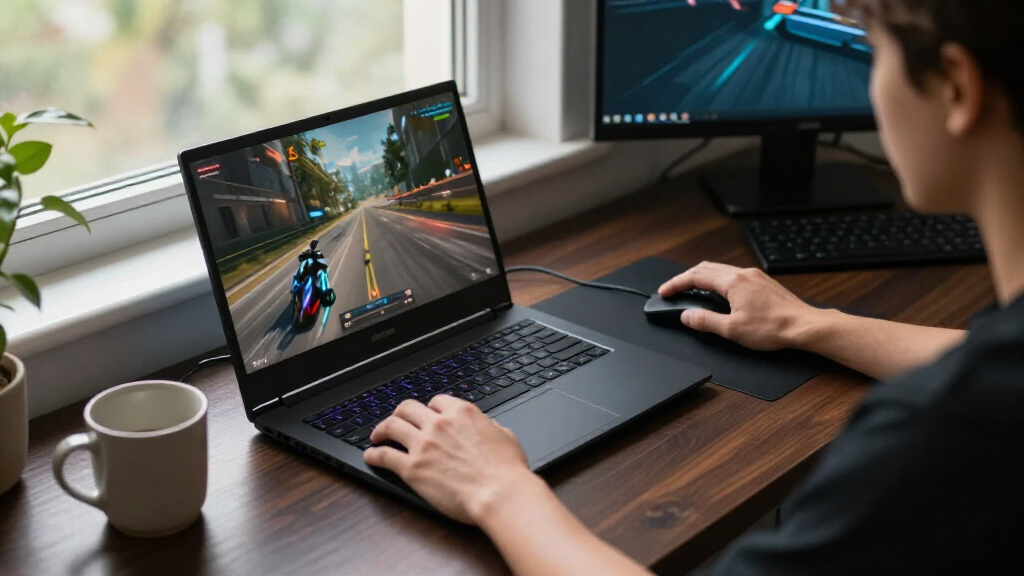

The best RTX gaming laptops balance graphics performance, screen quality, cooling, and memory for the games you play. My best overall pick is the Acer Nitro V 16S AI, whose RTX 5060 pairs with 32GB of RAM and a 180Hz display for a well-rounded setup. For higher-end gaming, the ASUS ROG Strix G16 RTX 5080 brings a 2.5K, 300Hz screen, while the Lenovo Legion 5a stands out for its OLED panel and 32GB of memory. The main tradeoffs are graphics power versus portability, and premium screens versus a more modest GPU. Read on for the full breakdown and guidance on which RTX tier fits your needs.

Get the latest gadgets delivered free with Prime
- Fast, free delivery on millions of items
- Prime Video, Amazon Music and more included
- Member-only deals all year
Complete the kit



Key Takeaways
- The Acer Nitro V 16S AI is my best overall fit: its RTX 5060, 32GB RAM, 1TB SSD, and 180Hz screen form a balanced configuration without leaning on a flagship GPU.
- RTX 5080 models serve a different buyer: the ASUS ROG Strix G16 and MSI Vector 16 HX AI add substantially more graphics headroom, but their premium-tier hardware is unnecessary for many players.
- Screen choice changes the experience: the Alienware 16X Aurora emphasizes OLED contrast and a 240Hz refresh rate, while the ROG Strix G16 RTX 5080 offers a 2.5K, 300Hz panel.
- The RTX 4050 options are entry-level compromises: the Acer Nitro V 15 models can suit lighter gaming, but their graphics tier and, on one configuration, unspecified memory and storage call for careful spec checking.
- Memory and storage separate similarly named laptops: the listed Nitro V 16S, Legion 5a, and premium Strix models include 32GB RAM, while some lower-tier configurations have less or unlisted capacity.
- Large screens bring practical tradeoffs: the 17-inch MSI Cyborg 17 and 18-inch ROG Strix G18 favor an expansive view over a smaller, easier-to-carry gaming laptop.
| HP Victus 15 Gaming Laptop, 15.6-inch Full HD, Intel Core i5-12500H, NVIDIA GeForce RTX 3050, 8 GB RAM, 512 GB SSD |  | Best Entry-Level RTX Pick | Processor: 12th Gen Intel Core i5-12500H | Graphics: NVIDIA GeForce RTX 3050 | Memory: 8 GB DDR4 | VIEW LATEST PRICE | See Our Full Breakdown |
| ASUS ROG Strix G16 (2025) Gaming Laptop |  | Best Balanced RTX 5060 Pick | Processor: Intel Core i7-14650HX | Graphics: NVIDIA GeForce RTX 5060 Laptop GPU | Memory: 16 GB DDR5-5600 | VIEW LATEST PRICE | See Our Full Breakdown |
| Alienware 16 Aurora Gaming Laptop, RTX 5060, Intel Core 7 240H | 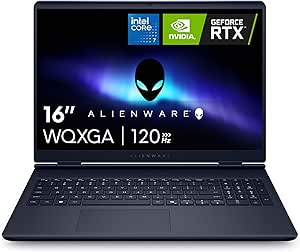 | Best High-Resolution RTX 5060 | Processor: Intel Core 7 240H | Graphics: NVIDIA GeForce RTX 5060 | Memory: 16 GB DDR5-5600, maximum 32 GB | VIEW LATEST PRICE | See Our Full Breakdown |
| ASUS ROG Strix G16 (2025) 16-Inch Gaming Laptop |  | Best Premium RTX Gaming | Processor: Intel Core Ultra 9 275HX | Graphics: NVIDIA GeForce RTX 5070 Ti Laptop GPU | Memory: 32 GB DDR5-5600 | VIEW LATEST PRICE | See Our Full Breakdown |
| MSI Cyborg 17 17.3-Inch FHD 144Hz Gaming Laptop, Intel Core 7-240H, GeForce RTX 5060, 16GB DDR5, 1TB SSD |  | Best Large-Screen RTX Pick | Processor: Intel Core 7-240H | Graphics: NVIDIA GeForce RTX 5060, 8 GB GDDR7 | Memory: 16 GB DDR5 | VIEW LATEST PRICE | See Our Full Breakdown |
| GIGABYTE Gaming A16 16-Inch Laptop with Intel Core i7-13620H and GeForce RTX 5070 |  | Best RTX 5070 Value Balance | Processor: Intel Core i7-13620H | Graphics: NVIDIA GeForce RTX 5070 Laptop GPU, 8GB GDDR7 | Display: 16-inch IPS WUXGA (1920 × 1200), matte | VIEW LATEST PRICE | See Our Full Breakdown |
| Acer Nitro V 16S AI Gaming Laptop, AMD Ryzen 7 260, NVIDIA GeForce RTX 5060, 16-inch WUXGA 180Hz Display, 32GB DDR5, 1TB SSD |  | Best RTX 5060 for Fast, Colorful Play | Processor: AMD Ryzen 7 260 | Graphics: NVIDIA GeForce RTX 5060 Laptop GPU, 572 AI TOPS | Display: 16-inch WUXGA (1920 × 1200) IPS | VIEW LATEST PRICE | See Our Full Breakdown |
| ASUS ROG Strix G16 Gaming Laptop, 16-inch 2.5K 300Hz Display, Intel Core Ultra 9 290HX Plus, NVIDIA GeForce RTX 5080, 32GB DDR5, 1TB SSD |  | Best Premium RTX Performance | Processor: Intel Core Ultra 9 290HX Plus | Graphics: NVIDIA GeForce RTX 5080 Laptop GPU, 16GB GDDR7 | Display: 16-inch, 2560 × 1600 | VIEW LATEST PRICE | See Our Full Breakdown |
| Alienware 16X Aurora Gaming Laptop, 16-Inch WQXGA 240Hz OLED, Intel Core Ultra HX, NVIDIA GeForce RTX 5060 |  | Best OLED Display for RTX 5060 Gaming | Processor: Intel Core Ultra HX | Graphics: NVIDIA GeForce RTX 5060 Laptop GPU, 8GB GDDR7 | Display: 16-inch WQXGA OLED (2560 × 1600) | VIEW LATEST PRICE | See Our Full Breakdown |
| ASUS ROG Strix G18 (2025) Gaming Laptop, 18-inch 144Hz Display, Intel Core i9-14900HX, NVIDIA GeForce RTX 5070, 32GB RAM, 1TB SSD |  | Best Large-Screen Gaming Setup | Processor: Intel Core i9-14900HX | Graphics: RTX 5070 in title and description; RTX 5060 in product information | Display size: 18 inches | VIEW LATEST PRICE | See Our Full Breakdown |
| Acer Nitro V 15 Gaming Laptop, Intel Core i7-13620H, NVIDIA GeForce RTX 4050, 15.6-Inch FHD 165Hz Display, 16GB DDR5, 1TB SSD |  | Best RTX 4050 Configuration | Processor: Intel Core i7-13620H | Graphics: NVIDIA GeForce RTX 4050 Laptop GPU, 6GB GDDR6 | Display: 15.6-inch Full HD IPS, 1920 × 1080, 165Hz | VIEW LATEST PRICE | See Our Full Breakdown |
| MSI Katana 15 HX 15.6-inch QHD+ 165Hz Gaming Laptop |  | Best for CPU-Heavy Gaming and Multitasking | Processor: Intel Core i9-14900HX, 24 cores | Graphics: NVIDIA GeForce RTX 5070, 8GB GDDR7 | Display: 15.6-inch QHD+, 2560 × 1600, 165Hz, 100% DCI-P3 | VIEW LATEST PRICE | See Our Full Breakdown |
| Lenovo Legion 5a Gaming Laptop, Ryzen 7 250, RTX 5060, 15.3-inch OLED 165Hz Display, 32GB RAM, 1TB SSD, Wi-Fi 7, Windows 11, Black |  | Best OLED Display | Processor: AMD Ryzen 7 250, 8 cores and 16 threads, up to 5.1GHz | Graphics: NVIDIA GeForce RTX 5060, 8GB GDDR7, up to 115W TGP | Display: 15.3-inch WQXGA OLED, 2560 × 1600, 165Hz | VIEW LATEST PRICE | See Our Full Breakdown |
| MSI Vector 16 HX AI Gaming Laptop, 16-inch QHD+ 240Hz, Intel Core Ultra 9 275HX, 32GB RAM, 2TB SSD, NVIDIA GeForce RTX 5080, Windows 11 Pro |  | Best Premium RTX Performance | Processor: Intel Core Ultra 9 275HX, 24 cores | Graphics: NVIDIA GeForce RTX 5080, 16GB | Display: 16-inch IPS, 2560 × 1600, 240Hz | VIEW LATEST PRICE | See Our Full Breakdown |
| Acer Nitro V 15 Gaming Laptop, Intel Core i5-13420H, GeForce RTX 4050, 15.6-inch FHD 165Hz Display |  | Best Entry-Level RTX Pick | Processor: Intel Core i5-13420H | Graphics: NVIDIA GeForce RTX 4050 Laptop GPU, 6GB GDDR6 | Display: 15.6-inch Full HD IPS, 1920 × 1080, 165Hz, 300 nits | VIEW LATEST PRICE | See Our Full Breakdown |
| RTX gaming laptop | Processor | Graphics | Memory | Storage |
|---|---|---|---|---|
| HP Victus 15 Gaming Laptop | 12th Gen Intel Core i5-12500H | NVIDIA GeForce RTX 3050 | 8 GB DDR4 | 512 GB SSD |
| ASUS ROG Strix G16 | Intel Core i7-14650HX | NVIDIA GeForce RTX 5060 Laptop GPU | 16 GB DDR5-5600 | 1 TB PCIe Gen 4 SSD |
| Alienware 16 Aurora Gaming Lap | Intel Core 7 240H | NVIDIA GeForce RTX 5060 | 16 GB DDR5-5600, maximum 32 GB | 1 TB SSD |
| ASUS ROG Strix G16 | Intel Core Ultra 9 275HX | NVIDIA GeForce RTX 5070 Ti Laptop GPU | 32 GB DDR5-5600 | 1 TB PCIe Gen 4 SSD |
| MSI Cyborg 17 17.3-Inch FHD 14 | Intel Core 7-240H | NVIDIA GeForce RTX 5060, 8 GB GDDR7 | 16 GB DDR5 | 1 TB NVMe SSD |
| GIGABYTE Gaming A16 16-Inch La | Intel Core i7-13620H | NVIDIA GeForce RTX 5070 Laptop GPU, 8GB GDDR7 | 32GB DDR5-5200 | 1TB PCIe Gen4 NVMe M.2 SSD |
| Acer Nitro V 16S AI Gaming Lap | AMD Ryzen 7 260 | NVIDIA GeForce RTX 5060 Laptop GPU, 572 AI TOPS | 32GB DDR5-5600; listed maximum 32GB | 1TB PCIe Gen4 SSD |
| ASUS ROG Strix G16 Gaming Lapt | Intel Core Ultra 9 290HX Plus | NVIDIA GeForce RTX 5080 Laptop GPU, 16GB GDDR7 | 32GB DDR5-5600 | 1TB PCIe Gen4 SSD |
| Alienware 16X Aurora Gaming La | Intel Core Ultra HX | NVIDIA GeForce RTX 5060 Laptop GPU, 8GB GDDR7 | Not specified | 1TB SSD |
| ASUS ROG Strix G18 | Intel Core i9-14900HX | RTX 5070 in title and description; RTX 5060 in product information | 32GB DDR5-5600 | 1TB PCIe Gen4 SSD |
| Acer Nitro V 15 Gaming Laptop | Intel Core i7-13620H | NVIDIA GeForce RTX 4050 Laptop GPU, 6GB GDDR6 | 16GB DDR5, maximum 32GB | 1TB PCIe Gen 4 SSD |
| MSI Katana 15 HX 15.6-inch QHD | Intel Core i9-14900HX, 24 cores | NVIDIA GeForce RTX 5070, 8GB GDDR7 | 32GB DDR5 | 1TB NVMe SSD |
| Lenovo Legion 5a Gaming Laptop | AMD Ryzen 7 250, 8 cores and 16 threads, up to 5.1GHz | NVIDIA GeForce RTX 5060, 8GB GDDR7, up to 115W TGP | 32GB DDR5 | 1TB SSD |
| MSI Vector 16 HX AI Gaming Lap | Intel Core Ultra 9 275HX, 24 cores | NVIDIA GeForce RTX 5080, 16GB | 32GB DDR5 | 2TB SSD |
| Acer Nitro V 15 Gaming Laptop | Intel Core i5-13420H | NVIDIA GeForce RTX 4050 Laptop GPU, 6GB GDDR6 | 8GB DDR5, two slots, maximum 32GB | 512GB PCIe Gen 4 SSD |
More Details on Our Top Picks
HP Victus 15 Gaming Laptop, 15.6-inch Full HD, Intel Core i5-12500H, NVIDIA GeForce RTX 3050, 8 GB RAM, 512 GB SSD
The HP Victus 15 is the most modest choice here, but its RTX 3050 gives it a place in an RTX-focused roundup for buyers who want dedicated NVIDIA graphics for Full HD gaming without stepping up to an RTX 50-series machine. Its 15.6-inch IPS screen and full-size backlit keyboard also make it a practical everyday laptop. Compared with the MSI Cyborg 17 and its RTX 5060, the Victus offers a lower graphics tier and less memory, so it is a weaker fit for demanding new games and heavier multitasking. The main catch is its 8 GB of RAM, which can constrain games and background apps; I would check upgrade options before choosing it. Its 512 GB SSD is also smaller than the 1 TB drives in several alternatives.
Pros:- RTX 3050 dedicated graphics provide an entry point to NVIDIA RTX gaming.
- Full HD IPS display offers wide 178-degree viewing angles.
- Backlit full-size keyboard includes a numeric keypad.
- 512 GB SSD provides room for games and everyday files.
Cons:- 8 GB of RAM may limit gaming and multitasking without an upgrade.
- RTX 3050 is a lower graphics tier than the RTX 5060 options in this roundup.
- 512 GB storage is less than the 1 TB drives offered by several alternatives.
Best for: First-time gaming-laptop buyers who mainly play at Full HD and want a straightforward RTX system for lighter or older games.
Not ideal for: Players targeting demanding new games, frequent multitaskers, or buyers who want an RTX 5060-class GPU and 1 TB of storage out of the box.
- Processor:12th Gen Intel Core i5-12500H
- Graphics:NVIDIA GeForce RTX 3050
- Memory:8 GB DDR4
- Storage:512 GB SSD
- Display:15.6-inch Full HD IPS, 1920 × 1080
- Operating system:Windows 11 Home
- Wireless:Wi-Fi 5 and Bluetooth 5.2
- Weight:2.29 kg
Our verdict“Choose the Victus 15 for basic Full HD RTX gaming, but skip it if you need stronger graphics or more memory out of the box.”
ASUS ROG Strix G16 (2025) Gaming Laptop
The ASUS ROG Strix G16 brings together an RTX 5060, a high-refresh 16-inch screen, and 1 TB of fast storage in a configuration that suits gaming without the costlier hardware tier of the other Strix G16 in this group. Its 165Hz FHD+ display favors smooth motion, while the i7-14650HX and vapor-chamber, tri-fan cooling design give it a stronger foundation for sustained gaming than the entry-level HP Victus 15. The Victus is a simpler, lower-tier option; this Strix is the more capable choice for current games and faster-paced play. The tradeoff is that 16 GB of RAM leaves less room for heavy multitasking than the 32 GB-equipped premium Strix. Buyers seeking sharper detail or still higher refresh rates may also prefer that more powerful sibling.
Pros:- RTX 5060 graphics support a newer gaming tier than the HP Victus 15’s RTX 3050.
- 165Hz FHD+ display is suited to smooth, responsive gameplay.
- 1 TB PCIe Gen 4 SSD provides generous, fast storage.
- Vapor chamber and tri-fan cooling are designed to manage gaming heat.
Cons:- 16 GB of memory may constrain demanding multitasking.
- FHD+ resolution is less detailed than the 2.5K panel on the higher-end ROG Strix G16.
- Its graphics and display configuration sit below the RTX 5070 Ti Strix option in this roundup.
Best for: Gamers who want RTX 5060 performance, a fast 16-inch display, and 1 TB storage in a balanced Windows gaming laptop.
Not ideal for: Players who need 32 GB of memory for heavy creative work or who prioritize a higher-resolution, 240Hz display.
- Processor:Intel Core i7-14650HX
- Graphics:NVIDIA GeForce RTX 5060 Laptop GPU
- Memory:16 GB DDR5-5600
- Storage:1 TB PCIe Gen 4 SSD
- Display:16-inch FHD+ 16:10, 165Hz, 3ms
- Wireless:Wi-Fi 7
- Cooling:Vapor chamber, tri-fan technology, Conductonaut Extreme liquid metal
- Operating system:Windows 11 Home
Our verdict“Pick this ROG Strix G16 for a well-rounded RTX 5060 gaming setup, unless 32 GB of RAM or a sharper, faster screen is a priority.”
Alienware 16 Aurora Gaming Laptop, RTX 5060, Intel Core 7 240H
The Alienware 16 Aurora pairs an RTX 5060 with a 2560 × 1600 display, giving it a sharper 16:10 screen than the FHD+ panel on the ASUS ROG Strix G16 with RTX 5060. That extra resolution can make games and desktop work look more detailed, while the 120Hz refresh rate still supports fluid play. Its Cryo-Chamber cooling design and included one-year onsite service add practical appeal, though the Intel Core 7 240H is a different processor class from the Strix’s Core i7-14650HX. The main compromise is that it combines a higher-resolution screen with the same RTX 5060 tier, so buyers prioritizing maximum refresh rate or graphics headroom may prefer the RTX 5070 Ti ROG Strix G16. At 5.5 pounds, it is also a substantial carry.
Pros:- WQXGA resolution delivers more screen detail than the FHD+ RTX 5060 ROG Strix G16.
- 120Hz refresh rate supports smooth gameplay.
- Cryo-Chamber cooling directs airflow to core components.
- One year of onsite service is included.
Cons:- At 5.5 pounds, it is less convenient to carry than a lighter gaming laptop.
- 16 GB of memory may be restrictive for demanding multitasking.
- RTX 5060 graphics offer less headroom than the RTX 5070 Ti in the premium ROG Strix G16.
Best for: Gamers and students who want a crisp 16-inch high-resolution screen for both gaming and desktop work, plus included onsite service.
Not ideal for: Frequent commuters, buyers seeking the highest refresh rate, or players wanting more GPU headroom than an RTX 5060 provides.
- Processor:Intel Core 7 240H
- Graphics:NVIDIA GeForce RTX 5060
- Memory:16 GB DDR5-5600, maximum 32 GB
- Storage:1 TB SSD
- Display:16-inch WQXGA, 2560 × 1600, 16:10
- Refresh rate:120Hz
- Weight:5.5 pounds
- Service:One year of onsite service
Our verdict“Choose the Aurora if a sharper 16-inch display matters more than a higher refresh rate or a lighter laptop.”
ASUS ROG Strix G16 (2025) 16-Inch Gaming Laptop
This ROG Strix G16 is the performance-first choice in this set: its RTX 5070 Ti, Core Ultra 9 275HX, and 32 GB of DDR5 memory put it above the RTX 5060 systems for buyers who want more graphics and multitasking headroom. The 16-inch 2.5K 240Hz display also combines finer detail with a very high refresh rate, making it a better match for fast games than the Alienware 16 Aurora’s 120Hz panel. The cost of that capability is a more demanding, high-performance configuration, and the supplied details do not list its weight or battery life, so portability and unplugged use are hard to judge. Compared with the RTX 5060 ROG Strix, it is the clear step-up pick, but buyers who do not need its stronger hardware may be better served by the simpler configuration.
Pros:- RTX 5070 Ti Laptop GPU offers more graphics capability than the RTX 5060 laptops listed here.
- 2.5K 240Hz display balances sharp image detail with high refresh.
- 32 GB DDR5 memory is better suited to heavy multitasking than the 16 GB configurations.
- Advanced vapor-chamber, tri-fan cooling is designed for powerful components.
Cons:- Weight and battery-life details are not provided, making portability harder to judge.
- Its high-end specifications may be unnecessary for buyers playing less demanding games.
- The 1 TB SSD is no larger than the storage in several lower-tier alternatives.
Best for: Enthusiast gamers and creators who want RTX 5070 Ti graphics, 32 GB memory, and a high-refresh 2.5K screen in one laptop.
Not ideal for: Casual players who do not need high-end graphics, or mobile buyers who need known battery-life and weight details before choosing.
- Processor:Intel Core Ultra 9 275HX
- Graphics:NVIDIA GeForce RTX 5070 Ti Laptop GPU
- Memory:32 GB DDR5-5600
- Storage:1 TB PCIe Gen 4 SSD
- Display:16-inch 16:10 2.5K, 240Hz, 3ms
- Wireless:Wi-Fi 7
- Cooling:Vapor chamber, tri-fan technology, Conductonaut Extreme liquid metal
- Operating system:Windows 11 Home
Our verdict“Choose this premium Strix if you will use its RTX 5070 Ti and 240Hz 2.5K display; otherwise, the RTX 5060 Strix is a more restrained fit.”
MSI Cyborg 17 17.3-Inch FHD 144Hz Gaming Laptop, Intel Core 7-240H, GeForce RTX 5060, 16GB DDR5, 1TB SSD
The MSI Cyborg 17 makes the most sense for buyers who want a roomy gaming screen without moving to the more powerful RTX 5070 Ti class. Its 17.3-inch matte Full HD panel runs at 144Hz, giving it more physical screen area than the 16-inch Alienware 16 Aurora while keeping the resolution manageable for its RTX 5060. The 1 TB NVMe SSD and 16 GB DDR5 memory match the common baseline among the RTX 5060 options, and Wi-Fi 6E plus USB-C, USB-A, HDMI, and RJ45 cover a useful spread of connections. Against the ASUS ROG Strix G16, it trades a smaller, faster 165Hz display and Wi-Fi 7 for the larger panel. Its size is less travel-friendly, and the listed thickness and weight figures conflict, so check the exact configuration before buying.
Pros:- 17.3-inch matte display offers a larger viewing area than the 16-inch alternatives.
- 144Hz refresh rate supports smoother motion than a standard 60Hz panel.
- RTX 5060 graphics, 16 GB DDR5 memory, and 1 TB NVMe storage form a capable gaming configuration.
- USB-C, USB-A, HDMI, RJ45, and Wi-Fi 6E offer useful connectivity.
Cons:- Large chassis is less convenient to carry than the 16-inch ASUS ROG Strix G16.
- 144Hz is lower than the Strix G16’s 165Hz display.
- The product data gives conflicting thickness and weight figures.
Best for: Gamers who mostly play at a desk and prefer a large 17.3-inch screen with RTX 5060 graphics and wired-network connectivity.
Not ideal for: Frequent travelers or players who want a more compact 16-inch system, Wi-Fi 7, or a higher refresh rate.
- Processor:Intel Core 7-240H
- Graphics:NVIDIA GeForce RTX 5060, 8 GB GDDR7
- Memory:16 GB DDR5
- Storage:1 TB NVMe SSD
- Display:17.3-inch FHD LCD, 1920 × 1080, matte
- Refresh rate:144Hz
- Connectivity:Wi-Fi 6E and Bluetooth 5.3
- Ports:USB-C, USB-A, HDMI, RJ45
Our verdict“Pick the Cyborg 17 if screen size matters more than portability, but compare the Strix G16 if you want a smaller, faster-refreshing display.”
GIGABYTE Gaming A16 16-Inch Laptop with Intel Core i7-13620H and GeForce RTX 5070
The GIGABYTE Gaming A16 pairs an RTX 5070 with 32GB of memory and a 1TB SSD, making it a well-equipped pick for buyers who want stronger graphics than the RTX 5060 models here without stepping up to the RTX 5080 ASUS ROG Strix G16. Its 165Hz, 16-inch WUXGA screen suits fast-paced play, while the slim 4.9-pound chassis and 180-degree hinge make it easier to move or share than the much larger ROG Strix G18. The tradeoff is the display: its listed 45% NTSC color coverage is limited, and a 25ms response time may soften motion despite the high refresh rate. I’d choose it for GPU capability and included memory, not color-sensitive creative work or the snappiest screen response.
Pros:- RTX 5070 Laptop GPU with 8GB GDDR7
- 32GB DDR5 memory and 1TB PCIe Gen4 SSD
- 165Hz matte display in a 4.9-pound chassis
- 180-degree hinge adds flexibility for sharing the screen
Cons:- Listed 45% NTSC color coverage is limited for color-sensitive work
- Listed 25ms response time is slow for a high-refresh gaming display
Best for: Gamers seeking an RTX 5070, 32GB of memory, and a 1TB SSD in a relatively slim 16-inch laptop.
Not ideal for: Color-focused creators and competitive players who prioritize wide color coverage or a fast listed pixel response time.
- Processor:Intel Core i7-13620H
- Graphics:NVIDIA GeForce RTX 5070 Laptop GPU, 8GB GDDR7
- Display:16-inch IPS WUXGA (1920 × 1200), matte
- Refresh rate:165Hz
- Memory:32GB DDR5-5200
- Storage:1TB PCIe Gen4 NVMe M.2 SSD
- Weight:4.9 pounds
- Operating system:Windows 11 Home
Our verdict“Choose the GIGABYTE Gaming A16 if you want RTX 5070 graphics and generous memory in a slimmer 16-inch package and can accept its modest display specs.”
Acer Nitro V 16S AI Gaming Laptop, AMD Ryzen 7 260, NVIDIA GeForce RTX 5060, 16-inch WUXGA 180Hz Display, 32GB DDR5, 1TB SSD
The Acer Nitro V 16S makes a strong case for gamers who care about a responsive, more color-capable screen as much as raw GPU tier. Its 180Hz WUXGA display with 100% sRGB coverage gives it a clearer advantage for vibrant games and everyday visual work than the GIGABYTE Gaming A16’s listed 45% NTSC panel. Both offer 32GB of memory and a 1TB SSD, but the Nitro uses an RTX 5060 rather than the GIGABYTE’s RTX 5070, so buyers are trading graphics headroom for better stated color coverage and a higher refresh rate. The two M.2 slots, with one listed as available, leave room for storage expansion; the memory ceiling is 32GB, which limits future upgrades.
Pros:- 180Hz WUXGA display with listed 100% sRGB coverage
- RTX 5060 Laptop GPU supports ray tracing and DLSS 4
- 32GB DDR5-5600 memory and 1TB PCIe Gen4 SSD
- Two M.2 slots, with one listed as available
Cons:- Memory is limited to a listed maximum of 32GB
- RTX 5060 offers less graphics headroom than the RTX 5070 GIGABYTE
Best for: Gamers who want an RTX 5060 laptop with a high-refresh display, full sRGB coverage, and room to add storage.
Not ideal for: Buyers who need memory capacity beyond 32GB or want the stronger GPU tier offered by the GIGABYTE Gaming A16.
- Processor:AMD Ryzen 7 260
- Graphics:NVIDIA GeForce RTX 5060 Laptop GPU, 572 AI TOPS
- Display:16-inch WUXGA (1920 × 1200) IPS
- Refresh rate:180Hz
- Color coverage:100% sRGB
- Memory:32GB DDR5-5600; listed maximum 32GB
- Storage:1TB PCIe Gen4 SSD
- Wireless:Wi-Fi 6
Our verdict“Pick the Nitro V 16S if display color and a 180Hz refresh rate matter more to you than moving up from RTX 5060 graphics.”
ASUS ROG Strix G16 Gaming Laptop, 16-inch 2.5K 300Hz Display, Intel Core Ultra 9 290HX Plus, NVIDIA GeForce RTX 5080, 32GB DDR5, 1TB SSD
This ROG Strix G16 is the premium performance pick for buyers who want both a high-end GPU and a sharper screen. The RTX 5080 with 16GB GDDR7 gives it a clear graphics advantage over the RTX 5060 Alienware 16X Aurora and the RTX 5070 GIGABYTE Gaming A16. Its 2560 × 1600 panel offers more detail than those WUXGA options, while the listed 300Hz refresh rate targets players who value exceptionally fluid motion. ASUS also lists vapor-chamber cooling and tri-fan technology, plus tool-free component access. There is a spec inconsistency to check before buying: the product information lists both 240Hz and 300Hz for the display. Its premium hardware is also more than many casual gamers need, and the 1TB SSD may feel limited to buyers with a large game library.
Pros:- RTX 5080 Laptop GPU with 16GB GDDR7
- 2560 × 1600 display with a listed 300Hz refresh rate
- Vapor-chamber cooling with tri-fan technology
- Tool-free access makes component upgrades easier
Cons:- Product information conflicts between 240Hz and 300Hz display refresh rates
- 1TB SSD may constrain large game libraries
- RTX 5080 performance may be unnecessary for casual gaming
Best for: Enthusiast gamers seeking RTX 5080 graphics, a high-resolution high-refresh display, and convenient component access.
Not ideal for: Casual players who do not need RTX 5080 performance, or buyers who require confirmed display refresh specifications before purchasing.
- Processor:Intel Core Ultra 9 290HX Plus
- Graphics:NVIDIA GeForce RTX 5080 Laptop GPU, 16GB GDDR7
- Display:16-inch, 2560 × 1600
- Refresh rate:300Hz listed; product information also lists 240Hz
- Maximum brightness:500 nits
- Memory:32GB DDR5-5600
- Storage:1TB PCIe Gen4 SSD
- Battery:90Wh
- Operating system:Windows 11 Home
Our verdict“Choose this ROG Strix G16 for its RTX 5080 and sharper, faster display, but confirm the refresh-rate specification if that figure is central to your decision.”
Alienware 16X Aurora Gaming Laptop, 16-Inch WQXGA 240Hz OLED, Intel Core Ultra HX, NVIDIA GeForce RTX 5060
The Alienware 16X Aurora puts its emphasis on screen quality: its 16-inch WQXGA OLED panel at 240Hz combines a detailed resolution with a high refresh rate, setting it apart from the WUXGA Nitro V 16S. Both use RTX 5060 graphics, but Acer specifies 32GB of memory and 100% sRGB coverage, while the Alienware listing does not state memory capacity. That missing detail matters if you want to compare multitasking headroom or plan for demanding games. Wi-Fi 7, Cryo-tech cooling, and Quiet Mode round out the feature set, and the 1TB SSD gives games room to start. At 5.9 pounds, it is heavier than the GIGABYTE Gaming A16, so I’d favor it as a mostly stationary OLED gaming setup rather than a frequent travel companion.
Pros:- 16-inch WQXGA OLED display with a 240Hz refresh rate
- RTX 5060 Laptop GPU with 8GB GDDR7
- Wi-Fi 7 and a 1TB SSD
- Cryo-tech cooling and a Quiet Mode option
Cons:- At 5.9 pounds, it is heavier than the GIGABYTE Gaming A16
- Memory capacity is not specified in the product data
- Quiet Mode may reduce performance
Best for: Players who prioritize a sharp, high-refresh OLED display and want RTX 5060 graphics for a desk-based setup.
Not ideal for: Frequent travelers who need a lighter laptop, or buyers who require confirmed memory capacity before choosing.
- Processor:Intel Core Ultra HX
- Graphics:NVIDIA GeForce RTX 5060 Laptop GPU, 8GB GDDR7
- Display:16-inch WQXGA OLED (2560 × 1600)
- Refresh rate:240Hz
- Memory:Not specified
- Storage:1TB SSD
- Wireless:Wi-Fi 7, Bluetooth 5.4
- Weight:5.9 pounds
- Warranty:1-year onsite service
Our verdict“Pick the Alienware 16X Aurora if OLED and a 240Hz refresh rate take priority over portability and clearly stated memory capacity.”
ASUS ROG Strix G18 (2025) Gaming Laptop, 18-inch 144Hz Display, Intel Core i9-14900HX, NVIDIA GeForce RTX 5070, 32GB RAM, 1TB SSD
The ROG Strix G18 suits gamers who want a large desktop-replacement display and a powerful Intel processor rather than the compact feel of the 16-inch options. Its 18-inch, 2560 × 1600 screen provides more room for games and entertainment than the GIGABYTE Gaming A16, while the listed 144Hz refresh rate is lower than the Nitro V 16S’s 180Hz and the ASUS ROG Strix G16’s stated 300Hz. The i9-14900HX, 32GB of memory, and 1TB SSD make a strong general-purpose foundation, with advanced cooling and Dolby Atmos aimed at extended play. The GPU information is contradictory: the title and description say RTX 5070, but product information lists RTX 5060. Resolution details are also inconsistent, so I’d verify both before choosing it over a better-documented option.
Pros:- 18-inch display offers more viewing area than the 16-inch options
- Intel Core i9-14900HX processor
- 32GB DDR5-5600 memory and 1TB PCIe Gen4 SSD
- Advanced cooling and Dolby Atmos audio
Cons:- GPU listing conflicts: RTX 5070 in the title and description, RTX 5060 in product information
- Display resolution details are inconsistent in the supplied data
- Listed 144Hz refresh rate is below the 180Hz Nitro V 16S and 300Hz ROG Strix G16 listings
Best for: Gamers who want a spacious 18-inch screen, a high-end Intel processor, and a laptop that will mostly stay at home.
Not ideal for: Buyers who need a confirmed GPU and display specification, or players seeking a lighter laptop with a higher refresh rate.
- Processor:Intel Core i9-14900HX
- Graphics:RTX 5070 in title and description; RTX 5060 in product information
- Display size:18 inches
- Display resolution:2560 × 1600 listed; product data also reports inconsistent resolution details
- Refresh rate:144Hz
- Memory:32GB DDR5-5600
- Storage:1TB PCIe Gen4 SSD
- Battery:90Wh
- Weight:10 pounds
Our verdict“Choose the ROG Strix G18 for a large, home-based gaming setup only after verifying its GPU and display specifications.”
Acer Nitro V 15 Gaming Laptop, Intel Core i7-13620H, NVIDIA GeForce RTX 4050, 15.6-Inch FHD 165Hz Display, 16GB DDR5, 1TB SSD
I’d pick this Nitro V 15 for buyers who want an RTX gaming laptop with a more usable out-of-box memory and storage setup than the entry-level Nitro V 15 with the Core i5. Its RTX 4050 and 165Hz Full HD screen suit fast-paced games at 1080p, while the Core i7-13620H and 16GB of DDR5 give multitasking more room than that lower-spec sibling’s 8GB. The 1TB SSD also means less pressure to manage a small game library. Compared with the RTX 5060 Lenovo Legion 5a, this Acer is a more modest graphics option, not the pick for higher-resolution gaming. Its tradeoffs are the RTX 4050’s 6GB of graphics memory and a 32GB maximum system-memory ceiling; the 4.7-pound chassis is portable enough for occasional trips, but not especially light.
Pros:- RTX 4050 graphics paired with a high-refresh 1080p display
- 16GB DDR5 memory is a stronger starting point than the 8GB Core i5 Nitro V 15
- 1TB PCIe Gen 4 SSD provides more space for games and applications
- Thunderbolt 4 and Gigabit Ethernet broaden connectivity
Cons:- RTX 4050 has 6GB of GDDR6 graphics memory, less than the 8GB RTX 5060 Lenovo Legion 5a
- System memory tops out at 32GB
- At 4.7 pounds, it is not a particularly light travel laptop
Best for: 1080p gamers who want an RTX 4050 laptop with 16GB RAM and 1TB of storage already installed.
Not ideal for: Players targeting demanding QHD gaming or buyers planning to expand system memory beyond 32GB.
- Processor:Intel Core i7-13620H
- Graphics:NVIDIA GeForce RTX 4050 Laptop GPU, 6GB GDDR6
- Display:15.6-inch Full HD IPS, 1920 × 1080, 165Hz
- Memory:16GB DDR5, maximum 32GB
- Storage:1TB PCIe Gen 4 SSD
- Operating system:Windows 11 Home
- Connectivity:Wi-Fi 6, Thunderbolt 4, HDMI, USB, Gigabit Ethernet
- Weight:4.7 pounds
Our verdict“Choose this Nitro V 15 for a ready-to-play 1080p setup with better memory and storage than the Core i5 Nitro, but skip it for demanding QHD gaming.”
MSI Katana 15 HX 15.6-inch QHD+ 165Hz Gaming Laptop
The MSI Katana 15 HX is a strong fit when gaming is only part of the workload: its 24-core Core i9-14900HX and 32GB of DDR5 give demanding multitasking more headroom than the Ryzen 7 Lenovo Legion 5a. Its RTX 5070 and 2560 × 1600, 165Hz display also make a sharper gaming setup than the RTX 4050 Acer Nitro V 15, although the Acer is the simpler choice for Full HD play. The Katana’s QHD+ panel has 100% DCI-P3 coverage, a useful advantage for colorful games and creative work. Cooler Boost 5 uses dual fans and five heat pipes, but the specifications alone do not establish how quiet it will run under load. At 5 pounds, it is substantial for a 15.6-inch laptop, and its 8GB graphics memory is less than the RTX 5080 MSI Vector’s 16GB.
Pros:- 24-core Core i9-14900HX and 32GB DDR5 suit demanding multitasking
- RTX 5070 graphics and QHD+ resolution provide a substantial step up from the RTX 4050 Nitro V 15
- 165Hz display with 100% DCI-P3 coverage
- Multiple ports, Wi-Fi 6E, and a dual-fan, five-heat-pipe cooling design
Cons:- Five-pound weight makes it less convenient to carry than a lighter gaming laptop
- RTX 5070 has 8GB of graphics memory, half the listed capacity of the MSI Vector 16 HX AI’s RTX 5080
- QHD+ gaming places a heavier graphics workload than Full HD gaming
Best for: Gamers who also run CPU-intensive creative or productivity workloads and want QHD+ resolution with 32GB of RAM.
Not ideal for: Frequent travelers seeking a lighter system, or buyers who want the greater graphics-memory capacity of the RTX 5080 MSI Vector.
- Processor:Intel Core i9-14900HX, 24 cores
- Graphics:NVIDIA GeForce RTX 5070, 8GB GDDR7
- Display:15.6-inch QHD+, 2560 × 1600, 165Hz, 100% DCI-P3
- Memory:32GB DDR5
- Storage:1TB NVMe SSD
- Cooling:Cooler Boost 5, dual fans and five heat pipes
- Connectivity:Wi-Fi 6E, Bluetooth 5.4, Ethernet, HDMI, USB-C Gen 2, USB-A
- Weight:5 pounds
Our verdict“Pick the Katana 15 HX if you need a powerful processor and QHD+ gaming in one machine, but choose a lighter or higher-tier GPU option for other priorities.”
Lenovo Legion 5a Gaming Laptop, Ryzen 7 250, RTX 5060, 15.3-inch OLED 165Hz Display, 32GB RAM, 1TB SSD, Wi-Fi 7, Windows 11, Black
The Lenovo Legion 5a stands out for combining an RTX 5060 with a 15.3-inch WQXGA OLED screen, giving it a more vivid display proposition than the IPS panels on the Acer Nitro V 15 and MSI Katana 15 HX. Its 165Hz refresh rate serves fast games, while the listed 100% DCI-P3 color coverage makes the screen a better match for color-focused creative work too. With 32GB RAM and a 1TB SSD, it also arrives better equipped for multitasking than either RTX 4050 Nitro. The Katana has a 24-core processor for heavier CPU workloads; this Lenovo instead balances an eight-core Ryzen 7 with its display and RTX 5060. Its roughly five-pound weight limits its appeal as a frequent-carry laptop, and battery runtime will vary with use.
Pros:- WQXGA OLED panel combines 165Hz refresh with 100% DCI-P3 coverage
- RTX 5060 with 8GB GDDR7 is a step above the RTX 4050 Acer Nitro V 15
- 32GB DDR5 and 1TB SSD provide a capable starting configuration
- Wi-Fi 7, USB4, HDMI 2.1, and Ethernet offer broad connectivity
Cons:- Approximately five-pound weight is substantial for frequent travel
- Battery runtime varies with workload and is not specified
- The eight-core Ryzen 7 has fewer cores than the Katana 15 HX’s 24-core Core i9
Best for: Gamers and creators who value OLED contrast and wide color coverage alongside RTX 5060 gaming performance.
Not ideal for: Buyers who prioritize a light travel system or need a documented battery runtime for long unplugged sessions.
- Processor:AMD Ryzen 7 250, 8 cores and 16 threads, up to 5.1GHz
- Graphics:NVIDIA GeForce RTX 5060, 8GB GDDR7, up to 115W TGP
- Display:15.3-inch WQXGA OLED, 2560 × 1600, 165Hz
- Memory:32GB DDR5
- Storage:1TB SSD
- Battery:80Wh, Rapid Charge Pro
- Wireless:Wi-Fi 7, Bluetooth 5.4
- Weight:Approximately 5 pounds
Our verdict“Choose the Legion 5a if OLED image quality and a balanced RTX 5060 configuration matter more than low carry weight or maximum CPU core count.”
MSI Vector 16 HX AI Gaming Laptop, 16-inch QHD+ 240Hz, Intel Core Ultra 9 275HX, 32GB RAM, 2TB SSD, NVIDIA GeForce RTX 5080, Windows 11 Pro
For buyers who want the most capable graphics configuration in this group, the MSI Vector 16 HX AI pairs an RTX 5080 with 16GB of graphics memory and a 16-inch QHD+ panel running at 240Hz. That combination puts it above the RTX 5070 Katana 15 HX and RTX 5060 Legion 5a for GPU tier and display refresh rate, while its 32GB RAM and 2TB SSD offer more storage than either. Thunderbolt 5, Wi-Fi 7, Windows 11 Pro, and an SD Express reader also suit a workstation-like setup. The tradeoff is physical: at 5.95 pounds, it is the heaviest option among these five, and its large chassis is better suited to a desk than a daily commute. Its fast panel matters most to buyers with games and hardware capable of making use of high refresh.
Pros:- RTX 5080 with 16GB of graphics memory is the strongest GPU configuration in this five-product group
- 16-inch QHD+ IPS display runs at 240Hz
- 32GB DDR5 and 2TB SSD give games and large files more room
- Two Thunderbolt 5 ports, Wi-Fi 7, Ethernet, and an SD Express reader
Cons:- At 5.95 pounds, it is considerably heavier than the Acer Nitro V 15 models
- Large chassis is less suited to regular commuting
- Its high-refresh QHD+ screen and RTX 5080 may be more capability than casual Full HD players need
Best for: Enthusiast gamers and power users seeking RTX 5080 graphics, a 240Hz QHD+ screen, and generous built-in storage.
Not ideal for: Commuters who carry a laptop daily or buyers whose games and workloads do not call for high-end graphics hardware.
- Processor:Intel Core Ultra 9 275HX, 24 cores
- Graphics:NVIDIA GeForce RTX 5080, 16GB
- Display:16-inch IPS, 2560 × 1600, 240Hz
- Memory:32GB DDR5
- Storage:2TB SSD
- Operating system:Windows 11 Pro
- Battery:90Wh
- Ports and wireless:2 × Thunderbolt 5, 2 × USB-A 3.2, HDMI 2.1, Ethernet, SD Express, Wi-Fi 7
- Weight:5.95 pounds
Our verdict“Choose the Vector 16 HX AI for the highest-end graphics and display combination here, provided you are comfortable carrying a nearly six-pound laptop.”
Acer Nitro V 15 Gaming Laptop, Intel Core i5-13420H, GeForce RTX 4050, 15.6-inch FHD 165Hz Display
This Nitro V 15 is the straightforward entry point among these five: it keeps the RTX 4050 and 165Hz Full HD display of its Core i7 sibling, but pairs them with a Core i5-13420H, 8GB RAM, and a 512GB SSD. That makes it a more basic starting configuration than the other Acer, which includes twice the memory and storage, and it falls well behind the RTX 5060 Lenovo Legion 5a in graphics tier. The Thunderbolt 4 and Ethernet ports are useful inclusions for a system at this level. The main catch is the 8GB memory configuration: buyers planning to game and multitask should budget effort for an upgrade, even though the system supports up to 32GB. The 300-nit display specification may also be limiting in bright rooms.
Pros:- RTX 4050 graphics provide dedicated GPU capability for gaming
- 165Hz Full HD display is suited to fast-paced 1080p play
- Thunderbolt 4, HDMI, Ethernet, and four USB ports
- Two memory slots support upgrades up to 32GB
Cons:- Ships with only 8GB DDR5, less than the 16GB Core i7 Nitro V 15
- 512GB SSD gives less game storage than the 1TB drives in the other four products
- Listed 300-nit display brightness may be limiting in bright environments
Best for: First-time gaming-laptop buyers who want RTX graphics and a high-refresh 1080p screen, and are comfortable upgrading memory.
Not ideal for: Buyers who want 16GB RAM and 1TB storage out of the box, or who need a stronger GPU for QHD gaming.
- Processor:Intel Core i5-13420H
- Graphics:NVIDIA GeForce RTX 4050 Laptop GPU, 6GB GDDR6
- Display:15.6-inch Full HD IPS, 1920 × 1080, 165Hz, 300 nits
- Memory:8GB DDR5, two slots, maximum 32GB
- Storage:512GB PCIe Gen 4 SSD
- Operating system:Windows 11 Home
- Connectivity:Wi-Fi 6, Bluetooth, Thunderbolt 4, HDMI, USB, Ethernet
- Weight:4.7 pounds
Our verdict“Pick this Nitro V 15 as an RTX 4050 starting point if you can upgrade its 8GB of RAM, otherwise the Core i7 Nitro is the more ready-to-use Acer.”

How We Picked
I compared these 15 listings by the buyer-facing details provided: RTX graphics tier, processor class, memory and storage, display size and resolution, and refresh rate. I also weighed how coherent each configuration looks for its likely role. A faster GPU can make sense for demanding games and higher resolutions, but it matters less if a buyer would rather have a portable system, a strong display, or a balanced everyday setup.
The ranking gives priority to usable performance and configuration balance, then distinguishes models by screen experience, size, and intended audience. That puts the Acer Nitro V 16S AI first as a broadly capable RTX 5060 option, while the RTX 5080 ROG Strix G16 and MSI Vector suit buyers who want more graphics headroom. RTX 4050 models rank as entry picks rather than direct rivals to the higher-tier systems. Some listings omit key details or use similar names for different configurations, so I call out where buyers should verify the exact model rather than assume the specs match.
| RTX gaming laptop | Operating system |
|---|---|
| HP Victus 15 Gaming Laptop | Windows 11 Home |
| ASUS ROG Strix G16 | Windows 11 Home |
| Alienware 16 Aurora Gaming Lap | — |
| ASUS ROG Strix G16 | Windows 11 Home |
| MSI Cyborg 17 17.3-Inch FHD 14 | — |
| GIGABYTE Gaming A16 16-Inch La | Windows 11 Home |
| Acer Nitro V 16S AI Gaming Lap | — |
| ASUS ROG Strix G16 Gaming Lapt | Windows 11 Home |
| Alienware 16X Aurora Gaming La | — |
| ASUS ROG Strix G18 | — |
| Acer Nitro V 15 Gaming Laptop | Windows 11 Home |
| MSI Katana 15 HX 15.6-inch QHD | — |
| Lenovo Legion 5a Gaming Laptop | — |
| MSI Vector 16 HX AI Gaming Lap | Windows 11 Pro |
| Acer Nitro V 15 Gaming Laptop | Windows 11 Home |
Factors to Consider When Choosing Best RTX Gaming Laptops
RTX branding alone does not tell me whether a laptop suits a particular game, screen, or routine. I would match the graphics tier to the resolution I plan to play at, then check that the display, memory, cooling design, and physical size support that choice. These broader checks can prevent paying for hardware I will not use—or choosing a configuration that feels constrained after setup.
Match the GPU Tier to Your Games and Resolution
Choose an RTX tier based on the games and resolution you expect to run, not the largest number on a spec sheet. An RTX 4050-class laptop can make sense for entry-level gaming and less demanding titles, while RTX 5060 options offer a stronger middle ground in this lineup. The RTX 5070 and RTX 5080 systems target buyers seeking more graphics headroom, especially for demanding games or higher-resolution screens. A high-refresh display cannot make a graphics card render every game at that rate, so match expectations to both parts. Check the exact GPU configuration and power limits where available, since the GPU name alone may not reveal how two laptops perform relative to each other.
Treat the Display as Part of the Performance Decision
Screen resolution, refresh rate, and panel type shape what the laptop can show and what its GPU must drive. Full HD can be a sensible fit for an entry GPU, while 2.5K or QHD+ panels offer more detail but ask more of graphics hardware. High refresh rates are useful for fast games, though the benefit depends on whether the laptop can sustain high frame rates in the titles you play. OLED can provide a different contrast and color experience from a conventional panel, but it should not be your only selection criterion. Compare the panel details and intended games together rather than choosing on refresh rate alone.
Check Memory and Storage Before Choosing a Configuration
Memory affects how much the laptop can handle alongside a game, including voice chat, browsers, and background apps. The listings here range from 8GB on the HP Victus 15 to 32GB on several higher-spec models, so configuration differences can matter as much as the laptop family name. Storage determines how many large games and projects fit locally; 1TB is a more flexible starting point than 512GB for a library that keeps growing. Some product titles do not state memory or SSD capacity, so verify the exact SKU before ordering. Also check whether memory and storage can be upgraded, since that can change the long-term value of a lower-spec configuration.
Do Not Ignore Cooling, Noise, and Sustained Performance
Gaming laptops have to manage heat while the CPU and GPU run for long sessions. A powerful component list is less useful if the system cannot sustain its performance comfortably, but the product titles alone do not establish cooling quality or fan noise. Look for detailed manufacturer specifications and independent measurements for temperatures, noise, and sustained performance when those factors matter to you. A larger chassis can leave more room for cooling hardware, though it also takes up more space in a bag or on a desk. If you play for hours, weigh cooling and noise alongside the peak GPU tier instead of treating them as afterthoughts.
Choose a Size You Will Actually Carry or Keep on Your Desk
A 15- or 16-inch laptop is a more flexible starting point for buyers who move between rooms or travel, while 17- and 18-inch models put a larger screen first. Bigger systems can be appealing for gaming at a desk, but the listed screen size does not tell you the full weight, thickness, or power-adapter burden. Check those measurements before buying if the laptop will be carried regularly. Also consider your desk space and whether you already plan to connect an external monitor. The right size is the one whose screen benefit outweighs its carrying and setup costs in your routine.
Pay More for Benefits You Can Name
A premium configuration is easier to justify when its advantages match a clear need: an RTX 5080 for more graphics headroom, a high-refresh display for fast-paced play, or OLED for a screen experience you specifically prefer. It is harder to justify extra hardware just because the model name sounds more powerful. Compare memory, storage, panel resolution, and connectivity across exact configurations, not broad product families. Also check warranty coverage, upgrade access, and ports in the full listing, since these can matter more to daily use than a small spec bump. If your games are modest and you mainly want a first gaming laptop, a well-configured entry or mid-tier model may be the more sensible fit.
Frequently Asked Questions
Should I choose an RTX 4050 laptop or step up to an RTX 5060?
I would choose the RTX 4050 Acer Nitro V 15 models when your games are relatively undemanding and you want an entry-level RTX system. The RTX 5060 options in this roundup offer a more capable tier for buyers planning to play newer or more demanding titles. The Nitro V 16S AI also includes 32GB RAM and a 1TB SSD, giving it a fuller listed configuration than the basic Nitro V 15 listing. Compare the exact configuration and the resolution you plan to use before deciding. If you expect to keep the laptop for several years or play demanding releases, stepping up may provide more headroom.
Is an RTX 5080 laptop worth choosing over an RTX 5070 model?
It makes sense to favor an RTX 5080 when you have a specific reason to want more graphics headroom, such as demanding games or pairing the laptop with a high-resolution display. This roundup includes an RTX 5080 ROG Strix G16 with a 2.5K, 300Hz screen and an RTX 5080 MSI Vector 16 HX AI with a QHD+ 240Hz display. The RTX 5070 ROG Strix G18 and GIGABYTE Gaming A16 may suit buyers who want a capable tier without choosing one of the flagship GPU configurations. The GPU label does not describe every performance factor, so check the full system configuration and independent performance results. If your games do not call for the extra headroom, the higher tier may not improve your everyday experience enough to justify choosing it.
Is 8GB of RAM enough for a new gaming laptop?
The HP Victus 15 listing includes 8GB, which makes it the least generous memory configuration among the products with stated RAM in this roundup. That may suit a basic setup, but gaming alongside browsers, chat, or other apps can put more pressure on limited memory. Several alternatives list 16GB or 32GB, giving buyers more room for multitasking without an immediate upgrade. Before choosing the Victus, check whether its memory is upgradeable and whether adding RAM affects the warranty. If you want a ready-to-use configuration for current gaming and everyday multitasking, a model with more listed memory is the safer starting point.
Should I choose OLED or a faster LCD gaming display?
Choose based on what you notice most during play: OLED can appeal if contrast and panel character are central to your screen preference, while a high-refresh display prioritizes motion smoothness. The Alienware 16X Aurora combines a 240Hz OLED panel with an RTX 5060, while the RTX 5080 ROG Strix G16 pairs a 2.5K display with a 300Hz refresh rate. Neither panel specification alone tells you how many frames a particular game will produce. Think about your game genres, the system’s graphics tier, and whether you prefer image quality or fast motion. If possible, compare panel characteristics in person, since screen preference is subjective.
Can a 17- or 18-inch gaming laptop work as a regular travel laptop?
It can, but the larger screen usually makes the system less convenient to carry than a smaller 15- or 16-inch option. The MSI Cyborg 17 and ROG Strix G18 are aimed at buyers who value an expansive screen, which may be most useful at a desk or in a room where the laptop stays set up. The product names do not provide the full weight or dimensions, so check those details along with the power adapter size before planning frequent travel. If portability matters more than screen area, compare the 16-inch and 15-inch choices first. A large laptop can still travel, but it is a better fit when carrying it is occasional rather than part of every day.
Conclusion
For the broadest mix of gaming capability and listed memory, I recommend the Acer Nitro V 16S AI as my best overall pick. The best value direction is an RTX 5060 configuration such as the Alienware 16 Aurora or MSI Cyborg 17, with the final choice depending on whether you prefer a more conventional size or a larger screen; verify the full specifications before buying. For a best premium choice, compare the RTX 5080 ASUS ROG Strix G16 and MSI Vector 16 HX AI by display and configuration. The best option for beginners is the Acer Nitro V 15 RTX 4050 when its entry-level performance matches your games, though I would check upgrade options and memory first. For specific needs, choose the Lenovo Legion 5a for its listed OLED screen and 32GB RAM, or the ROG Strix G18 if a large 18-inch display matters more than easy portability. Match the GPU and screen to your games, then confirm the exact SKU so the configuration you expect is the one you receive.
Fall Picks
fall essentials
As an affiliate, we earn on qualifying purchases.