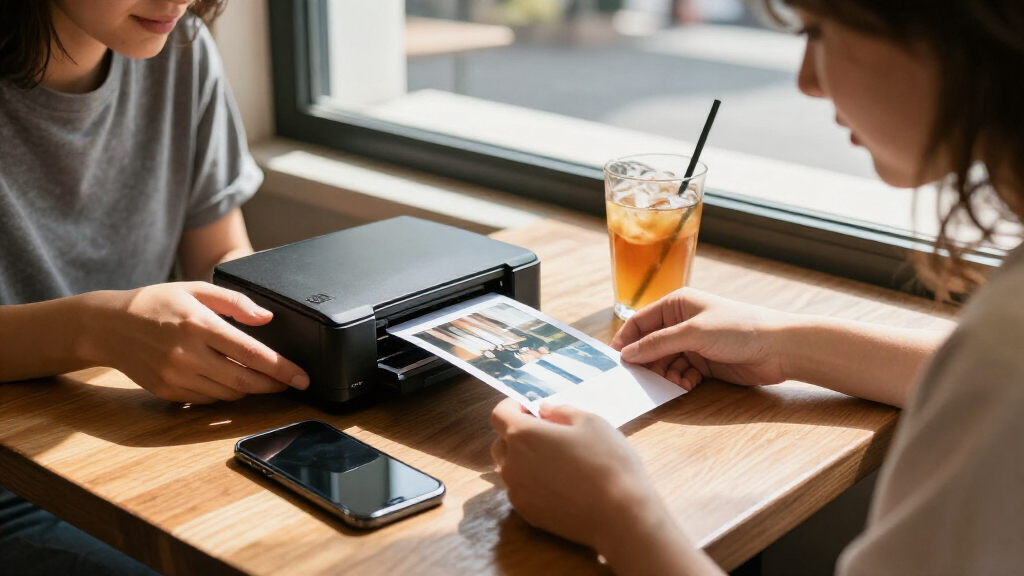

Portable photo printers let you turn phone pictures into keepsakes, but the right choice depends on whether you value pocket-sized prints, larger 4×6 photos, or simple setup most. I rank the Canon SELPHY CP1500 as the best overall for buyers who want versatile 4×6 printing, while the Fujifilm Instax Mini Link 3 stands out for instant-film-style prints and the HP Sprocket 2nd Edition for small, sticky-backed photos. The biggest tradeoff is between print size and portability: compact 2×3 models travel easily, while larger formats take more room and may need a separate power source. Print technology also affects the look, supplies, and upkeep. Read on for the full comparison and help matching a printer to how you plan to use it.

Get the latest gadgets delivered free with Prime
- Fast, free delivery on millions of items
- Prime Video, Amazon Music and more included
- Member-only deals all year
Complete the kit



Key Takeaways
- The Canon SELPHY CP1500 is the most versatile fit among these picks, with 4×6 printing that suits albums and sharing better than the 2×3 format common across the lineup.
- Mini printers favor convenience over print size. The HP Sprocket, Canon IVY 2, Nelko PP01, and KODAK Step focus on small prints that are easier to carry and hand out.
- Not every portable printer uses the same printing approach. ZINK, dye-sublimation, and Instax film produce different print experiences and involve different supply choices.
- Bundles change the out-of-box experience, not the printer’s core fit. The Liene M100 and bundled SELPHY CP1500 include supplies, which can help buyers start printing without sourcing paper and consumables right away.
- Several listings repeat the same printer family. The two Nelko PP01, two Liene Pearl N200 Pro, and two SELPHY CP1500 listings call for checking the included color, paper, and accessory bundle rather than treating each as a distinct printer.
| HP Sprocket 2nd Edition 2×3 Portable Smartphone Photo Printer, Purple |  | Best for Shared Snapshots | Printer type: ZINK photo printer | Photo size: 2 × 3 inches | Connectivity: Bluetooth 5.0 | VIEW LATEST PRICE | See Our Full Breakdown |
| Liene Amber M110 Bluetooth Portable Photo Printer |  | Best for Mixed Print Sizes | Printer type: Thermal dye sublimation | Print sizes: 4×6 inches and 3×3 inches | Connectivity: Bluetooth, USB | VIEW LATEST PRICE | See Our Full Breakdown |
| Canon SELPHY CP1500 Wireless Compact Photo Printer (Black) |  | Best for Flexible Printing Sources | Printer type: Dye sublimation | Maximum media size: 4 × 6 inches | Connectivity: Wi-Fi, USB 2.0, memory card | VIEW LATEST PRICE | See Our Full Breakdown |
| Canon IVY 2 Mini Photo Printer, White |  | Best Pocket Pick | Printer technology: ZINK (Zero Ink) | Media size: 2 × 3 inches | Print resolution: 313 × 512 dpi | VIEW LATEST PRICE | See Our Full Breakdown |
| Nelko PP01 Portable 2×3-Inch Photo Printer, Purple |  | Best for High-Resolution Mini Prints | Printer type: Inkjet | Print size: 2 × 3 inches | Resolution: 600 × 600 dpi | VIEW LATEST PRICE | See Our Full Breakdown |
| Fujifilm Instax Mini Link 3 Smartphone Printer, Clay White |  | Best for Instant-Film Keepsakes | Printer type: Photographic print | Connectivity: Bluetooth | Media: Glossy film | VIEW LATEST PRICE | See Our Full Breakdown |
| Nelko PP01 Portable 2×3-Inch Photo Printer |  | Best for Stick-On Prints | Printer type: Inkjet | Print size: 2 × 3 inches | Resolution: 600 × 600 dpi | VIEW LATEST PRICE | See Our Full Breakdown |
| Liene M100 4×6-Inch Dye-Sublimation Photo Printer with 100 Sheets and 3 Cartridges |  | Best for Shared 4×6 Printing | Printer type: Dye sublimation | Maximum media size: 4 × 6 inches | Connectivity: Wi-Fi, USB | VIEW LATEST PRICE | See Our Full Breakdown |
| KODAK Dock Plus 4×6 Photo Printer with Smartphone Dock |  | Best for Phone-Dock Printing | Printer type: 4PASS dye sublimation | Print size: 4 × 6 inches | Print speed: Approximately 55 seconds per photo | VIEW LATEST PRICE | See Our Full Breakdown |
| Liene Pearl N200 Pro Portable Photo Printer |  | Best for Creative Pocket Prints | Printer type: Dye sublimation | Maximum media size: 2 × 3 inches | Print resolution: 300 × 300 dpi | VIEW LATEST PRICE | See Our Full Breakdown |
| KODAK Step Portable ZINK Instant Photo Printer |  | Best for Lightweight Pocket Carry | Printer type: ZINK thermal | Print size: 2 × 3 inches | Connectivity: Bluetooth, NFC | VIEW LATEST PRICE | See Our Full Breakdown |
| Canon SELPHY CP1500 Wireless Compact Photo Printer with RP-108 Ink and Paper Set, Black, 108 Sheets |  | Best for Larger Prints and Flexible Sources | Printer type: Thermal | Maximum media size: 4 × 6 inches | Connectivity: Wi-Fi, USB, memory card | VIEW LATEST PRICE | See Our Full Breakdown |
| HP Sprocket Portable Photo Printer (2nd Edition), Luna Pearl |  | Best for Shared Phone Printing | Printer type: ZINK | Photo size: 2 × 3 inches | Print resolution: 313 × 400 dpi | VIEW LATEST PRICE | See Our Full Breakdown |
| KODAK Mini 2 Retro Portable Photo Printer, 2 x 3 in, White |  | Best for Protected Dye-Sublimation Prints | Printer type: Dye sublimation | Print size: 2.1 × 3.4 inches | Print resolution: 291 × 300 | VIEW LATEST PRICE | See Our Full Breakdown |
| Liene Pearl N200 Pro Portable Photo Printer |  | Best for Creative Sticker Prints | Printer type: Dye sublimation | Print output: Color and monochrome | Print media: 2 × 3-inch adhesive thermal paper | VIEW LATEST PRICE | See Our Full Breakdown |
| portable photo printer | Connectivity | Printer type | Weight | Compatible devices |
|---|---|---|---|---|
| HP Sprocket 2nd Edition 2×3 Po | Bluetooth 5.0 | ZINK photo printer | 0.07 kg | iOS 10+ and Android 5+ smartphones |
| Liene Amber M110 Bluetooth Por | Bluetooth, USB | Thermal dye sublimation | 2.9 pounds | Android and iOS devices, laptops, PCs, smartphones, and tablets |
| Canon SELPHY CP1500 Wireless C | Wi-Fi, USB 2.0, memory card | Dye sublimation | 1.58 kg | Cameras, PCs, smartphones |
| Canon IVY 2 Mini Photo Printer | Bluetooth 5.0 | — | 145 g | iOS and Android smartphones; tablets |
| Nelko PP01 Portable 2×3-Inch P | Bluetooth | Inkjet | 308 g | — |
| Fujifilm Instax Mini Link 3 Sm | Bluetooth | Photographic print | 1.6 ounces | — |
| Nelko PP01 Portable 2×3-Inch P | Bluetooth | Inkjet | 308 g | — |
| Liene M100 4×6-Inch Dye-Sublim | Wi-Fi, USB | Dye sublimation | — | — |
| KODAK Dock Plus 4×6 Photo Prin | Bluetooth, docking | 4PASS dye sublimation | — | — |
| Liene Pearl N200 Pro Portable | Bluetooth | Dye sublimation | 340 g | — |
| KODAK Step Portable ZINK Insta | Bluetooth, NFC | ZINK thermal | 0.07 kg | iOS and Android smartphones |
| Canon SELPHY CP1500 Wireless C | Wi-Fi, USB, memory card | Thermal | — | — |
| HP Sprocket Portable Photo Pri | Bluetooth 5.0 | ZINK | — | Smartphones |
| KODAK Mini 2 Retro Portable Ph | Bluetooth | Dye sublimation | 255 g | Android and iOS smartphones |
| Liene Pearl N200 Pro Portable | Bluetooth | Dye sublimation | 340 g | Android and iOS smartphones |
More Details on Our Top Picks
HP Sprocket 2nd Edition 2×3 Portable Smartphone Photo Printer, Purple
The HP Sprocket 2nd Edition suits groups who want small prints they can pass around, stick in a journal, or decorate with. Its Bluetooth 5.0 connection and app support for multiple users make it a more social pick than the Canon IVY 2, which is also a compact 2×3-inch ZINK printer but is described here for one compatible phone or tablet connection. The Sprocket prints on sticky-back ZINK paper without ink cartridges, and the app adds editing tools before printing. Its rechargeable body weighs just 0.07 kg, making it easy to carry. The tradeoff is print size: its 2×3-inch output is far smaller than the 4×6-inch photos from the Canon SELPHY CP1500 or Liene Amber M110. At one page per minute, it also prioritizes casual sharing over speed.
Pros:- Very light, compact body is easy to carry
- Bluetooth app supports multiple connected users
- ZINK paper prints without ink cartridges or ribbons
- Sticky-back prints resist water, smudges, and tears
Cons:- Prints are limited to small 2×3-inch photos
- Print speed is one page per minute
- Uses Micro USB charging rather than USB-C
Best for: Friends and families who want to print small, adhesive-backed phone photos together at gatherings or while traveling
Not ideal for: Buyers who want standard 4×6-inch keepsake prints, larger wall photos, or faster batch printing
- Printer type:ZINK photo printer
- Photo size:2 × 3 inches
- Connectivity:Bluetooth 5.0
- Compatible devices:iOS 10+ and Android 5+ smartphones
- Weight:0.07 kg
- Resolution:313 × 400 DPI
- Battery:Rechargeable; up to 35 prints per charge
- Charging interface:Micro USB
Our verdict“Choose the HP Sprocket 2nd Edition for lightweight, shared 2×3-inch phone prints, but pick the Canon SELPHY CP1500 if you need larger photos.”
Liene Amber M110 Bluetooth Portable Photo Printer
The Liene Amber M110 is the flexible choice for people who alternate between 4×6-inch photos and smaller square sticker prints. That range gives it a more useful keepsake format than the HP Sprocket 2nd Edition and Canon IVY 2, both of which are confined to 2×3-inch output. Its dye-sublimation process produces laminated prints designed to resist water, scratches, fingerprints, and fading, while the app provides filters and basic image adjustments. Bluetooth makes phone printing straightforward, and USB adds another connection option. This is portable in the sense that it can be moved and packed, but at 2.9 pounds it is less pocket-friendly than the tiny ZINK models. Buyers should also plan around Liene-only cartridges and a listed maximum sheet capacity of 20.
Pros:- Prints both 4×6-inch photos and 3×3-inch stickers
- Laminated output resists water, scratches, fingerprints, and fading
- App includes filters, borders, and brightness and contrast adjustments
- Includes 80 sheets and two cartridges
Cons:- At 2.9 pounds, it is heavier than pocket photo printers
- Cartridges are limited to compatible Liene media
- Listed maximum sheet capacity is 20
Best for: Scrapbookers and families who want both standard 4×6-inch photos and square sticker prints from one printer
Not ideal for: Travelers who need a pocket-sized printer or buyers who prefer widely interchangeable paper and cartridge supplies
- Printer type:Thermal dye sublimation
- Print sizes:4×6 inches and 3×3 inches
- Connectivity:Bluetooth, USB
- Compatible devices:Android and iOS devices, laptops, PCs, smartphones, and tablets
- Resolution:300 × 300 dpi
- Weight:2.9 pounds
- Included supplies:80 sheets and 2 cartridges
- Paper trays:2
Our verdict“Pick the Liene Amber M110 if you want multiple print formats in a movable dye-sub printer, not a pocket-sized companion like the Canon IVY 2.”
Canon SELPHY CP1500 Wireless Compact Photo Printer (Black)
The Canon SELPHY CP1500 is the strongest fit here for buyers who want more than phone-only printing. It accepts jobs over Wi-Fi or USB and can print from memory cards and cameras, giving it broader source options than the Bluetooth-only HP Sprocket 2nd Edition and Canon IVY 2. Dye-sublimation output reaches 4×6 inches, with square prints and mini label stickers also available, so it handles keepsakes better than the 2×3-inch pocket models. The 3.5-inch LCD is useful when printing without relying entirely on a phone. Its main portability catch is power: a battery pack is optional, so on-the-go printing requires an extra accessory. At 1.58 kg, it is also a compact tabletop printer rather than a pocket device.
Pros:- Prints up to 4×6 inches, plus square photos and mini label stickers
- Supports Wi-Fi, USB, and memory card printing
- Can print from cameras, PCs, and smartphones
- Water-resistant prints are designed to last up to 100 years
Cons:- Battery pack is optional for printing away from mains power
- At 1.58 kg, it is heavier than the pocket-sized HP Sprocket and Canon IVY 2
- Maximum media size is 4×6 inches
Best for: Travelers and home users who want to print from phones, cameras, or memory cards and value 4×6-inch output
Not ideal for: Buyers seeking a genuinely pocketable printer or a ready-to-use battery-powered setup without an added accessory
- Printer type:Dye sublimation
- Maximum media size:4 × 6 inches
- Connectivity:Wi-Fi, USB 2.0, memory card
- Compatible devices:Cameras, PCs, smartphones
- Print resolution:300 × 300 dpi
- Weight:1.58 kg
- Display:3.5-inch LCD
- Optional accessory:Battery pack
Our verdict“Choose the SELPHY CP1500 for versatile source connections and larger keepsake prints, provided its weight and optional battery fit your travel plans.”
Canon IVY 2 Mini Photo Printer, White
At 145 g, the Canon IVY 2 is the easiest model in this group to slip into a bag for quick phone prints. It makes 2×3-inch peel-and-stick photos using ZINK paper, so there are no ink cartridges to pack or replace. Compared with the HP Sprocket 2nd Edition, it offers a higher stated resolution and includes a 10-sheet paper pack, though the HP is lighter on the listed weight and supports multiple connected users. The IVY 2’s 313 × 512 dpi resolution is described as improving skin tones, contrast, and sharpness, which suits casual portraits and journal pages. Its limits are plain: prints take up to 50 seconds, and the small format cannot match the Canon SELPHY CP1500’s 4×6-inch output.
Pros:- Light 145 g design suits bags and travel kits
- ZINK printing requires no ink cartridges
- Peel-and-stick 2×3-inch photos work well for journals and crafts
- Includes a 10-sheet paper pack and USB-A to USB-C charging cable
Cons:- Limited to 2×3-inch prints
- Prints can take up to 50 seconds
- Included paper capacity is just 10 sheets
Best for: Phone-first travelers and journal makers who want a light printer for small adhesive-backed photos
Not ideal for: People who print many photos at once, need 4×6-inch output, or want to share printer access across multiple users
- Printer technology:ZINK (Zero Ink)
- Media size:2 × 3 inches
- Print resolution:313 × 512 dpi
- Connectivity:Bluetooth 5.0
- Compatible devices:iOS and Android smartphones; tablets
- Weight:145 g
- Paper capacity:10 sheets
- Warranty:1 year
Our verdict“Pick the Canon IVY 2 for a particularly light, simple pocket printer, but choose the SELPHY CP1500 for larger photos or the HP Sprocket for multi-user sharing.”
Nelko PP01 Portable 2×3-Inch Photo Printer, Purple
The Nelko PP01 stands apart from the HP Sprocket 2nd Edition and Canon IVY 2 by using four-color inkjet printing rather than ZINK. Its stated 600 × 600 dpi resolution is higher than either model’s listed resolution, appealing to phone photographers who want detailed 2×3-inch images and app-based customization. Adhesive-backed glossy paper keeps the prints useful for crafts and scrapbooks, and the body remains compact enough for travel. The tradeoff is a less self-contained setup: the PP01 requires ink cartridges and the Nelko app, while the two ZINK alternatives print without cartridges. Its maximum sheet capacity is 10, and the power adapter is not included. Choose it for its inkjet approach and editing tools, not if you want the fewest supplies to manage.
Pros:- Listed 600 × 600 dpi resolution is higher than the other 2×3-inch models here
- Glossy adhesive-backed paper suits crafts and scrapbooks
- Companion app offers photo editing and customization
- Compact body supports travel use
Cons:- Requires ink cartridges, unlike the ZINK HP Sprocket and Canon IVY 2
- Requires the Nelko app
- Power adapter is not included and sheet capacity tops out at 10
Best for: Craft and scrapbook users who want editable, high-resolution 2×3-inch adhesive prints from an iOS or Android phone
Not ideal for: Minimal-pack travelers who want cartridge-free printing or buyers who need larger prints and a higher-capacity media setup
- Printer type:Inkjet
- Print size:2 × 3 inches
- Resolution:600 × 600 dpi
- Connectivity:Bluetooth
- Compatibility:iOS and Android
- Weight:308 g
- Media:Glossy adhesive-backed photo paper
- Cartridge yield:Up to 80 photos
Our verdict“Choose the Nelko PP01 if resolution and app customization matter more than cartridge-free convenience; the Canon IVY 2 is simpler to pack and supply.”
Fujifilm Instax Mini Link 3 Smartphone Printer, Clay White
The Instax Mini Link 3 is the pick for buyers who want their phone photos to feel like instant-camera keepsakes, rather than standard pocket prints. It connects by Bluetooth and prints color images on glossy Instax Mini film, with an app photobooth feature for making the process more social. At 1.6 ounces, it is notably light to carry compared with the Liene Pearl N200 Pro, which also focuses on small 2 × 3-inch prints but offers adhesive media and monochrome output. The tradeoff is the film format: prints are small, and its sheet capacity is only 10, so it is less suited to printing a stack for a group. Choose this model for the distinctive film look and playful app features, not for large or high-volume photo printing.
Pros:- Compact 1.6-ounce design is easy to carry
- Bluetooth printing from a smartphone
- Glossy Instax Mini film gives prints a distinct instant-film format
- App includes an in-app photobooth feature
Cons:- Prints are limited to small Instax Mini film
- Maximum sheet capacity is 10
- Film-based output may not suit buyers seeking adhesive-backed prints
Best for: People who want lightweight, glossy instant-film snapshots from a phone for journals, parties, and small keepsakes.
Not ideal for: Buyers who want larger 4 × 6-inch prints, adhesive-backed photos, or enough capacity to print many copies in one session.
- Printer type:Photographic print
- Connectivity:Bluetooth
- Media:Glossy film
- Maximum media size:2 × 3 inches
- Print resolution:1200 × 1200 dpi
- Weight:1.6 ounces
- Dimensions:1.47 × 3.54 × 4.92 inches
- Interface:USB Type-C
Our verdict“Choose the Instax Mini Link 3 if portability and the keepsake feel of glossy Instax film matter more than print size or session capacity.”
Nelko PP01 Portable 2×3-Inch Photo Printer
The Nelko PP01 makes the most sense when a portable print needs to double as a sticker. Its adhesive-backed 2 × 3-inch paper suits planners, scrapbooks, and labels, while the companion app adds editing and customization tools. The listed 30-sheet capacity is larger than the Instax Mini Link 3’s 10-sheet limit, making the Nelko a more practical choice for a longer decorating session. Its 600 × 600 dpi resolution and water- and smudge-resistant output support everyday handling, though prints are still small. The Liene Pearl N200 Pro also offers sticker printing in a compact format, but the Nelko’s stated 30-sheet capacity is a useful distinction. Buyers should account for its 308 g weight and the missing power adapter; it is portable, but not as light as the Fujifilm.
Pros:- Adhesive-backed glossy paper works well for journals and scrapbooks
- Water- and smudge-resistant prints are suited to regular handling
- App provides photo editing and customization tools
- 30-sheet maximum capacity exceeds the Instax Mini Link 3’s stated capacity
Cons:- Output is limited to 2 × 3-inch prints
- USB charging cable is included, but an adapter is not
- At 308 g, it is heavier than the 1.6-ounce Fujifilm Instax Mini Link 3
Best for: Scrapbookers, journal keepers, and students who want phone photos they can stick directly onto pages or surfaces.
Not ideal for: Buyers who need 4 × 6-inch prints, the lightest possible pocket printer, or a supplied wall adapter.
- Printer type:Inkjet
- Print size:2 × 3 inches
- Resolution:600 × 600 dpi
- Connectivity:Bluetooth
- Print media:Glossy adhesive-backed photo paper
- Maximum sheet capacity:30 sheets
- Weight:308 g
- Print speed:1 page per minute
Our verdict“Pick the Nelko PP01 if you want a portable printer for adhesive-backed mini photos and value a larger paper capacity over bigger prints.”
Liene M100 4×6-Inch Dye-Sublimation Photo Printer with 100 Sheets and 3 Cartridges
For a portable printer that can serve more than one phone and produce familiar album-size photos, the Liene M100 stands apart from the pocket-sized 2 × 3-inch options in this group. Its 4 × 6-inch dye-sublimation prints are designed to resist water, scratches, fingerprints, and fading, and its built-in Wi-Fi hotspot supports up to five connected devices. That makes it better suited to a family gathering than the Fujifilm Instax Mini Link 3, which is lighter but prints only small film photos. The M100 also comes with 100 sheets and three cartridges, so buyers can start with a substantial supply. The tradeoffs are a 20-sheet capacity and proprietary cartridges; unlike the Bluetooth-based KODAK Dock Plus, this model relies on Wi-Fi or USB. Its listed dimensions also make it less pocketable than its “portable” label may suggest.
Pros:- Prints 4 × 6-inch photos, larger than the mini-print options in this lineup
- Built-in Wi-Fi hotspot supports up to five connected devices
- Includes 100 sheets of photo paper and three cartridges
- Prints are designed to resist water, scratches, fingerprints, and fading
Cons:- Maximum sheet capacity is 20 despite the included 100-sheet supply
- Uses proprietary Liene cartridges
- Listed dimensions make it less pocketable than the Instax Mini Link 3
Best for: Families and small groups who want to print 4 × 6 photos from several phones without relying on an existing Wi-Fi network.
Not ideal for: Travelers seeking a truly pocket-sized printer, or buyers who prefer widely interchangeable consumables over proprietary cartridges.
- Printer type:Dye sublimation
- Maximum media size:4 × 6 inches
- Connectivity:Wi-Fi, USB
- Supported devices:Smartphones, PCs, laptops
- Resolution:300 × 300 dpi
- Included photo paper:100 sheets
- Included cartridges:3
- Maximum sheet capacity:20
Our verdict“Choose the Liene M100 for shared 4 × 6 printing and a generous included supply, provided you can accept its proprietary cartridges and less pocketable format.”
KODAK Dock Plus 4×6 Photo Printer with Smartphone Dock
The KODAK Dock Plus is the strongest fit here for someone who wants straightforward, borderless 4 × 6 prints and likes the idea of a phone resting on the printer while it works. Its 4PASS dye-sublimation process laminates prints for resistance to water, fingerprints, and fading, while the dock charges a connected phone during printing. Compared with the Liene M100, it offers a physical docking setup and Bluetooth connectivity, but the Liene supports up to five devices through its hotspot and includes 100 sheets plus three cartridges. Kodak’s stated print time is about 55 seconds per photo, but the printer requires a power outlet, so it is portable in placement rather than a good choice for printing away from power. Pick it for a home, event table, or desk—not a bag-ready photo printer.
Pros:- Produces borderless 4 × 6-inch color photos
- Laminated prints resist water, fingerprints, and fading
- Dock charges a connected phone while printing
- App supports editing, cropping, and customization
Cons:- Requires a power outlet, limiting away-from-home use
- Prints are limited to 4 × 6 inches
- 20-sheet maximum capacity is smaller than the Liene M100’s included 100-sheet supply
Best for: Smartphone owners who want borderless 4 × 6 prints at home or events and value a dock that charges the phone during printing.
Not ideal for: Travelers who need battery-powered printing, or groups who want a built-in hotspot for connecting several devices.
- Printer type:4PASS dye sublimation
- Print size:4 × 6 inches
- Print speed:Approximately 55 seconds per photo
- Connectivity:Bluetooth, docking
- Maximum sheet capacity:20
- Dimensions:4.5 × 8.5 × 2 inches (D × W × H)
- USB interface:USB Type-C
- Special features:Borderless printing; phone charging while printing
Our verdict“Choose the KODAK Dock Plus for convenient, durable 4 × 6 printing beside an outlet, not for truly untethered portability.”
Liene Pearl N200 Pro Portable Photo Printer
The Liene Pearl N200 Pro combines a compact 2 × 3-inch format with more creative options than a basic phone-to-print device. It produces color or monochrome photos and adhesive stickers, and its app adds frames, filters, stickers, and AI tools; a built-in camera mode also lets users print directly from the app’s camera view. That makes it more flexible for playful projects than the Fujifilm Instax Mini Link 3, which uses glossy film and offers an in-app photobooth instead. The N200 Pro’s dye-sublimation output and Bluetooth pairing suit smartphone use, but its 300 × 300 dpi resolution and small media size keep it in the casual keepsake category, not the 4 × 6 class of the Liene M100. Battery life is finite: a full charge is listed for up to 27 stickers.
Pros:- Prints color and monochrome images as well as adhesive stickers
- App includes AI tools, frames, stickers, and filters
- Built-in camera mode supports direct printing
- Bluetooth pairing supports multiple devices
Cons:- Limited to 2 × 3-inch media
- A full charge supports printing up to 27 stickers
- 300 × 300 dpi resolution is modest compared with the Instax Mini Link 3’s listed 1200 × 1200 dpi
Best for: Creative smartphone users who want small color, monochrome, and sticker prints with app-based decoration and camera-mode printing.
Not ideal for: People who need 4 × 6 photos, high-volume printing away from an outlet, or a print format larger than pocket-size keepsakes.
- Printer type:Dye sublimation
- Maximum media size:2 × 3 inches
- Print resolution:300 × 300 dpi
- Connectivity:Bluetooth
- Output:Color and monochrome
- Maximum prints per charge:Up to 27 stickers
- Weight:340 g
- Dimensions:5.69 × 3.44 × 1.16 inches
Our verdict“Pick the Liene Pearl N200 Pro for app-led creative mini prints and stickers, but choose a 4 × 6 printer if photo size matters more.”
KODAK Step Portable ZINK Instant Photo Printer
At just 0.07 kg, the KODAK Step is the easiest pick here to keep in a bag for spontaneous prints. It uses ZINK paper, so there are no ink cartridges to pack, and its Bluetooth or NFC connection pairs with iOS and Android phones. The app adds filters, borders, stickers, and text before printing; the peel-and-stick format suits journals, lockers, and travel keepsakes. Compared with the HP Sprocket 2nd Edition, the Step offers NFC as another pairing option, while both are limited to small 2 × 3-inch prints. That compactness comes with practical limits: the battery supports up to 25 prints per charge, and the print size is not suited to framed snapshots. Choose it for easy carry, not larger keepsakes.
Pros:- Very low listed weight makes it easy to carry
- ZINK printing avoids separate ink cartridges
- Bluetooth and NFC offer phone-pairing options
- App provides filters, borders, stickers, and text
Cons:- Prints are limited to 2 × 3 inches
- Battery capacity is listed at up to 25 prints per charge
Best for: Travelers and journal makers who want a very lightweight printer for small adhesive photos
Not ideal for: Buyers who want 4 × 6-inch prints or need to print more than 25 photos between charges
- Printer type:ZINK thermal
- Print size:2 × 3 inches
- Connectivity:Bluetooth, NFC
- Compatible devices:iOS and Android smartphones
- Print resolution:300 × 300 dpi
- Weight:0.07 kg
- Battery:Rechargeable lithium-ion; up to 25 prints per charge
- Print time:Under 60 seconds
Our verdict“Choose the KODAK Step if minimum carry weight and quick adhesive prints matter more than print size or battery capacity.”
Canon SELPHY CP1500 Wireless Compact Photo Printer with RP-108 Ink and Paper Set, Black, 108 Sheets
The SELPHY CP1500 earns its place by stepping beyond pocket-sized sticker prints: it makes 4 × 6-inch photos and accepts images from smartphones, computers, cameras, memory cards, and USB drives. Its 3.5-inch display lets you view and edit images at the printer, useful when you are away from a computer. Prints are described as instantly dry and water-resistant, a better fit for albums or sharing than the small adhesive output of the KODAK Step. The tradeoff is portability in practice: the CP1500 needs an optional battery pack to print away from a power source, and its listed print speed is one page per minute. I’d pick it for a portable photo station, not for slipping into a pocket on a day out.
Pros:- Prints full 4 × 6-inch photos rather than mini stickers
- Accepts images through Wi-Fi, USB, and memory cards
- Built-in display supports viewing and editing
- Prints are described as dry and water-resistant
Cons:- Optional battery pack is needed to print away from an outlet
- Listed print speed is one page per minute
- Larger format and body are less pocketable than the KODAK Step
Best for: Families and event hosts who want 4 × 6-inch prints from phones, cameras, or removable media
Not ideal for: People seeking a truly untethered pocket printer, since mobile printing away from power requires an optional battery pack
- Printer type:Thermal
- Maximum media size:4 × 6 inches
- Connectivity:Wi-Fi, USB, memory card
- Print resolution:300 × 300 dpi
- Display:3.5 inches
- Print speed:1 page per minute
- Included paper:108 sheets
- Dimensions:11.25 × 9 × 11.13 inches (D × W × H)
Our verdict“Pick the CP1500 if you value 4 × 6-inch output and multiple input methods more than pocket-size portability.”
HP Sprocket Portable Photo Printer (2nd Edition), Luna Pearl
The HP Sprocket 2nd Edition is a straightforward choice for groups who want to send photos from more than one phone: it supports multiple connected devices over Bluetooth 5.0. Its 2 × 3-inch peel-and-stick ZINK prints suit scrapbooks and party favors, while the app adds photo customization and augmented-reality features. Compared with the KODAK Step, the HP’s listed resolution is higher, but the Step adds NFC and includes a starter pack of paper; this Sprocket bundle includes only 10 sheets. That small supply is the main friction for a shared printer, since it can run short quickly during a gathering. Choose the HP when multi-phone access and app play matter more than a larger paper supply or bigger prints.
Pros:- Supports connections from multiple devices
- Bluetooth 5.0 enables wireless smartphone printing
- Peel-and-stick ZINK prints need no separate ink cartridges
- App includes customization and augmented-reality features
Cons:- Limited to 2 × 3-inch prints
- Only 10 sheets of paper are included
- Requires a compatible smartphone and the app for printing
Best for: Friends, families, and party hosts who want several smartphone users to share one mini printer
Not ideal for: Frequent printers or buyers seeking larger photos, since the included pack has 10 sheets and output is 2 × 3 inches
- Printer type:ZINK
- Photo size:2 × 3 inches
- Print resolution:313 × 400 dpi
- Connectivity:Bluetooth 5.0
- Compatible devices:Smartphones
- Compatible operating systems:Android 5 and above; iOS 10 and above
- Included paper:10 sheets of peel-and-stick ZINK photo paper
- Dimensions:3.15 × 4.63 × 0.98 inches
Our verdict“Choose the HP Sprocket if multiple people will print from their phones and you are comfortable buying more paper soon.”
KODAK Mini 2 Retro Portable Photo Printer, 2 x 3 in, White
Unlike the ZINK-based HP Sprocket and KODAK Step, the Mini 2 Retro uses 4PASS dye sublimation and adds a protective laminate to its small glossy photos. That construction is aimed at prints that can handle fingerprints, water, and fading better than an uncoated snapshot. Its 38-sheet bundle, four cartridges, and USB-C cable also give buyers more ready-to-print supplies than the HP’s 10-sheet starter pack. The printer still relies on a compatible iOS or Android phone and the KODAK app, and its 2.1 × 3.4-inch output remains far smaller than the Canon SELPHY CP1500’s 4 × 6-inch photos. I’d favor this model for durable mini keepsakes, not for large prints or a paper-free setup.
Pros:- 4PASS dye-sublimation process adds a protective laminate
- Finish is described as resistant to fingerprints, water, and fading
- Bundle includes 38 sheets and four cartridges
- Bluetooth printing and app editing support mobile use
Cons:- Prints are limited to 2.1 × 3.4 inches
- Requires a compatible smartphone and the KODAK app
Best for: Smartphone users who want small glossy keepsakes with a protective finish and supplies included
Not ideal for: Buyers who need 4 × 6-inch prints or want to print without a compatible phone and app
- Printer type:Dye sublimation
- Print size:2.1 × 3.4 inches
- Print resolution:291 × 300
- Connectivity:Bluetooth
- Compatible devices:Android and iOS smartphones
- Weight:255 g
- Included supplies:38 sheets of photo paper; four cartridges
- Dimensions:3 × 5 × 1 inches
Our verdict“Choose the Mini 2 Retro for protected, glossy mini prints and a generous starter bundle, but not for larger photo output.”
Liene Pearl N200 Pro Portable Photo Printer
The Liene Pearl N200 Pro is the most feature-led mini option in this group: its app combines creative editing and AI tools with a one-touch shoot-and-print mode, and it can produce color or monochrome images on adhesive 2 × 3-inch paper. A full charge is listed for up to 27 stickers, slightly more than the KODAK Step’s 25-print claim, while its included 50 sheets and five cartridges give it a stronger starting supply than the HP Sprocket’s 10 sheets. The tradeoff is that the Liene weighs 340 g and prints at a listed rate of one page per minute, so it is less suited to quick, ultra-light carry than the Step. I’d choose it for app-driven sticker making, not for larger photos or fast batch printing.
Pros:- App offers creative editing and AI features
- One-touch shoot-and-print mode supports quick capture
- Prints color or monochrome images on adhesive paper
- Includes 50 sheets and five cartridges
Cons:- Limited to 2 × 3-inch prints
- Listed print speed is one page per minute
- A full charge supports up to 27 stickers
Best for: Creative smartphone users who want adhesive mini prints, editing tools, and a substantial included media supply
Not ideal for: Buyers who want 4 × 6-inch prints, very low carry weight, or rapid batch output
- Printer type:Dye sublimation
- Print output:Color and monochrome
- Print media:2 × 3-inch adhesive thermal paper
- Connectivity:Bluetooth
- Compatible devices:Android and iOS smartphones
- Weight:340 g
- Print speed:1 page per minute
- Battery capacity:Up to 27 stickers per full charge
- Included media and supplies:50 sheets of 2 × 3-inch adhesive paper; five cartridges
Our verdict“Choose the Liene Pearl N200 Pro if app-based sticker creation and included supplies matter more than minimal weight or print speed.”
How We Picked
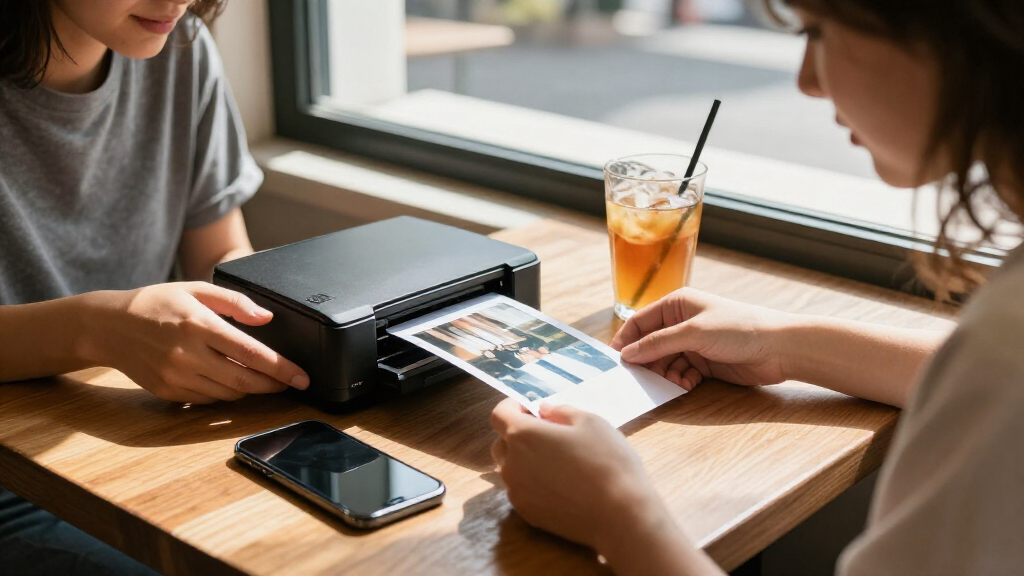
I compared these 15 listed options by the decisions that matter most for portable printing: print size, carrying convenience, connection and setup, print technology, included supplies, and how well each format suits common uses such as journaling, gifts, and photo albums. I gave more weight to a printer’s practical fit than to a long feature list: a small printer is only a strong choice if its print size and supply format match what the buyer wants to keep or share.
The ranking favors versatility and ease of choosing while still giving specialized models clear roles. The Canon SELPHY CP1500 leads because 4×6 output serves more conventional photo needs, while pocketable 2×3 printers rank higher for portability and casual sharing. I treat repeated listings as the same underlying model unless the supplied bundle differs, and I avoid claiming print quality, battery performance, or operating costs that cannot be established from the product names alone.
Factors to Consider When Choosing Portable Photo Printers
Before choosing a portable photo printer, decide what you want the finished print to do. A photo for a scrapbook, a small sticker for a journal, and a traditional album print place different demands on size, supplies, and convenience. These broader factors can help you compare models without getting distracted by feature lists that do not fit your routine.
Choose the print size around how you will use the photos
Start with the finished photo, not the printer’s footprint. A 2×3-inch print is easy to tuck into a journal or pass around, but it can feel cramped for a frame or a traditional album page. A 4×6-inch print takes more room to carry and store, yet works with familiar photo albums and frames. Think about where most of your prints will end up before paying for a larger format or defaulting to the smallest model. If you mainly share photos digitally, a compact printer may be enough; if printing replaces a photo-lab order, larger prints may suit you better.
Compare print technologies by the experience they create
Portable printers use different approaches, and the technology affects more than the name on the box. ZINK printers use specialized paper rather than separate ink cartridges, while dye-sublimation systems use dedicated color supplies and can be a better match for standard photo prints. Instax printers create prints on instant film, offering a distinct format and look rather than a conventional paper photo. Do not assume that every 2×3 printer produces interchangeable results or uses the same refill supplies. Check the compatible media before buying, especially if you already have a preferred finish or want to keep restocking simple.
Check the real travel setup, not just the word portable
“Portable” can describe a pocket-sized printer or a compact desktop-style unit that is easier to move than a full-size printer. Consider the printer’s dimensions alongside its paper, cartridges, cables, and power needs, since those extras can take as much planning as the device. A model that prints 4×6 photos may make more sense for home use, parties, or a suitcase than for a small everyday bag. For travel, check how the maker handles power and whether the printer relies on a phone connection or a more direct workflow. Match portability to the trip you actually take rather than choosing by the label alone.
Factor ongoing supplies into the buying decision
The printer is only one part of the system: each format needs compatible paper or film, and some systems also use cartridges. Look at the refill type and how it is packaged before committing, because convenience can matter more than a low device cost over time. Bundles such as the listed Liene M100 and SELPHY CP1500 supply sets can help you get started, but the included quantity is not a reliable guide to your long-term printing needs. Avoid buying a printer before confirming that its media is available in the sizes and finishes you want. If you print only occasionally, favor easy storage and straightforward refills over a large initial supply pack.
Decide how much editing and setup you want
Phone-first printing is convenient, but the app and connection steps shape the experience as much as the printer itself. If you want quick prints at a gathering, prioritize a simple phone workflow and check which phones and operating systems are supported. If you like cropping, adding borders, or arranging photos before printing, look for an app that offers the controls you will use. A physical dock, as found on the KODAK Dock Plus, may appeal to buyers who prefer a more direct setup, while wireless models suit people who want to move around with their phone. Check connection requirements before purchase if you plan to print from multiple phones or share the device with family.
Pay more for a format you will use, not a longer feature list
A premium choice makes sense when it solves a repeated need, such as printing larger 4×6 photos or producing a specific instant-film look. Extra features have little value if the printer’s size, supplies, or output format do not fit your habits. For a beginner, a compact model with a clear phone-based workflow may be a better starting point than a more involved printer system. Buyers choosing between bundles should compare exactly what paper, cartridges, or accessories are included and whether those extras match their planned use. The best value is the printer you can carry, refill, and use without changing what you wanted to print in the first place.
Frequently Asked Questions
Should I choose a 2×3 portable printer or a 4×6 model?
Choose 2×3 inches if you want prints for journals, small displays, or sharing at events, and value carrying a compact device. Pick 4×6 inches if you expect to fill standard albums, give framed photos, or replace common photo prints. The larger format may require more room for the printer and supplies, so portability becomes a matter of how you travel rather than whether the printer can be moved. A practical test is to print or cut paper to both sizes and see which one suits your intended use. Decide on the output first, then compare printers within that format.
Are the two listings for the same printer different models?
Some entries in this roundup appear to repeat the same underlying printer: the Nelko PP01, Liene Pearl N200 Pro, and Canon SELPHY CP1500 each appear twice. The listing names indicate differences in color or included supplies for some entries, rather than a clearly distinct printer platform. Compare the exact package contents, compatible media, and color before choosing between duplicate listings. A bundle can be useful if it contains supplies you will use, but it does not automatically mean the printer itself has changed. If the contents are unclear, check the seller’s full listing details before ordering.
Which portable printer is the better fit for scrapbooking?
For scrapbooking, the right choice depends on whether you want small decorative prints or photos with more room for detail. A 2×3 model can be handy for layouts, captions, and compact pages; sticker-backed media can also be useful when you want to attach a photo directly. A 4×6 printer offers a more familiar photo size but may need trimming to fit smaller layouts. Check the paper finish and whether the printer’s supplies suit the style of your pages, rather than assuming every small print is a sticker. If you make albums often, supply availability may matter as much as the printer itself.
Will these printers work without an internet connection?
Many phone printers connect locally to a smartphone, but the exact setup varies by model and app. A local wireless or Bluetooth connection may allow printing without home internet, while app downloads, account setup, or updates can still need a connection at some point. Check the manufacturer’s setup instructions and phone compatibility before relying on a printer for travel or an event with limited connectivity. A dock-based option may suit buyers who want a more direct connection, though its workflow may differ from a pocket printer. Do not assume that “wireless” means the printer can print from every device without setup.
What should I check before buying replacement paper or film?
Confirm the printer’s exact media type and size before ordering refills; supplies for one 2×3 printer may not work in another. Check whether the system also needs a cartridge, ribbon, or film pack, and whether those items are sold together or separately. Some bundles include starter supplies, but that does not establish which refill pack you will need later. If you expect to print often, review the available pack sizes and storage requirements before choosing the printer. This simple check can prevent a convenient device from becoming difficult to use once its included media runs out.
Conclusion
For most buyers who want one printer for a range of photo uses, I recommend the Canon SELPHY CP1500 as the best overall because its 4×6 format is the most familiar and versatile option in this lineup. For best value, compare the included supplies in the Liene M100 and SELPHY CP1500 bundles against what you plan to print; the useful bundle depends on which format fits your needs. The Fujifilm Instax Mini Link 3 is my premium pick for buyers who specifically want instant-film-style prints, while the Canon IVY 2 or HP Sprocket makes more sense for beginners seeking small phone prints. Choose the KODAK Dock Plus if a dock-based 4×6 workflow suits your setup, or a compact 2×3 model such as the KODAK Step for small prints on the go. Before ordering, confirm the exact listing bundle and refill media, especially where the same model appears more than once.
Halloween Picks

10 ft Halloween Inflatable Archway with Built-in LEDs

Max Fun 10-Foot Halloween Dragon and Pumpkin Inflatable Archway with LED Lights

Vexalify 11-Inch Halloween Pumpkin Fog Machine with 12-Color Lights
As an affiliate, we earn on qualifying purchases.