
Choosing the best MacBooks in 2027 requires balancing raw processing power against battery life and portability. My top recommendation for most users is the Apple MacBook Air 13-inch with M5 Chip, which delivers exceptional speed for daily tasks without the bulk of a Pro model. For professionals handling heavy video editing or 3D rendering, the MacBook Pro 16.2-inch with M5 Max stands out as the definitive powerhouse, offering unmatched thermal performance and screen quality. The primary tradeoff you face is between the lightweight, silent operation of the Air series and the sustained performance and advanced display technology of the Pro line. Continue reading to find the specific model that matches your budget and workload requirements.

Get the latest gadgets delivered free with Prime
- Fast, free delivery on millions of items
- Prime Video, Amazon Music and more included
- Member-only deals all year
Complete the kit



Key Takeaways
- The M5 chip generation has closed the performance gap for general users, making the MacBook Air viable for light creative work previously reserved for Pro models.
- The 16-inch MacBook Pro with M5 Max remains the only option for sustained multi-hour rendering tasks due to its superior thermal headroom.
- Memory configuration is the most critical long-term investment; 16GB is now the practical baseline for future-proofing, while 8GB models are best suited for strict budget constraints.
- Display technology differentiates the high-end Pro models, with mini-LED XDR panels offering significant advantages for color-critical work over standard Liquid Retina screens.
- Refurbished M1 models remain a smart entry point for students and basic users, providing excellent value when new M5 entry-level prices are high.





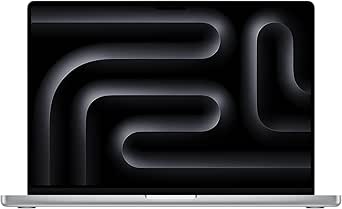

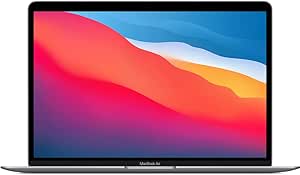


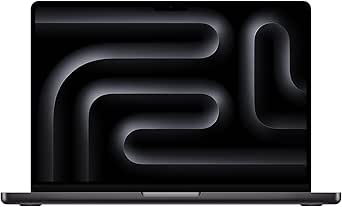
| MacBook | Display | Memory | Storage | Weight |
|---|---|---|---|---|
| Apple MacBook Neo 13-inch Lapt | 13-inch Liquid Retina, supports 1 billion colors | 8GB unified memory | 256GB SSD | 2.71 pounds |
| Apple MacBook Pro 16.2-inch wi | 16.2-inch Liquid Retina XDR | 48GB unified memory | 2TB SSD | 9 pounds |
| Apple 16.2-inch MacBook Pro wi | 16.2-inch Liquid Retina XDR | 48GB unified memory | 2TB SSD | 4.73 pounds |
| Apple 14.2-inch MacBook Pro wi | 14.2-inch Liquid Retina XDR | 24GB unified memory | 1TB SSD | 3.52 pounds |
| Apple 14-inch MacBook Pro with | 14.2-inch Liquid Retina XDR, 3024 × 1964 pixels | 64GB | 1TB SSD | — |
| Apple 16.2-inch MacBook Pro wi | 16.2-inch Liquid Retina XDR | 24GB unified memory | 1TB SSD | 4.71 pounds |
| Apple MacBook Air 13-inch with | 13.6-inch Liquid Retina | 16GB unified memory | 512GB SSD | 2.71 pounds |
| Apple 14.2-inch MacBook Pro wi | 14.2-inch Liquid Retina XDR | 16GB unified memory | 1TB SSD | 3.41 pounds |
| Apple MacBook Pro 16.2-inch wi | 16.2-inch Liquid Retina XDR | 48GB unified memory | 2TB SSD | 4.73 pounds |
| Apple 14.2-inch MacBook Pro wi | 14.2-inch tandem OLED PROLED XDR | — | — | 3.04 pounds |
| Apple MacBook Air | 13.3-inch Retina IPS, 2560 x 1600 | 8GB DDR3 SDRAM | 128GB SSD | 2.8 pounds |
| Apple MacBook Air 15-inch with | 15.3-inch Liquid Retina | 32GB | 512GB SSD | 1.51 kg |
| Apple MacBook Air 15-inch with | 15.3-inch Liquid Retina | 16GB unified memory | 512GB SSD | 3.32 pounds |
| Apple 2024 MacBook Pro 14-inch | 14.2-inch Liquid Retina XDR | 24GB unified memory | 512GB SSD | 3.52 pounds |
| Apple 2025 MacBook Pro 14-inch | 14.2-inch Liquid Retina XDR | 24GB unified memory | 1TB SSD | 3.41 pounds |
More Details on Our Top Picks
Apple MacBook Neo 13-inch Laptop with A18 Pro Chip, 8GB Memory, 256GB SSD, and Liquid Retina Display
The 13-inch MacBook Neo is the lightest, most straightforward pick here for everyday tasks, with an aluminum body, a colorful Liquid Retina display, and up to 16 hours of stated battery life. Its A18 Pro chip and macOS support make it a fit for browsing, writing, video calls, and iPhone-connected workflows. Compared with the 14-inch MacBook Pro with M5 Pro, it gives up the brighter XDR display, larger memory capacity, and broad pro-port selection in exchange for a more portable, simpler setup. That tradeoff is sensible for basic work, but the 8GB of memory and 256GB SSD leave less room for large projects, demanding apps, or a growing local media library. I’d choose it for lightweight daily computing, not as a long-term workstation.
Pros:- Portable 2.71-pound aluminum design
- Up to 16 hours of stated battery life
- 13-inch display supports 1 billion colors
- 1080p camera with dual microphones and side-firing speakers
Cons:- 8GB of unified memory is restrictive for heavier multitasking
- 256GB SSD offers limited room for large files and applications
Best for: Students and frequent commuters who mainly browse, write, join video calls, and want a compact macOS laptop.
Not ideal for: Creative professionals or buyers who keep large files locally, since 8GB of memory and 256GB of storage limit demanding multitasking and capacity.
- Display:13-inch Liquid Retina, supports 1 billion colors
- Processor:A18 Pro chip
- Memory:8GB unified memory
- Storage:256GB SSD
- Battery life:Up to 16 hours
- Camera:1080p FaceTime HD
- Weight:2.71 pounds
- Enclosure:Recycled aluminum; 60% recycled content by weight
Our verdict“Choose the MacBook Neo for portable everyday use; step up to an M5 Pro MacBook Pro if your work needs more memory, storage, or pro-level performance.”
Apple MacBook Pro 16.2-inch with M5 Pro, 18-core CPU, 20-core GPU, 48GB Memory, 2TB SSD, Space Black
This 16.2-inch MacBook Pro pairs a high-contrast Liquid Retina XDR display with 48GB of memory and a 2TB SSD, making it a strong fit for people who juggle demanding creative work and large project files. Its M5 Pro chip and support for up to three external displays suit a desk-centered setup, while Thunderbolt 5, HDMI, and SDXC reduce the need for adapters. Compared with the 16-inch MacBook Pro with M5 Max, this configuration has a less powerful GPU and a lower external-display ceiling, but its 20-core GPU and generous memory still target serious professional workflows. The main compromise is portability: the listed 9-pound weight makes this a poor choice for daily travel. I’d favor it when screen space and built-in connectivity matter more than carrying comfort.
Pros:- 16.2-inch Liquid Retina XDR display with 1,000,000:1 contrast
- 48GB unified memory and 2TB SSD support large, complex projects
- Thunderbolt 5, HDMI, and SDXC provide flexible connectivity
- Six-speaker Spatial Audio system and 12MP Center Stage camera
Cons:- Listed weight of 9 pounds makes regular carrying burdensome
- M5 Pro supports up to three external displays, fewer than the M5 Max option
- Less GPU capacity than the 40-core M5 Max MacBook Pro
Best for: Video editors, developers, and other professionals who want a large built-in workspace, substantial memory, and plenty of ports for a mostly stationary setup.
Not ideal for: People who commute with their laptop daily or need maximum GPU throughput and more than three external displays.
- Processor:Apple M5 Pro, 18-core CPU
- Graphics:20-core GPU
- Memory:48GB unified memory
- Storage:2TB SSD
- Display:16.2-inch Liquid Retina XDR
- Brightness:1600 nits peak; up to 1000 nits sustained
- Ports:Three Thunderbolt 5, MagSafe 3, SDXC, HDMI, headphone jack
- External displays:Up to three
- Weight:9 pounds
Our verdict“Pick this 16-inch M5 Pro when a spacious display and large local workspace matter more than portability or the extra GPU power of M5 Max.”
Apple 16.2-inch MacBook Pro with M5 Max, 18-Core CPU, 40-Core GPU, 48GB Memory, 2TB SSD, Wi-Fi 7, Space Black
For workflows that lean hard on graphics, the 16-inch MacBook Pro with M5 Max is the most capable option in this group: its 40-core GPU, 48GB of unified memory, and 2TB SSD are aimed at intensive editing, rendering, and other demanding production tasks. The large Liquid Retina XDR display adds a bright, high-contrast canvas, and the Thunderbolt 5, HDMI, and SDXC ports help it fit into a studio without a tangle of dongles. Compared with the 16-inch M5 Pro model, the M5 Max configuration gives graphics-heavy work more headroom, while retaining the same display size and broad port selection. That extra capability is wasted for routine office tasks, and the 4.73-pound chassis is still less convenient to carry than the 14-inch M5 Pro. I’d reserve this pick for workloads that can use its stronger GPU.
Pros:- 40-core GPU targets graphics-intensive professional workloads
- 48GB unified memory and 2TB SSD offer room for demanding projects
- 16.2-inch XDR display reaches 1600 nits peak brightness
- Thunderbolt 5, HDMI, and SDXC support studio connectivity
Cons:- 4.73-pound weight and large chassis are less convenient for travel
- GPU-focused power is unnecessary for routine browsing and office work
- Costs in portability compared with the 14-inch M5 Pro model in this lineup
Best for: Video and 3D professionals who need strong GPU performance, substantial memory, and a large built-in display for demanding projects.
Not ideal for: Everyday users, frequent travelers, or professionals whose workloads do not benefit from the M5 Max GPU.
- Chip:Apple M5 Max
- CPU and GPU:18-core CPU, 40-core GPU
- Memory:48GB unified memory
- Storage:2TB SSD
- Display:16.2-inch Liquid Retina XDR
- Brightness:1600 nits peak; 1000 nits sustained
- Wireless:Wi-Fi 7, Bluetooth 6
- Ports:Three Thunderbolt 5, MagSafe 3, SDXC, HDMI, headphone jack
- Weight:4.73 pounds
Our verdict“Choose this M5 Max MacBook Pro when GPU-heavy creative work justifies the larger chassis; otherwise, the 16-inch M5 Pro is the more restrained fit.”
Apple 14.2-inch MacBook Pro with M5 Pro, 15-core CPU, 16-core GPU, 24GB Memory, and 1TB SSD (Silver)
The 14.2-inch MacBook Pro with M5 Pro is the lineup’s balanced choice for professional capability without the 16-inch models’ larger footprint. Its 24GB of memory and 1TB SSD give creative apps and multitasking more breathing room than the MacBook Neo, while the Liquid Retina XDR display and Thunderbolt 5, HDMI, and SDXC ports make it ready for a more involved workstation setup. Compared with the 14-inch M5 Pro model offering 64GB of memory, this configuration has less capacity for unusually large projects, but it avoids building the recommendation around memory most buyers may not need. The 3.52-pound weight is a meaningful tradeoff for frequent commuters, and the M5 Pro supports up to three external displays. I’d choose it for demanding work that still needs a relatively compact MacBook Pro.
Pros:- M5 Pro with 15-core CPU and 16-core GPU supports demanding creative work
- 24GB unified memory and 1TB SSD provide a practical pro-work baseline
- Liquid Retina XDR display offers up to 1600 nits peak brightness
- Thunderbolt 5, HDMI, and SDXC cover common workstation connections
Cons:- 3.52-pound weight is substantial for frequent daily carrying
- Less memory than the 64GB 14-inch M5 Pro configuration
- M5 Pro supports up to three external displays
Best for: Photographers, designers, and developers who need a capable MacBook Pro with useful memory and storage, but prefer a smaller display than the 16-inch models.
Not ideal for: Buyers with very large memory-hungry workloads or commuters seeking the lightest laptop in this roundup.
- Processor:Apple M5 Pro with 15-core CPU
- Graphics:16-core GPU
- Display:14.2-inch Liquid Retina XDR
- Memory:24GB unified memory
- Storage:1TB SSD
- Wireless:Wi-Fi 7, Bluetooth 6
- Ports:Three Thunderbolt 5, MagSafe 3, SDXC, HDMI, headphone jack
- Camera:12MP Center Stage
- Weight:3.52 pounds
Our verdict“Choose this 14-inch M5 Pro for a capable, port-rich professional laptop; select the 64GB model if your projects regularly exceed its memory headroom.”
Apple 14-inch MacBook Pro with M5 Pro, 18-core CPU, 20-core GPU, 64GB RAM, 1TB SSD, Space Black
This 14-inch M5 Pro MacBook Pro stands apart through its 64GB of memory: it packs unusually generous capacity into a smaller-screen Pro format, making it a better match for memory-hungry projects than the 24GB 14-inch M5 Pro. The 18-core CPU and 20-core GPU add substantial processing and graphics resources, while the 120Hz Liquid Retina XDR display and stated battery life of up to 24 hours support long work sessions. Compared with the 16-inch M5 Max, it trades the larger display and 40-core GPU for a more compact screen and a Pro chip. There is an unusual portability caveat: the supplied specifications list its weight as 7.4 pounds, so I would verify that figure before buying if carrying weight is a priority. Its 1TB SSD also holds less than the 2TB options above.
Pros:- 64GB of memory supports demanding multitasking and large working sets
- M5 Pro combines an 18-core CPU and 20-core GPU
- 14.2-inch XDR display supports 120Hz refresh and up to 1600 nits peak brightness
- Stated battery life is up to 24 hours
Cons:- Listed weight of 7.4 pounds is unusually high for a 14-inch-class laptop and merits verification
- 1TB SSD is smaller than the 2TB configurations in this roundup
- M5 Pro GPU has less capacity than the 40-core M5 Max option
Best for: Developers, researchers, and creative professionals who run memory-intensive applications and want 64GB of unified memory in a 14-inch-class MacBook Pro.
Not ideal for: Travelers prioritizing a lightweight laptop, buyers needing more than 1TB of internal storage, or GPU-heavy creators who would benefit from M5 Max.
- Chip:Apple M5 Pro
- CPU and GPU:18-core CPU, 20-core integrated GPU
- Memory:64GB
- Storage:1TB SSD
- Display:14.2-inch Liquid Retina XDR, 3024 × 1964 pixels
- Refresh rate:120Hz
- Brightness:1600 nits peak; 1000 nits sustained
- Battery life:Up to 24 hours
- Listed weight:7.4 pounds
Our verdict“Pick this configuration if 64GB of memory matters more than internal storage or maximum GPU power, and verify the listed weight before relying on it as a travel laptop.”
Apple 16.2-inch MacBook Pro with M5 Pro, 18-core CPU, 20-core GPU, 24GB Memory, 1TB SSD, Space Black
This 16-inch MacBook Pro suits creative professionals who want a roomy editing canvas and strong performance without stepping up to the M5 Max. Its M5 Pro chip, 24GB of unified memory, and 1TB SSD give demanding photo, video, and AI workflows more headroom than the 14.2-inch MacBook Pro with M5, while the larger display makes timelines and multitasking easier to manage. The Liquid Retina XDR screen, six-speaker audio, and built-in HDMI and SDXC also make it a capable workstation without a pile of adapters. The tradeoff is portability: at 4.71 pounds, it is a heavier carry than either MacBook Air. Its M5 Pro also supports up to three external displays, fewer than the M5 Max model’s four.
Pros:- M5 Pro with an 18-core CPU and 20-core GPU suits demanding creative and AI workloads
- 16.2-inch Liquid Retina XDR display provides a large, bright workspace
- Three Thunderbolt 5 ports, HDMI, and SDXC reduce reliance on adapters
- Six-speaker system supports Spatial Audio and Dolby Atmos
Cons:- At 4.71 pounds, it is substantially less convenient to carry than the MacBook Air models
- Supports up to three external displays, one fewer than the M5 Max MacBook Pro
- The 24GB memory configuration offers less headroom than higher-memory Pro options
Best for: Video editors, photographers, and developers who want a large built-in display, substantial memory, and pro ports for desk-based or hybrid work.
Not ideal for: Frequent travelers and buyers who need the greatest GPU capacity or four external displays; the 16-inch chassis is heavy, and the M5 Max model offers more graphics headroom.
- Chip:Apple M5 Pro
- CPU:18-core
- GPU:20-core
- Memory:24GB unified memory
- Storage:1TB SSD
- Display:16.2-inch Liquid Retina XDR
- Ports:Three Thunderbolt 5, MagSafe 3, SDXC, HDMI, headphone jack
- External displays:Up to three
- Weight:4.71 pounds
Our verdict“Choose this model for a large-screen M5 Pro workstation with strong connectivity, but choose an Air for lighter travel or an M5 Max MacBook Pro for heavier GPU work.”
Apple MacBook Air 13-inch with M5 Chip, 16GB Memory, 512GB SSD, Midnight
This MacBook Air is the lineup’s portability-first pick for everyday work: it weighs 2.71 pounds, has a 13.6-inch Liquid Retina display, and is rated for up to 18 hours of battery life. Its M5 chip and 16GB of unified memory make it a stronger fit for multitasking than the MacBook Neo with 8GB, while the fanless Air design keeps the package slim and easy to carry. The 512GB SSD is a practical starting point for documents and apps, though people with large media libraries may fill it quickly. Compared with the 14.2-inch MacBook Pro with M5, this Air is lighter and more travel-friendly, but gives up the Pro’s XDR display, built-in HDMI and SDXC, and three Thunderbolt ports. It has only two Thunderbolt 4 ports.
Pros:- Light 2.71-pound design is easier to carry than either MacBook Pro in this batch
- Up to 18 hours of stated battery life supports long days away from an outlet
- M5 chip and 16GB unified memory provide more multitasking headroom than the 8GB MacBook Neo
- Supports up to two external displays
Cons:- 512GB SSD may be restrictive for large photo, video, or application libraries
- Two Thunderbolt 4 ports provide less wired connectivity than the 14-inch MacBook Pro
- Lacks the MacBook Pro’s Liquid Retina XDR display and built-in HDMI and SDXC
Best for: Students, consultants, and frequent travelers who want a lightweight Mac for office work, browsing, calls, and moderate multitasking.
Not ideal for: Video professionals, large-file users, and desk setups needing several wired peripherals; its 512GB storage and two Thunderbolt ports may feel limiting.
- Chip:Apple M5
- Display:13.6-inch Liquid Retina
- Memory:16GB unified memory
- Storage:512GB SSD
- Battery life:Up to 18 hours
- Ports:Two Thunderbolt 4, MagSafe charging port, headphone jack
- External displays:Up to two
- Weight:2.71 pounds
- Wireless:Wi-Fi 7, Bluetooth 6
Our verdict“Pick this Air for portable everyday computing and long battery life, but choose the 14-inch MacBook Pro if your work needs a brighter XDR screen or more built-in ports.”
Apple 14.2-inch MacBook Pro with M5 chip, 10-core CPU and GPU, 16GB memory, and 1TB SSD (Space Black)
This 14.2-inch MacBook Pro is a useful middle ground for buyers who want pro-class screen and connectivity without the bulk of a 16-inch model. The M5 chip, 16GB memory, and 1TB SSD suit general creative work and multitasking, while its Liquid Retina XDR display offers high brightness and contrast that the 13-inch MacBook Air does not match. HDMI and an SDXC slot are built in, making it easier to connect a monitor or camera card without carrying a hub. That extra capability comes with a weight of 3.41 pounds, notably more than the Air. Its M5 configuration also supports up to two external displays, so it does not have the display capacity of the M5 Pro 16-inch model. Buyers focused on intensive GPU work may prefer an M5 Pro or M5 Max configuration.
Pros:- Liquid Retina XDR display combines high peak brightness with a 1,000,000:1 contrast ratio
- 1TB SSD provides more local capacity than the 512GB MacBook Air configuration
- HDMI and SDXC slot make monitor and camera-card connections more convenient
- Six-speaker audio and 12MP Center Stage camera support calls and media work
Cons:- At 3.41 pounds, it is heavier than the 13-inch MacBook Air
- External display support is limited to two
- M5 chip with a 10-core GPU has less graphics capacity than the M5 Pro and M5 Max models
Best for: Photographers, office professionals, and mobile creators who need an XDR display, 1TB of local storage, and built-in ports in a smaller Pro chassis.
Not ideal for: Travelers prioritizing minimum weight or professionals with GPU-heavy workloads and multi-monitor desks; the Air is lighter, while higher-tier Pro chips offer more headroom.
- Chip:Apple M5
- CPU:10-core
- GPU:10-core
- Memory:16GB unified memory
- Storage:1TB SSD
- Display:14.2-inch Liquid Retina XDR
- Ports:Three Thunderbolt 4, MagSafe 3, SDXC, HDMI, headphone jack
- External displays:Up to two
- Weight:3.41 pounds
Our verdict“Choose this MacBook Pro for a compact XDR-equipped machine with 1TB storage and useful ports, but step up to M5 Pro for sustained demanding graphics work.”
Apple MacBook Pro 16.2-inch with M5 Max, 18-core CPU, 40-core GPU, 48GB Memory, 2TB SSD, Silver
For workflows that can use substantial graphics power, this is the most capable configuration in the batch. Its M5 Max chip, 40-core GPU, 48GB of unified memory, and 2TB SSD give video editors, 3D artists, and AI developers more room for large projects than the M5 Pro MacBook Pro with 24GB memory and a 20-core GPU. The 16.2-inch Liquid Retina XDR display and support for up to four external displays also suit a workstation setup. It retains the practical ports found on the M5 Pro model, including Thunderbolt 5, HDMI, and SDXC. The compromises are its 4.73-pound weight and the absence of USB-A, which may mean carrying an adapter. Buyers doing mostly office work can avoid that bulk with the MacBook Air.
Pros:- 40-core GPU and 48GB unified memory target demanding graphics and AI workloads
- 2TB SSD offers substantial local space for large creative projects
- Supports up to four external displays, more than the M5 Pro configuration
- Thunderbolt 5, HDMI, and SDXC provide useful workstation connectivity
Cons:- At 4.73 pounds, it is the heaviest option in this batch
- No USB-A port, so some older peripherals require an adapter
- Its expanded graphics and memory capacity are unnecessary for many everyday users
Best for: 3D artists, high-resolution video editors, and AI developers who need a powerful GPU, ample memory, large local storage, and support for several external displays.
Not ideal for: Students, general office users, and frequent travelers who do not need workstation-class graphics; it is heavier than the Air and its capacity may go unused for lighter tasks.
- Chip:Apple M5 Max
- CPU:18-core
- GPU:40-core
- Memory:48GB unified memory
- Storage:2TB SSD
- Display:16.2-inch Liquid Retina XDR
- Ports:Three Thunderbolt 5, MagSafe 3, SDXC, HDMI, headphone jack
- External displays:Up to four
- Weight:4.73 pounds
Our verdict“Choose the M5 Max for GPU-heavy production and multi-display work, but opt for the M5 Pro model or MacBook Air if you do not need its extra capacity.”
Apple 14.2-inch MacBook Pro with PROLED XDR Display, Silver
This 14.2-inch MacBook Pro is the display-focused choice for creative buyers who value color range and contrast in a compact Pro design. Its listed tandem OLED PROLED XDR display reaches up to 2,000 nits and a 10,000,000:1 contrast ratio, with P3 and Adobe RGB support—specifications that set it apart from the 14.2-inch M5 MacBook Pro’s Liquid Retina XDR screen. The product is offered with M5 Pro or M5 Max, so performance and external-display capacity depend on the selected chip; the supplied details do not identify a single configuration. It also lists up to 22 hours of battery life and includes Thunderbolt 5, HDMI, and SDXC. At 3.04 pounds, it is easier to carry than the 16-inch Pros, though heavier than the MacBook Air.
Pros:- Listed tandem OLED PROLED XDR display reaches up to 2,000 nits and a 10,000,000:1 contrast ratio
- P3 and Adobe RGB color support targets color-sensitive creative work
- M5 Pro or M5 Max options provide paths to demanding creative and AI workloads
- Thunderbolt 5, HDMI, SDXC, and six-speaker audio suit a compact workstation
Cons:- Processor choice is listed as M5 Pro or M5 Max rather than one clearly defined configuration
- External-display support varies by chip, so buyers must verify the selected configuration
- At 3.04 pounds, it is heavier than the 13-inch MacBook Air
Best for: Color-focused photographers, video editors, and mobile creative professionals who want a high-spec display and Pro connectivity in a 14-inch format.
Not ideal for: Buyers who need a clearly specified chip and display configuration before choosing, or those who prioritize the Air’s lighter weight over a Pro display and port selection.
- Display:14.2-inch tandem OLED PROLED XDR
- Peak brightness:Up to 2,000 nits
- Contrast ratio:10,000,000:1
- Color gamut:P3 and Adobe RGB
- Processor options:M5 Pro or M5 Max
- Battery life:Up to 22 hours
- Ports:Three Thunderbolt 5, MagSafe 3, SDXC, HDMI, headphone jack
- Wireless:Wi-Fi 7, Bluetooth 6
- Weight:3.04 pounds
Our verdict“Pick this model if its listed OLED display and color support are your priority, but confirm the exact chip configuration before buying.”
Apple MacBook Air (13.3-inch, M1, 8GB RAM, 128GB SSD) – Space Gray (Renewed)
This 13.3-inch M1 Air is the most compact choice in this group and still suits everyday work: browsing, documents, video calls, and light creative tasks. Its fanless design avoids fan noise, while the Retina display and stated battery life of up to 18 hours support mobile use. Compared with the 15-inch M5 MacBook Air models, it gives up screen space, newer connectivity, and memory headroom, but its smaller footprint may be easier to carry. The limits are substantial for a primary computer: 8GB of non-upgradeable memory and a particularly tight 128GB SSD leave little room for demanding apps or local files. As a renewed model, it also makes more sense for buyers comfortable with an older generation than for those seeking the latest hardware.
Pros:- M1 chip provides capable performance for common everyday tasks.
- Fanless design runs quietly during ordinary workloads.
- 13.3-inch Retina display with True Tone in a 2.8-pound body.
- Stated battery life is up to 18 hours.
Cons:- 128GB SSD can fill quickly with apps, photos, and offline files.
- 8GB memory is soldered and cannot be upgraded.
- Older M1 platform lacks the newer connectivity and features of the M5 Air models.
Best for: Students or casual users who want a lightweight MacBook for web, coursework, writing, and cloud-based files.
Not ideal for: Creative professionals, heavy multitaskers, or anyone who needs generous local storage and long-term performance headroom.
- Processor:Apple M1, 8-core CPU and 7-core GPU
- Memory:8GB DDR3 SDRAM
- Storage:128GB SSD
- Display:13.3-inch Retina IPS, 2560 x 1600
- Battery life:Up to 18 hours
- Weight:2.8 pounds
- Wireless:Wi-Fi 6 and Bluetooth 5.0
- Keyboard:Backlit Magic Keyboard with Touch ID
Our verdict“Choose this renewed M1 Air for basic portable computing if its 128GB storage and 8GB memory fit your needs.”
Apple MacBook Air 15-inch with M5 Chip, 32GB Memory, 512GB SSD, Midnight
This 15-inch Air is the strongest fit here for people who want a roomy screen and substantial memory without moving to a MacBook Pro. Its M5 chip and 32GB of memory give demanding multitasking and creative apps more headroom than the 16GB configuration of the MacBook Air 15-inch M5. The large Liquid Retina display is useful when arranging timelines, spreadsheets, or several windows side by side, while MagSafe charging leaves both Thunderbolt 4 ports available for accessories. Compared with the 14-inch MacBook Pro with M4 Pro, this Air is lighter and fanless, but its integrated graphics and thinner design are less suited to sustained high-load work. The listing’s display-resolution details are inconsistent, so I would verify the exact configuration before buying; storage is also fixed at 512GB.
Pros:- 32GB memory offers more multitasking headroom than the 16GB M5 Air configuration.
- 15.3-inch Liquid Retina display gives workspace room for side-by-side apps.
- MagSafe, two Thunderbolt 4 ports, and a headphone jack support practical connections.
- Stated battery life is up to 18 hours.
Cons:- Integrated graphics are less suited to demanding sustained graphics workloads than the MacBook Pro models.
- 512GB SSD may be limiting for large media libraries and project files.
- Provided display-resolution details are inconsistent.
Best for: Mobile professionals and creators who keep many apps open and want a large display without the added weight and performance focus of a Pro.
Not ideal for: Buyers doing sustained GPU-heavy rendering or those who need more than 512GB of built-in storage.
- Chip:Apple M5, 10-core CPU and 10-core GPU
- Memory:32GB
- Storage:512GB SSD
- Display:15.3-inch Liquid Retina
- Battery life:Up to 18 hours
- Camera:12MP Center Stage
- Ports:Two Thunderbolt 4, MagSafe charging, headphone jack
- Wireless:Wi-Fi 7 and Bluetooth 6
- Weight:1.51 kg
Our verdict“Pick this 32GB Air if multitasking capacity and a large screen matter more than Pro-class graphics performance.”
Apple MacBook Air 15-inch with M5 chip, 16GB memory, and 512GB SSD
This 15-inch M5 Air is the more balanced pick for everyday work on a large display: it keeps the same 15.3-inch screen, M5 chip, and 512GB SSD as the 32GB version, but with 16GB of unified memory. That makes it a sensible match for office work, study, video calls, and moderate creative projects without paying for memory many users may not need. Compared with the 32GB M5 MacBook Air, it has less room for unusually heavy multitasking; compared with the 14-inch M4 Pro MacBook Pro, it trades sustained pro-level performance and an XDR display for a lighter, simpler Air design. The two Thunderbolt 4 ports and MagSafe cover common desk setups, but there is no touchscreen, and the stated 512GB capacity may require external storage for large project libraries.
Pros:- 15.3-inch Liquid Retina display provides a broad workspace.
- M5 chip and 16GB unified memory suit everyday productivity and moderate creative tasks.
- 12MP Center Stage camera is suited to video calls.
- MagSafe charging, two Thunderbolt 4 ports, and a headphone jack.
Cons:- 16GB memory offers less headroom than the 32GB M5 Air configuration.
- 512GB SSD may be restrictive for large media and project files.
- No touchscreen is specified.
Best for: Remote workers, students, and general users who want a spacious laptop display for productivity and video calls.
Not ideal for: Users running memory-intensive creative workflows or anyone who needs a built-in touchscreen or larger internal drive.
- Processor:Apple M5
- Memory:16GB unified memory
- Storage:512GB SSD
- Display:15.3-inch Liquid Retina
- Camera:12MP Center Stage
- Battery life:Up to 18 hours
- Wireless:Wi-Fi 7 and Bluetooth 6
- Ports:Two Thunderbolt 4, MagSafe charging, headphone jack
- Weight:3.32 pounds
Our verdict“Choose this configuration for a large-screen M5 Air that balances everyday capability with a more modest memory setup.”
Apple 2024 MacBook Pro 14-inch with M4 Pro, 12-core CPU, 16-core GPU, 24GB Memory, 512GB SSD, Space Black
The 14-inch M4 Pro is the workload-first choice in this group. Its 12-core CPU, 16-core GPU, and 24GB unified memory are better suited to code compilation and demanding creative applications than either 15-inch M5 Air, especially when work runs for extended periods. The Liquid Retina XDR display with peak brightness up to 1,600 nits also gives HDR content and bright environments a more capable screen than the Air’s Liquid Retina panel. Against the newer 14-inch M5 MacBook Pro, this model offers the M4 Pro configuration rather than the M5 chip, and the listed storage is only 512GB versus that model’s 1TB. Its 3.52-pound weight and limited listed storage make it less appealing as a light everyday carry or a home for large media projects.
Pros:- M4 Pro with a 12-core CPU and 16-core GPU is suited to demanding workloads.
- 24GB unified memory supports larger projects and heavier multitasking.
- 14.2-inch Liquid Retina XDR display reaches up to 1,600 nits peak brightness.
- Designed to maintain performance on battery or while plugged in.
Cons:- 512GB SSD may be tight for large creative libraries and project files.
- At 3.52 pounds, it is heavier than either 15-inch MacBook Air listed here.
- Older M4 Pro generation compared with the M5 MacBook Pro in this roundup.
Best for: Developers and creative professionals who need stronger sustained CPU and graphics capability than an Air provides.
Not ideal for: Light-use buyers who value a lower-weight laptop, or professionals whose projects require more than 512GB of internal storage.
- Processor:Apple M4 Pro, 12-core CPU
- Graphics:16-core GPU
- Memory:24GB unified memory
- Storage:512GB SSD
- Display:14.2-inch Liquid Retina XDR
- Peak brightness:Up to 1,600 nits
- Weight:3.52 pounds
- Model:MX2H3LL/A
Our verdict“Choose the M4 Pro MacBook Pro for sustained professional workloads and an XDR screen, provided 512GB storage is enough.”
Apple 2025 MacBook Pro 14-inch (M5 Chip, 10-Core CPU/GPU, 24GB RAM, 1TB SSD, Space Black)
This 14-inch M5 Pro is the most well-rounded professional option here for buyers who need capable performance, useful built-in connections, and more storage than the M4 Pro configuration. Its 24GB unified memory and 1TB SSD give demanding apps and local project files more breathing room than the 14-inch M4 Pro MacBook Pro, whose listed drive is 512GB. The M5 chip, XDR display, and up-to-1,600-nit peak brightness make it a strong fit for creative work, while HDMI, SDXC, MagSafe, and three Thunderbolt 4 ports reduce reliance on adapters. It is not the high-core-count choice compared with the M5 Pro and M5 Max MacBook Pros elsewhere in the roundup, and the 3.41-pound chassis is less portable than an Air. Memory and storage cannot be upgraded later.
Pros:- M5 chip with 10-core CPU and GPU supports professional and AI-focused workflows.
- 24GB unified memory and 1TB SSD provide useful working and file capacity.
- HDMI, SDXC, MagSafe, headphone jack, and three Thunderbolt 4 ports limit adapter needs.
- Liquid Retina XDR display reaches up to 1,600 nits peak brightness.
Cons:- M5 Pro and M5 Max models in the roundup offer higher-core-count configurations for heavier workloads.
- At 3.41 pounds, it is less convenient to carry than the MacBook Air models.
- Unified memory and internal storage are not upgradeable after purchase.
Best for: Photographers, video editors, and mobile professionals who want a capable 14-inch Pro with direct camera-card and display connections.
Not ideal for: Buyers who need the highest multi-core or GPU performance, or those seeking a lighter everyday laptop.
- Processor:Apple M5, 10-core CPU and 10-core GPU
- Memory:24GB unified memory
- Storage:1TB SSD
- Display:14.2-inch Liquid Retina XDR
- Peak brightness:Up to 1,600 nits
- Ports:Three Thunderbolt 4, MagSafe 3, SDXC, HDMI, headphone jack
- Camera:12MP Center Stage
- Audio:Six speakers with Spatial Audio and three studio-quality microphones
- Weight:3.41 pounds
Our verdict“Pick this M5 MacBook Pro for a well-connected professional laptop with 1TB storage, unless your workload demands the higher-tier Pro or Max chips.”
How We Picked
I evaluated these laptops based on a strict hierarchy of buyer needs: performance per watt, display quality, build durability, and long-term software support. The ranking logic prioritizes models that offer the best balance of these factors for their specific target audience. For example, the MacBook Air models are ranked higher for general consumers because their fanless design and lighter weight outweigh the marginal speed gains of lower-tier Pro models in everyday scenarios.
For professional users, I focused on sustained performance under load, which is why the M5 Max and M5 Pro variants with larger thermal envelopes rank higher for creative pros. I also assessed connectivity options, battery efficiency, and the practical usability of the keyboard and trackpad. Models were excluded if they lacked current macOS support or presented significant value disadvantages compared to newer M-series chips. The final order reflects a clear segmentation between casual productivity, professional creative work, and high-end technical computing.
| MacBook | Ports |
|---|---|
| Apple MacBook Neo 13-inch Lapt | — |
| Apple MacBook Pro 16.2-inch wi | Three Thunderbolt 5, MagSafe 3, SDXC, HDMI, headphone jack |
| Apple 16.2-inch MacBook Pro wi | Three Thunderbolt 5, MagSafe 3, SDXC, HDMI, headphone jack |
| Apple 14.2-inch MacBook Pro wi | Three Thunderbolt 5, MagSafe 3, SDXC, HDMI, headphone jack |
| Apple 14-inch MacBook Pro with | — |
| Apple 16.2-inch MacBook Pro wi | Three Thunderbolt 5, MagSafe 3, SDXC, HDMI, headphone jack |
| Apple MacBook Air 13-inch with | Two Thunderbolt 4, MagSafe charging port, headphone jack |
| Apple 14.2-inch MacBook Pro wi | Three Thunderbolt 4, MagSafe 3, SDXC, HDMI, headphone jack |
| Apple MacBook Pro 16.2-inch wi | Three Thunderbolt 5, MagSafe 3, SDXC, HDMI, headphone jack |
| Apple 14.2-inch MacBook Pro wi | Three Thunderbolt 5, MagSafe 3, SDXC, HDMI, headphone jack |
| Apple MacBook Air | — |
| Apple MacBook Air 15-inch with | Two Thunderbolt 4, MagSafe charging, headphone jack |
| Apple MacBook Air 15-inch with | Two Thunderbolt 4, MagSafe charging, headphone jack |
| Apple 2024 MacBook Pro 14-inch | — |
| Apple 2025 MacBook Pro 14-inch | Three Thunderbolt 4, MagSafe 3, SDXC, HDMI, headphone jack |
Factors to Consider When Choosing Best MacBooks
Selecting the right MacBook involves more than just picking the fastest chip. You need to align the hardware capabilities with your actual daily tasks to avoid overpaying for unused power or under-specing for your needs.Understanding Chip Tiers: M5 vs. M5 Pro vs. M5 Max
The silicon inside the chassis dictates everything from battery life to rendering speed. The base M5 chip is highly efficient and handles multitasking, web browsing, and light photo editing with ease, making it ideal for students and office workers. The M5 Pro adds additional CPU and GPU cores, which directly translates to faster export times for video editors and smoother compilation for developers. At the top, the M5 Max provides massive memory bandwidth and GPU power, essential for 3D artists and data scientists. Choosing the wrong tier is a common mistake; buying an M5 Max for basic spreadsheet work wastes money, while buying an M5 for heavy 4K video editing leads to frustration due to thermal throttling.
The Importance of Memory and Storage Configurations
Unlike many Windows laptops, MacBooks do not allow post-purchase upgrades to RAM or internal SSD storage. This makes initial configuration a critical decision point. In 2027, 16GB of unified memory is the recommended minimum for any professional workflow, as macOS and modern applications consume more resources over time. 8GB is sufficient for strict web-based workflows but may struggle with heavy multitasking. Regarding storage, 256GB fills up quickly with system files and apps; 512GB or 1TB is safer for users who keep large media libraries locally. Remember that external drives are slower and less convenient than internal storage for active project files.
Portability vs. Performance: Size Matters
The physical size of the laptop impacts your daily routine more than you might expect. The 13-inch and 14-inch models offer the best portability, fitting easily into most backpacks and offering battery life that often exceeds a full workday. The 16-inch models provide a larger workspace and better thermal management, which allows the processor to run at higher speeds for longer periods without slowing down. However, they are heavier and consume more power. If you travel frequently or work in cafes, the lighter 13-inch or 14-inch options are far more practical. If you work primarily at a desk with external monitors, the 16-inch screen and performance benefits become much more valuable.
Display Technology: Liquid Retina vs. XDR
Not all MacBook screens are created equal. Standard Liquid Retina displays found on the Air and base Pro models offer excellent color accuracy and sharpness for general use. High-end Pro models feature mini-LED XDR displays with higher brightness (up to 1600 nits peak) and deeper contrast ratios. This difference is noticeable when editing HDR video or working in bright environments. For graphic designers and video professionals, the XDR display is a functional tool that improves workflow accuracy. For writers and coders, the standard display is perfectly adequate and saves significant cost without impacting productivity.
New vs. Renewed: Making the Financial Choice
Apple’s silicon longevity means older models like the M1 MacBook Air remain highly capable. A renewed M1 model offers incredible value for students or basic users who need reliability without cutting-edge speed. However, newer M5 models offer better efficiency, longer software support, and improved ports (like Thunderbolt 5 on higher trims). If your budget is tight, a renewed M1 is a smart buy. If you plan to keep the laptop for five or more years, investing in an M5 model ensures you have the performance headroom for future macOS updates and application demands.
Frequently Asked Questions
Do I really need a MacBook Pro if I’m not a video editor?
For most users, no. The MacBook Air with M5 chip is powerful enough for office tasks, coding, light photo editing, and multitasking. The Pro models are specifically designed for sustained heavy loads, such as rendering 3D scenes or compiling large codebases, which cause the fanless Air to throttle. If you don’t have these specific high-intensity workflows, the Pro’s extra weight and cost are not justified by the performance gains you will actually use.Is 8GB of RAM enough for a MacBook in 2027?
It depends entirely on your usage pattern. For web browsing, word processing, and streaming, 8GB is still sufficient. However, if you keep dozens of browser tabs open, use heavy design software like Figma or Adobe Illustrator, or run virtual machines, you will encounter memory swapping, which slows down the system. For any professional or semi-professional use, I strongly recommend 16GB or more to ensure the laptop remains responsive as software becomes more demanding over the next few years.What is the main difference between the M5 and M5 Pro chips?
The M5 Pro features more CPU and GPU cores, which allows it to handle parallel processing tasks much faster. It also supports higher memory bandwidth, meaning data moves between the processor and RAM more quickly. This is critical for tasks like video encoding, 3D rendering, and machine learning training. The base M5 is excellent for single-threaded tasks and general responsiveness but lacks the core count and bandwidth for heavy professional creative workloads.Should I buy the 13-inch or 15-inch MacBook Air?
The decision comes down to screen real estate versus portability. The 13-inch Air is the king of portability, easily fitting in small bags and offering a lighter footprint. The 15-inch Air provides a much more comfortable workspace for multitasking, allowing you to have two windows side-by-side without feeling cramped. If you often use an external monitor, the 13-inch is the better choice. If you primarily work on the laptop screen itself, the 15-inch offers a significantly better user experience.Are refurbished M1 MacBooks still worth buying?
Yes, for specific users. The M1 chip revolutionized efficiency and remains fast for daily tasks. A renewed M1 MacBook Air is an excellent value proposition for students, writers, and general consumers who want premium build quality and long battery life without paying for the latest silicon. However, they lack some newer features like higher-resolution webcams and the latest port speeds. If you need the absolute best performance or plan to use the laptop for intensive creative work, invest in an M5 model instead.Conclusion
My final recommendation is to match the machine to your workflow, not your aspirations. For the best overall experience for the majority of users, the MacBook Air 13-inch with M5 (16GB/512GB) offers the perfect balance of power, portability, and price. If you are a creative professional who needs sustained performance for video editing or 3D work, the MacBook Pro 14-inch with M5 Pro is the sweet spot of power and portability. For those requiring maximum power regardless of cost or weight, the MacBook Pro 16.2-inch with M5 Max is the undisputed champion. Students and budget-conscious buyers should look at the renewed M1 MacBook Air for unbeatable value. Avoid the base 8GB models unless your usage is strictly limited to web-based tasks.
Black Friday Picks

Sonos One (Gen 2) Two-Room Set Voice-Controlled Smart Speaker with Alexa (2-Pack, Black)
As an affiliate, we earn on qualifying purchases.