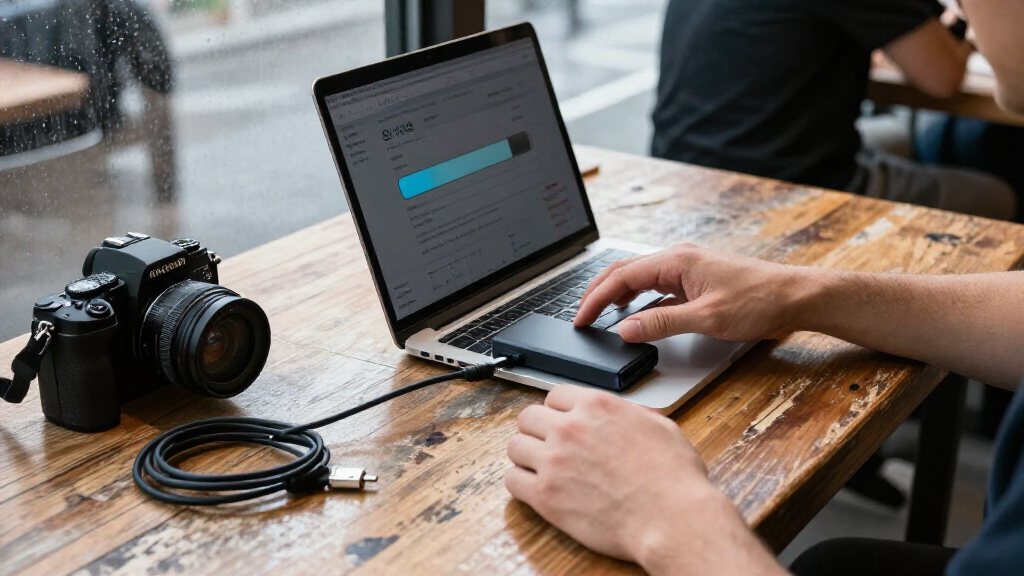
The Samsung T9 2TB is my best overall pick for its high advertised speed and useful middle-ground capacity, while the SanDisk Extreme 2TB stands out for buyers who want a rugged drive and the Samsung T7 1TB offers a simpler everyday option. The main tradeoffs are speed versus device compatibility, capacity versus portability, and rugged protection versus a more basic design. Advertised transfer rates only matter if your computer or device supports the drive’s connection standard. I compare all 14 portable SSDs by those practical differences, along with capacity and likely fit for different buyers. Continue reading for the full breakdown and guidance on choosing the right drive.

Get the latest gadgets delivered free with Prime
- Fast, free delivery on millions of items
- Prime Video, Amazon Music and more included
- Member-only deals all year
Complete the kit



Key Takeaways
- The Samsung T9 models combine up to 2,000 MB/s advertised speeds with three capacity choices—1TB, 2TB, and 4TB—so the series suits buyers who want to choose capacity without changing product families.
- USB 3.2 Gen 2×2 is a compatibility checkpoint, not just a speed label. The T9 and the 2,000 MB/s SanDisk Extreme models can reach their advertised potential only with a compatible host connection.
- SanDisk’s Extreme lineup offers a broader spread of capacities and advertised speeds. The list includes 1TB, 2TB, and 4TB versions, with models rated up to 1,050 or 2,000 MB/s.
- The basic SanDisk portable SSD models prioritize simpler speed tiers. The 500GB, 1TB, and 2TB choices are rated up to 1,000 MB/s, while the SanDisk Portable Drive is rated up to 600 MB/s.
- Capacity is a practical dividing line in this roundup. The 500GB SSK and SanDisk models suit smaller libraries, while the 4TB Samsung T9 and SanDisk Extreme fit larger projects but may be more storage than casual users need.
| Samsung T9 2TB Portable SSD, USB 3.2 Gen 2×2, Up to 2,000 MB/s | 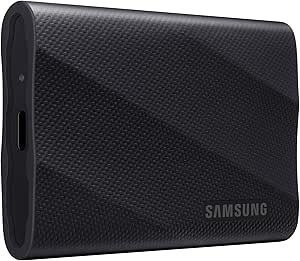 | Best for Fast, Frequent Transfers | Capacity: 2 TB | Interface: USB 3.2 Gen 2×2 | Maximum read speed: Up to 2,000 MB/s | VIEW LATEST PRICE | See Our Full Breakdown |
| SanDisk Extreme 2TB Portable SSD |  | Best for Rugged Everyday Carry | Capacity: 2 TB | Interface: USB 3.2 Gen 2 | Maximum read speed: Up to 1,050 MB/s | VIEW LATEST PRICE | See Our Full Breakdown |
| SanDisk Extreme Portable SSD, 1TB, Up to 1050MB/s | | Best for Protected 1TB Carry | Capacity: 1 TB | Interface: USB 3.0 | Connector: USB Type-C | VIEW LATEST PRICE | See Our Full Breakdown |
| SanDisk 500GB Portable SSD, Up to 1000MB/s Read Speed, Black |  | Best Compact Starter Drive | Capacity: 500 GB | Interface: USB 3.0 | Connector: USB Type-C | VIEW LATEST PRICE | See Our Full Breakdown |
| Samsung T9 4TB Portable SSD, USB 3.2 Gen 2×2, Up to 2,000 MB/s | | Best High-Capacity Performance Pick | Capacity: 4 TB | Interface: USB 3.2 Gen 2×2 | Maximum read/write speed: Up to 2,000 MB/s | VIEW LATEST PRICE | See Our Full Breakdown |
| SanDisk Extreme Portable SSD, 4TB, Up to 2000MB/s |  | Best for High-Capacity Field Work | Capacity: 4 TB | Interface: USB-C | Maximum read speed: Up to 2000 MB/s | VIEW LATEST PRICE | See Our Full Breakdown |
| SanDisk 2TB Portable SSD, Up to 1000MB/s Read Speed, Black | | Best Everyday 2TB Pick | Capacity: 2 TB | Read speed: Up to 1000 MB/s | Interface: USB 3.0 | VIEW LATEST PRICE | See Our Full Breakdown |
| Samsung T7 Portable SSD 1TB, Titan Gray, USB 3.2 Gen 2 | 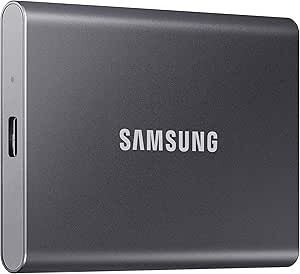 | Best for Broad Device Compatibility | Capacity: 1 TB | Interface: USB 3.2 Gen 2 | Read speed: Up to 1050 MB/s | VIEW LATEST PRICE | See Our Full Breakdown |
| SanDisk Extreme Portable SSD, 1TB, Up to 2000MB/s | | Best Compact Rugged 1TB Pick | Capacity: 1 TB | Maximum read speed: Up to 2000 MB/s | Interface and connector: USB 3.0; USB Type-C | VIEW LATEST PRICE | See Our Full Breakdown |
| SSK 500GB Portable External SSD, USB-C, Up to 1050MB/s |  | Best for a Lightweight Cable-Ready Setup | Capacity: 500 GB | Read speed: Up to 1050 MB/s | Write speed: Up to 1000 MB/s | VIEW LATEST PRICE | See Our Full Breakdown |
| SanDisk Extreme Portable SSD, 2TB, Up to 2000MB/s | | Best for Rugged, High-Capacity Carry | Storage capacity: 2TB | Maximum read speed: Up to 2,000 MB/s | Interface: USB 3.0 | VIEW LATEST PRICE | See Our Full Breakdown |
| SanDisk 1TB Portable SSD, Up to 1000MB/s Read Speed, Black | | Best Everyday Portable SSD | Storage capacity: 1TB | Maximum read speed: Up to 1,000 MB/s | Interface: USB 3.0 | VIEW LATEST PRICE | See Our Full Breakdown |
| SanDisk 1TB Portable Drive, Up to 600MB/s Read Speed, Black |  | Best for Basic, Shock-Resistant Storage | Storage capacity: 1TB | Maximum read speed: Up to 600 MB/s | Write speed: Lower than read speed | VIEW LATEST PRICE | See Our Full Breakdown |
| Samsung T9 Portable SSD, 1TB, USB 3.2 Gen 2×2, Up to 2,000 MB/s | | Best for Fast Two-Way Transfers | Storage capacity: 1TB | Interface: USB 3.2 Gen 2×2 | Maximum read speed: Up to 2,000 MB/s | VIEW LATEST PRICE | See Our Full Breakdown |
| portable SSD | Interface | Capacity | Maximum read speed | Drop protection |
|---|---|---|---|---|
| Samsung T9 2TB Portable SSD | USB 3.2 Gen 2×2 | 2 TB | Up to 2,000 MB/s | — |
| SanDisk Extreme 2TB Portable S | USB 3.2 Gen 2 | 2 TB | Up to 1,050 MB/s | 2 meters or 3 meters listed; product information conflicts |
| SanDisk Extreme Portable SSD | USB 3.0 | 1 TB | Up to 1,050 MB/s | 2 meters or 3 meters listed; product information conflicts |
| SanDisk 500GB Portable SSD | USB 3.0 | 500 GB | Up to 1,000 MB/s | Up to 2 meters |
| Samsung T9 4TB Portable SSD | USB 3.2 Gen 2×2 | 4 TB | — | — |
| SanDisk Extreme Portable SSD | USB-C | 4 TB | Up to 2000 MB/s | Up to 3 m |
| SanDisk 2TB Portable SSD | USB 3.0 | 2 TB | — | Up to 2 meters |
| Samsung T7 Portable SSD 1TB | USB 3.2 Gen 2 | 1 TB | — | — |
| SanDisk Extreme Portable SSD | — | 1 TB | Up to 2000 MB/s | Up to 3 meters |
| SSK 500GB Portable External SS | USB 3.2 Gen 2 | 500 GB | — | — |
| SanDisk Extreme Portable SSD | USB 3.0 | — | Up to 2,000 MB/s | Up to 3 meters |
| SanDisk 1TB Portable SSD | USB 3.0 | — | Up to 1,000 MB/s | Up to 2 meters |
| SanDisk 1TB Portable Drive | — | — | Up to 600 MB/s | Up to 2 meters |
| Samsung T9 Portable SSD | USB 3.2 Gen 2×2 | — | Up to 2,000 MB/s | — |
More Details on Our Top Picks
Samsung T9 2TB Portable SSD, USB 3.2 Gen 2×2, Up to 2,000 MB/s
The Samsung T9 2TB is the speed-focused middle ground in this group: it offers more capacity than the 1TB SanDisk Extreme Portable SSD while claiming nearly twice its peak read speed. That makes it a strong fit for moving large project files or keeping active media libraries close at hand. Its USB 3.2 Gen 2×2 interface is the key qualifier, though; the 2,000 MB/s ceiling depends on a compatible host, cable, and UASP support, so older or mismatched devices will not reach it. Thermal management is designed for sustained workloads, and Magician Software adds encryption, firmware updates, and drive-health checks. Compared with the 4TB T9, this version is easier to justify when capacity needs are moderate, but it gives up half the storage. I’d skip it if your devices cannot use its faster interface.
Pros:- Up to 2,000 MB/s read and write speeds with a compatible setup
- Thermal management designed for sustained workloads
- Magician Software supports encryption, firmware updates, and drive-health monitoring
- Works with computers, gaming consoles, tablets, and supported iPhone models
Cons:- Maximum speeds require a compatible USB 3.2 Gen 2×2 host, cable, and UASP support
- Host-device compatibility may vary
- Offers less capacity than the 4TB Samsung T9
Best for: Video editors and other frequent file movers who have a USB 3.2 Gen 2×2-compatible computer and need 2TB of working storage.
Not ideal for: Owners of devices limited to slower USB connections, or buyers who need 4TB in one drive.
- Capacity:2 TB
- Interface:USB 3.2 Gen 2×2
- Maximum read speed:Up to 2,000 MB/s
- Maximum write speed:Up to 2,000 MB/s
- Encryption:Hardware encryption
- Thermal management:Designed for sustained workloads
- Compatibility:Gaming consoles, Mac, PC, tablets, and supported iPhone 15/16 models
- Color:Black
Our verdict“Choose the Samsung T9 2TB if your devices support its faster interface and you want high transfer speeds without stepping up to 4TB.”
SanDisk Extreme 2TB Portable SSD
The SanDisk Extreme 2TB prioritizes carry-friendly protection over the higher speed ceiling of the Samsung T9 2TB. Its up-to-1,050 MB/s read and 1,000 MB/s write ratings suit backups, photo libraries, and moving sizable files, while the carabiner loop gives it a practical way to attach to a bag. Password protection with 256-bit AES hardware encryption adds a layer for sensitive files. The listed water, dust, and drop figures are not consistent across the product information: it cites both IP65 and IP55, and both 3-meter and 2-meter drop protection. I would not choose it on the assumption that the higher figures apply. Compared with the 1TB SanDisk Extreme, this version doubles storage for larger libraries, but it shares the same listed performance tier and the same protection-spec uncertainty.
Pros:- 2TB capacity for larger libraries and backups
- Carabiner loop makes it easy to attach to a bag
- Password protection with 256-bit AES hardware encryption
- Designed with water, dust, and drop protection
Cons:- Protection specifications conflict, citing IP65 or IP55 and 3-meter or 2-meter drop protection
- Maximum read and write speeds are below the Samsung T9’s stated ceiling
- Actual performance depends on the host device, interface, and usage conditions
Best for: Traveling photographers and laptop users who want 2TB of portable storage, a bag-attachment loop, and hardware encryption.
Not ideal for: Buyers who need a clearly specified protection rating or the highest transfer speeds available from the Samsung T9 models.
- Capacity:2 TB
- Interface:USB 3.2 Gen 2
- Maximum read speed:Up to 1,050 MB/s
- Maximum write speed:Up to 1,000 MB/s
- Encryption:256-bit AES hardware encryption with password protection
- Water and dust resistance:IP65 or IP55 listed; product information conflicts
- Drop protection:2 meters or 3 meters listed; product information conflicts
- Compatible devices:Desktop, laptop, tablet, Xbox Series X, and PlayStation 4
- Color:Black
Our verdict“Pick this SanDisk if rugged carry features and 2TB capacity matter more than the T9’s higher speed ceiling or unambiguous protection specifications.”
SanDisk Extreme Portable SSD, 1TB, Up to 1050MB/s
This SanDisk Extreme 1TB keeps the same speed tier and carry-oriented design as the 2TB SanDisk Extreme, but halves the storage for buyers with smaller libraries. Its up-to-1,050 MB/s read and 1,000 MB/s write ratings are suited to routine transfers and backups, while the carabiner loop and stated water, dust, and drop protection make it more travel-minded than the basic 500GB SanDisk Portable SSD. It also includes 256-bit AES hardware encryption with password protection. The protection details conflict: the listing gives both IP65 and IP55, along with 3-meter and 2-meter drop figures, so I would treat those claims cautiously. Compared with the SanDisk Extreme 2TB, this is easier to pack and manage if 1TB is enough, but frequent large backups may quickly use that capacity.
Pros:- Up to 1,050 MB/s read and 1,000 MB/s write speeds
- Carabiner loop supports convenient bag attachment
- Password protection with 256-bit AES hardware encryption
- Lightweight at 1.76 ounces
Cons:- Protection ratings conflict between IP65 and IP55 and between 3-meter and 2-meter drop claims
- 1TB offers less room than the SanDisk Extreme 2TB
- Actual transfer speeds depend on the host device and conditions
Best for: Traveling students, photographers, and laptop owners who need about 1TB of portable storage with a carabiner loop and password protection.
Not ideal for: People keeping large video libraries or frequent backups, or buyers who need consistent published protection specifications.
- Capacity:1 TB
- Interface:USB 3.0
- Connector:USB Type-C
- Maximum read speed:Up to 1,050 MB/s
- Maximum write speed:Up to 1,000 MB/s
- Water and dust resistance:IP65 or IP55 listed; product information conflicts
- Drop protection:2 meters or 3 meters listed; product information conflicts
- Weight:1.76 oz
- Warranty:5-year limited warranty
Our verdict“Choose this model over the 2TB SanDisk Extreme when 1TB is sufficient and a lightweight, attachable drive matters more than extra capacity.”
SanDisk 500GB Portable SSD, Up to 1000MB/s Read Speed, Black
The SanDisk 500GB Portable SSD is the straightforward pick for carrying a small set of current files rather than an entire media library. At 1.12 ounces and roughly 3.35 inches long, it is among the most compact choices here, and its USB-C connection supports simple plug-in use across computers, phones, and tablets. The up-to-1,000 MB/s read claim puts it near the 1TB SanDisk Extreme’s stated read speed, but the product data does not give a write-speed figure, and its 500GB capacity is far below that model’s. Drop protection is rated up to 2 meters, though it lacks the Extreme drive’s carabiner loop and specified encryption features. This makes more sense for a modest working folder or transfer drive than for long-term video storage or large backups.
Pros:- Compact dimensions and 1.12-ounce weight suit pocket carry
- USB-C connection supports use with computers, smartphones, and tablets
- Read speeds listed up to 1,000 MB/s
- Drop protection rated up to 2 meters
Cons:- 500GB capacity is much smaller than the 1TB SanDisk Extreme
- No write-speed figure is provided
- Does not list the Extreme model’s carabiner loop or hardware encryption
Best for: Phone and laptop users who want a very light USB-C drive for transferring a modest set of files between devices.
Not ideal for: Content creators with large project files, buyers who need a stated write speed, or anyone needing encryption and a bag-attachment loop.
- Capacity:500 GB
- Interface:USB 3.0
- Connector:USB Type-C
- Maximum read speed:Up to 1,000 MB/s
- Drop protection:Up to 2 meters
- Weight:1.12 ounces
- Dimensions:1.77 x 3.35 x 0.39 inches
- Compatibility:Desktop, laptop, smartphone, and tablet
Our verdict“Choose this compact SanDisk for simple USB-C transfers and light carry, but pick the 1TB SanDisk Extreme for more capacity and listed encryption.”
Samsung T9 4TB Portable SSD, USB 3.2 Gen 2×2, Up to 2,000 MB/s
The Samsung T9 4TB combines the lineup’s top stated speed tier with its largest capacity among these five, making it the strongest fit for carrying extensive project libraries without splitting them across drives. It claims up to 2,000 MB/s read and write speeds, while Dynamic Thermal Guard manages heat during sustained workloads and AES 256-bit hardware encryption supports secure storage. The tradeoff is the same interface caveat as the 2TB T9: reaching the listed ceiling requires compatible USB 3.2 Gen 2×2 hardware, a suitable cable, and UASP mode. Compared with the 2TB T9, this version doubles storage but retains the same stated speed tier, so it makes sense when capacity is the deciding factor rather than faster transfers. Device compatibility can vary, too.
Pros:- 4TB capacity keeps large project libraries on one portable drive
- Up to 2,000 MB/s read and write speeds with compatible hardware
- Dynamic Thermal Guard supports heat management
- AES 256-bit hardware encryption and stated drop resistance up to 9.8 feet
Cons:- Maximum speeds require a compatible USB 3.2 Gen 2×2 connection, cable, and UASP mode
- Device compatibility may vary
- Offers no higher stated speed ceiling than the 2TB Samsung T9
Best for: Video professionals and field teams who need to carry several terabytes of active files on one fast portable drive.
Not ideal for: Buyers with devices that lack USB 3.2 Gen 2×2 support, or users whose storage needs fit comfortably within 2TB.
- Capacity:4 TB
- Interface:USB 3.2 Gen 2×2
- Maximum read/write speed:Up to 2,000 MB/s
- Encryption:AES 256-bit hardware encryption
- Thermal management:Dynamic Thermal Guard
- Drop resistance:Up to 9.8 ft
- Form factor:Portable external SSD
- Compatible devices:Gaming consoles, Mac, PC, tablets, and iPhone 15/16
- Color:Black
Our verdict“Choose the Samsung T9 4TB when you need the T9’s fast performance tier and enough portable capacity to keep a large working library together.”
SanDisk Extreme Portable SSD, 4TB, Up to 2000MB/s
For large working libraries that need to travel, I’d put this 4TB SanDisk Extreme ahead of smaller portable SSDs: it pairs substantial capacity with read speeds up to 2000 MB/s, so project files and backups can stay on one drive. Its IP65 water and dust resistance and 3-meter drop protection also suit outdoor shoots better than the Samsung T7, whose listed protection is for drops rather than an IP-rated environment. The tradeoff is that the 2000 MB/s figure is a maximum read speed, not a promise of equally fast writes, and real performance depends on the host device. Password protection with 256-bit AES encryption adds privacy, but requires a software download and is limited to supported Windows and macOS versions. I’d choose it for capacity and ruggedness, not for the lightest or simplest setup.
Pros:- 4TB capacity accommodates large project libraries and backups.
- Read speeds reach up to 2000 MB/s with a compatible setup.
- IP65 rating provides water and dust resistance.
- Drop protection is rated up to 3 meters, with 256-bit AES password protection.
Cons:- Write speeds are lower than the stated maximum read speed.
- Password protection requires a software download and supported Windows 10+ or macOS 12+.
- Its speed depends on the connected device and usage conditions.
Best for: Photographers, video crews, and field workers who need several terabytes of files in a dust- and water-resistant drive.
Not ideal for: Buyers who mainly move small files, need fast sustained writes, or want security features without installing software.
- Capacity:4 TB
- Interface:USB-C
- Maximum read speed:Up to 2000 MB/s
- Water and dust resistance:IP65
- Drop protection:Up to 3 m
- Encryption:256-bit AES password protection
- Compatible platforms:Mac and PC
Our verdict“Choose this SanDisk if you need 4TB of portable, rugged storage; choose a smaller drive if capacity matters less than a simpler or more economical setup.”
SanDisk 2TB Portable SSD, Up to 1000MB/s Read Speed, Black
This model is the straightforward capacity pick for buyers who want 2TB in a compact drive without aiming for the fastest tier in the roundup. Its read speed reaches up to 1000 MB/s, below the 2000 MB/s ceiling of the SanDisk Extreme 1TB and 4TB models, but that gap may matter less for everyday transfers than having enough room for a broader file collection. At 1.12 ounces, with a pocket-sized body and USB-C connector, it is easy to carry between a laptop, tablet, or phone. It also has drop protection up to 2 meters. Unlike the Extreme models, the supplied data doesn’t list an IP rating or encryption, so I’d favor this one for routine transport rather than wet or dusty work. Performance can vary by host device, and write speeds fall below the quoted read figure.
Pros:- 2TB capacity leaves room for substantial backups and media libraries.
- Compact design weighs just 1.12 ounces.
- Read speeds reach up to 1000 MB/s.
- Drop protection is rated up to 2 meters and the drive has no moving parts.
Cons:- Write speeds are lower than the stated maximum read speed.
- Performance varies with the host device and usage conditions.
- No water and dust rating or encryption feature is listed in the supplied product data.
Best for: Laptop and smartphone users who want a lightweight 2TB drive for everyday backups, media, and file transfers.
Not ideal for: Field creators who need water and dust resistance, encryption details, or the higher read-speed ceiling of the SanDisk Extreme models.
- Capacity:2 TB
- Read speed:Up to 1000 MB/s
- Interface:USB 3.0
- Connector:USB Type-C
- Dimensions:1.77 × 3.35 × 0.39 inches
- Weight:1.12 ounces
- Drop protection:Up to 2 meters
- Compatibility:Desktop, laptop, smartphone, and tablet; Mac and PC
Our verdict“Pick this SanDisk for lightweight 2TB everyday storage, but choose an Extreme model for stronger environmental protection or a higher stated read-speed ceiling.”
Samsung T7 Portable SSD 1TB, Titan Gray, USB 3.2 Gen 2
The Samsung T7 is a balanced choice for buyers moving files among computers, Android devices, and gaming consoles. Its USB 3.2 Gen 2 connection supports read speeds up to 1050 MB/s and writes up to 1000 MB/s, giving it a clearer read-and-write performance picture than the SanDisk 2TB Portable SSD, whose supplied data specifies only a maximum read speed. The aluminum unibody adds shock resistance and drop protection up to 6 feet, while both USB-C-to-C and USB-C-to-A cables help connect to different ports without an extra cable purchase. Capacity is the main compromise: at 1TB, it offers less room than the SanDisk 2TB model and far less than the 4TB Extreme. Its top speeds also depend on a compatible host and connection, so I’d pick it for flexible everyday use rather than maximum capacity or rugged, wet-weather work.
Pros:- Specified read and write speeds reach up to 1050 MB/s and 1000 MB/s.
- Aluminum unibody offers shock resistance and drop protection up to 6 feet.
- Compatible with PCs, Macs, Android devices, and gaming consoles.
- Includes USB-C-to-C and USB-C-to-A cables and 256-bit AES hardware encryption.
Cons:- Maximum speeds require a compatible USB 3.2 Gen 2 host and UASP enabled.
- The 1TB capacity is smaller than the SanDisk 2TB and 4TB options.
- Compatibility can vary by host device and operating system.
Best for: People who share a 1TB portable drive across PCs, Macs, Android devices, and gaming consoles and value included cable options.
Not ideal for: Users who need more than 1TB, an IP-rated drive for outdoor exposure, or full speed from older USB connections.
- Capacity:1 TB
- Interface:USB 3.2 Gen 2
- Read speed:Up to 1050 MB/s
- Write speed:Up to 1000 MB/s
- Encryption:256-bit AES hardware encryption
- Material and drop protection:Aluminum unibody; up to 6 feet
- Included cables:USB Type-C-to-C and Type-C-to-A
- Color:Titan Gray
Our verdict“Choose the T7 for a well-connected 1TB drive with stated fast writes and useful cables, rather than for maximum capacity or environmental ruggedness.”
SanDisk Extreme Portable SSD, 1TB, Up to 2000MB/s
This 1TB SanDisk Extreme suits buyers who want a small, tough drive and a high stated read-speed ceiling without carrying a larger-capacity model. It reaches up to 2000 MB/s read speed and weighs 1.6 ounces, while its IP65 rating and 3-meter drop protection make it a stronger field-use choice than the Samsung T7, which lists drop protection but no water and dust rating in the supplied data. The compromise is that the T7 provides specified write speeds up to 1000 MB/s and includes two cables; this SanDisk’s listed headline speed is read-only, and its write speeds are lower. Its 1TB capacity also leaves less room than the 2TB SanDisk Portable SSD. Password protection uses 256-bit AES encryption, though setup requires a software download and supported operating systems.
Pros:- Read speeds reach up to 2000 MB/s.
- IP65-rated against water and dust.
- Drop protection is rated up to 3 meters.
- Pocket-sized 1.6-ounce design includes 256-bit AES password protection.
Cons:- Write speeds are lower than the advertised maximum read speed.
- Password protection requires a software download and supported Windows 10+ or macOS 12+.
- Its 1TB capacity is smaller than the SanDisk 2TB Portable SSD.
Best for: Traveling photographers and mobile creators who need 1TB of storage in a pocket-sized, water- and dust-resistant drive.
Not ideal for: People who need 2TB or more, want a stated maximum write speed, or prefer security features that need no software installation.
- Capacity:1 TB
- Maximum read speed:Up to 2000 MB/s
- Interface and connector:USB 3.0; USB Type-C
- Water and dust resistance:IP65
- Drop protection:Up to 3 meters
- Dimensions:3.35 × 2 × 0.39 inches
- Weight:1.6 ounces
- Encryption:256-bit AES password protection
Our verdict“Choose this model for rugged, compact 1TB storage and a high read-speed ceiling; opt for the T7 if specified write speeds and included cables matter more.”
SSK 500GB Portable External SSD, USB-C, Up to 1050MB/s
The SSK is the small-capacity pick for people who want a drive that can connect to both USB-C and USB-A devices straight from the box. It includes both cable types, weighs 36.6 g, and lists read and write speeds up to 1050 MB/s and 1000 MB/s, respectively. That makes its speed specifications more balanced than the SanDisk 2TB Portable SSD’s read-only headline, but the SSK’s 500GB capacity is a clear limit beside that SanDisk’s 2TB. Its aluminum-alloy enclosure helps with heat dissipation, and S.M.A.R.T. diagnostics, TRIM, and SLC caching are useful technical features; they don’t remove the capacity constraint, and peak performance within the cache depends on available space. I’d choose it for modest transfers across varied ports, not as a main archive for large photo or video libraries.
Pros:- Includes both USB-C and USB-A cables for connection flexibility.
- Lightweight 36.6 g aluminum-alloy enclosure supports heat dissipation.
- Specified read and write speeds reach up to 1050 MB/s and 1000 MB/s.
- Includes an LED activity light, S.M.A.R.T. diagnostics, TRIM support, and SLC caching.
Cons:- 500GB capacity is substantially less than the SanDisk 2TB Portable SSD.
- Available SLC cache space affects maximum transfer performance.
- The usable capacity may display as approximately 465GB on Windows.
Best for: Students and mobile workers who need a lightweight 500GB drive and regularly connect to both USB-C and USB-A devices.
Not ideal for: Video editors, large-library backup users, or anyone who needs ample storage for long-term archives.
- Capacity:500 GB
- Read speed:Up to 1050 MB/s
- Write speed:Up to 1000 MB/s
- Interface:USB 3.2 Gen 2
- Included cables:USB-C and USB-A
- Dimensions:2.6 × 1.5 × 0.5 inches
- Weight and enclosure:36.6 g; aluminum alloy
- Features:LED activity light, S.M.A.R.T. diagnostics, TRIM support, and SLC caching
Our verdict“Pick the SSK for a light, cable-ready 500GB drive, but choose a 1TB or 2TB model if your backups or media library are growing.”
SanDisk Extreme Portable SSD, 2TB, Up to 2000MB/s
For carrying a large working library, I’d choose this SanDisk Extreme over the SanDisk 1TB Portable SSD: it doubles the capacity and adds IP65 dust and water resistance, plus protection against drops up to 3 meters. Its stated read speed of up to 2,000 MB/s also makes it a better fit for moving large media files, though that headline speed depends on the host connection and doesn’t describe write performance. The compact body suits a bag or pocket, while 256-bit AES encryption adds a privacy option for sensitive files. That protection requires a software download and is supported on Windows 10+ and macOS 12+. Pick it over the faster-to-configure basic drive for rougher travel; skip it if you need consistently fast writes or don’t need the extra capacity and ruggedness.
Pros:- 2TB capacity gives more room for media libraries and project backups than the 1TB SanDisk options.
- Read speeds up to 2,000 MB/s suit large transfers when the host setup supports them.
- IP65 dust and water resistance and drop protection up to 3 meters support travel use.
- 256-bit AES encryption provides an option for protecting stored files.
Cons:- Write speeds are lower than the stated maximum read speed.
- Encryption requires a software download and is supported only on Windows 10+ and macOS 12+.
- The maximum read speed depends on the connected device and interface.
Best for: Photographers, video creators, and frequent travelers who carry large files and want extra protection against dust, water, and drops.
Not ideal for: Buyers who mainly need inexpensive everyday file storage, or who expect 2,000 MB/s write speeds and want encryption without installing software.
- Storage capacity:2TB
- Maximum read speed:Up to 2,000 MB/s
- Interface:USB 3.0
- Connector:USB Type-C
- Dust and water resistance:IP65
- Drop protection:Up to 3 meters
- Encryption:256-bit AES
- Compatible platforms:Mac, PC
Our verdict“Choose this SanDisk Extreme if you want 2TB of portable storage with stronger environmental protection than the basic SanDisk 1TB drive.”
SanDisk 1TB Portable SSD, Up to 1000MB/s Read Speed, Black
This is the straightforward choice for carrying work files, photos, and backups without paying for rugged features or a higher performance tier. The 1TB capacity and stated read speed of up to 1,000 MB/s give it a useful middle ground: it’s quicker on paper than the SanDisk 600 MB/s Portable Drive, but less specialized than the SanDisk Extreme 2TB, which adds IP65 protection and twice the space. At just 1.12 ounces, it’s easy to keep with a laptop, and USB-C connection requires no drivers or setup. The tradeoff is that read speed is not write speed, and actual performance varies with the host device and use. Its drop protection reaches 2 meters, but the product data doesn’t specify the Extreme’s dust and water rating.
Pros:- 1TB capacity suits everyday files and moderate photo or video libraries.
- Up to 1,000 MB/s read speed is faster on paper than the SanDisk 600 MB/s Portable Drive.
- At 1.12 ounces, it adds little weight to a laptop bag.
- USB-C connection is described as requiring no drivers or setup.
Cons:- Write speeds are lower than the stated maximum read speed.
- Actual performance varies with the host device and usage conditions.
- Drop protection is limited to 2 meters, with no dust or water rating listed.
Best for: Laptop owners and mobile workers who want a lightweight 1TB drive for routine file transfers, backups, and carrying documents.
Not ideal for: Creators who regularly move large files and need higher sustained write performance, or travelers who want a stated dust and water resistance rating.
- Storage capacity:1TB
- Maximum read speed:Up to 1,000 MB/s
- Interface:USB 3.0
- Connector:USB Type-C
- Weight:1.12 ounces
- Dimensions:1.77 x 3.35 x 0.39 inches
- Drop protection:Up to 2 meters
- Compatibility:Desktop, laptop, smartphone, and tablet; Mac and PC
Our verdict“Pick this model for simple, lightweight 1TB storage, but choose the SanDisk Extreme 2TB for more capacity and stated environmental protection.”
SanDisk 1TB Portable Drive, Up to 600MB/s Read Speed, Black
If your main goal is keeping everyday files close at hand, this SanDisk offers a simpler performance tier than the SanDisk 1TB Portable SSD rated up to 1,000 MB/s. Its read speed tops out at 600 MB/s, so large transfers will take longer, but for documents, routine backups, and casual file access, that lower ceiling may be an acceptable trade. The 1TB capacity, USB-C connection, and pocket-sized 1.12-ounce body make it easy to pair with a laptop or compatible phone. With no moving parts and drop protection up to 2 meters, it is built for ordinary carry rather than rough conditions. I’d choose the faster SanDisk model for frequent media transfers; this one makes more sense when portability and basic storage matter more than throughput.
Pros:- 1TB capacity accommodates everyday documents, photos, and backups.
- Pocket-sized 1.12-ounce design is easy to carry alongside a laptop.
- No moving parts and drop protection up to 2 meters help with routine travel.
- USB-C connectivity supports compatible computers and mobile devices.
Cons:- Read speeds up to 600 MB/s are slower than the SanDisk 1TB Portable SSD rated up to 1,000 MB/s.
- Write speeds are lower than read speeds.
- Usable storage is less than the stated 1TB capacity.
Best for: Students and everyday laptop users who want a small 1TB drive for documents, photos, and occasional backups.
Not ideal for: Video editors, photographers handling large shoots, and anyone who often transfers large folders and would benefit from the SanDisk 1TB 1,000 MB/s model.
- Storage capacity:1TB
- Maximum read speed:Up to 600 MB/s
- Write speed:Lower than read speed
- Connector:USB Type-C
- Weight:1.12 ounces
- Dimensions:2.95 x 1.77 x 0.39 inches
- Drop protection:Up to 2 meters
- Compatible devices:Desktop, laptop, smartphone, and tablet
Our verdict“Choose this drive for portable everyday storage if you can accept slower transfers than the SanDisk 1TB 1,000 MB/s alternative.”
Samsung T9 Portable SSD, 1TB, USB 3.2 Gen 2×2, Up to 2,000 MB/s
The Samsung T9 is the performance-focused pick here for buyers who need fast reads and writes, not just a high read-speed figure. It can reach up to 2,000 MB/s in both directions with a compatible USB 3.2 Gen 2×2 connection and UASP. That makes it a stronger match for moving active project files than the SanDisk Extreme 2TB, whose listed maximum is read speed and whose write speeds are lower. The tradeoff is capacity: this T9 has 1TB, while that SanDisk offers 2TB. The T9 adds hardware AES 256-bit encryption, thermal management, and drop resistance up to 9.8 feet. Those features make it a capable portable work drive, but its headline speed is useful only if the host device supports the required connection.
Pros:- Up to 2,000 MB/s read and write speeds with a compatible connection and UASP.
- Hardware AES 256-bit encryption protects stored data without relying on downloaded encryption software.
- Dynamic Thermal Guard helps manage heat during extended use.
- Drop resistance up to 9.8 feet is higher than the 2-meter protection listed for the basic SanDisk drives.
Cons:- Maximum speeds require USB 3.2 Gen 2×2 and UASP support.
- At 1TB, it offers less storage than the SanDisk Extreme 2TB.
- Host-device compatibility may vary.
Best for: Video professionals and power users with a compatible USB 3.2 Gen 2×2 setup who frequently read and write large working files.
Not ideal for: People using older USB connections, or buyers who prioritize 2TB capacity over fast two-way transfers and hardware encryption.
- Storage capacity:1TB
- Interface:USB 3.2 Gen 2×2
- Maximum read speed:Up to 2,000 MB/s
- Maximum write speed:Up to 2,000 MB/s
- Encryption:AES 256-bit hardware encryption
- Drop resistance:Up to 9.8 feet
- Compatible devices:Mac, PC, tablet, iPhone 15/16
- Compatible game consoles:Xbox Series S/X, PlayStation 4/5
Our verdict“Choose the Samsung T9 for fast two-way transfers and hardware encryption if your devices support its connection; otherwise, the SanDisk Extreme 2TB offers more capacity.”
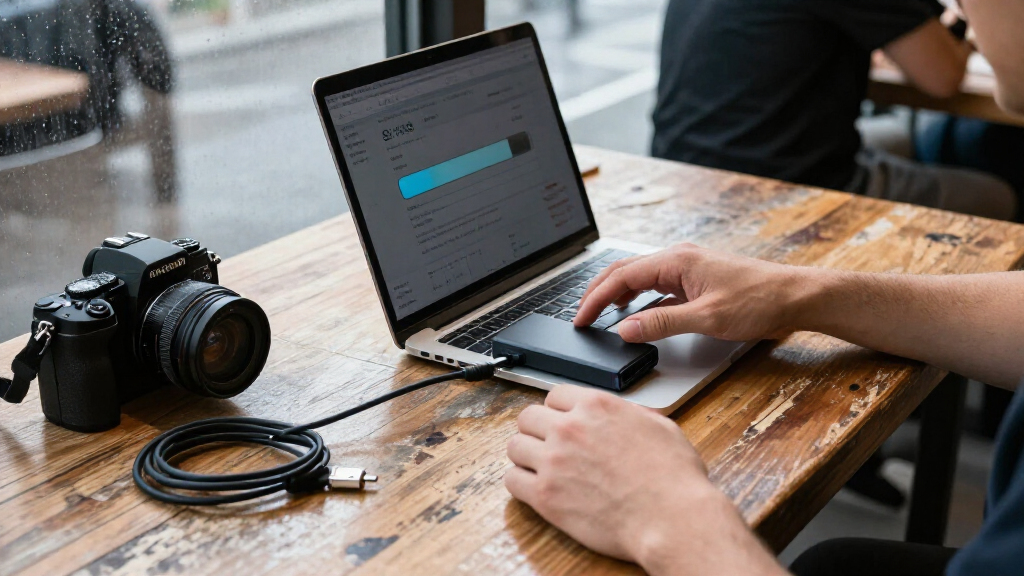
How We Picked
I compared these drives on the factors that change the buying decision: advertised transfer speed, connection standard, capacity options, and intended portability. I gave more weight to the balance of useful capacity and performance than to a headline speed alone, since a fast drive can be limited by the computer it connects to. Build and protection claims also matter for portable storage, but I avoid assuming specific durability features where the product information provided does not identify them.
The ranking favors models that offer a clear fit for a broad set of buyers, then separates the remaining picks by capacity, speed tier, and specialized use. That puts the Samsung T9 2TB first as a balanced high-speed choice, while the SanDisk Extreme models rank strongly for buyers who prioritize that lineup’s capacity and speed range. The T7 and 1,000 MB/s SanDisk options make sense for less demanding or more straightforward use; the lower-speed SanDisk Portable Drive is a fit only when its simpler performance tier meets the job. I treat advertised speeds as manufacturer figures, not a promise of identical results with every device.
| portable SSD | Interface | Maximum read speed |
|---|---|---|
| Samsung T9 2TB Portable SSD | USB 3.2 Gen 2×2 | Up to 2,000 MB/s |
| SanDisk Extreme 2TB Portable S | USB 3.2 Gen 2 | Up to 1,050 MB/s |
| SanDisk Extreme Portable SSD | USB 3.0 | Up to 1,050 MB/s |
| SanDisk 500GB Portable SSD | USB 3.0 | Up to 1,000 MB/s |
| Samsung T9 4TB Portable SSD | USB 3.2 Gen 2×2 | — |
| SanDisk Extreme Portable SSD | USB-C | Up to 2000 MB/s |
| SanDisk 2TB Portable SSD | USB 3.0 | — |
| Samsung T7 Portable SSD 1TB | USB 3.2 Gen 2 | — |
| SanDisk Extreme Portable SSD | — | Up to 2000 MB/s |
| SSK 500GB Portable External SS | USB 3.2 Gen 2 | — |
| SanDisk Extreme Portable SSD | USB 3.0 | Up to 2,000 MB/s |
| SanDisk 1TB Portable SSD | USB 3.0 | Up to 1,000 MB/s |
| SanDisk 1TB Portable Drive | — | Up to 600 MB/s |
| Samsung T9 Portable SSD | USB 3.2 Gen 2×2 | Up to 2,000 MB/s |
Factors to Consider When Choosing Portable SSDs
Before choosing a portable SSD, match the drive to the device, workload, and amount of data you actually carry. Connection compatibility and capacity often matter more than the highest speed claim, and a drive that fits your workflow can be a better choice than a more capable model you cannot fully use.
Check the Host Connection Before Paying for Speed
Start with the ports on the computer, tablet, or other device you plan to use, then check what connection standard the drive requires for its advertised rate. Some models in this roundup advertise up to 2,000 MB/s through USB 3.2 Gen 2×2, but a host without matching support may not deliver that performance. A USB-C connector by itself does not tell you the transfer speed; connector shape and connection standard are separate details. Check the device specifications and included cable before buying, especially if you move large files often. If your host cannot use the faster standard, a less expensive or more modestly rated drive may be a better match. Avoid choosing by the headline number alone.
Choose Capacity Around Your Working Library
Estimate the data you need to carry, then leave room for new files rather than filling the drive immediately. A 500GB model can suit documents, smaller photo collections, and a focused set of projects, but it leaves less headroom for video libraries or frequent backups. Moving to 1TB or 2TB can reduce how often you have to clear or reorganize files. The 4TB options are aimed at larger working libraries and long stretches away from other storage, though that extra capacity is wasteful if most of it stays empty. Also remember that usable space is lower than the number printed on the box because of formatting and system use. Buying more capacity than your workflow needs is not automatically a better value.
Treat Advertised Speed as a Workload-Specific Benefit
Fast transfer rates matter most when you regularly copy large batches of footage, project files, or backups. For documents and occasional small transfers, ease of use and enough capacity may matter more than moving up from a 600 or 1,000 MB/s rated drive to a 2,000 MB/s rated one. The advertised maximum is not a guarantee for every file type or setup; the host device, cable, and workload all affect actual performance. Large sequential files can behave differently from many small files. If work deadlines depend on sustained transfers, look for independent testing of the exact model and workload rather than relying only on the maximum figure. For everyday carry, a suitable connection and dependable storage habits may be the more useful priorities.
Match Physical Protection to Where You Carry the Drive
A portable drive may spend its life in a desk drawer or travel daily in a crowded bag, and those settings call for different levels of protection. Compare documented resistance to drops, dust, and water for the exact model; do not assume that every product in a family has identical protection. A tougher exterior can be useful outdoors or on location, but it does not replace a second copy of important files. A compact or slim design may be easier to pack, while a protective cover can add bulk. If the drive will mostly stay beside a computer, spending extra for protection you will rarely use may not be worthwhile. Match the physical design to actual handling risks.
Use Two Copies for Important Work
A portable SSD is convenient storage, but it should not be the only home for irreplaceable photos, work files, or records. A single drive can be lost, damaged, or accidentally erased, regardless of its speed or advertised protection. Keep a separate backup on another drive or in a suitable cloud service, and store the second copy separately when the files matter. For active projects, a portable SSD can serve as the working copy while a backup system protects earlier versions. Check that your backup process actually copies new and changed files instead of assuming a manual drag-and-drop is current. This approach adds more practical protection than choosing a drive by capacity alone.
Check What Comes in the Box and What Your Devices Support
Before ordering, confirm the supplied cable and connector types work with the devices you plan to connect. Some setups may need a separate cable or adapter, and an adapter cannot add a faster connection standard that the host itself lacks. If you use the drive across computers, phones, cameras, or game systems, check each device’s compatibility and supported file systems. Formatting for one system can affect access on another, so plan for cross-device use before moving important files. Also check whether the manufacturer provides software or security features you intend to use, rather than assuming every model includes them. These small compatibility checks can prevent a fast drive from becoming inconvenient storage.
Frequently Asked Questions
Will a 2,000 MB/s portable SSD run that fast on my computer?
Not necessarily. The 2,000 MB/s models in this roundup use USB 3.2 Gen 2×2, and your computer needs compatible support to approach that advertised rate. A USB-C port may use a different speed standard, so check the computer’s technical specifications rather than relying on the port shape. The cable and workload also affect transfer results. If your computer lacks the matching connection, a lower-rated drive may offer a better fit for the performance you can use.
Should I choose a 1TB or 2TB drive for photo and video work?
Choose based on the size of your active library and how often you can offload files. A 1TB drive can work for a smaller set of current projects, while 2TB gives more room for larger footage collections and fewer interruptions to reorganize storage. Video formats and project lengths vary widely, so estimate the space your own files use rather than relying on a general rule. Leave spare capacity for new work, and keep a second copy of anything you cannot replace. If you regularly keep several projects with you, the 2TB models here provide a more comfortable buffer.
Is a SanDisk Extreme model a better choice than a Samsung T9?
It depends on which details matter most to you. The Samsung T9 offers a clear set of 1TB, 2TB, and 4TB options with up to 2,000 MB/s advertised speed, while SanDisk Extreme models span more listed speed and capacity combinations. Both product families include high-speed options, so check the exact model and host compatibility rather than comparing names alone. If documented protection is a priority, compare the specifications for the exact versions before deciding. The better choice is the one whose capacity, connection, and physical features match your setup.
Is a 500GB portable SSD enough for everyday use?
It can be enough for documents, a modest photo collection, and a small selection of files you want to carry. It may feel restrictive for video, large creative projects, or keeping multiple backups on the same drive. Think about how much space your current files use and how quickly that collection grows. If you choose 500GB, plan to move older files elsewhere rather than treating the drive as unlimited storage. The 1TB options in this roundup offer more room when you want less frequent file cleanup.
Can I use one portable SSD with both Windows and Mac?
Often, but the file system and device support affect how easily files can be shared. A drive formatted for one operating system may not offer full read-and-write access on another without reformatting or additional software. Reformatting can erase files, so back up the drive before changing its format. If you regularly switch between Windows and Mac, choose a compatible file system for your workflow and check any requirements for the applications or devices involved. Test the setup with nonessential files before trusting it with your only copy of important data.
Conclusion
For most buyers, I recommend the Samsung T9 2TB as the best overall: it pairs a useful middle capacity with up to 2,000 MB/s advertised speed, provided your host supports USB 3.2 Gen 2×2. For a best value fit, compare the SanDisk 1TB or 2TB models rated up to 1,000 MB/s against your device’s connection and storage needs; they avoid paying for speed you may not use. The best premium choice for a large working library is the Samsung T9 4TB or SanDisk Extreme 4TB, with the exact pick depending on your preferred family and compatibility needs. For beginners, the Samsung T7 1TB is a straightforward everyday option, while the SanDisk Extreme 2TB is a strong match for buyers seeking a rugged-oriented drive and substantial capacity. Choose the 500GB SSK or SanDisk models for smaller file sets, and the 600 MB/s SanDisk Portable Drive only when a more modest speed tier suits your use. Whichever you choose, check the connection standard and keep a separate backup of important files.