The best touchscreen laptop overall in this roundup is the Lenovo IdeaPad 5 2-in-1 16-inch, pairing a Ryzen 7 8845HS with 16GB RAM and a 1TB SSD in a convertible design. For demanding multitasking, the Dell 16-inch stands out with 32GB DDR5 memory, while the HP OmniBook 3 17.3-inch offers a large screen, 16GB RAM, and 1TB storage. The main tradeoffs are screen size versus portability, stronger performance versus simpler everyday use, and storage capacity versus a lower-spec configuration. Some listed models have HD displays or limited memory, so a touch panel alone does not make them equally suited to work or entertainment. Read on for the full comparison and a guide to choosing the right fit.

Get the latest gadgets delivered free — and shop member deals
- Fast, free delivery on millions of items
- Access to Prime Big Deal Days deals on October 6–7
- Prime Video, Amazon Music and more included
Complete the kit



Key Takeaways
- The Lenovo IdeaPad 5 2-in-1 16-inch leads for versatility: its Ryzen 7 8845HS, 16GB RAM, 1TB SSD, and convertible format make it the strongest all-around blend of touch use and performance in this lineup.
- Memory separates the work-ready options from basic models: the Dell 16-inch and HP Ryzen 7 15.6-inch each offer 32GB RAM, while several entry-level picks have just 8GB.
- Large-screen buyers have two different routes: the HP OmniBook 3 17.3-inch combines Ryzen 5, 16GB RAM, and 1TB storage; the HP 17.3-inch model is a more limited configuration with 8GB RAM and 128GB UFS.
- Display resolution matters as much as touch: several 15.6-inch HP options are HD, while the Dell 15.6-inch and Lenovo IdeaPad Slim 3 are listed with FHD panels.
- Small storage and restricted software need attention: the HP 15.6-inch with 128GB SSD and Windows 11 S Mode, and the Lenovo Chromebook with 64GB eMMC and 4GB RAM, suit narrower needs than the higher-capacity Windows laptops.
| Dell 15.6-Inch FHD Touchscreen Laptop, Intel Core i5-1334U, 8GB RAM, 512GB SSD, Windows 11 |  | Best for a Responsive Everyday Touchscreen | Display: 15.6-inch IPS touchscreen, 1920 × 1080, 120Hz, anti-glare, 250 nits | Processor: 13th Gen Intel Core i5-1334U, 10 cores, up to 4.60 GHz | Graphics: Integrated Intel Iris Xe | VIEW LATEST PRICE | See Our Full Breakdown |
| HP OmniBook 3 16-inch Touchscreen Laptop, AMD Ryzen 3 7320U, 8 GB RAM, 256 GB SSD, Radeon 610M, Windows 11 Home |  | Best for a Lightweight Large Screen | Display: 16-inch IPS touchscreen, 1920 × 1200, 300 nits | Processor: AMD Ryzen 3 7320U, 4 cores, 8 threads, up to 4.1 GHz | Graphics: AMD Radeon 610M | VIEW LATEST PRICE | See Our Full Breakdown |
| HP 15.6-Inch Touchscreen Laptop, Ryzen 3 7320U, 8GB RAM, 128GB SSD, Windows 11 Home in S Mode, Natural Silver |  | Best for Basic Touchscreen Computing | Display: 15.6-inch HD touchscreen, 1366 × 768, anti-glare, 250 nits | Processor: AMD Ryzen 3 7320U, 4 cores, 8 threads, up to 4.1 GHz | Memory: 8GB LPDDR5-5500, onboard | VIEW LATEST PRICE | See Our Full Breakdown |
| HP 15.6-Inch FHD Touchscreen Laptop with AMD Ryzen 7 7730U, 32GB RAM, and 1TB SSD |  | Best for Multitasking | Display: 15.6-inch Full HD IPS touchscreen, 1920 × 1080, 300 nits, anti-glare | Processor: AMD Ryzen 7 7730U, 8 cores, 16 threads, up to 4.5 GHz | Graphics: Integrated AMD Radeon Graphics | VIEW LATEST PRICE | See Our Full Breakdown |
| HP 17.3-Inch Touchscreen Laptop with Microsoft 365, 8GB RAM, 128GB UFS |  | Best for a Big Touchscreen Workspace | Display: 17.3-inch HD+ touchscreen, 1600 × 900, 60Hz, 250 nits | Processor: Intel N100 quad-core | Graphics: Integrated Intel UHD Graphics | VIEW LATEST PRICE | See Our Full Breakdown |
| HP 15.6-Inch HD Touchscreen Laptop, AMD Ryzen 3 7320U, 8 GB RAM, 256 GB SSD, Windows 11 Home, Natural Silver |  | Best for Everyday Basics | Display: 15.6-inch touchscreen, 1366 x 768, 60 Hz, 250 nits, anti-glare | Processor: AMD Ryzen 3 7320U, 4 cores, 8 threads, up to 4.1 GHz | Memory: 8GB LPDDR5-5500, onboard | VIEW LATEST PRICE | See Our Full Breakdown |
| HP OmniBook 3 17.3-Inch Touchscreen Laptop, AMD Ryzen 5, 16GB DDR5 RAM, 1TB SSD |  | Best Large-Screen Touchscreen | Display: 17.3-inch FHD IPS touchscreen, 1920 x 1080, 300 nits | Processor: AMD Ryzen 5 130, up to 4.55 GHz | Graphics: AMD Radeon 660M | VIEW LATEST PRICE | See Our Full Breakdown |
| HP Pavilion 15.6-Inch HD Touchscreen Laptop, Intel Core i3-1115G4, 16GB RAM, 1TB SSD, Windows 11 Home, Silver | 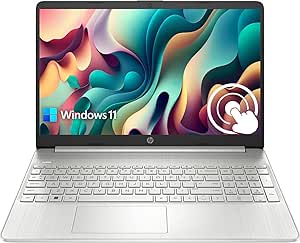 | Best for Local Storage | Display: 15.6-inch LED touchscreen, 1366 x 768, 60 Hz, 220 nits | Processor: Intel Core i3-1115G4, 2 cores, 4 threads, up to 4.1 GHz | Memory: 16GB RAM | VIEW LATEST PRICE | See Our Full Breakdown |
| Lenovo 14-Inch FHD Touchscreen Chromebook, MediaTek Kompanio 520, 4GB RAM, 64GB eMMC, Wi-Fi 6, Abyss Blue |  | Best Compact Chromebook | Display: 14-inch touchscreen, 1920 x 1080, 60 Hz, 300 nits | Processor: MediaTek Kompanio 520, octa-core | Graphics: Integrated ARM Mali-G52 2EE MC2 | VIEW LATEST PRICE | See Our Full Breakdown |
| Lenovo IdeaPad 5 2-in-1 16-inch Touchscreen Laptop, Ryzen 7 8845HS, 16GB RAM, 1TB SSD |  | Best 2-in-1 Performance Pick | Display: 16-inch touchscreen, 1920 x 1200, 60 Hz | Processor: AMD Ryzen 7 8845HS, 8 cores, 16 threads, up to 5.1 GHz | Graphics: Integrated AMD Radeon 780M | VIEW LATEST PRICE | See Our Full Breakdown |
| Dell 16-Inch Touchscreen Laptop, Intel Core 7 150U, 32GB DDR5, 1TB SSD |  | Best for Multitasking | Processor: Intel Core 7 150U, 10 cores, up to 5.4 GHz | Memory: 32GB DDR5, 5200 MT/s | Storage: 1TB PCIe NVMe M.2 SSD | VIEW LATEST PRICE | See Our Full Breakdown |
| HP 15.6-Inch Touchscreen Laptop, AMD Ryzen 5 7520U, 8 GB RAM, 512 GB SSD |  | Best for Everyday Basics | Display: 15.6-inch HD touchscreen, 1366 × 768, 60 Hz, 250 nits, anti-glare | Processor: AMD Ryzen 5 7520U, 4 cores, 8 threads, up to 4.3 GHz | Memory: 8GB LPDDR5-5500 | VIEW LATEST PRICE | See Our Full Breakdown |
| Lenovo IdeaPad Slim 3 15.6-inch FHD Touchscreen Laptop, Ryzen 7 5825U, 16GB RAM, 512GB SSD |  | Best Full HD Value | Display: 15.6-inch IPS LCD touchscreen, 1920 × 1080, 60 Hz, 300 nits | Processor: AMD Ryzen 7 5825U, 8 cores, 16 threads | Memory: 16GB DDR4, 3200 MHz | VIEW LATEST PRICE | See Our Full Breakdown |
| touchscreen laptop | Display | Processor | Memory | Storage |
|---|---|---|---|---|
| Dell 15.6-Inch FHD Touchscreen | 15.6-inch IPS touchscreen, 1920 × 1080, 120Hz, anti-glare, 250 nits | 13th Gen Intel Core i5-1334U, 10 cores, up to 4.60 GHz | 8GB DDR4 | 512GB SSD |
| HP OmniBook 3 16-inch Touchscr | 16-inch IPS touchscreen, 1920 × 1200, 300 nits | AMD Ryzen 3 7320U, 4 cores, 8 threads, up to 4.1 GHz | 8GB LPDDR5-5500, onboard | 256GB PCIe NVMe M.2 SSD |
| HP 15.6-Inch Touchscreen Lapto | 15.6-inch HD touchscreen, 1366 × 768, anti-glare, 250 nits | AMD Ryzen 3 7320U, 4 cores, 8 threads, up to 4.1 GHz | 8GB LPDDR5-5500, onboard | 128GB PCIe NVMe M.2 SSD |
| HP 15.6-Inch FHD Touchscreen L | 15.6-inch Full HD IPS touchscreen, 1920 × 1080, 300 nits, anti-glare | AMD Ryzen 7 7730U, 8 cores, 16 threads, up to 4.5 GHz | 32GB DDR4 3200MHz | 1TB PCIe NVMe SSD |
| HP 17.3-Inch Touchscreen Lapto | 17.3-inch HD+ touchscreen, 1600 × 900, 60Hz, 250 nits | Intel N100 quad-core | 8GB DDR4-3200, maximum 16GB | 128GB UFS |
| HP 15.6-Inch HD Touchscreen La | 15.6-inch touchscreen, 1366 x 768, 60 Hz, 250 nits, anti-glare | AMD Ryzen 3 7320U, 4 cores, 8 threads, up to 4.1 GHz | 8GB LPDDR5-5500, onboard | 256GB PCIe NVMe M.2 SSD |
| HP OmniBook 3 17.3-Inch Touchs | 17.3-inch FHD IPS touchscreen, 1920 x 1080, 300 nits | AMD Ryzen 5 130, up to 4.55 GHz | 16GB DDR5 | 1TB PCIe NVMe SSD |
| HP Pavilion 15.6-Inch HD Touch | 15.6-inch LED touchscreen, 1366 x 768, 60 Hz, 220 nits | Intel Core i3-1115G4, 2 cores, 4 threads, up to 4.1 GHz | 16GB RAM | 1TB PCIe NVMe SSD |
| Lenovo 14-Inch FHD Touchscreen | 14-inch touchscreen, 1920 x 1080, 60 Hz, 300 nits | MediaTek Kompanio 520, octa-core | 4GB shared graphics RAM | 64GB eMMC |
| Lenovo IdeaPad 5 2-in-1 16-inc | 16-inch touchscreen, 1920 x 1200, 60 Hz | AMD Ryzen 7 8845HS, 8 cores, 16 threads, up to 5.1 GHz | 16GB LPDDR5 | 1TB SSD |
| Dell 16-Inch Touchscreen Lapto | 16-inch FHD+ touchscreen, 1920 × 1200, 16:10, WVA/IPS, 300 nits | Intel Core 7 150U, 10 cores, up to 5.4 GHz | 32GB DDR5, 5200 MT/s | 1TB PCIe NVMe M.2 SSD |
| HP 15.6-Inch Touchscreen Lapto | 15.6-inch HD touchscreen, 1366 × 768, 60 Hz, 250 nits, anti-glare | AMD Ryzen 5 7520U, 4 cores, 8 threads, up to 4.3 GHz | 8GB LPDDR5-5500 | 512GB PCIe NVMe M.2 SSD |
| Lenovo IdeaPad Slim 3 15.6-inc | 15.6-inch IPS LCD touchscreen, 1920 × 1080, 60 Hz, 300 nits | AMD Ryzen 7 5825U, 8 cores, 16 threads | 16GB DDR4, 3200 MHz | 512GB SSD |
More Details on Our Top Picks
Dell 15.6-Inch FHD Touchscreen Laptop, Intel Core i5-1334U, 8GB RAM, 512GB SSD, Windows 11
I’d choose this Dell for a familiar 15.6-inch format paired with a 120Hz Full HD touchscreen. The higher refresh rate can make scrolling and on-screen interactions feel smoother than on the HP 15.6-Inch Ryzen 3, whose display is limited to 1366 × 768. Its Core i5 processor and 512GB SSD also give it a more versatile everyday setup than that entry-level HP, with room for documents, apps, and media. HDMI, USB-C, and an SD card reader reduce the need for adapters, while the 1080p webcam suits regular video calls. The main compromises are 8GB of RAM, which can constrain heavier multitasking, and a listed 250-nit brightness that may feel modest in bright rooms. The non-backlit keyboard is another drawback for evening work.
Pros:- 15.6-inch Full HD IPS touchscreen with a 120Hz refresh rate
- 512GB SSD provides room for files and quick app loading
- 1080p webcam and Dolby Audio stereo speakers suit calls and media
- Includes HDMI, USB-C, and an SD card reader
Cons:- 8GB RAM may limit demanding multitasking
- 250-nit listed brightness is modest for bright environments
- Keyboard is not backlit
Best for: Students and home-office users who want a smooth-scrolling Full HD touchscreen, versatile ports, and enough storage for everyday files.
Not ideal for: People who keep many demanding apps open, work in bright spaces, or frequently type in dim rooms; the 8GB RAM, 250-nit display, and non-backlit keyboard may frustrate them.
- Display:15.6-inch IPS touchscreen, 1920 × 1080, 120Hz, anti-glare, 250 nits
- Processor:13th Gen Intel Core i5-1334U, 10 cores, up to 4.60 GHz
- Graphics:Integrated Intel Iris Xe
- Memory:8GB DDR4
- Storage:512GB SSD
- Operating system:Windows 11 Home
- Ports:USB-C, USB 3.2 Gen 1, USB 2.0, HDMI, headphone/mic combo, SD card reader
- Weight:4.19 lbs
Our verdict“Choose this Dell if a fluid Full HD touchscreen and broad everyday connectivity matter more than extra memory or a backlit keyboard.”
HP OmniBook 3 16-inch Touchscreen Laptop, AMD Ryzen 3 7320U, 8 GB RAM, 256 GB SSD, Radeon 610M, Windows 11 Home
The HP OmniBook 3 is the better fit when screen area and portability matter more than storage or processing headroom. Its 16-inch, 1920 × 1200 touchscreen gives documents extra vertical room compared with the Dell 15.6-Inch FHD Touchscreen, and its 3.6-pound weight is relatively light for this display size. The listed up to 14 hours 15 minutes of battery life and 1080p HDR camera also make it appealing for mobile study or video calls. Against the more powerful HP Ryzen 7 15.6-inch model, though, this configuration has a less capable Ryzen 3 processor, only 8GB of onboard memory, and a smaller 256GB SSD. The memory is not expandable according to the supplied specs, so buyers should choose it for lighter workloads rather than a long runway for demanding multitasking.
Pros:- 16-inch 1920 × 1200 IPS touchscreen offers extra vertical workspace
- 3.6-pound weight is light for a 16-inch laptop
- 1080p HDR camera supports clearer video calls
- Two USB-C ports, HDMI 2.1, and claimed battery life up to 14 hours 15 minutes
Cons:- 8GB LPDDR5 memory is onboard and not listed as upgradeable
- 256GB SSD offers less capacity than the Dell’s 512GB drive
- Display covers 62.5% sRGB, limiting its appeal for color-critical work
Best for: Students and commuters who want a roomy 16-inch touchscreen in a relatively light laptop for documents, browsing, and video calls.
Not ideal for: Buyers who need expandable memory, a large local media library, color-focused creative work, or sustained performance for demanding applications.
- Display:16-inch IPS touchscreen, 1920 × 1200, 300 nits
- Processor:AMD Ryzen 3 7320U, 4 cores, 8 threads, up to 4.1 GHz
- Graphics:AMD Radeon 610M
- Memory:8GB LPDDR5-5500, onboard
- Storage:256GB PCIe NVMe M.2 SSD
- Camera:1080p FHD with HDR auto-switch
- Ports:2 USB-A, 2 USB-C, HDMI 2.1, headphone/microphone combo
- Weight:3.6 pounds
- Battery life:Claimed up to 14 hours 15 minutes
Our verdict“Pick the OmniBook 3 for a light, spacious touchscreen and mobile everyday use, not for large storage needs or demanding multitasking.”
HP 15.6-Inch Touchscreen Laptop, Ryzen 3 7320U, 8GB RAM, 128GB SSD, Windows 11 Home in S Mode, Natural Silver
This HP is a basic-use pick for buyers who want touch input for web browsing, simple documents, and everyday household tasks without needing a high-resolution panel. Its anti-glare 15.6-inch touchscreen is paired with Wi-Fi 6, Bluetooth 5.4, and a physical camera shutter, giving it useful everyday safeguards. Compared with the Dell 15.6-Inch FHD Touchscreen, however, the HP’s 1366 × 768 resolution leaves text and images less detailed, and its 128GB SSD provides far less room than the Dell’s 512GB. The USB-C port is data-only, so it cannot charge the laptop or connect an external monitor. The 8GB memory is onboard, too. Windows 11 Home in S Mode may suit a tightly controlled setup, but buyers who need broader app installation should check whether that limitation fits their workflow.
Pros:- 15.6-inch anti-glare touchscreen for basic direct interaction
- Physical camera shutter and dedicated microphone mute button
- Wi-Fi 6 and Bluetooth 5.4
- Listed fast charging reaches 50% in 45 minutes
Cons:- 1366 × 768 display is less detailed than the Dell’s Full HD touchscreen
- 128GB SSD leaves limited room for apps and files
- USB-C supports data only, and the 8GB memory is onboard
Best for: First-time laptop buyers or households needing a touchscreen for browsing, online forms, and light school or home tasks.
Not ideal for: People who want a sharp Full HD screen, keep many files locally, need USB-C charging or monitor output, or rely on apps outside the S Mode setup.
- Display:15.6-inch HD touchscreen, 1366 × 768, anti-glare, 250 nits
- Processor:AMD Ryzen 3 7320U, 4 cores, 8 threads, up to 4.1 GHz
- Memory:8GB LPDDR5-5500, onboard
- Storage:128GB PCIe NVMe M.2 SSD
- Operating system:Windows 11 Home in S Mode
- Camera:HP True Vision 720p HD camera with temporal noise reduction
- Ports:1 USB-C (data only), 2 USB-A, HDMI 1.4b, AC smart pin, headphone/microphone combo
- Weight:3.5 pounds
Our verdict“This HP suits light, straightforward touchscreen use, but buyers wanting Full HD detail or more flexible connectivity should choose another option.”
HP 15.6-Inch FHD Touchscreen Laptop with AMD Ryzen 7 7730U, 32GB RAM, and 1TB SSD
This HP is the productivity-focused choice in this group: its 32GB of RAM and 1TB SSD give it much more breathing room for simultaneous apps and local files than the Dell’s 8GB RAM and 512GB SSD. A 15.6-inch Full HD anti-glare touchscreen keeps the interface clear for work, while the Ryzen 7 7730U and Windows 11 Pro make it a stronger fit for demanding office routines than the Ryzen 3-based HP OmniBook 3. The tradeoff is graphics capability: integrated Radeon graphics are suited to everyday productivity, not demanding gaming or graphics-heavy creative work. Its listed battery life is up to 10.75 hours, but actual use can vary. Buyers should also note that the supplied port list includes USB-C and HDMI 1.4, without a memory-card reader.
Pros:- 32GB RAM supports heavier multitasking than the 8GB options here
- 1TB NVMe SSD provides generous local storage
- 15.6-inch Full HD anti-glare touchscreen
- Windows 11 Pro, numeric keypad, and camera privacy shutter
Cons:- Integrated Radeon graphics are not suited to demanding graphics workloads
- Listed battery life is up to 10.75 hours and varies with use
- Port list includes no SD card reader
Best for: Professionals, students, and home-office users who keep many applications open and want substantial built-in storage on a touchscreen laptop.
Not ideal for: Gamers and graphics-focused creators who need discrete graphics, or travelers who prioritize the lightest possible device and minimal setup.
- Display:15.6-inch Full HD IPS touchscreen, 1920 × 1080, 300 nits, anti-glare
- Processor:AMD Ryzen 7 7730U, 8 cores, 16 threads, up to 4.5 GHz
- Graphics:Integrated AMD Radeon Graphics
- Memory:32GB DDR4 3200MHz
- Storage:1TB PCIe NVMe SSD
- Operating system:Windows 11 Pro
- Ports:1 USB-C, 2 USB-A, HDMI 1.4, headphone/microphone combo jack
- Weight:3.52 lbs
- Battery life:Up to 10.75 hours
Our verdict“Choose this HP when multitasking capacity and a large SSD take priority over dedicated graphics or a lighter travel setup.”
HP 17.3-Inch Touchscreen Laptop with Microsoft 365, 8GB RAM, 128GB UFS
The defining reason to pick this HP is its 17.3-inch touchscreen: it offers the largest canvas in this batch for large text, basic browsing, and spreadsheet viewing. The backlit keyboard, numeric keypad, and fingerprint reader add useful desktop-style conveniences that the smaller HP Ryzen 3 laptop lacks. That size comes with an important compromise, though. Its 1600 × 900 HD+ resolution is less sharp than the Dell’s 15.6-inch Full HD panel, and the Intel N100, 8GB RAM, and 128GB UFS storage make this a basic-use configuration rather than a performance-focused machine. The USB-C port also handles data only, not charging or external displays. Microsoft 365 Personal Premium is included, but activation is required. Choose it for screen size and built-in keyboard features, not for demanding workloads or frequent travel.
Pros:- 17.3-inch touchscreen provides the largest display in this batch
- Backlit full-size keyboard includes a numeric keypad
- Fingerprint reader and privacy camera add convenient security features
- Wi-Fi 6 and Bluetooth 5.4
Cons:- 1600 × 900 resolution is less sharp than the Dell’s Full HD panel
- 128GB UFS storage and 8GB RAM constrain larger libraries and multitasking
- USB-C is data-only; included Microsoft 365 requires activation
Best for: Home users who want a large touchscreen for basic tasks, plus a backlit keyboard, numeric keypad, and fingerprint sign-in.
Not ideal for: Frequent travelers, demanding multitaskers, or users who need Full HD sharpness, substantial storage, or USB-C charging and monitor support.
- Display:17.3-inch HD+ touchscreen, 1600 × 900, 60Hz, 250 nits
- Processor:Intel N100 quad-core
- Graphics:Integrated Intel UHD Graphics
- Memory:8GB DDR4-3200, maximum 16GB
- Storage:128GB UFS
- Operating system:Windows 11 Home
- Ports:1 USB-C (data only), 2 USB-A, HDMI 1.4b, headphone/microphone combo
- Security:Fingerprint reader and privacy camera
- Included software:Microsoft 365 Personal Premium; activation required
Our verdict“Pick this HP for a large touchscreen and desktop-style keyboard features, provided basic performance and HD+ resolution meet your needs.”
HP 15.6-Inch HD Touchscreen Laptop, AMD Ryzen 3 7320U, 8 GB RAM, 256 GB SSD, Windows 11 Home, Natural Silver
The HP 15.6-inch Ryzen 3 is a straightforward choice for web browsing, documents, video calls, and streaming, with an NVMe SSD helping everyday tasks feel responsive. Its anti-glare touchscreen is practical in brighter rooms, but the 1366 x 768 resolution gives you less workspace and detail than the Lenovo 14-inch FHD Chromebook or HP OmniBook 3 17.3-inch FHD. The larger screen suits a desk, while the 3.5-pound weight is manageable for occasional trips. Its 8GB onboard memory and 256GB drive keep the configuration modest, and the USB-C port handles data only—not charging or external displays. I’d choose this over the Pavilion if Windows basics matter more than extra memory and storage; skip it if sharp text or flexible USB-C connections are priorities.
Pros:- NVMe SSD supports responsive everyday file access and app launches
- Anti-glare touchscreen is more practical in bright indoor settings
- Wi-Fi 6 and Bluetooth 5.3 provide current wireless connectivity
- Advertised Fast Charge reaches 50% in 45 minutes
Cons:- 1366 x 768 resolution looks less detailed than Full HD alternatives
- USB-C supports data only, with no charging or external-monitor output
- 8GB memory is onboard, limiting future upgrades and heavier multitasking
Best for: Windows users who mainly browse, write, attend video calls, and want a roomy 15.6-inch touch display for home or study.
Not ideal for: Buyers who need crisp Full HD visuals, upgradeable memory, or USB-C charging and monitor support.
- Display:15.6-inch touchscreen, 1366 x 768, 60 Hz, 250 nits, anti-glare
- Processor:AMD Ryzen 3 7320U, 4 cores, 8 threads, up to 4.1 GHz
- Memory:8GB LPDDR5-5500, onboard
- Storage:256GB PCIe NVMe M.2 SSD
- Graphics:Integrated AMD Radeon Graphics
- Operating system:Windows 11 Home
- Ports:USB-C (data only), 2 USB-A, HDMI 1.4b, headphone/microphone combo
- Weight:3.5 pounds
Our verdict“Choose this HP for routine Windows use and a large touch display, but pick a Full HD alternative if screen detail matters.”
HP OmniBook 3 17.3-Inch Touchscreen Laptop, AMD Ryzen 5, 16GB DDR5 RAM, 1TB SSD
The HP OmniBook 3 17.3-inch puts screen space first: its Full HD IPS touchscreen gives spreadsheets, reading, and video more room than the 15.6-inch HD HP models in this lineup. The combination of 16GB DDR5 and a 1TB SSD also makes it better suited to keeping multiple apps and files close at hand than the entry-level HP Ryzen 3. A 1080p webcam with privacy shutter and backlit numeric-keypad keyboard make it a useful home-office machine. The tradeoff is its 4.43-pound weight and broad chassis; the Lenovo 14-inch Chromebook is much easier to carry, though it has less memory and storage and runs ChromeOS. I’d favor this OmniBook for a mostly stationary Windows setup, not a daily commute or frequent travel.
Pros:- 17.3-inch Full HD IPS touchscreen offers ample workspace
- 16GB DDR5 memory and 1TB SSD suit multitasking and local file storage
- 1080p webcam includes a privacy shutter
- Backlit full-size keyboard includes a numeric keypad
Cons:- Large chassis and 4.43-pound weight are less convenient to carry
- 17.3-inch footprint takes up more desk and bag space than smaller options
Best for: Home-office users, students with a desk setup, and spreadsheet-heavy buyers who want a large Full HD touch workspace.
Not ideal for: Commuters and frequent travelers who need a compact, light laptop for daily carrying.
- Display:17.3-inch FHD IPS touchscreen, 1920 x 1080, 300 nits
- Processor:AMD Ryzen 5 130, up to 4.55 GHz
- Graphics:AMD Radeon 660M
- Memory:16GB DDR5
- Storage:1TB PCIe NVMe SSD
- Operating system:Windows 11 Pro
- Camera:1080p FHD with privacy shutter
- Weight:4.43 pounds
Our verdict“Pick the OmniBook 3 if a large Full HD touchscreen and capable home-office setup matter more than portability.”
HP Pavilion 15.6-Inch HD Touchscreen Laptop, Intel Core i3-1115G4, 16GB RAM, 1TB SSD, Windows 11 Home, Silver
The HP Pavilion 15.6-inch pairs a basic HD touchscreen with unusually generous storage and memory for this group: 16GB RAM and a 1TB NVMe SSD leave more room for files and everyday multitasking than the HP Ryzen 3’s 8GB and 256GB configuration. That makes it a sensible Windows pick for users who keep photos, documents, or downloaded media on the laptop. The screen remains the main compromise: its 1366 x 768 resolution is less sharp than the Lenovo 14-inch FHD Chromebook and the OmniBook 3’s Full HD panel. Its older two-core Core i3 and integrated graphics are also a poor match for demanding creative workloads. Compared with the HP 15.6-inch Ryzen 3, it offers more RAM and storage, but not a more detailed touchscreen.
Pros:- 16GB RAM supports more everyday multitasking than 8GB configurations
- 1TB PCIe NVMe SSD provides ample local storage
- Touchscreen has an anti-glare finish
- USB-C, USB-A, and HDMI cover common accessory connections
Cons:- 1366 x 768 display resolution is limited for a 15.6-inch screen
- Two-core processor and integrated graphics are not suited to demanding workloads
- 220-nit brightness may feel limiting in bright environments
Best for: Windows users who want substantial local file storage and memory for everyday tasks on a 15.6-inch touchscreen.
Not ideal for: Buyers who prioritize Full HD screen clarity, graphics-heavy work, or demanding processor-intensive tasks.
- Display:15.6-inch LED touchscreen, 1366 x 768, 60 Hz, 220 nits
- Processor:Intel Core i3-1115G4, 2 cores, 4 threads, up to 4.1 GHz
- Memory:16GB RAM
- Storage:1TB PCIe NVMe SSD
- Graphics:Integrated Intel UHD Graphics
- Operating system:Windows 11 Home
- Ports:USB-C, 2 USB-A, HDMI 1.4b, headphone/microphone combo
- Weight:1.7 kg
Our verdict“Choose the Pavilion if storage and memory outweigh screen sharpness and high-performance computing.”
Lenovo 14-Inch FHD Touchscreen Chromebook, MediaTek Kompanio 520, 4GB RAM, 64GB eMMC, Wi-Fi 6, Abyss Blue
The Lenovo 14-inch Chromebook is the compact, web-first alternative in this group. Its Full HD touchscreen has finer detail than the HD panels on the HP 15.6-inch models, and the 2.9-pound design is easier to carry than the 17.3-inch OmniBook. ChromeOS, Wi-Fi 6, and a privacy-shutter webcam fit schoolwork, browsing, and video calls without the bulk of a larger Windows laptop. The limitations are real: 4GB RAM and 64GB eMMC leave little room for heavier multitasking or local media, while the HP Pavilion provides far more memory and storage. I’d recommend this Lenovo to buyers who rely on browser-based apps and cloud files, not to anyone needing Windows software or a large offline library.
Pros:- 14-inch Full HD touchscreen gives sharper detail than the lineup’s HD panels
- About 2.9 pounds, making it easier to carry than larger alternatives
- Wi-Fi 6 and Bluetooth 5.1 support modern wireless connections
- Webcam privacy shutter and microSD reader add useful everyday flexibility
Cons:- 4GB RAM can restrict heavier multitasking
- 64GB eMMC storage is limited for local files and media
- ChromeOS is not a substitute for Windows-only applications
Best for: Students and web-first users who want a portable Full HD touchscreen for browser apps, video calls, and cloud-based work.
Not ideal for: Windows-software users, heavy multitaskers, and buyers who store large collections of files locally.
- Display:14-inch touchscreen, 1920 x 1080, 60 Hz, 300 nits
- Processor:MediaTek Kompanio 520, octa-core
- Graphics:Integrated ARM Mali-G52 2EE MC2
- Memory:4GB shared graphics RAM
- Storage:64GB eMMC
- Operating system:ChromeOS
- Wireless:Wi-Fi 6 and Bluetooth 5.1
- Weight:About 2.9 pounds
Our verdict“Choose this Lenovo for portable, browser-focused work and Full HD touch, but avoid it if you need Windows apps or abundant local storage.”
Lenovo IdeaPad 5 2-in-1 16-inch Touchscreen Laptop, Ryzen 7 8845HS, 16GB RAM, 1TB SSD
The Lenovo IdeaPad 5 2-in-1 is the performance-led choice here, pairing a Ryzen 7 8845HS with 16GB memory and a 1TB SSD. Its 16-inch 1920 x 1200 touchscreen gives more vertical workspace than the 16:9 Full HD OmniBook 3, while the convertible design adds flexibility for touch-led use. Windows 11 Pro, a fingerprint reader, camera privacy shutter, and varied ports round out a productivity-focused setup. Against the lighter Lenovo Chromebook, this is a more capable Windows machine, but it is also much heavier at a listed 6 pounds. The product data also says the factory seal is opened for upgrades, a detail some buyers may prefer to avoid. I’d choose it for demanding multitasking at a desk, not for frequent travel.
Pros:- 16-inch 1920 x 1200 touchscreen offers more vertical workspace than Full HD panels
- Ryzen 7 8845HS and 16GB memory suit demanding multitasking
- 1TB SSD and Windows 11 Pro support a capable productivity setup
- Fingerprint reader, camera privacy shutter, and broad port selection add convenience
Cons:- Listed 6-pound weight makes it cumbersome for regular travel
- Factory seal is opened for upgrade purposes
- Warranty is provided by Smartisan Tech rather than identified as a Lenovo warranty
Best for: Power users who want a convertible Windows laptop for multitasking, touch-led workflows, and a large high-resolution screen.
Not ideal for: Frequent travelers, buyers seeking a lightweight convertible, and shoppers who want an unopened factory-sealed unit.
- Display:16-inch touchscreen, 1920 x 1200, 60 Hz
- Processor:AMD Ryzen 7 8845HS, 8 cores, 16 threads, up to 5.1 GHz
- Graphics:Integrated AMD Radeon 780M
- Memory:16GB LPDDR5
- Storage:1TB SSD
- Operating system:Windows 11 Pro
- Ports:2 USB-C, 2 USB-A, HDMI, headphone/microphone combo, microSD
- Weight:6 pounds
Our verdict“Pick the IdeaPad 5 2-in-1 for a large, flexible touchscreen and stronger performance, provided its weight and opened seal are acceptable.”
Dell 16-Inch Touchscreen Laptop, Intel Core 7 150U, 32GB DDR5, 1TB SSD
I’d choose this Dell for a workday built around many open apps, large files, and frequent video calls. Its 32GB of DDR5 memory and 1TB SSD give it more room for multitasking and local storage than the HP 15.6-Inch Touchscreen Laptop with Ryzen 5 7520U, which has 8GB of memory and a 512GB SSD. The 16-inch, 16:10 touchscreen also offers more vertical workspace for documents and spreadsheets, though its 1920 × 1200 resolution is less sharp than a higher-resolution screen at the same size might be. Windows 11 Pro, a fingerprint reader, and a privacy-shutter webcam add practical office features. The tradeoffs are integrated graphics for demanding visual work and a specified 300-nit brightness that may feel limited in bright settings.
Pros:- 32GB DDR5 memory supports heavier multitasking than the 8GB HP Ryzen 5 alternative.
- 1TB NVMe SSD provides ample room for work files and applications.
- 16-inch, 16:10 touchscreen gives documents more vertical space.
- 1080p webcam with privacy shutter, fingerprint reader, and Windows 11 Pro suit office use.
Cons:- Integrated Intel graphics are not suited to demanding gaming or graphics workloads.
- The 300-nit display may be less comfortable in bright environments.
- The 16-inch size is less portable than smaller touchscreen options.
Best for: Office workers and students who keep many browser tabs and productivity apps open, store substantial files locally, and want Windows 11 Pro.
Not ideal for: Gamers, 3D creators, or people who need a particularly bright screen for sunny rooms; integrated graphics and the 300-nit display are limiting factors.
- Processor:Intel Core 7 150U, 10 cores, up to 5.4 GHz
- Memory:32GB DDR5, 5200 MT/s
- Storage:1TB PCIe NVMe M.2 SSD
- Display:16-inch FHD+ touchscreen, 1920 × 1200, 16:10, WVA/IPS, 300 nits
- Graphics:Integrated Intel Graphics
- Operating system:Windows 11 Pro
- Wireless:Wi-Fi 6E and Bluetooth 5.3
- Webcam:1080p FHD with privacy shutter and temporal noise reduction
- Ports:USB-A, USB-C, HDMI 1.4, and audio jacks
Our verdict“Choose this Dell if multitasking capacity and a spacious touch display matter more than graphics power or portability.”
HP 15.6-Inch Touchscreen Laptop, AMD Ryzen 5 7520U, 8 GB RAM, 512 GB SSD
This HP is a straightforward pick for buyers who want touch input for browsing, light schoolwork, and routine home tasks without needing a high-resolution panel. Its anti-glare touchscreen can reduce distracting reflections, while the 512GB SSD offers more storage than the 128GB HP 15.6-Inch Ryzen 3 configuration elsewhere in the roundup. The compromises are clear beside the Lenovo IdeaPad Slim 3: that Lenovo pairs a Full HD touchscreen with 16GB of memory, while this HP has a 1366 × 768 screen and 8GB. That lower resolution means text and images appear less detailed, and limited memory leaves less headroom for demanding multitasking. The USB-C port does not support charging or external monitors, so buyers who rely on one-cable docking should look elsewhere.
Pros:- Anti-glare touchscreen supports tap, swipe, and pinch gestures.
- 512GB NVMe SSD offers useful space for documents and applications.
- Wi-Fi 6 and Bluetooth 5.3 provide current wireless connectivity.
- Multiple USB and HDMI ports support common peripherals.
Cons:- 1366 × 768 resolution is less detailed than the Lenovo IdeaPad Slim 3’s Full HD touchscreen.
- 8GB of memory gives less multitasking headroom than the Lenovo’s 16GB.
- USB-C does not support charging or external monitors.
Best for: Casual home users and students who mainly browse, stream, and work on documents, and value an anti-glare touch display and 512GB of storage.
Not ideal for: People who frequently run many apps at once, edit detailed images, or expect USB-C to connect a monitor or charge the laptop.
- Display:15.6-inch HD touchscreen, 1366 × 768, 60 Hz, 250 nits, anti-glare
- Processor:AMD Ryzen 5 7520U, 4 cores, 8 threads, up to 4.3 GHz
- Memory:8GB LPDDR5-5500
- Storage:512GB PCIe NVMe M.2 SSD
- Graphics:Integrated AMD Radeon Graphics
- Operating system:Windows 11 Home
- Wireless:Wi-Fi 6 and Bluetooth 5.3
- Camera:720p HD camera with noise reduction and dual-array microphones
- Weight:3.5 lbs
Our verdict“Pick this HP for everyday touch use and moderate storage needs, but choose the Lenovo IdeaPad Slim 3 for sharper visuals and more multitasking capacity.”
Lenovo IdeaPad Slim 3 15.6-inch FHD Touchscreen Laptop, Ryzen 7 5825U, 16GB RAM, 512GB SSD
The IdeaPad Slim 3 earns its place by pairing a Full HD touchscreen with 16GB of memory and an eight-core Ryzen 7 processor. That combination is a more balanced fit for everyday multitasking than the HP 15.6-Inch Ryzen 5 7520U, whose HD screen and 8GB of memory constrain both display detail and working room. Compared with the larger Dell 16-inch model, the Lenovo gives up memory and storage capacity but offers a 1920 × 1080 IPS touch display in a more compact 15.6-inch format. A numeric keypad helps with spreadsheets and data entry, and Windows 11 Pro is listed in the supplied specifications. There is an information conflict: the title says Windows 11 Home while the specs say Pro. Buyers should verify the edition, and should also note the non-backlit keyboard and modest 26 Wh battery capacity.
Pros:- Full HD IPS touchscreen gives clearer detail than the HP Ryzen 5 model’s HD panel.
- Eight-core Ryzen 7 processor and 16GB of memory support everyday multitasking.
- Numeric keypad is useful for spreadsheets and frequent number entry.
- Windows 11 Pro is listed in the specifications.
Cons:- Keyboard is not backlit, making low-light typing less convenient.
- The 26 Wh battery capacity may limit time away from an outlet.
- Supplied information conflicts on whether Windows 11 Home or Pro is installed.
Best for: Students and office users who want a sharper Full HD touchscreen, capable everyday multitasking, and a numeric keypad for spreadsheets.
Not ideal for: People who work in dim rooms and need keyboard backlighting, or buyers who require confirmed Windows edition details and longer unplugged use.
- Display:15.6-inch IPS LCD touchscreen, 1920 × 1080, 60 Hz, 300 nits
- Processor:AMD Ryzen 7 5825U, 8 cores, 16 threads
- Memory:16GB DDR4, 3200 MHz
- Storage:512GB SSD
- Graphics:Integrated AMD Radeon
- Operating system:Windows 11 Pro listed in specs; title says Windows 11 Home
- Wireless:Wi-Fi 6 and Bluetooth
- Keyboard:Full-size keyboard with numeric keypad; not backlit
- Battery:3-cell lithium battery, 26 Wh
Our verdict“Choose the IdeaPad Slim 3 for a sharper Full HD touch experience and solid everyday multitasking, after confirming the Windows edition you’ll receive.”

How We Picked
I compared the 13 listed configurations through the lens of touchscreen usefulness and everyday ownership, not touch support alone. Performance potential, memory, storage, screen size and resolution, operating system, and convertible design all shaped the evaluation. These details affect whether a laptop is better suited to browser-based study, office multitasking, media, or a more flexible tablet-like workflow.
The ranking favors models that combine capable listed specifications with broader day-to-day versatility. The Lenovo IdeaPad 5 2-in-1 leads because its high-performance processor, 16GB RAM, 1TB SSD, and convertible form give it a wide range of uses. The Dell 16-inch and HP Ryzen 7 15.6-inch rank as stronger choices for heavier multitasking, while large-screen and lower-spec models serve more specific needs. Configurations with HD displays, limited memory or storage, or ChromeOS and S Mode limitations rank lower for buyers seeking one laptop for varied tasks.
| touchscreen laptop | Operating system |
|---|---|
| Dell 15.6-Inch FHD Touchscreen | Windows 11 Home |
| HP OmniBook 3 16-inch Touchscr | — |
| HP 15.6-Inch Touchscreen Lapto | Windows 11 Home in S Mode |
| HP 15.6-Inch FHD Touchscreen L | Windows 11 Pro |
| HP 17.3-Inch Touchscreen Lapto | Windows 11 Home |
| HP 15.6-Inch HD Touchscreen La | Windows 11 Home |
| HP OmniBook 3 17.3-Inch Touchs | Windows 11 Pro |
| HP Pavilion 15.6-Inch HD Touch | Windows 11 Home |
| Lenovo 14-Inch FHD Touchscreen | ChromeOS |
| Lenovo IdeaPad 5 2-in-1 16-inc | Windows 11 Pro |
| Dell 16-Inch Touchscreen Lapto | Windows 11 Pro |
| HP 15.6-Inch Touchscreen Lapto | Windows 11 Home |
| Lenovo IdeaPad Slim 3 15.6-inc | Windows 11 Pro listed in specs; title says Windows 11 Home |
Factors to Consider When Choosing Best Touchscreen Laptops
A touchscreen adds another way to interact, but it does not tell you how comfortable a laptop will be for your work or how long its configuration will remain practical. I would match the display, memory, storage, and operating system to the tasks you actually do before paying extra for a touch panel or a larger chassis.
Decide Whether You Need a Convertible or a Standard Touchscreen
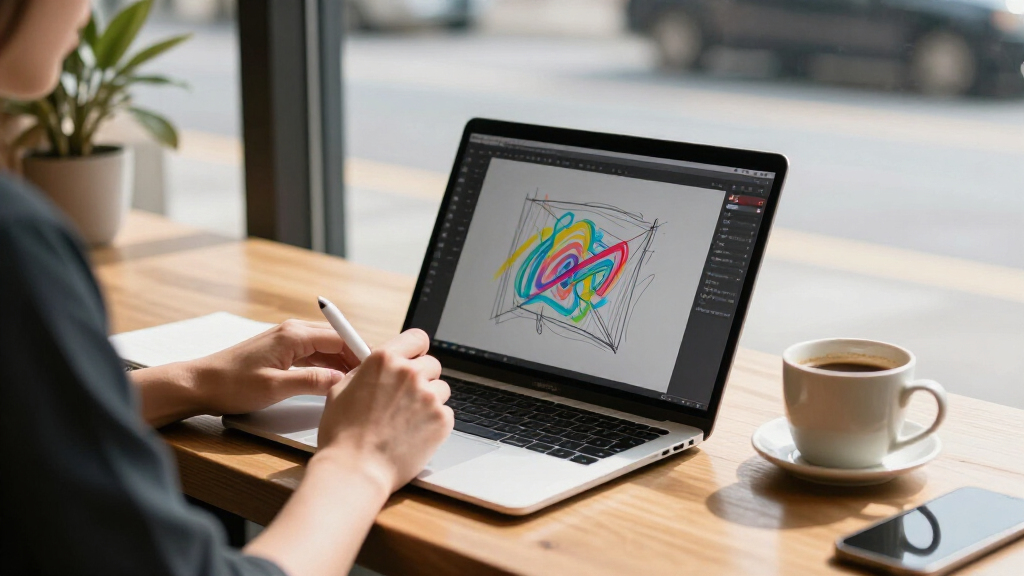
A touchscreen can be useful on a conventional clamshell, but it becomes more flexible when the hinge lets the screen fold back into a tablet-like position. If you plan to write notes, sketch, or share the display across a table, a 2-in-1 design such as the Lenovo IdeaPad 5’s can justify its place on your shortlist. For typing-heavy work, a standard laptop may be more comfortable and avoids paying for a hinge you rarely use. Check whether a stylus is included or supported before assuming a touch model is ready for handwriting. Touch support by itself does not guarantee pen compatibility. Choose the form factor around how you will hold and use the screen, not just how often you tap it.
Match Screen Size and Resolution to Your Work
A 17.3-inch display gives documents and video more room, but the larger chassis is less convenient to carry and use in tight spaces. A 14-inch model is easier to bring along, though its smaller workspace can mean more scrolling and window switching. Resolution affects how much detail and workspace you see: FHD is generally a more useful target for text and multitasking than an HD panel at similar screen sizes. Do not assume two 15.6-inch touchscreens will feel alike just because their diagonals match. Compare resolution alongside size, and think about whether you will mostly read, stream, edit, or work with multiple windows. If portability matters every day, balance screen area against the burden of carrying a larger laptop.
Choose Memory for Your Real Multitasking Load
Memory affects how smoothly a laptop handles multiple open applications and browser tabs, so it can matter more than a small processor-name difference in routine work. The 8GB configurations in this roundup suit lighter browsing and office tasks, but may leave less headroom for heavier multitasking. Models with 16GB offer a more comfortable starting point for juggling many tabs, video calls, and productivity apps. The 32GB options are aimed at demanding workloads or buyers who want extra capacity for several years of use. Before choosing a larger memory configuration, check whether that memory is upgradeable; listed capacity may be fixed. Avoid paying for capacity you will not use, but do not expect a touchscreen to compensate for limited system memory.
Treat Storage Capacity and Storage Type Separately
Capacity determines how many files, applications, and offline downloads you can keep on the laptop, while the storage type can affect responsiveness and practical use. A 128GB drive can fill quickly after the operating system, updates, and a few large applications take their share. The 64GB eMMC Chromebook configuration calls for a cloud-first workflow, not a plan to store a large media library locally. A 512GB or 1TB SSD leaves more room for local files and reduces the need to manage storage as often. Consider whether you can add storage or whether you will rely on external drives and cloud services. Check the exact configuration before buying, since product families can include very different storage options.
Check the Operating System Against Your Apps
Windows, ChromeOS, and Windows 11 S Mode do not offer the same app choices or setup. A Chromebook can work well when your school or workplace relies on browser tools, but it may not run desktop Windows software you already depend on. Windows 11 S Mode limits app installation to Microsoft Store options unless you switch out of S Mode, so confirm that your required programs are supported and that you are comfortable with the available setup. Buyers should also check for work or school management requirements before choosing a personal device. Make a list of essential applications first, then compare systems against that list. This avoids choosing a capable-feeling touchscreen that cannot run a key program.
Spend More for the Limitation You Actually Have
A higher-spec laptop is not automatically a better purchase if your workload is limited to web browsing, documents, and video streaming. Extra memory and a stronger processor are more useful when you routinely keep many applications open, create content, or run demanding software. A better display can benefit almost everyone who reads and works on the screen for long stretches, while a convertible hinge pays off mainly for buyers who use tablet-style modes. Large storage makes sense if you keep substantial files offline; cloud-first users may not need it. Compare the cost of your current bottleneck rather than buying the most powerful configuration by default. That approach helps direct upgrades toward the features you will notice.
Frequently Asked Questions
Is the Lenovo IdeaPad 5 2-in-1 the right choice if I mainly want a touchscreen for note-taking?
It is the clearest fit in this lineup for buyers who want the screen to serve more than a conventional laptop role, because its listed 2-in-1 design can fold into different positions. Still, the product details provided do not confirm whether a stylus comes in the box, so check pen support and included accessories before buying. If you will mostly type, a standard touchscreen may be enough and could be simpler to use on a desk. For handwritten notes, also think about weight and how often you will hold the device rather than rest it on a table. The convertible design adds flexibility, but it does not by itself confirm a specific pen experience.
Should I choose a 17.3-inch touchscreen or a 15.6-inch model?
Choose 17.3 inches if you value a larger view for reading, video, or working with several windows and expect the laptop to stay mostly in one place. A 15.6-inch model is a more balanced choice for moving between home, school, or work, though it still takes more space than a compact laptop. The two 17.3-inch HP configurations here differ substantially: the OmniBook 3 lists Ryzen 5, 16GB RAM, and a 1TB SSD, while the other lists 8GB RAM and 128GB UFS. Do not pick by screen size alone; compare the rest of the configuration. If frequent travel is part of your routine, portability may outweigh the extra display area.
Is 8GB of RAM enough for a touchscreen laptop?
Eight gigabytes can be adequate for everyday browsing, email, documents, and streaming, especially when you keep the number of open apps modest. It offers less room for heavy multitasking than the 16GB and 32GB configurations in this roundup. If you regularly join video calls while keeping many tabs and work applications open, more memory is a sensible priority. The processor and operating system matter too, so RAM alone does not determine how responsive a laptop will feel. Check whether the memory can be upgraded before treating an 8GB model as a long-term choice.
Will the HP laptop with Windows 11 S Mode run my usual Windows programs?
Windows 11 S Mode restricts app installation to apps available through Microsoft Store, so you should verify that your required software is supported in that environment. The listed HP configuration says S Mode can be exited, but check the device setup and current terms before relying on a change. If you need specific desktop programs for work or study, confirm their compatibility before choosing this model. A different Windows configuration may be simpler if you do not want app restrictions. This is a software-fit question rather than a touchscreen difference, but it can shape the daily experience more than the panel does.
Can the Lenovo touchscreen Chromebook replace a Windows laptop for school?
It can fit a school workflow built around browser-based tools, online learning platforms, and cloud storage. Its listed 4GB RAM and 64GB eMMC make it a more limited option for local files and heavier multitasking than the Windows laptops here. Before choosing it, ask whether your school requires desktop Windows applications, offline access to specific programs, or managed-device compatibility. If your work happens mainly in web apps and you keep files online, those limits may be acceptable. For specialized software or substantial offline storage, a Windows model with more memory and SSD capacity is the safer direction.
Conclusion
For most buyers seeking one capable touchscreen laptop across work, study, and flexible use, I recommend the Lenovo IdeaPad 5 2-in-1 16-inch as the best overall pick. The best value depends on the configuration you need: the Dell 15.6-inch FHD model offers a balanced listed mix of Core i5, 8GB RAM, and 512GB SSD, while buyers needing more multitasking capacity should compare the higher-memory options. For a best premium choice based on listed specifications, look at the Dell 16-inch with 32GB DDR5 and a 1TB SSD; the HP Ryzen 7 15.6-inch is another strong fit if you prefer a smaller screen. For beginners doing light everyday tasks, the HP Ryzen 5 7520U model with 8GB RAM and 512GB SSD is a straightforward Windows option, while the Lenovo Chromebook suits browser-first users who understand its storage and app limits. For a large-screen need, choose the HP OmniBook 3 17.3-inch over the lower-capacity 17.3-inch HP configuration if memory and local storage matter. Match the final pick to your applications, portability needs, and preferred way of using touch.
Fall Picks
fall essentials
As an affiliate, we earn on qualifying purchases.