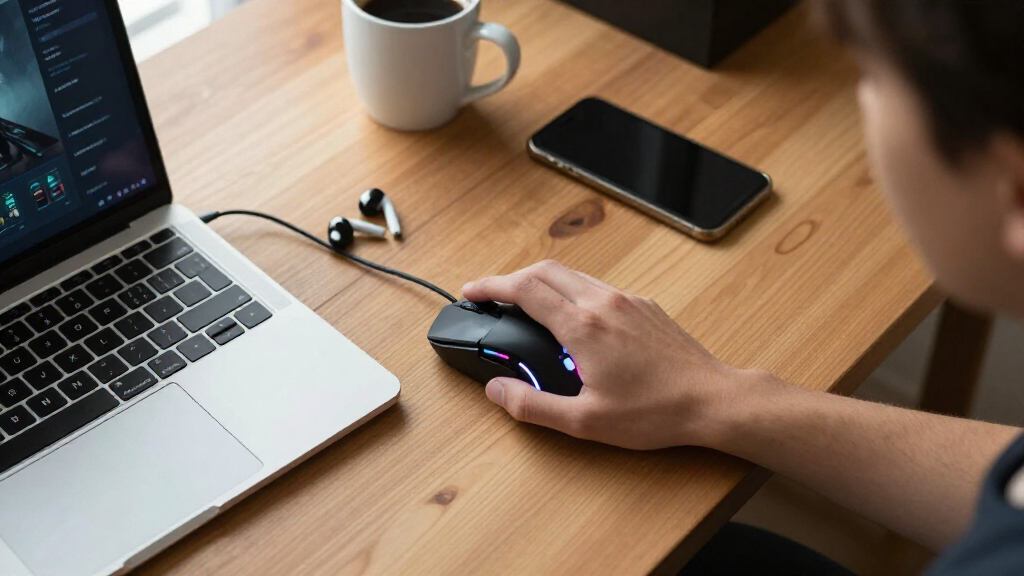

Shopping for student-friendly gaming mice means balancing three things that usually fight each other: a tight budget, limited desk space, and the need for one mouse that handles both coursework and competitive gaming. After comparing the full lineup, the Logitech G502 HERO stands out as the best overall pick thanks to its exceptional sensor, 11 programmable buttons that double as productivity shortcuts, and a build that survives years of backpack travel. If wireless freedom matters more, the Logitech G305 Lightspeed delivers serious performance with a single AA battery, while the ATK VXE Dragonfly R1 is the lightweight premium play for esports-minded students. The main tradeoff you’ll face is wired budget mice with flashy RGB versus wireless models with better sensors and no cable clutter. Read on for the full breakdown of all 13 options.

Get the latest gadgets delivered free with Prime
- Fast, free delivery on millions of items
- Prime Video, Amazon Music and more included
- Member-only deals all year
Complete the kit



Key Takeaways
- The Logitech G502 HERO earned best overall not for raw specs alone but because its 11 programmable buttons make it the only pick that genuinely doubles as a productivity tool for coursework, not just gaming.
- Sub-$20 wired options (the generic 3200 DPI and 7-button RGB models) all share the same weakness — unbranded sensors and stiff cables — which is why none of them cracked the top half of the ranking despite the low price.
- The Logitech G305 Lightspeed beat the lighter ATK VXE R1 for most students because a single AA battery lasting months is more dorm-practical than a rechargeable mouse you have to remember to plug in.
- Weight emerged as the clearest quality signal in this roundup: the 51g ATK R1 and 59g EPOMAKER Click Lite use premium sensors to stay light, while heavy RGB budget mice under 8000 DPI sacrifice comfort during long study-plus-gaming sessions.
- Every Logitech entry (G203, G305, G502) ranked above similarly priced competitors purely on software support and driver reliability — a deciding factor for students who can’t afford a replacement mid-semester.
| Logitech G203 Wired Gaming Mouse – White |  | Best Overall for Students | Sensor DPI: 8000 | Connectivity: USB Type-A (wired) | Cable Length: 2.1 m | VIEW LATEST PRICE | See Our Full Breakdown |
| EPOMAKER Click Lite Wireless Gaming Mouse |  | Best Battery Life | DPI: 800-12,000 | Sensor: PAW3311 | Weight: 59g | VIEW LATEST PRICE | See Our Full Breakdown |
| Wired Gaming Mouse with 7 Color LED Backlight and 6 Buttons |  | Best Ultra-Budget Dorm Pick | DPI Settings: 1200/1800/2400/3600 | Buttons: 6 | Lighting: 7 Color LED Backlight | VIEW LATEST PRICE | See Our Full Breakdown |
| Gaming Mouse Wired, 6 Buttons, 3200 DPI, RGB LED, Compatible with PC and Mac |  | Best Plug-and-Play Simplicity | Buttons: 6 | DPI: Up to 3200 | Lighting: 7-color breathing LED | VIEW LATEST PRICE | See Our Full Breakdown |
| SOLAKAKA SM850 Wireless Gaming Mouse 24000 DPI Lightweight PC Gamer Mouse |  | Best Premium Specs on a Student Budget | Sensor: PAW3311 Optical | DPI: Up to 24,000 | Weight: 55g | VIEW LATEST PRICE | See Our Full Breakdown |
| ATK VXE Dragonfly R1 Wireless Gaming Mouse – White |  | Best Lightweight Wireless Pick | Weight: 51g | Sensor: PAW3395 | DPI Range: 10 to 26,000 | VIEW LATEST PRICE | See Our Full Breakdown |
| Acer Wired Gaming Mouse, 12,800 DPI RGB Ergonomic Mouse |  | Best Budget RGB All-Rounder | DPI: Up to 12,800 | Polling Rate: 1000Hz | Acceleration: 20G | VIEW LATEST PRICE | See Our Full Breakdown |
| Logitech G305 Lightspeed Wireless Gaming Mouse – Lilac |  | Best Style-Focused Wireless Option | Sensor: HERO optical | DPI: Up to 12,000 | Wireless Technology: Lightspeed (1 ms report rate) | VIEW LATEST PRICE | See Our Full Breakdown |
| Logitech G502 HERO Wired Gaming Mouse |  | Best Feature-Rich Powerhouse | Connectivity: USB wired | Sensor: HERO optical | Maximum DPI: 25,600 | VIEW LATEST PRICE | See Our Full Breakdown |
| Logitech G305 Lightspeed Wireless Gaming Mouse – Black |  | Best Reliable Wireless Value | Sensor: HERO optical | DPI: Up to 12,000 | Wireless Technology: Lightspeed (1 ms report rate) | VIEW LATEST PRICE | See Our Full Breakdown |
| BENGOO Gaming Mouse Wired with RGB Backlit, Ergonomic PC Computer Mouse |  | Best Budget RGB Starter | Connectivity: USB wired | Maximum Sensitivity: 3600 DPI (4 levels) | Buttons: 6 programmable | VIEW LATEST PRICE | See Our Full Breakdown |
| Redragon M612 Wired RGB Optical Gaming Mouse – 8000 DPI, Remappable Keys |  | Best for Macro Heavy Gaming | DPI: 8000 (5 preset levels, software adjustable) | Buttons: 11 programmable | Connectivity: USB wired | VIEW LATEST PRICE | See Our Full Breakdown |
| Guiheng Wired Gaming Mouse with RGB Lighting, Adjustable DPI (800-3200), 7 Programmable Buttons |  | Best for Left-Handed Students | Connectivity: USB wired | Sensitivity: 800–3200 DPI (4 levels) | Hand Orientation: Ambidextrous | VIEW LATEST PRICE | See Our Full Breakdown |
| student-friendly gaming mice | Buttons | Connectivity | Compatibility | Weight |
|---|---|---|---|---|
| Logitech G203 Wired Gaming Mou | 6 programmable | USB Type-A (wired) | Windows, macOS | — |
| EPOMAKER Click Lite Wireless G | 5 programmable | 2.4G, Bluetooth, USB-C | — | 59g |
| Wired Gaming Mouse with 7 Colo | 6 | — | Laptop/PC | — |
| Gaming Mouse Wired | 6 | — | Windows, Mac OS, Linux | — |
| SOLAKAKA SM850 Wireless Gaming | 6 programmable | USB-C wired, Bluetooth 5.1, 2.4G wireless | — | 55g |
| ATK VXE Dragonfly R1 Wireless | — | — | — | 51g |
| Acer Wired Gaming Mouse | 8 programmable | — | Windows, macOS, Linux | — |
| Logitech G305 Lightspeed Wirel | — | — | — | 3.4 oz (96g) |
| Logitech G502 HERO Wired Gamin | 11 programmable | USB wired | — | — |
| Logitech G305 Lightspeed Wirel | — | Wireless (USB receiver) | Desktop and laptop | 3.4 oz (96g) |
| BENGOO Gaming Mouse Wired with | 6 programmable | USB wired | Windows, Mac, consoles | 120 g |
| Redragon M612 Wired RGB Optica | 11 programmable | USB wired | Windows, macOS | 126 g |
| Guiheng Wired Gaming Mouse wit | 7 programmable | USB wired | Windows, Mac, Linux, Chromebook | Approx. 1 oz |
More Details on Our Top Picks
Logitech G203 Wired Gaming Mouse – White
The G203 earns the top spot because it balances the things a student actually needs: reliable software support, on-board memory for saved profiles, and a sensor that behaves predictably at 8,000 DPI. Compared with the SOLAKAKA SM850, the DPI ceiling is far lower, but the G HUB ecosystem is more polished, so remapping six buttons and syncing lighting takes minutes instead of a driver-installation headache. Against budget options like the RGB LED 6-Button mouse, the difference is consistency — clicks feel the same after a semester of abuse, and the 2.1 m cable reaches dorm desk setups easily. The tradeoff is simple: no wireless mode, and the compact shell cramped my larger-handed classmates during long sessions. For most students, though, this is the safest pick in the lineup.
Pros:- Polished G HUB software with on-board profile memory
- Consistent 8,000 DPI sensor with zero smoothing
- Six fully programmable buttons
- Long 2.1 m cable suits cluttered dorm desks
Cons:- Wired only — no wireless flexibility
- Compact shape uncomfortable for larger hands
Best for: Students who want a dependable, software-supported mouse that survives a full school year of gaming and coursework
Not ideal for: Players with large hands or anyone who needs a cable-free desk — it’s compact and wired only
- Sensor DPI:8000
- Connectivity:USB Type-A (wired)
- Cable Length:2.1 m
- Buttons:6 programmable
- Lighting:LIGHTSYNC RGB, ~16.8 million colors
- Compatibility:Windows, macOS
- Orientation:Right-handed
Our verdict“If you want one mouse that handles lectures, essays, and ranked matches without fuss, this is the one to buy.”
EPOMAKER Click Lite Wireless Gaming Mouse
Where the Click Lite pulls ahead of the pack is endurance: 78 hours of runtime means a student can go weeks between charges, even sharing the mouse between a laptop for notes and a desktop for games. The tri-mode connectivity (2.4G, Bluetooth, USB-C) makes it genuinely useful in a multi-device dorm setup, something the wired Logitech G203 can’t touch. At 59g, it’s light enough for low-fatigue aiming, and the PAW3311 sensor tracks cleanly up to 12,000 DPI — plenty for anything short of competitive esports. The compromises are aesthetic and practical: no RGB customization if desk looks matter to you, and the five programmable buttons trail the six found on most rivals here. Compared with the SOLAKAKA SM850, you trade peak specs for a simpler, more student-friendly experience.
Pros:- 78-hour battery lasts weeks of typical student use
- Tri-mode connectivity pairs across laptop, desktop, and tablet
- Featherweight 59g build reduces wrist fatigue
- Reliable PAW3311 sensor up to 12,000 DPI
Cons:- No RGB lighting or aesthetic customization
- Only five programmable buttons
Best for: Multi-device students who switch between a laptop and desktop and hate charging cables
Not ideal for: RGB enthusiasts and macro-heavy MMO players — there’s no lighting customization and only five programmable buttons
- DPI:800-12,000
- Sensor:PAW3311
- Weight:59g
- Connectivity:2.4G, Bluetooth, USB-C
- Polling Rate:1000Hz
- Battery Life:78 hours
- Battery Capacity:500mAh
- Buttons:5 programmable
Our verdict“This pick makes the most sense for students who want one quiet, long-lasting mouse that works with everything they own.”
Wired Gaming Mouse with 7 Color LED Backlight and 6 Buttons
This is the mouse for the student counting every dollar after tuition. Its standout feature for shared living spaces is silent clicking — a roommate asleep three feet away won’t hear late-night sessions, something neither the Logitech G203 nor the EPOMAKER Click Lite offers. The four-stage DPI range tops out at 3,600, which handles shooters at a casual level but falls well short of the G203’s 8,000 or the SOLAKAKA SM850‘s 24,000 — competitive players will feel that ceiling quickly. Plug-and-play USB means no drivers to install on a locked-down library or lab computer, and the lighting can be switched off entirely during lectures. The build is basic, the cable is fixed, and there’s no software to remap anything. It’s a no-frills tool, and honest about it.
Pros:- Silent clicks ideal for shared rooms and libraries
- Four adjustable DPI stages for everyday flexibility
- Lighting can be turned off for classroom use
- Plug-and-play with no software required
Cons:- 3,600 DPI ceiling limits serious gaming performance
- No customization software or remapping
- Wired connection only
Best for: Broke students in shared dorms who need a quiet, plug-in-and-go mouse for casual gaming and coursework
Not ideal for: Anyone serious about competitive gaming — the 3,600 DPI cap and lack of customization will hold you back
- DPI Settings:1200/1800/2400/3600
- Buttons:6
- Lighting:7 Color LED Backlight
- Connection:Wired USB
- Compatibility:Laptop/PC
Our verdict“Buy it if silence and price matter more than performance; skip it the moment you start caring about DPI numbers.”
Gaming Mouse Wired, 6 Buttons, 3200 DPI, RGB LED, Compatible with PC and Mac
What separates this mouse from the crowd is zero-software operation — it works identically on Windows, Mac, and Linux out of the box, which matters if you bounce between a personal laptop and campus machines where you can’t install drivers. The ergonomic shell is its other quiet advantage: compared with the compact Logitech G203, the shape here is friendlier for longer grip styles and marathon study-to-game sessions. The 3,200 DPI ceiling puts it in the same performance bracket as the 7 Color LED budget mouse, below the EPOMAKER Click Lite‘s 12,000, so this is a comfort-and-convenience pick rather than a performance one. The breathing RGB adds atmosphere without needing configuration. Tradeoffs are real: wired only, six buttons with no remapping, and no onboard profiles — what you plug in is what you get.
Pros:- True cross-platform compatibility with no drivers
- Ergonomic shape suited to long sessions
- Adjustable DPI up to 3,200 for daily versatility
- Attractive breathing RGB with no setup needed
Cons:- Wired only — less portable than wireless rivals
- No customization software or button remapping
- Modest DPI ceiling for competitive titles
Best for: Students juggling Windows, Mac, and Linux machines who want one mouse that just works everywhere
Not ideal for: Tinkerers and MMO players — there’s no software, no remapping, and only six fixed buttons
- Buttons:6
- DPI:Up to 3200
- Lighting:7-color breathing LED
- Compatibility:Windows, Mac OS, Linux
- Connection:Wired USB
- Color:Black
Our verdict“Choose this if you value comfort and cross-platform convenience over raw specs.”
SOLAKAKA SM850 Wireless Gaming Mouse 24000 DPI Lightweight PC Gamer Mouse
The SM850 is the spec monster of this batch: the same PAW3311 sensor as the EPOMAKER Click Lite, but pushed to 24,000 DPI, plus a lighter 55g shell and a claimed 250-hour battery — more than triple the Click Lite’s runtime. For a student who games competitively between classes, that combination is hard to beat at this tier. The tradeoff is friction: macro programming requires driver installation, and the software is far less intuitive than Logitech’s G HUB on the G203, so expect a steeper learning curve before everything works as intended. Tri-mode connectivity covers wired, Bluetooth 5.1, and 2.4G, matching the Click Lite’s flexibility, and real-world battery life dips when running higher polling rates. Compared with budget wired picks here, it’s simply a class above — if you’re willing to fiddle with setup.
Pros:- 24,000 DPI PAW3311 sensor for precise, competitive tracking
- Featherlight 55g build minimizes fatigue
- Tri-mode connectivity including Bluetooth 5.1
- Up to 250 hours of battery life
Cons:- Macro setup requires driver installation and a confusing software interface
- Battery life drops noticeably at high polling rates
Best for: Competitive student gamers who want near-flagship sensor specs and long battery life without paying flagship prices
Not ideal for: Students who want zero setup hassle — driver-based macro programming and fiddly software make this a poor grab-and-go choice
- Sensor:PAW3311 Optical
- DPI:Up to 24,000
- Weight:55g
- Polling Rate:125Hz-1000Hz
- Tracking Speed:300 IPS
- Acceleration:35G
- Connectivity:USB-C wired, Bluetooth 5.1, 2.4G wireless
- Battery Life:Up to 250 hours
- Buttons:6 programmable
Our verdict“If you play to win and don’t mind tweaking software, this delivers the highest performance-per-dollar in the lineup.”
ATK VXE Dragonfly R1 Wireless Gaming Mouse – White
At 51g, the Dragonfly R1 is the lightest mouse in this lineup, and that featherweight build is its whole appeal for students who game for hours between classes. The PAW3395 sensor with DPI up to 26,000 outclasses the 12,000 DPI ceiling on both Logitech G305 variants, which matters if you play low-sensitivity FPS titles on a cramped dorm desk. Tri-mode connectivity means it doubles as a Bluetooth mouse for a tablet or laptop, something the wired Acer RGB mouse and Logitech G502 HERO simply can’t do.
The tradeoff is hand size: the compact shell suits medium and small hands, so larger-handed buyers should steer toward the roomier G502. You’ll also need to install ATK’s driver software to unlock full button remapping, and real-world battery life dips below the rated 40 hours at high polling rates.
Pros:- Featherlight 51g build reduces fatigue during long gaming or study sessions
- PAW3395 sensor with DPI up to 26,000 for competitive-grade precision
- Tri-mode connectivity covers wired, 2.4G wireless, and Bluetooth devices
- Huano Ice Berry Pink Dot switches offer crisp, durable clicks
Cons:- Compact shell limits comfort for medium-large and large hands
- Driver software required for full customization
- 40-hour battery rating drops with higher polling rates and RGB use
Best for: Students with small-to-medium hands who want a competitive lightweight wireless mouse that also handles Bluetooth duties for coursework
Not ideal for: Large-handed users or anyone who wants plug-and-play customization without installing driver software
- Weight:51g
- Sensor:PAW3395
- DPI Range:10 to 26,000
- Battery Life:40 hours
- Connection Modes:Wired, 2.4G Wireless, Bluetooth
- Polling Rate:Up to 1000Hz
- Switches:Huano Ice Berry Pink Dot
Our verdict“This pick makes the most sense for smaller-handed students who prioritize esports-grade sensor performance and multi-device flexibility over a roomy grip.”
Acer Wired Gaming Mouse, 12,800 DPI RGB Ergonomic Mouse
For students who want flash without a big spend, this Acer wired mouse delivers eight programmable buttons and 12 customizable RGB zones with music sync — lighting features usually reserved for pricier hardware. Compared with the Logitech G502 HERO, you give up the adjustable weight system and the higher 25,600 DPI ceiling, but the ergonomic mid-hand grip and braided cable feel sturdier than basic budget options like the six-button RGB mice elsewhere in this guide.
The core tradeoff is freedom: being wired, it tethers you to your desk and offers none of the Bluetooth flexibility of the ATK VXE Dragonfly R1. Mac users also need an adapter, since it assumes USB-A ports. Still, onboard memory means your settings survive moves between a dorm PC and a library machine — a genuinely useful perk for students.
Pros:- Eight programmable buttons handle both gaming macros and productivity shortcuts
- 12 RGB zones with music sync for a personalized setup
- Onboard memory keeps settings portable across computers
- Braided cable resists fraying in a backpack
Cons:- Wired connection restricts mobility and desk arrangement
- Driver installation needed for full button and lighting customization
- Requires a USB adapter on newer Macs
Best for: Budget-conscious students who want programmable buttons, sync-able RGB lighting, and settings that travel between computers
Not ideal for: Anyone who wants a cable-free desk setup or uses a modern Mac without USB-A adapters
- DPI:Up to 12,800
- Polling Rate:1000Hz
- Acceleration:20G
- Buttons:8 programmable
- RGB Options:12 customizable
- Cable:Braided USB
- Compatibility:Windows, macOS, Linux
Our verdict“A sensible choice for students who value button count and lighting effects over wireless convenience, provided their machine has a USB-A port.”
Logitech G305 Lightspeed Wireless Gaming Mouse – Lilac
The lilac G305 proves a gaming mouse can be both capable and stylish — a rare combination when most gaming gear comes in black or white. Under the pastel shell it’s identical hardware to the black G305: the dependable HERO sensor, 1 ms Lightspeed wireless, and a remarkable up to 9 months of battery life on a single AA. That endurance beats the ATK VXE Dragonfly R1’s 40 hours several times over, making it the low-maintenance choice for a student who doesn’t want to think about charging.
Where it falls short is precision headroom: 12,000 DPI is plenty for most players but trails the Dragonfly R1’s 26,000, and there are no extra programmable buttons like the Acer wired mouse offers. The AA battery adds a little weight compared to 51g ultralights, and the symmetrical-but-right-biased button layout excludes left-handed users.
Pros:- Distinctive lilac finish stands out from typical black gaming gear
- Up to 9 months of battery life on one AA battery
- 1 ms Lightspeed wireless rivals wired responsiveness
- Lightweight, compact body slips easily into a backpack
Cons:- AA battery adds weight and creates ongoing replacement cost
- 12,000 DPI ceiling trails lighter competitors like the Dragonfly R1
- Right-handed button layout only
Best for: Students who want a distinctive pastel aesthetic, trusted Logitech wireless reliability, and months of battery life between swaps
Not ideal for: Left-handed gamers or competitive players who need ultralight weight and higher DPI headroom
- Sensor:HERO optical
- DPI:Up to 12,000
- Wireless Technology:Lightspeed (1 ms report rate)
- Battery Life:Up to 9 months (AA)
- Weight:3.4 oz (96g)
- Color:Lilac
Our verdict“Choose this if you want the G305’s proven wireless performance in a color that doesn’t look like everyone else’s esports setup.”
Logitech G502 HERO Wired Gaming Mouse
The G502 HERO is the most customizable mouse in this roundup, and that’s exactly why it earns a spot despite being the heaviest, most feature-dense option here. Eleven programmable buttons, a dual-mode hyper-fast scroll wheel, and five removable 3.6g weights let you tune everything from MMO hotkeys to drag-click feel — flexibility the Acer wired mouse’s eight buttons only partially match. The 25,600 DPI HERO sensor also rivals the ATK VXE Dragonfly R1’s precision, though at a much heavier base weight.
Those same features are the drawback for students with limited desk space: the cable limits placement, and the G502’s sculpted right-handed shell dwarfs compact options like the G305. RGB customization requires Logitech’s software, and buyers who value simplicity may find 11 buttons overwhelming. This model is better suited to feature-seekers than to fans of minimalist ultralights.
Pros:- 11 programmable buttons support complex macros and hotkey layouts
- Adjustable weight system with five 3.6g inserts for personalized feel
- 25,600 DPI HERO sensor delivers precise tracking at any sensitivity
- Dual-mode scroll wheel switches between ratcheted and free-spin
Cons:- Wired connection restricts desk flexibility
- Heavy and bulky compared to lightweight esports mice
- RGB and button customization depend on Logitech G HUB software
Best for: Students who play MMOs, MOBAs, or strategy games and want maximum programmable buttons plus a tunable weight system
Not ideal for: Fans of lightweight FPS mice — the G502 is noticeably heavier than the 51g Dragonfly R1 and can’t go wireless
- Connectivity:USB wired
- Sensor:HERO optical
- Maximum DPI:25,600
- Buttons:11 programmable
- Scroll Wheel:Dual-mode hyper-fast
- Adjustable Weights:Five 3.6g weights
- Lighting:Customizable RGB
- Hand Orientation:Right-handed
Our verdict“This is the pick for button-hungry gamers who’d rather have endless customization than a featherlight wireless frame.”
Logitech G305 Lightspeed Wireless Gaming Mouse – Black
The black G305 is the safe, dependable default of this roundup — the mouse I’d point most first-time buyers toward. Compared with the lilac G305, it’s the same proven package in a neutral color that suits any desk setup. Its up-to-9-month AA battery life embarrasses the 40-hour rating on the ATK VXE Dragonfly R1, and the 1 ms Lightspeed connection means no perceptible lag without a cable dragging across a lecture-hall desk.
Its limitations mirror its sibling’s: 12,000 DPI covers casual and mid-level play but leaves little headroom for low-sensitivity competitive setups, and customization options are thinner than what the wired Logitech G502 HERO or Acer’s 8-button mouse provide. The AA battery is also a recurring cost and makes it heavier than dedicated ultralights. Compared with similar options, though, nothing else here matches its combination of reliability and battery endurance.
Pros:- Up to 9 months of battery life on a single AA
- 1 ms Lightspeed wireless with no perceptible input lag
- HERO sensor balances precision with power efficiency
- Compact, durable design built to survive backpack transport
Cons:- AA batteries add weight and recurring replacement cost
- Fewer customization options than wired rivals like the G502 HERO
- Ambidextrous shape but right-handed button layout only
Best for: Students buying their first wireless gaming mouse who want trusted performance, long battery life, and no charging cable to remember
Not ideal for: Tinkerers who want deep button remapping and RGB customization, or esports players chasing sub-60g weight
- Sensor:HERO optical
- DPI:Up to 12,000
- Wireless Technology:Lightspeed (1 ms report rate)
- Battery Life:Up to 9 months (AA)
- Weight:3.4 oz (96g)
- Connectivity:Wireless (USB receiver)
- Compatibility:Desktop and laptop
- Color:Black
Our verdict“If you want one wireless mouse that just works through a full semester and beyond, this is the low-risk choice.”
BENGOO Gaming Mouse Wired with RGB Backlit, Ergonomic PC Computer Mouse
Among the budget wired options in this lineup, the BENGOO wired mouse stands out for striking the friendliest balance between price-friendly simplicity and just enough gaming credibility. Its four DPI levels up to 3600 cover everything from note-taking precision to casual shooter play, and the six programmable buttons give students more control than the Guiheng’s listed single configurable input without the learning curve of the Redragon M612’s eleven-key layout. The ergonomic, skin-friendly shell keeps long library-to-dorm sessions comfortable. That said, the 3600 DPI ceiling falls well short of the Acer’s 12,800 or the ATK VXE Dragonfly R1’s 26,000, so competitive players will outgrow it fast, and the wired-only design means one more cable on a cluttered desk. For a first gaming mouse on a meal-plan budget, this pick makes the most sense.
Pros:- Four adjustable DPI levels for everyday versatility
- Six programmable buttons at a budget price
- Ergonomic, skin-friendly design reduces fatigue in long sessions
- Plug-and-play compatibility across Windows, Mac, and consoles
Cons:- Wired only — no wireless freedom
- 3600 DPI ceiling is low for competitive play
- Limited software customization beyond basic button mapping
Best for: Students buying their first gaming mouse who want RGB flair and programmable buttons without spending much
Not ideal for: Competitive or high-sensitivity gamers — the 3600 DPI ceiling and basic software limit headroom as skills improve
- Connectivity:USB wired
- Maximum Sensitivity:3600 DPI (4 levels)
- Buttons:6 programmable
- Hand Orientation:Ambidextrous
- Lighting:RGB backlit
- Weight:120 g
- Compatibility:Windows, Mac, consoles
Our verdict“A sensible first gaming mouse for students who want RGB and programmability on a tight budget and don’t need esports-level specs.”
Redragon M612 Wired RGB Optical Gaming Mouse – 8000 DPI, Remappable Keys
Where the BENGOO and Guiheng keep things simple, the Redragon M612 goes the opposite direction: eleven programmable buttons with macro and rapid-fire support make it the standout choice for students who play MOBAs, MMOs, or anything benefitting from extra keybinds. Its 8000 DPI optical sensor more than doubles the BENGOO’s ceiling, giving it genuine headroom for faster-paced shooters, while the frosted rubber-textured claw grip stays comfortable through marathon sessions. The tradeoffs are real, though. It’s still wired, so students wanting cable-free desks should look at the Logitech G305 Lightspeed instead, and the lack of onboard memory means your carefully mapped macros vanish when you switch computers — a hassle for students using shared lab machines. Compared with the Logitech G502 HERO, it offers fewer refinement touches but far more buttons per dollar.
Pros:- 8000 DPI sensor with five software-adjustable preset levels
- 11 programmable buttons including macro and rapid-fire keys
- Comfortable frosted coating and claw-grip shape for long sessions
- Five RGB lighting modes to match a setup
Cons:- Wired connection limits desk mobility
- No onboard memory — settings depend on host software
- Only five DPI presets without opening the software
Best for: MOBA and MMO players who need lots of programmable keybinds and macro support at a student price
Not ideal for: Students who switch between computers often — no onboard memory means settings reset without the software installed
- DPI:8000 (5 preset levels, software adjustable)
- Buttons:11 programmable
- Connectivity:USB wired
- Ergonomics:Claw-grip with frosted rubber coating
- Lighting:RGB backlit, 5 modes
- Weight:126 g
- Compatibility:Windows, macOS
Our verdict“The button-heavy pick for students whose games demand macros and keybinds, provided they stick to one main computer.”
Guiheng Wired Gaming Mouse with RGB Lighting, Adjustable DPI (800-3200), 7 Programmable Buttons
Most mice in this roundup — including the Redragon M612 and the popular Logitech G502 HERO — are sculpted for right hands only. The Guiheng wired mouse earns its spot as the lineup’s true ambidextrous option, making it the clear choice for left-handed students who are usually forced to adapt to right-handed shells. Its 800–3200 DPI range and seven programmable buttons handle casual and mid-level gaming fine, and the featherweight body is easy to toss in a backpack between classes. The compromises are equally clear: the 3200 DPI ceiling is the lowest in this batch, and the lightweight plastic build feels less substantial than the BENGOO or the M612. If you game mostly for fun between lectures rather than ranked ladder climbs, those limits rarely matter.
Pros:- True ambidextrous shape suits left- and right-handed users
- Seven programmable buttons for gameplay flexibility
- Four DPI settings from 800 to 3200
- Broad OS support including Windows, Mac, Linux, and Chromebook
Cons:- 3200 DPI ceiling is the lowest in the lineup
- Ultra-light plastic build feels less durable than heavier mice
Best for: Left-handed students and anyone wanting an ambidextrous, ultra-portable mouse for casual gaming and coursework
Not ideal for: High-sensitivity competitive gamers — 3200 DPI tops out below nearly every other mouse here
- Connectivity:USB wired
- Sensitivity:800–3200 DPI (4 levels)
- Hand Orientation:Ambidextrous
- Buttons:7 programmable
- Lighting:Customizable RGB
- Weight:Approx. 1 oz
- Compatibility:Windows, Mac, Linux, Chromebook
Our verdict“The ambidextrous budget pick for left-handed students and casual players who value portability over raw sensor specs.”

How We Picked
I evaluated each mouse against what actually matters to a student buyer: durability for backpack transport, versatility between classwork and gaming, cable and battery practicality in a small dorm desk setup, and long-term software support. Sensor quality mattered more than DPI marketing numbers — a well-tuned 12,000 DPI sensor like the G203’s beats an unbranded 24,000 DPI claim every time, because tracking consistency and click reliability are what you notice in real use. I also weighted button programmability heavily, since a mouse that can map macros for spreadsheet work earns its place on a student desk twice over.
The ranking follows a simple logic: proven brand reliability first, then wireless convenience, then sensor and weight quality, and finally raw affordability. Generic wired RGB mice landed at the bottom not because they’re unusable, but because unknown sensor consistency, non-existent software support, and vague warranty coverage are real risks when you can’t easily replace a failed mouse mid-semester. Premium lightweight picks like the ATK R1 ranked below the G305 despite better specs because rechargeable-only power is a practical compromise for a student lifestyle.
Factors to Consider When Choosing Student-friendly Gaming Mice
Before picking from the 13 mice above, it helps to understand the broader patterns in this category — where mouse makers cut costs, which specs are marketing fluff, and which tradeoffs actually affect daily use in a dorm or shared apartment.
DPI Numbers Are Mostly Marketing — Sensor Quality Is What Counts
The single biggest trap in budget mouse shopping is chasing DPI figures. A mouse advertising 24,000 or 26,000 DPI sounds superior to a 12,000 DPI Logitech, but almost nobody games above 1,600–3,200 DPI in practice — even professional esports players average under 2,000. What actually separates a good mouse from a bad one is sensor consistency: whether tracking stays accurate during fast flicks, whether the cursor drifts, and whether lift-off distance behaves predictably. Named sensors like the HERO, PAW3311, and PAW3395 have documented, reliable performance, while unbranded sensors in generic RGB mice can vary between units. If a listing doesn’t name the sensor, treat high DPI claims as decoration, not substance. A student buying a $15 mystery-sensor mouse is gambling on the most important component in the device.
Wired vs. Wireless: The Real Dorm-Desk Math
Wireless used to mean lag and premium pricing, but that equation has flipped at the budget level. The Logitech G305 proves a sub-$40 wireless mouse can be genuinely competitive, and tri-mode options like the EPOMAKER Click Lite add Bluetooth for switching between a laptop and a tablet. The hidden cost is power management: rechargeable mice like the ATK R1 die mid-session if you forget to plug them in, while AA-powered mice like the G305 run for months on one battery. Wired mice eliminate that concern entirely and never need charging — a genuine advantage for a student who games in short windows between classes. The real deciding factor is desk layout: if your mouse travels between a dorm, library, and lecture hall, wireless wins. If it lives permanently next to a desktop tower, a cable costs you nothing.
Weight and Comfort for Long Study-Plus-Gaming Sessions
Students tend to use one mouse for everything — a three-hour essay, then a three-hour gaming session — which makes ergonomics a bigger deal than pure gamers face. Lightweight mice (under 60g) like the ATK R1 and EPOMAKER Click Lite reduce wrist fatigue during fast movement and suit claw and fingertip grips. Heavier mice like the G502, with its optional weight tuning, suit palm-grip players who want stability and precision over speed. A common mistake is assuming light is always better: very light mice can feel twitchy for general desktop work and precision editing. Also check grip compatibility — the G502’s wide thumb rest is comfortable for larger hands but cramped for smaller ones. Match the mouse to your hand size and grip style before comparing any other spec.
Software Support Is the Difference Between a Gadget and a Tool
This is the most overlooked factor in budget mouse buying. Logitech’s G HUB and Redragon’s software let you rebind buttons, save DPI presets, and create per-game profiles — turning a gaming mouse into a genuine productivity device with macros for Excel, Photoshop, or coding shortcuts. Generic RGB mice typically offer no software at all, meaning the advertised “programmable buttons” often just cycle DPI. For a student, software support also extends the mouse’s useful life: firmware updates and profile customization keep hardware relevant across different games and classes for years. When two mice cost similar amounts, the one with real software support is almost always the better long-term purchase, even if the other has brighter lighting. Treat unbranded software as a warning sign, not a bonus.
Durability: Budgeting for the Backpack Test
A student mouse endures abuse that a desk-bound mouse never faces: being shoved into backpacks, having cables bent against textbooks, and surviving moves between dorms and home twice a year. Braided cables and solid shell construction matter more here than any RGB feature. Logitech’s build reputation is a genuine asset — the G502 and G305 are known to last well beyond typical replacement cycles, which changes the real cost-per-year math even at a higher upfront price. Cheap wired mice frequently fail at the cable-strain point near the USB connector, the single most common budget mouse failure. Wireless mice sidestep cable failure entirely but introduce battery-door and charging-port wear instead. If your mouse travels daily, prioritize proven build quality over features — a failed mouse during finals week is an expensive inconvenience no RGB lighting justifies.
When to Spend More — and When Not To
The honest answer for most students: the performance cliff between a $25 mouse and a $50 mouse is real, but the cliff between $50 and $100 is small. The G203 or G305 covers 90% of student needs, including competitive play at a casual-to-serious level. Spending more makes sense only for two buyer types: esports-focused students who will actually feel the difference of a sub-55g premium mouse with a top-tier sensor, and streamers or content creators who need extensive macro programming. What never justifies extra spend for a student: RGB lighting complexity, DPI numbers above 12,000, and bundled software subscriptions. A common mistake is buying a premium mouse early and discovering it’s overkill — start affordable, learn your grip and play style for a semester, then upgrade with real knowledge of what you need.
Frequently Asked Questions
Can one budget gaming mouse really handle both schoolwork and gaming?
Yes, and that’s exactly why programmable buttons matter so much in this roundup. A mouse like the Logitech G502 or Redragon M612 lets you map shortcuts for copy-paste, browser tabs, or software macros during class hours, then switch to a game profile at night. The key requirement is real software support — G HUB and Redragon’s drivers store per-application profiles automatically. Generic mice with “6 buttons” but no software can’t do any of this, so their extra buttons only adjust DPI. If dual-purpose use is your goal, treat software support as a non-negotiable feature rather than a nice-to-have.
Is a cheap wired mouse good enough, or should a student stretch for wireless?
It depends entirely on how your mouse moves through the day. If your setup is a desktop in one location, a wired mouse like the G203 or G502 loses nothing — no charging, no latency, no battery anxiety, and typically better build quality per dollar. If you game on a laptop that travels between a dorm, library, and class, wireless pays for itself: no cable to tangle in a bag, and Bluetooth-capable models like the EPOMAKER Click Lite connect to tablets too. What I’d avoid is the cheapest wireless tier, where weak receivers and battery drain create frustration. A reliable wireless option starts around the Logitech G305’s level, not at the bottom of the price range.
Do the generic RGB budget mice actually work, or are they a waste of money?
They do work — basic tracking, clicking, and lighting all function — but consistency is the gamble. The tradeoffs you accept with unbranded options are variable sensor quality between units, click switches that can develop double-click issues within months, stiff cables, and zero software for button remapping. For a genuinely casual player on an extremely tight budget, that’s an acceptable risk. For a student who games several times a week, the small price gap to a branded entry-level mouse like the G203 buys you warranty support, consistent performance, and software that extends the mouse’s usefulness. My advice: generic mice make sense as a stopgap, not as a multi-year purchase.
How important is mouse weight for someone who also does a lot of typing and studying?
Less important than the gaming community suggests, but not irrelevant. Very light mice (under 55g) excel at fast, low-sensitivity gaming but can feel skittish for precise desktop work like text selection or photo editing. Heavier, ergonomically shaped mice like the G502 are calmer for long general-computing sessions and suit palm grips. The middle ground — 80–100g shapes with good ergonomics — tends to serve dual-use students best, which is partly why the G502 ranked above lighter, faster mice in this lineup. Choose weight based on your dominant activity: if you game competitively more than you study at the desk, go lighter; if the mouse is a study tool first, prioritize shape and comfort over grams.
Rechargeable or AA battery — which is more practical for a student?
Each has a distinct failure mode worth knowing. Rechargeable mice like the ATK VXE R1 and EPOMAKER Click Lite charge via USB-C, which is convenient since you likely already carry that cable — but they die mid-session if you forget to charge, and their batteries degrade over a few years. AA-powered mice like the G305 run for months on one battery and never need a cable, but you need a spare battery on hand. For dorm life, I lean toward AA power for set-and-forget reliability, especially since a single battery often outlasts an entire semester. Rechargeable makes more sense if you’re conscientious about charging routines or want the lightest possible weight, since built-in lithium cells are lighter than AAs.
Conclusion
After comparing all 13 mice, the decision comes down to your budget and how the mouse fits into your student life. Best overall: the Logitech G502 HERO — no other pick combines gaming performance, 11-button productivity, and proven durability this well, making it the strongest single purchase for a desk-based setup. Best value: the Logitech G203, which delivers branded reliability and G HUB software at an entry-level price that leaves room in a student budget. Best premium pick: the ATK VXE Dragonfly R1, whose 51g weight and PAW3395 sensor reward esports-minded students who already know they need top-tier performance. Best for beginners: the EPOMAKER Click Lite, offering tri-mode wireless flexibility and a solid sensor without overwhelming complexity or cost. Best for multi-button macro users: the Redragon M612, which brings remappable keys to a wired budget build. And if you need the absolute cheapest functional option, the generic wired RGB mice at the bottom of the list will get you playing — just go in knowing you’re trading consistency and longevity for a rock-bottom price. Whatever you pick, matching the mouse to your grip, desk setup, and daily routine matters more than any spec on the box.
Black Friday Picks

Sonos Roam Portable Bluetooth and Wi-Fi Speaker, Black
As an affiliate, we earn on qualifying purchases.