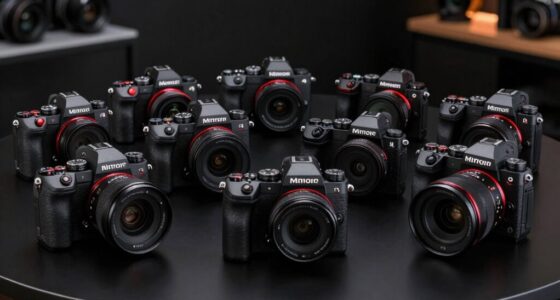
The best MacBook Pro laptops balance performance, memory, screen size, and storage for the work you actually do. My best overall pick is the 14-inch M5 Pro with 24GB memory and 1TB SSD, a strong middle ground between portability and demanding workloads. For lighter everyday tasks, the 14-inch M5 models offer a simpler configuration, while the 16-inch M5 Max is aimed at buyers who need more graphics capacity and a larger display. The main tradeoffs are paying for performance you may not use, choosing a screen size that suits your routine, and deciding how much memory and storage to keep for future projects. Read on for the full breakdown of all 12 configurations and how I’d choose between them.

Get the latest gadgets delivered free with Prime
- Fast, free delivery on millions of items
- Prime Video, Amazon Music and more included
- Member-only deals all year
Complete the kit



Key Takeaways
- The 14-inch M5 Pro with 24GB memory and 1TB SSD is the best all-around balance in this lineup: it offers more headroom than the M5 models without moving to a larger 16-inch chassis.
- Chip tier and memory matter more than a small storage bump for demanding creative and development work; the M5 Pro configurations give heavier workloads more room to run smoothly.
- The M5 models are the sensible fit for lighter workloads, but their 16GB configurations leave less headroom for extensive multitasking than the 24GB option.
- The M5 Max 16-inch model is the clear specialist for graphics-heavy work, though its high-performance hardware is unnecessary for routine office tasks and web use.
- Two details merit extra scrutiny before buying: the renewed 2024 model’s condition and coverage, and the 2026 listing’s limited chip and memory information.







| MacBook Pro laptop | Display | Storage | Weight | Ports |
|---|---|---|---|---|
| Apple 2025 MacBook Pro Laptop | 14.2-inch Liquid Retina XDR, up to 1600 nits peak brightness | 1TB SSD | 3.41 pounds | Three Thunderbolt 4, MagSafe 3, SDXC card slot, HDMI, headphone jack |
| Apple 14-inch MacBook Pro with | 14-inch LED, 3024 × 1964 resolution, 120Hz refresh rate | 1TB SSD | — | — |
| Apple 2024 MacBook Pro 16-inch | 16.2-inch Liquid Retina XDR, 3456 × 2234 resolution | 512GB SSD | 2.14 kg | Three Thunderbolt 5, MagSafe 3, HDMI, SDXC card slot, headphone jack |
| Apple 14.2-inch MacBook Pro wi | 14.2-inch Liquid Retina XDR | 1TB SSD | 3.52 pounds | Three Thunderbolt 5, MagSafe 3, SDXC card slot, HDMI, headphone jack |
| Apple 16.2-inch MacBook Pro wi | 16.2-inch Liquid Retina XDR, up to 1600 nits peak brightness | 2TB SSD | 4.73 pounds | Three Thunderbolt 5, MagSafe 3, SDXC card slot, HDMI, headphone jack |
| Apple 2024 MacBook Pro 14-inch | 14.2-inch Liquid Retina XDR | 512GB SSD | 3.52 pounds | — |
| Apple 14-inch MacBook Pro with | 14.2-inch Liquid Retina XDR, 3024 x 1964, 120Hz | 1TB SSD | 8.5 pounds | — |
| Apple 14.2-inch MacBook Pro | 14.2-inch Liquid Retina XDR | 1TB SSD | 3.41 pounds | Three Thunderbolt 4, MagSafe 3, SDXC, HDMI, and headphone jack |
| Apple 2026 MacBook Pro 14.2-in | 14.2-inch tandem OLED PROLED XDR touchscreen | — | 3.04 pounds | Three Thunderbolt 5, MagSafe 3, SDXC, HDMI, and headphone jack |
| Apple MacBook Pro 16.2-inch La | 16.2-inch Liquid Retina XDR, up to 1600 nits peak brightness | 2TB SSD | 9 pounds | — |
| Apple 14.2-inch MacBook Pro | 14.2-inch Liquid Retina XDR; up to 1600 nits peak brightness | 1TB SSD | 3.41 pounds | Three Thunderbolt 4, MagSafe 3, SDXC card slot, HDMI, headphone jack |
| Apple MacBook Pro 16.2-inch wi | 16.2-inch Liquid Retina XDR; up to 1600 nits peak brightness | 1TB SSD | 4.71 pounds | Three Thunderbolt 5, MagSafe 3, SDXC card slot, HDMI, headphone jack |
More Details on Our Top Picks
Apple 2025 MacBook Pro Laptop with M5 Chip (10-Core CPU, 10-Core GPU), 14.2-inch Liquid Retina XDR Display, 16GB Unified Memory, 1TB SSD, Silver
I’d put this 14-inch M5 MacBook Pro first for buyers who want a balanced work machine without stepping up to a Pro or Max chip. Its M5 CPU and GPU, bright Liquid Retina XDR screen, and broad port selection suit coding, photo editing, and everyday creative work, while the 1TB SSD leaves more room for projects than the 512GB drive in the renewed 16-inch M4 Pro model. The smaller chassis is also easier to carry than that larger alternative. The tradeoff is its 16GB of unified memory: it may constrain demanding multitasking or large datasets, and it supports only two external displays. Buyers handling heavier professional workloads should look instead at the M5 Pro options, which offer more memory and stronger graphics capacity.
Pros:- M5 chip balances CPU and GPU performance for everyday professional and creative tasks.
- Liquid Retina XDR display offers up to 1600 nits peak brightness.
- 1TB SSD provides more workspace than the 512GB drive in the renewed 16-inch M4 Pro.
- HDMI, SDXC, MagSafe 3, and three Thunderbolt 4 ports reduce dependence on adapters.
Cons:- 16GB of unified memory can limit heavy multitasking and large creative projects.
- Supports only two external displays, fewer than the M5 Pro and M5 Max options.
- The M5 Pro models are better suited to sustained, demanding professional workloads.
Best for: Students, developers, and creative professionals who want a portable MacBook Pro for mixed workloads and need 1TB of built-in storage.
Not ideal for: Video editors, 3D artists, and data professionals who routinely work with large projects or need more than two external displays.
- Processor:Apple M5 chip, 10-core CPU and 10-core GPU
- Memory:16GB unified memory
- Storage:1TB SSD
- Display:14.2-inch Liquid Retina XDR, up to 1600 nits peak brightness
- Ports:Three Thunderbolt 4, MagSafe 3, SDXC card slot, HDMI, headphone jack
- Camera:12MP Center Stage
- Weight:3.41 pounds
- Color:Silver
Our verdict“Choose this 14-inch M5 model for a portable, well-connected MacBook Pro with 1TB storage, but step up to M5 Pro for heavier workloads.”
Apple 14-inch MacBook Pro with M5 Pro Chip, 15-Core CPU, 16-Core GPU, 48GB Unified Memory, 1TB SSD, Space Black
This custom 14-inch configuration is the memory-focused choice in this group. Its 48GB of unified memory gives developers, video editors, and other heavy multitaskers more room to keep large projects and demanding apps open than the 24GB M5 Pro model. The 15-core CPU and 16-core GPU also make it a more capable workhorse than the standard M5 MacBook Pro, though the supplied details do not specify the same Liquid Retina XDR panel or Thunderbolt 5 ports listed for that other M5 Pro configuration. Its 1TB SSD is practical for active work, but storage and memory are not upgradeable after purchase, so buyers should choose capacity carefully. The 70W adapter may also charge more slowly under heavy use than a higher-wattage option.
Pros:- 48GB unified memory suits demanding multitasking and large working files.
- M5 Pro chip pairs a 15-core CPU with a 16-core GPU for professional workloads.
- 1TB SSD provides local room for active projects.
- 14-inch format is more portable than the 16-inch M5 Max model.
Cons:- Memory and storage are soldered and cannot be upgraded later.
- The included 70W adapter may charge more slowly during heavy workloads.
- Product details do not specify Thunderbolt 5 or a Liquid Retina XDR display.
Best for: Professional users who run memory-intensive applications, keep many large projects open, or work with substantial files while traveling with a 14-inch laptop.
Not ideal for: Buyers who prioritize confirmed Thunderbolt 5 connectivity or who want a larger screen and can accept the 16-inch model’s added bulk.
- Processor:Apple M5 Pro, 15-core CPU and 16-core GPU
- Memory:48GB unified memory (LPDDR5)
- Storage:1TB SSD
- Display:14-inch LED, 3024 × 1964 resolution, 120Hz refresh rate
- Power adapter:70W USB-C
- Color:Space Black
- Dimensions:12.31 × 8.71 × 0.61 inches
- Operating system:macOS
Our verdict“Pick this configuration when 48GB of memory matters more than a confirmed Thunderbolt 5 port specification or a larger display.”
Apple 2024 MacBook Pro 16-inch (M4 Pro, 24GB RAM, 512GB SSD, Space Black, Renewed)
I’d choose this renewed 16-inch MacBook Pro for screen space and a strong professional chip, rather than for the newest generation. The 16.2-inch Liquid Retina XDR display gives coding timelines, detailed layouts, and video edits more room than the 14-inch M5 Pro models. Its M4 Pro and three Thunderbolt 5 ports also make it a capable desk-side machine with broad connectivity. Compared with the 16-inch M5 Max, it has less specified memory and storage and is not positioned for the same graphics-heavy workloads; its 512GB SSD may call for external storage on large media projects. It is renewed rather than new, so cosmetic condition can vary. I’d favor it over the newer 14-inch options when display area is the priority, but not for buyers who want the latest chip generation or a compact daily carry.
Pros:- 16.2-inch Liquid Retina XDR display offers more working area than the 14-inch models.
- M4 Pro chip is suited to demanding coding and creative workloads.
- Three Thunderbolt 5 ports plus HDMI and SDXC support a flexible desk setup.
- 24GB memory offers more headroom than the standard M5 model’s 16GB.
Cons:- Renewed condition can include cosmetic imperfections.
- 512GB SSD may be restrictive for large video, photo, or 3D libraries.
- The 16-inch chassis is less convenient to carry than the 14-inch alternatives.
Best for: Writers, programmers, and creative professionals who want a spacious built-in display and can accept a renewed machine and external storage for larger projects.
Not ideal for: Buyers who require a new laptop, need more than 512GB of internal storage, or want the strongest graphics performance in this lineup.
- Model:MacBook Pro 16-inch (2024)
- Processor:Apple M4 Pro
- Memory:24GB
- Storage:512GB SSD
- Display:16.2-inch Liquid Retina XDR, 3456 × 2234 resolution
- Ports:Three Thunderbolt 5, MagSafe 3, HDMI, SDXC card slot, headphone jack
- Condition:Renewed
- Weight:2.14 kg
Our verdict“Choose this renewed M4 Pro if a large XDR display and Thunderbolt 5 matter more than a new unit, larger SSD, or newer chip.”
Apple 14.2-inch MacBook Pro with M5 Pro, 15-core CPU, 16-core GPU, 24GB Memory, 1TB SSD, Wi-Fi 7, Space Black
This 14.2-inch M5 Pro is my pick for buyers who want a current professional chip without the 48GB memory configuration of the other 14-inch M5 Pro. Its 24GB unified memory and 1TB SSD make a sensible balance for demanding everyday work, while three Thunderbolt 5 ports, HDMI, and SDXC give it an unusually useful connection set for a compact laptop. Wi-Fi 7 and Bluetooth 6 add newer wireless standards, though their benefit depends on compatible networks and devices. Compared with the M5 Max 16-inch model, this MacBook Pro is lighter and easier to carry, but it gives up graphics capacity, screen area, and support for up to four external displays. At 3.52 pounds, it is portable for its class, not featherweight.
Pros:- M5 Pro chip combines a 15-core CPU and 16-core GPU for professional workloads.
- 24GB memory and 1TB SSD provide a practical balance for active projects.
- Three Thunderbolt 5 ports, HDMI, and SDXC simplify connecting displays and peripherals.
- Wi-Fi 7 and Bluetooth 6 provide current wireless connectivity.
Cons:- At 3.52 pounds, it is heavier than some buyers may want for frequent travel.
- Its 24GB memory is less than the 48GB configuration in the other 14-inch M5 Pro option.
- It has a smaller screen and less GPU capacity than the 16-inch M5 Max.
Best for: Mobile video editors, developers, and other professionals who need M5 Pro performance, Thunderbolt 5, and 1TB of storage in a 14-inch system.
Not ideal for: Users with graphics-intensive workloads, four-display setups, or a preference for the larger built-in screen of a 16-inch MacBook Pro.
- Chip:Apple M5 Pro
- CPU and GPU:15-core CPU, 16-core GPU
- Memory:24GB unified memory
- Storage:1TB SSD
- Display:14.2-inch Liquid Retina XDR
- Wireless:Wi-Fi 7, Bluetooth 6
- Ports:Three Thunderbolt 5, MagSafe 3, SDXC card slot, HDMI, headphone jack
- Weight:3.52 pounds
- Color:Space Black
Our verdict“Choose this model for a portable M5 Pro workstation with 1TB storage and Thunderbolt 5, rather than the larger, more graphics-focused M5 Max.”
Apple 16.2-inch MacBook Pro with M5 Max, 18-core CPU, 40-core GPU, 48GB Memory, 2TB SSD, Wi-Fi 7, Silver
This 16-inch M5 Max is the lineup’s clear choice for GPU-heavy work and expansive monitor setups. Its 40-core GPU, 48GB of unified memory, and 2TB SSD suit demanding video, 3D, and AI workflows better than the M5 Pro options, while support for up to four external displays gives it a stronger fit for complex desk setups than the standard M5 model. The 16.2-inch Liquid Retina XDR screen also provides generous space for timelines and detailed visuals. Those advantages come with real portability costs: at 4.73 pounds, it is substantially heavier than the 14-inch M5 Pro configuration. For buyers doing lighter work or carrying a laptop every day, that extra graphics capacity and screen area may be more machine than they need.
Pros:- M5 Max combines an 18-core CPU with a 40-core GPU for demanding graphics workloads.
- 48GB unified memory and 2TB SSD provide room for large projects.
- Supports up to four external displays, more than the standard M5 and M5 Pro options.
- 16.2-inch Liquid Retina XDR display offers up to 1600 nits peak brightness.
Cons:- At 4.73 pounds, it is the least convenient option here for frequent travel.
- Its high graphics capability may be unnecessary for everyday office and school tasks.
- The 16.2-inch chassis takes up more space than the 14-inch alternatives.
Best for: Video editors, 3D artists, AI developers, and multi-monitor professionals who need high GPU capacity, substantial memory, and 2TB of local storage.
Not ideal for: Frequent travelers and general productivity users who would benefit more from a lighter 14-inch MacBook Pro than from maximum graphics power.
- Chip:Apple M5 Max
- CPU and GPU:18-core CPU, 40-core GPU
- Memory:48GB unified memory
- Storage:2TB SSD
- Display:16.2-inch Liquid Retina XDR, up to 1600 nits peak brightness
- Wireless:Wi-Fi 7, Bluetooth 6
- External displays:Up to four
- Ports:Three Thunderbolt 5, MagSafe 3, SDXC card slot, HDMI, headphone jack
- Weight:4.73 pounds
Our verdict“Choose the 16-inch M5 Max for GPU-intensive projects and up to four external displays, but pick a 14-inch model if portability matters more.”
Apple 2024 MacBook Pro 14-inch with M4 Pro, 12-core CPU, 16-core GPU, 24GB Memory, 512GB SSD, Space Black
I’d choose this 14-inch M4 Pro configuration for demanding work when a current-generation chip isn’t the priority. Its 12-core CPU and 16-core GPU offer a stronger performance tier than the standard M5 MacBook Pro, while the 24GB of unified memory gives room for substantial creative projects and multitasking. The Liquid Retina XDR display is also a good fit for HDR content and bright workspaces. Compared with the M5 Pro options in this roundup, this model is the older-generation choice, and its 512GB SSD leaves less space for large projects. At 3.52 pounds, it is portable for a workstation-class laptop, though heavier than the 3.41-pound M5 model. I’d shortlist it when M4 Pro performance is enough and the smaller storage capacity suits your files.
Pros:- M4 Pro chip with a 12-core CPU and 16-core GPU for demanding applications
- 24GB unified memory supports heavier multitasking than entry-level configurations
- 14.2-inch Liquid Retina XDR display with up to 1600 nits peak brightness
- Smaller 14-inch form factor than the 16-inch M5 Pro model
Cons:- 512GB SSD may fill quickly with video, design, or development files
- Uses the older M4 Pro generation rather than the M5 Pro chips in this roundup
- At 3.52 pounds, it is not as light as the standard 14-inch M5 configuration
Best for: Creative professionals and developers who want M4 Pro-level performance in a 14-inch laptop and keep large project files on external or cloud storage.
Not ideal for: Buyers who need a large internal project library or want the newest listed Pro chip; the 512GB SSD and M4 generation are less suited to those priorities.
- Chip:Apple M4 Pro
- CPU:12-core
- GPU:16-core
- Display:14.2-inch Liquid Retina XDR
- Unified memory:24GB
- Storage:512GB SSD
- Weight:3.52 pounds
- Color:Space Black
Our verdict“Choose this model for a compact M4 Pro workstation if 512GB of internal storage is sufficient.”
Apple 14-inch MacBook Pro with M5 Pro Chip (18-Core CPU, 20-Core GPU), 64GB RAM, 1TB SSD, Space Black
This configure-to-order 14-inch MacBook Pro is the memory-heavy choice in the group. Its 64GB unified memory is the clearest reason to choose it over the standard M5 MacBook Pro with 16GB: large creative timelines, virtual machines, and demanding multitasking have more room to run. The M5 Pro with an 18-core CPU and 20-core GPU adds substantial processing and graphics capacity, while the 1TB SSD provides more working space than the M4 Pro model’s 512GB drive. You give up some portability efficiency for that headroom: the listed weight is 8.5 pounds, far above the other 14-inch configurations here. Its listed battery life reaches up to 24 hours, but Apple Intelligence features may vary by region and remain subject to availability. I’d reserve this configuration for workloads that can use its memory.
Pros:- 64GB unified memory provides substantial capacity for demanding multitasking
- M5 Pro chip pairs an 18-core CPU with a 20-core GPU
- 1TB SSD offers more internal storage than the M4 Pro configuration in this roundup
- 14.2-inch Liquid Retina XDR display with a listed 120Hz refresh rate
Cons:- Listed weight of 8.5 pounds is unusually high for a 14-inch laptop
- Apple Intelligence features may not be available in every region and are described as being in beta
- Its extra memory is unnecessary for buyers with everyday workloads
Best for: Video editors, developers, and technical professionals who run memory-intensive projects or several demanding applications at once but prefer a 14-inch display.
Not ideal for: Frequent travelers focused on carrying weight, or typical office users who will not use 64GB of memory; the listed 8.5-pound weight is especially burdensome for a 14-inch laptop.
- Processor:Apple M5 Pro, 18-core CPU and 20-core GPU
- Unified memory:64GB
- Storage:1TB SSD
- Display:14.2-inch Liquid Retina XDR, 3024 x 1964, 120Hz
- Battery life:Up to 24 hours
- Weight:8.5 pounds
- Operating system:macOS
- Color:Space Black
Our verdict“Pick this 14-inch configuration when memory capacity is a priority and you can accept its listed weight.”
Apple 14.2-inch MacBook Pro (2025) with M5, 10-core CPU, 10-core GPU, 16GB Memory, and 1TB SSD
For buyers who want a capable MacBook Pro without paying for Pro-tier chip resources they may not use, this standard M5 configuration is the practical middle ground. It has a 1TB SSD, twice the listed storage of the M4 Pro model here, and a 14.2-inch Liquid Retina XDR display suited to photo work, media, and everyday productivity. The 10-core CPU and GPU handle a broad range of demanding tasks, but the M5 Pro models are better fits for sustained high-end creative work or heavier multitasking. Its 16GB of unified memory is the main limit for large projects, and external display support tops out at two. On the other hand, the HDMI, SDXC, and MagSafe 3 ports reduce the need for adapters, and the 12MP Center Stage camera and six-speaker audio make it a strong all-purpose laptop.
Pros:- M5 chip with a 10-core CPU and 10-core GPU for a wide range of workloads
- 1TB SSD provides room for more projects than the 512GB M4 Pro configuration
- Includes HDMI, SDXC, MagSafe 3, and three Thunderbolt 4 ports
- 12MP Center Stage camera and six-speaker audio system
Cons:- 16GB unified memory is less suited to very large professional projects than the 24GB and 64GB options
- Supports up to two external displays
- At 3.41 pounds, it remains heavier than many ultraportable laptops
Best for: Students, office professionals, and independent creators who want a 14-inch MacBook Pro with useful built-in ports and 1TB of storage for mixed workloads.
Not ideal for: Users working with large video timelines, extensive virtual machines, or several memory-hungry applications; the M5 Pro models and their higher memory configurations are better suited to those jobs.
- Chip:Apple M5
- CPU and GPU:10-core CPU and 10-core GPU with Neural Accelerators
- Unified memory:16GB
- Storage:1TB SSD
- Display:14.2-inch Liquid Retina XDR
- Camera:12MP Center Stage
- Ports:Three Thunderbolt 4, MagSafe 3, SDXC, HDMI, and headphone jack
- Weight:3.41 pounds
Our verdict“Choose this model for a balanced 14-inch MacBook Pro with M5 performance, 1TB storage, and practical built-in connections.”
Apple 2026 MacBook Pro 14.2-inch with PROLED XDR Display, Silver
The headline here is the claimed 14.2-inch tandem OLED PROLED XDR touchscreen, with up to 2,000 nits peak HDR brightness and support for P3 and Adobe RGB. Those listed display capabilities set it apart from the Liquid Retina XDR panels on the M5 and M5 Pro models in this roundup, especially for buyers who prioritize HDR viewing and broad color support. It also lists Thunderbolt 5, Wi-Fi 7, and support for up to three external displays with M5 Pro or four with M5 Max. The configuration is less straightforward than the others, though: the product data gives processor options rather than specifying which chip this listing includes, and display and monitor capabilities depend on that choice. I’d verify the exact chip before comparing it with the specified M5 Pro models.
Pros:- Listed tandem OLED PROLED XDR touchscreen with up to 2,000 nits peak HDR brightness
- P3 and Adobe RGB color gamut support
- Three Thunderbolt 5 ports plus HDMI, MagSafe 3, and an SDXC card slot
- Listed support for up to 22 hours of battery life
Cons:- Product data does not specify whether the configuration includes M5 Pro or M5 Max
- External-display support depends on the selected processor
- The listed display specifications differ from the Liquid Retina XDR panels on the other specified models
Best for: Display-focused creative professionals who want the listed touchscreen, wide color support, and newer connectivity, and who can confirm the exact processor configuration before buying.
Not ideal for: Buyers who need a clearly specified chip and predictable external-display capability; this listing leaves the M5 Pro or M5 Max selection unresolved.
- Display:14.2-inch tandem OLED PROLED XDR touchscreen
- Peak HDR brightness:Up to 2,000 nits
- Contrast ratio:10,000,000:1
- Color gamut:P3 and Adobe RGB
- Processor options:M5 Pro or M5 Max; selected chip not specified
- Ports:Three Thunderbolt 5, MagSafe 3, SDXC, HDMI, and headphone jack
- Wireless:Wi-Fi 7 and Bluetooth 6
- Weight:3.04 pounds
Our verdict“Consider this option for its listed display capabilities only after confirming the exact chip and configuration.”
Apple MacBook Pro 16.2-inch Laptop with M5 Pro Chip (18-Core CPU, 20-Core GPU), 48GB Unified Memory, 2TB SSD, Space Black
This 16.2-inch MacBook Pro suits people who would rather have a generous workspace than a lighter bag. Its M5 Pro chip, 48GB of unified memory, and 2TB SSD make it better equipped for substantial creative libraries and multitasking than the 14-inch M5 model with 16GB and 1TB. The larger Liquid Retina XDR display gives timelines, layouts, and split-screen applications more room, while three Thunderbolt 5 ports, HDMI, and SDXC support a capable desk setup. Compared with the 14-inch M5 Pro configuration with 64GB, this one has less memory but twice the listed storage of its 1TB drive. The tradeoff is portability: the supplied data lists a 9-pound weight, and its 48GB memory is fixed rather than upgradeable. It makes the most sense as a powerful mobile workstation that often stays at a desk.
Pros:- M5 Pro chip with an 18-core CPU and 20-core GPU
- 48GB unified memory and 2TB SSD for substantial workloads and project storage
- 16.2-inch Liquid Retina XDR display with up to 1600 nits peak brightness
- Three Thunderbolt 5 ports, HDMI, SDXC, Wi-Fi 7, and Bluetooth 6
Cons:- Listed weight of 9 pounds makes it less practical for frequent commuting
- 48GB memory is less than the 64GB in the 14-inch M5 Pro configuration
- Memory and storage are not upgradeable after purchase
Best for: Video editors, photographers, and developers who need a large built-in workspace, substantial storage, and M5 Pro performance for desk-based work with occasional travel.
Not ideal for: Commuters who carry a laptop daily or professionals whose workloads need more than 48GB of memory; the 14-inch configurations are easier to carry, and the 64GB model has more memory headroom.
- Processor:Apple M5 Pro, 18-core CPU and 20-core GPU
- Unified memory:48GB
- Storage:2TB SSD
- Display:16.2-inch Liquid Retina XDR, up to 1600 nits peak brightness
- Connectivity:Three Thunderbolt 5, MagSafe 3, HDMI, SDXC, Wi-Fi 7, and Bluetooth 6
- Camera:12MP Center Stage
- Audio:Six speakers with Spatial Audio and three studio-quality microphones
- Weight:9 pounds
Our verdict“Choose this 16-inch model if screen space and 2TB of storage matter more to you than carrying weight.”
Apple 14.2-inch MacBook Pro (2025) with M5 Chip, 24GB Memory, 1TB SSD, Space Black
The 14.2-inch M5 MacBook Pro is a strong fit for people who want a portable professional laptop without stepping up to an M5 Pro configuration. Its 24GB of unified memory and 1TB SSD give it more room for multitasking and project files than the listed M5 version with 16GB of memory. The Liquid Retina XDR display, SDXC slot, HDMI, and MagSafe 3 also make it practical for photo work and desk setups without a pile of adapters. Compared with the 16.2-inch M5 Pro model, this MacBook is easier to carry, but its M5 chip is aimed at lighter creative and general workloads rather than sustained, demanding production. It supports up to two external displays and weighs 3.41 pounds, so buyers seeking maximum workstation power or the lightest possible laptop should look elsewhere.
Pros:- 24GB unified memory gives multitasking more headroom than the listed 16GB M5 configuration
- 1TB SSD provides substantial space for apps and working files
- Liquid Retina XDR display offers high contrast and up to 1600 nits peak brightness
- HDMI, SDXC, MagSafe 3, and three Thunderbolt 4 ports cover common work setups
Cons:- M5 chip is a less capable choice for demanding sustained workloads than the M5 Pro models in the roundup
- Supports up to two external displays, fewer than the 16.2-inch M5 Pro model
- At 3.41 pounds, it is not as light as many ultraportable laptops
Best for: Students, photographers, and mobile professionals who want a compact MacBook Pro with 24GB memory, ample storage, and built-in card and HDMI connections.
Not ideal for: Video and 3D professionals with sustained GPU-heavy workloads, or desk-based users who need support for three external displays.
- Processor:Apple M5 chip, 10-core CPU
- Graphics:10-core GPU
- Memory:24GB unified memory
- Storage:1TB SSD
- Display:14.2-inch Liquid Retina XDR; up to 1600 nits peak brightness
- Ports:Three Thunderbolt 4, MagSafe 3, SDXC card slot, HDMI, headphone jack
- External displays:Supports up to two
- Weight:3.41 pounds
- Camera and audio:12MP Center Stage camera; six-speaker system
Our verdict“Choose this 14-inch M5 model for a portable, well-connected MacBook Pro with generous memory and storage, but pick an M5 Pro configuration for heavier production work.”
Apple MacBook Pro 16.2-inch with M5 Pro, 18-core CPU, 20-core GPU, 24GB Memory, 1TB SSD, Wi-Fi 7, Space Black
For demanding work that benefits from more screen space and graphics capacity, this 16.2-inch MacBook Pro with M5 Pro makes a stronger workstation choice than the 14.2-inch M5 model. Its 18-core CPU and 20-core GPU target heavier creative and on-device AI tasks, while support for up to three external displays suits multi-screen desk setups. The larger Liquid Retina XDR display gives editors and designers more room to keep timelines or panels visible; Thunderbolt 5 and Wi-Fi 7 add modern connectivity. The tradeoff is portability: at 4.71 pounds, it is substantially heavier than the compact M5 option, and the 24GB of memory is less generous than some higher-memory M5 Pro configurations in the roundup. I’d choose it for screen area and processing capacity, not frequent light travel.
Pros:- M5 Pro 18-core CPU and 20-core GPU are suited to demanding professional workloads
- 16.2-inch Liquid Retina XDR display provides more workspace than the 14.2-inch models
- Supports up to three external displays
- Thunderbolt 5, Wi-Fi 7, HDMI, and SDXC provide broad connectivity
Cons:- 4.71-pound weight makes it a less convenient daily carry than the 14.2-inch M5 model
- 24GB unified memory may constrain some large, memory-intensive projects
- Its larger footprint is a poor fit for buyers who prioritize compactness
Best for: Video editors, designers, and developers who need a large built-in display, M5 Pro performance, and support for up to three external monitors.
Not ideal for: Frequent travelers prioritizing low carry weight, or memory-heavy workflows better matched to a higher-memory M5 Pro configuration.
- Processor:Apple M5 Pro, 18-core CPU
- Graphics:20-core GPU
- Memory:24GB unified memory
- Storage:1TB SSD
- Display:16.2-inch Liquid Retina XDR; up to 1600 nits peak brightness
- Wireless:Wi-Fi 7 and Bluetooth 6
- Ports:Three Thunderbolt 5, MagSafe 3, SDXC card slot, HDMI, headphone jack
- External displays:Supports up to three
- Weight:4.71 pounds
Our verdict“Pick this model if your work benefits from a large XDR screen, M5 Pro graphics, and three-monitor support; choose the 14.2-inch M5 for easier portability.”

How We Picked
I compared the 12 listed configurations by the factors that change the ownership experience most: chip capability, unified memory, display size, and included storage. I gave stronger placement to models that pair capable hardware with a configuration suited to a broad range of professional tasks, rather than rewarding the most powerful chip on its own. A larger display can help with timelines and side-by-side work, while a 14-inch model is easier to carry; neither size is automatically better.
My ranking also accounts for fit and buying risk. M5 models are positioned for lighter work and general use, M5 Pro options for sustained professional workloads, and the M5 Max for demanding graphics tasks. Older M4 Pro models remain relevant when their performance and configuration suit the buyer, but the renewed unit carries condition-related uncertainty. I placed the 2026 listing cautiously because its provided details do not identify the chip, memory, or storage, making a meaningful comparison difficult.
| MacBook Pro laptop | Processor | Ports |
|---|---|---|
| Apple 2025 MacBook Pro Laptop | Apple M5 chip, 10-core CPU and 10-core GPU | Three Thunderbolt 4, MagSafe 3, SDXC card slot, HDMI, headphone jack |
| Apple 14-inch MacBook Pro with | Apple M5 Pro, 15-core CPU and 16-core GPU | — |
| Apple 2024 MacBook Pro 16-inch | Apple M4 Pro | Three Thunderbolt 5, MagSafe 3, HDMI, SDXC card slot, headphone jack |
| Apple 14.2-inch MacBook Pro wi | — | Three Thunderbolt 5, MagSafe 3, SDXC card slot, HDMI, headphone jack |
| Apple 16.2-inch MacBook Pro wi | — | Three Thunderbolt 5, MagSafe 3, SDXC card slot, HDMI, headphone jack |
| Apple 2024 MacBook Pro 14-inch | — | — |
| Apple 14-inch MacBook Pro with | Apple M5 Pro, 18-core CPU and 20-core GPU | — |
| Apple 14.2-inch MacBook Pro | — | Three Thunderbolt 4, MagSafe 3, SDXC, HDMI, and headphone jack |
| Apple 2026 MacBook Pro 14.2-in | — | Three Thunderbolt 5, MagSafe 3, SDXC, HDMI, and headphone jack |
| Apple MacBook Pro 16.2-inch La | Apple M5 Pro, 18-core CPU and 20-core GPU | — |
| Apple 14.2-inch MacBook Pro | Apple M5 chip, 10-core CPU | Three Thunderbolt 4, MagSafe 3, SDXC card slot, HDMI, headphone jack |
| Apple MacBook Pro 16.2-inch wi | Apple M5 Pro, 18-core CPU | Three Thunderbolt 5, MagSafe 3, SDXC card slot, HDMI, headphone jack |
Factors to Consider When Choosing Best MacBook Pro Laptops
MacBook Pro configurations can look similar while serving very different workloads. I’d start with your software, typical project size, and daily setup, then choose the chip, memory, and screen that solve those needs without paying for unused capacity.
Match the chip tier to sustained workloads
Think about the work you do for long stretches, not just a quick burst of activity. Everyday browsing, documents, and modest photo edits usually do not call for the same headroom as large software builds, complex video timelines, or graphics-heavy projects. A Pro-tier chip makes more sense when your applications regularly use multiple CPU or GPU cores. The Max tier is most compelling when GPU-intensive work is central to your job, rather than an occasional task. One common mistake is buying the highest tier for hypothetical future needs while leaving other useful upgrades underfunded. If your workload is light, a lower chip tier paired with enough memory can be a more balanced choice.
Choose memory for the way you multitask
Unified memory is shared by the system and applications, so demanding creative tools and large simultaneous workloads can use it quickly. Look at how many applications you keep open, the size of your files, and whether your work involves virtual machines or large media libraries. Moving from 16GB to 24GB or more can offer more breathing room for multitasking than adding storage alone. Buyers often underestimate memory because a new laptop may feel fast before their projects grow. Since memory is not a routine, user-upgradeable part of these configurations, it deserves attention before purchase. Avoid paying for a large memory tier if your actual workload stays modest and your budget could better serve another need.
Pick 14 inches or 16 inches around your routine
A 14-inch MacBook Pro is easier to carry between home, office, and meetings, while a 16-inch display gives long timelines, code, and side-by-side windows more room. Screen size affects more than viewing comfort: it can change how often you need an external monitor and how much desk space your setup takes. If the laptop spends most of its life docked, the 16-inch model may offer a more comfortable built-in workspace. Frequent travelers may value the smaller footprint more than the extra screen area. Do not choose the larger model solely because it sounds more capable; compare the actual chip and memory configuration too. A well-matched 14-inch system can outperform a poorly matched larger one for your workload.
Plan storage around active projects and backups
Internal storage holds applications, active files, and local media, but a large SSD does not replace a backup plan. Estimate the space your current projects occupy, then leave room for temporary files and future work. Video, photography, and audio libraries can grow faster than documents, making 2TB useful for buyers who keep large projects on the laptop. External drives or network storage can reduce the need for a larger internal drive, though they add equipment and workflow steps. A common misstep is choosing a smaller SSD without accounting for large application libraries or offline access. Another is paying for internal capacity while leaving important files without a separate backup.
Compare generations and listings with care
When a lineup includes different chip generations, compare the exact configuration rather than assuming that a newer listing is automatically the right buy. Check the stated CPU and GPU cores, memory, storage, display, and connectivity, since missing details make performance and value hard to judge. A renewed laptop adds questions about condition, battery health, included accessories, and the seller’s return and warranty terms. A model with less memory or a smaller SSD may not suit your workload even if its processor generation is newer. Confirm the full specification and coverage before ordering, especially when a product title provides only a display description. This extra verification helps prevent a mismatch that cannot be fixed with a simple setting change.
Spend on the bottleneck you can identify
Before paying for a higher tier, identify what currently slows you down: rendering, memory pressure, storage capacity, or limited screen space. If you mostly wait on exports and GPU-heavy effects, stronger graphics hardware may help more than a bigger SSD. If you keep running out of working memory, prioritize a configuration with more unified memory. If your issue is cramped multitasking, a larger display or external monitor may address it without moving to a Max chip. Buyers sometimes treat every upgrade as equally valuable, even though each solves a different problem. Spending in line with a real bottleneck usually produces a better daily experience than selecting the most expensive configuration by default.
Frequently Asked Questions
Is an M5 MacBook Pro enough for professional work, or should I choose M5 Pro?
An M5 model can suit professional work when your tasks are moderate, such as office production, routine photo editing, and lighter development. M5 Pro is a better fit when you regularly run demanding creative applications, compile larger projects, or keep many intensive apps open at once. Memory configuration matters alongside the chip, so compare the exact model rather than relying on the processor name alone. If your workload is mostly light, extra Pro-tier capability may go unused. If slow exports or sustained workloads cost you time, the Pro tier is easier to justify.
Should I choose 16GB or 24GB of unified memory?
Choose 16GB when your work is primarily everyday computing and your projects stay relatively small. The 24GB configurations in this roundup offer more room for simultaneous applications, larger creative files, and workloads that are likely to grow. Memory is not a simple component to replace later, so your expected use over the laptop’s lifespan matters. Do not upgrade just for a larger number if your software and habits do not need it. If you often see memory pressure or rely on several demanding apps at once, extra capacity is the safer fit.
Is a 16-inch MacBook Pro worth choosing over a 14-inch model?
A 16-inch model is worthwhile when you value a larger built-in workspace for editing, coding, or working with multiple windows. It can also be more comfortable if the laptop spends most days on a desk. A 14-inch model is easier to carry and can still offer strong performance, so choosing the smaller size does not mean settling for an entry-level machine. Consider how often you travel and whether you already use an external display. If portability is a daily need, the extra screen area may not outweigh the larger chassis.
Does the M5 Max make sense if I mainly use office apps and browse?
For office applications and web browsing, the M5 Max is generally more capability than those tasks call for. Its stronger graphics configuration is more relevant to demanding visual and GPU-intensive workflows. A less powerful model can still handle everyday work while leaving room in your budget for useful memory, storage, or accessories. Consider the Max only if you have specific software or projects that benefit from its added graphics capacity. Buying hardware for a possible future workload makes less sense than matching it to tasks you already expect to do.
What should I verify before buying the renewed M4 Pro or the sparsely described 2026 listing?
For the renewed M4 Pro, check the seller’s condition description, battery health information, warranty, return window, and what accessories are included. Compare its stated memory and storage with the newer configurations rather than treating the generation label as the whole story. For the 2026 listing, confirm the chip, memory, storage, display specifications, and connectivity from a reliable product specification page before making a decision. A title that only identifies a display does not give enough information to judge performance or fit. If key specifications or coverage terms remain unclear, choose a listing with a more complete description.
Conclusion
For most buyers, I recommend the 14-inch M5 Pro with 24GB memory and 1TB SSD as the best overall balance of portability and professional headroom. The 14-inch M5 with 24GB memory is my best value direction for lighter workloads, while the 16-inch M5 Max is the best premium choice for graphics-heavy work. Beginners and everyday users should start with a standard M5 configuration and spend extra only if their applications or multitasking call for more memory. For buyers who prioritize a large workspace, the 16-inch M5 Pro models offer a more comfortable screen without the Max tier; for maximum graphics capacity, choose the M5 Max. I’d treat the renewed M4 Pro and the incomplete 2026 listing as conditional picks until their condition or full specifications are verified.