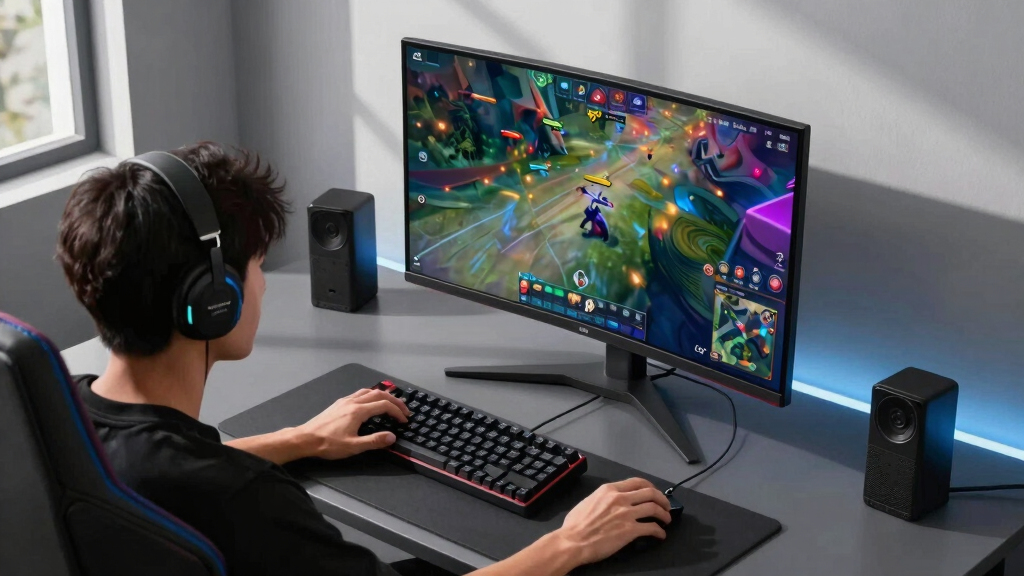

Finding the right gaming monitor for esports involves balancing high refresh rates, low response times, and excellent motion clarity. The ACER Nitro KG241Y delivers a solid entry with 165Hz and 1ms response, making it a dependable choice for competitive players on a budget. For those seeking ultra-fast performance, the ASUS ROG Strix XG259QNS with 380Hz and 0.3ms response stands out, ideal for professional-level reactions. Meanwhile, the Acer Predator 26.5” WQHD OLED offers stunning visuals at 240Hz but comes with a higher price tag. Buyers face tradeoffs: faster monitors tend to prioritize response times and refresh rates, often at the expense of image quality or price. Continue reading for a detailed breakdown of each option and what makes them suitable for different esports needs.
Key Takeaways
- High refresh rates (240Hz and above) are critical for competitive advantage, but diminishing returns can occur past 360Hz for most players.
- Response time (1ms or lower) remains essential for clarity during rapid in-game movements, especially in fast-paced titles.
- Panel type impacts color accuracy and viewing angles—TN panels excel in speed but trade off visual quality, while IPS panels offer better color but are typically slower.
- Curved screens improve immersion and reduce eye strain during long gaming sessions, but may not suit all desk setups.
- Build quality and ergonomic features like height adjustment directly influence comfort during extended play, especially for serious esports athletes.


More Details on Our Top Picks
This monitor stands out for its high 165Hz refresh rate and ultra-fast 1ms response time, making it a solid choice for competitive gaming on a budget. Compared to the ASUS XG259QNS, it offers a lower price point but with a slightly reduced refresh rate and color accuracy. The VA panel provides deep contrast, which benefits visibility in dark game scenes, yet it lacks the color vibrancy and wider viewing angles of IPS-based options. Its zero-frame design allows for seamless multi-monitor setups, giving an edge in immersive play. However, it doesn’t include advanced features like G-SYNC compatibility or extensive ergonomic adjustments, which may matter to more serious esports athletes. This pick makes the most sense for entry-level gamers prioritizing speed and affordability.
Pros:- High 165Hz refresh rate enhances smooth gameplay
- Fast 1ms (VRB) response time reduces motion blur
- VA panel delivers deep contrast for dark scenes
Cons:- Limited color accuracy compared to IPS models like the ASUS XG259QNS
- Lacks extensive ergonomic adjustments for long gaming sessions
Best for: Newcomers to esports who want a fast, budget-friendly display without sacrificing core performance.
Not ideal for: Players seeking professional-grade accuracy or extensive ergonomic features, as this monitor focuses on speed rather than color fidelity or adjustability.
- Screen Size:23.8 inches
- Resolution:1920 x 1080
- Refresh Rate:165Hz
- Response Time:1ms VRB
- Panel Technology:VA
- Ports:1 x DisplayPort 1.2, 2 x HDMI 2.0
- Contrast Ratio:100,000,000:1
- Brightness:250 nits
Bottom line: This monitor is an excellent choice for beginners seeking high refresh rates at an affordable price point.
This monitor excels with its staggering 380Hz overclocked refresh rate and 0.3ms response time, setting a new standard for high-end esports performance. Compared to the Acer Nitro KG241Y, it offers a much higher refresh rate and faster response, crucial for professional-level play, but at a significantly higher cost. The Fast IPS panel ensures vibrant colors and wide viewing angles, unlike the VA panel of the Acer. Its ergonomic design and DisplayWidget software provide quick access to settings, ideal for tournament environments. The inclusion of FreeSync Premium ensures tear-free gameplay, but it lacks G-SYNC compatibility for NVIDIA users. This monitor is tailored for competitive gamers who demand the absolute lowest latency and highest refresh rates for peak performance.
Pros:- Exceptional 380Hz overclocked refresh rate for ultra-smooth motion
- Extremely fast 0.3ms response time minimizes ghosting
- Wide viewing angles and vibrant colors with IPS technology
Cons:- Premium price may not suit casual gamers
- Lacks NVIDIA G-SYNC support for broader compatibility
Best for: Pro-level esports players and enthusiasts prioritizing ultra-high refresh rates and quick response times.
Not ideal for: Casual gamers or those on a tighter budget who won’t utilize the 380Hz refresh rate or advanced features.
- Screen Size:24.5 inches
- Resolution:1920 x 1080
- Refresh Rate:380Hz (OC)
- Response Time:0.3ms
- Panel Technology:Fast IPS
- Ports:2 x DisplayPort 1.4, 2 x HDMI 2.1
- Color Gamut:NTSC 72%
- Warranty:3 years
Bottom line: This monitor is designed for serious esports competitors seeking the fastest response and highest refresh rate available.
This 26.5-inch QD-OLED monitor offers stunning contrast and vibrant colors, ideal for gamers who want immersive visuals alongside fast-paced performance. Its 240Hz refresh rate and 0.03ms response time rival the speed of TN panels while providing the rich color depth of OLED, unlike the IPS or VA panels of other options like the ASUS XG259QNS or Acer KG241Y. The extensive ergonomic adjustments and high color accuracy (DCI-P3 99%) make it suitable for long gaming sessions and content creation. However, its premium OLED technology comes with a higher price and potential concerns about burn-in over extended use. Compared to traditional LCDs, this monitor combines breathtaking visuals with high speed, making it perfect for players who value both.
Pros:- Stunning contrast and rich color with DCI-P3 99% gamut
- Fast 240Hz refresh rate with 0.03ms response time
- Extensive ergonomic features for comfortable long sessions
Cons:- Higher price point due to OLED technology
- Potential burn-in risk with prolonged static images
Best for: High-end gamers who want cinematic visuals combined with ultra-fast response times and superior color accuracy.
Not ideal for: Budget-conscious players or those seeking G-SYNC support, as this model focuses on OLED quality and speed over compatibility features.
- Screen Size:26.5 inches
- Resolution:2560 x 1440 (QHD)
- Refresh Rate:240Hz
- Response Time:0.03ms
- Panel Technology:QD-OLED
- Ports:2 x DisplayPort 1.4, 2 x HDMI 2.1
- Color Gamut:DCI-P3 99%
- Adjustments:Tilt, Height, Pivot, Swivel
Bottom line: This monitor offers a rare blend of cinematic visuals and speed, ideal for enthusiasts who demand premium quality in esports gaming.
SANSUI 27″ 280Hz Curved Gaming Monitor (WQHD/400Hz Dual Mode, HDR400)
This curved 27-inch monitor offers flexible dual refresh modes—280Hz WQHD and 400Hz HD—catering to both competitive and casual gamers. Its HDR400 support and 135% sRGB coverage deliver vibrant visuals, much like the SANSUI 32” model but on a smaller, more focused screen. The 280Hz/400Hz modes provide ultra-smooth motion, ideal for fast-paced esports, yet it lacks the color accuracy and advanced ergonomic features of higher-end models like the ASUS XG259QNS or Acer Predator. The IPS panel ensures good viewing angles but at a weight of 7.7 pounds, VESA mounting becomes essential for proper placement. It’s a versatile choice for gamers who want a curved display with high refresh rates without the premium price of OLED options.
Pros:- Dual refresh modes (280Hz and 400Hz) for versatility
- HDR400 and 135% sRGB for vivid visuals
- Curved 1500R design enhances immersion
Cons:- No built-in speakers, requiring external audio setup
- Lighter weight necessitates VESA mounting for best ergonomics
Best for: Players who want a curved monitor with dual high-refresh modes for both competitive and casual gaming.
Not ideal for: Gamers seeking the absolute fastest response times or the most accurate color reproduction for content creation.
- Screen Size:27 inches
- Resolution:2560 x 1440
- Refresh Rate:280Hz / 400Hz
- Response Time:1ms MPRT
- Panel Type:IPS
- Ports:2 x HDMI 2.1, DP 1.4
- Color Gamut:sRGB 135%
- HDR:HDR400
Bottom line: This monitor offers flexible high-refresh options with immersive curved design, suited for players balancing performance and versatility.
SANSUI 27 Inch Curved 240Hz Gaming Monitor FHD 1080P, 1500R Curve, HDR, FreeSync
This 27-inch curved monitor emphasizes a high refresh rate of 240Hz and a 1500R curvature, delivering a highly immersive gaming experience. Its color gamut of 130% sRGB and HDR support make it ideal for gamers who value visual fidelity alongside speed, outperforming many standard 1080p monitors. The inclusion of FreeSync and a 1ms response time minimizes tearing and motion blur, comparable to more premium options like the Alienware AW2725DM, but at a more accessible price point. A tradeoff is the FHD resolution, which may feel limited compared to QHD or 4K models for players seeking sharper visuals. Its metal stand and VESA compatibility add stability and flexibility, though it lacks built-in speakers. This pick makes the most sense for gamers who prioritize fast response, vibrant color, and curved immersion without needing higher resolution.
Pros:- High 240Hz refresh rate for ultra-smooth gameplay
- 1500R curvature enhances immersion
- 130% sRGB color gamut and HDR support for vibrant visuals
- 1ms MPRT response time minimizes motion blur
Cons:- Limited to 1080p resolution, which can feel outdated for some
- No built-in speakers or advanced ergonomics
- HDR performance is basic compared to higher-end monitors
Best for: Competitive esports players seeking a balance of speed, color, and curved immersion
Not ideal for: Gamers wanting ultra-high resolution or built-in audio for casual or cinematic gaming
- Screen Size:27 inches
- Refresh Rate:240 Hz
- Response Time:1ms MPRT
- Curvature:1500R
- Color Gamut:130% sRGB
- HDR:Yes
- Ports:HDMI, DP
Bottom line: Ideal for gamers prioritizing speed and immersive color experience over resolution and audio features.
Sceptre Curved 24.5-inch Gaming Monitor with 240Hz, 1ms Response, AMD FreeSync
This 24.5-inch monitor offers a high 240Hz refresh rate and 1ms response time, making it an excellent choice for competitive gaming on a smaller desk. Its 1500R curvature enhances immersion for fast-paced titles, similar to the larger Sansui but in a more space-efficient size. AMD FreeSync Premium reduces tearing, ensuring smooth gameplay, comparable to the Dell SE2426HG but with a more aggressive response time. However, its 1080p resolution may disappoint players who prefer sharper visuals, especially when compared with the QHD Alienware AW2725DM, which offers richer details. Its matte finish and lightweight design support versatile desk setups, but it lacks USB ports or advanced ergonomic features. This monitor makes the most sense for gamers who need high speed in a compact, budget-friendly package.
Pros:- 240Hz refresh rate for fluid motion
- 1ms response time minimizes ghosting
- 1500R curvature increases immersion
- Affordable price point
Cons:- Only 1080p resolution, limiting sharpness
- No built-in speakers or extensive connectivity
- Limited ergonomic adjustments
Best for: Esports enthusiasts with limited space seeking fast response and high refresh rates
Not ideal for: Casual gamers prioritizing resolution or built-in sound over speed and immersion
- Screen Size:24.5 inches
- Refresh Rate:240 Hz
- Response Time:1ms
- Curvature:1500R
- Resolution:1080p
- Ports:HDMI, DisplayPort
Bottom line: Best suited for competitive gamers needing speed and space efficiency at a budget.
Alienware 27 Gaming Monitor (AW2725DM) – QHD, 180Hz, 1ms, G-SYNC & FreeSync
The Alienware AW2725DM’s 27-inch QHD panel combines rich colors—covering 95% DCI-P3—and a 180Hz refresh rate with 1ms response time, making it a versatile choice for gamers who want both visual fidelity and smooth performance. Its VESA DisplayHDR 400 certification and wide color gamut outperform many standard gaming monitors like the Dell SE2426HG, which sticks to FHD resolution. The inclusion of both G-SYNC and FreeSync ensures tear-free gameplay across NVIDIA and AMD systems, though it adds weight at nearly 14.5 pounds, making it less portable. The matte screen finish may show fingerprints more easily, but the vibrant, crisp visuals and fast response make it a top pick for immersive gaming. It’s ideal for those who want high-quality visuals combined with high refresh rates and adaptive sync tech.
Pros:- QHD resolution with vibrant 95% DCI-P3 coverage
- 180Hz refresh rate with 1ms response time
- Supports both G-SYNC and FreeSync
- HDR support enhances contrast and color
Cons:- Relatively heavy for frequent repositioning
- Matte finish may be prone to fingerprints
- Higher price compared to 1080p alternatives
Best for: Gamers who want vibrant, detailed visuals with adaptive sync support on a 27-inch QHD display
Not ideal for: Players prioritizing ultra-lightweight portability or budget-friendly options
- Screen Size:27 inches
- Resolution:QHD (2560×1440)
- Refresh Rate:180 Hz
- Response Time:1 ms
- Color Gamut:95% DCI-P3
- HDR:Yes
- Ports:HDMI, DisplayPort
Bottom line: Perfect for gamers seeking high-resolution, vibrant visuals with smooth adaptive sync features.
ASUS ROG Strix Ace 24” 1080P, Super TN Panel, 610Hz, 0.1ms, HDMI 2.1
The ASUS ROG Strix Ace XG248QSG is designed specifically for professional esports players, featuring an unprecedented 610Hz OC refresh rate and 0.1ms response time, which outpaces most competitors like the Sceptre or Dell. Its 24.1-inch Super TN panel ensures minimal input lag and extreme motion clarity, ideal for fast FPS titles. The inclusion of HDMI 2.1 and a small desktop footprint with a tripod socket makes it flexible for diverse setups. Its Extreme Low Motion Blur (ELMB 2) technology further reduces ghosting, providing a clear advantage in high-stakes gaming. However, the TN panel’s narrow viewing angles and less accurate color reproduction make it less suitable for casual or multimedia-focused gaming. This monitor is a clear choice for players who need the fastest response times and ultra-smooth gameplay in competitive environments.
Pros:- 610Hz overclocked refresh rate for unmatched speed
- 0.1ms response time minimizes ghosting
- Low input lag and VRR technology
- Compact design with tripod socket for flexible mounting
Cons:- TN panel limits color accuracy and viewing angles
- Requires overclocking for maximum refresh rate, which may affect longevity
- High price point
Best for: Professional esports athletes or highly competitive FPS players demanding the fastest response times
Not ideal for: Casual gamers or those seeking color accuracy and broad viewing angles
- Screen Size:24.1 inches
- Refresh Rate:610Hz OC
- Response Time:0.1ms
- Panel Type:Super TN
- HDR:DisplayHDR 400
- Ports:HDMI 2.1
Bottom line: A top-tier monitor for professional gamers prioritizing response speed over color fidelity.
Dell 24 240Hz Gaming Monitor – SE2426HG – 23.8-inch FHD (1920×1080), IPS, AMD FreeSync
The Dell SE2426HG stands out for its 240Hz refresh rate combined with an IPS panel, providing excellent color accuracy and wide viewing angles, which is a step above typical TN-based esports monitors like the ASUS XG248QSG. Its FHD resolution may not match higher-end QHD or 4K displays, but it offers a balanced mix of speed and image quality suitable for competitive gaming. AMD FreeSync Premium ensures tear-free gameplay, while the IPS technology means better color and viewing angles—crucial for streamers or multi-monitor setups. Its 23.8-inch size and tilt adjustment make it versatile for various desk configurations. The main tradeoff is that it lacks some of the ultra-fast response times seen on TN panels, and its 14W power consumption is higher than some competitors. This monitor is excellent for gamers wanting accurate visuals with high refresh rates and flexible connectivity options.
Pros:- IPS panel with wide viewing angles
- 240Hz refresh rate for smooth motion
- Good color accuracy with 99% sRGB
- Multiple HDMI and DisplayPort connections
Cons:- No overclocking or extreme response time tech
- Resolution capped at 1080p, limiting detail
- Larger power draw compared to TN monitors
Best for: Gamers seeking accurate colors, wide angles, and good connectivity for competitive play
Not ideal for: Players prioritizing response times below 1ms or ultra-lightweight setups
- Screen Size:23.8 inches
- Resolution:1080p
- Refresh Rate:240 Hz
- Panel Type:IPS
- Contrast Ratio:1000:1
- Ports:HDMI, DisplayPort
Bottom line: Great for gamers who want color fidelity and high refresh rates in a versatile IPS display.
Amzfast 25 Inch White Gaming Monitor 320Hz/300Hz/240Hz, FHD 1080P 1ms Fast IPS Monitor, 12 Months Warranty Exchange (DP Cable) TÜV Rheinland Eye Care | AI Crosshair, Night Vision Function, AMZG25F6F
This monitor stands out for its ultra-responsive 320Hz refresh rate combined with 1ms response time, making it an excellent choice for competitive esports players who need every millisecond of advantage. Compared to the BenQ Zowie XL2566X+ with DyAc2, this model offers a more versatile refresh rate range (240Hz, 300Hz, 320Hz), providing flexibility for different game types and hardware setups. While it delivers vibrant colors with 120% sRGB and HDR 10 support, its FHD 1080p resolution limits visual clarity compared to higher-end IPS options, which might matter for players seeking sharper detail. The built-in night vision and AI crosshair features enhance visibility and aiming, but the absence of built-in speakers could be a drawback for some. Additionally, its TÜV Rheinland certification suggests good eye care, ideal for long gaming sessions. The main tradeoff is that while its refresh rate is excellent for fast-paced games, its lower resolution might not satisfy those looking for the sharpest visuals for gaming or streaming.
Pros:- Ultra-fast 320Hz refresh rate for competitive gameplay
- 1ms MPRT response time reduces motion blur
- Versatile support for 240Hz, 300Hz, and 320Hz modes
Cons:- Limited to 1080p resolution, which affects visual sharpness
- No built-in speakers, requiring external audio setup
Best for: Esports enthusiasts who prioritize high refresh rates and low input lag at a budget-friendly price.
Not ideal for: Casual gamers who prefer higher resolutions or immersive visual experiences, as this monitor’s FHD resolution may feel limiting.
- Display Size:25 Inches
- Refresh Rate:320Hz
- Response Time:1ms MPRT
- Panel Technology:Fast IPS
- Resolution:1920×1080
- Connectivity:HDMI 2.0 x2, DisplayPort 1.4 x2
- Color Coverage:120% sRGB
- Eye Care Certifications:TÜV Rheinland
Bottom line: This monitor is a top choice for gamers who need speed and responsiveness without sacrificing budget, but it’s less suited for those seeking ultra-sharp visuals.
BenQ Zowie XL2566X+ | 24.1 | Fast TN 400Hz Gaming Monitor for Esports | Motion Clarity DyAc2 | 1080p | XL Setting to Share | Shielding Hood | New Industrial Grade Ball Bearing Height Adjustment
This model excels at providing exceptional motion clarity thanks to its DyAc2 technology combined with a 400Hz refresh rate, making it ideal for fast-paced esports titles like CS:GO or Valorant. Compared to the Amzfast monitor, the XL2566X+ offers a higher refresh rate at 400Hz, giving it an edge in ultra-fast response and reducing motion blur even further. Its Fast TN panel with improved liquid crystal responsiveness delivers sharper, more detailed images at 1080p, which is a standard resolution for most professional gamers. The inclusion of a shielding hood and industrial-grade height adjustment enhances focus and comfort during lengthy sessions, but the TN panel’s color vibrancy and viewing angles are inferior to IPS panels, which could impact players who also value visual quality. The dual backlight design in DyAc2 technology effectively reduces overshoot and ghosting, but the tradeoff is slightly lower color accuracy compared to IPS displays. Overall, this monitor makes a compelling choice for those who prioritize motion clarity above all else, sacrificing some color richness.
Pros:- Incredible 400Hz refresh rate for ultra-smooth gameplay
- DyAc2 technology enhances motion blur reduction
- Sharp 1080p resolution with fast response times
Cons:- TN panel offers limited color accuracy and viewing angles
- Lower overall visual vibrancy compared to IPS monitors
Best for: Pro gamers engaged in high-speed shooters demanding maximum motion clarity and quick response times.
Not ideal for: Gamers who prefer vibrant colors and wide viewing angles, as TN panels typically fall short in these areas.
- Display Size:24.1 Inches
- Refresh Rate:400Hz
- Response Time:Fast TN
- Panel Technology:TN with DyAc2
- Resolution:1920×1080
- Color Gamut:Standard
- Additional Features:Shielding Hood, Industrial Grade Height Adjustment
- Connectivity:Not specified
Bottom line: Perfect for competitive players who need the fastest response and motion clarity, but it’s less suitable for those who prioritize rich visuals.
How We Picked
We evaluated each monitor based on core esports performance criteria: refresh rate, response time, and input lag. Usability factors such as ergonomic adjustments, build quality, and connectivity options were also considered, as these influence long-term comfort and flexibility. Value was a key component, balancing price against performance to identify options suitable for both amateur and professional gamers. Monitors included in this list represent a range of budgets and priorities, from ultra-fast TN panels to high-end OLED displays, ensuring a comprehensive overview for different types of esports players.Factors to Consider When Choosing Gaming Monitors For Esports
Choosing a gaming monitor for esports requires understanding how technical features translate into real-world performance. Beyond specs, factors like panel type, ergonomics, and connectivity play significant roles in your overall experience. Prioritize what matters most for your game genre and setup, and beware of common pitfalls such as overspending on unnecessary features or sacrificing response time for higher resolution. A balanced approach ensures you get a monitor that enhances your reaction speed, comfort, and immersion without paying for features you won’t use.Refresh Rate and Response Time
For esports, a high refresh rate—typically 240Hz or more—ensures smoother gameplay and can provide a competitive edge. Response time, ideally 1ms or less, reduces motion blur and ghosting, crucial for rapid reactions. However, higher refresh rates often come with increased cost, and some players may not notice significant differences beyond 360Hz. Balancing these specs within your budget is key, especially if you play fast-paced titles like first-person shooters or battle royales.
Panel Type
TN panels are favored for their fast response times and lower cost, making them popular among competitive gamers. IPS panels offer superior color accuracy and wider viewing angles but are generally slower, though recent models are closing the gap. OLED and QD-OLED options provide stunning visuals and excellent contrast, but at a premium price and with potential burn-in concerns. Your choice should reflect whether performance or image quality is your priority, especially for long gaming sessions.
Size and Curvature
Monitor size influences immersion and reaction speed; 24-27 inches strikes a good balance for most gamers. Curved screens can enhance focus and reduce eye strain, especially during extended sessions, but may not fit well on all desks or setups. Consider your desk space and personal preference—curved monitors often feel more natural for fast tracking, but flat screens can offer a more consistent viewing experience for some players.
Connectivity and Ergonomics
Reliable connectivity options like DisplayPort and HDMI 2.1 ensure compatibility with high-performance gaming PCs and consoles. Ergonomic adjustments such as height, tilt, and swivel are vital for comfort during prolonged gaming, reducing fatigue and maintaining focus. VESA compatibility adds flexibility for mounting, which can save desk space and improve ergonomics. Prioritize these features if you plan to game extensively or want a setup adaptable to different environments.
Build Quality and Additional Features
Durability and stability matter, especially in competitive settings. Look for monitors with sturdy stands and quality materials. Features like flicker-free technology, low blue light modes, and anti-glare coatings help reduce eye strain. Some models include gaming-specific extras such as crosshair overlays or customizable RGB lighting, which may appeal to enthusiasts but are less critical for performance. Focus on essentials—speed, clarity, and comfort—over flashy extras.
Frequently Asked Questions
Is a higher refresh rate always better for esports?
Generally, higher refresh rates like 240Hz or 360Hz provide smoother motion and faster reaction times, which are advantageous in esports. However, the benefit diminishes if your hardware or skills can’t fully utilize the higher rate. For most players, 240Hz strikes a good balance between performance and affordability, while professional gamers may prefer even higher rates if their setup supports it. Remember, other factors like response time and input lag are equally important for overall performance.
Should I prioritize response time or refresh rate?
Both response time and refresh rate are critical, but response time often has a more immediate impact on motion clarity and ghosting. A 1ms response time reduces blurring during rapid movements, which can be the difference between a shot hit or missed. While a high refresh rate smooths out motion, if response times are slow, motion blur may still impair your reaction. Ideally, choose a monitor that offers both fast response times and high refresh rates for optimal competitive performance.
Are curved monitors better for esports?
Curved monitors can improve immersion and help with focus during long gaming sessions, especially in fast-paced games requiring quick tracking. They can also reduce eye strain by providing a more natural viewing angle. However, personal preference varies—some players find flat screens more precise for aiming and positioning. Consider your desk setup and comfort preferences when choosing between curved and flat monitors for esports.
Is there a significant difference between TN and IPS panels for competitive gaming?
Yes, TN panels are known for their rapid response times, often 1ms or less, making them ideal for fast reaction games. IPS panels, while offering better color accuracy and viewing angles, have historically been slower, though recent models have narrowed this gap. For gaming where speed and response time matter most, TN remains popular, but if you also value visual quality and color accuracy, a high-quality IPS could still be a viable choice, especially with recent technological improvements.
How important are ergonomic features like height adjustment in esports monitors?
Ergonomics play a significant role in long-term comfort and performance. Height adjustment, tilt, and swivel capabilities help you maintain a natural, strain-free posture during extended gaming sessions, which can improve focus and reaction times. A comfortable setup reduces fatigue and minimizes the risk of repetitive strain injuries. For serious esports players, investing in a monitor with good ergonomic options is a wise choice, ensuring consistent performance over many hours.