
TL;DR

Get the latest gadgets delivered free with Prime
- Fast, free delivery on millions of items
- Prime Video, Amazon Music and more included
- Member-only deals all year
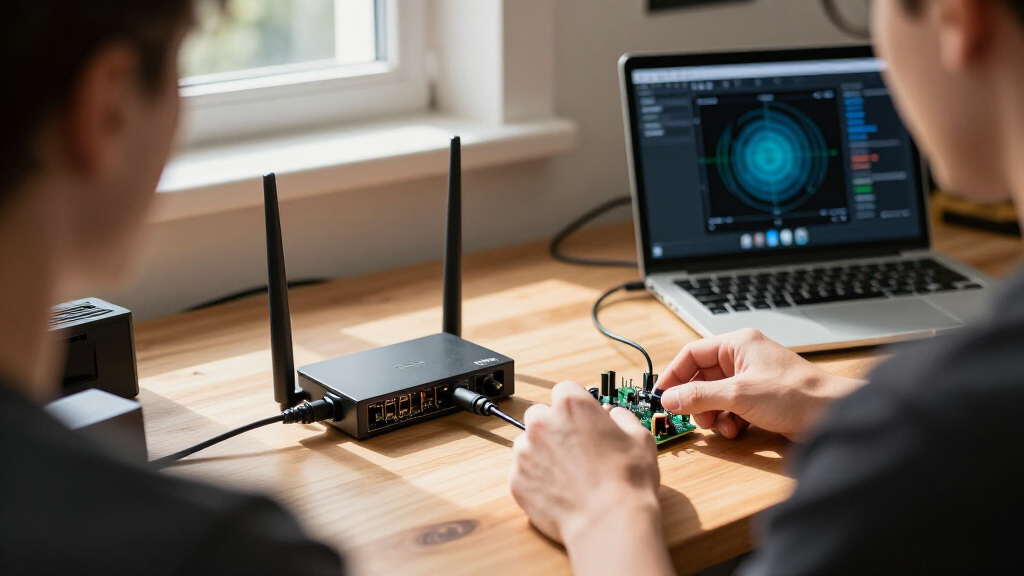
An open-source GitHub project reworks the Gemtek W1700K and W1700K2 Wi-Fi 7 routers into wideband software-defined radio receivers. It says the MediaTek MT7996 radio can capture 14-bit IQ data at up to 320 Msps and stream it to a Linux host over 10 GbE; the setup replaces the router’s stock operating system and requires compatible hardware.
A GitHub project called w1700k-sdr has published software for turning supported Gemtek W1700K and W1700K2 Wi-Fi 7 routers into wideband software-defined radio receivers. Its developers say the router’s MediaTek MT7996 radio captures 14-bit complex IQ data at up to 320 Msps and sends it to a Linux computer over a 10 GbE link, where users can view a live spectrum and waterfall in a browser.
The project’s repository describes custom firmware that initializes the MT7996 radio and exposes controls for tuning, sample rate, capture, gain and filtering. It supports 40, 80, 160 and 320 Msps across the listed bands: 2.4 GHz, 5 GHz and 6 GHz. The project also describes a 640 Msps mode on the 2.4 GHz band that retains every other sample; its documentation says that mode is flat to ±155 MHz but can fold signals from 160–320 MHz away into the captured range.
For data transfer, the router’s radio moves samples into a memory ring, and the system sends them over its 10 GbE port. The developers say that at 320 Msps, half of the data slices are packed to fit the link, with lossless packing performed on the router. On the host, separate tools provide a shared IQ stream, recording and a browser-based spectrum display. The repository describes a 262,144-point FFT and a rate of 100 spectra per second; it says the example recording shown runs at 50 frames per second.
Installation is a substantial change, not a plug-in feature for the stock router interface. The documented process installs a replacement operating system and requires a serial adapter, an Ethernet connection for installation and a 10 GbE-capable host connection for the IQ stream. The project says its builds use public source code and do not require MediaTek firmware. The repository also warns that one W1700K2 NAND variant is supported but has not been tested on a physical unit.
What Router Hardware Can Capture
The project offers a way to use the radio hardware in a commercial Wi-Fi 7 router for a different purpose: wideband reception and spectrum monitoring. At the documented maximum of 320 Msps, a receiver can display a broad frequency span at once rather than scanning it in narrower slices. The repository’s example captures show activity across the 2.4 GHz band and two busy 80 MHz Wi-Fi channels in a 320 MHz view.
That capability may interest radio experimenters and researchers who already have supported hardware, but the figures describe the project’s implementation, not an independently verified performance evaluation. The setup also has practical limits: supported router revisions are required, the host needs a fast network interface, and replacing the stock operating system can affect normal router use. It is a specialized receiver project rather than a general upgrade for ordinary Wi-Fi equipment.
Products Worth Considering

DJI Mini 5 Pro Fly More Combo with DJI RC 2

Amazon Kindle Scribe (64GB) with Premium Pen, Metallic Jade

Kindle Paperwhite 16GB (2024) – 7 Glare-Free Display, Weeks Battery Life – Black
As an affiliate, we earn on qualifying purchases.
How the Router Becomes a Receiver
The repository divides the system between firmware and software running on the router and tools running on a Linux host. Its own firmware handles radio initialization and control; a router-side data path moves captured samples onto the 10 GbE connection. Host software receives those samples, makes them available to other programs and can apply a correction the developers call “flatten” to compensate for decimation roll-off in the stream.
The developers say their firmware brings the radio up from a cold power-on and that they reconstructed initialization and calibration by comparing register activity with traces of MediaTek’s firmware. They also say the custom system uses no MediaTek code. These are descriptions in the project documentation; the supplied material does not include independent testing of the reverse-engineering work or a third-party review of receiver performance.
““Our firmware is receive-only.””
— The w1700k-sdr project documentation
Hardware Risks and Performance Limits
The supplied project description is the factual basis for the stated sample rates, data path and receiver behavior; it does not provide independent measurements or a separate review. Actual performance may depend on the router revision, host networking hardware and setup. The documentation’s spectrum examples demonstrate what the project reports, but do not establish results across all supported units or operating conditions.
There is also an explicit hardware caveat. Some W1700K2 units use a W25N04LV NAND chip that the project says is supported but has not yet been run on a physical unit. The installation tool pauses on that variant unless the user overrides its warning, and maintainers request a raw NAND dump. The project warns that installation replaces the stock operating system and advises against connecting an antenna port directly to sensitive instruments without an attenuator.
The developers say their ROM patch does not write eFuses, while warning that MediaTek ROM patches released since 2025 permanently program an eFuse gate bit on first run. They also state that units previously run with MediaTek’s firmware may already have that bit set. The source does not describe independent verification of those claims or quantify the receiver’s sensitivity, dynamic range or accuracy.
Testing Across Router Revisions
The repository provides installation, build and recovery instructions, along with architecture and roadmap documents. It asks owners of the W1700K2 units with the less-tested NAND variant to provide a raw dump to maintainers. Further development and real-hardware reports could clarify how reliably the software runs across router revisions and what performance users can expect outside the demonstrations.
Anyone considering installation should check the exact hardware revision and NAND type, review the project’s recovery guidance and account for the required serial and 10 GbE connections. The source gives no announced release schedule or formal next milestone, so it remains unclear when additional hardware testing or project updates will arrive.
Key Questions
Which routers does the project support?
The project lists Gemtek W1700K hardware revision 1.x and W1700K2 hardware revision 2.1. It says both revisions use the same software images, while warning that one W1700K2 NAND variant has not been tested on a physical unit.
What does 320 Msps mean here?
Msps means million samples per second. The repository says the receiver can capture 14-bit complex IQ data at up to 320 million samples per second; this is a project specification, not a published independent benchmark.
Does installation keep the router’s stock operating system?
No. The project explicitly warns that installation replaces the stock operating system. Users should read the project’s installation and recovery documentation before proceeding.
Can the receiver transmit?
The project says its custom firmware is receive-only, keeps the transmit path disabled and does not run MediaTek transmit calibrations. Those statements come from the project documentation and have not been independently verified in the supplied material.
What extra equipment is required?
The documented setup calls for a 3.3 V USB serial adapter, Ethernet for installation and a host with a 10 GbE connection for the IQ stream. The project also warns users not to connect an antenna port directly to a sensitive instrument without an attenuator.
Source: hn