TL;DR
A smart home device bundle packages connected products, such as lights, sensors, cameras, or a hub, for a shared purpose. Choose one by checking exact device compatibility, required hubs, subscription fees, privacy terms, and the current cost of buying only the items you will use.
Choose a bundle around a specific need, such as entry alerts, lighting, or climate control.
Verify the exact models, platform features, network type, and hub requirements before checkout.
Compare the cost of useful items plus subscriptions, storage, accessories, and installation.
Review data storage, authentication options, and the manufacturer’s update support.
Start with one working routine and expand after you understand your home’s coverage and setup.

Get the latest gadgets delivered free with Prime
- Fast, free delivery on millions of items
- Prime Video, Amazon Music and more included
- Member-only deals all year
A Bundle Can Get Your First Smart Home Running Faster
A smart home device bundle groups connected products for a shared purpose, such as controlling lights, monitoring doors, or managing temperature. The package may come from one brand or combine products meant to work together across a platform. It can save you the work of choosing each piece separately, though the label alone does not prove compatibility. Common packages include starter kits with a speaker or hub, bulbs, and plugs; security kits with door sensors, motion detectors, or cameras; and climate packages with a thermostat and room sensors. For example, if you want a lamp to turn on when you arrive home, a starter kit with a compatible plug and motion sensor could give you the pieces to build that routine. If you mainly want a door alert, a box of smart bulbs adds little value. The benefit is less research and potentially simpler setup: devices selected for a shared purpose may already have a documented way to work together. The tradeoff is reduced choice. You may get a hub or extra sensor that does not suit your layout, and replacing just one item later could mean leaving the bundle’s intended ecosystem. Before buying, map each device to a specific task and room. The useful question is not simply “What comes in the box?” Ask what each item will do in your home. A good bundle solves a clear problem with products you will use, while a poor fit can leave you with spare sensors gathering dust in a drawer.Products Worth Considering
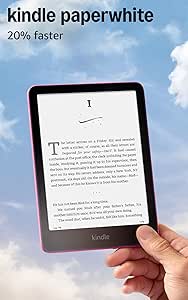
Amazon Kindle Paperwhite (12th Generation, 2024), 16GB, 7-Inch Display, Raspberry

Logitech MX Keys S Combo Wireless Keyboard and Mouse, Graphite

Samsung 27-inch Odyssey OLED G6 QHD Gaming Monitor
As an affiliate, we earn on qualifying purchases.
Check Platform Support Before You Buy
A bundle works for you only when its exact products support the platform and features you plan to use. Check the model numbers, app requirements, hubs, and automations before you pay; compatibility can vary even between products from the same brand. This matters because “works with” can mean anything from basic on/off control to access to the alerts, scenes, and automations that make the device useful. A device that pairs but lacks your needed feature can leave you managing it in a separate app or buying more equipment. | What to check | Why it matters | Example | |—|—|—| | Preferred platform | A device may support Apple Home, Alexa, Google Home, or SmartThings to different degrees. | A camera might show a live feed in an app but lack the alert features you expect in your platform. | | Matter support | Matter is designed to help participating products work across supported ecosystems. | A Matter label does not promise identical setup or features in every app. | | Network and hub | Wi-Fi, Bluetooth, Thread, Zigbee, and Z-Wave products have different equipment needs. | A Zigbee sensor may need a compatible hub even if your bulbs connect directly to Wi-Fi. | | Desired automation | Some routines require a specific app, hub, or paid service. | Confirm that a motion sensor can switch on your chosen light without another subscription. | Imagine your household uses Apple Home, but the bundle’s sensor exposes only basic controls there. The devices may pair successfully and still fail to do the job you bought them for. A shared standard such as Matter can make cross-brand choices easier, but each platform decides which features it exposes, and some functions may remain tied to the maker’s app or hub. That creates a practical tradeoff: sticking to one ecosystem can simplify setup, while mixing brands can broaden choice but calls for more feature-by-feature checking. Verify the exact model and feature support in the manufacturer’s current specifications before checkout, since product support can change over time.Compare the Full Cost, Not Just the Bundle Price
To compare a smart home bundle fairly, add the package price to every required hub, accessory, installation charge, and subscription over the time you expect to own it. Then compare that total with the current prices of the individual items you actually want. The point is to compare the same useful outcome, not a bundle’s full contents against the price of one device. A low upfront price can be offset by recurring fees, while buying separately can cost more initially but let you skip unwanted hardware.- List your use case. Write down the outcome you want, such as an entry alert or a lamp that turns on at dusk.
- Mark the useful items. Separate devices you’ll use from extras that simply fill out the package.
- Check required costs. Look for a hub, bridge, professional installation, cloud storage, monitoring, and paid app features.
- Compare like with like. Check model numbers, generations, included accessories, and current individual prices.
- Estimate the ownership total. Add recurring fees for the period you expect to keep the system.