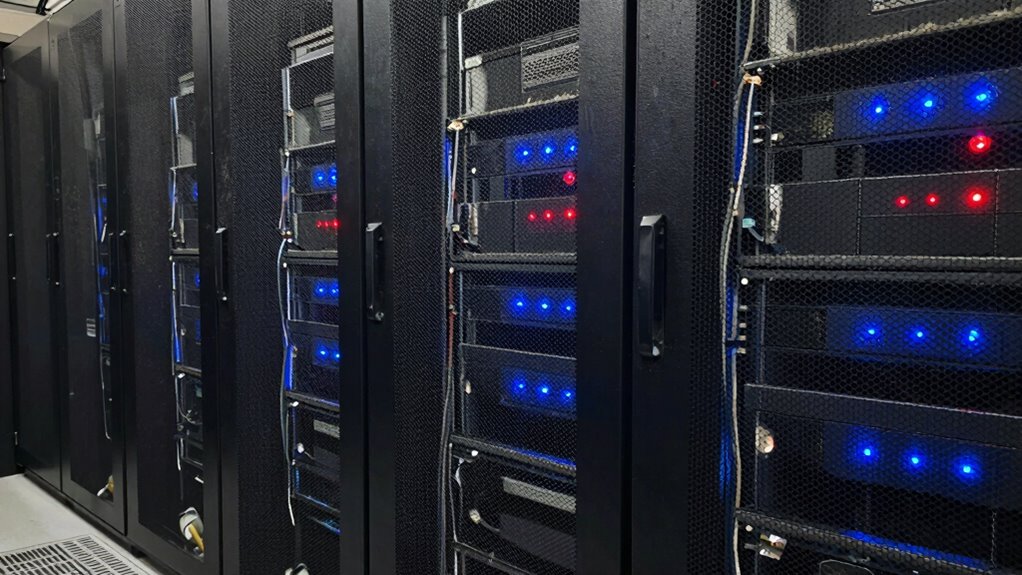

Addressing airflow issues in your server closet early prevents overheating and avoids hardware failures down the line. Make sure vents are unobstructed, cables are organized, and hot and cold aisles are properly configured. Using sensors and regular maintenance helps spot problems before they cause damage. Improving ventilation now reduces energy costs and extends equipment life. Keep optimizing airflow, and you’ll find more ways to protect your systems before needing to add more hardware.
Open a free Amazon Business account
Business pricing, bulk buying and tax-exempt orders.
As an affiliate, we earn on qualifying purchases.
Key Takeaways
- Proper airflow management prevents overheating, reducing the need for costly hardware upgrades.
- Regular ventilation assessments identify obstructions that hinder airflow early.
- Implementing hot aisle/cold aisle configurations enhances cooling efficiency without additional hardware.
- Monitoring airflow patterns with sensors helps detect issues before hardware failure occurs.
- Maintaining clean vents and unobstructed pathways ensures optimal cooling performance and energy savings.

Server closets are often overlooked when it comes to proper cooling, but inadequate airflow can lead to overheating and equipment failure. If you’re not paying close attention to how air moves around your servers, you risk damaging expensive hardware and causing costly downtime. The good news is that you don’t need to invest in more hardware to improve performance—focusing on energy efficient cooling and ventilation optimization can make a huge difference.
First, evaluate your current setup. Check if your server closet has proper vents and if the airflow flows smoothly from intake to exhaust. Obstructions like cables, shelves, or clutter can block air circulation, trapping heat and creating hotspots. When airflow is restricted, the servers work harder to stay cool, wasting energy and increasing your cooling costs. By optimizing ventilation, you help maintain a consistent temperature, reducing the risk of overheating. Proper airflow management is essential to prevent hotspots and ensure reliable operation.
Check vents and clear obstructions to ensure smooth airflow and prevent hotspots in your server closet.
Energy efficient cooling isn’t just about installing high-powered air conditioning units. It’s about making smart choices that lower power consumption while maintaining reliable temperatures. Consider installing programmable thermostats that adjust cooling based on real-time needs, avoiding unnecessary energy use. Simple measures like sealing leaks around vents and ensuring filters are clean can improve airflow and reduce energy waste. Also, using hot aisle/cold aisle configurations can direct airflow exactly where it’s needed, preventing warm air from recirculating and ensuring cool air reaches the servers efficiently. Implementing ventilation strategies can further optimize the airflow and cooling efficiency. Additionally, understanding airflow dynamics can help you design a more efficient cooling system tailored to your space. Regularly monitoring airflow patterns with sensors can help identify issues before they cause overheating.
Ventilation optimization goes hand in hand with good design and regular maintenance. You want to create a system where cool air enters from the front and warm air is expelled from the top or rear. This prevents the buildup of heat and creates a natural flow that requires less energy to sustain. Additionally, deploying fans or air movers can help circulate air more effectively, especially if your space is larger or has poor natural ventilation. Ensuring proper airflow channels can significantly improve overall cooling efficiency. Regular inspections and cleaning can prevent dust buildup that hampers heat dissipation and airflow. Incorporating energy-efficient cooling methods can further reduce operational costs and environmental impact.
server rack airflow management kit
As an affiliate, we earn on qualifying purchases.
As an affiliate, we earn on qualifying purchases.
Frequently Asked Questions
How Can I Measure Airflow Efficiency in My Server Closet?
You can measure airflow efficiency in your server closet by using airflow sensors to monitor real-time airflow levels. Conduct ventilation audits to identify hotspots and airflow obstructions, ensuring proper circulation. Regularly check sensor data to spot performance issues early. Combining these tools helps you enhance cooling, prevent overheating, and maintain efficient airflow, which is essential for protecting your hardware and maintaining ideal server performance.
What Are Common Signs of Poor Airflow in Server Closets?
Imagine a room where hot air lingers like a thick fog, slowly choking the servers. You’ll notice signs like rising temperatures, uneven cooling, and hot spots on equipment. Poor airflow often shows up through tangled cables blocking vents or poor ventilation design that traps heat. Check for dust buildup and airflow blockages, and guarantee cable management isn’t obstructing vents, so cool air flows smoothly and keeps your servers running efficiently.
Are There Cost-Effective Ways to Improve Airflow Without New Hardware?
Yes, you can improve airflow cost-effectively by adding ventilation upgrades like vents or fans. Installing airflow sensors helps you monitor and optimize conditions, ensuring proper circulation. Adjusting existing vents and organizing cables can also boost airflow without extra hardware costs. These simple steps prevent overheating and extend equipment lifespan, saving you money and reducing the need for costly hardware upgrades.
How Often Should Airflow Assessments Be Conducted?
You should conduct airflow assessments at least twice a year to guarantee ventilation improvements and cooling strategies stay effective. Regular evaluations help identify hotspots or ventilation issues early, allowing you to make adjustments before hardware performance suffers. Keep an eye on temperature and airflow patterns, especially during seasonal changes or increased equipment use, so you can implement timely cooling strategies and maintain ideal server closet conditions.
What Safety Precautions Are Necessary When Modifying Airflow Systems?
Modifying airflow systems is like walking a tightrope—you need balance and caution. Always wear appropriate PPE, including gloves and eye protection, to shield yourself from potential hazards. Before making changes, shut down equipment to prevent electrical shocks or damage, and guarantee proper ventilation strategies are in place. Follow manufacturer instructions and local codes for airflow optimization to keep yourself safe and the system functioning efficiently.
hot aisle cold aisle containment system
As an affiliate, we earn on qualifying purchases.
As an affiliate, we earn on qualifying purchases.
Conclusion
If you ignore the airflow issues now, you might think more hardware will solve your problems later. But the real danger lies in unseen damage and silent inefficiencies creeping in, threatening your entire setup. Will you wait until it’s too late, or take action before a small problem spirals into a costly disaster? The choice is yours—what’s lurking behind your server closet’s walls might hold the key to avoiding future chaos.
As an affiliate, we earn on qualifying purchases.
As an affiliate, we earn on qualifying purchases.
NFL season / tailgating Picks
team gear
As an affiliate, we earn on qualifying purchases.