

PoE switches simplify office setups by reducing clutter and making device connections easier, often powering phones, cameras, and access points with a single cable. However, ignoring power budgets can lead to overloading switches, causing device disconnections, hardware failures, and network instability. To avoid these issues, you need to plan and manage power carefully, considering future needs. Staying aware of power limits helps maintain a reliable, efficient network—there’s more to know about managing these budgets effectively.

Get the latest gadgets delivered free with Prime
- Fast, free delivery on millions of items
- Prime Video, Amazon Music and more included
- Member-only deals all year
Key Takeaways
- Ignoring power budgets can lead to switch overloads, causing device disconnections and network instability.
- Overlooking power constraints risks hardware failures and reduces overall office device reliability.
- Insufficient power planning hampers network scalability and the addition of new PoE devices.
- Failing to monitor power consumption may result in energy waste and higher operational costs.
- Proper power budget management ensures stable, efficient, and scalable office network setups.
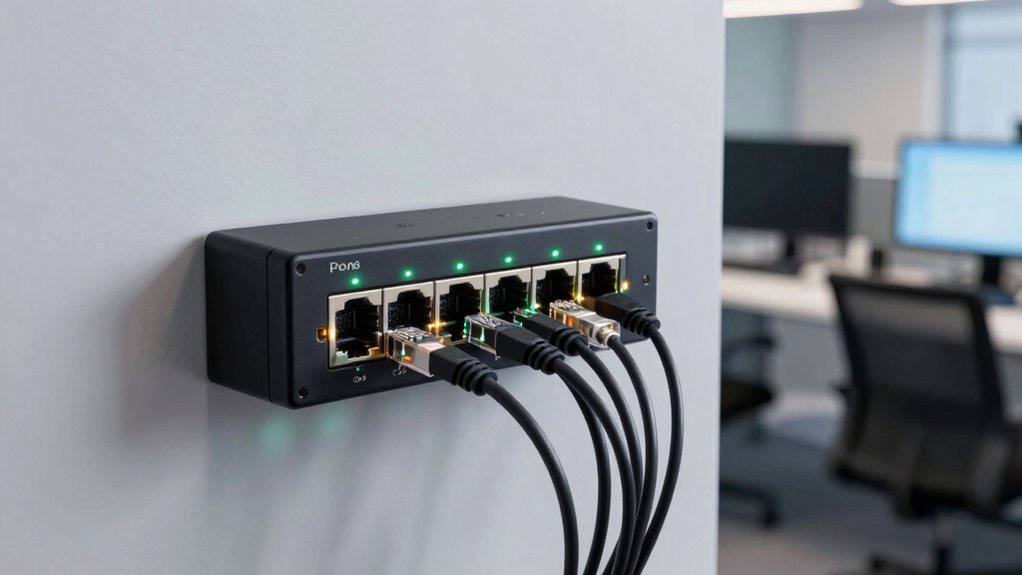
Power over Ethernet (PoE) switches have revolutionized office setups by reducing the need for multiple cables and simplifying device connections. With a single cable, you can power devices like phones, cameras, and access points while maintaining a reliable network connection. This integration streamlines your workspace, cuts clutter, and makes installation faster. But as you adopt more PoE devices, it’s crucial to consider the switch’s power budget. Ignoring this aspect can lead to unexpected outages or reduced device performance, especially as your network grows.
One of the biggest advantages of PoE switches is their contribution to energy efficiency. Because they deliver power precisely where it’s needed, you eliminate wasted energy often associated with traditional power supplies. Modern PoE switches are designed to optimize power use, adjusting output based on device requirements. This not only saves energy but also reduces your operational costs over time. When planning your office network, choosing a switch with a robust power management system ensures you’re maximizing efficiency without compromising performance.
Network scalability is another critical factor. PoE switches enable you to expand your network seamlessly. As your office grows or your technology needs evolve, you can add more PoE-powered devices without overhauling your infrastructure. This flexibility makes it easier to adapt to changing demands, whether that means deploying additional Wi-Fi access points or security cameras. However, scalability depends heavily on the switch’s capacity. If your switch’s power budget isn’t sufficient, you might find yourself limited in the number of devices you can support. Overloading a switch can cause devices to disconnect or operate unpredictably, defeating the purpose of a streamlined setup.
It’s tempting to prioritize expanding network capacity without paying attention to power constraints. But neglecting the power budget can lead to serious issues, including hardware failures or network instability. To avoid these problems, you should evaluate your current and future power needs carefully. Opt for switches with adjustable power settings or higher power budgets if you plan to add many devices. Regularly monitoring power consumption can also help you prevent overloads, ensuring your office remains efficient and scalable. Understanding your power budget is essential for maintaining a reliable and scalable office network. Additionally, staying informed about power management systems can help you optimize your infrastructure for long-term growth. Proper planning and oversight of power allocation can further safeguard your network’s health as it expands.
PoE switch with high power budget
As an affiliate, we earn on qualifying purchases.
As an affiliate, we earn on qualifying purchases.
Frequently Asked Questions
How Do POE Switches Differ From Traditional Network Switches?
PoE switches differ from traditional network switches by delivering power along with data to connected devices, reducing the need for extra cables. You benefit from network redundancy, ensuring your devices stay powered even if one connection fails. Plus, switch scalability lets you add more PoE devices easily as your office grows. However, keep an eye on power budgets, so you don’t overload the switch, which could impact performance.
What Are Common Signs of Power Budget Issues in POE Switches?
You’ll notice power overload warnings or device disconnects if your PoE switch’s power budget gets strained. These signs indicate the switch can’t supply enough power to connected devices, causing some to turn off unexpectedly. Keep an eye on network performance and device stability, as frequent disconnects or warnings suggest your power budget may be exceeded. Addressing this early prevents disruptions and ensures your network runs smoothly.
Can Existing Network Infrastructure Support High-Power POE Devices?
Think of your network like a busy highway; if it’s built for smaller cars, high-power PoE devices are like trucks trying to pass through. You need to check your existing infrastructure’s energy efficiency and device compatibility. If your switches aren’t rated for high power, they won’t support these devices properly, leading to performance issues. Upgrading or confirming your network’s capacity guarantees smooth traffic flow and reliable power delivery.
How Can I Monitor Power Consumption on My POE Switch?
You can monitor power consumption on your PoE switch by accessing its management interface, which often offers built-in tools for power monitoring. These tools help you track energy efficiency and identify power-hungry devices. Enable SNMP or use vendor-specific network management software to gather detailed data. Regularly reviewing this information allows you to optimize your power budget, prevent overloads, and guarantee efficient energy usage across your network.
What Are Best Practices for Managing POE Power Allocation?
Did you know that improper power management can lead to 30% of devices being underpowered? To manage your POE power allocation effectively, focus on power budgeting and device prioritization. Set limits for each device based on necessity, ensuring critical devices always have power. Regularly monitor consumption, adjust priorities as needed, and avoid overloading your switch. This approach keeps your network efficient and prevents power-related failures.
As an affiliate, we earn on qualifying purchases.
Conclusion
So, you thought PoE switches would make office setups easier, right? Turns out, ignoring power budgets can turn those sleek, simple solutions into a tangled mess of outages and frustrations. All the convenience vanishes when you overlook the limits, leaving you scrambling to fix what seemed so straightforward. Ironically, what was meant to simplify can become your biggest headache—proof that even the smartest tech needs careful planning to truly work in your favor.
As an affiliate, we earn on qualifying purchases.
As an affiliate, we earn on qualifying purchases.
Fall Picks
fall essentials
As an affiliate, we earn on qualifying purchases.