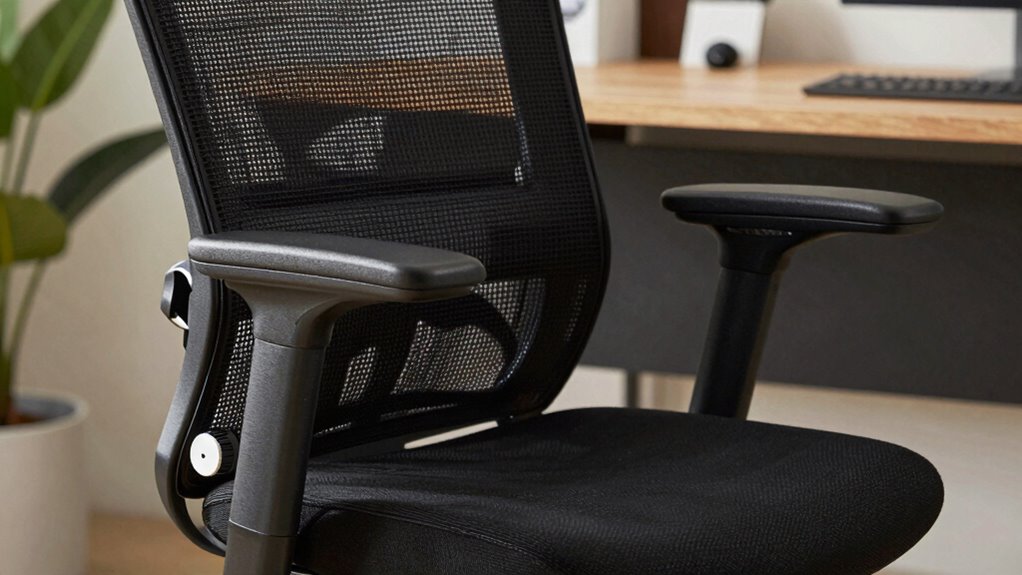

Your office chair could be hurting your back if you haven’t adjusted it properly. Start by setting your seat height so your feet rest flat and knees bend at 90°. Adjust lumbar support to fit your lower back, and position the backrest for natural spinal curve. Fine-tune armrests to keep shoulders relaxed, and confirm your posture is aligned during the day. Keep these seven settings in check tonight to protect your back long-term—more key tips follow.

Get the latest gadgets delivered free — and shop member deals
- Fast, free delivery on millions of items
- Access to Prime Big Deal Days deals on October 6–7
- Prime Video, Amazon Music and more included
Key Takeaways
- Adjust your seat height so feet rest flat and knees are at a 90° angle to reduce lower back stress.
- Ensure lumbar support fits snugly against your lower back to maintain natural spinal curve and prevent slouching.
- Set backrest tension for firm yet comfortable resistance, promoting proper spine alignment when leaning back.
- Position armrests so shoulders stay relaxed, elbows are close to your sides, and support forearms without hunching shoulders.
- Take regular breaks, stretch, and keep your monitor at eye level to maintain proper posture and prevent long-term back injury.
Why Proper Office Chair Adjustment Matters for Your Back

Properly adjusting your office chair is vital because it directly impacts the health of your back. When your chair isn’t set up correctly, you risk strain, discomfort, and long-term injuries. Using ergonomic accessories can help support proper posture and reduce stress on your spine. Regular office chair maintenance ensures all parts move smoothly, allowing you to make precise adjustments. For example, tightening loose screws or lubricating mechanisms keeps your chair functioning at its best. When your chair fits your body, it promotes better alignment and minimizes fatigue. Additionally, understanding the importance of ergonomic design can guide you in making more informed adjustments. Recognizing the role of material properties can help select the best cushions or supports for added comfort. Being aware of adjustment features allows you to optimize your chair settings effectively. Furthermore, selecting chairs made from high-quality materials can enhance durability and comfort over time. To ensure your chair continues to support your back properly, it’s essential to perform regular office chair maintenance. Don’t overlook these adjustments—they’re essential for maintaining back health during long work hours. Investing in ergonomic accessories and staying on top of office chair maintenance makes a significant difference in preventing pain and enhancing comfort.
How to Set Your Chair’s Seat Height and Depth for Comfort

Adjusting your chair’s seat height and depth correctly can considerably improve your comfort and support throughout the workday. Start by setting the seat height so your feet rest flat on the floor or on a footrest, with your knees at a 90-degree angle. Use ergonomic accessories like a footrest if needed to maintain proper foot positioning. The seat depth should allow a two-to-three finger gap between the back of your knees and the chair’s edge. Adjust the depth so your lower back remains supported, and you avoid pressure behind your knees. Proper seat height and depth help distribute your weight evenly, reduce strain, and promote good posture. Taking the time to adjust your chair settings properly can prevent long-term discomfort and improve your overall ergonomic setup. Ensuring your chair’s settings align with ergonomic principles enhances overall posture support and helps prevent back pain.
Adjusting the Lumbar Support to Fit Your Lower Back

To guarantee your chair provides adequate lower back support, start by positioning the lumbar support so it fits snugly against the natural curve of your spine. Use ergonomic accessories like a lumbar pillow if needed to enhance support. Here’s how to get it right:
- Adjust the lumbar support height so it aligns with your lower back’s curve.
- Increase or decrease the support’s firmness for comfort.
- Use a lumbar pillow if your chair’s built-in support isn’t enough.
- Test the fit by sitting back and ensuring your lower back feels supported without strain.
- Regularly maintain good indoor air quality to support overall comfort during long work sessions.
- Additionally, choosing a ergonomic office chair with adjustable lumbar features can significantly improve your back health. Adjusting other ergonomic settings can also optimize your comfort and prevent strain.
Proper lumbar support prevents slouching and reduces back pain. Regularly tweak these settings to maintain comfort and support, especially during long work sessions.
Positioning the Backrest and Tension for Optimal Support

To get the best support, start by adjusting the backrest height so it lines up with your lower back. Then, set the tension so the backrest provides firm yet comfortable resistance when you lean back. Proper positioning of these elements helps keep your spine aligned and reduces fatigue throughout the day. Incorporating ergonomic design principles can further enhance your comfort and prevent strain during long periods of sitting. Additionally, paying attention to adjustable features ensures your chair can be customized for optimal support. Ensuring your chair has proper load‑planning can contribute to sustained support and durability. Considering outdoor wisdom in your workspace setup can also help prevent common ergonomic issues and promote better posture overall.
Adjust Backrest Height
Ensuring your backrest is set at the right height is essential for maintaining proper support throughout your workday. Proper backrest height keeps your spine aligned and reduces fatigue. To get it right, consider these steps:
- Adjust the backrest so it supports the natural curve of your lower back.
- Make sure your hips are level with or slightly higher than your knees.
- Use ergonomic accessories, like lumbar cushions, if your chair lacks proper support.
- If you switch between sitting and standing desks, regularly readjust the backrest height to match your posture changes.
- Remember that ergonomics principles emphasize ongoing adjustments to optimize comfort and health.
- Taking time to adjust your backrest ensures better comfort and posture, especially if you use ergonomic accessories or alternate with standing desks. Proper back support minimizes strain and keeps your back healthy all day, and regularly reviewing your posture can help prevent long-term issues. Incorporating adjustable features into your chair can make ongoing positioning easier and more effective. Additionally, understanding and applying proper positioning techniques can further enhance your ergonomic setup for sustained comfort.
Set Proper Tension
Have you ever felt backrest slippage or discomfort even after adjusting its height? That’s often because the tension isn’t set properly. To fix this, locate your chair’s tension knob—usually beneath the seat—and turn it clockwise to tighten or counterclockwise to loosen. Proper tension supports your back’s natural curve without feeling stiff or too loose. Using ergonomic accessories like lumbar supports can help maintain correct posture, but setting the right tension enhances overall comfort. Also, consider footrest placement; keeping your feet flat and supported reduces strain, allowing you to fine-tune tension more effectively. Adjusting tension ensures your backrest responds to your movements, providing consistent support throughout the day and preventing slippage or discomfort. Additionally, understanding best ergonomic practices can further improve your seating setup for long-term back health. Remember that personalized adjustments are key to achieving optimal comfort and support. Regularly reviewing and adjusting your chair settings as your comfort needs change can help maintain healthy posture over time.
Getting Your Armrests Right to Reduce Shoulder Strain

Adjusting your armrests properly can considerably reduce shoulder strain during long hours at your desk. To achieve ideal shoulder relief with ergonomic armrests, follow these steps:
- Set the height so your shoulders stay relaxed, not hunched or elevated.
- Ensure armrests support your forearms without pushing your shoulders forward.
- Adjust the width so your arms rest comfortably at your sides.
- Confirm the armrests don’t interfere with your desk or keyboard positioning.
- Keep in mind that ergonomic adjustments can significantly improve your overall posture and comfort. Regularly monitor your posture to maintain proper alignment throughout the day. Incorporating proper ergonomic setup can further enhance your comfort and prevent strain.
Properly aligned armrests help keep your shoulders in a neutral position, preventing fatigue and discomfort. Focus on making small adjustments until your arms feel supported without tension. By fine-tuning your armrests, you’ll promote better posture and reduce shoulder strain, making long working hours more comfortable and less damaging.
Aligning Your Chair and Posture for Long-Term Back Health

To promote long-term back health, you need to align your chair and posture correctly, especially during extended periods of sitting. Start by adjusting your chair height so your feet are flat on the floor and your knees are at a 90-degree angle. Use ergonomic accessories like lumbar support cushions to maintain the natural curve of your spine. Keep your hips aligned with your shoulders, avoiding slouching or leaning forward. Incorporate simple posture exercises, such as shoulder rolls and chest openers, to reinforce proper alignment. Regularly check your posture throughout the day, making adjustments as needed. Proper alignment reduces strain on your back muscles and discs, preventing long-term damage. Additionally, understanding ergonomic principles can help you optimize your workspace setup for better comfort. Consistently applying these tips can considerably improve your back health over time.
Extra Tips to Keep Your Back Comfortable During the Day

Staying comfortable throughout the day requires small, intentional actions that support your back. To boost comfort, focus on these tips:
- Adjust your ergonomic keyboard placement so your wrists stay straight and your elbows are close to your sides—reducing strain.
- Use a footrest to keep your feet flat and your knees at a 90-degree angle, which helps maintain proper posture.
- Take regular breaks to stand, stretch, and move around, preventing stiffness and muscle fatigue.
- Keep your monitor at eye level, so you don’t tilt your head forward or backward, reducing neck and back tension.
Implementing these simple steps can make a significant difference in your back comfort and overall productivity during long workdays.
Frequently Asked Questions
How Often Should I Adjust My Office Chair During the Day?
You should adjust your office chair at least once every hour to stay comfortable and maintain proper posture. Use ergonomic cushions and lumbar support accessories to enhance support, especially if you notice discomfort. Regular adjustments help prevent strain and back pain by keeping your spine aligned. Take a moment to tweak your chair’s height, tilt, and lumbar support regularly, ensuring you stay comfortable and supported throughout your workday.
Can Poor Chair Settings Cause Long-Term Back Problems?
Like building a house on shaky ground, poor chair settings can cause long-term back problems. If you neglect ergonomic accessories and lumbar support options, your spine endures unnecessary strain, risking chronic pain and damage. Over time, these issues become harder to prevent. Adjust your chair regularly, guarantee proper lumbar support, and invest in ergonomic accessories to protect your back now and avoid serious problems later.
What Signs Indicate My Chair Needs Adjustment?
If your back aches after sitting, your chair likely needs adjustment. Look for signs like persistent discomfort, poor posture, or uneven weight distribution. Check if your ergonomic accessories, like lumbar support, are properly aligned. Consider your chair material choices—if it’s too hard or uneven, it can cause discomfort. Adjust the height, tilt, and armrests to promote better support. These tweaks can prevent long-term issues and make sitting more comfortable.
Are There Specific Chair Features That Benefit Back Health?
Yes, look for chairs with ergonomic design and lumbar support. An ergonomic chair promotes good posture, reducing strain on your back, while lumbar support helps sustain the natural curve of your lower spine. Adjustable features like height, tilt, and lumbar support guarantee you can customize the chair to fit your body. Prioritize these features to prevent discomfort and long-term back issues, making your workspace healthier and more comfortable.
How Do I Know if My Posture Is Correct While Seated?
You’ll know your posture is correct if your back is straight and supported by ergonomic accessories like lumbar pillows. Keep your feet flat on the floor and knees at a 90-degree angle. Adjust your chair’s height and armrests for comfort, considering chair material choices that promote breathability. Regularly check your alignment, and avoid slouching or leaning forward to prevent strain and guarantee long-term back health.
Conclusion
Take charge of your chair choices to transform your back health. Fine-tune your seat, support, and posture to prevent pain and promote comfort. By balancing the basics and tweaking tiny tweaks, you’ll turn your workspace into a supportive sanctuary. Remember, small adjustments can make a significant difference—so start setting, securing, and supporting today for a healthier, happier back tomorrow. Your back will thank you for these simple, smart, and steady steps.
Fall Picks
fall essentials
As an affiliate, we earn on qualifying purchases.