
TL;DR
Portable external hard drives are vital for data storage, with SSDs leading the way in speed and durability. Choosing the right one depends on capacity, speed, and security needs. Recent tech advances make them faster, more rugged, and more secure than ever.
Choose SSDs for faster speeds, better durability, and portable convenience, especially if working on the go or editing large files.
Pay attention to connectivity options—USB-C and Thunderbolt enable faster transfers, ideal for high-performance tasks.
Rugged, waterproof, and shock-resistant models are worth the extra investment if you travel or work outdoors.
Security features like hardware encryption safeguard sensitive data, essential for professionals handling confidential info.
Reformatting drives for different operating systems is common; check compatibility before buying.
What to Look for When Buying a Portable External Hard Drive
Choosing the right drive starts with understanding your needs. Storage capacity is king—think about how much space your files need now and in the future. For example, a photographer shooting high-resolution images or 4K videos will need significantly more space than someone primarily backing up documents. Connectivity options matter too. USB 3.0 offers decent speed, but USB-C and Thunderbolt provide a boost for those working with large media files or editing in real time, reducing bottlenecks and saving you valuable workflow time. Speed is another big factor. SSD drives can hit over 2,500 MB/s, making them perfect for editing 4K videos or running virtual machines directly from the drive—saving time and enhancing productivity. HDDs are slower but more budget-friendly for bulk storage, making them suitable for long-term backups or archiving large data sets. Durability counts if you’re often on the go. Rugged, shock-proof models survive drops and dust storms better than sleek, fragile ones, which can be crucial if your work environment is unpredictable. Compatibility? Most drives work with Windows and Mac, but reformatting might be needed to ensure seamless use across devices. Considering security features like hardware encryption and password protection is smart if sensitive data is involved, as these features help prevent unauthorized access. And don’t forget power—most USB-powered, but some larger drives need an external power source. Keep these points in mind, and you’ll narrow down your options faster.

Samsung T7 Portable SSD, 1TB External Solid State Drive, Speeds Up to 1,050MB/s, USB 3.2 Gen 2, Reliable Storage for Gaming, Students, Professionals, MU-PC1T0T/AM, Gray
MADE FOR THE MAKERS: Create; Explore; Store; The T7 Portable SSD delivers fast speeds and durable features to…
As an affiliate, we earn on qualifying purchases.
As an affiliate, we earn on qualifying purchases.
Latest Tech Trends Making Your Drive Smarter and Tougher
Portable SSDs now dominate the market, thanks to recent breakthroughs that significantly improve performance and resilience. Models like Samsung T7 or SanDisk Extreme Portable SSD are lightweight, shock-resistant, and offer blazing-fast speeds, enabling quick data transfers even on the go. The adoption of advanced interfaces like USB 3.2 Gen 2×2 and Thunderbolt 3/4 pushes transfer speeds up to 2,800 MB/s—turning your drive into a high-speed data highway that minimizes waiting times during large file transfers. Durability also got a boost, with many drives now boasting IP ratings—making them waterproof, dustproof, and shock-resistant. These features are critical for outdoor use or rough handling, ensuring your data’s safety in challenging environments. Some drives now incorporate biometric security, such as fingerprint scanners, adding an extra layer of protection against unauthorized access, which is increasingly important as data privacy concerns grow. Wireless options are emerging as well, allowing access to files via Wi-Fi without the need for physical connections, which enhances convenience, especially when multiple users need access. Eco-friendly designs with lower power consumption are also gaining popularity, aligning with sustainable tech trends. These innovations mean your drive isn’t just a passive storage device but a smart, rugged, and secure companion capable of adapting to diverse scenarios and user needs.

ADATA HD710 Pro – 2 TB External Hard Drive – Shockproof, Waterproof & Dustproof – Durable Storage – For Gamers, Students & Professionals – Mac, PC & Linux Compatible – Blue – AHD710P-2TU31-CBL
Safe Data Storage: ADATA HD710 Pro External Hard Drive is a ruggedized hard drive built to keep your…
As an affiliate, we earn on qualifying purchases.
As an affiliate, we earn on qualifying purchases.
Compare the Best Portable Drives: HDD vs SSD
| Feature | HDD (Hard Disk Drive) | SSD (Solid State Drive) |
|---|---|---|
| Speed | Up to 160 MB/s | Exceeds 2,500 MB/s |
| Durability | Less resistant to shocks and drops, leading to higher risk of mechanical failure if mishandled | Shock-proof, rugged designs available that withstand drops and vibrations, making them ideal for active use |
| Price | Typically $50–$150, offering a budget-friendly option for large storage needs | $100–$300+, reflecting their advanced technology and performance |
| Capacity | Up to 5TB or more, suitable for extensive media libraries or backups | Usually up to 2TB, but higher capacities are emerging as technology advances |
| Weight | Heavier, bulkier, which can impact portability and ease of use | Lightweight, pocket-friendly, ideal for frequent travel or daily carry |

YOTUO 1TB External Hard Drive, Portable Storage Expansion HDD, USB 3.0 & USB-C for PC, Mac, Desktop, Laptop, Smartphone, PS4, Xbox One, Xbox 360, Office & Game
【Versatile Storage Expansion – For Gaming, Work & Everyday Use】 Running out of space on your PS5 or…
As an affiliate, we earn on qualifying purchases.
As an affiliate, we earn on qualifying purchases.
How to Pick the Perfect Drive for Your Needs
- Assess your storage needs. Do you need 500GB or 5TB? For large media libraries or professional workflows, higher capacity drives are essential to avoid running out of space and to keep data organized efficiently.
- Decide on speed. If you’re editing videos directly from the drive or running demanding applications, go for SSDs. They significantly reduce lag and improve overall workflow, saving you time and frustration.
- Think about portability and durability. Will you carry it around daily or in rugged environments? Rugged models with shock resistance and waterproofing can prevent data loss caused by accidental drops, dust, or water exposure.
- Look at security features. Sensitive data requires protection—choose drives with hardware encryption and password protection to prevent unauthorized access, especially if you carry confidential information.
- Check compatibility. Most drives are plug-and-play with Windows and Mac, but reformatting might be necessary for some systems or mobile devices. Confirming compatibility beforehand ensures smooth integration into your existing setup.
For example, a photographer shooting high-res images might prioritize speed and durability, choosing a rugged SSD with 2TB capacity to handle large files on location. Conversely, a student needing reliable backups might prefer a larger HDD for cost-effective storage, even if it’s slightly heavier and less fast.

Seagate One Touch, 5TB, Password Activated Hardware encryption, Portable External Hard Drive, Portable External Hard Drive, PC, Notebook & Mac, USB 3.0, Space Gray (STKZ5000404)
Store and access photos and files with Seagate One Touch, an on-the-go USB drive for Windows and Mac…
As an affiliate, we earn on qualifying purchases.
As an affiliate, we earn on qualifying purchases.
Practical Tips to Keep Your Data Safe and Your Drive Lasting
- Always eject your drive safely—this prevents data corruption that can occur if files are in use or the drive is disconnected improperly. Proper ejection ensures the integrity of your data and prolongs device lifespan.
- Keep backups of important files in the cloud or on another external drive. Relying on a single device increases the risk of data loss due to hardware failure, theft, or damage. Multiple backups provide peace of mind and quick recovery options.
- Use encryption if storing sensitive info. Hardware encryption or software solutions protect your data from unauthorized access, especially if the drive is lost or stolen. This is vital for professionals handling confidential client data or personal information.
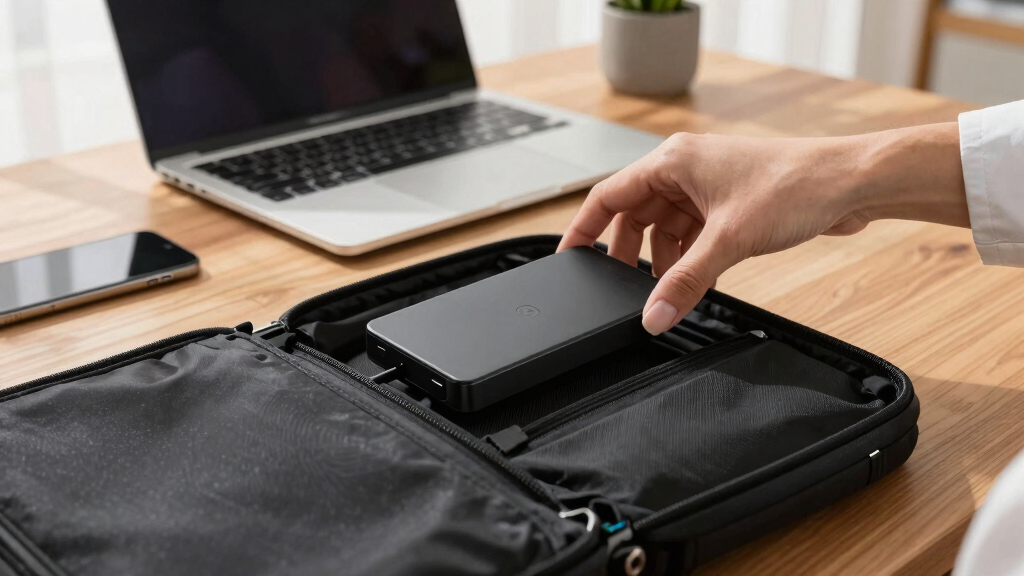
- Store your drive in a padded case when traveling. Physical protection from shocks, dust, and moisture can significantly extend the life of your device and prevent accidental damage.
- Regularly update firmware and backup software. Manufacturers release updates that improve performance, security, and compatibility. Staying current reduces vulnerabilities and ensures your drive functions optimally over time.
Imagine you’re on a weekend camping trip, and your rugged SSD slips into the dirt. A shock-resistant case and careful handling protect it from damage. Regular backups, stored securely elsewhere, ensure that even if the worst happens, your data remains safe and recoverable, giving you peace of mind amidst outdoor adventures.