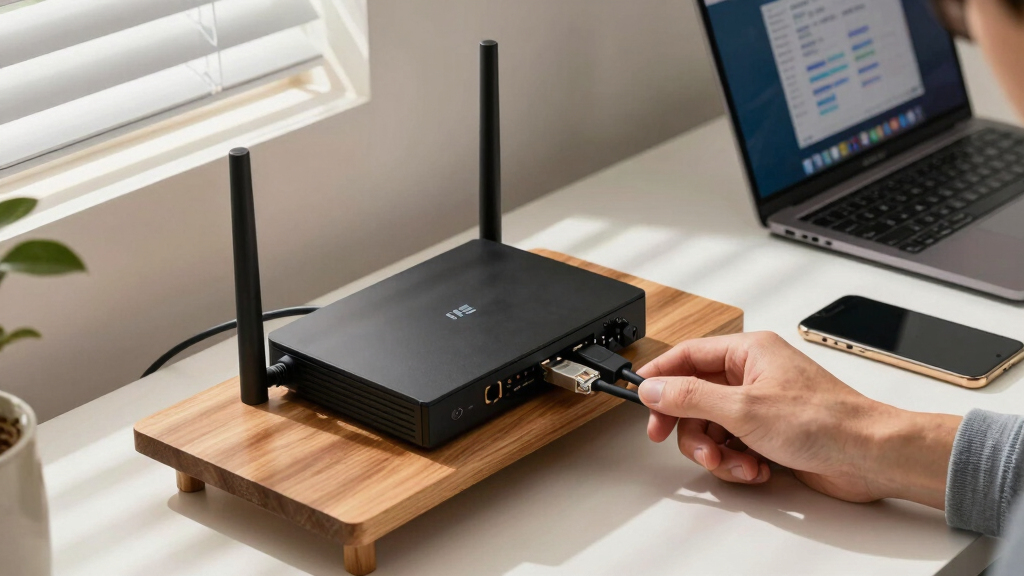

When internet stability is critical, choosing the best backup internet router failover becomes essential. The GL.iNet GL-XE3000 (Puli AX) stands out for its built-in battery and multi-WAN capabilities, making it ideal for mobile or emergency setups. The TP-Link ER707-M2 offers seamless VPN support for small business continuity, while the G530 5G NR AX3000 provides robust cellular failover with high compatibility. Each of these options balances speed, reliability, and ease of use, but they also come with tradeoffs like cost or complexity. Continue reading for a detailed breakdown to find the best failover solution for your needs.
Key Takeaways
- Multi-WAN and cellular failover features are the main criteria for reliable backup routers in this roundup.
- Higher-end models tend to offer more seamless failover, but often at a higher price point.
- Ease of setup and management varies widely, with some options designed for novices and others for advanced users.
- Built-in batteries and portable designs are key for mobile or emergency applications, not just fixed locations.
- Tradeoffs often involve balancing speed, redundancy, and budget—more features usually mean higher costs.


More Details on Our Top Picks
GL.iNet GL-XE3000 (Puli AX) 5G Router with Dual SIM Card Slot, Wi-Fi 6 Cellular Routers, Built-in Battery, Multi-WAN, VPN, OpenWrt, Secure 5G Router for Office, Retail, Events, Business
This router stands out for its combination of reliable 5G connectivity, dual-SIM failover, and built-in battery, making it ideal for fieldwork or remote sites. Unlike the TP-Link ER707-M2, it offers cellular backup with a dedicated 5G modem and a long-lasting battery, ensuring uninterrupted connection during outages. The support for OpenWrt allows extensive customization, which appeals to tech-savvy users but might overwhelm beginners. Its multi-WAN support is flexible, supporting Ethernet, cellular, and tethering options, perfect for varied environments. However, the device is somewhat bulky and less suited for small spaces, and its setup can be complex for non-technical users. The high-speed cellular connection combined with rugged design makes this the top choice for those needing a fail-safe, portable network. Compared to the TP-Link AX1800, it’s better for on-the-go use but offers less Wi-Fi coverage indoors.
Pros:- Reliable 5G cellular connectivity with dual-SIM failover
- Built-in 6400mAh battery for up to 8 hours of operation
- Supports OpenWrt for extensive customization
- Multi-WAN support including Ethernet, cellular, and tethering
Cons:- Bulky size and heavier weight make it less portable for some users
- Setup and configuration are complex for non-technical users
- Cellular feature restricted in certain regions
Best for: Remote workers, outdoor event organizers, or field teams requiring reliable, portable backup internet with battery support.
Not ideal for: Small home users or office environments where wired stability or indoor Wi-Fi coverage is the priority.
- Wi-Fi Speeds:up to 574Mbps (2.4GHz) + 2402Mbps (5GHz)
- Cellular Support:5G NSA/SA, LTE, Dual-SIM
- Battery Capacity:6400mAh
- Multi-WAN:Ethernet, Cellular, Tethering
- VPN Support:OpenVPN, WireGuard
- Antenna Count:6
Bottom line: This device is best for users needing a rugged, portable failover router with cellular backup and customization options, despite its size and complexity.
TP-Link ER707-M2 Omada Multi-Gigabit VPN Router
Compared to the GL.iNet Puli AX, the TP-Link ER707-M2 excels in its multi-Gigabit port support and centralized cloud management via Omada, making it ideal for business environments. Its dual 2.5Gbps WAN ports and high session capacity support large-scale failover setups, surpassing the cellular focus of the GL-XE3000. The router offers robust security protocols and supports a wide array of VPN standards, but it lacks modem compatibility, limiting its use as a primary failover device in areas without fiber. The configuration can be complex for those unfamiliar with enterprise networking, but once set up, it provides scalable, reliable performance. The device’s focus on wired, high-throughput connections makes it less flexible for mobile or outdoor use, unlike the GL-XE3000. It’s an excellent choice for businesses needing a scalable, high-speed backup solution, even if it’s not suited for remote sites without fiber access.
Pros:- Dual 2.5Gigabit WAN ports for high-throughput failover
- Supports up to 500,000 concurrent sessions
- Centralized cloud management with Omada
- Robust security and multiple VPN protocols
Cons:- No modem compatibility limits use with cable or cellular networks
- Complex setup requiring technical knowledge
- Less suited for mobile or outdoor environments
Best for: Businesses needing scalable, high-capacity dual-Gigabit WAN failover with centralized management and security.
Not ideal for: Home users or remote sites relying on cellular connections or needing portable failover options.
- Ports:1x 2.5Gig WAN, 1x 2.5Gig WAN/LAN, 4x Gigabit LAN/WAN, 1x SFP
- Max Sessions:500,000
- VPN Protocols:SSL, IPsec, GRE, OpenVPN
- Warranty:5 years
- Data Transfer Rate:up to 5000 Mbps
- Support:Cloud management
Bottom line: This router is ideal for enterprise environments requiring high-speed, scalable wired failover with centralized management, at the expense of mobility.
TP-Link ER605 V2 Wired Gigabit VPN Router, Up to 3 WAN Ethernet Ports + 1 USB WAN, SPI Firewall SMB Router, Omada SDN Integrated, Load Balance, Lightning Protection
Compared with the TP-Link ER707-M2, the ER605 is more suited for small offices or SMBs needing multiple wired WAN ports and load balancing without cellular support. Its up to 3 Ethernet WAN ports and USB WAN support for 4G/3G modems provide flexible failover options. While it offers advanced security features and supports Omada SDN for network management, it does not support cellular backup directly, making it less versatile for remote or mobile setups. Its configuration is straightforward for those familiar with network management, but less friendly for beginners. The device is lightweight and compact, making it ideal for small business installations that rely on wired infrastructure. Its load balancing feature ensures optimal bandwidth utilization, but it cannot handle cellular failover, unlike the GL-XE3000. It’s best for wired environments needing reliable backup, not for mobile or outdoor use.
Pros:- Up to 3 Gigabit Ethernet WAN ports for failover
- Supports USB WAN for 4G/3G cellular backup
- Omada SDN for centralized management
- Advanced security features including SPI firewall
Cons:- No direct cellular support, limiting outdoor/mobile use
- Complex setup for non-technical users
- Limited to wired failover environment
Best for: Small businesses requiring wired failover with load balancing and VPN capabilities, but without cellular backup needs.
Not ideal for: Remote or outdoor sites relying on cellular failover or users who need wireless failover support.
- WAN Ports:3x Gigabit Ethernet, 1x USB
- VPN Support:IPsec, OpenVPN, L2TP
- Security:SPI Firewall, DoS Defense
- Support:Omada SDN
- Lightning Protection:Yes
- Max Data Rate:up to 1000 Mbps
Bottom line: Ideal for small business wired failover needs with VPN and load balancing, but not for cellular or outdoor applications.
G530 5G NR AX3000 WiFi 6 Router with SIM Card Slot, Cellular Gateway, Optimized High-Gain Antennas, Dual-WAN Failover, AT&T, T-Mobile and Verizon Certified
Compared to the GL-XE3000, the G530 offers 5G cellular speeds up to 3.4 Gbps and is certified for major US carriers, making it perfect for rural, mobile, or temporary setups. Its dual-WAN failover supports both wired broadband and 5G, providing redundancy in areas where wired connections may be unreliable. Setup is simplified via the Falcon app, and its high-gain antennas deliver wide coverage. However, it doesn’t support advanced VPN features or extensive customization, unlike the GL-XE3000, and it’s less suitable for indoor environments with complex network needs. The device is primarily designed for outdoor, rural, or mobile use, where cellular backup is crucial. Its certification with carriers ensures compatibility, but the device’s focus on cellular means less flexibility for indoor enterprise networking compared to enterprise-grade routers.
Pros:- High-speed 5G cellular support up to 3.4 Gbps
- Dual-WAN failover supporting wired and 5G connections
- Certified with major US carriers (AT&T, T-Mobile, Verizon)
- High-gain antennas for broad coverage
Cons:- Limited advanced VPN and customization options
- Primarily outdoor or mobile use, less ideal for indoor complex networks
- No support for OpenWrt or similar firmware
Best for: Rural homes, mobile setups, construction sites, or outdoor events requiring reliable 5G failover and wide coverage.
Not ideal for: Indoor residential or office environments where wired stability or advanced VPN features are necessary.
- Speed:up to 3.4 Gbps (5G)
- Failover:Dual-WAN, Cellular + Wired
- Antenna:High-gain, external
- Carrier Compatibility:AT&T, T-Mobile, Verizon
- Wi-Fi Speed:up to 574Mbps (2.4GHz) + 2402Mbps (5GHz)
- Coverage:Wide, outdoor
Bottom line: This router excels in rural, outdoor, or mobile failover scenarios needing fast cellular backup and wide coverage, but falls short on enterprise features or indoor network complexity.
TP-Link AX1800 WiFi 6 Router (Archer AX21 V5) – Dual Band Wireless Internet, Gigabit, Easy Mesh, Works with Alexa – A Certified for Humans Device, Free Expert Support
Compared to the GL-XE3000 and enterprise options, the Archer AX21 delivers reliable Wi-Fi 6 coverage with dual-band support suitable for most home environments. It offers easy setup via app or browser and supports mesh networking for expanded coverage, making it a solid choice for indoor failover. Its Gigabit Ethernet ports enable wired backup, and WPA3 security enhances network safety. While it doesn’t support cellular failover or OpenWrt customization, it excels in simplicity and broad device compatibility, including Alexa integration. Its coverage and speed surpass traditional routers like the TP-Link AX1800, but it’s less suited for outdoor or mobile use. The device’s Wi-Fi 6 technology and mesh support make it ideal for home failover, streaming, and gaming, though it lacks cellular options.
Pros:- Wi-Fi 6 support with fast speeds up to 1200 Mbps on 5 GHz
- Mesh support for larger coverage areas
- Gigabit Ethernet ports for wired failover
- Alexa compatible and easy setup
Cons:- No cellular backup support
- Limited advanced VPN or customization options
- Not designed for outdoor or mobile use
Best for: Home users needing reliable Wi-Fi 6 coverage and wired backup for seamless indoor failover, streaming, and gaming.
Not ideal for: Remote or outdoor deployments needing cellular failover or extensive VPN features.
- Wi-Fi Speed:up to 1200 Mbps (5 GHz)
- Number of Ports:5
- Security:WPA3
- Coverage:Wide, reliable
- Mesh Support:Yes
- Alexa Compatibility:Yes
Bottom line: This router is ideal for residential indoor failover with fast Wi-Fi and wired backup, but lacks cellular and advanced enterprise features.
GL.iNet GL-BE9300 (Flint 3) Tri-Band WiFi 7 Router, High-Speed 6GHz Gaming WiFi Router for Wireless Internet, Long Range, 5 x 2.5G VPN Routers for Fiber Optic Modem, Computer Routers, Home & Business
The GL.iNet GL-BE9300 stands out for its cutting-edge Wi-Fi 7 standard, delivering speeds up to 9 Gbps, making it ideal for high-bandwidth backup scenarios like 4K streaming or gaming. Compared to the Hitron D60, it offers much higher speed and a broader range, but at the cost of increased complexity and a higher price. Its tri-band design and extensive coverage make it suitable for large homes or small business environments where seamless failover isn’t just about switching but maintaining top-tier performance. The built-in VPN support with Wireguard and OpenVPN allows secure failover options, while MLO technology reduces latency in dense environments. However, the setup process can be more involved, especially for non-technical users, and firmware updates are essential for optimal performance. Overall, this router caters well to those needing a reliable, high-speed backup that can handle multiple devices and demanding applications.
Pros:- Ultra-fast Wi-Fi 7 speeds up to 9 Gbps for demanding backup needs
- Long-range coverage suitable for large spaces
- Supports advanced VPN, ad-blocking, and high-density device connections
- Future-proof with MLO and OFDMA technology
Cons:- Higher cost and complexity may overwhelm casual users
- Firmware updates required to maximize performance
- Limited user-friendly setup options
Best for: Tech-savvy users wanting the latest Wi-Fi 7 speeds and extensive device capacity for critical backup connections.
Not ideal for: Home users on a budget or those seeking a plug-and-play solution with minimal setup complexity.
- Wi-Fi Standard:Wi-Fi 7 (802.11be)
- Max Speed:Up to 9 Gbps
- Coverage Area:Up to 2,000 sq ft
- VPN Support:OpenVPN & Wireguard
- Technology:MLO, OFDMA, 4K QAM
- Device Capacity:Over 100 devices
Bottom line: Best suited for high-end users who need top-speed, large coverage, and robust failover capabilities in demanding environments.
Hitron D60 5G Cellular Router with WiFi 6 and Dual Failover
The Hitron D60 excels in providing reliable backup via cellular failover, with speeds up to 3.4 Gbps, making it ideal for locations where wired connections are unstable or unavailable. While it can’t match the sheer speed of the GL.iNet Flint 3, its cellular capabilities ensure continuous internet access in remote or mobile settings. Its dual-band WiFi 6 support allows for efficient device handling and mesh integration, but it is limited by a brief 3-month warranty and requires a nano SIM from specific carriers—factors that could increase ongoing costs or complicate setup. Compared to enterprise options like Peplink B-One, it offers a more straightforward, portable solution for small-scale failover, especially in scenarios where cellular backup is a must rather than a luxury. This makes it an excellent choice for remote work sites, temporary setups, or backup in areas with poor wired infrastructure.
Pros:- High-speed 5G connectivity up to 3.4 Gbps
- Dual-band WiFi 6 for efficient device management
- Supports mesh networking and carrier compatibility
- Portable and easy to deploy in remote locations
Cons:- Limited warranty duration (3 months)
- Requires specific carrier SIM cards, potentially adding costs
- Speed may be constrained by cellular network conditions
Best for: Small businesses or remote users needing reliable cellular backup without extensive network complexity.
Not ideal for: Large enterprises or users requiring extensive failover features beyond cellular backup and moderate WiFi coverage.
- Max Download Speed:3.4 Gbps
- Wi-Fi Standard:Wi-Fi 6 (802.11ax)
- Antenna:5 internal antennas
- Ports:1 LAN 1000 Mbps
- Cellular Compatibility:Nano SIM / eSIM
- Coverage:Indoor/Outdoor flexible
Bottom line: Ideal for mobile or remote users prioritizing cellular failover with decent WiFi coverage and speed.
Peplink B-One Enterprise-Grade Dual-WAN WiFi Router with Gigabit Speeds and WAN Smoothing
The Peplink B-One redefines failover reliability for demanding environments, combining dual WAN ports, SpeedFusion technology, and load balancing to provide seamless, uninterrupted internet even during outages. Unlike the simpler cellular-based solutions like the Hitron D60, it supports multiple WAN sources—including Ethernet and Starlink—offering a more comprehensive failover approach. Its 1 Gbps throughput and enterprise-grade security make it suitable for critical business operations where downtime is unacceptable. Nevertheless, its higher price point and more complex setup process mean it’s better suited for organizations with IT resources or dedicated network teams. Compared to consumer-grade routers, the B-One emphasizes stability and advanced failover techniques, which come with a learning curve but deliver peace of mind for mission-critical applications.
Pros:- Reliable dual-WAN failover with SpeedFusion technology
- Gigabit speeds support demanding applications
- Supports multiple WAN sources, including Ethernet and Starlink
- Enterprise-grade security and automatic updates
Cons:- Higher cost and complexity requiring technical setup
- Designed for professional or enterprise use, not plug-and-play
- Overkill for small-scale backup needs
Best for: Medium to large organizations needing dependable, seamless failover across multiple connection types.
Not ideal for: Small offices or home users seeking a simple, budget-friendly backup router without enterprise features.
- Throughput:1 Gbps
- WAN Ports:2 x Gigabit
- Wi-Fi Standard:Dual-band Wi-Fi 6
- Special Features:SpeedFusion, Starlink support
- Security:Automatic firmware updates
- Use Case:Enterprise failover & load balancing
Bottom line: Best suited for organizations requiring multi-path, seamless failover with enterprise reliability and speed.

How We Picked
To evaluate these backup internet routers, I focused on performance, ease of use, build quality, and versatility. Priority was given to models supporting multiple WAN sources, cellular backup, and failover automation, as these are critical for maintaining connectivity during outages. Value was also an important factor—products had to deliver reliable features relative to their price. Devices with flexible management options, robust security, and good user feedback ranked higher, ensuring the list caters to both casual and professional setups. The ranking reflects a balance between advanced capabilities and accessibility, making sure each option serves a specific type of user well.Factors to Consider When Choosing Best Backup Internet Router Failover
When selecting the best backup internet router failover, considering your specific needs and environment is crucial. Not all routers are created equal, and the right choice depends on factors like connection types, ease of use, and budget. Understanding the key features and potential pitfalls will help you avoid common mistakes and ensure your backup system is truly resilient.Connection Types and Redundancy
Look for routers that support multiple WAN inputs, including cellular (4G/5G), Ethernet, and fiber. The ability to automatically switch between sources during an outage is vital for seamless failover. Devices with dual or triple WAN ports offer redundancy, but make sure they support automatic failover rather than requiring manual intervention. The more diverse your connection options, the less likely your backup system will fail when one source goes down.
Ease of Setup and Management
Choosing a router with user-friendly setup and management features can save time and frustration. Some models offer intuitive apps or web interfaces that simplify configuration, while others may require advanced networking knowledge. Consider whether you need features like VPN, load balancing, or remote management, and ensure they are accessible without extensive technical expertise. Investing in a device with good documentation and customer support can make a big difference during emergencies.
Performance and Speed
Backup routers shouldn’t compromise your internet speed during failover. Evaluate the device’s maximum throughput and support for latest Wi-Fi standards like Wi-Fi 6 or Wi-Fi 7, especially if you rely on high-bandwidth applications. Keep in mind that some cellular failover options may have data caps or throttling, which can affect performance. Balancing speed with reliability is key—prioritize models that can handle your typical load even during a failover event.
Build Quality and Portability
For mobile or emergency use, a rugged, portable router with a built-in battery can be invaluable. Check battery life, durability, and ease of transport. Fixed locations should focus more on durability and redundancy features, like lightning protection and industrial-grade components. Remember that a well-built device reduces the risk of failure itself, especially in challenging environments.
Cost and Value
Higher-priced models tend to offer more advanced failover features, better build quality, and greater flexibility. However, not everyone needs all the bells and whistles—sometimes, a simpler setup provides enough security at a lower cost. Consider your budget against the criticality of your internet connection. Spending more on a reliable, professional-grade device can be justified if your operation depends heavily on continuous connectivity.
Frequently Asked Questions
Can these routers automatically switch between multiple internet sources?
Yes, most of these routers support automatic failover, which detects when the primary connection drops and switches to a backup source without user intervention. Devices like the GL.iNet GL-XE3000 and Peplink B-One excel in this area, providing seamless transition during outages. Ensure that the router’s firmware and configuration settings are properly set up to enable this feature, as some models require manual setup for failover conditions.
What’s the main difference between cellular and wired backup options?
Cellular backup relies on mobile networks like 4G or 5G, offering portability and rapid deployment, especially in remote or temporary setups. Wired backup, such as Ethernet or fiber, usually provides higher speed and stability but lacks mobility. Choosing between them depends on your environment—cellular is ideal for mobile or emergency needs, while wired connections suit fixed, high-bandwidth locations.
How much does a backup router with failover typically cost?
Prices range broadly depending on features and build quality. Basic models with cellular failover can start around $100, while more advanced, multi-WAN routers with enterprise-grade features may exceed $500. Investing more generally means better reliability, faster failover, and additional features like load balancing or security. Consider your criticality and budget to find a balance that offers peace of mind without overspending.
Are these routers suitable for residential or commercial use?
Most of these devices are versatile enough for both residential and small business environments. High-end models like the Peplink B-One are geared toward enterprise needs, offering extensive redundancy and management features. For home use, simpler models like the TP-Link AX1800 or GL.iNet options provide sufficient backup solutions. Always match the router’s specifications to your actual connectivity requirements and scale.
What should I consider if I want mobile backup internet for events?
For mobile setups such as events, portability, battery life, and quick setup are key. Devices like the GL.iNet GL-XE3000 and Hitron D60 are designed with these needs in mind, offering cellular connectivity and battery power. Ensure the device supports multiple SIM cards for network flexibility and has robust antennas for better coverage. Reliability and ease of deployment will be your top priorities in such scenarios.
Conclusion
For most users seeking a reliable backup internet solution, the Peplink B-One offers enterprise-grade redundancy and load balancing, making it ideal for critical business operations. Beginners or home users should consider the TP-Link AX1800 for its simplicity and solid performance at a reasonable price. Those needing a portable, mobile failover option will find the GL.iNet GL-XE3000 perfect, thanks to its battery and multi-WAN support. For high-performance, cellular-focused failover, the G530 5G NR AX3000 stands out, especially for environments with strong cellular coverage. Ultimately, your choice depends on your specific needs—whether it’s enterprise reliability, ease of use, or mobility—that will guide you to the right backup router.