
If you want seamless, reliable WiFi coverage throughout your home, mesh WiFi systems are generally the better choice. They create a unified network, adapt to your layout, and manage device connections intelligently, unlike extenders that often cause slower speeds and dead zones. While mesh setups cost more upfront, they’re easier to install and maintain. To understand whether mesh or extenders suit your needs best—and discover some common pitfalls—continue exploring what makes each option unique.
Key Takeaways
- Mesh WiFi systems provide seamless, unified coverage with intelligent device communication, unlike extenders that often create separate networks.
- Mesh networks adapt to home layouts, offering more reliable speeds and fewer dead zones compared to the potentially reduced performance of extenders.
- Setup and management are simpler with mesh systems through automatic configuration and centralized control, whereas extenders require manual placement and setup.
- Mesh solutions are more future-proof, supporting smart devices and expanding coverage easily, while extenders may struggle with compatibility and scalability.
- Although more expensive initially, mesh WiFi systems typically deliver better long-term performance, stability, and coverage than WiFi extenders.

TP-Link Deco X55 AX3000 WiFi 6 Mesh System – Covers up to 6500 Sq.Ft, Replaces Wireless Router and Extender, 3 Gigabit Ports per Unit, Supports Ethernet Backhaul, Deco X55(3-Pack)
Wi-Fi 6 Mesh Wi-Fi – Next-gen Wi-Fi 6 AX3000 whole home mesh system to eliminate weak Wi-Fi for…
As an affiliate, we earn on qualifying purchases.
As an affiliate, we earn on qualifying purchases.
What’s the Difference Between Mesh WiFi and WiFi Extenders?

Understanding the difference between Mesh WiFi and WiFi extenders is essential when trying to improve your home network. Mesh systems are designed to work seamlessly with multiple devices, providing consistent coverage and easy device compatibility. They create a unified network that connects all nodes, making device management straightforward. WiFi extenders, on the other hand, simply boost your existing signal, often creating separate networks that can cause confusion. Firmware updates are vital for both devices, ensuring security, stability, and compatibility with your devices. Mesh routers typically receive regular updates directly from manufacturers, maintaining peak performance. Extenders may require manual updates, which can be overlooked. Additionally, device compatibility and firmware updates influence performance, helping you choose the right solution for your home. Furthermore, European cloud innovation emphasizes the importance of secure and energy-efficient technology, which can also enhance your network’s reliability and sustainability. Staying informed about network security practices is crucial to protect your data and maintain a safe connection.

TP-Link AC1900 WiFi Range Extender RE550 | Dual-Band Wireless Repeater Amplifier w/Gigabit Ethernet Port | Up to 2200 Sq. Ft., 32 Devices | Internet Signal Booster | APP Setup | EasyMesh Compatible
𝐃𝐮𝐚𝐥-𝐁𝐚𝐧𝐝 𝐖𝐢𝐅𝐢 𝐄𝐱𝐭𝐞𝐧𝐝𝐞𝐫 𝐰𝐢𝐭𝐡 𝟏.𝟗 𝐆𝐛𝐩𝐬 𝐓𝐨𝐭𝐚𝐥 𝐁𝐚𝐧𝐝𝐰𝐢𝐝𝐭𝐡 – Extend your home network with speeds of up to…
As an affiliate, we earn on qualifying purchases.
As an affiliate, we earn on qualifying purchases.
How Mesh WiFi Creates a Seamless Home Network

With mesh WiFi, multiple units work together to create a single, unified network in your home. They communicate seamlessly, ensuring your devices stay connected as you move around. This setup provides consistent signal strength everywhere, so you don’t experience dead zones or drops.
Multiple Units Communicate Seamlessly
Mesh WiFi systems are designed to guarantee multiple units work together seamlessly, creating a unified network throughout your home. This setup ensures your devices stay connected as you move around without drops or interruptions. Because all units communicate on the same network, device compatibility isn’t an issue—your smartphone, smart home gadgets, and computers work smoothly together. Additionally, mesh systems prioritize network security by offering centralized management and automatic updates, reducing vulnerabilities across all units. This seamless communication means you won’t need to manually switch networks or reconnect devices when moving from one room to another. Instead, everything functions harmoniously under one network, providing reliable coverage and a hassle-free experience. network security is also enhanced because mesh systems are designed to address potential vulnerabilities proactively. Furthermore, multiple units communicate seamlessly, which is essential for maintaining consistent performance in larger homes or complex layouts.
Consistent Signal Strength Throughout
One of the key advantages of Mesh WiFi is its ability to deliver a consistent signal strength throughout your entire home. Unlike extenders that can create dead zones or weak spots, Mesh systems use multiple nodes to blanket your space with reliable coverage. Because these nodes communicate seamlessly, you experience fewer disruptions due to signal interference, maintaining steady speeds even in challenging areas. Additionally, Mesh WiFi is designed for broad device compatibility, ensuring your smartphones, smart home devices, and laptops stay connected without hiccups. This setup reduces the need to reconnect or switch networks as you move around. As a result, you enjoy a unified, fast, and stable WiFi experience, no matter where you are in your home.
TP-Link Deco X55 AX3000 WiFi 6 Mesh System – Covers up to 6500 Sq.Ft, Replaces Wireless Router and Extender, 3 Gigabit Ports per Unit, Supports Ethernet Backhaul, Deco X55(3-Pack)
Wi-Fi 6 Mesh Wi-Fi – Next-gen Wi-Fi 6 AX3000 whole home mesh system to eliminate weak Wi-Fi for…
As an affiliate, we earn on qualifying purchases.
As an affiliate, we earn on qualifying purchases.
Limitations of WiFi Extenders You Should Know

WiFi extenders can seem like a simple solution to improve coverage, but they come with notable limitations. One major issue is signal interference, which can weaken the connection and reduce speeds, especially if the extender is placed near other electronic devices or thick walls. Additionally, device compatibility can be a problem; not all extenders work seamlessly with every router, leading to connectivity issues or reduced performance. You might also experience a decrease in bandwidth because extenders often split the signal, causing slower speeds on connected devices. These limitations mean that, while extenders can help in specific areas, they don’t always provide the reliable, high-quality connection you need for demanding tasks like streaming or gaming.
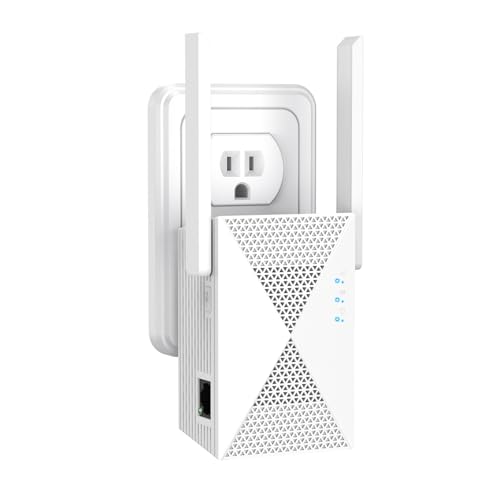
WiFi Extender Signal Booster for Home, Covers Up to 13888 Sq.Ft, Internet Extender WiFi Booster, Dual Band 5GHz/2.4GHz Long Rang, Banish WiFi Dead Zones, 1-Tap Setup
5GHz/2.4GHz Dual Band:Featuring 1200Mbps high-speed transmission,Increases Internet speeds by up to 120 %, and are perfect for home,…
As an affiliate, we earn on qualifying purchases.
As an affiliate, we earn on qualifying purchases.
Which Is Easier to Install and Manage: Mesh or Extenders?
Installing and managing a mesh WiFi system is generally easier than setting up extenders because it’s designed to be user-friendly and often involves minimal configuration. With a mesh system, installation simplicity is achieved through automatic setup processes and a single app that guides you step-by-step. You don’t need to manually connect multiple devices or configure complex settings. Management ease is also a major advantage, as you can monitor and control your whole network from one interface, adjusting settings or troubleshooting quickly. In contrast, extenders often require more effort to install, as each device must be individually configured and positioned correctly. Overall, mesh WiFi offers a more straightforward, hassle-free experience for both installation and ongoing management.
Is Mesh WiFi Worth the Cost? A Comparison
While mesh WiFi systems often come with a higher upfront cost compared to traditional extenders, many users find that the benefits justify the expense. A clear cost comparison shows that mesh systems typically cost more initially but offer a seamless user experience with easier management and fewer dead zones. You might pay more, but the convenience of a unified network, simple setup, and consistent coverage can make it worth it. If your home has multiple floors or a complex layout, the investment often pays off in improved reliability and fewer troubleshooting headaches. Additionally, mesh WiFi systems can be more expensive upfront, but their durability and performance can lead to long-term savings by reducing the need for replacements or additional devices. Ultimately, whether mesh WiFi is worth the cost depends on your specific needs. For those prioritizing ease of use and steady connection, the higher price can lead to a more satisfying overall experience.
Speed, Coverage, and Reliability: How They Compare
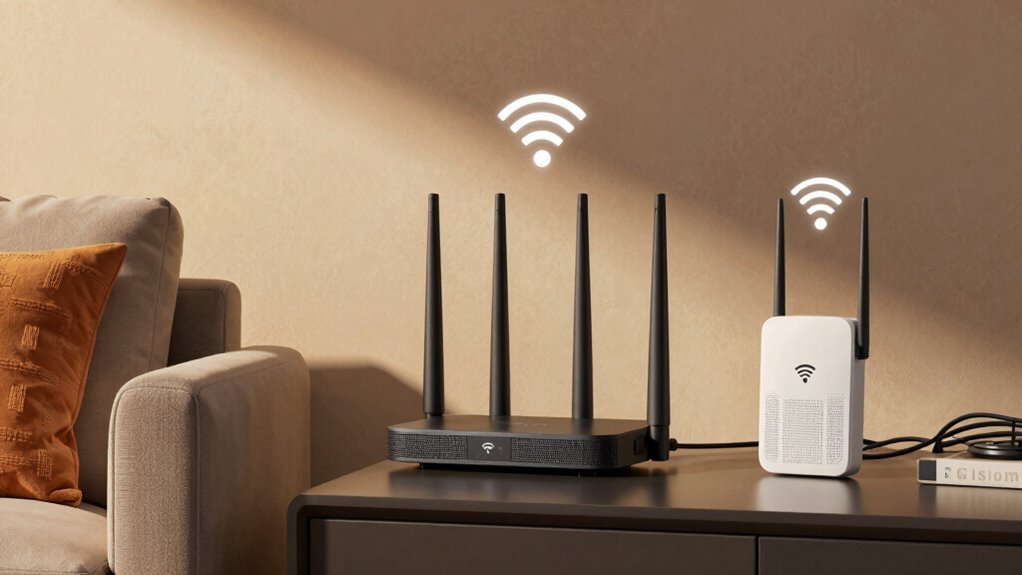
When comparing mesh WiFi and extenders, you’ll notice differences in network speed consistency and coverage expansion. Mesh systems often provide more stable connections across larger areas, while extenders may create weaker spots. Understanding how each impacts connection stability helps you choose the right solution for your home. Additionally, mesh systems can be more cost-effective over time because they often require fewer devices to maintain a reliable network.
Network Speed Consistency
Network speed consistency is a crucial factor when choosing between Mesh WiFi systems and WiFi extenders, as it directly impacts your internet experience. Mesh systems typically provide more stable speeds across their network, reducing dead zones and buffering issues. WiFi extenders, however, may introduce speed drops, especially if your device isn’t compatible or if they create bandwidth bottlenecks. Reliable performance also depends on wireless security; secure setups prevent interference and disruptions. Device compatibility plays a role too, as some extenders or mesh units may not support your existing devices or the latest WiFi standards, affecting speed consistency. Additionally, the design and placement of network infrastructure can significantly influence overall performance. Proper placement strategies can help optimize coverage and reduce interference, ensuring more consistent speeds. Moreover, mesh WiFi systems often incorporate advanced technologies like band steering and mesh routing algorithms, which enhance speed stability and network reliability. Overall, mesh WiFi often offers more uniform speeds and better reliability, making it a better choice for seamless, high-performance internet throughout your home.
Coverage Expansion Efficiency
Mesh WiFi systems generally deliver more efficient coverage expansion by seamlessly integrating multiple units to blanket your entire home with consistent signal strength. They adapt to your home’s layout, reducing dead zones and minimizing signal interference. Unlike WiFi extenders, mesh systems communicate intelligently, optimizing device compatibility and preventing signal degradation. This results in smoother coverage and better overall reliability. Here’s a quick comparison:
| Feature | Mesh WiFi | WiFi Extenders |
|---|---|---|
| Signal Interference | Minimizes through intelligent routing | More prone to interference |
| Coverage | Seamless, uniform coverage | Spotty, inconsistent coverage |
| Device Compatibility | Broad, easy integration | Varies, sometimes limited |
| Speed | Maintains higher speeds across coverage | Slower at extended points |
| Setup | Simple, unified network | Often complicated, separate networks |
Additionally, mesh WiFi systems dynamically adjust to network congestion, further enhancing coverage stability and user experience.
Connection Stability
Connection stability is essential for maintaining a reliable internet experience, especially as you stream, play, or work online. Mesh WiFi systems typically offer stronger interference mitigation, reducing signal disruptions caused by thick walls or other devices, which enhances overall stability. They also tend to provide better device compatibility, allowing multiple devices to connect seamlessly without drops. Mesh systems often incorporate advanced interference mitigation features that help maintain a stable connection even in challenging environments. Additionally, mesh systems frequently include self-healing network capabilities that automatically reroute traffic around issues, further boosting stability. These network management features contribute significantly to maintaining a consistent and dependable connection throughout your entire space. WiFi extenders, on the other hand, can introduce additional points of failure, potentially causing inconsistent speeds and connection drops if not properly placed. While extenders might be easier to set up, they often struggle with interference and may not support all devices equally well. Overall, mesh WiFi offers a more stable, consistent connection, making it ideal for demanding online activities. Additionally, mesh systems often include Enhanced network performance features that further improve stability and reliability.
When Should You Use Mesh WiFi or Extenders?
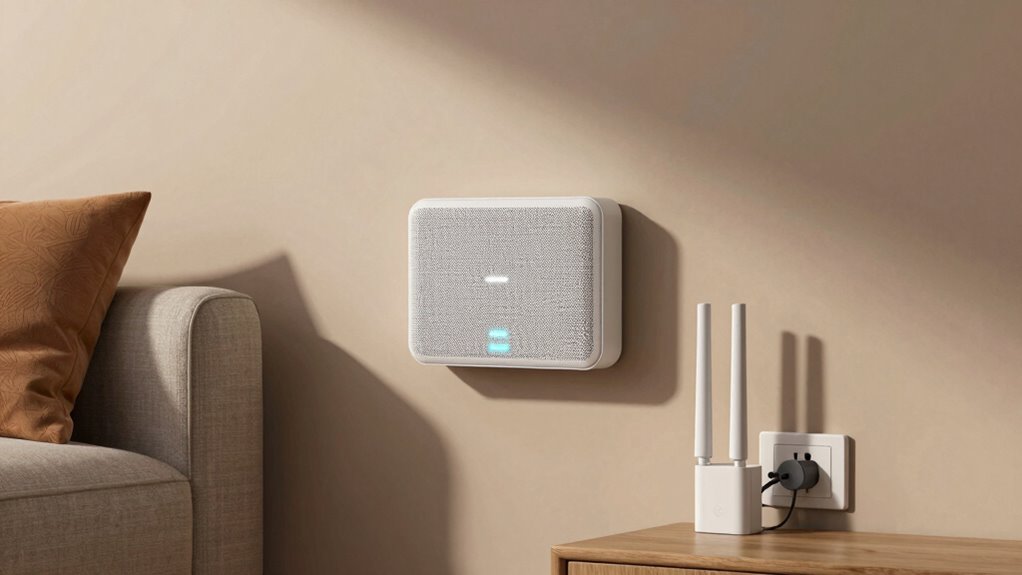
Choosing between mesh WiFi and extenders depends on your specific needs and the size of your home. If your space is large or has multiple floors, a mesh WiFi system is often the better choice because it offers seamless coverage and easier device management. Mesh systems are designed for setup compatibility across various devices, making setup smoother and more reliable. Extenders, on the other hand, are ideal for smaller areas or specific dead zones, where you only need to boost your signal temporarily. Use extenders if you want a quick fix without investing in a full mesh system. Consider your home’s layout and your WiFi requirements to decide which option provides the best coverage and simplifies your device management. Additionally, understanding how smart appliances integrate into your WiFi network can help optimize overall connectivity and performance.
Common Mistakes When Extending Your WiFi Network
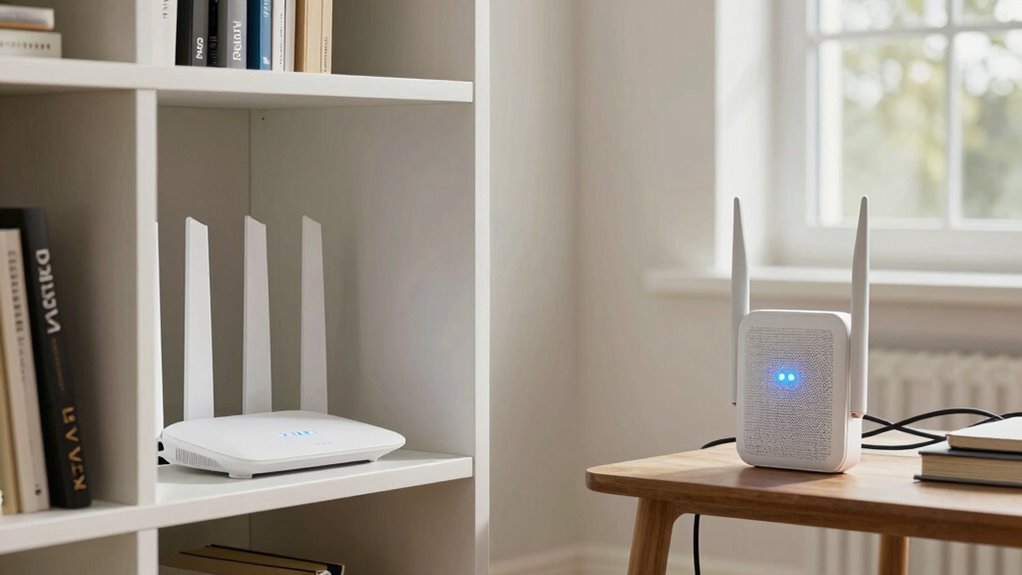
Extending your WiFi network might seem straightforward, but many people make simple mistakes that can considerably reduce performance. One common error is placing extenders too far from the main router, which weakens signals and hampers device compatibility. Another mistake is neglecting network security; using default passwords or outdated firmware leaves your network vulnerable. Additionally, not checking device compatibility before purchasing extenders can cause connectivity issues or limited functionality. Overlooking these factors results in slower speeds and unstable connections, defeating the purpose of extending your network. Always ensure your extenders are compatible with your existing equipment and update firmware regularly. Proper placement, security measures, and device compatibility checks are key to maximizing your WiFi extension’s effectiveness. Regular network maintenance can help identify and resolve potential issues before they impact performance. Furthermore, understanding the importance of precious metal investments can help you make more informed decisions when choosing reliable providers. Ensuring your network is secure and well-maintained can also prevent potential security breaches that compromise your data. Paying attention to signal interference sources, such as other electronic devices or thick walls, can further improve your network’s stability and coverage.
Future-Proof Your Home Network With Mesh Technology

As your home’s technology needs grow, investing in mesh WiFi systems can help future-proof your network. Mesh technology seamlessly expands coverage, supporting smart home devices and guaranteeing consistent connectivity. It adapts easily to your evolving digital lifestyle, eliminating dead zones and reducing interference. With built-in features like parental controls, you can manage internet access and maintain a safe online environment for your family. Upgrading to a mesh system also simplifies network management through mobile apps, allowing you to monitor and optimize performance effortlessly. This flexibility ensures your network remains robust, secure, and ready for new devices or smart home integrations. Additionally, understanding the “why” behind mesh technology helps you make informed decisions about your home network upgrades. Recognizing the importance of small systems in maintaining reliable connectivity can guide you toward choosing the most suitable solution. Implementing a mesh WiFi setup can also reduce the need for multiple WiFi extenders, simplifying your network architecture. Moreover, understanding how network scalability impacts your overall connectivity ensures that your home network can grow alongside your technological needs. Considering network infrastructure can further enhance your ability to future-proof your home. Ultimately, mesh WiFi offers a scalable solution that adapts to your future home technology demands with ease.
Which Solution Is Right for Your Home?

Deciding between a mesh WiFi system and WiFi extenders depends on your home’s size, layout, and your connectivity needs. If you have a large or multi-story home, a mesh system offers seamless coverage and better smart home integration, allowing all devices to connect easily. WiFi extenders can work well for smaller spaces or specific dead zones but may cause reduced speeds. Consider your priorities, like parental controls, which are often more robust with mesh systems, providing better control over device access. If you want a simple setup with fewer disruptions and more reliable connections, a mesh system is likely the best choice. However, if budget is a concern and your home is small, extenders might suffice. Choose based on your home’s demands and your need for a connected, manageable network.
Frequently Asked Questions
Can Wifi Extenders Improve Network Speed?
WiFi extenders can improve your network coverage, but they often don’t boost speed and may reduce signal strength and bandwidth allocation. As you add extenders, your devices might experience slower speeds due to signal degradation and shared bandwidth. If you want better speeds, consider upgrading to a mesh WiFi system, which maintains strong signal strength and optimizes bandwidth allocation across your entire network, providing a more reliable connection throughout your home.
Do Mesh Systems Require a Subscription Service?
Mesh systems generally don’t require a subscription service, but some brands offer optional subscription plans for added features like security and parental controls. You might encounter service costs if you choose these plans, but basic mesh WiFi setup usually covers everything you need without extra charges. So, while subscriptions are available, they’re not necessary for the core functionality of most mesh systems, making them a flexible choice.
How Do Mesh Wifi Systems Handle Multiple Users?
Mesh WiFi systems handle multiple users by smartly managing bandwidth and prioritizing devices through user prioritization features. They automatically allocate bandwidth to guarantee everyone gets a fair connection, reducing lag and buffering. With advanced bandwidth management, your network stays stable even when many devices connect simultaneously. This way, you enjoy seamless browsing, streaming, and gaming without interruptions, making your online experience smoother and more reliable.
Are Mesh Wifi Systems Compatible With All Routers?
Mesh WiFi systems are generally compatible with most routers, but you should check your router’s compatibility to avoid issues. Unlike WiFi extenders, mesh systems are designed to work seamlessly with your existing network, reducing extender limitations like signal degradation. Make certain your router supports features like dual-band or AC standards for maximum performance. If compatibility isn’t guaranteed, you might need to update your router or choose a mesh system with specific compatibility features.
What’s the Maintenance Needed for Mesh Networks?
A stitch in time saves nine, so maintaining your mesh network is vital. You should regularly check for firmware updates to keep your system secure and running smoothly. Network security depends on updating software, changing default passwords, and monitoring device connections. Keep your mesh network well-maintained by staying vigilant with firmware updates, which enhance performance and protect against vulnerabilities, ensuring a reliable, secure WiFi experience.
Conclusion
Choosing between mesh WiFi and extenders is like picking the right tool for your home’s digital symphony. Mesh weaves a seamless, reliable network like a skilled conductor, while extenders are more like quick fixes that may leave gaps. Think about your home’s size and your tech needs. With the right choice, you’ll turn your WiFi into a smooth-running orchestra, ensuring every device plays in perfect harmony. Your perfect home network awaits—just pick the right tune.