
Many external SSD speed claims that use “up to” numbers can be misleading because they show the maximum possible transfer rate under ideal conditions, not what you’ll see in everyday use. Actual speeds depend on factors like connection type, file size, system workload, and cable quality. If you’re curious about how these numbers can be inflated and what real-world performance looks like, keep exploring to get the full picture.

Get the latest gadgets delivered free with Prime
- Fast, free delivery on millions of items
- Prime Video, Amazon Music and more included
- Member-only deals all year
Key Takeaways
- “Up to” speeds show maximum potential under ideal conditions, not typical real-world performance.
- Actual external SSD transfer speeds vary due to factors like file size, connection type, and system workload.
- Connection quality, cable, and port compatibility can significantly limit or enhance real transfer rates.
- Transfer protocols and hardware mismatches may prevent achieving advertised maximum speeds.
- Benchmarks and real-world tests provide more accurate performance expectations than “up to” claims.
external SSD with high transfer speeds
As an affiliate, we earn on qualifying purchases.
As an affiliate, we earn on qualifying purchases.
What Do ‘Up to’ SSD Speed Claims Really Mean?

When you see an SSD labeled with “up to” speeds, it’s important to understand that these numbers represent the maximum potential under ideal conditions, not your typical everyday performance. These figures are based on specific speed benchmarks that manufacturers use during testing, often with optimized hardware and controlled environments. Labeling practices can be misleading because they highlight the fastest possible transfer rates rather than consistent, real-world speeds. This means you might experience slower performance during regular use, especially if your system or files don’t match the testing setup. Always remember that “up to” speed claims showcase best-case scenarios, not guaranteed speeds, so don’t rely solely on these numbers when choosing an external SSD. Additionally, drive performance factors, such as your system’s hardware capabilities and file types, can significantly influence actual transfer speeds. Understanding performance variability can help set realistic expectations for your device’s capabilities. Moreover, being aware of benchmark testing conditions can provide better insight into what these speed claims truly imply.
USB-C external SSD for fast data transfer
As an affiliate, we earn on qualifying purchases.
As an affiliate, we earn on qualifying purchases.
Are External SSD Speeds as Fast as Advertised?
You might expect your external SSD to hit its advertised speeds, but real-world performance can vary. “Up to” figures often don’t reflect typical speeds you’ll experience daily. Factors like file size and connection type influence whether you get close to those peak numbers. Additionally, the overall setup and usage environment can significantly impact actual transfer rates, making it important to understand performance variability when evaluating SSD speeds. External factors such as connection type and hardware compatibility can also play a crucial role in achieving consistent performance. Moreover, user behavior and system workload can further affect transfer speeds, emphasizing the need for a comprehensive understanding of real-world conditions.
Real-World Performance Variability
External SSD speeds often don’t match their advertised rates in real-world use, as numerous factors can cause performance to vary considerably. Transfer bottlenecks and file transfer inconsistencies are common issues that impact actual speeds. Your device’s connection type, cable quality, and port compatibility can all create unexpected slowdowns. Additionally, the file size and type you’re transferring influence speed—small files often transfer more slowly than large ones. Background processes and system resource limitations may also cause fluctuations. Network congestion or interference can further reduce performance if you’re using network-attached storage. To get a realistic idea of your SSD’s performance, consider these factors that cause variability, rather than relying solely on manufacturer claims. This helps you understand why real-world speeds often fall short of “up to” numbers. Understanding connection types can help you optimize your setup for better performance. Being aware of performance variability also allows you to troubleshoot issues more effectively and avoid unnecessary frustration. Recognizing the role of file transfer methods can further help you identify the causes of slower speeds and improve transfer efficiency. Additionally, system configuration plays a significant role in overall performance, so optimizing your device settings may lead to better results. Moreover, storage device quality can influence consistent performance, as higher-quality drives tend to maintain stable speeds under various conditions.
“Up To” Speed Figures
Manufacturers often tout “up to” speed figures to highlight the maximum potential of their external SSDs, but these numbers rarely reflect everyday performance. These marketing claims are designed to impress, yet they set unrealistic consumer expectations. When you see an SSD advertised as achieving “up to 2,800 MB/s,” it’s often under ideal conditions that rarely match real-world use. Factors like file size, connection type, and system configuration can markedly lower actual speeds. Relying solely on these “up to” numbers can lead to disappointment when your device doesn’t meet the advertised performance. Remember, these figures are often peak speeds, not sustained transfer rates. To get a true sense of an SSD’s performance, look for real-world benchmarks and reviews, not just marketing claims.
As an affiliate, we earn on qualifying purchases.
What Factors Actually Affect Your External SSD’s Speed?

Several key factors influence the speed of your external SSD, beyond simple assumptions or marketing claims. Understanding these can help you get a clearer picture of real-world performance. Storage benchmarks measure actual data throughput, offering insights beyond marketing hype. Your host device’s USB or Thunderbolt port limits transfer speeds, affecting your SSD’s potential. The SSD’s controller and NAND type directly impact how quickly data moves. Filesize and format also matter—larger, uncompressed data transfer faster than small, fragmented files. Additionally, the interface technology used plays a crucial role in data transfer efficiency. For optimal performance, the cable quality must also support high-speed data transfer, as a poor-quality cable can bottleneck speeds. These factors combined determine whether your SSD performs at its peak or falls short of the “up to” claims. Knowing them ensures you set realistic expectations and optimize your setup.
best external SSD for real-world performance
As an affiliate, we earn on qualifying purchases.
As an affiliate, we earn on qualifying purchases.
Debunking Common Myths About SSD Performance
Many common beliefs about SSD performance don’t hold up under scrutiny. One myth is that all brands deliver the same reliability; in reality, brand reliability varies, affecting long-term performance and durability. Some assume higher speed ratings mean better real-world performance, but these “up to” numbers often exaggerate actual speeds. Another misconception is that warranty coverage guarantees sustained performance, which isn’t always true—warranty mainly protects against defects, not speed drops over time. It’s easy to think that a popular brand automatically equals better quality, but thorough research shows that reliability depends on specific models and manufacturing standards. Understanding these myths helps you set realistic expectations and avoid overspending on aggressive marketing claims. Always look beyond “up to” labels and consider brand reputation and warranty coverage for a smarter choice. Additionally, knowing about Gold IRA Rollovers can help diversify your retirement investments beyond typical options. Recognizing how performance claims are often misleading encourages smarter, more informed purchasing decisions.
How to Choose an External SSD That Meets Your Speed Needs
When choosing an external SSD that meets your speed needs, understanding how different specifications translate into real-world performance is essential. Transfer protocols like Thunderbolt 3/4, USB 3.2, or USB-C greatly impact transfer speeds, so verify compatibility with your device. Device compatibility isn’t just about ports; it also involves firmware and driver support, which can bottleneck performance. Look beyond “up to” speed ratings and focus on actual supported speeds for your setup. Keep in mind that cable quality and connection stability also affect performance. To guarantee you select the right drive, consider your workflow, interface compatibility, and the types of files you transfer most often. This approach guarantees you meet your speed expectations without overpaying for unnecessary specs. Additionally, understanding Transfer protocols can help you make more informed choices that align with your performance requirements.
Tips to Maximize Your External SSD’s Speed and Value
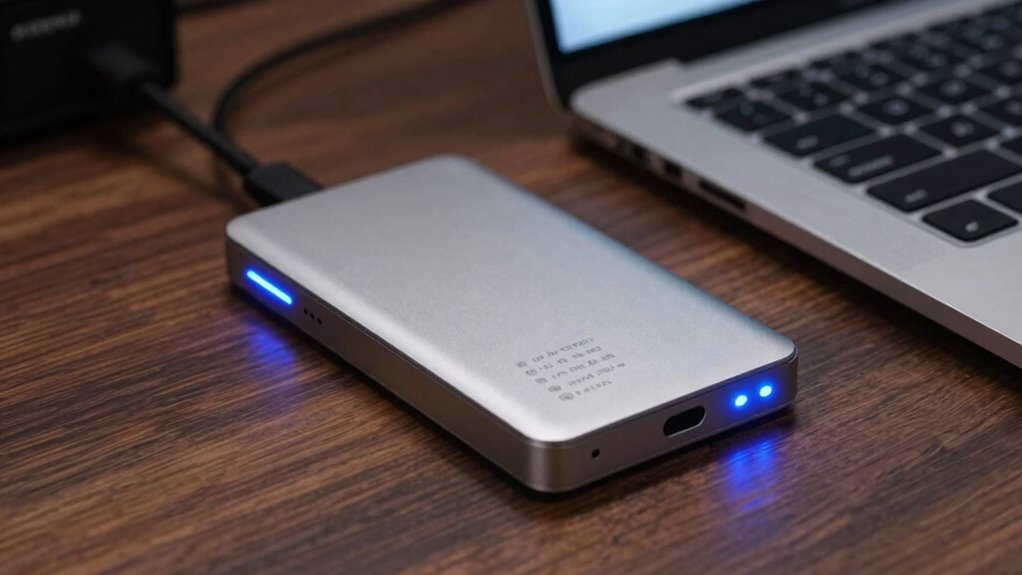
To get the most out of your external SSD, focus on optimizing both hardware and usage habits. Start by comparing storage benchmarks to ensure your device performs as expected under real-world conditions. Transfer consistency is key—avoid multitasking or running background processes during large file transfers to maintain steady speeds. Use the right cables and ports; USB 3.1 or Thunderbolt ports maximize transfer rates. Keep your firmware updated for peak performance. Consider the table below to understand how different factors impact your SSD’s speed and value: Additionally, understanding hardware compatibility can prevent potential bottlenecks and ensure optimal performance. To further enhance your experience, regularly checking benchmark results can help you identify if your device is operating at its expected speeds.
Frequently Asked Questions
How Do Real-World Transfer Speeds Compare to Advertised “Up To” Speeds?
You’ll often find real-world transfer speeds fall short of advertised “up to” numbers due to factors like cable quality and port compatibility. Using a high-quality cable guarantees minimal signal loss, and matching your SSD with the right port (like Thunderbolt 3 or USB 3.2) maximizes speeds. In practice, expect speeds to be around 50-70% of the marketed maximum, depending on these variables.
Can Using a Different Cable or Port Improve My Ssd’s Performance?
Like swapping out a dial-up modem for fiber optics, using a better cable or port can boost your SSD’s performance. You should check cable quality and guarantee port compatibility—using USB 3.1 or Thunderbolt ports with high-quality cables minimizes bottlenecks. If your current setup feels sluggish, upgrading your cable or switching to a faster port can make a noticeable difference in transfer speeds, making data movement feel like a rocket launch.
Do File Sizes or Types Impact External SSD Transfer Rates?
Yes, file size and file type can impact your external SSD transfer rates. Larger files, like videos or high-resolution images, often transfer more slowly due to their size, whereas smaller files transfer faster. Additionally, certain file types, such as compressed archives or encrypted files, might cause slight delays because of processing overhead. So, if you’re transferring many small files or specific formats, expect some variation in speed.
How Does the Ssd’s Internal Controller Influence Actual Speeds?
The SSD’s internal controller directly impacts your actual transfer speeds through its limitations and firmware optimization. If the controller has outdated firmware or design constraints, it can bottleneck performance, preventing you from reaching advertised speeds. Upgrading firmware or choosing an SSD with a better controller can boost your transfer rates, ensuring you get closer to the real-world performance your drives are capable of, rather than just the “up to” numbers.
Are There Specific Workloads Where “Up To” Speeds Are More Accurate?
You’ll find “up to” speeds more accurate with small, sequential workloads, where your SSD can hit those maximum rates consistently. For example, copying large files lets you see less performance variability, making the advertised numbers more reliable. But for mixed or random workloads, performance fluctuates, and the actual speeds often fall short of those peaks. So, workload consistency is key to understanding when “up to” speeds truly reflect real-world performance.
Conclusion
Think of your external SSD as a race car. The “up to” speed claims are like the car’s top speed on a clear track—impressive but not always the road you’re on. To truly enjoy the ride, choose the right car, maintain it well, and understand the terrain. With the right knowledge, you’ll cruise smoothly, avoiding false speed promises and making sure your storage needs stay swift and reliable.
Columbus Day / Indigenous Peoples' Day Picks
long weekend sales
As an affiliate, we earn on qualifying purchases.