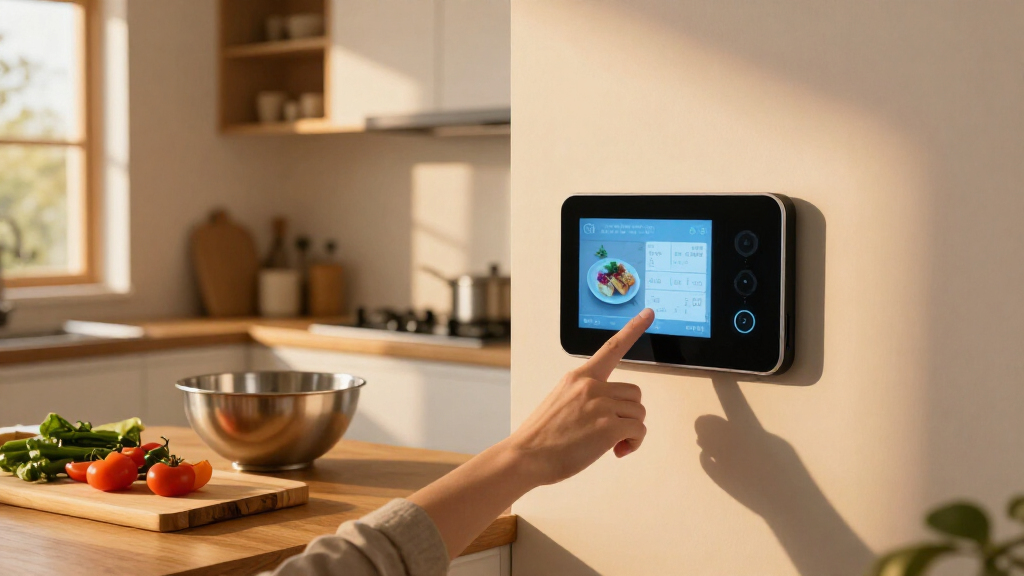

Smart home kitchen displays can put voice controls, timers, calendars, and household information within reach while you cook. I rank the Amazon Echo Show 11 as the best overall for its larger Full HD screen, while the Echo Hub stands out for dedicated smart-home control and the Google Nest Hub (2nd Gen) for shoppers already using Google Assistant. The main choice is between a compact counter-friendly screen, a larger shared family display, and a control panel built around connected devices. Bigger screens and dedicated calendar functions can take up more wall or counter space, while smaller displays may feel cramped for shared viewing. Read on for the full breakdown of all 11 options and how I’d match them to different kitchens.

Get the latest gadgets delivered free with Prime
- Fast, free delivery on millions of items
- Prime Video, Amazon Music and more included
- Member-only deals all year
Complete the kit



Key Takeaways
- The Echo Show 11 earns the overall spot by pairing an 11-inch Full HD touchscreen with a general-purpose smart display format; its two color versions offer the same core role rather than distinct feature sets.
- The Echo Hub is the more focused smart-home choice: it is intended as a control panel, so buyers prioritizing connected-device access should compare it with the more entertainment-oriented Echo Show models.
- Dedicated family calendars fill a different need: the TIKVITO, CYPID, and Mazera options emphasize shared schedules and photos, with the 21.5-inch Mazera favoring visibility over a compact footprint.
- Echo Show 5 models suit tight counters, but their smaller screens make them less suited to reading recipes or viewing shared schedules from across a busy kitchen.
- The Nest Hub models are the Google Assistant alternatives; the 2nd Gen is the newer pick in this lineup, while the 1st Gen may appeal to buyers who specifically want that earlier model.
| Amazon Echo Show 5 Smart Display, Glacier White |  | Best Compact Kitchen Display | Display: 5.5-inch touchscreen | Camera: 2 MP with built-in shutter | Speaker: 1.75-inch full-range speaker | VIEW LATEST PRICE | See Our Full Breakdown |
| TIKVITO 10.1-Inch WiFi Digital Wall Calendar and Photo Frame |  | Best for Family Meal Planning | Screen size: 10.1 inches | Connectivity: Wi-Fi | Calendar sync: Google, iCloud, and Outlook | VIEW LATEST PRICE | See Our Full Breakdown |
| Amazon Echo Hub 8-Inch Smart Home Control Panel |  | Best Dedicated Smart-Home Controller | Display: 8-inch touchscreen, 1280 × 800 resolution | Smart-home protocols: Wi-Fi, Bluetooth Low Energy Mesh, Zigbee, Thread, Matter controller, and Amazon Sidewalk | Sensors: Passive infrared proximity and ambient light | VIEW LATEST PRICE | See Our Full Breakdown |
| Amazon Echo Show 11 Smart Display, 11-Inch Full HD Touchscreen, Graphite |  | Best Overall Kitchen Display | Display: 10.95-inch Full HD touchscreen, 1920 × 1200 | Camera: 13 MP with auto framing and 3.3× zoom | Audio: One 2.8-inch woofer, two full-range drivers, and spatial audio | VIEW LATEST PRICE | See Our Full Breakdown |
| Amazon Echo Show 11 with Full HD Display and Spatial Audio, Glacier White |  | Best Premium White-Finish Display | Display: 10.95-inch Full HD touchscreen, 1920 × 1200 | Camera: 13 MP with auto framing and 3.3× zoom | Audio: One 2.8-inch woofer, two full-range drivers, and spatial audio | VIEW LATEST PRICE | See Our Full Breakdown |
| Google Nest Hub (2nd Gen) 7-Inch Smart Display with Google Assistant, Chalk |  | Best Compact Kitchen Assistant | Brand: Google | Model: GA01331-XGlobal | Generation: 2nd Generation | VIEW LATEST PRICE | See Our Full Breakdown |
| Amazon Echo Show 5 Smart Display, Charcoal |  | Best for Video Calls in Tight Spaces | Display: 5.5-inch touchscreen | Camera: 2 MP with built-in shutter | Speaker: 1.75-inch full-range built-in speaker | VIEW LATEST PRICE | See Our Full Breakdown |
| Mazera 21.5-Inch Smart Hub Digital Calendar and Touchscreen |  | Best for a Shared Family Kitchen Dashboard | Brand: Mazera | Model: V1 | Model year: 2026 | VIEW LATEST PRICE | See Our Full Breakdown |
| Google Nest Hub 7-Inch Smart Display with Google Assistant, 1st Gen, Chalk |  | Best for a Simple Google Assistant Setup | Model: H1A | Generation: 1st Gen | Display size: 7 inches | VIEW LATEST PRICE | See Our Full Breakdown |
| CYPID 10.1-Inch Smart Digital Family Calendar |  | Best Mid-Size Family Calendar | Brand: CYPID | Screen size: 10.1 inches | Display: Touchscreen | VIEW LATEST PRICE | See Our Full Breakdown |
| Amazon Echo Show 5 Smart Display (Newest Model), Cloud Blue |  | Best Compact Smart Home Display | Display: 5.5-inch touchscreen | Camera: 2 MP with built-in shutter | Dimensions: 5.8 × 3.6 × 3.2 inches (147 × 91 × 82 mm) | VIEW LATEST PRICE | See Our Full Breakdown |
| smart home kitchen display | Display | Weight | Camera | Dimensions |
|---|---|---|---|---|
| Amazon Echo Show 5 Smart Displ | 5.5-inch touchscreen | 16.1 oz (456 g) | 2 MP with built-in shutter | 5.8 × 3.6 × 3.2 inches |
| TIKVITO 10.1-Inch WiFi Digital | — | 1.4 pounds | — | — |
| Amazon Echo Hub 8-Inch Smart H | 8-inch touchscreen, 1280 × 800 resolution | — | — | — |
| Amazon Echo Show 11 Smart Disp | 10.95-inch Full HD touchscreen, 1920 × 1200 | 45.92 oz (1302 g) | 13 MP with auto framing and 3.3× zoom | 10 × 5 × 7.2 inches |
| Amazon Echo Show 11 with Full | 10.95-inch Full HD touchscreen, 1920 × 1200 | 45.92 oz (1302 g) | 13 MP with auto framing and 3.3× zoom | 10 × 5 × 7.2 inches |
| Google Nest Hub | — | — | No camera | — |
| Amazon Echo Show 5 Smart Displ | 5.5-inch touchscreen | 16.1 oz (456 g) | 2 MP with built-in shutter | 5.8 × 3.6 × 3.2 inches (147 × 91 × 82 mm) |
| Mazera 21.5-Inch Smart Hub Dig | — | — | — | — |
| Google Nest Hub 7-Inch Smart D | — | 1.8 pounds | — | 7 × 2.65 × 4.65 inches |
| CYPID 10.1-Inch Smart Digital | Touchscreen | — | — | — |
| Amazon Echo Show 5 Smart Displ | 5.5-inch touchscreen | 16.1 oz (456 g) | 2 MP with built-in shutter | 5.8 × 3.6 × 3.2 inches (147 × 91 × 82 mm) |
More Details on Our Top Picks
Amazon Echo Show 5 Smart Display, Glacier White
The Echo Show 5 suits a kitchen where counter space is scarce and glanceable information matters more than a large recipe view. Its 5.5-inch screen can show weather, photos, and video, while Alexa voice control lets you request compatible smart-home actions without reaching for the display. Compared with the Echo Show 11, it takes up much less space, but the smaller screen is a real limit for following recipes or viewing details from across the room. The built-in camera adds video calls and compatible-camera checks; a physical shutter and a button that disables the camera and microphone give you direct privacy controls. I’d choose it for a compact secondary display, not as the household’s main kitchen dashboard.
Pros:- Compact footprint fits crowded counters or smaller kitchen spaces.
- Alexa voice control supports hands-free access to compatible smart-home features.
- Built-in camera supports video calls and checking compatible cameras.
- Camera shutter and microphone/camera-off button provide direct privacy controls.
Cons:- The 5.5-inch display is cramped for recipes and shared viewing compared with the Echo Show 11.
- Some skills and services may require subscriptions or other fees.
- Does not support ad-hoc or peer-to-peer Wi-Fi networks.
Best for: People with limited counter space who want Alexa, quick updates, and occasional video calls in the kitchen.
Not ideal for: Cooks who need readable recipes at a distance or a large shared family dashboard; the 5.5-inch screen is much smaller than the Echo Show 11.
- Display:5.5-inch touchscreen
- Camera:2 MP with built-in shutter
- Speaker:1.75-inch full-range speaker
- Dimensions:5.8 × 3.6 × 3.2 inches
- Weight:16.1 oz (456 g)
- Wi-Fi:Dual-band 802.11a/b/g/n/ac
- Bluetooth:A2DP and AVRCP support
- Color:Glacier White
Our verdict“Choose the Echo Show 5 for a space-saving Alexa display, but pick the Echo Show 11 if kitchen viewing size is your priority.”
TIKVITO 10.1-Inch WiFi Digital Wall Calendar and Photo Frame
The TIKVITO S101 is the most schedule-focused option here: it combines calendar syncing with meal plans, grocery lists, reminders, and chore tracking. That makes it a better fit for coordinating household routines than the Echo Show 11, which brings a broader mix of Alexa, media, calls, and smart-home control. Google, iCloud, and Outlook syncing can help bring several family calendars into one shared view, while wall mounting keeps the screen visible without claiming counter space. Its 10.1-inch display is smaller than the Echo Show 11’s 10.95-inch screen, and the product is oriented around planning rather than voice-led smart-home control. Wi-Fi is required for schedule syncing, so this is less useful where the kitchen’s connection is unreliable.
Pros:- Syncs calendars from Google, iCloud, and Outlook.
- Combines meal planning, grocery lists, reminders, and chore tracking in one display.
- Wall mounting frees counter space and puts household plans in a shared location.
- Photo slideshow, local weather, and auto-sleep mode add useful display functions.
Cons:- Schedule synchronization depends on Wi-Fi.
- The 10.1-inch screen may be difficult to read across a large room.
- Its calendar-centered feature set is less suited to broad smart-home and media control than the Echo Show 11.
Best for: Families who want a wall-mounted shared calendar with meal planning, grocery lists, and chore tracking.
Not ideal for: Buyers seeking a general-purpose Alexa display, smart-home control panel, or large screen readable across a spacious kitchen.
- Screen size:10.1 inches
- Connectivity:Wi-Fi
- Calendar sync:Google, iCloud, and Outlook
- Features:Chore tracker, meal planning, grocery lists, reminders, photo slideshow, and local weather
- Mounting:Wall mountable
- Weight:1.4 pounds
- Sleep mode:Automatic sleep mode
- Warranty:1 year
Our verdict“Pick the TIKVITO if shared family planning matters more than Alexa features or a versatile smart-home dashboard.”
Amazon Echo Hub 8-Inch Smart Home Control Panel
The Echo Hub is the lineup’s clearest choice for controlling smart-home devices from a fixed kitchen location. Its 8-inch dashboard can be customized with movable and resizable controls, and built-in support for Zigbee, Thread, and Matter lets it connect with a wider mix of compatible devices than a display that relies mainly on voice requests. Compared with the Echo Show 11, it prioritizes device controls over a larger screen for recipes, video calls, and entertainment. The included wall mount makes permanent placement straightforward, but this is not a portable screen, and a tabletop stand is sold separately. Setup requires internet access through Wi-Fi or Ethernet, so buyers should treat it as a dedicated control panel rather than a general-purpose kitchen tablet.
Pros:- Built-in Zigbee, Thread, and Matter support connects with multiple smart-home protocols.
- Customizable dashboard allows device controls to be arranged and resized.
- Wall mount and mounting hardware are included.
- Can control compatible cameras, security systems, routines, and media.
Cons:- Not designed for handheld or portable use.
- A tabletop stand, cable pass-throughs, and PoE adapter are sold separately.
- Internet access through Wi-Fi or Ethernet is required for setup.
Best for: Smart-home owners who want a fixed kitchen dashboard for compatible lights, cameras, routines, and security devices.
Not ideal for: People who want a portable display, a large recipe screen, or a tabletop setup without buying a separate stand.
- Display:8-inch touchscreen, 1280 × 800 resolution
- Smart-home protocols:Wi-Fi, Bluetooth Low Energy Mesh, Zigbee, Thread, Matter controller, and Amazon Sidewalk
- Sensors:Passive infrared proximity and ambient light
- Mounting:Wall mount included; tabletop stand sold separately
- Power:12.5 W adapter included
- Power over Ethernet:Supported with compatible USB-C converter and PoE+ or PoE++
- Audio:Stereo playback with two top-ported full-range speakers
- Recycled materials:27% of device materials
Our verdict“Choose the Echo Hub for a permanent, protocol-rich smart-home control point; choose the Echo Show 11 for a larger all-purpose kitchen screen.”
Amazon Echo Show 11 Smart Display, 11-Inch Full HD Touchscreen, Graphite
The Echo Show 11 earns the all-around spot by combining a room-friendly Full HD screen with Alexa, video calling, and a built-in Zigbee, Matter, and Thread hub. Its 10.95-inch display gives recipes, calendars, and video more usable space than the 5.5-inch Echo Show 5, while the 13 MP auto-framing camera is better suited to calls where people move around the kitchen. Spatial audio adds more presence for media, and ambient temperature, light, and presence sensors support context-aware features. Compared with the Echo Hub, this is the more versatile screen, but it is less focused on a customizable device-control dashboard. Its size and roughly 2.9-pound weight make it a counter fixture rather than a compact display, and some Bluetooth speakers requiring PIN codes are unsupported.
Pros:- 10.95-inch Full HD touchscreen gives recipes and shared information more viewing space than the Echo Show 5.
- Built-in Zigbee, Matter, and Thread hub supports compatible smart-home devices.
- 13 MP camera with auto framing and 3.3× zoom supports kitchen video calls.
- Spatial audio and presence, light, and temperature sensors broaden its household role.
Cons:- Its larger, heavier body takes more counter space than the Echo Show 5.
- Bluetooth speakers that require PIN codes are not supported.
- Hands-free voice control of connected mobile devices is not supported for Mac OS X.
Best for: Households wanting one substantial kitchen display for recipes, video calls, Alexa, media, and compatible smart-home devices.
Not ideal for: People with little counter space or buyers who mainly need a dedicated smart-home control panel like the Echo Hub.
- Display:10.95-inch Full HD touchscreen, 1920 × 1200
- Camera:13 MP with auto framing and 3.3× zoom
- Audio:One 2.8-inch woofer, two full-range drivers, and spatial audio
- Dimensions:10 × 5 × 7.2 inches
- Weight:45.92 oz (1302 g)
- Wi-Fi:Wi-Fi 6E (802.11ax)
- Smart-home hub:Zigbee, Matter, and Thread Border Router
- Sensors:Ambient temperature, ambient light, and presence detection
Our verdict“Choose the Echo Show 11 if you want the most versatile large-screen kitchen display and have room for it.”
Amazon Echo Show 11 with Full HD Display and Spatial Audio, Glacier White
The Glacier White Echo Show 11 offers the same broad kitchen-display package as the Graphite Echo Show 11: a 10.95-inch Full HD touchscreen, spatial audio, Alexa, and a hub for Zigbee, Matter, and Thread. It makes more sense than the compact Echo Show 5 when recipes and household updates need to be visible at a glance, and it brings a much larger screen than the TIKVITO family calendar. Its 13 MP auto-framing camera adds video calls, while on-device microphone and camera controls give privacy-sensitive households a way to disable them. The main distinction from the Graphite model is the Glacier White finish, not a different feature set; buyers should choose based on kitchen decor rather than expect a performance upgrade. As with its sibling, the footprint is substantial and PIN-required Bluetooth speakers are unsupported.
Pros:- Large Full HD screen suits recipes, calendars, and shared viewing better than the Echo Show 5.
- Built-in hub supports Zigbee, Matter, and Thread devices.
- 13 MP auto-framing camera supports video calls.
- On-device microphone and camera controls provide direct privacy management.
Cons:- The 10.95-inch screen and 45.92 oz body need more counter space than compact displays.
- Its feature set matches the Graphite Echo Show 11, so the choice is primarily a finish preference.
- Bluetooth speakers requiring PIN codes are not supported.
Best for: Buyers who want a large Alexa kitchen display with a Glacier White finish and built-in support for compatible smart-home devices.
Not ideal for: Anyone seeking a smaller or lower-profile screen, or shoppers expecting different capabilities from the Graphite Echo Show 11.
- Display:10.95-inch Full HD touchscreen, 1920 × 1200
- Camera:13 MP with auto framing and 3.3× zoom
- Audio:One 2.8-inch woofer, two full-range drivers, and spatial audio
- Dimensions:10 × 5 × 7.2 inches
- Weight:45.92 oz (1302 g)
- Wi-Fi:Wi-Fi 6E (802.11ax)
- Smart-home hub:Zigbee, Matter, and Thread Border Router
- Color:Glacier White
Our verdict“Choose this version over the Graphite Echo Show 11 when Glacier White better suits your kitchen; the core display features are otherwise the same.”
Google Nest Hub (2nd Gen) 7-Inch Smart Display with Google Assistant, Chalk
The Google Nest Hub (2nd Gen) is a good fit when a kitchen display needs to handle quick voice requests, timers, music, and compatible smart-home controls without taking up much counter space. Its 7-inch touchscreen offers more room for glanceable information than the Echo Show 5’s 5.5-inch screen, while its full-range speaker makes audio a stronger part of the setup. Unlike the larger Mazera 21.5-inch hub, this Nest Hub is aimed at everyday assistance rather than showing a whole family calendar across the room. The tradeoff is a camera-free design: it cannot support video calls, though some buyers may prefer that privacy choice. It also needs a wall outlet, so placement depends on nearby power.
Pros:- 7-inch touchscreen provides more glanceable space than the Echo Show 5
- Full-range speaker supports music and spoken responses
- Wi-Fi, Bluetooth, and voice control support everyday connected use
- Camera-free design avoids placing a camera in the kitchen
Cons:- No camera for video calls
- Corded power requires a nearby wall outlet
Best for: Cooks who want a compact Google Assistant display for timers, music, and compatible smart-home controls, but do not need video calls
Not ideal for: Households that want video calling, a large shared calendar, or a display that can be placed away from an outlet
- Brand:Google
- Model:GA01331-XGlobal
- Generation:2nd Generation
- Display size:7 inches
- Processor:Qualcomm ARM-based quad-core 64-bit, 1.9 GHz
- Camera:No camera
- Speaker:Full-range speaker with 1.7-inch (43.5 mm) driver
- Connectivity:Wi-Fi and Bluetooth
- Power source:Corded electric
Our verdict“Choose this Nest Hub for compact, camera-free Google Assistant help; pick the Echo Show 5 instead if video calling matters.”
Amazon Echo Show 5 Smart Display, Charcoal
The Echo Show 5 earns its place for kitchens where counter space is scarce but a screen and camera are still useful. Its 5.5-inch touchscreen is smaller than the Google Nest Hub’s 7-inch display, so it gives up some room for recipes and glanceable information in exchange for a more compact footprint. The built-in 2 MP camera supports video calls, and its physical shutter and microphone/camera off button offer direct privacy controls. Alexa can also operate compatible smart-home devices. Compared with the camera-free Nest Hub, this is the better fit for checking in with family, but its small screen is less suited to a shared schedule. Wi-Fi restrictions and possible fees for some services also limit flexibility.
Pros:- Compact 5.5-inch touchscreen fits smaller kitchen counters
- 2 MP camera supports video calls and has a built-in shutter
- Microphone/camera off button adds a direct privacy control
- Controls compatible smart-home devices through Alexa
Cons:- Smaller display offers less room for recipes and shared schedules than the Google Nest Hub
- Does not support ad-hoc or peer-to-peer Wi-Fi networks
- Some skills and services may require subscriptions or fees
Best for: Alexa households with limited counter space that want video calls and physical camera privacy controls
Not ideal for: Cooks who need a larger screen for recipes or schedules, or buyers whose Wi-Fi uses ad-hoc or peer-to-peer networks
- Display:5.5-inch touchscreen
- Camera:2 MP with built-in shutter
- Speaker:1.75-inch full-range built-in speaker
- Dimensions:5.8 × 3.6 × 3.2 inches (147 × 91 × 82 mm)
- Weight:16.1 oz (456 g)
- Wi-Fi:Dual-band 802.11a/b/g/n/ac
- Bluetooth:A2DP and AVRCP support
- Processor:MediaTek MT 8169
- Privacy controls:Microphone/camera off button and built-in camera shutter
Our verdict“Pick the Echo Show 5 for Alexa controls and video calls in a small kitchen, not for viewing schedules at a distance.”
Mazera 21.5-Inch Smart Hub Digital Calendar and Touchscreen
Where the Google Nest Hub is built for quick assistance, the Mazera 21.5-inch Smart Hub is designed to make household plans visible to everyone. Its Full HD anti-glare touchscreen gives calendars, meal plans, chores, and reminders space to share a single dashboard, while Google Play apps and customizable widgets let buyers shape what appears onscreen. It can stand on a counter or mount on a wall, a useful choice when a kitchen island is busy. Photo-frame mode gives the display another job when schedules are not in view. This is a very different proposition from the CYPID 10.1-inch family calendar: Mazera offers a substantially larger workspace, but takes up more room and depends on compatible services and devices for hands-free and smart-home functions. Continuous use requires its power adapter.
Pros:- 21.5-inch Full HD screen makes shared schedules easier to view
- Google Play apps and widgets support a customizable dashboard
- Anti-glare screen and auto brightness suit changing kitchen light
- Can be wall-mounted or used on the included metal stand
Cons:- Large screen needs substantial wall or counter space
- Hands-free and smart-home functions depend on supported services and compatible devices
- Requires the included power adapter for continuous use
Best for: Families who want a large, shared kitchen screen for calendars, meal plans, chores, and customizable Android apps
Not ideal for: Buyers with little wall or counter space, or anyone seeking a small voice-assistant display rather than a household dashboard
- Brand:Mazera
- Model:V1
- Model year:2026
- Display size:21.5 inches
- Display resolution:Full HD
- Display features:Anti-glare touchscreen and auto brightness
- Operating system:Android
- App store:Google Play
- Setup options:Wall mount or included metal stand
Our verdict“Choose Mazera when the kitchen needs a large, customizable family dashboard; the smaller CYPID calendar is a better fit for tighter spaces.”
Google Nest Hub 7-Inch Smart Display with Google Assistant, 1st Gen, Chalk
The 1st-generation Google Nest Hub suits buyers who want a straightforward kitchen screen for timers, weather, videos, photos, and control of compatible smart-home devices. Its 7-inch display matches the size of the 2nd-generation Nest Hub, so it can serve the same basic glance-and-ask role without stepping up to the large, calendar-focused Mazera. The listing identifies this as a Korean-spec model; English can be selected after setup, but that extra step makes it less plug-and-play for English-speaking households than the 2nd-generation model listed here. The provided product details do not specify connectivity or speaker hardware, limiting how confidently I can compare those parts. Its compact dimensions suit a counter or desk, though it controls only compatible devices.
Pros:- 7-inch display supports glanceable kitchen information
- Voice and touchscreen controls work with compatible smart-home devices
- Handles music, videos, Google Photos, weather, timers, and reminders
- Compact footprint fits counters, desks, and bedside surfaces
Cons:- Korean-spec version requires changing the language after setup for English use
- Controls only compatible smart-home devices
- Product details provided do not specify its connectivity or speaker hardware
Best for: Buyers who want a compact Google Assistant screen for basic kitchen tasks and are comfortable changing the language after setup
Not ideal for: English-speaking households seeking a ready-to-use setup, or buyers who need detailed connectivity and speaker specifications before choosing
- Model:H1A
- Generation:1st Gen
- Display size:7 inches
- Color:Chalk
- Weight:1.8 pounds
- Dimensions:7 × 2.65 × 4.65 inches
- Model version:Korean spec; language can be changed to English
- Included components:Cable
Our verdict“Choose this model for basic Google Assistant use if the language setup is acceptable; the 2nd-generation Nest Hub is the simpler pick for a more clearly specified option.”
CYPID 10.1-Inch Smart Digital Family Calendar
The CYPID 10.1-inch Smart Digital Family Calendar gives households a focused way to put schedules and meal planning on a kitchen screen. It syncs calendars from Google, iCloud, Outlook, Cozi, and Yahoo, then adds chore tracking and to-do lists—useful when the kitchen is the family’s planning hub. Compared with Mazera’s 21.5-inch display, CYPID takes a more modest approach to screen size and includes familiar calendar features rather than a Google Play app dashboard. The screen can also show photos and videos, and the included stand or wall-mount option gives buyers a choice of placement. Its 10.1-inch display may feel cramped when several schedules appear together, and calendar syncing depends on Wi-Fi, so it is less suitable as an offline display.
Pros:- Syncs calendars from Google, iCloud, Outlook, Cozi, and Yahoo
- Combines calendar views with chore tracking, meal planning, and to-do lists
- Can display photos and videos outside calendar mode
- Supports wall mounting or desk placement with the included stand
Cons:- 10.1-inch screen may feel limited when viewing several schedules together
- Calendar syncing requires Wi-Fi
Best for: Families who want one mid-size screen to combine calendars from several services with meal plans, chores, and to-do lists
Not ideal for: Households that need a large, room-visible schedule board or want calendar access when Wi-Fi is unavailable
- Brand:CYPID
- Screen size:10.1 inches
- Display:Touchscreen
- Connectivity:Dual-band Wi-Fi
- Calendar sync:Google, iCloud, Outlook, Cozi, and Yahoo
- Features:Chore chart, meal planner, to-do list, and digital photo frame
- Placement:Wall-mounted or desk stand
- Model number:digital calendar
Our verdict“Choose CYPID for a mid-size family planning screen with broad calendar syncing; pick the larger Mazera if visibility across the kitchen matters more.”
Amazon Echo Show 5 Smart Display (Newest Model), Cloud Blue
The Echo Show 5 is a small-footprint choice for kitchens where a larger screen would crowd the counter. Its 5.5-inch touchscreen can show weather, news, photos, and compatible camera feeds, while Alexa voice control makes it useful for quick smart-home adjustments without reaching for a phone. Compared with the Echo Show 11, it gives up screen space that makes recipes and video easier to view, but takes far less room and still supports video calls through its built-in camera. The camera shutter and microphone/camera-off button add direct privacy controls. Tradeoffs include a compact viewing area and limited Bluetooth compatibility: it does not support Bluetooth speakers that require a PIN, and hands-free Bluetooth voice control is not supported for Mac OS X devices. Its recycled materials are a welcome extra, not a substitute for screen size.
Pros:- Compact dimensions fit more easily on crowded counters than the Echo Show 11.
- Touchscreen presents weather, news, shows, photos, and compatible smart-home camera feeds.
- Built-in camera supports video calls, with a physical shutter and camera/microphone-off control.
- Fabric and aluminum use recycled materials, and the packaging is recyclable.
Cons:- The 5.5-inch screen is less practical for reading recipes or watching content from across a kitchen than larger displays.
- Does not support ad-hoc or peer-to-peer Wi-Fi networks.
- Some Bluetooth setups are unsupported, including PIN-code speakers and hands-free voice control for Mac OS X devices.
Best for: Cooks with limited counter space who want Alexa controls, quick glanceable information, and occasional video calls in one compact device.
Not ideal for: People who want a large recipe screen, a wall-mounted family calendar, or broad Bluetooth speaker compatibility; the 5.5-inch display is small for extended viewing.
- Display:5.5-inch touchscreen
- Camera:2 MP with built-in shutter
- Dimensions:5.8 × 3.6 × 3.2 inches (147 × 91 × 82 mm)
- Weight:16.1 oz (456 g)
- Speaker:1.75-inch full-range built-in speaker
- Wireless:Dual-band 802.11a/b/g/n/ac Wi-Fi; Bluetooth with A2DP and AVRCP support
- Processor:MediaTek MT 8169
- Color:Cloud Blue
- Materials:Fabric made from 100% post-consumer recycled polyester yarn; aluminum made from 100% recycled aluminum; 100% recyclable packaging
Our verdict“Choose the Echo Show 5 if counter space matters more than a large, easy-to-read kitchen screen.”
How We Picked
I ranked these smart home kitchen displays by how well their screen size, assistant ecosystem, and intended role suit everyday kitchen use. I gave priority to clear differences buyers can act on: whether a model is a general smart display, a dedicated smart-home panel, or a shared calendar; whether its screen suits close-up or across-room viewing; and whether the format fits a counter or wall. I also considered how much flexibility each type offers for tasks beyond its headline use.
The ranking favors options that can serve more than one kitchen need without demanding a large installation footprint. That puts the Echo Show 11 ahead as a larger general-purpose screen, while the Echo Hub and Google Nest Hub earn distinct places for buyers committed to their respective control and assistant priorities. Calendar-first products rank on their usefulness to a household that shares schedules, not on general assistant versatility. Where product names indicate color or generation variants, I treat them as closely related choices rather than inventing performance differences.
Factors to Consider When Choosing Smart Home Kitchen Displays
Before choosing a display, I’d match the device to the job it will do most often. A kitchen screen can be a quick voice assistant, a smart-home command point, a shared family calendar, or some combination of those roles. These broader decisions matter as much as screen size.
Choose the main job before choosing the screen
Decide whether you mainly want hands-free timers and voice requests, a touch interface for connected devices, or a schedule everyone at home can see. A general smart display is usually more flexible across tasks, while a dedicated control panel or calendar may make one activity more prominent. A common mistake is buying a calendar because it looks useful, then expecting the same breadth of assistant features as a general-purpose display. List the three actions you expect to use most and check that the device’s design supports them directly. If your needs are split evenly, a general smart display may be a safer starting point than a single-purpose screen.
Match screen size to viewing distance and kitchen traffic
A small display can work well beside a prep area, where you can read it at close range without sacrificing counter space. For a screen shared across the room, larger text and a wider viewing area can make schedules and controls easier to check. Size alone does not guarantee better usability: a large display can obstruct a backsplash or dominate a narrow counter. Measure the intended location and consider whether people will view it while standing, sitting, or moving through the kitchen. When wall mounting, check power access and sightlines before buying, not after.
Check ecosystem fit across the whole household
Voice assistants are most useful when they work with the services and connected devices your household already uses. A display that matches your preferred assistant can reduce repeated setup and make familiar voice commands easier to adopt. Avoid choosing solely by brand name if household members rely on different calendars, phones, or smart-home devices. Confirm that the display supports the services you need, including shared calendars and the devices you plan to control. In a mixed-ecosystem home, prioritize the functions everyone can use rather than the features only one person will configure.
Treat placement, power, and cleaning as part of the purchase
Kitchen displays live near splashes, cooking residue, and frequent hand traffic, so their location affects daily convenience. Keep a screen away from direct sink spray, stovetop heat, and spots where it can be knocked over. A wall-mounted calendar saves counter area but needs a suitable mounting location and accessible power; a compact counter model is easier to reposition but still occupies workspace. Touchscreens can collect fingerprints, so consider whether voice control will handle many tasks without repeated tapping. Check manufacturer guidance for cleaning and avoid assuming a device is designed to resist water or grease.
Decide whether a dedicated family calendar is worth the tradeoff
A calendar-first display can make household schedules visible without asking everyone to open an app, which helps in homes where plans change throughout the day. Its value depends on whether family members will keep the calendar current and actually check the shared screen. If schedules are already managed well on phones, a general smart display may offer more everyday uses. Large calendar screens can be easier for several people to read, but they call for more wall or counter space. Before choosing one, confirm how calendars sync and whether each person’s preferred service is supported.
Pay for capacity you will use, not screen size alone
A larger or more specialized display makes sense when several people share it, when you need a dedicated home-control point, or when small text is hard to read at your chosen distance. It may be unnecessary if you mainly want timers, voice requests, and occasional glances at information. Compare the device’s actual role with your daily habits rather than treating a bigger screen as an automatic upgrade. Think about whether the display will remain useful beyond its initial setup, especially if your household’s calendar or smart-home ecosystem changes. The best fit is the one that solves a recurring kitchen problem without adding another screen that goes unused.
Frequently Asked Questions
Should I choose an Echo Show or a Google Nest Hub for my kitchen?
I’d start with the voice assistant and services your household already uses, rather than choosing by screen size alone. The Echo Show models in this lineup offer several screen sizes and include a dedicated smart-home control option in the Echo Hub. The Nest Hub models are the Google Assistant choices, with the 2nd Gen positioned as the newer option here. Check that your preferred calendar, smart-home devices, and everyday voice tasks work with the assistant you select. Switching ecosystems can create more setup work than the display itself is worth.
Is a small display enough for recipes and timers?
A compact screen can handle timers and quick voice requests well when it sits close to your prep area. It is less comfortable for reading longer instructions or checking information from the other side of a kitchen. Think about where you will stand while cooking and how often you expect to touch the screen. If shared viewing or recipe text is a regular need, a larger display is likely a better match. If counter space is limited and your main tasks are brief, a smaller model may be the more practical choice.
When does a dedicated family calendar make more sense than a smart display?
A calendar-first screen makes more sense when several people need a shared schedule in a visible household spot and will keep that schedule updated. It can reduce the need to ask who has an appointment or check separate phones. A general smart display is usually a better fit when voice assistance, timers, and smart-home controls matter just as much as scheduling. Before choosing a dedicated calendar, verify that it can sync with the calendar services your family already relies on. Otherwise, the display may create duplicate work rather than simplify planning.
Can a kitchen display control smart-home devices without serving as a full smart-home hub?
Some displays provide voice or touchscreen access to compatible connected devices, while a dedicated control panel is designed around that task more directly. Compatibility depends on the display, assistant, device type, and the setup already present in your home. Check each device’s support requirements before assuming that a screen can replace a separate hub or bridge. If control is the main reason for buying, compare supported devices and the touch interface rather than focusing only on entertainment features. A general display can still be useful for basic commands, but its control role may be less central.
Where should I put a kitchen display to keep it useful and safe?
Choose a spot that is easy to see and reach but away from direct heat, sink spray, and heavy splashes. A screen near a prep area can make timers and instructions convenient, while a shared calendar may work better where household members pass by. Check the power cable route so it does not cross a work surface or create a snag hazard. Wall placement can free counter space, but confirm mounting support and viewing angle first. Follow the manufacturer’s cleaning guidance, since a kitchen location does not mean the display is water- or grease-resistant.
Conclusion
For most kitchens, I’d choose the Amazon Echo Show 11 as the best overall because its 11-inch Full HD screen gives a broader viewing area while keeping the general smart-display role. The Echo Show 5 is my best value-style fit for limited counter space and a sensible beginner pick for basic voice tasks, though its screen is smaller. For a household that wants a dedicated command point for connected devices, choose the Echo Hub; for a shared schedule, look to the TIKVITO or CYPID, or the large-screen Mazera when visibility matters most. The best premium-style choice in this lineup is the Mazera for buyers who specifically want a 21.5-inch family calendar, not for shoppers seeking the most versatile assistant. If Google Assistant is your priority, the Nest Hub (2nd Gen) is the clearest fit. Choose by the task you’ll use every day, then check that the screen size and ecosystem suit your kitchen.