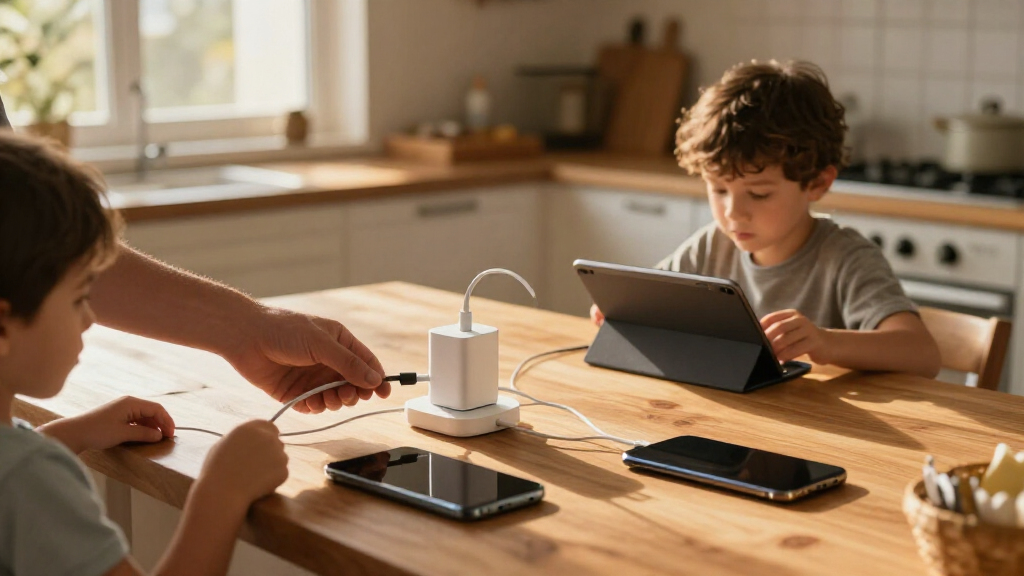
USB-C charging stations for families can cut down on outlet clutter, but the right choice depends on how many devices need charging at once and whether you need organized device slots or faster charging for laptops. My best overall pick is the MDOUREO 200W 8-Port USB Charging Station, which pairs multi-device charging with organizer slots. The Anker Prime 200W 6-Port stands out for households that prioritize a compact, high-power desktop charger, while the 200W 18-Port model suits families managing many devices in one place. The main tradeoffs are port count versus power per device, and built-in organization versus a smaller footprint. Continue reading for the full breakdown and help matching a station to your household.

Get the latest gadgets delivered free with Prime
- Fast, free delivery on millions of items
- Prime Video, Amazon Music and more included
- Member-only deals all year
Complete the kit



Key Takeaways
- Organization separates the most family-focused picks: the MDOUREO combines eight charging ports with device slots, while the 200W 18-port model adds adjustable dividers for households charging many devices together.
- More ports do not automatically mean faster charging: the 1000W 15-in-1 and other high-output multiport models advertise large total capacities, but buyers should check how power is shared across ports and what each USB-C port can deliver.
- GaN models target compact power delivery: the Anker Prime 200W, MGRNPONY 320W, retractable 160W model, and Belkin 108W are better fits when space and USB-C charging capability matter more than a large device-sorting rack.
- Included cables and displays solve different problems: the 420W 10-port station includes eight cables to reduce separate cable purchases, while the SABRENT VOLTIK’s LCD display gives charging information a more visible role.
- Small households may not need a large station: the 50W 6-port stand, Anker 112W 6-port charger, and Belkin 108W 4-port model trade high port counts for simpler desks and lighter everyday charging needs.
| MDOUREO 200W 8-Port USB Charging Station with Organizer Slots |  | Best for Everyday Family Charging | Total power: 200W | USB-C ports: 4, up to 30W each | USB-A ports: 4, up to 20W each | VIEW LATEST PRICE | See Our Full Breakdown |
| Anker Prime 200W 6-Port GaN Desktop Charging Station |  | Best for Laptop-Heavy Families | Total output: 200W | USB ports: 6 | Maximum USB-C output: Up to 100W per port | VIEW LATEST PRICE | See Our Full Breakdown |
| 1000W 15-in-1 Charging Station with 12 USB Ports and 3-in-1 Wireless Charger |  | Best for Mixed Apple and USB-C Households | USB-C ports: 8 | USB-A ports: 4 | Maximum simultaneous devices: 15 | VIEW LATEST PRICE | See Our Full Breakdown |
| 10-Port 510W USB Charging Station with 5 USB-C and 5 USB-A Ports |  | Best for Families Needing Many Cable Types | Total USB ports: 10 | USB-C ports: 5 | USB-A ports: 5 | VIEW LATEST PRICE | See Our Full Breakdown |
| 420W 10-Port USB Charging Station with 5 USB-C Ports and 8 Cables, Black |  | Best for Case-Fitting Device Slots | Total ports: 10 | USB-C ports: 5 | Maximum total output: Up to 420W in description; specifications also list 320W | VIEW LATEST PRICE | See Our Full Breakdown |
| 200W 18-Port USB Charging Station with Adjustable Dividers |  | Best for Maximum Port Count | Total output: 200W | Total ports: 18 | USB-C ports: 9; 5V/3A per port | VIEW LATEST PRICE | See Our Full Breakdown |
| Zobirez 10-Port 750W Charging Station with 5 USB-C and 5 USB-A Ports |  | Best for Families Charging Laptops | Total output: 750W | Total ports: 10 | USB-C ports: 5; up to 120W each | VIEW LATEST PRICE | See Our Full Breakdown |
| SABRENT VOLTIK 252W 8-Port USB-C and USB-A Charging Station with LCD Display |  | Best for Monitoring Charging | Shared total output: 252W | Total ports: 8: four USB-C and four USB-A | Maximum single USB-C output: 100W | VIEW LATEST PRICE | See Our Full Breakdown |
| Haioulun 100W 10-Port USB Charging Station with Cable Organizer |  | Best for Simple Family Organization | Total output: 100W | Total ports: 10 | USB-C ports: 5 | VIEW LATEST PRICE | See Our Full Breakdown |
| MERGROLY 320W 10-Port Multi-Device Charging Station |  | Best Value for a Cable-Ready Family Setup | Total output: 320W | Total ports: 10: five USB-C and five USB-A | USB-C outputs: Two ports at 65W and three ports at 30W | VIEW LATEST PRICE | See Our Full Breakdown |
| MGRNPONY 320W 10-Port GaN USB-C Charging Station | 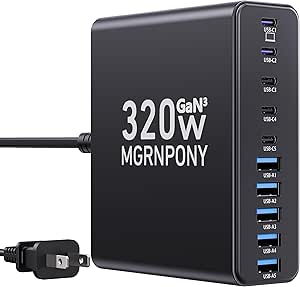 | Best for Large Families with Mixed Devices | Total USB ports: 10 | USB-C ports: 5 | USB-A ports: 5 | VIEW LATEST PRICE | See Our Full Breakdown |
| 50W 6-Port USB Charging Station with Device Stand |  | Best for Beginners and Cable-Ready Households | Ports: 6 USB-A | Total wattage: 50W | Maximum output per port: 2.4A | VIEW LATEST PRICE | See Our Full Breakdown |
| Anker 112W 6-Port Desktop Charger | 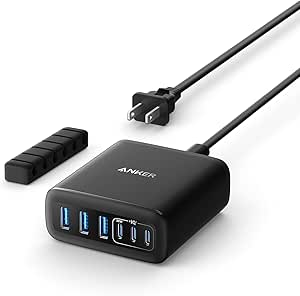 | Best Compact Mixed-Port Pick | Total output: 112W | Ports: 3 USB-C and 3 USB-A | Maximum USB-C output: 30W per port | VIEW LATEST PRICE | See Our Full Breakdown |
| 12-in-1 Desktop Charging Station, 160W USB-C Retractable GaN Charger |  | Best for a Clutter-Free Family Desk | Power: 160W | AC outlets: 4 | USB-C ports: 4 | VIEW LATEST PRICE | See Our Full Breakdown |
| Belkin 108W GaN 4-Port Desktop Charging Station with USB-C and USB-A |  | Best for a Small Family Charging Spot | Total power output: 108W | Ports: 2 USB-C and 2 USB-A | Maximum devices charged at once: 4 | VIEW LATEST PRICE | See Our Full Breakdown |
| USB-C charging stations for familie | USB-C ports | Warranty | Input voltage |
|---|---|---|---|
| MDOUREO 200W 8-Port USB Chargi | 4, up to 30W each | Lifetime | — |
| Anker Prime 200W 6-Port GaN De | — | 24 months | 240V |
| 1000W 15-in-1 Charging Station | 8 | 1 year | — |
| 10-Port 510W USB Charging Stat | 5 | 2 years | 110V |
| 420W 10-Port USB Charging Stat | 5 | — | 110V AC |
| 200W 18-Port USB Charging Stat | 9; 5V/3A per port | 2 years | 120V |
| Zobirez 10-Port 750W Charging | 5; up to 120W each | — | 120V |
| SABRENT VOLTIK 252W 8-Port USB | — | — | — |
| Haioulun 100W 10-Port USB Char | 5 | 3 months | 120V |
| MERGROLY 320W 10-Port Multi-De | — | — | 110V |
| MGRNPONY 320W 10-Port GaN USB- | 5 | — | — |
| 50W 6-Port USB Charging Statio | — | — | — |
| Anker 112W 6-Port Desktop Char | — | 18 months | — |
| 12-in-1 Desktop Charging Stati | 4 | 2 years | — |
| Belkin 108W GaN 4-Port Desktop | — | — | 100V |
More Details on Our Top Picks
MDOUREO 200W 8-Port USB Charging Station with Organizer Slots
The MDOUREO M27 suits families who want one shared spot for phones, tablets, and older USB-A devices without adding a separate stand. Its eight upright slots keep devices separated, while four USB-C and four USB-A ports cover a mix of newer and older cables. Compared with the COTOP 10-Port 510W station, it has fewer ports but a clearer listed power total, though COTOP’s higher port count may fit a larger household better. MDOUREO includes six short cables, which can simplify setup, but those cables also limit how far devices can sit from the station. Its USB-C ports top out at 30W each, so this is better for family phones and tablets than high-demand laptop charging. The protection features and flame-retardant housing add reassurance for a shared countertop, but do not change its modest per-port ceiling.
Pros:- Eight ports and upright slots keep a shared family charging area organized.
- Four USB-C and four USB-A ports suit households with newer and older devices.
- Six included cables can reduce the need to source compatible short cables separately.
- Multiple electrical protections and flame-retardant ABS housing support shared everyday use.
Cons:- USB-C output is limited to 30W per port, which may be slow for some laptops.
- Short included cables restrict placement flexibility.
- Eight slots may be insufficient for larger households charging many devices at once.
Best for: Families charging a mix of phones and tablets together at a countertop, especially when built-in device slots and included cables matter.
Not ideal for: Households that regularly charge laptops at high speed or need devices to sit far from the station; its USB-C ports are limited to 30W and the included cables are short.
- Total power:200W
- USB-C ports:4, up to 30W each
- USB-A ports:4, up to 20W each
- Device capacity:Up to 8 devices
- Included cables:3 USB-C, 2 iPhone, and 1 Micro USB
- Housing:Flame-retardant ABS
- Protection:Overcurrent, overvoltage, overload, overheating, overcharge, and short-circuit protection
- Installation:Countertop
- Warranty:Lifetime
Our verdict“Choose the MDOUREO if your family prioritizes tidy phone-and-tablet charging over laptop-level USB-C power.”
Anker Prime 200W 6-Port GaN Desktop Charging Station
For a family whose shared charging spot needs to handle laptops as well as phones, the Anker Prime A2683 prioritizes stronger USB-C output over a high port count. Its USB-C ports can deliver up to 100W each in supported configurations, giving compatible laptops more headroom than the MDOUREO M27’s 30W USB-C ports. The tradeoff is capacity: six USB ports and no listed device-organizing slots make it less suited to a crowded family charging shelf than the SAIPKYGS 15-in-1 station, which combines 12 USB ports with wireless charging. Anker’s compact desktop form and five-foot AC cord work well when the station can stay put, while its 1.24-pound weight and explicit lack of travel intent make it a poor grab-and-go choice. Temperature monitoring adds a safety feature, but families needing many simultaneous connections should look elsewhere.
Pros:- USB-C ports support up to 100W each in supported configurations.
- Six USB ports allow several devices to charge from one desktop unit.
- Temperature-monitoring safety features are suited to regular desk use.
- Five-foot AC power cord allows some flexibility in positioning the station.
Cons:- Six ports provide less capacity than the MDOUREO or SAIPKYGS family-oriented stations.
- No device-organizing slots are listed, so phones and tablets need a separate stand or surface.
- The product is not intended for travel and weighs 1.24 pounds.
Best for: Families sharing a desk or home office where one or more compatible laptops need high-wattage USB-C charging alongside a few other devices.
Not ideal for: Large families needing a high number of ports, built-in device slots, or a charger they can pack for travel.
- Total output:200W
- USB ports:6
- Maximum USB-C output:Up to 100W per port
- Dimensions:4.4 × 3.0 × 1.4 in
- Weight:1.24 lb
- Input voltage:240V
- Included power cord:5 ft AC cord
- Plug type:Type A, 2-pin (North American)
- Warranty:24 months
Our verdict“Pick the Anker Prime when laptop charging speed matters more to your household than maximizing the number of connections.”
1000W 15-in-1 Charging Station with 12 USB Ports and 3-in-1 Wireless Charger
The SAIPKYGS M12 is the most feature-dense choice here for a family that wants wired charging and a dedicated wireless spot in one place. It combines 12 USB ports with a 3-in-1 wireless charger specified for compatible iPhone, Apple Watch, and AirPods models, so Apple users can leave some cables out of the shared charging setup. Its dual 100W PD charging also offers more laptop-oriented USB-C capability than the MDOUREO M27, which has more modest 30W USB-C ports. The tradeoff is that wireless compatibility is described around Apple devices, making the headline feature less useful for Android-first households. The extra-wide slot accommodates thicker cases, and the indicator turns off after five seconds, a practical touch for a bedroom or common area. I would check the stated power details and connected-device requirements carefully, since the listing includes an unusual 120V output-voltage specification.
Pros:- Twelve USB ports plus integrated 3-in-1 wireless charging support a broad shared setup.
- Dual 100W PD charging gives compatible laptops more power than the MDOUREO M27.
- Extra-wide device slot can accommodate devices with thicker protective cases.
- Connection indicator turns off after five seconds to reduce lingering light.
Cons:- The wireless charger is described for compatible Apple devices, limiting its stated usefulness for other ecosystems.
- The listed 120V output-voltage specification merits careful compatibility checking.
- One-year warranty is shorter than the lifetime warranty listed for the MDOUREO.
Best for: Families with several USB-C devices and compatible Apple phone, watch, and earbud models who want wired and wireless charging together.
Not ideal for: Android-first households that want broadly specified wireless charging, or buyers who need simple, clearly stated power specifications without checking compatibility details.
- USB-C ports:8
- USB-A ports:4
- Maximum simultaneous devices:15
- Wireless charging:3-in-1 for compatible iPhone, Apple Watch, and AirPods
- Fast charging:Dual 100W PD
- Technology:GaN III
- Device slot dimensions:1.57 in wide × 1.77 in high
- Included items:Adapter, power cord, and user manual
- Warranty:1 year
Our verdict“Choose the SAIPKYGS if your family can use its Apple-focused wireless pad and wants unusually high wired-device capacity in one station.”
10-Port 510W USB Charging Station with 5 USB-C and 5 USB-A Ports
The COTOP HS-5A5C offers a useful family mix of five USB-C and five USB-A ports, plus eight short cables for common device connections. That makes it more flexible for a household with older phones, newer tablets, and several cable types than the Anker Prime 200W, which has fewer ports and no included device cables. COTOP also lists USB-C outputs up to 100W and USB-A up to 30W, but the power figures need caution: the product advertises 510W while also listing 297W. That inconsistency makes it harder to judge how much power is available when many devices charge together. Flame-retardant ABS and multiple electrical protections are practical positives for a shared countertop, while the 110V input specification may limit use outside matching mains systems. I would choose it for port variety, not on the strength of its advertised total wattage.
Pros:- Five USB-C and five USB-A ports cover a wide mix of family devices.
- Eight included short mixed cables can reduce setup clutter.
- Listed USB-C output reaches up to 100W in described configurations.
- Flame-retardant ABS and multiple electrical protections suit a shared charging area.
Cons:- Advertised 510W total output conflicts with the listed 297W figure.
- The 110V input specification may restrict use in regions with different mains voltage.
- Short included cables limit the distance between devices and the station.
Best for: Families with a varied mix of USB-C and USB-A devices who value included cables and want ten charging connections in one countertop station.
Not ideal for: Buyers who need a dependable, clearly documented total-power figure or plan to use the station where mains voltage differs from its listed 110V input.
- Total USB ports:10
- USB-C ports:5
- USB-A ports:5
- Advertised total output:510W; listed wattage also states 297W
- USB-C port output:Up to 100W and 65W, as described
- USB-A port output:Up to 30W, as described
- Input voltage:110V
- Material:Flame-retardant ABS
- Warranty:2 years
Our verdict“Pick the COTOP for ten-port variety and included cables, but do not rely on its advertised total wattage without clarification.”
420W 10-Port USB Charging Station with 5 USB-C Ports and 8 Cables, Black
The Zobirez 10-port station puts device organization ahead of a compact footprint: its two wider slots are designed for devices with protective cases, which can save a family from removing cases just to dock phones or tablets. It also offers five USB-C ports among ten total connections and includes short mixed cables. Compared with the COTOP HS-5A5C, it has the same overall port count and a similar USB-C/USB-A mix, but Zobirez highlights wider slots and non-slip feet rather than a clear power specification. That power information is a real weakness: the description says up to 420W while the specifications list 320W. The cable quantity and breakdown are also inconsistent, so I would not plan a family setup around a precise included-cable inventory. Its protections and stable feet are useful, but buyers should confirm the power needs of their devices before choosing it.
Pros:- Ten ports, including five USB-C connections, support several family devices at once.
- Two wider slots are sized for devices with protective cases.
- Non-slip rubber feet help keep the station steady and protect the surface beneath it.
- Flame-retardant housing and multiple listed protections support shared everyday use.
Cons:- Power output is inconsistent: the description states up to 420W while the specifications list 320W.
- Included cable count and type breakdown are inconsistent.
- The listed 110V AC input may not suit regions with different mains voltage.
Best for: Families who want ten charging ports and wider slots for phones or tablets that stay in protective cases.
Not ideal for: Buyers who need unambiguous power or cable specifications, or households where the station must work with mains voltage other than the listed 110V AC.
- Total ports:10
- USB-C ports:5
- Maximum total output:Up to 420W in description; specifications also list 320W
- Fast-charging ports:Two 65W, three 45W, and five 30W ports, as described
- Device capacity:Up to 10 devices
- Slot dimensions:Two slots, each 1.57 in wide × 1.77 in high
- Dimensions:1.77 × 1.57 × 1.77 in
- Weight:1.6 lb
- Input voltage:110V AC
Our verdict“Choose the Zobirez for case-friendly slots and a ten-port layout, but verify its power and cable details before buying.”
200W 18-Port USB Charging Station with Adjustable Dividers
For a household juggling lots of phones, tablets, and smaller USB devices, 18 ports is the defining advantage here: nine USB-C and nine USB-A let more family members plug in at one station than the 10-port Haioulun or MERGROLY. Eight removable dividers also make it easier to arrange devices of different widths, including some in cases. The tradeoff is that the listed USB-C and USB-A outputs are both 5V, so this is aimed at routine charging rather than fast-charging laptops or demanding devices. Its 200W total output is spread across many connections, and families must supply their own cables. Choose it for shared, overnight charging capacity; skip it if fewer ports with higher specified per-port power matter more.
Pros:- 18 ports, split evenly between USB-C and USB-A, support a large collection of devices.
- Eight removable dividers can be repositioned for different device widths.
- Adaptive charging adjusts power to connected devices.
- Includes stated overvoltage, overcurrent, overload, and short-circuit protections.
Cons:- USB cables are not included.
- Both USB-C and USB-A outputs are specified at 5V, limiting its appeal for fast charging.
- The 200W total output is shared across as many as 18 connected devices.
Best for: Large families who want one shared station for many phones, tablets, and other everyday USB devices, and already own charging cables.
Not ideal for: Families who need fast USB-C laptop charging or want cables included; the listed ports provide 5V output and no cables come in the box.
- Total output:200W
- Total ports:18
- USB-C ports:9; 5V/3A per port
- USB-A ports:9; 5V/2.4A per port
- Dividers:8 removable
- Input voltage:120V
- Included:Charging hub, power cable, English manual; USB cables not included
- Warranty:2 years
Our verdict“Choose this station when the family’s main need is more charging spots, not high-power USB-C charging.”
Zobirez 10-Port 750W Charging Station with 5 USB-C and 5 USB-A Ports
The Zobirez is the most laptop-focused pick in this group: its five USB-C ports are rated up to 120W each, a much higher stated ceiling than the MERGROLY’s two 65W USB-C ports. That makes it a better fit for a family mixing phones with compatible laptops and other higher-draw devices, while its five USB-A ports retain room for older cables. The included cable assortment can also get a shared setup running without sourcing every short lead separately. Its 750W figure is a total-output claim, not a promise that every connected device gets maximum speed; actual charging depends on device and cable compatibility. With only 10 ports, it also offers fewer connections than the 18-port station. Choose it for power flexibility, not sheer device count.
Pros:- Five USB-C ports are rated up to 120W each for compatible devices.
- Five USB-A ports support devices that still use older USB connections.
- Includes a power cord and 10 cables in several connector types.
- Wide center slots accommodate larger devices or thicker cases.
Cons:- Maximum charging speeds depend on compatible devices and cables.
- Ten ports provide fewer charging connections than the 18-port station.
- Requires a 120V power input.
Best for: Families who charge compatible USB-C laptops alongside phones and want a mix of USB-C, USB-A, and included short cables.
Not ideal for: Households prioritizing the largest number of charging positions or those whose devices cannot use the station’s higher-power USB-C output.
- Total output:750W
- Total ports:10
- USB-C ports:5; up to 120W each
- USB-A ports:5; up to 30W each
- Included cables:10: one 100W USB-C to USB-C, five short USB-C, two iPhone, and two Micro USB cables
- Material:Flame-retardant ABS
- Input voltage:120V
- Protection:Over-current, over-voltage, overload, overheat, overcharge, and short-circuit protection
Our verdict“Pick the Zobirez for a family charging compatible laptops as well as phones, provided 10 slots are enough.”
SABRENT VOLTIK 252W 8-Port USB-C and USB-A Charging Station with LCD Display
For a family that wants to see what the station is doing, the VOLTIK’s color LCD shows wattage, voltage, amperage, and internal temperature for each port. That visibility sets it apart from the Haioulun, which offers simple shared charging without a display, and can help explain why a compatible device is charging slowly when several gadgets are connected. The VOLTIK also supports PD 3.0, PPS, and QC fast-charging standards, with up to 100W from one USB-C port. Its eight ports are fewer than the Haioulun’s 10 or the 18-port station’s, and its 252W budget is shared. The monitoring features suit a permanent desk setup better than a family travel kit; its mounting kit and Kensington lock slot reinforce that stationary role.
Pros:- LCD reports port wattage, voltage, amperage, and internal temperature.
- Supports PD 3.0, PPS, QC 4.0, and QC 3.0 for compatible devices.
- One USB-C port can provide up to 100W.
- Includes a mounting kit, removable power cord, and UL certification.
Cons:- The 252W total is shared, so available power per device varies with connected devices.
- Eight ports are fewer than the 10-port family stations in this roundup.
- Some low-draw accessories may not charge reliably from its high-wattage ports.
Best for: Families with a shared desk or charging area who value port-by-port power readings and have compatible fast-charging devices.
Not ideal for: Families who need the most charging positions, a travel-friendly station, or reliable charging for low-draw accessories that may not work well with its high-wattage ports.
- Shared total output:252W
- Total ports:8: four USB-C and four USB-A
- Maximum single USB-C output:100W
- USB-C pair output:Up to 125W shared
- Maximum USB-A output:18W per port
- Fast-charging standards:PD 3.0, PPS, QC 4.0, QC 3.0
- Display:Color LCD with port wattage, voltage, amperage, and internal temperature
- Included accessories:Removable power cord and wall or desk mounting kit
Our verdict“Choose the VOLTIK for a fixed family charging area where visible power readings matter more than having 10 or more ports.”
Haioulun 100W 10-Port USB Charging Station with Cable Organizer
The Haioulun suits families looking to tidy a shared charging spot without stepping up to a higher-output station. Its five USB-C and five USB-A ports cover a mix of newer and older cables, while built-in dividers and cable routing keep devices upright and reduce loose leads across a desk or counter. Compared with the MERGROLY, it has the same 10-port layout but doesn’t list included cables; compared with the 18-port station, it offers fewer connections but a simpler everyday setup. The 100W total is shared, so charging several devices at once leaves less power for each than the larger-output Zobirez. Its listed warranty is just three months, a meaningful drawback for a household hub expected to stay in regular use.
Pros:- Ten ports split evenly between USB-C and USB-A.
- Built-in dividers help keep devices upright.
- Cable organizer helps reduce clutter around a shared charging spot.
- Smart power distribution adjusts for connected devices.
Cons:- The 100W total output is shared among connected devices.
- No charging cables are listed as included.
- The stated warranty is three months.
Best for: Families with a moderate mix of USB-C and USB-A phones or tablets who want built-in device and cable organization.
Not ideal for: Laptop-heavy households, families needing many high-speed connections, or buyers who want included cables and a longer stated warranty.
- Total output:100W
- Total ports:10
- USB-C ports:5
- USB-A ports:5
- Input voltage:120V
- Organization:Built-in device dividers and cable organizer
- Weight:0.6 kg
- Warranty:3 months
Our verdict“Choose the Haioulun for an organized, everyday family charging station when 100W shared output is enough.”
MERGROLY 320W 10-Port Multi-Device Charging Station
The MERGROLY makes family setup easier by pairing 10 mixed USB ports with eight short cables, including USB-C, Lightning, and Micro USB leads. That gives it an advantage over the Haioulun, which lists no included cables, while its 320W total output is higher than the Haioulun’s 100W. Two USB-C ports are rated at 65W, so compatible devices get a stronger option than everyday phone charging; the other three USB-C ports are rated at 30W each. It has fewer ports than the 18-port station and less per-port USB-C headroom than the Zobirez, but its included cable mix and device dividers with anti-slip details make it a practical household organizer. The Apple Watch holder needs a separate charging cable, and the manufacturer recommends using the supplied cables.
Pros:- Ten USB-C and USB-A ports support simultaneous charging for multiple devices.
- Eight included cables cover USB-C, Lightning, and Micro USB connections.
- Two USB-C ports are rated at 65W, with three more rated at 30W.
- Anti-slip pads and device dividers help keep devices and the station in place.
Cons:- The Apple Watch holder does not include a watch charging cable.
- Its highest specified USB-C output is lower than the Zobirez’s 120W-per-port rating.
- The manufacturer recommends using the included original cables for performance and safety.
Best for: Families with a mix of USB-C, Lightning, and Micro USB devices who want a shared station with short cables included.
Not ideal for: Households needing more than 10 charging positions, higher-power USB-C options than 65W, or an Apple Watch charging cable in the box.
- Total output:320W
- Total ports:10: five USB-C and five USB-A
- USB-C outputs:Two ports at 65W and three ports at 30W
- Included cables:8: four USB-C to USB-C, three USB to Lightning, and one USB to Micro
- Watch holder:Apple Watch charger holder; charging cable not included
- Material:Flame-retardant ABS
- Input voltage:110V
- Color:White
Our verdict“Pick the MERGROLY if your family wants a cable-ready, organized 10-device station with useful—but not laptop-class maximum—USB-C power.”
MGRNPONY 320W 10-Port GaN USB-C Charging Station
I’d shortlist the MGRNPONY when a family needs many ports in one place, especially for a mix of newer USB-C gear and older USB-A devices. Its five USB-C and five USB-A ports give it more connection options than the Anker 112W 6-Port Desktop Charger, which is the more compact choice but has fewer ports. The listed USB-C PD/PPS outputs include 65W, 30W, and 20W, so it can suit a laptop alongside phones and accessories, though charging speeds may vary as more devices share the station. Its horizontal or vertical placement helps it fit crowded desks, and the included 5-foot cord gives some placement flexibility. The tradeoff is a two-pin North American plug and less clarity about each port’s output when several devices are connected.
Pros:- Five USB-C and five USB-A ports accommodate a broad mix of family devices.
- Listed USB-C PD/PPS outputs include 65W, 30W, and 20W options.
- Can sit horizontally or vertically to suit different desk layouts.
- GaN III protections cover overcharging, overheating, short circuits, overcurrent, and overvoltage.
Cons:- Charging speeds may vary when multiple ports are occupied.
- The Type A, two-pin plug is designed for North American outlets.
- The available information does not specify per-port output when several devices charge at once.
Best for: Families charging a laptop, several phones, tablets, and older USB-A accessories together at a shared desk.
Not ideal for: Households that mainly need fast charging for a few USB-C devices or need a three-pin plug; its port count may be more than they need.
- Total USB ports:10
- USB-C ports:5
- USB-A ports:5
- USB-C PD/PPS outputs:65W, 30W, and 20W
- Charging technology:GaN III
- Power cord:5 ft (1.5 m)
- Plug type:Type A, US-style 2-pin
- Positioning:Horizontal or vertical
Our verdict“Choose this station if your family needs ten mixed USB ports and flexible placement more than predictable charging speeds for every device.”
50W 6-Port USB Charging Station with Device Stand
This dock suits families who value simple device parking and supplied cables over USB-C charging speeds. It has six USB-A ports and includes six mixed cables plus a USB-A-to-USB-C adapter, so it can be ready for common phones and tablets without a separate cable hunt. That makes it more immediately equipped than the Anker 112W 6-Port Desktop Charger, which has USB-C ports but does not include charging cables. The wide slots and anti-slip pads help keep devices upright on a shared surface, while the built-in watch holder adds a dedicated spot—though the watch’s charging cable is not included. The main limitation is its USB-A-only output at 5V, so it is a poor fit for families seeking modern USB-C PD charging or quicker laptop top-ups.
Pros:- Six USB-A ports let a family charge several devices at once.
- Includes six mixed charging cables and a USB-A-to-USB-C adapter.
- One-inch-wide slots accommodate phones and tablets with cases.
- Anti-slip pads and built-in overvoltage, overcharging, and short-circuit protections support shared tabletop use.
Cons:- USB-A ports and 5V output do not provide USB-C PD charging.
- The built-in watch holder does not include a watch charging cable.
- The 50W total output is less suited to charging power-hungry devices than higher-output options.
Best for: Families with mostly phones, tablets, earbuds, and e-readers who want a shared dock with common cables included.
Not ideal for: Households with USB-C laptops or newer devices that need USB-C PD charging, or anyone expecting the watch holder to include its charging cable.
- Ports:6 USB-A
- Total wattage:50W
- Maximum output per port:2.4A
- Output voltage:5V
- Slot dimensions:1 in wide × 1.3 in high
- Included cables:1 Micro-USB, 2 USB-C, and 3 Lightning cables
- Watch holder:Built in; charging cable not included
- Material:Flame-retardant ABS
Our verdict“Pick this dock for a cable-included family charging spot built around everyday USB-A devices, not for USB-C laptop charging.”
Anker 112W 6-Port Desktop Charger
For a family that wants a small shared charger rather than a multi-device organizer, this Anker balances USB-C and USB-A in a compact desktop unit. Its three USB-C and three USB-A ports can serve newer phones and tablets alongside older accessories, while the listed 112W total output gives it more capacity than the 50W 6-Port USB Charging Station with Device Stand. One USB-C port is specified up to 30W, and a USB-A port up to 18W, making it a better match for mixed charging needs than an all-USB-A dock. The silicone cable organizer can help keep a family charging area neater, but cables are not included, and the 30W note specifically identifies USB-C1 for MacBook Air. It offers fewer ports than the MGRNPONY, so larger households may outgrow it.
Pros:- Three USB-C and three USB-A ports support a mix of current and older devices.
- 112W total output exceeds the 50W USB-A dock’s stated capacity.
- Compact 3.0 × 3.2 × 1.3-inch body fits a desktop or travel setup.
- Silicone cable organizer helps contain cable clutter.
Cons:- Charging cables are not included.
- The stated 30W USB-C charging note applies to the USB-C1 port for MacBook Air.
- Six ports may not be enough for a large family’s full device lineup.
Best for: Families who need a compact tabletop charger for a few phones, tablets, and accessories across USB-C and USB-A.
Not ideal for: Large households charging many devices at once, or buyers who need included cables or a clearly specified high-wattage laptop port for multiple devices.
- Total output:112W
- Ports:3 USB-C and 3 USB-A
- Maximum USB-C output:30W per port
- Maximum USB-A output:18W per port
- Dimensions:3.0 × 3.2 × 1.3 in (77 × 82 × 33 mm)
- Weight:10.65 oz (302 g)
- Included accessory:Silicone cable organizer
- Warranty:18 months
Our verdict“Choose this Anker for a space-saving mix of USB-C and USB-A ports when six connections are enough and you already have cables.”
12-in-1 Desktop Charging Station, 160W USB-C Retractable GaN Charger
This station is the distinctive choice for families who want retractable USB-C cables and AC outlets together, rather than a bank of USB ports alone. Four built-in retractable chargers, each with a 33.5-inch cable, can reduce loose leads around a shared desk; four additional USB-C ports and four AC outlets expand what can plug in. By comparison, the MGRNPONY 320W 10-Port GaN USB-C Charging Station offers more USB connections, but no AC outlets or integrated retractable cables are listed. The 40W individual chargers are useful for phones and tablets, while ETL certification and 1020J surge protection add reassuring documented safeguards. One caveat for a family’s mixed gear: the USB-C ports may not activate with low-power devices such as flashlights or toy drones. It also has fewer USB-C ports than its 12-in-1 label may suggest at first glance.
Pros:- Combines four AC outlets, four USB-C ports, and four retractable USB-C chargers.
- Four 33.5-inch retractable cables reduce loose cable clutter.
- Each retractable charger is rated at 40W.
- ETL-certified design includes 1020J surge protection and a two-year warranty.
Cons:- USB-C ports may not activate with low-power devices such as flashlights, toy drones, or walkie-talkies.
- The four retractable chargers are separate from the four USB-C ports, so the station’s port layout differs from a conventional USB-only hub.
- A 45-degree angled plug may not suit every outlet location.
Best for: Families sharing a desk or counter who want built-in retractable USB-C leads, AC outlets, and a tidy charging area.
Not ideal for: Households that need charging for low-power USB devices or want a large number of independent USB-C ports without AC outlets.
- Power:160W
- AC outlets:4
- USB-C ports:4
- Retractable chargers:4 at 40W each
- Retractable cable length:33.5 in
- Surge protection:1020J
- Safety certification:ETL-certified
- Warranty:2 years
Our verdict“Pick this station if integrated cables and AC outlets matter more to your family than having the highest count of standard USB ports.”
Belkin 108W GaN 4-Port Desktop Charging Station with USB-C and USB-A
The Belkin makes the most sense for a family that needs four dependable connections in a compact station, not a central hub for every household device. Its two USB-C and two USB-A ports cover a common mix of newer phones and older accessories, while intelligent power sharing adjusts output across connected devices. The included 6.6-foot cord makes placement easier than with the Anker 112W’s compact body, whose cord length is not specified in the supplied details. Against the MGRNPONY 320W 10-Port GaN USB-C Charging Station, Belkin gives up six ports but offers a simpler, smaller setup for a bedside table or counter. Its 108W total output is substantial for a four-port unit, though the product details do not state maximum output per individual port. It also requires a corded connection and has a two-pin North American plug.
Pros:- Two USB-C and two USB-A ports handle a mix of newer and older devices.
- 108W total output with intelligent power distribution.
- GaN design keeps the station compact.
- The 6.6-foot power cord allows flexible placement on a desk, nightstand, or counter.
Cons:- Four ports are limiting for larger families charging many devices together.
- Per-port maximum outputs are not specified in the supplied product details.
- The Type A, two-pin plug is intended for North American outlets.
Best for: Small households or shared bedside tables that need to charge up to four USB-C and USB-A devices with flexible cord placement.
Not ideal for: Large families with more than four devices to charge at once, or buyers who need documented per-port charging outputs or a non-North-American plug.
- Total power output:108W
- Ports:2 USB-C and 2 USB-A
- Maximum devices charged at once:4
- Technology:GaN
- Power sharing:Intelligent power distribution
- Power cord length:2 m (6.6 ft)
- Input voltage:100V
- Plug type:Type A, 2-pin North American
Our verdict“Choose the Belkin for a compact, four-device family charging spot with a long cord, but look to a higher-port-count station for a shared household hub.”
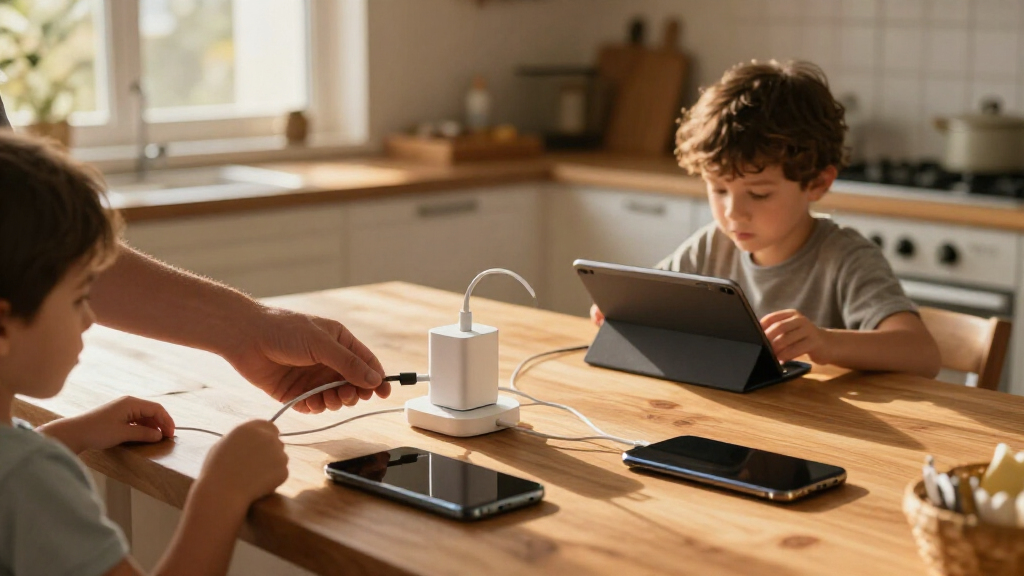
How We Picked
I ranked these stations around the job families actually need them to do: charge several household devices in one shared location without turning a counter or desk into a cable pile. I compared port count and USB-C/USB-A mix, stated total output, device organization, included cables, display or stand features, and the likely footprint. I also separated models designed to sort and park devices from desktop chargers focused on power delivery, since those solve different family problems.
The order favors a balanced combination of useful charging capacity and family-friendly organization, rather than the largest advertised wattage alone. Models with many ports can suit crowded households, but their ranking depends on whether the power is usable across the ports and whether the form factor fits a shared space. Compact and simpler chargers rank well for households with fewer devices; they rank below more versatile stations for families that need a central charging hub. Product details provided do not establish per-port output or simultaneous charging performance, so I do not treat total wattage as proof that every connected device will charge at its maximum rate.
Factors to Consider When Choosing USB-C Charging Stations For Families
Before choosing a family charging station, count the devices that need a regular charging spot and identify which ones need USB-C power. Then match the station’s layout and output to your household’s routines. These broader checks can prevent a common mismatch: buying a high-port-count station that is awkward to use, or a compact charger that leaves family devices scattered around the room.
Count devices, then plan for growth
Count the devices that will use the station at the same time, not every device your household owns. Phones and earbuds may share a charging area easily, while tablets or laptops can take up more space and may need higher-output USB-C ports. Leave a little capacity for a new device or a guest rather than filling every port on day one. A large port count is only useful if the station can physically accommodate the devices and cables without blocking adjacent ports. For a small household, a four- or six-port desktop charger can be easier to live with than a bulky organizer. For a larger family, spare ports can reduce arguments over who gets to charge first.
Check per-port output and power sharing
Total wattage describes a station’s overall ceiling, not necessarily the power available to each device. A station with many ports may divide its output when several devices are connected, so check the product’s per-port specifications and any stated shared-power behavior. Match those details to the devices you own, especially if you expect to charge laptops or power-hungry tablets alongside phones. Do not assume that a high total-wattage claim means every USB-C port can deliver that amount at once. If the manufacturer does not explain output under multi-device use, treat that as an information gap rather than a performance promise. A family charging mostly phones may prefer more ports over a higher single-device output.
Choose a port mix around your actual cables
USB-C ports are increasingly useful, but family devices and accessories may still rely on USB-A. List the connectors on your existing charging cables before buying, and decide whether you want to replace older cables or keep using them. A station with a balanced USB-C and USB-A mix can reduce the need for adapters, while an all-USB-C setup may suit a household already moving to newer cables. Included cables can save setup time, but check their connector types and lengths rather than assuming they fit every device or placement. Avoid paying for a port mix that leaves half the station unused. The best mix is the one that matches the devices that regularly share the charging area.
Treat device organization as a space decision
Slots and dividers help keep devices upright and separated, which can make a shared counter easier to manage. They also take up more surface area and may not fit tablets or cases of every size. Before choosing an organizer-style station, measure the space where it will live and compare that with the dimensions and divider layout in the product details. A compact desktop charger may be a better fit if family members charge devices in separate rooms or use their screens while plugged in. Keep cable access in mind: a tidy rack is less useful if short leads pull devices out of their slots. Think about whether the station will be a permanent charging home or a portable shared charger.
Pay for features that reduce household friction
A display can make charging status easier to see, retractable cables can reduce loose leads, and included cables may simplify setup. These extras are most useful when they solve a repeated problem in your household, not just because they appear on a feature list. For example, a family that often misplaces cables may value a station bundled with several, while a dedicated desk may benefit more from a compact power-focused unit. A stand can help keep a few devices visible, but it is not a substitute for enough ports or suitable output. If the station will sit in a common room, prioritize easy access and a layout everyone can use. Skip premium extras that do not match your routine.
Match the station to the room and charging routine
Where the station lives changes what matters: a kitchen counter needs a stable, easy-to-clean setup, while a home office may reward compact size and laptop-capable USB-C output. Think about who plugs in devices and when; a central station works well when everyone charges overnight, but less so if devices must stay in use during the day. Check the cable supplied for the station itself, its placement relative to an outlet, and whether the device slots remain accessible in that location. A station with many ports can still create clutter if cables cross a walkway or cover a work surface. Set a simple household rule for returning cables and devices to their spots. The best choice fits the room’s routine as much as the device list.
Frequently Asked Questions
Is a high total-wattage charging station better for a family?
Not by itself. Total wattage indicates the station’s overall stated output, while each port’s available power and the way output is shared determine how your devices charge together. A family charging several phones may get more practical use from extra ports and clear organization than from a very high total number. If laptops or tablets are part of the mix, check the USB-C port specifications for those devices specifically. When multi-device output details are missing, do not assume every device will charge at its fastest rate at once.
Should I choose a station with device slots or a compact desktop charger?
Choose slots if several family members will leave devices in one shared place and you want them separated and easy to find. Choose a compact charger if devices are used while charging, move between rooms, or do not need a permanent parking spot. Organizer stations can reduce surface clutter, but they take up more room and their dividers may not fit every device or case. A smaller unit leaves more desk or counter space but will not corral loose devices. Measure the intended location and think about how the family will use it day to day.
Do I need both USB-C and USB-A ports?
That depends on the cables and devices your household already uses. USB-C ports suit many newer phones, tablets, and other devices, while USB-A can keep older cables and accessories useful without an adapter. Take inventory of the connector at the charger end of each cable, not just the connector that plugs into the device. A mixed-port station can help a family with devices from different generations. If nearly everything you own uses USB-C, you may prefer a station that gives more space to USB-C instead of paying for unused older-style ports.
Are included cables a reason to choose one family charging station over another?
They can be, especially if the station includes the cable types and lengths your family needs. Bundled cables may make initial setup easier and reduce loose-cable searching, but they may not suit every device or charging location. Check whether the cables are removable, how many are included, and whether their connectors match your devices. A station with built-in organization can still need separate cables, so compare the full setup rather than the headline port count. If you already own reliable cables, paying extra for a bundle may add little value.
What should I check before using one station for phones, tablets, and laptops?
Check the USB-C output supported by each port and whether the station shares power when multiple devices are connected. Confirm that the laptop’s charging needs fall within the station’s stated capability, rather than relying on the overall wattage figure. Then consider how many devices will charge at once, since a laptop can use a larger portion of the available output than a phone. A family with several laptops may need more than a multiport phone station can provide. If the specifications do not explain simultaneous power delivery, seek clarification before making it the household’s only charger.
Conclusion
For most households seeking a central hub, I would start with the MDOUREO 200W 8-Port: its mix of charging ports and organizer slots makes it the best overall fit in this lineup. The Haioulun 100W 10-Port is a value-oriented choice for families that want a high port count and cable organization without focusing on premium power features, while the Anker Prime 200W 6-Port is my premium pick for a compact desktop setup with substantial stated output. Beginners who want a straightforward, smaller charging point should look at the Anker 112W 6-Port or the 50W 6-Port station with device stand, depending on whether they prefer a desktop charger or a simple stand. For households parking many devices together, the 200W 18-Port station with adjustable dividers addresses a specific crowding problem; for a desk with limited space, the Belkin 108W 4-Port is the leaner alternative. Before choosing, match the port mix and stated per-port output to your actual devices, since the biggest station is not automatically the best family fit.