Smart Home Device Bundles: A Thanksgiving Guide
AIThis post was created with the assistance of artificial intelligence (AI).

TL;DR

A smart home device bundle packages connected products, such as lights, sensors, cameras, or a hub, for a shared purpose. Choose one by checking exact device compatibility, required hubs, subscription fees, privacy terms, and the current cost of buying only the items you will use.

A box marked “whole-home smart kit” can look like a shortcut to a smarter house. Then you open it and find a sensor you don’t need, a hub your platform can’t use, and a camera that stores video only with a monthly plan. The bundle price was just the first number in the story. A smart home device bundle is a group of connected products sold or recommended together, often to handle a task such as lighting, security, or climate control. This guide shows you how to match a bundle to your home, check whether its devices will work together, and calculate what you’ll pay after setup and subscriptions. You’ll also get a practical checklist for comparing packages, so you can buy the right pieces instead of the biggest box.
At a glance
Smart Home Device Bundles: What to Buy and Check
Key insight
A bundle discount only saves money if you want and can use its included devices; subscriptions, hubs, installation, and storage can change the package’s total cost over time.
Key takeaways
1

Choose a bundle around a specific need, such as entry alerts, lighting, or climate control.

2

Verify the exact models, platform features, network type, and hub requirements before checkout.

3

Compare the cost of useful items plus subscriptions, storage, accessories, and installation.

4

Review data storage, authentication options, and the manufacturer’s update support.

5

Start with one working routine and expand after you understand your home’s coverage and setup.

Step by step
1
Start With One Routine and Expand When It Works
The easiest way to grow a smart home is to begin with one routine you genuinely want, learn how its devices behave, then expand after you k…
Before you orderOffer from Amazon

Get the latest gadgets delivered free with Prime

  • Fast, free delivery on millions of items
  • Prime Video, Amazon Music and more included
  • Member-only deals all year
Start your free Prime trial Free trial for eligible customers · Cancel anytime
As an affiliate, we earn on qualifying purchases.

A Bundle Can Get Your First Smart Home Running Faster

A smart home device bundle groups connected products for a shared purpose, such as controlling lights, monitoring doors, or managing temperature. The package may come from one brand or combine products meant to work together across a platform. It can save you the work of choosing each piece separately, though the label alone does not prove compatibility. Common packages include starter kits with a speaker or hub, bulbs, and plugs; security kits with door sensors, motion detectors, or cameras; and climate packages with a thermostat and room sensors. For example, if you want a lamp to turn on when you arrive home, a starter kit with a compatible plug and motion sensor could give you the pieces to build that routine. If you mainly want a door alert, a box of smart bulbs adds little value. The benefit is less research and potentially simpler setup: devices selected for a shared purpose may already have a documented way to work together. The tradeoff is reduced choice. You may get a hub or extra sensor that does not suit your layout, and replacing just one item later could mean leaving the bundle’s intended ecosystem. Before buying, map each device to a specific task and room. The useful question is not simply “What comes in the box?” Ask what each item will do in your home. A good bundle solves a clear problem with products you will use, while a poor fit can leave you with spare sensors gathering dust in a drawer.

Products Worth Considering

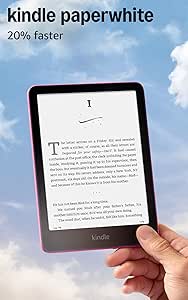
Amazon Kindle Paperwhite (12th Generation, 2024), 16GB, 7-Inch Display, Raspberry

Amazon Kindle Paperwhite (12th Generation, 2024), 16GB, 7-Inch Display, Raspberry

Logitech MX Keys S Combo Wireless Keyboard and Mouse, Graphite

Logitech MX Keys S Combo Wireless Keyboard and Mouse, Graphite

As an affiliate, we earn on qualifying purchases.

Check Platform Support Before You Buy

A bundle works for you only when its exact products support the platform and features you plan to use. Check the model numbers, app requirements, hubs, and automations before you pay; compatibility can vary even between products from the same brand. This matters because “works with” can mean anything from basic on/off control to access to the alerts, scenes, and automations that make the device useful. A device that pairs but lacks your needed feature can leave you managing it in a separate app or buying more equipment. | What to check | Why it matters | Example | |—|—|—| | Preferred platform | A device may support Apple Home, Alexa, Google Home, or SmartThings to different degrees. | A camera might show a live feed in an app but lack the alert features you expect in your platform. | | Matter support | Matter is designed to help participating products work across supported ecosystems. | A Matter label does not promise identical setup or features in every app. | | Network and hub | Wi-Fi, Bluetooth, Thread, Zigbee, and Z-Wave products have different equipment needs. | A Zigbee sensor may need a compatible hub even if your bulbs connect directly to Wi-Fi. | | Desired automation | Some routines require a specific app, hub, or paid service. | Confirm that a motion sensor can switch on your chosen light without another subscription. | Imagine your household uses Apple Home, but the bundle’s sensor exposes only basic controls there. The devices may pair successfully and still fail to do the job you bought them for. A shared standard such as Matter can make cross-brand choices easier, but each platform decides which features it exposes, and some functions may remain tied to the maker’s app or hub. That creates a practical tradeoff: sticking to one ecosystem can simplify setup, while mixing brands can broaden choice but calls for more feature-by-feature checking. Verify the exact model and feature support in the manufacturer’s current specifications before checkout, since product support can change over time.

Compare the Full Cost, Not Just the Bundle Price

To compare a smart home bundle fairly, add the package price to every required hub, accessory, installation charge, and subscription over the time you expect to own it. Then compare that total with the current prices of the individual items you actually want. The point is to compare the same useful outcome, not a bundle’s full contents against the price of one device. A low upfront price can be offset by recurring fees, while buying separately can cost more initially but let you skip unwanted hardware.
  1. List your use case. Write down the outcome you want, such as an entry alert or a lamp that turns on at dusk.
  2. Mark the useful items. Separate devices you’ll use from extras that simply fill out the package.
  3. Check required costs. Look for a hub, bridge, professional installation, cloud storage, monitoring, and paid app features.
  4. Compare like with like. Check model numbers, generations, included accessories, and current individual prices.
  5. Estimate the ownership total. Add recurring fees for the period you expect to keep the system.

For example, a security kit may cost less up front than separate sensors and a camera, but require a monthly plan for video recording or professional monitoring. If you keep the system for several years, that fee can outweigh the initial discount. Another package may offer local alerts and basic controls without a subscription, but provide less storage or fewer remote features. Neither is automatically the better value: decide which functions you need, then compare their costs over the same ownership period. A discount matters only when the devices and included services are worth paying for.

Know What Happens to Your Data and Your Devices

Before installing a bundle, find out what its devices collect, where they store that information, and how long the manufacturer supports them with updates. Cameras may capture video; door and motion sensors can reveal when rooms are occupied. That information can describe household routines, so storage and access choices affect both privacy and how much control you retain. Those details deserve the same attention as the price tag. Check whether recordings stay on a local hub or go to the cloud, whether two-factor authentication is available, and which camera or alert features require a paid plan. Local storage can reduce dependence on a vendor’s cloud and fees, but may require extra equipment and leave you responsible for protecting or replacing the storage. Cloud plans can make remote access and backups easier, but add an ongoing cost and make availability depend on the provider’s service and terms. A family buying a living-room camera, for instance, may prefer a product with clear recording controls and a way to disable the camera when everyone is home. Data practices differ across products, even inside one broader smart home setup. Keep your accounts protected with unique passwords and available two-factor authentication, and install firmware and app updates. Also review the maker’s support policy and update history: a device that stops receiving security fixes can become a weak point even if it still performs its basic task. Strong security depends on both the product and your account habits; a bundle label cannot tell you how long a device will receive fixes or where its data will go.

Make Sure the Bundle Fits Your Home’s Network

A smart home bundle can feel unreliable when its devices sit beyond dependable wireless coverage or depend on internet services that are temporarily unavailable. Thick walls, distance from the router, interference, and a busy Wi-Fi network can all cause delays or dropouts. The room layout matters as much as the product list because a sensor that misses a signal or a command that takes too long may undermine the routine the bundle was meant to simplify. Picture a two-story home where the router sits at the front of the ground floor. A sensor at the far end of an upstairs hallway may miss an alert if its connection is weak. A hub placed in a better location, or improved Wi-Fi coverage, may help; the right fix depends on how the devices connect and where the signal drops. Moving a hub or adding a mesh access point can solve a coverage gap, but it adds setup and possibly cost. Check return policies and placement guidance before assuming the bundle will work equally well in every room. Some bundles use a hub or bridge to coordinate products, often through Zigbee, Z-Wave, or Thread. That can reduce the number of devices connecting directly to Wi-Fi, but adds equipment and may be needed for remote access or certain routines. A hub can also provide a local path between devices, though capabilities vary by model and configuration. Check what still works offline, too: local controls may continue through an internet outage, while cloud-dependent alerts or recordings may stop. Knowing this distinction helps you judge whether the bundle can handle essential tasks when your internet service is down.

Start With One Routine and Expand When It Works

The easiest way to grow a smart home is to begin with one routine you genuinely want, learn how its devices behave, then expand after you know what your home needs. A large package can be convenient, but it can also make setup and troubleshooting harder when several unfamiliar products arrive at once. Starting small limits the number of possible causes when something fails and shows whether the platform, sensor placement, and network suit your home before you invest further. Say you want a hallway light to come on when someone walks past after dark. Start with a compatible motion sensor and light, then confirm that your preferred app supports the routine and that the sensor reaches the right part of the hallway. If it works reliably for a week, you can add another light or a door alert. If it misses motion, you have a smaller system to troubleshoot. This gradual approach may mean paying more per device than a discounted kit, but it also limits the risk of paying for a large system whose main routine does not work as expected. Energy-focused packages with thermostats, smart plugs, lighting, or energy monitors can help you understand and manage usage, but they do not guarantee savings. Results depend on your home, habits, device capabilities, and utility rates. Build around a useful routine, then check hub capacity, coverage, and platform support before adding more devices. That gives you room to expand without turning every purchase into a commitment to one oversized kit.

Frequently Asked Questions

What should a beginner’s smart home bundle include?

Start with products for one clear need, such as a smart plug and light for convenient lighting or door sensors for entry alerts. Choose exact models that work with your preferred platform and check whether they need a hub.

Does Matter guarantee that every device will work with every app?

No. Matter is designed to support products across participating ecosystems, but the setup and available features can differ by product and platform. Check the manufacturer’s compatibility details for the exact model.

Do I need a smart home hub?

It depends on the devices in your bundle. Some connect directly to Wi-Fi, while others use a hub or bridge for Zigbee, Z-Wave, or some Thread setups; a hub may also be needed for particular automations or remote access.

Are smart home device bundles cheaper than buying products separately?

Sometimes, but compare the bundle price with the current prices of the items you will use. Include required hubs, installation, storage, monitoring, and subscriptions when you calculate the cost.

Will a smart home bundle work if the internet goes out?

That depends on the products and setup. Some local controls or routines may continue, while features that rely on cloud services, such as certain alerts or recordings, may stop until the connection returns.

Can I mix brands in one smart home?

Often, yes, when the devices support the same platform or a shared standard such as Matter. Confirm the exact features you need, since a device may connect while exposing only limited controls in your chosen app.

Conclusion

Choose the bundle that solves a real problem in your home, works with the platform you already use, and has a total cost you can explain—including subscriptions and required equipment. Check the exact models and privacy terms, then start with a routine you can test in one room. A smart home should make an ordinary evening feel easier: a hallway light clicks on, a door alert reaches your phone, and nothing extra sits unused in the box.
You May Also Like

Top 10 AI Trends That Will Shape 2026

An analysis of the most significant AI trends predicted to influence technology and society in 2026, based on industry forecasts and expert insights.

13 Best Guides to AI-Powered Marketing Automation Tools for Smarter Campaigns in 2026

A comprehensive review of the 13 best books and guides for implementing AI-driven marketing automation, helping marketers choose strategies suited to their needs.

Quote comparison brief for home renovation clients

A new quote comparison worksheet for homeowners is being tested to improve contractor quote comparisons amid rising renovation costs.

Discover The Best AI-Powered Routers For Faster Home Wi-Fi

Discover top AI-enabled Wi-Fi 7 routers for improved speed, coverage, and device management. Find the best fit for your home network today.