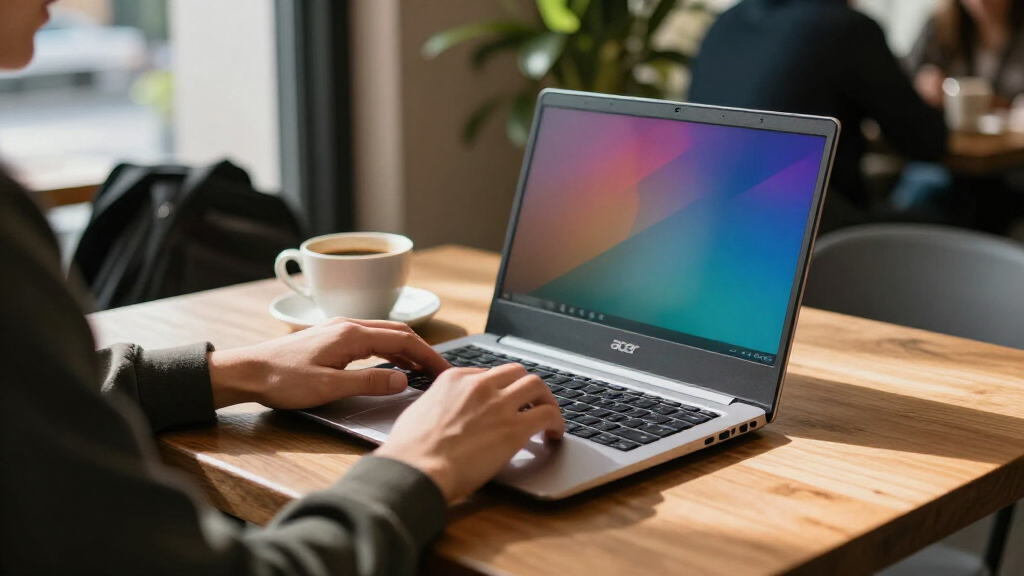

The Acer Chromebook Plus Spin 714 is my best overall pick among the best Acer Chromebooks, thanks to its convertible design and stronger performance class. For a larger touchscreen, I’d look at the Chromebook Plus 515; for a more compact convertible, the Chromebook Spin 314 offers a practical alternative. The main tradeoffs are processing headroom, screen size and resolution, storage, and whether a touchscreen or hinge flexibility will matter in daily use. Entry-level models can cover browsing and school basics, but their 4GB of RAM leaves less room for demanding multitasking. Read on for the full breakdown of all 15 options and how I’d match them to different buyers.

Get the latest gadgets delivered free with Prime
- Fast, free delivery on millions of items
- Prime Video, Amazon Music and more included
- Member-only deals all year
Complete the kit



Key Takeaways
- The Plus models form the strongest performance tier in this lineup: options such as the Spin 714, Plus 515, Plus 514, and Plus 516 pair Core processors with 8GB of RAM, giving multitaskers more headroom than the 4GB Celeron models.
- Convertible flexibility is a meaningful differentiator: the Spin 714, Spin 514, and Spin 314 can serve as both laptops and touch-first devices, while clamshell models make more sense if you mainly type and browse.
- Screen size and resolution change the experience: the Plus 516 has a 16-inch WUXGA display, while several 15.6-inch choices are Full HD and the older Chromebook 315 listing is HD.
- Storage figures vary even among basic models: the listed Chromebook 315 options range from 64GB eMMC to 128GB, while the Plus 515 listing offers 384GB; buyers should check the exact configuration rather than rely on a model family name.
- The best fit depends on workload, not just screen size: a 4GB N4500 model can suit light browser tasks, but frequent tab switching, video calls, and heavier web apps favor an 8GB Plus or Core i3 configuration.
| Acer Chromebook Plus Spin 714 14-Inch 2-in-1 Laptop |  | Best Premium Convertible | Display: 14-inch WUXGA (1920 × 1200) IPS touchscreen | Color coverage: 100% sRGB | Processor: Intel Core Ultra 5 115U, 8 cores, up to 4.2 GHz | VIEW LATEST PRICE | See Our Full Breakdown |
| Acer 15.6-Inch FHD Chromebook with Intel Celeron N4500, 4GB RAM, 64GB eMMC |  | Best for Basic Schoolwork | Display: 15.6-inch FHD (1920 × 1080), 220 nits, 60 Hz, non-touch | Processor: Intel Celeron N4500, 2 cores, up to 2.8 GHz | Memory and storage: 4GB LPDDR4; 64GB eMMC | VIEW LATEST PRICE | See Our Full Breakdown |
| Acer Chromebook Plus 515 15.6-Inch Touchscreen Laptop, Intel Core i3-1305U, 8GB RAM, 384GB Storage |  | Best for Big-Screen Productivity | Display: 15.6-inch FHD (1920 × 1080) IPS touchscreen with ComfyView | Processor: Intel Core i3-1305U, 5 cores, up to 4.5 GHz | Memory: 8GB LPDDR5x | VIEW LATEST PRICE | See Our Full Breakdown |
| Acer 15.6-Inch FHD Chromebook with Intel Celeron N4500, 4GB RAM, and 64GB Storage |  | Best for Simple Desk-Based Use | Display: 15.6-inch FHD (1920 × 1080), 220 nits | Processor: Intel Celeron N4500, 2 cores, up to 2.8 GHz | Memory and storage: 4GB LPDDR4; 64GB eMMC | VIEW LATEST PRICE | See Our Full Breakdown |
| Acer Chromebook 315 15.6-Inch FHD Laptop, Intel Celeron N4500, 4GB RAM, 128GB Storage |  | Best for Expanded Removable Storage | Display: 15.6-inch LCD, 1920 × 1080 | Processor: Intel Celeron N4500 | Memory: 4GB RAM | VIEW LATEST PRICE | See Our Full Breakdown |
| Acer Chromebook Plus Spin 514 14-Inch 2-in-1 Laptop |  | Best Convertible for Power and Storage | Processor: Intel Core i5-1334U, 10 cores, up to 4.6 GHz | Memory: 8GB DDR5 RAM | Storage: 512GB PCIe NVMe M.2 SSD | VIEW LATEST PRICE | See Our Full Breakdown |
| Acer 15.6” FHD Touch Chromebook, Intel N50, 8GB RAM, 128GB eMMC, Chrome OS |  | Best Big-Screen Touch Pick for Everyday Use | Processor: Intel Processor N50, up to 3.4 GHz | Memory: 8GB DDR5 RAM | Storage: 128GB eMMC | VIEW LATEST PRICE | See Our Full Breakdown |
| Acer Chromebook 315, 15.6-Inch HD Laptop, Intel Celeron N4020, 4GB RAM, 64GB eMMC |  | Best for Simple Home and School Tasks | Processor: Intel Celeron N4020 dual-core, up to 2.8 GHz | Memory: 4GB RAM | Storage: 64GB eMMC | VIEW LATEST PRICE | See Our Full Breakdown |
| Acer Chromebook Plus 514 14-Inch Touchscreen Laptop |  | Best Balanced Chromebook Plus | Processor: Intel Core i3-1315U, 6 cores, up to 4.5 GHz | Memory: 8GB LPDDR5 | Storage: 256GB PCIe Gen4 SSD | VIEW LATEST PRICE | See Our Full Breakdown |
| Acer Chromebook Plus 516, 16-inch WUXGA IPS Laptop, Intel Core i3-1315U, 8GB RAM, 128GB UFS, Wi-Fi 6E, ChromeOS, Steel Gray |  | Best for a Large Productivity Screen | Processor: Intel Core i3-1315U, up to 4.5 GHz | Memory: 8GB LPDDR5 | Storage: 128GB UFS | VIEW LATEST PRICE | See Our Full Breakdown |
| Acer Chromebook Plus Spin 714 14-inch Convertible Laptop |  | Best Premium Convertible | Display: 14-inch WUXGA (1920 x 1200) touchscreen, 120Hz | Processor: Intel Core Ultra 5 115U, 8-core, up to 4.2 GHz | Memory: 8GB LPDDR5 | VIEW LATEST PRICE | See Our Full Breakdown |
| Gateway Chromebook 314 CBO314-1H-C476, 14-inch Full HD Laptop |  | Best for Basic Chromebook Tasks | Model: CBO314-1H-C476 | Display: 14-inch Full HD LCD, 1920 x 1080, 60Hz, anti-glare | Processor: Intel Celeron N4500 dual-core, up to 2.8 GHz | VIEW LATEST PRICE | See Our Full Breakdown |
| Acer 15.6-Inch FHD Chromebook with Intel Celeron N4500, 4GB RAM and 64GB Storage |  | Best for a Larger Budget-Friendly Workspace | Display: 15.6-inch FHD (1920 x 1080), anti-glare, 220 nits | Processor: Intel Celeron N4500, 2 cores, up to 2.8 GHz | Memory: 4GB LPDDR4 | VIEW LATEST PRICE | See Our Full Breakdown |
| Acer Chromebook Plus 514 14-inch Touchscreen Laptop |  | Best Overall for Work and Study | Display: 14-inch WUXGA (1920 x 1200) IPS touchscreen, 60Hz, 300 nits | Processor: 8-core Intel Core i3-N355 | Memory: 8GB LPDDR5X | VIEW LATEST PRICE | See Our Full Breakdown |
| Acer Chromebook Spin 314 Convertible Laptop, Intel Core i3-N305, 14-Inch WUXGA Touchscreen, 8GB RAM, 128GB eMMC |  | Best for Stylus-Friendly Flexibility | Model: CP314-2HN-30V1 | Display: 14-inch WUXGA IPS touchscreen, 1920 x 1200 | Processor: Intel Core i3-N305, up to 3.8 GHz | VIEW LATEST PRICE | See Our Full Breakdown |
| Acer Chromebook | Display | Processor | Ports | Wireless |
|---|---|---|---|---|
| Acer Chromebook Plus Spin 714 | 14-inch WUXGA (1920 × 1200) IPS touchscreen | Intel Core Ultra 5 115U, 8 cores, up to 4.2 GHz | 2 × USB-C Thunderbolt 4, 1 × USB-A 3.2, HDMI 1.4b | Wi-Fi 6 |
| Acer 15.6-Inch FHD Chromebook | 15.6-inch FHD (1920 × 1080), 220 nits, 60 Hz, non-touch | Intel Celeron N4500, 2 cores, up to 2.8 GHz | 1 USB-C, 2 USB-A, HDMI 1.4, headphone/mic combo, SD card reader | — |
| Acer Chromebook Plus 515 15.6- | 15.6-inch FHD (1920 × 1080) IPS touchscreen with ComfyView | Intel Core i3-1305U, 5 cores, up to 4.5 GHz | 2 × USB-C 3.2 Gen 1, USB-A 3.2 Gen 1, HDMI 1.4, headphone/microphone combo | Wi-Fi 6E and Bluetooth |
| Acer 15.6-Inch FHD Chromebook | 15.6-inch FHD (1920 × 1080), 220 nits | Intel Celeron N4500, 2 cores, up to 2.8 GHz | USB-C, 2 × USB-A, HDMI, headphone/microphone combo, SD card reader | Wi-Fi 6 and Bluetooth 5.2 |
| Acer Chromebook 315 15.6-Inch | 15.6-inch LCD, 1920 × 1080 | Intel Celeron N4500 | 2 USB-C, 2 USB-A, headphone/microphone combo | Wi-Fi 5 and Bluetooth 5 |
| Acer Chromebook Plus Spin 514 | 14-inch WUXGA (1920 × 1200) IPS touchscreen | Intel Core i5-1334U, 10 cores, up to 4.6 GHz | 2 USB-C, USB-A, HDMI 1.4, and audio combo jack | Wi-Fi 6E and Bluetooth 5.2 |
| Acer 15.6” FHD Touch Chromeboo | 15.6-inch Full HD (1920 × 1080) anti-glare touchscreen | Intel Processor N50, up to 3.4 GHz | 2 USB-C 3.2 Gen 1, 2 USB-A 3.2 Gen 1, HDMI, and headphone jack | — |
| Acer Chromebook 315 | 15.6-inch HD anti-glare | Intel Celeron N4020 dual-core, up to 2.8 GHz | 2 USB-C 3.1, 2 USB-A 3.1, and headphone jack | — |
| Acer Chromebook Plus 514 14-In | 14-inch IPS touchscreen, 1920 × 1200, 300 nits, anti-glare | Intel Core i3-1315U, 6 cores, up to 4.5 GHz | 2 USB-C, 2 USB-A, and HDMI 1.4 | Wi-Fi 7 and Bluetooth 5.3 or above |
| Acer Chromebook Plus 516 | 16-inch IPS, 1920 × 1200, 16:10, 60 Hz, 300 nits | Intel Core i3-1315U, up to 4.5 GHz | 2 USB-C 3.2 Gen 2, 2 USB-A 3.2 Gen 1, HDMI 1.4, and headphone jack | Wi-Fi 6E and Bluetooth 5.3 |
| Acer Chromebook Plus Spin 714 | 14-inch WUXGA (1920 x 1200) touchscreen, 120Hz | Intel Core Ultra 5 115U, 8-core, up to 4.2 GHz | 2 x Thunderbolt 4, 1 x HDMI 2.0 | Wi-Fi 6E, Bluetooth |
| Gateway Chromebook 314 CBO314- | 14-inch Full HD LCD, 1920 x 1080, 60Hz, anti-glare | Intel Celeron N4500 dual-core, up to 2.8 GHz | — | Wi-Fi 5 (802.11ac), Bluetooth 5.0 |
| Acer 15.6-Inch FHD Chromebook | 15.6-inch FHD (1920 x 1080), anti-glare, 220 nits | Intel Celeron N4500, 2 cores, up to 2.8 GHz | USB-C, 2 x USB-A, HDMI 1.4, headphone/microphone combo, SD card reader, AC smart pin | Wi-Fi 6, Bluetooth 5.2 |
| Acer Chromebook Plus 514 14-in | 14-inch WUXGA (1920 x 1200) IPS touchscreen, 60Hz, 300 nits | 8-core Intel Core i3-N355 | 2 x USB-C 3.2 Gen 1, 2 x USB-A 3.2 Gen 1, HDMI 1.4, headphone/microphone combo jack | Wi-Fi 6E, Bluetooth 5.3 |
| Acer Chromebook Spin 314 Conve | 14-inch WUXGA IPS touchscreen, 1920 x 1200 | Intel Core i3-N305, up to 3.8 GHz | — | Wi-Fi 6E, Bluetooth 5.2 or above |
More Details on Our Top Picks
Acer Chromebook Plus Spin 714 14-Inch 2-in-1 Laptop
I’d put this Spin 714 first for buyers who want a versatile Chromebook with a stronger display and connectivity than the basic 15.6-inch models here. Its 14-inch WUXGA touchscreen folds into tablet-style modes, while 100% sRGB coverage gives photos and video more faithful color than the entry-level Acer 15.6-Inch FHD Chromebook’s listed 220-nit, non-touch panel. The Core Ultra 5 processor, Thunderbolt 4 ports, and HDMI also make it a better fit for demanding browser work and external displays. The tradeoff is that its 8GB of RAM still sets a ceiling for heavy multitasking, and ChromeOS cannot replace desktop software that depends on Windows or macOS. I’d choose the Chromebook Plus 515 instead for a larger work surface; this is the more flexible, compact pick.
Pros:- 14-inch WUXGA touchscreen with 100% sRGB color coverage
- Convertible design adds tablet and presentation flexibility
- Two Thunderbolt 4 ports plus HDMI support versatile peripherals and displays
- QHD webcam includes a privacy shutter
Cons:- 8GB of RAM can constrain demanding multitasking
- ChromeOS does not run every desktop application
- At 3.2 pounds, it is heavier than some smaller portable devices
Best for: Students and mobile professionals who want a color-rich touchscreen, convertible modes, and modern ports in a compact Chromebook.
Not ideal for: Buyers who need Windows or macOS applications, or routinely keep many demanding apps open and need more than 8GB of RAM.
- Display:14-inch WUXGA (1920 × 1200) IPS touchscreen
- Color coverage:100% sRGB
- Processor:Intel Core Ultra 5 115U, 8 cores, up to 4.2 GHz
- Memory and storage:8GB RAM; 256GB SSD
- Ports:2 × USB-C Thunderbolt 4, 1 × USB-A 3.2, HDMI 1.4b
- Webcam:QHD with privacy shutter
- Wireless:Wi-Fi 6
- Weight:3.2 lbs
- Operating system and form:ChromeOS; convertible 2-in-1
Our verdict“Choose this Spin 714 for a premium, color-accurate convertible, but pick the Chromebook Plus 515 if you prefer a larger display over tablet flexibility.”
Acer 15.6-Inch FHD Chromebook with Intel Celeron N4500, 4GB RAM, 64GB eMMC
This Acer makes the most sense for schoolwork, browsing, and video calls when a large, non-touch screen and familiar full-size keyboard matter more than speed. The numeric keypad is useful for spreadsheets, while HDMI and an SD card reader provide practical connections that the more capable Chromebook Plus Spin 714 does not match with an SD slot. Its Celeron N4500, 4GB of RAM, and 64GB eMMC storage are modest, though: I’d keep expectations to a few browser tabs and lightweight tasks rather than demanding multitasking or a large offline media library. The 220-nit display may also look dim in bright rooms. Compared with the similar Acer 15.6-inch model with Wi-Fi 6, this listing specifies only Wi-Fi and Bluetooth, so check your connectivity needs before choosing between them.
Pros:- 15.6-inch Full HD anti-glare display gives documents and web pages room
- Full-size keyboard includes a numeric keypad
- HDMI, USB ports, and an SD card reader support common accessories
- Battery life is rated up to 10 hours
Cons:- 4GB RAM and 64GB eMMC restrict multitasking and local storage
- The listed 220-nit brightness may be limiting in bright environments
- 720p webcam is a basic option for frequent video calls
Best for: Students and home users who mainly browse, write documents, join video calls, and want a numeric keypad with straightforward ports.
Not ideal for: Multitaskers, users who store lots of files locally, or anyone working in a bright space who needs a brighter display.
- Display:15.6-inch FHD (1920 × 1080), 220 nits, 60 Hz, non-touch
- Processor:Intel Celeron N4500, 2 cores, up to 2.8 GHz
- Memory and storage:4GB LPDDR4; 64GB eMMC
- Graphics:Integrated Intel UHD Graphics
- Ports:1 USB-C, 2 USB-A, HDMI 1.4, headphone/mic combo, SD card reader
- Webcam:720p HD with dual-array microphones
- Battery life:Rated up to 10 hours
- Keyboard:Full-size with numeric keypad
- Operating system:ChromeOS
Our verdict“Pick this Acer for basic school and home tasks on a large screen, but choose the Chromebook Plus 515 for stronger multitasking and a touchscreen.”
Acer Chromebook Plus 515 15.6-Inch Touchscreen Laptop, Intel Core i3-1305U, 8GB RAM, 384GB Storage
For buyers who want a roomy laptop-style workspace without giving up useful performance, I rank the Chromebook Plus 515 ahead of the basic Celeron models. Its Core i3-1305U and 8GB LPDDR5x are better suited to switching among documents, video calls, and browser tabs than the 4GB Acer Chromebook 315. The 15.6-inch FHD touchscreen adds direct input, while a 1080p webcam with a privacy shutter is a substantial step up from the 720p cameras on the simpler Acer 15.6-inch models. Wi-Fi 6E, HDMI, and two USB-C ports also make it easier to connect to a modern setup. The compromise is storage: the advertised 384GB includes a 128GB SD card, not just internal SSD capacity. It is also a large laptop, not a compact convertible like the Spin 714.
Pros:- Core i3 processor and 8GB LPDDR5x suit everyday multitasking better than Celeron models
- 15.6-inch FHD IPS touchscreen offers a spacious, direct-input workspace
- 1080p webcam has a privacy shutter
- Wi-Fi 6E, HDMI, and two USB-C ports provide useful connectivity
Cons:- Advertised 384GB storage includes a 128GB SD card
- ChromeOS may not support desktop applications some buyers rely on
- Large 15.6-inch format is less convenient to carry than the Spin 714
Best for: Remote workers and students who want a large touchscreen, a better video-call camera, and room for everyday multitasking.
Not ideal for: Buyers who need a compact convertible, high-end graphics, or all of their advertised storage built into the laptop.
- Display:15.6-inch FHD (1920 × 1080) IPS touchscreen with ComfyView
- Processor:Intel Core i3-1305U, 5 cores, up to 4.5 GHz
- Memory:8GB LPDDR5x
- Storage:384GB total: 256GB SSD plus 128GB SD card
- Wireless:Wi-Fi 6E and Bluetooth
- Ports:2 × USB-C 3.2 Gen 1, USB-A 3.2 Gen 1, HDMI 1.4, headphone/microphone combo
- Webcam:1080p FHD with privacy shutter
- Battery life:Rated up to 10 hours
- Auto Update Expiration:June 2032
Our verdict“Choose the Chromebook Plus 515 for a large touchscreen and stronger everyday multitasking, but opt for the Spin 714 if portability and convertible use matter more.”
Acer 15.6-Inch FHD Chromebook with Intel Celeron N4500, 4GB RAM, and 64GB Storage
This is a straightforward large-screen Chromebook for people who want a numeric keypad and common wired connections, with Wi-Fi 6 as a useful distinction from the other basic 15.6-inch N4500 listing, which specifies Wi-Fi without a version. HDMI, USB-A, USB-C, and an SD card reader make it easy to attach everyday accessories without relying on adapters. Still, the 4GB RAM and 64GB eMMC call for light use: several demanding tabs or sizable local files can quickly expose its limits. Its 720p webcam and listed 220-nit display also keep it firmly in the basic-use category. Compared with the Chromebook Plus 515, this Acer gives up touchscreen input, a stronger processor, and a sharper webcam; I’d pick it only if simple browsing and document work are the main jobs.
Pros:- 15.6-inch Full HD display provides a broad workspace
- Wi-Fi 6 and Bluetooth 5.2 are specified
- Numeric keypad is useful for data entry
- HDMI, USB ports, and SD card reader simplify peripheral connections
Cons:- 4GB RAM can limit browser-heavy multitasking
- 64GB eMMC leaves little room for files stored locally
- 720p webcam and 220-nit display are modest for frequent calls or bright rooms
Best for: Home users who need a large screen, a numeric keypad, Wi-Fi 6, and built-in connections for basic browsing and documents.
Not ideal for: People who keep many tabs open, need substantial local storage, make frequent video calls, or want a touchscreen.
- Display:15.6-inch FHD (1920 × 1080), 220 nits
- Processor:Intel Celeron N4500, 2 cores, up to 2.8 GHz
- Memory and storage:4GB LPDDR4; 64GB eMMC
- Wireless:Wi-Fi 6 and Bluetooth 5.2
- Webcam:720p HD with dual-array digital microphones
- Keyboard:Full-size with numeric keypad
- Ports:USB-C, 2 × USB-A, HDMI, headphone/microphone combo, SD card reader
- Battery life:Rated up to 10 hours
- Weight:3.53 lbs
Our verdict“Choose this model for simple desk-based tasks and Wi-Fi 6, but spend the step up to the Chromebook Plus 515 if you need touch, speed, or a better webcam.”
Acer Chromebook 315 15.6-Inch FHD Laptop, Intel Celeron N4500, 4GB RAM, 128GB Storage
The Chromebook 315’s main distinction is its 128GB combined storage and flexible USB-C setup, which suit users who want more room for files than the 64GB Acer N4500 models provide. That total is split between 64GB of eMMC and a 64GB SD card, so it is not equivalent to having 128GB built into a drive; the listing also gives the expanded SD storage a three-year warranty. Its 15.6-inch Full HD screen and numeric keypad make it comfortable for documents and spreadsheets, while USB-C supports one external 4K monitor. Against the Chromebook Plus 515, though, this model has half the memory and a much more modest Celeron processor, so it is better for basic tasks than multitasking. Wi-Fi 5 is another step behind the Wi-Fi 6E Chromebook Plus.
Pros:- 15.6-inch Full HD display and numeric keypad suit everyday productivity
- Two USB-C and two USB-A ports provide flexible connections
- Supports one external 4K monitor at 60Hz via USB-C
- Listing specifies June 2031 auto-update expiration and a three-year warranty for expanded SD storage
Cons:- 4GB RAM and Celeron N4500 are best kept to light workloads
- 128GB total includes a removable 64GB SD card rather than being entirely internal
- Wi-Fi 5 is behind the Wi-Fi 6E offered by the Chromebook Plus 515
Best for: Budget-conscious home users who want a large Full HD screen, numeric keypad, and extra removable storage for everyday files.
Not ideal for: Multitaskers who need more memory, buyers who want fast wireless networking, or anyone who expects all storage to be internal.
- Display:15.6-inch LCD, 1920 × 1080
- Processor:Intel Celeron N4500
- Memory:4GB RAM
- Storage:128GB total: 64GB eMMC plus 64GB SD card
- Wireless:Wi-Fi 5 and Bluetooth 5
- Ports:2 USB-C, 2 USB-A, headphone/microphone combo
- External display support:One monitor up to 4K at 60Hz via USB-C
- Auto-update expiration:June 2031
- Weight:3.6 pounds
Our verdict“Pick the Chromebook 315 for basic big-screen use and removable extra storage, but choose the Chromebook Plus 515 for stronger multitasking and newer wireless connectivity.”
Acer Chromebook Plus Spin 514 14-Inch 2-in-1 Laptop
The Chromebook Plus Spin 514 is the strongest fit here for buyers who want a capable laptop that can also fold into a tablet or presentation stand. Its Intel Core i5-1334U and 512GB SSD give it more processing headroom and local storage than the Core i3-based Chromebook Plus 514, while the 14-inch 16:10 touchscreen suits document work and streaming. The 360-degree hinge adds flexibility for touch-led tasks, and the privacy-shutter camera and backlit keyboard are useful everyday touches. Wi-Fi 6E, HDMI, and support for up to three external 4K monitors broaden its desk setup options. The tradeoff is 8GB of RAM, which can constrain heavier multitasking, and the listing says the unit was resealed for an SSD upgrade; its warranty is split between the seller and Acer.
Pros:- Core i5 processor and 512GB SSD provide a stronger performance-and-storage combination than the Chromebook Plus 514
- 360-degree hinge supports laptop, stand, tent, and tablet use
- FHD camera has a privacy shutter, and the keyboard is backlit
- HDMI and support for up to three external 4K monitors suit desk-based setups
Cons:- 8GB of RAM may limit demanding multitasking
- The listing states the computer was resealed for an SSD upgrade
- Warranty coverage is split between a seller upgrade warranty and Acer component coverage
Best for: Students and mobile professionals who want a touchscreen convertible, generous SSD space, and a laptop that can also serve as a tablet.
Not ideal for: Buyers who need more than 8GB of memory, prefer an untouched factory configuration, or want the larger screen of the Chromebook Plus 516.
- Processor:Intel Core i5-1334U, 10 cores, up to 4.6 GHz
- Memory:8GB DDR5 RAM
- Storage:512GB PCIe NVMe M.2 SSD
- Display:14-inch WUXGA (1920 × 1200) IPS touchscreen
- Battery life:Up to 10 hours
- Wireless:Wi-Fi 6E and Bluetooth 5.2
- Ports:2 USB-C, USB-A, HDMI 1.4, and audio combo jack
- Weight:Under 1.5 kg
- Auto Update Expiration:June 2032
Our verdict“Choose this Spin 514 if you want a fast, roomy 2-in-1 and can accept 8GB of RAM and a resealed upgraded configuration.”
Acer 15.6” FHD Touch Chromebook, Intel N50, 8GB RAM, 128GB eMMC, Chrome OS
This 15.6-inch Acer is a straightforward choice for buyers who want a roomy touchscreen without stepping up to a Chromebook Plus processor. Its Full HD anti-glare display offers more workspace than the Chromebook 315’s HD panel, while 8GB of RAM gives it a more comfortable multitasking baseline than that model’s 4GB. The Intel N50 and 128GB eMMC are aimed at routine browsing, schoolwork, and video calls rather than demanding apps or large local libraries. A useful spread of USB-C, USB-A, and HDMI makes connecting accessories or an external display simple, and the included sleeve adds basic carry protection. The compromises are its comparatively modest processor and eMMC storage, which is less roomy and responsive than the SSD in the Chromebook Plus 514. Its 3.51-pound weight also makes it less appealing for daily carrying than a 14-inch model.
Pros:- 15.6-inch Full HD anti-glare touchscreen provides a larger, clearer workspace than the Chromebook 315 HD model
- 8GB DDR5 memory is better suited to everyday multitasking than 4GB configurations
- USB-C, USB-A, HDMI, and headphone ports cover common connections
- Protective sleeve is included
Cons:- Intel N50 is a modest processor for demanding workloads
- 128GB eMMC is less spacious and less capable than the SSD in the Chromebook Plus 514
- At 3.51 pounds, it is less convenient to carry than a 14-inch Chromebook
Best for: Students and home users who prefer a large touchscreen for web research, online classes, and streaming, with occasional accessory connections.
Not ideal for: Frequent travelers, buyers handling demanding multitasking, or anyone who needs fast local storage for a sizable file collection.
- Processor:Intel Processor N50, up to 3.4 GHz
- Memory:8GB DDR5 RAM
- Storage:128GB eMMC
- Display:15.6-inch Full HD (1920 × 1080) anti-glare touchscreen
- Graphics:Intel UHD Graphics
- Operating system:ChromeOS
- Ports:2 USB-C 3.2 Gen 1, 2 USB-A 3.2 Gen 1, HDMI, and headphone jack
- Weight:3.51 lb
- Included accessory:Protective sleeve
Our verdict“Pick this model for an affordable-feeling large-screen touch experience focused on routine tasks, not intensive work or frequent travel.”
Acer Chromebook 315, 15.6-Inch HD Laptop, Intel Celeron N4020, 4GB RAM, 64GB eMMC
The Chromebook 315 is a basic, large-screen machine for buyers whose routine is mostly web browsing, email, and lightweight schoolwork. Its 15.6-inch anti-glare display and numeric keypad make spreadsheets and longer typing sessions less cramped than on compact Chromebooks. The advertised battery life of up to 12.5 hours also makes it a reasonable choice for a day of light use away from an outlet. Compared with the newer 15.6-inch Acer N50 touchscreen, though, this model has a less capable Celeron N4020, 4GB of RAM, and 64GB of eMMC; that combination leaves less room for multitasking and offline files. Its display is HD rather than Full HD and is not listed as a touchscreen. I’d keep this pick to simple tasks, not workloads that need several apps or browser tabs open together.
Pros:- Large anti-glare screen is comfortable for basic browsing and document work
- Numeric keypad helps with spreadsheet entries and number-heavy tasks
- Advertised battery life reaches up to 12.5 hours
- Includes USB-C and USB-A ports
Cons:- 4GB RAM and the Celeron N4020 restrict multitasking
- 64GB eMMC leaves limited room for offline files and downloads
- HD resolution is lower than the Full HD panel on the newer Acer 15.6-inch N50 model
Best for: A home or school user who mainly browses, writes documents, and wants a large screen with a numeric keypad.
Not ideal for: People who keep many tabs open, store files locally, want a Full HD touchscreen, or need strong performance for demanding apps.
- Processor:Intel Celeron N4020 dual-core, up to 2.8 GHz
- Memory:4GB RAM
- Storage:64GB eMMC
- Display:15.6-inch HD anti-glare
- Graphics:Intel UHD Graphics
- Battery life:Up to 12.5 hours
- Ports:2 USB-C 3.1, 2 USB-A 3.1, and headphone jack
- Keyboard:Integrated numeric keypad
Our verdict“Choose the Chromebook 315 for basic tasks and a numeric keypad, but skip it if you need room for heavier multitasking or local storage.”
Acer Chromebook Plus 514 14-Inch Touchscreen Laptop
The Chromebook Plus 514 strikes a practical middle ground: it pairs a modern Core i3 with an SSD and a 14-inch WUXGA touchscreen, without the convertible complexity of the Spin 514. Its 16:10 screen gives documents extra vertical room, while the anti-glare coating helps in brighter workspaces. The 256GB PCIe Gen4 SSD offers more local space than the Chromebook Plus 516’s 128GB UFS, although the 516 gives you a larger screen for side-by-side windows. Wi-Fi 7 is a forward-looking connection feature, and the 1080p camera’s privacy shutter is useful for video calls. The main limit is still 8GB of memory, so heavy multitasking is not its strong suit. Unlike the Spin, it does not fold into tablet or tent modes; in return, it is a simpler clamshell pick for work, school, and entertainment.
Pros:- Core i3-1315U and PCIe Gen4 SSD suit everyday work and multitasking
- WUXGA touchscreen has a 16:10 layout and anti-glare coating
- Wi-Fi 7 and a range of USB and HDMI ports support modern connections
- 1080p camera includes a privacy shutter
Cons:- 8GB of memory can constrain demanding multitasking
- Clamshell design lacks the Spin 514’s tablet and tent modes
- Battery life is not specified in the provided product details
Best for: Students and office users who want a responsive everyday Chromebook with a sharp touchscreen, SSD storage, and straightforward clamshell design.
Not ideal for: Buyers who need a convertible tablet, more than 8GB of memory, or the expansive workspace of the 16-inch Chromebook Plus 516.
- Processor:Intel Core i3-1315U, 6 cores, up to 4.5 GHz
- Memory:8GB LPDDR5
- Storage:256GB PCIe Gen4 SSD
- Display:14-inch IPS touchscreen, 1920 × 1200, 300 nits, anti-glare
- Graphics:Integrated Intel UHD Graphics
- Wireless:Wi-Fi 7 and Bluetooth 5.3 or above
- Camera:1080p FHD with privacy shutter
- Ports:2 USB-C, 2 USB-A, and HDMI 1.4
- Included accessory:Protective sleeve
Our verdict“Choose the Chromebook Plus 514 for a capable, well-connected touchscreen clamshell; choose the Spin 514 instead if convertible modes matter more.”
Acer Chromebook Plus 516, 16-inch WUXGA IPS Laptop, Intel Core i3-1315U, 8GB RAM, 128GB UFS, Wi-Fi 6E, ChromeOS, Steel Gray
The Chromebook Plus 516 is the workspace-first pick in this group. Its 16-inch, 16:10 WUXGA display gives spreadsheets, documents, and split-screen browsing more room than the 14-inch Chromebook Plus 514, while the shared Core i3-1315U and 8GB of memory keep both aimed at everyday productivity. This model adds a Full HD webcam, DTS dual-speaker audio, Wi-Fi 6E, and a useful mix of USB-C, USB-A, and HDMI ports. The larger chassis weighs 3.75 pounds, so it is better suited to a desk or occasional commute than constant travel. Storage is the key compromise: 128GB UFS is smaller than the 256GB SSD in the 14-inch Plus 514, and 8GB RAM may limit heavier multitasking. Its 60Hz display is standard for work, not a high-refresh screen.
Pros:- 16-inch WUXGA 16:10 display provides more working area than the Chromebook Plus 514
- Full HD webcam supports clearer video calls
- USB-C, USB-A, HDMI, and headphone ports offer flexible desk connections
- DTS audio and dual speakers add useful support for video and calls
Cons:- 128GB UFS storage is smaller than the Chromebook Plus 514’s 256GB SSD
- 8GB of memory may limit demanding multitasking
- 3.75-pound weight makes it less suited to frequent carrying
Best for: Remote workers and students who value a large, tall display for documents, spreadsheets, video calls, and side-by-side windows.
Not ideal for: Frequent travelers, buyers who need substantial local storage, or users running memory-heavy workloads.
- Processor:Intel Core i3-1315U, up to 4.5 GHz
- Memory:8GB LPDDR5
- Storage:128GB UFS
- Display:16-inch IPS, 1920 × 1200, 16:10, 60 Hz, 300 nits
- Wireless:Wi-Fi 6E and Bluetooth 5.3
- Webcam:Full HD, 1920 × 1080
- Ports:2 USB-C 3.2 Gen 2, 2 USB-A 3.2 Gen 1, HDMI 1.4, and headphone jack
- Battery life:Up to 10 hours
- Weight:3.75 lb
Our verdict“Pick the Chromebook Plus 516 if screen space matters more than portability and storage capacity.”
Acer Chromebook Plus Spin 714 14-inch Convertible Laptop
The Acer Chromebook Plus Spin 714 is the most feature-rich convertible in this group for buyers who want a fast, flexible screen and strong connections. Its 120Hz WUXGA touchscreen offers smoother scrolling than the 60Hz display on the Acer Chromebook Plus 514, while the 360-degree design suits presentations, touch-based work, and media viewing. An Intel Core Ultra 5 and 256GB SSD give it a more capable foundation than the basic Celeron models here, and Thunderbolt 4 plus HDMI make connecting accessories or an external display easier. The tradeoff is its 8GB of non-upgradeable memory, which puts a ceiling on heavier multitasking, and it is not the lightest 14-inch option. I’d choose it over the Acer Chromebook Spin 314 when display smoothness and Thunderbolt matter more than extra flexibility for stylus use.
Pros:- 120Hz WUXGA touchscreen makes scrolling and touch interactions feel smoother than a standard 60Hz panel.
- Convertible design supports laptop and tablet-style use.
- Two Thunderbolt 4 ports and HDMI provide versatile display and accessory connections.
- 256GB SSD offers more responsive storage and room than the 128GB eMMC in the Acer Chromebook Spin 314.
Cons:- 8GB of memory is not upgradeable according to the listed maximum.
- At 3.21 pounds, it weighs more than the Acer Chromebook Plus 514.
- The listed color varies between Steel Gray and Black.
Best for: Mobile professionals and students who want a premium convertible, a high-refresh touchscreen, and Thunderbolt 4 connectivity.
Not ideal for: Buyers who keep many demanding apps open or need more than 8GB of memory, since the listed memory is not upgradeable.
- Display:14-inch WUXGA (1920 x 1200) touchscreen, 120Hz
- Processor:Intel Core Ultra 5 115U, 8-core, up to 4.2 GHz
- Memory:8GB LPDDR5
- Storage:256GB PCIe Gen 4 SSD
- Operating system:ChromeOS
- Ports:2 x Thunderbolt 4, 1 x HDMI 2.0
- Wireless:Wi-Fi 6E, Bluetooth
- Battery life:Up to 10 hours
- Weight:3.21 pounds
Our verdict“Choose this Spin 714 if you want a premium, high-refresh convertible and can work comfortably within its 8GB memory limit.”
Gateway Chromebook 314 CBO314-1H-C476, 14-inch Full HD Laptop
The Gateway Chromebook 314 is the straightforward choice here for web browsing, school portals, video calls, and Google apps. Its 14-inch Full HD anti-glare display gives it a sharper, less reflective workspace than a basic HD panel, while the listed battery life of up to 10.5 hours suits a day of light use away from an outlet. It is a simple clamshell rather than a touchscreen convertible, so it gives up the flexibility of the Acer Chromebook Spin 314. The larger concern is its 4GB of memory and 64GB of eMMC storage: those limits make it a poor fit for heavy multitasking or storing lots of offline files. Compared with the Acer 15.6-inch N4500 Chromebook, this model takes up less space, but it has fewer screen inches and older Wi-Fi 5.
Pros:- 14-inch Full HD anti-glare screen is well suited to reading and everyday web tasks.
- Light 3.31-pound build is easier to carry than a larger-screen Chromebook.
- Stated battery life of up to 10.5 hours supports extended light-use sessions.
- USB-C supports charging and DisplayPort output.
Cons:- 4GB of memory can constrain multitasking.
- 64GB of eMMC storage leaves limited room for offline files and apps.
- Wi-Fi 5 is older than the Wi-Fi 6 and Wi-Fi 6E connectivity on several Acer alternatives.
Best for: Students or families who need a compact, uncomplicated Chromebook for browsing, online assignments, and streaming.
Not ideal for: Users who run many tabs and apps at once, store large offline files, or want a touchscreen and convertible hinge.
- Model:CBO314-1H-C476
- Display:14-inch Full HD LCD, 1920 x 1080, 60Hz, anti-glare
- Processor:Intel Celeron N4500 dual-core, up to 2.8 GHz
- Memory:4GB LPDDR4X
- Storage:64GB eMMC
- Operating system:ChromeOS
- Wireless:Wi-Fi 5 (802.11ac), Bluetooth 5.0
- Battery life:Up to 10.5 hours
- Weight:3.31 pounds
Our verdict“Pick the Gateway Chromebook 314 for basic portable ChromeOS use, but skip it if your workload needs more memory, storage, or a touchscreen.”
Acer 15.6-Inch FHD Chromebook with Intel Celeron N4500, 4GB RAM and 64GB Storage
This 15.6-inch Acer Chromebook is aimed at buyers who want more screen space for documents, lessons, and side-by-side windows without moving to a more powerful Chromebook Plus model. Its Full HD anti-glare display and numeric keypad make it a better fit for spreadsheet entry than the smaller Gateway Chromebook 314, while Wi-Fi 6 is a newer wireless standard than the Gateway’s Wi-Fi 5. The tradeoff is the familiar entry-level limit: its Celeron N4500, 4GB of memory, and 64GB of eMMC suit light ChromeOS tasks, not demanding multitasking or substantial local storage. It also weighs 3.53 pounds, so the bigger screen comes with a little more to carry. I’d pick it over the Gateway for desk use and number entry, but choose the Acer Chromebook Plus 514 for a stronger everyday workload.
Pros:- 15.6-inch Full HD anti-glare display provides a larger workspace than the Gateway Chromebook 314.
- Full-size keyboard includes a numeric keypad for data entry.
- Wi-Fi 6 and Bluetooth 5.2 offer newer wireless connectivity than Wi-Fi 5.
- Includes USB-C, two USB-A ports, HDMI, and an SD card reader.
Cons:- 4GB of memory can limit how many demanding tabs and apps run smoothly together.
- 64GB of eMMC storage is restrictive for substantial offline files.
- The 720p webcam has lower resolution than the 1080p camera on the Acer Chromebook Plus 514.
Best for: Students and home users who want a larger Full HD screen and numeric keypad for web-based coursework, documents, and spreadsheets.
Not ideal for: Frequent travelers seeking the lightest option or users who need ample memory and storage for heavier workloads and offline files.
- Display:15.6-inch FHD (1920 x 1080), anti-glare, 220 nits
- Processor:Intel Celeron N4500, 2 cores, up to 2.8 GHz
- Memory:4GB LPDDR4
- Storage:64GB eMMC
- Operating system:ChromeOS
- Wireless:Wi-Fi 6, Bluetooth 5.2
- Keyboard:Full-size keyboard with numeric keypad
- Ports:USB-C, 2 x USB-A, HDMI 1.4, headphone/microphone combo, SD card reader, AC smart pin
- Weight:3.53 pounds
Our verdict“Choose this Acer if a large Full HD workspace and numeric keypad matter more than stronger performance or a lighter carry.”
Acer Chromebook Plus 514 14-inch Touchscreen Laptop
The Acer Chromebook Plus 514 earns the most balanced role in this batch: it pairs a portable 14-inch touchscreen with 8GB of LPDDR5X memory and a 512GB SSD, avoiding the tight storage limits of the Celeron-based Gateway Chromebook 314 and the 15.6-inch Acer Chromebook. Its WUXGA resolution adds vertical workspace over a standard Full HD 14-inch display, and the 1080p webcam with privacy shutter is a useful advantage for frequent video calls. It is a clamshell, though, so buyers who want tablet-style use should look to the Acer Chromebook Spin 314 or Spin 714. Its 60Hz screen lacks the smoother motion of the Spin 714’s 120Hz panel, and the listed weight differs between 3.09 and 3.3 pounds. The product is also described as resealed for a system upgrade, a condition detail buyers should check.
Pros:- 512GB SSD provides substantially more listed storage than the 128GB eMMC in the Acer Chromebook Spin 314.
- 14-inch WUXGA touchscreen offers more vertical resolution than a standard Full HD panel.
- 1080p webcam includes a privacy shutter for video calls and camera privacy.
- Wi-Fi 6E, backlit keyboard, and a useful range of USB and HDMI ports support mobile work.
Cons:- The listing gives conflicting weights of 3.09 and 3.3 pounds.
- The listing says the computer has been resealed for a system upgrade, which may not suit buyers seeking an unopened unit.
- Its 60Hz display is less fluid than the 120Hz panel on the Acer Chromebook Plus Spin 714.
Best for: Students and mobile professionals who want a capable everyday Chromebook with generous listed SSD storage, a touchscreen, and a strong video-call camera.
Not ideal for: Buyers who need a 2-in-1 hinge, a high-refresh display, or a product listing with consistent weight and condition details.
- Display:14-inch WUXGA (1920 x 1200) IPS touchscreen, 60Hz, 300 nits
- Processor:8-core Intel Core i3-N355
- Memory:8GB LPDDR5X
- Storage:512GB SSD
- Operating system:ChromeOS
- Wireless:Wi-Fi 6E, Bluetooth 5.3
- Webcam:1080p with privacy shutter
- Ports:2 x USB-C 3.2 Gen 1, 2 x USB-A 3.2 Gen 1, HDMI 1.4, headphone/microphone combo jack
- Auto Update Expiration:June 2035
Our verdict“Choose the Chromebook Plus 514 for a well-rounded work-and-study laptop with a touchscreen and large SSD, unless you need a convertible design or a clearly specified product condition.”
Acer Chromebook Spin 314 Convertible Laptop, Intel Core i3-N305, 14-Inch WUXGA Touchscreen, 8GB RAM, 128GB eMMC
The Acer Chromebook Spin 314 makes the most sense for buyers who will use its 360-degree hinge rather than merely want a touchscreen. The WUXGA IPS panel supports laptop and tablet-style use, and USI stylus support gives note-takers and sketchers a flexible input option. A 1080p webcam with privacy shutter also gives it an advantage over the 720p camera on the 15.6-inch Acer Chromebook. Its Core i3-N305 and 8GB of memory make it a more capable choice than the Gateway Chromebook 314 for everyday multitasking, but this model trades storage headroom for that flexibility: 128GB of eMMC is much less than the 512GB SSD in the Acer Chromebook Plus 514. I’d choose the Spin 314 for touch and stylus use, not for buyers who mainly need a large local library of files.
Pros:- 360-degree hinge and WUXGA touchscreen support varied working and viewing positions.
- USI stylus support suits handwritten notes and document annotation.
- 1080p webcam with privacy shutter is better specified than the 720p camera on the 15.6-inch Acer Chromebook.
- Wi-Fi 6E and HDMI add useful connectivity options.
Cons:- 128GB of eMMC storage is limited compared with the 512GB SSD in the Acer Chromebook Plus 514.
- 8GB of memory may constrain heavier multitasking.
- A convertible hinge and touchscreen add little value for buyers who only want a basic clamshell.
Best for: Students who take handwritten notes, annotate documents, or want one device that can switch between laptop and tablet-style use.
Not ideal for: Users who need a large, fast local drive or prefer a conventional clamshell with more storage capacity.
- Model:CP314-2HN-30V1
- Display:14-inch WUXGA IPS touchscreen, 1920 x 1200
- Processor:Intel Core i3-N305, up to 3.8 GHz
- Memory:8GB LPDDR5, 5200 MHz
- Storage:128GB eMMC
- Operating system:ChromeOS
- Wireless:Wi-Fi 6E, Bluetooth 5.2 or above
- Camera:1080p FHD webcam with privacy shutter
- Included:Protective sleeve
Our verdict“Choose the Spin 314 if you’ll use its convertible screen and stylus support, but pick the Chromebook Plus 514 if storage capacity matters more.”
How We Picked
I compared the listed Acer Chromebooks by the factors that most affect everyday use: processor and memory class, screen size and resolution, touchscreen or convertible design, and the amount and type of listed storage. I gave more weight to configurations with 8GB of RAM and Core processors for buyers who keep several tabs or web apps open, while treating 4GB Celeron models as basic-use options rather than direct performance peers. I also distinguished Full HD and WUXGA screens from the HD listing because resolution affects how much workspace and detail readers get.
The ranking favors models that balance versatility, usable performance, and display quality across more kinds of tasks. That puts the Chromebook Plus Spin 714 first as a flexible premium-class choice, with the Plus 515 and Plus 516 standing out for larger-screen use. Lower-ranked listings can still be sensible for simple browsing or schoolwork, but repeated configurations and modest memory make exact specs especially important. I have not inferred features or performance beyond the supplied product details.
| Acer Chromebook | Battery life |
|---|---|
| Acer Chromebook Plus Spin 714 | — |
| Acer 15.6-Inch FHD Chromebook | Rated up to 10 hours |
| Acer Chromebook Plus 515 15.6- | Rated up to 10 hours |
| Acer 15.6-Inch FHD Chromebook | Rated up to 10 hours |
| Acer Chromebook 315 15.6-Inch | — |
| Acer Chromebook Plus Spin 514 | Up to 10 hours |
| Acer 15.6” FHD Touch Chromeboo | — |
| Acer Chromebook 315 | Up to 12.5 hours |
| Acer Chromebook Plus 514 14-In | — |
| Acer Chromebook Plus 516 | Up to 10 hours |
| Acer Chromebook Plus Spin 714 | Up to 10 hours |
| Gateway Chromebook 314 CBO314- | Up to 10.5 hours |
| Acer 15.6-Inch FHD Chromebook | — |
| Acer Chromebook Plus 514 14-in | — |
| Acer Chromebook Spin 314 Conve | — |
Factors to Consider When Choosing Best Acer Chromebooks
Before choosing an Acer Chromebook, I’d match the configuration to the work you actually do rather than buy by screen size or product-family name alone. These listings span basic 4GB Celeron systems, more capable 8GB Core configurations, conventional laptops, and touch-enabled convertibles. The distinctions below help avoid paying for flexibility you won’t use—or choosing an entry-level configuration that feels cramped once your workload grows.
Match Memory and Processor to Your Daily Work
For a few tabs, email, and document editing, an N4500 Chromebook with 4GB of RAM may be enough. If you often keep video calls, many tabs, and web apps open at once, an 8GB configuration is a safer fit because it leaves more room for concurrent tasks. Core i3 models in this roundup, including the Plus 515 and Plus 516, are aimed at buyers who need more responsiveness than the entry-level N-series listings suggest. Don’t assume every Chromebook with a similar name has the same internals; check the processor and RAM in the exact listing. A lower-spec model can be a sensible choice for a child’s first laptop or a dedicated streaming device, but it is a weaker match for heavy multitasking.
Choose a Screen for the Way You Use It
A 15.6-inch or 16-inch display gives spreadsheets, side-by-side windows, and long documents more room, but the larger chassis is less convenient to carry. A 14-inch model makes more sense for commuting or moving between classes, especially when paired with a convertible hinge. Resolution matters too: Full HD and WUXGA listings provide more detail and usable workspace than an HD panel of similar size. Touch is most useful when you plan to scroll, annotate, or use a convertible in tablet-style positions; it may add little if you mostly type at a desk. When comparing listings, confirm both the screen resolution and touch support rather than treating “large screen” as a complete description.
Decide Whether a Convertible Hinge Earns Its Place
Spin models can fold into different positions, making them better suited to reading, presentations, and touch-based interaction than a standard clamshell. That flexibility can be useful for students who switch between typing notes and viewing material, or for anyone who shares a screen at a table. A conventional Chromebook is often the simpler choice if it will stay open on a desk and be used mainly for typing. Before paying for a convertible, think about how often you would actually use its alternate positions. Touchscreens also collect fingerprints more readily, so buyers who prefer a traditional keyboard-and-trackpad routine may be happier with a non-convertible model.
Check the Exact Storage Configuration
The listings show a wide spread, from 64GB eMMC on basic models to 128GB configurations and a Plus 515 listing with 384GB of storage. Storage needs depend on whether you keep files locally, install Android apps, or rely on cloud services. The storage type is part of the comparison: eMMC, UFS, and other labels should not be treated as interchangeable without checking the full configuration. Repeated product names in this roundup appear with different capacities, so verify the listing details before ordering. If you expect to save large media files or work offline often, choose more capacity rather than assuming cloud storage will cover every situation.
Treat Entry-Level Models as Task-Specific Choices
The N4500 and N4020 listings with 4GB of RAM are best approached as options for routine browsing, basic school tasks, and streaming rather than long-term multitasking workhorses. That does not make them poor choices: a simple Chromebook can be easier to manage when needs are modest. The tradeoff is less room for demanding sites, many open tabs, and heavier workloads. If the device will be shared by several people or used for schoolwork that may grow more complex, a stronger processor and 8GB of RAM can provide more breathing room. Choose an entry-level model when its limits match the job, not just because its screen looks similar to a more capable option.
Compare the Full Model Listing, Not Just the Name
This lineup includes repeated or closely named configurations, including Chromebook Plus 514 and 15.6-inch N4500 models. A shared family name does not guarantee identical memory, storage, screen, or touch support. Compare the complete specification line for the exact listing you plan to buy, then confirm the keyboard layout, ports, and included accessories if those details matter to your setup. This is especially useful when choosing between similarly sized models with different processors or storage amounts. A careful listing check helps prevent paying for a feature you do not need—or missing one that would change your choice.
Frequently Asked Questions
Which Acer Chromebook in this roundup is the best choice for multitasking?
I’d start with the 8GB Core configurations, particularly the Chromebook Plus Spin 714 if you want a convertible, or the Plus 515 if you prefer a larger clamshell touchscreen. Their listed memory and processor class give them more headroom for several web apps and tabs than the 4GB Celeron models. The Plus 516 is another strong candidate if a 16-inch WUXGA screen is a priority. For demanding workloads, compare the exact configuration rather than relying on “Chromebook Plus” alone.
Is a 4GB Acer Chromebook enough for school?
It can be enough for basic school tasks such as writing documents, browsing course pages, and checking email, especially if the student does not keep many tabs open. The 4GB N4500 models in this roundup are less suited to frequent video calls alongside multiple apps or heavier multitasking. If the Chromebook will serve through changing school demands, an 8GB option offers more breathing room. I’d also check the screen resolution and storage, since those can affect comfort and offline use.
Should I choose an Acer Spin convertible or a standard Chromebook?
Choose a Spin model if you expect to use touch regularly, fold the display for viewing, or switch between laptop and tablet-style positions. The Spin 714 and Spin 514 are the more capable Plus choices here, while the Spin 314 offers a 14-inch convertible format with a listed Core i3-N305 configuration. A standard clamshell is a better match if you mainly type and browse from one position. The hinge flexibility is only useful if it fits your routine, so don’t let the convertible label decide the purchase by itself.
Does a 16-inch Acer Chromebook make sense for everyday use?
The Plus 516’s 16-inch WUXGA display can be a good fit if you want room for documents, spreadsheets, or two windows side by side. Its larger screen is less convenient than a 14-inch model for frequent travel, so portability should guide the choice. If the Chromebook will mostly stay at home or on a desk, the added display space may matter more than compactness. For a device carried to class or work each day, I’d compare the 14-inch options before choosing the larger chassis.
How do I choose between Acer Chromebook listings with nearly identical names?
Compare the exact processor, RAM, storage capacity and type, display resolution, and touch support shown for each listing. This roundup includes repeated names and similar 15.6-inch configurations with different storage amounts, so the family name alone is not enough. Check whether a 315 listing has an HD or Full HD screen, and confirm whether a 514 is a Plus touchscreen configuration. If two options still look close, choose based on your biggest daily need: multitasking, portability, display space, or convertible use.
Conclusion
For the broadest mix of performance and flexibility, my best overall choice is the Acer Chromebook Plus Spin 714. The best value for basic use is one of the 15.6-inch N4500 models, provided 4GB of RAM matches your workload; check the exact storage and screen details because several listings are similar. For a best premium, large-screen option, I’d choose the Chromebook Plus 516 when its 16-inch WUXGA display suits a desk-based setup, while the Plus 515 is a strong alternative with a 15.6-inch touchscreen. Beginners who need straightforward browsing and school tasks can start with a simpler Chromebook 315 configuration, but should favor Full HD over the HD listing when screen clarity matters. For specific convertible needs, pick the Spin 714 for the strongest all-around role, the Spin 514 for a 14-inch Plus convertible, or the Spin 314 if its listed Core i3-N305 configuration fits your priorities. Match the exact specs to your routine, and the choice becomes clearer than the model names alone suggest.
Columbus Day / Indigenous Peoples' Day Picks
long weekend sales
As an affiliate, we earn on qualifying purchases.