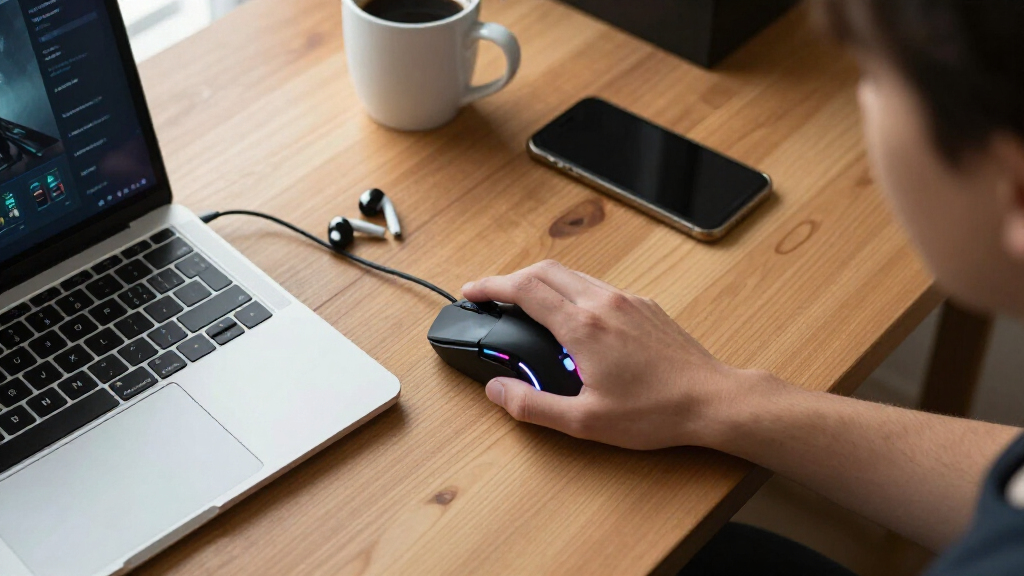

Student-friendly gaming mice need to hit a tricky balance: cheap enough for a ramen budget, reliable enough to survive four years of coursework and late-night gaming sessions, and portable enough to move between a dorm desk, a library table, and a backpack. My top overall pick is the Logitech G305 Lightspeed Wireless, because it pairs a proven Hero sensor with a sub-$40 price and months of battery life on a single AA — no charging cable to lose. For pure value, the Redragon M612 delivers 8000 DPI and remappable buttons for under $20, while the ATK VXE Dragonfly R1 is the standout premium choice, offering a 51-gram competitive-grade build that rivals mice twice its price. The main tradeoff in this category is wireless convenience versus wired reliability at the low end, plus deciding whether a brand-name sensor is worth the premium over generic RGB mice. Read on for the full breakdown of all 14 picks.

Get the latest gadgets delivered free with Prime
- Fast, free delivery on millions of items
- Prime Video, Amazon Music and more included
- Member-only deals all year
Complete the kit



Key Takeaways
- Brand-name sensors proved the biggest differentiator in this lineup: the Logitech G305, G502 Hero, and ATK VXE Dragonfly R1 all offer tracking precision that generic $10-15 RGB mice simply cannot match, and that gap matters most in fast-paced games.
- Several near-identical generic wired mice (the Guiheng, the 6-Button 3200 DPI model, and the 7-Color LED model) fill the same niche — they are fine for absolute beginners but duplicate each other, so price and warranty should decide between them.
- Wireless is no longer the premium feature it once was: the SOLAKAKA SM850 and EPOMAKER Click Lite undercut the Logitech G305 on specs like DPI and weight, though battery consistency and software support still favor Logitech.
- The Redragon M612 emerged as the best wired value because it is the only budget generic with genuinely remappable keys, making it a smarter long-term buy than cheaper RGB mice with fixed buttons.
- The Logitech G502 Hero sits awkwardly for students: it is the heaviest and most expensive wired option here, making it best only for those who specifically want its free-spinning scroll wheel and 11 programmable buttons for productivity-heavy coursework.


| student-friendly gaming mice | Connectivity | Buttons | Lighting | Sensor |
|---|---|---|---|---|
| Guiheng Wired Gaming Mouse wit | Wired USB | 6 programmable buttons | RGB multi-color | — |
| Gaming Mouse Wired | — | 6 | 7-color breathing LED | — |
| Wired Gaming Mouse with 7 Colo | — | 6 | 7-color LED backlight with on/off | — |
| Redragon M612 Wired RGB Optica | — | — | — | — |
| SOLAKAKA SM850 Wireless Gaming | USB-C wired, Bluetooth 5.1, 2.4G wireless | 6 programmable buttons | — | PAW3311 Optical Sensor |
| Logitech G305 Lightspeed Wirel | — | — | — | HERO optical |
| ATK VXE Dragonfly R1 Wireless | — | — | — | PAW3395 |
| BENGOO Gaming Mouse Wired with | — | 6 | RGB backlit | — |
| Wired Gaming Mouse with RGB Li | USB wired | 7 programmable | RGB | — |
| Logitech G502 Hero Wired Gamin | Wired USB | — | RGB LIGHTSYNC | HERO 25K |
| Logitech G203 Wired Gaming Mou | Wired USB Type-A | 6 | Customizable RGB | Optical |
| Logitech G305 Lightspeed Wirel | Wireless | — | — | HERO optical |
| EPOMAKER Click Lite Wireless G | 2.4G, Bluetooth, USB-C | — | — | PAW3311 |
More Details on Our Top Picks
Guiheng Wired Gaming Mouse with RGB Lighting and Programmable Buttons
At the bottom of the price ladder, this Guiheng mouse delivers the bare essentials of gaming aesthetics: RGB lighting, six programmable buttons, and an ergonomic shell. For a student who just wants their desk to look like a gaming setup without spending dining-hall money, this option makes sense. Compared with the similarly priced 7 Color LED Backlight mouse, it trades away the silent-click feature but gains programmability, which matters if you map hotkeys for MOBAs or productivity macros. The catch is the DPI ceiling of 1600 — fine for coursework and casual titles, but noticeably sluggish next to the Redragon M612’s 8000 DPI if you ever play fast shooters. Software support is minimal, so button remapping is basic rather than deep.
Pros:- Extremely low price point that fits a student budget
- Six programmable buttons for macros and hotkeys
- Ergonomic shape that holds up during long study-plus-gaming sessions
- Broad OS compatibility including Linux and Chromebook
Cons:- DPI tops out at 1600, limiting precision in fast-paced games
- Very basic feature set that advanced gamers will outgrow quickly
Best for: Students on the tightest budgets who want RGB flair and basic programmable buttons for casual games and coursework
Not ideal for: Competitive FPS players — the 1600 DPI cap and basic sensor can’t keep up with fast, low-sensitivity aiming styles
- Connectivity:Wired USB
- Buttons:6 programmable buttons
- Speed Settings:800 / 1200 / 1600 DPI
- Lighting:RGB multi-color
- Compatibility:Windows XP/7/8/10, Vista, Linux, Chromebook
- Design:Ergonomic
Our verdict“A fine first gaming mouse for casual players who prioritize price and looks over performance.”
Gaming Mouse Wired, 6 Buttons, 3200 DPI, RGB LED, Compatible with PC and Mac
This mouse wins on frictionlessness: no drivers, no software, no setup — plug it into a dorm laptop or library PC and it works. That plug-and-play angle is its real differentiator over the Redragon M612, which needs downloaded software before its 11 buttons mean anything. The 3200 DPI range doubles what the Guiheng offers, giving enough sensitivity headroom for shooters without overwhelming newcomers. The 7-color breathing LED adds atmosphere, though it’s fixed lighting rather than fully customizable RGB. The tradeoff is the wired-only connection, which is fine at a desk but awkward if you move between lecture halls, and the six-button layout will feel cramped for MMO players used to side-panel grids.
Pros:- True plug-and-play with no driver installation needed
- 3200 DPI gives comfortable headroom for shooters
- Works across Windows, Mac, and Linux
- Ergonomic comfort for long sessions
Cons:- Wired-only design limits portability
- Six buttons fall short for MMO or macro-heavy players
Best for: Students who bounce between shared computers and want a mouse that works instantly with zero software on any OS
Not ideal for: Laptop-toting students who game in multiple locations — the fixed cable tethers you to a desk
- Buttons:6
- DPI:Up to 3200
- Lighting:7-color breathing LED
- Compatibility:Windows, Mac OS, Linux
- Connection:Wired USB
- Color:Black
Our verdict“The easiest entry point in the roundup for students who value zero-setup convenience over raw specs.”
Wired Gaming Mouse with 7 Color LED Backlight and 6 Buttons
The standout feature here is silent clicking — something no other mouse in this lineup offers, including the louder-clicking BENGOO and Redragon options. For a student in a shared dorm, late-night library session, or thin-walled apartment, quiet switches are the difference between gaming at 1 a.m. and annoying your roommate. The four-stage DPI ladder (up to 3600) sits slightly above the 3200 DPI plug-and-play model, and the LED backlight can be switched off entirely for discrete use. What you give up is depth: there’s no software layer, no macro support, and no wireless option, so it’s strictly a point-and-shoot device. Compared with the SOLAKAKA SM850, it feels a generation behind on sensor tech.
Pros:- Silent clicks ideal for libraries, dorms, and shared rooms
- Four DPI stages up to 3600 for flexible sensitivity
- Backlight can be turned off for low-profile use
- Plug-and-play USB with no installation
Cons:- No customization software or macro support
- Wired-only connection limits flexibility
- 3600 DPI ceiling trails the performance picks in this roundup
Best for: Students in dorms or shared bedrooms who need near-silent clicks for late-night gaming and studying
Not ideal for: Tinkerers and macro users — with no customization software, what you plug in is all you get
- DPI Settings:1200 / 1800 / 2400 / 3600
- Buttons:6
- Lighting:7-color LED backlight with on/off
- Connection:Wired USB
- Compatibility:Laptop / PC
Our verdict“The quiet-click specialist for students whose biggest constraint is a thin dorm wall, not their DPI.”
Redragon M612 Wired RGB Optical Gaming Mouse 8000 DPI Remapping Keys
This is where budget gear starts behaving like enthusiast gear. The M612 pairs an 8000 DPI sensor with 11 programmable buttons and five backlight modes — a spec sheet that embarrasses the six-button budget trio above it while still costing less than a textbook. For students playing MMOs, WoW, or FFXIV, those extra side buttons remap spells and abilities without buying an MMO mouse at triple the price. The frosted, fingerprint-free coating and rubber textured sides are thoughtful touches the cheaper Guiheng lacks. The compromises: you must install Redragon’s software to unlock remapping and custom DPI stages (unlike the plug-and-play 3200 DPI model), the software itself is utilitarian, and the cable keeps you desk-bound when the SOLAKAKA SM850 goes wireless.
Pros:- 11 programmable buttons rival far pricier MMO mice
- 8000 DPI with five customizable levels
- Frosted fingerprint-free coating and textured rubber grips
- Multiple RGB backlight modes for personalization
Cons:- Full feature set requires downloading and learning Redragon software
- Wired connection limits mobility
- Software interface is basic compared with Logitech’s G Hub ecosystem
Best for: MMO and MOBA players on a budget who need lots of programmable buttons without paying enthusiast prices
Not ideal for: Students who want maximum simplicity — the software requirement and button overload make it overkill for casual play
- DPI:8000 max
- DPI Levels:5 (default 500/1000/2000/3000/4000)
- Programmable Buttons:11
- Backlit Modes:5
- Design:Ergonomic, claw-grip, streamlined
- Surface Coating:Frosted, fingerprint-free
- Side Texture:Rubber textured
Our verdict“The most functionality per dollar here — ideal for button-hungry MMO students willing to tolerate clunky software.”
SOLAKAKA SM850 Wireless Gaming Mouse 24000 DPI Lightweight PC Gamer Mouse
The SM850 is the serious athlete of this batch. Its PAW3311 sensor — the same class of sensor found in the EPOMAKER Click Lite — tracks at up to 24000 DPI, 300 IPS, and 35G acceleration, specs that dwarf everything else here, including the Redragon M612’s 8000 DPI. At 55 grams, it’s built for flick shots and marathon sessions without wrist fatigue, and its tri-mode connectivity (2.4G, Bluetooth 5.1, USB-C) means one mouse covers your gaming desktop, classroom laptop, and tablet. The 250-hour battery comfortably outlasts a semester of nightly use. The downsides: macro programming requires driver installation with a steeper learning curve than any budget option, and all this capability costs several times what the Guiheng does — overkill if your games top out at Minecraft and coursework.
Pros:- PAW3311 sensor with 24000 DPI, 300 IPS tracking for precise competitive play
- Ultra-light 55g build reduces strain in long sessions
- Tri-mode connectivity works across desktop, laptop, and tablet
- 250-hour battery life covers weeks between charges
Cons:- Macro programming requires driver installation and has a learning curve
- Noticeably pricier than every other pick in this batch
Best for: Semi-competitive students who want esports-grade sensor performance and wireless freedom across multiple devices
Not ideal for: Budget-limited casual gamers — its price and complex software are wasted on light gaming and browsing
- Sensor:PAW3311 Optical Sensor
- DPI:Up to 24000
- Tracking Speed:300 IPS
- Acceleration:35G
- Polling Rate:125Hz–1000Hz
- Weight:55g
- Connectivity:USB-C wired, Bluetooth 5.1, 2.4G wireless
- Battery Life:250 hours
- Buttons:6 programmable buttons
Our verdict“The performance ceiling of this roundup — worth it only for students who genuinely need esports-level tracking.”
Logitech G305 Lightspeed Wireless Gaming Mouse – Lilac
Logitech’s G305 earns its spot by solving the problem most student mice ignore: cutting the cord without cutting battery life. The 9-month AA battery means a semester (or two) of lectures, library sessions, and dorm gaming without hunting for a charger — something the ATK VXE Dragonfly R1 can’t match with its 40-hour internal cell. The HERO sensor’s precision and 1 ms Lightspeed connection give it a genuinely competitive feel, closer to the wired Logitech G502 Hero than a wireless mouse at this price has any right to be. The tradeoffs are real, though: it runs on a disposable AA battery rather than USB-C recharging, the shape is right-handed only, and there’s no Bluetooth fallback for a tablet-only student.
Pros:- Up to 9 months of battery life on a single AA — no daily charging anxiety
- 1 ms wireless report rate feels as responsive as wired mice
- Lightweight 3.4 oz build travels well in a backpack
- HERO sensor with 12,000 DPI handles both gaming and precision coursework
Cons:- Uses replaceable AA batteries instead of rechargeable USB-C
- Right-handed-only shape excludes left-handed students
Best for: Students who want reliable wireless performance for gaming and note-taking without worrying about charging cables
Not ideal for: Left-handed users and anyone who dislikes buying replacement AA batteries or wants Bluetooth connectivity
- Sensor:HERO optical
- DPI:12,000
- Wireless Technology:Lightspeed 2.4GHz
- Response Time:1 ms
- Battery Life:Up to 9 months (AA)
- Weight:3.4 oz (99g)
Our verdict“The smartest pick for students who want set-it-and-forget-it wireless gaming on a budget.”
ATK VXE Dragonfly R1 Wireless Gaming Mouse – White
This option stands out for students who take competitive shooters seriously. At 51 grams, the Dragonfly R1 is dramatically lighter than the Logitech G305 (99g), and the difference is immediately noticeable in fast flick shots and marathon sessions. The PAW3395 sensor with 26,000 DPI is genuinely enthusiast-grade — a spec class above anything else in this roundup — and tri-mode connectivity lets it jump between a gaming laptop, a tablet for notes, and a wired backup with no dongle juggling. The catch: smaller hands get the comfortable fit, larger hands won’t, and you’ll need to install the driver software to unlock the customization that justifies the price. Compared with the SOLAKAKA SM850, it trades raw spec-sheet DPI for a more refined weight and switch feel.
Pros:- Ultra-light 51g design reduces fatigue during long sessions
- Enthusiast PAW3395 sensor adjustable up to 26,000 DPI
- Tri-mode connectivity (2.4G, Bluetooth, wired) covers every device a student owns
- Huano Ice Berry switches deliver crisp, durable click feel
Cons:- 40-hour battery means regular recharging, unlike the G305’s 9-month AA life
- Compact shape suits medium and small hands only
- Driver software needed for full customization
Best for: Esports-minded students with small-to-medium hands who want flagship-grade sensor performance without flagship pricing
Not ideal for: Students with large hands, or anyone who wants full functionality without installing configuration software
- Sensor:PAW3395
- DPI Range:10 to 26,000
- Weight:51g
- Battery Life:40 hours
- Connection Modes:Wired, 2.4G Wireless, Bluetooth
- Polling Rate:Up to 1000Hz
- Switches:Huano Ice Berry Pink Dot
- Dimensions:120.6 × 64.1 × 37.6 mm
Our verdict“The closest thing to a pro-grade mouse a student budget can stretch to — if your hands fit it.”
BENGOO Gaming Mouse Wired with RGB Backlit, Ergonomic PC Computer Mouse
This model makes the list because it nails the absolute basics for the smallest possible spend. Plug it in and it works — no drivers, no software, no setup — which is exactly what a cash-strapped student needs between lectures. Compared with the Acer wired mouse, the gap is honest: 3,600 DPI max instead of 12,800, six fixed buttons instead of eight programmable ones. But for casual gaming and everyday browsing, that ceiling rarely matters, and the ergonomic shape holds up through long sessions better than the price suggests. The drawbacks are what you’d expect at this tier: it’s wired only, buttons can’t be remapped, and larger hands may find the shell cramped.
Pros:- True plug-and-play with no driver installation
- Adjustable DPI from 1200 to 3600 covers casual gaming well
- Ergonomic shape comfortable for extended use
- RGB backlighting adds atmosphere at a rock-bottom price
Cons:- Wired only, with no wireless option at any configuration
- Buttons are not programmable
- DPI ceiling of 3,600 limits fast-paced competitive play
Best for: Students on the tightest budgets who need a working mouse today for casual gaming and coursework
Not ideal for: Competitive gamers who need high DPI or remappable buttons, and anyone with large hands
- DPI:1200–3600
- Buttons:6
- Lighting:RGB backlit
- Setup:Plug and play, no driver
- Compatibility:Windows XP/Vista/7/8, Macbook, PC, Notebook, Laptop
Our verdict“The cheapest way to get a comfortable, good-enough gaming mouse — just don’t expect advanced features.”
Wired Gaming Mouse with RGB Lighting and 7 Programmable Buttons
Ambidextrous shapes are rare in this roundup — the G305 and Acer both lock out lefties — and that alone justifies this mouse’s place. Its symmetrical design works for either hand, while the seven programmable buttons put it between the BENGOO’s fixed six and the Acer’s eight in capability. The 800–3,200 DPI range is modest next to the ATK Dragonfly R1’s 26,000, but for everyday campus gaming and coursework, it’s plenty, and the cross-platform support (Windows, Mac, Linux) means it survives an OS switch or a borrowed laptop. The honest downsides: no customization software means those programmable buttons rely on basic presets, and the wired connection tethers you to the desk.
Pros:- Ambidextrous design suits left- and right-handed users
- Seven programmable buttons add gameplay versatility
- Broad OS support across Windows, Mac, and Linux
- Comfortable ergonomic grip for long sessions
Cons:- Wired-only connection limits mobility
- No advanced customization software — button programming is basic
- DPI tops out at 3,200, low for competitive titles
Best for: Left-handed or ambidextrous students who want extra buttons and a comfortable grip on a tight budget
Not ideal for: Students who want deep software customization or wireless freedom — this offers neither
- Connectivity:USB wired
- Buttons:7 programmable
- DPI Range:800–3,200
- Lighting:RGB
- Design:Ergonomic, ambidextrous
- Compatibility:Windows XP/7/8/10, Vista, Linux, Macbook, PC, Laptop
- Material:Plastic
Our verdict“The go-to budget wired mouse if your left hand is your dominant one — everyone else has better options here.”
Logitech G502 Hero Wired Gaming Mouse – Black
For a student who wants one mouse to last all four years, the G502 Hero stands out as the most configurable option in this lineup. Eleven programmable buttons and the addable weight system let you tune everything from macro-heavy MMO assignments to a heavier, steadier feel for precision work. Compared with the Logitech G203, the G502’s HERO 25K sensor and dual-mode scroll wheel put it in a different class — but that comes at roughly double the price. The tradeoff is complexity: getting full value means spending time in G HUB software, and the wired cable is a real constraint in a cramped dorm setup. This pick makes the most sense for students who already game seriously and want headroom to grow.
Pros:- HERO 25K sensor with up to 25,600 DPI for exceptional tracking accuracy
- Eleven programmable buttons that double as productivity macros
- Adjustable weight system lets you dial in the exact feel
- Dual-mode hyper-fast scroll wheel speeds up long documents
Cons:- Wired connection limits desk placement and portability
- Full customization requires nontrivial time in G HUB software
- Heavier than lightweight competitors even before adding weights
Best for: Students who play MMOs or MOBAs and want deep customization and macro buttons for coursework shortcuts
Not ideal for: Budget-limited first-time buyers — the G203 delivers 80% of the experience for far less money
- Sensor:HERO 25K
- Max DPI:25,600
- Programmable Buttons:11
- Lighting:RGB LIGHTSYNC
- Weights:Up to 5 x 3.6 g
- Scroll Wheel:Dual-mode hyper-fast
- Switch Type:Mechanical with tensioning
- Connectivity:Wired USB
Our verdict“The G502 is the buy-it-once choice for students who game seriously and want maximum customization without stepping into premium pricing.”
Logitech G203 Wired Gaming Mouse – White
When the budget is tuition-tight, the G203 is the smartest spend in this roundup. It undercuts the Logitech G502 Hero by a wide margin while still offering the same G HUB software, customizable RGB, and mechanical button tensioning for a crisp click feel. The 8,000 DPI sensor is modest next to the G502’s 25,600, but for classwork and competitive shooters at 1080p, most students will never notice the gap. The 6.89 ft cable is generous enough for awkward dorm desk layouts. Where this model falls short is ambition: no weights, fewer buttons, and a plain ambidextrous shape. Compared with cheaper RGB mice like the Redragon M612, the G203 wins on software polish and long-term durability.
Pros:- Same G HUB software ecosystem as Logitech’s premium mice
- 8,000 DPI sensor covers everyday gaming comfortably
- Durable mechanical switches with crisp feedback
- Long 2.1 m cable handles awkward desk setups
Cons:- No wireless option — the cable is permanent
- Basic design with no weights or advanced ergonomics
- Sensor ceiling may frustrate high-sensitivity competitive players
Best for: Students who want a dependable, Logitech-backed gaming mouse under a strict budget
Not ideal for: Players who need extra buttons for MMOs or macros — six buttons caps your options quickly
- Sensor:Optical
- Max DPI:8,000
- Buttons:6
- Lighting:Customizable RGB
- Connectivity:Wired USB Type-A
- Cable Length:6.89 ft (2.1 m)
- Color:White
Our verdict“The G203 is the value sweet spot for students who want trusted Logitech quality without the premium price tag.”
Logitech G305 Lightspeed Wireless Gaming Mouse – Black
The G305 Lightspeed solves the problem budget wired mice like the G203 create: cable drag on a cluttered dorm desk. Its 1 ms Lightspeed connection means the wireless experience feels indistinguishable from wired, and the HERO sensor’s efficiency translates into up to nine months on one AA battery — no charging cable to forget before an exam-week gaming session. At 3.4 oz with a compact shape, it slips into a laptop bag more easily than the bulkier G502 Hero. The compromises are real, though: no RGB lighting, fewer programmable buttons than the G502, and you’re buying AA batteries forever. This pick makes the most sense for students who move between a dorm desk, library, and LAN nights.
Pros:- 1 ms Lightspeed wireless performs like a wired connection
- Up to 9 months of battery life on a single AA
- Compact 3.4 oz design travels easily in a laptop bag
- Trusted HERO sensor with 12,000 DPI headroom
Cons:- Ongoing AA battery cost and no rechargeable option
- No RGB lighting or weight customization
- Smaller shape may cramp larger hands during long sessions
Best for: Students who carry their setup between dorm, library, and friends’ rooms and hate cable clutter
Not ideal for: RGB enthusiasts and macro-heavy MMO players — there’s no lighting and only six buttons
- Sensor:HERO optical
- Max DPI:12,000
- Wireless Technology:Lightspeed (1 ms report rate)
- Battery Life:Up to 9 months (AA)
- Weight:3.4 oz
- Connectivity:Wireless
- Compatibility:Desktop and laptop
Our verdict“The G305 is the portable, cable-free choice for students who game in multiple places and value battery life over flash.”
EPOMAKER Click Lite Wireless Gaming Mouse
The EPOMAKER Click Lite earns its spot for a genuinely student-specific problem: switching between a laptop, tablet, and shared desktop. Its tri-mode connectivity (2.4G, Bluetooth, USB-C) means one mouse handles every device in a dorm room — something neither the Logitech G203 nor the G502 Hero can do. The 59g weight is the lightest here, which reduces fatigue during late-night study-and-game marathons, and the rechargeable battery avoids the G305’s endless AA purchases. The PAW3311 sensor and 1000 Hz polling rate hold up well in fast games too. The tradeoff: fewer buttons than the G502, no RGB for setup aesthetics, and a newer brand with a shorter track record than Logitech’s years of proven reliability.
Pros:- Tri-mode connectivity pairs with laptops, tablets, and desktops alike
- Featherlight 59g build reduces wrist fatigue
- Rechargeable battery with up to 78 hours per charge
- PAW3311 sensor with 1000 Hz polling for responsive gaming
Cons:- Only five buttons — limited for MMO or macro-heavy play
- No RGB lighting for anyone building a coordinated setup
- Newer brand with less established long-term support
Best for: Students juggling a laptop, tablet, and desktop who want one lightweight mouse for all of them
Not ideal for: Buyers who prioritize brand reliability and warranty support — Logitech options carry a longer proven track record
- Sensor:PAW3311
- DPI Range:800–12,000
- Weight:59 g
- Connectivity:2.4G, Bluetooth, USB-C
- Polling Rate:1000 Hz
- Battery Life:78 hours (500 mAh rechargeable)
- Programmable Buttons:5
- Tracking Speed:300 IPS
- Acceleration:35G
Our verdict“The Click Lite is the multi-device minimalist’s pick — ideal for students who value lightness and versatility over button count and flash.”
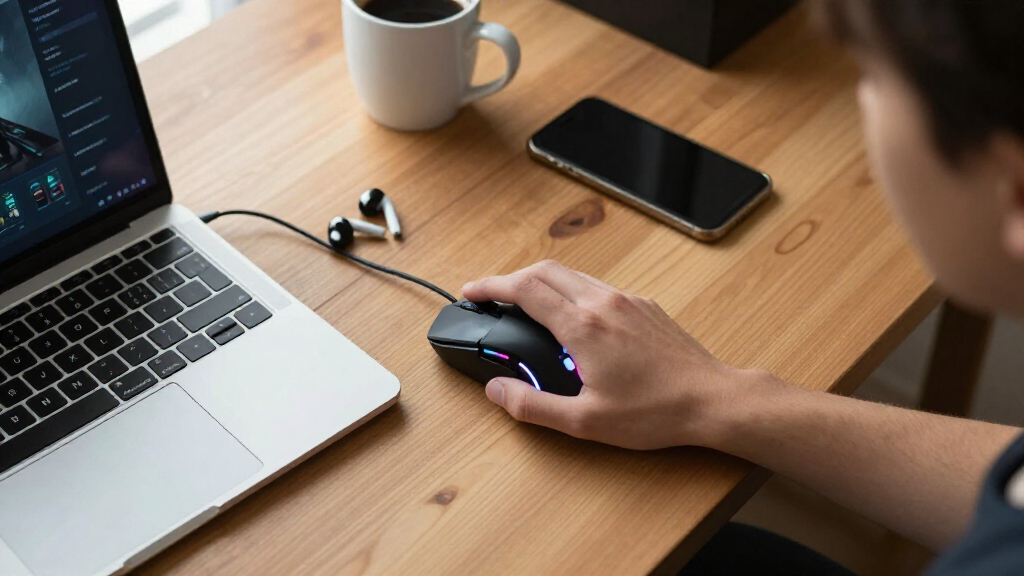
How We Picked
I evaluated each mouse through a student’s actual constraints rather than a competitive gamer’s wishlist. The criteria that carried the most weight were price-to-performance ratio, durability and brand support, dorm-and-backpack portability (weight, cable management, battery life), and sensor and software quality. A mouse that costs $12 but dies mid-semester with no warranty is a worse buy than a $35 mouse that lasts four years, so I weighted reliability heavily even when cheaper options looked better on paper.
Ranking also reflected versatility: options that work for both gaming and coursework — extra programmable buttons, quiet clicks, multi-device connectivity — ranked higher than single-purpose gaming mice. Weight and wireless capability acted as tiebreakers, since students frequently move setups between a dorm, library, and home. Where two products were functionally identical, as with the generic RGB wired mice, I separated them by price, button remapping support, and manufacturer responsiveness.
| student-friendly gaming mice | Sensor |
|---|---|
| Guiheng Wired Gaming Mouse wit | — |
| Gaming Mouse Wired | — |
| Wired Gaming Mouse with 7 Colo | — |
| Redragon M612 Wired RGB Optica | — |
| SOLAKAKA SM850 Wireless Gaming | PAW3311 Optical Sensor |
| Logitech G305 Lightspeed Wirel | HERO optical |
| ATK VXE Dragonfly R1 Wireless | PAW3395 |
| BENGOO Gaming Mouse Wired with | — |
| Wired Gaming Mouse with RGB Li | — |
| Logitech G502 Hero Wired Gamin | HERO 25K |
| Logitech G203 Wired Gaming Mou | Optical |
| Logitech G305 Lightspeed Wirel | HERO optical |
| EPOMAKER Click Lite Wireless G | PAW3311 |
Factors to Consider When Choosing Student-friendly Gaming Mice
Before settling on a pick from the list above, it helps to understand the broader patterns in this price bracket. Budget gaming mice have improved dramatically, but manufacturers still cut corners in predictable places — and knowing where those cuts happen will save you from a frustrating purchase.The Real Cost of Cheap Sensors
Every mouse in this roundup advertises an eye-catching DPI number, but DPI is one of the least honest specs in the industry. Generic mice claiming 3200 or even 12800 DPI often use unbranded sensors with smoothing, acceleration, and inconsistent tracking at high speeds — problems you cannot see on a spec sheet but will feel immediately in an aim-heavy game. Brand-name sensors like the Logitech Hero, PixArt PAW3395, and PAW3311 maintain accuracy across their entire DPI range, which is why the Logitech and ATK options rank higher despite similar or lower advertised numbers. A common mistake is buying the highest DPI figure at the lowest price; in practice, most players use 800-1600 DPI anyway. If you play shooters or fast-paced games regularly, spend the extra $15-20 on a known sensor. If you mostly play strategy games, MOBAs, or use the mouse for coursework, a generic sensor is a perfectly acceptable compromise.
Wired vs. Wireless on a Student Budget
Wireless used to mean a $70+ purchase, but that divide has collapsed — and the tradeoffs have shifted with it. The real question for students is battery logistics, not latency. Battery-free wired mice never die mid-session, which matters when you cannot afford to keep spare batteries or forget to recharge. Wireless options split into two camps: AA/AAA-powered mice like the Logitech G305, which run for months and take seconds to swap, and rechargeable models like the ATK VXE Dragonfly R1 and EPOMAKER Click Lite, which are lighter but die in 40-70 hours and need a cable kept handy. Dorm life adds another wrinkle: wireless reduces desk cable clutter in tight spaces, and a 50-60 gram mouse travels better in a backpack. If you move your setup daily, wireless is worth the premium; if your mouse lives on one desk, a wired mouse saves money with no real downside.
Why Software Support Separates Brands From Generics
The most overlooked difference between a $15 generic mouse and a $35 Logitech is not hardware — it is driver software and long-term support. Logitech G HUB and similar brand software let you remap every button, save profiles to the mouse’s onboard memory, and carry settings between computers without reinstalling anything. Most generic mice advertise programmable buttons but either provide clunky one-time-setup software or none at all, meaning the feature exists on the box but not in practice. For students, onboard memory matters more than it seems: campus lab computers, a borrowed laptop, and your own machine can all recognize a configured brand mouse instantly. Check whether a mouse has onboard profile storage before buying — it is the single best predictor of whether extra buttons will stay useful after month one.
Durability: What Actually Breaks First
Budget mice rarely fail at the sensor — they fail at the click switches, scroll wheel encoder, and cable strain relief. Double-click faults from cheap Omron clones are the most common death of sub-$20 mice, often appearing within a year of heavy use. Braided cables look premium but actually fray faster at sharp bends than quality rubber ones, a real issue when a cable gets pinched in a backpack daily. Scroll wheel encoders are the second casualty, developing free-spin or dead zones that make document scrolling miserable for coursework. Brand mice use validated switch suppliers and offer 1-2 year warranties, which effectively buys you a free replacement if something fails during school. A useful heuristic: if a generic mouse costs less than $15, treat it as disposable; anything above $25 should come with a real warranty, and if it does not, skip it.
Weight, Size, and Shared Living Spaces
Student environments change what an ideal mouse looks like. Lightweight mice in the 50-60 gram range — the ATK VXE Dragonfly R1 and EPOMAKER Click Lite — reduce wrist fatigue during long study-and-game sessions, a genuine health consideration if you spend six-plus hours a day at a desk. Size matters for smaller hands and shared setups; the compact Logitech G305 fits hands that the large, button-heavy G502 makes uncomfortable. Noise is a hidden factor nobody advertises: loud tactile clicks at 2 a.m. in a shared dorm room annoy roommates fast, and no manufacturer publishes click-volume specs, so read user reviews specifically for this. Finally, RGB lighting — the signature feature of every generic mouse on this list — is fun in a dark dorm but distracting in a library. If your mouse moves between both, pick one with software or a physical button to disable lighting quickly.
When to Pay More — and When Not To
The price curve in this category is steep at the bottom and flat at the top, which creates a clear sweet spot. Moving from $12 to $35 buys you dramatically better reliability, software, and sensor quality — the Logitech G305 zone. Moving from $35 to $60 buys refinements: lower weight, tri-mode connectivity, better battery, as with the ATK VXE Dragonfly R1. Beyond that, you are paying for esports-grade marginal gains that a student setup almost never exploits. Do not stretch your budget for DPI numbers or RGB — both are cheap to include and poor indicators of quality. The one scenario where paying more genuinely pays off is if you game competitively or plan to keep the mouse through graduation and beyond, since a $50-60 quality mouse outlasts three $15 generics. Otherwise, the mid-range options in this list will serve every realistic student need.
Frequently Asked Questions
Is a cheap RGB gaming mouse good enough for casual student gaming?
For casual gaming — MOBAs, strategy games, Minecraft, and single-player titles — a $10-15 generic RGB mouse like the Guiheng or BENGOO models handles everything you will throw at it. The clicks register, the DPI switches work, and the lighting looks the part. Where they fall short is fast, aim-dependent games, where unbranded sensors introduce tracking inconsistencies that skilled players notice immediately. They also carry real durability risk, with cheap switches commonly failing within a year of heavy use and warranties that are rarely honored. If gaming is a casual hobby between classes, a generic is fine; if you play daily or competitively, the jump to a Redragon M612 or Logitech G203 costs only $10-15 more and buys substantially better longevity.
Should a student buy the Logitech G305 or a higher-spec generic wireless mouse like the SOLAKAKA SM850?
This comes down to what you value: specs versus consistency. The SOLAKAKA SM850 and similar generics advertise higher DPI, lighter weight, and sometimes longer battery claims at a lower or equal price, and on paper they beat the G305 easily. What generics cannot match is Logitech’s software ecosystem, quality control, and warranty support — if a G305 develops a fault, a replacement is a phone call away. The G305 also runs months on a single AA battery, while rechargeable generics need weekly charging discipline that busy students often lack. I would recommend the G305 to anyone buying their first wireless mouse and wanting zero maintenance; the SM850 makes sense for spec-driven buyers comfortable with a shorter effective lifespan and no meaningful support net.
Are programmable buttons actually useful for schoolwork, or just for gaming?
Programmable buttons are arguably more useful for productivity than for casual gaming. Mapping copy, paste, undo, or a browser back command to a thumb button saves thousands of small movements over a semester of essay writing and research. The Logitech G502’s 11 programmable inputs and free-spinning scroll wheel are genuinely excellent for scrolling through long PDFs and spreadsheets, which is partly why it earned a spot in this lineup despite its weight and price. The catch is that this only works with real software support — generic mice advertising programmable buttons often ship with barebones utilities or none at all. If this feature matters to you, prioritize mice confirmed to have onboard profile storage, like the Logitech options and the Redragon M612.
Is 24000 or 26000 DPI something I need as a student gamer?
No, and treating DPI as a quality signal is the most common mistake in this category. Professional esports players overwhelmingly use settings between 400 and 1600 DPI; a 26000 DPI ceiling is a marketing number you will never touch in real gameplay. What matters far more is sensor consistency — whether tracking stays accurate when you swipe fast, which depends on the sensor’s brand and quality, not its maximum DPI. The ATK VXE Dragonfly R1’s PAW3395 is excellent not because it reaches 26000 DPI but because it is flawless at every usable setting. A better buying approach: ignore the DPI ceiling entirely and check which sensor the mouse uses. A 3200 DPI mouse with a quality sensor will outperform a 24000 DPI mouse with a cheap one in every game you actually play.
Which mouse in this list is best for a student who games and also does lots of note-taking and document work?
For mixed gaming and productivity use, the Logitech G502 Hero is the strongest pick if your budget reaches it, thanks to its scroll wheel that flips between precise ratcheting and free-spin — a genuine advantage for long documents — plus 11 programmable buttons for shortcuts. If the G502 is too heavy or too expensive, the Logitech G305 is the better balanced choice: lighter, wireless, and still carrying enough programmable buttons for copy-paste and app-switching macros. Students who want quiet clicks for libraries and shared rooms should look closely at the EPOMAKER Click Lite, which is lighter than both and connects to multiple devices via Bluetooth — handy for jumping between a laptop and tablet during lectures. Avoid the basic RGB generics for this use case, since their buttons cannot actually be remapped in any practical way.
Conclusion
The right choice here depends less on specs and more on how you actually live and study. For best overall, the Logitech G305 Lightspeed wins on the strength of its proven sensor, months-long AA battery life, and portability — the least maintenance of any wireless pick at a student-friendly price. The Redragon M612 takes best value, offering real button remapping and 8000 DPI under the price of a pizza delivery. For a premium pick, the ATK VXE Dragonfly R1 is in a class of its own at 51 grams with a flagship PixArt sensor, ideal for the student who plays competitively. Beginners should start with the Logitech G203 — cheap, wired, dependable, and backed by real software. For specific needs: the Logitech G502 Hero for productivity-heavy students who want the best scroll wheel and button layout, the EPOMAKER Click Lite for multi-device users juggling a laptop and tablet, and the generic RGB wired mice for absolute budget buyers who game only casually. Whatever you choose, avoid chasing DPI numbers — in this bracket, sensor quality, software support, and warranty coverage predict satisfaction far better than any figure on the box.
Fall Picks
fall essentials
As an affiliate, we earn on qualifying purchases.